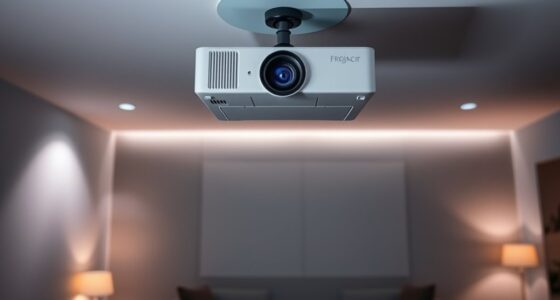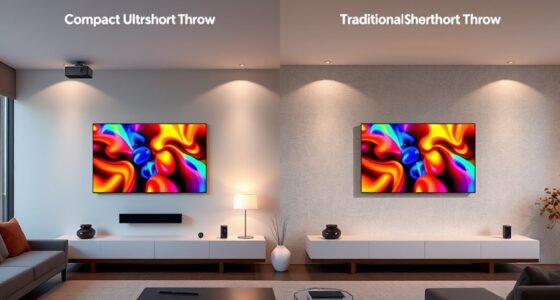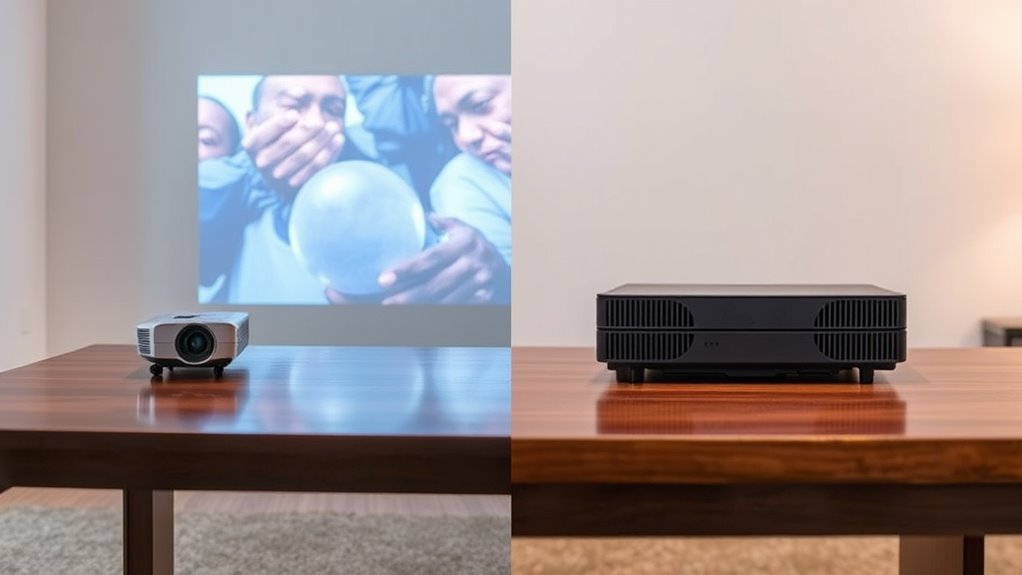

Understanding throw ratio and zoom capabilities helps you optimize projector placement. The throw ratio determines how far back you need to position the projector for a certain image size, while zoom allows you to adjust the image size without moving the projector. A good zoom lens gives you more flexibility, especially in tight spaces or irregular rooms. If you want to learn how these features work together to improve your setup, there’s more to discover ahead.
Key Takeaways
- Throw ratio determines the projector’s distance needed for a specific image size, while zoom allows size adjustment without repositioning.
- Zoom enhances placement flexibility, especially in constrained rooms, by fine-tuning image size without changing projector distance.
- High-quality zoom lenses minimize distortion at various focal lengths, maintaining image clarity and proportionality.
- Limited zoom capability requires precise projector placement, whereas greater zoom flexibility reduces setup constraints.
- Combining an appropriate throw ratio with zoom features ensures optimal image placement, reducing the need for extensive repositioning.

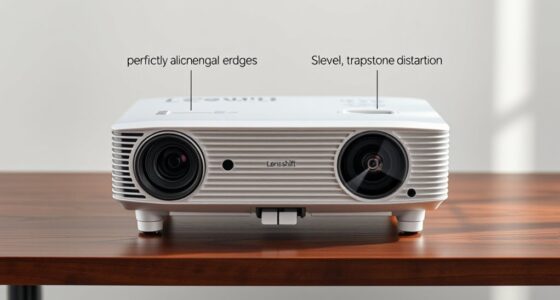
When choosing a projector, understanding the difference between throw ratio and zoom is essential for achieving the perfect image size and placement. The throw ratio determines how far your projector needs to be from the screen to produce a specific image size, while zoom allows you to adjust the image size without moving the projector itself. These features are crucial because they directly influence your setup flexibility and the quality of the projected image. Lens flexibility plays a significant role here. A projector with a versatile zoom lens provides greater control, enabling you to fine-tune the image size without physically repositioning the device. This is especially helpful in spaces where room dimensions limit projector placement or where you want to avoid extensive cabling or installation work. When you have a good zoom capability, you can compensate for minor placement inaccuracies, making setup smoother and more forgiving. Without this flexibility, you’d need to be precise with distance measurements, which isn’t always practical, especially in multi-purpose rooms or temporary setups. Understanding the optical technology behind lens design can help you select models that minimize distortion and maximize image quality. However, increasing zoom capability can sometimes come with trade-offs. One potential issue is image distortion. When you adjust the zoom, especially in projectors with less advanced lens technology, you might notice some distortion at the edges, which can warp the image and reduce overall clarity. This distortion can undermine your viewing experience, especially if you’re using the projector for presentations or detailed visuals. High-quality lenses with better lens flexibility tend to minimize image distortion, ensuring your images stay sharp and proportional across different zoom levels. Understanding the interplay between throw ratio and zoom helps you make smarter choices. For instance, in a small room, a short throw ratio combined with a good zoom function allows you to project a large image from a short distance, saving space and reducing glare or shadows. Conversely, if your room is spacious, a longer throw ratio might be suitable, but the zoom feature becomes invaluable for adjusting the image to the right size without shifting the projector. Ultimately, your goal should be to select a projector that offers both an appropriate throw ratio for your space and sufficient zoom flexibility to adapt as needed. This combination ensures you get ideal image size, minimal distortion, and a setup that’s as convenient as it is effective. By considering both factors, you’ll achieve a crisp, well-placed image that enhances your viewing experience without the hassle of constant repositioning or image correction.
projector with adjustable zoom lens
As an affiliate, we earn on qualifying purchases.
As an affiliate, we earn on qualifying purchases.
Frequently Asked Questions
How Does Throw Ratio Affect Projector Installation Flexibility?
Your throw ratio directly impacts your projector installation flexibility by influencing lens selection and mounting options. A lower throw ratio allows you to place the projector closer to the screen, ideal for tight spaces, while a higher ratio requires more distance. Understanding this helps you choose the right lens and mounting setup, ensuring maximum image size and clarity without compromising your room’s layout.
Can Zoom Be Adjusted During a Presentation Without Moving the Projector?
Your zoom can definitely be adjusted during a presentation without moving the projector, but beware of potential image distortion. You’ll want to fine-tune the lens focus afterward to keep the picture crystal clear. Unlike fixed zooms, adjustable zooms give you flexibility on the fly, making your setup adaptable. Just remember, rapid zoom changes can sometimes cause distortion, so make small adjustments and check the image quality frequently.
What Is the Impact of Throw Ratio on Image Brightness and Clarity?
Your throw ratio directly impacts image brightness and clarity by influencing how much light the lens can project onto the screen. A high-quality lens enhances brightness and sharpness, especially in ambient lighting conditions. If the throw ratio isn’t suitable for your space, images may appear dim or blurry, making it harder to see details. Choosing the right throw ratio guarantees a clear, bright picture, even in well-lit environments.
Is a Higher Zoom Ratio Always Better for Image Quality?
A higher zoom ratio isn’t always better for image quality. You might think it’s the best choice, but lens quality and optical distortion matter more. For example, a 20x zoom with poor lens quality can introduce distortion, blurring details, and reducing clarity. Instead, opt for a lens with good optics, which minimizes distortion and preserves sharpness, ensuring your image stays clear, even at higher zoom levels.
How Do Throw Ratio and Zoom Influence Projector Portability?
Throw ratio and zoom directly affect your projector’s portability and ease of use. A shorter throw ratio allows you to project a large screen size from a closer distance, making setup simpler and more travel-friendly. A versatile zoom lens offers flexible placement options, reducing the need to move the projector extensively. Together, they enhance travel convenience, letting you easily adjust for different spaces without sacrificing screen size or portability.
![Smart Projector 4K [VIDAA Live TV & 36W Dolby & Voice Control] with WiFi6 and Bluetooth, Short Throw Projector Compatible with Netflix, AI Auto Focus, HDR10, Home Theater Proyector for Outdoor Movies](https://m.media-amazon.com/images/I/51LPK2IYH0L._SL500_.jpg)
Smart Projector 4K [VIDAA Live TV & 36W Dolby & Voice Control] with WiFi6 and Bluetooth, Short Throw Projector Compatible with Netflix, AI Auto Focus, HDR10, Home Theater Proyector for Outdoor Movies
- Fast VIDAA Smart OS: Smooth, reliable, app-rich smart TV experience
- Built-in 1000+ Live TV Channels: Includes movies, sports, news, regional content
- AI Content Recommendations: Personalized app and content suggestions
As an affiliate, we earn on qualifying purchases.
As an affiliate, we earn on qualifying purchases.
Conclusion
Understanding throw ratio and zoom capabilities allows you to make smarter choices for your projection setup. Instead of seeing these features as limiting factors, think of them as secret tools that help you adapt seamlessly to any space. With a little finesse, you can optimize your viewing experience without breaking a sweat. So, embrace these features as your silent allies, guiding you toward the perfect image placement and making every presentation or movie night truly exceptional.
As an affiliate, we earn on qualifying purchases.
projector lens with minimal distortion
As an affiliate, we earn on qualifying purchases.
As an affiliate, we earn on qualifying purchases.