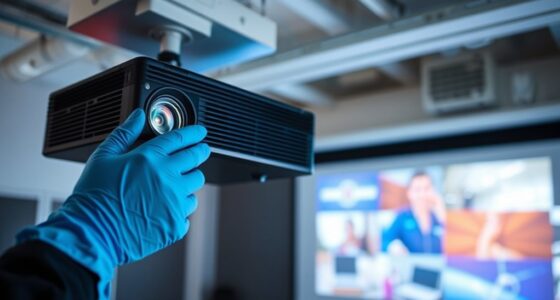

If your projector keeps turning off unexpectedly, it’s likely due to overheating caused by dust in air filters, clogged vents, or a failing cooling system. Check and clean filters regularly, ensure proper ventilation, and remove obstructions around the vents. Consider replacing the lamp if it’s worn, since it generates more heat. Using temperature sensors or updating firmware can also prevent shutdowns. To uncover more solutions, continue exploring what’s causing your projector’s abrupt stops.
Key Takeaways
- Check and clean air filters and vents to prevent overheating caused by dust buildup.
- Ensure proper ventilation and avoid enclosing the projector in tight spaces.
- Replace worn-out lamps and monitor internal temperature with sensors to prevent overheating shutdowns.
- Verify power stability by testing outlets, avoiding surges, and using a UPS if necessary.
- Inspect internal components and update firmware to address hardware issues and improve stability.
If your projector keeps turning off unexpectedly, it can disrupt your presentation or movie night. One common cause is lamp overheating. When the lamp gets too hot, the projector’s safety features kick in, shutting it down to prevent damage. Over time, dust accumulation or a failing cooling system can lead to increased heat, making it more likely for the lamp to overheat. To address this, first check the air filters and vents for dust or debris. Clean or replace filters as needed and ensure vents are unobstructed. You might also want to verify that the projector is in a well-ventilated area, not enclosed in a tight space that traps heat. If the lamp continues to overheat despite these measures, consider replacing the lamp, as a worn-out lamp generates more heat and is less efficient at dissipating it. Additionally, some projectors feature temperature sensors that can provide more precise monitoring of internal heat levels, helping prevent unexpected shutdowns.
Power supply issues are another frequent culprit behind random shutdowns. Fluctuations or interruptions in your power source can cause the projector to turn off unexpectedly. If your projector is plugged into a power strip or surge protector, make sure it’s functioning properly. Sometimes, a faulty surge protector can cause power interruptions, leading to sudden shutdowns. Plugging the projector directly into a wall outlet can help determine if the power strip is the problem. Additionally, check the electrical outlet itself for any issues—loose wiring or inconsistent voltage supply can create problems. If you suspect power fluctuations, using a UPS (Uninterruptible Power Supply) can help stabilize the power and prevent shutdowns caused by voltage drops or surges. Regularly inspecting your power connections and ensuring they are secure can also help maintain consistent operation.
In some cases, the internal power supply component of the projector may be failing. Capacitors or other electronic parts can degrade over time, causing unstable power delivery. If you’ve eliminated external issues like dust, overheating, and power fluctuations, it might be time to have a professional inspect the projector’s internal power supply. Sometimes, repairing or replacing faulty internal components is necessary to restore stable operation. Also, ensure your projector’s firmware is up to date, as manufacturers sometimes release updates that improve power management and overall stability. Keeping the firmware current can help address known issues and enhance device reliability.

Litance ELPAF32 Replacement Projector Air Filter for Epson V13H134A32 PowerLite Home Cinema 1060 2040 2030 1040 880 VS240 VS230 VS330 660 730HD 2045 VS260 VS220 740HD 760HD EB-S41 V210 640 500 Filter
- Model Compatibility: Fits Epson V13H134A32 / ELPAF32
- Compatible Projectors: Epson EX3280, Home Cinema 1060/2040/1040, VS230/240/260, and more
- Quality Assurance: 30-day hassle-free return, 180-day warranty
As an affiliate, we earn on qualifying purchases.
As an affiliate, we earn on qualifying purchases.
Frequently Asked Questions
Can Overheating Cause My Projector to Turn off Randomly?
Yes, overheating can cause your projector to turn off randomly. Thermal issues, often caused by dust buildup in vents or fans, prevent proper cooling. When the projector’s internal temperature gets too high, it automatically shuts down to prevent damage. To fix this, clean out dust from vents and ensure proper airflow. Regular maintenance keeps your projector cool, reducing the chances of unexpected shutdowns due to overheating.
How Do I Update the Projector’s Firmware?
To update your projector’s firmware, first check the manufacturer’s website for the latest firmware version compatible with your model. Download the firmware update file and follow the instructions provided, ensuring your device is connected to a stable power source and network. Make sure the firmware is compatible with your projector’s software to avoid issues. Typically, you’ll access the update menu through the projector’s settings, select the update option, and follow prompts.
Are There Specific Brands More Prone to Random Shutdowns?
Did you know that some brands experience 15% more reliability issues than others? Certain brands are indeed more prone to random shutdowns due to model variability and build quality. You should research brand reliability before purchasing, as some manufacturers consistently deliver more stable projectors. By choosing reputable brands with positive reviews, you reduce the chances of encountering unpredictable shutdowns and enjoy a smoother projection experience.
Does Ambient Temperature Affect Projector Stability?
Yes, ambient temperature can affect your projector’s stability. If you place it in an area that’s too hot or cold, it might shut off unexpectedly to prevent damage. Make certain proper projector placement by keeping it in a cool, well-ventilated space, ideally between 50-77°F (10-25°C). Avoid direct sunlight or heat sources, and maintain consistent temperature levels to help your projector operate smoothly without random shutdowns.
What Is the Warranty Coverage for Projector Issues?
Imagine holding a safety net beneath your projector’s flickering light. Your warranty policies typically cover manufacturing defects and hardware failures, giving you peace of mind. If issues arise, the repair process is straightforward: contact the manufacturer, provide proof of purchase, and follow their instructions. Most warranties last one to three years, ensuring your projector stays bright and reliable. Always review your specific warranty details for precise coverage.

ELUTENG Dual Cooling Fan Whisper Quiet 80mm USB Fan 3 Adjustable High Speed
- Dual Row 80mm USB Fan: Supports horizontal or vertical placement
- Enhanced Cooling Performance: Two fans run simultaneously for efficiency
- Quiet and Durable Operation: Hydraulic bearings ensure long-lasting, low-noise use
As an affiliate, we earn on qualifying purchases.
As an affiliate, we earn on qualifying purchases.
Conclusion
So, after all this troubleshooting, it’s ironic how your projector’s unpredictable shutdowns remind you that even the most advanced technology can be whimsically unreliable. You spend hours diagnosing and fixing, only to realize the culprit was something as simple as a loose connection or faulty bulb. Sometimes, the universe has a sense of humor, reminding us that perfection is a myth—especially when it comes to gadgets that are supposed to make life easier.

COOBAN ELPLP49 /V13H010L49 Replacement Projector Lamp Bulb with Housing for Epson PowerLite Home Cinema 8350 /PowerLite Home Cinema 8700UB 8500UB, H373A H336A, PowerLite PC 9700UB 9500UB 9350 9100
- Extended Bulb Life: Long-lasting and bright performance
- Wide Compatibility: Fits various Epson projector models
- Customer Guarantee: 200-day free replacement or refund
As an affiliate, we earn on qualifying purchases.
As an affiliate, we earn on qualifying purchases.

APC UPS 600VA/330W UPS Battery Backup for Computer, Router, NAS, BE600M1
- Battery Backup for Devices: Keeps computer, Wi-Fi, and router running during outages
- Extended Runtime: Provides 23 minutes of backup at 100W load
- Surge Protection: Protects against power surges and spikes
As an affiliate, we earn on qualifying purchases.
As an affiliate, we earn on qualifying purchases.