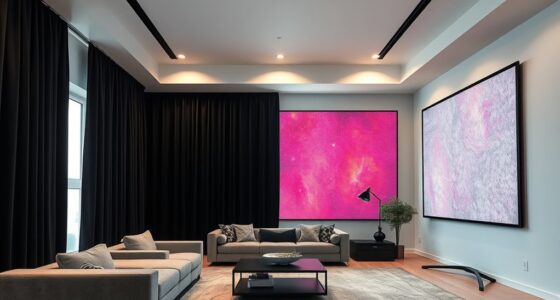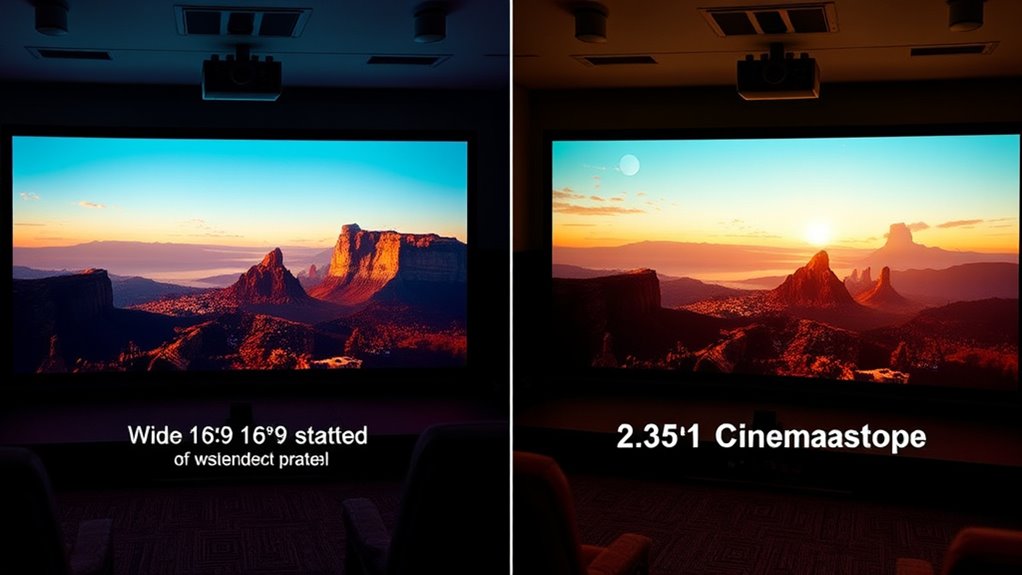
When choosing between 16:9 and 2.35:1 (Cinemascope) for your projector screen, consider your content and space. 16:9 is versatile, perfect for streaming, gaming, and everyday use, offering balanced and sharp images. 2.35:1 provides a wider, more cinematic experience, ideal for movie nights and immersive viewing. Ensuring your screen matches your preferred aspect ratio prevents distortion and enhances picture quality. Keep exploring to discover which option best suits your setup and viewing habits.
Key Takeaways
- 16:9 is the standard aspect ratio for most modern TVs and projectors, suitable for diverse content types.
- 2.35:1 (Cinemascope) offers a wider, cinematic experience ideal for authentic movie viewing.
- 16:9 screens prevent image distortion and are easier to set up for everyday use.
- 2.35:1 screens require careful size selection to avoid stretching or letterboxing effects.
- Choose 16:9 for versatility and ease, or 2.35:1 for immersive, true-to-cinema presentations.

When choosing a projector screen, understanding aspect ratios is essential because they determine how your image fits and looks on the screen. The aspect ratio influences the overall viewing experience, especially when it comes to selecting the right screen size. A mismatched aspect ratio can cause image distortion, where parts of the picture are cut off or stretched unnaturally. For instance, if you select a screen that’s not suited for the projector’s native aspect ratio, your images may appear squished or elongated, reducing visual clarity and impact. Ensuring compatibility between your projector’s aspect ratio and the screen size helps prevent these issues, delivering a sharper, more immersive picture.
The two main aspect ratios you’ll encounter are 16:9 and 2.35:1 (also known as Cinemascope). The 16:9 ratio is the standard for most modern TVs and many projectors, providing a balanced, widescreen view suitable for a variety of content. It’s versatile and great for everyday viewing, streaming, and gaming, offering a consistent image without much need for cropping or letterboxing. When you opt for a 16:9 screen, you’ll typically choose a size that fits comfortably in your space while maintaining clarity and avoiding excessive image distortion. Larger screens in this ratio deliver a cinematic feel but still retain the proportions that the projector can handle without stretching or cropping the image.
In contrast, 2.35:1 is a much wider aspect ratio, designed to replicate the look of traditional cinema films. It creates a more immersive experience by offering a broader, more panoramic view. However, because of its wider format, you need to be mindful of your screen size. If you choose a screen that’s too tall or narrow, you risk image distortion, where the picture may appear stretched horizontally or vertically. To avoid this, you’ll want a screen that emphasizes width over height, matching the aspect ratio to prevent stretching or letterboxing, which can detract from the cinematic experience.
Choosing between these aspect ratios depends on what you primarily watch and your space constraints. If you enjoy watching a variety of content and want a straightforward setup, 16:9 is generally the most practical. But if you’re a cinephile seeking a true cinematic experience, 2.35:1 offers a more immersive, wide-screen presentation. Whichever you pick, pay attention to the screen size and aspect ratio compatibility to prevent image distortion, ensuring your viewing remains crisp and true to the original content.

YODOLLA Projector Screen Motorized Auto Pull Down Screens(100'' 16:9 White)
- 【NOTE】 Please read the dimensions carefully and measure…
- 【SIZE】Designed for premium viewing with its 87.01"×49.21" viewable…
- 【Dual Wall/Ceiling Mounted】Our automatic projector screen weight is…
As an affiliate, we earn on qualifying purchases.
As an affiliate, we earn on qualifying purchases.
Frequently Asked Questions
How Do Aspect Ratios Affect Projector Lens Choices?
You need to choose a lens compatible with your aspect ratio to avoid projection distortion, especially when switching between 16:9 and 2.35:1 screens. A lens designed for wider formats like Cinemascope guarantees proper image scaling without stretching or black bars. If your lens isn’t compatible, you’ll experience projection distortion, which affects image quality. Selecting the right lens helps maintain sharpness and aspect ratio accuracy across different screen sizes.
Can I Change Aspect Ratios on My Existing Projector?
Like a chameleon shifting colors, you can often perform aspect ratio adjustments on your existing projector. However, it depends on your projector’s compatibility; some models allow digital or optical zooms that modify the image shape, while others might require external masks or lenses. Check your projector’s manual or settings menu to see if aspect ratio adjustments are built-in, ensuring you don’t turn a simple tweak into a costly overhaul.
What Content Is Best Suited for 16:9 vs. 2.35:1 Screens?
You’ll find that 16:9 screens suit most modern film genres, like action, comedy, and TV shows, offering great aspect ratio flexibility for various content. In contrast, 2.35:1 screens excel with epic movies, nature documentaries, and wide cinematic visuals, providing a more immersive experience. Choose 16:9 for everyday versatility, but opt for 2.35:1 when you want to enjoy films with wide, grand landscapes and cinematic scope.
How Do Aspect Ratios Influence Viewing Comfort?
Think of aspect ratios as your window to a world of visual immersion. When you choose the right ratio, your eyes stay comfortable, and eye strain reduces, making viewing more pleasant. A wider aspect, like 2.35:1, offers cinematic grandeur but might cause slight discomfort over long periods. Conversely, 16:9 provides a balanced view, ensuring your experience remains immersive without straining your eyes.
Are There Specific Cleaning Tips for Different Screen Types?
When it comes to screen cleaning, you should always use a soft, lint-free cloth to gently remove dust and smudges. Avoid harsh chemicals or abrasive materials, as they can damage your screen. For dust removal, lightly dampen the cloth with water or a screen-safe cleaner. Always wipe in a straight, gentle motion to prevent streaks and scratches. Regular cleaning keeps your screen clear and enhances your viewing experience.

AWOL Valerion 135" Fixed Frame Projector Screen, 1.3 dB Gain, 80% PQE, 4K/8K Ultra HD, 3D Wall Mount Projector Screen, Works with Long Throw, Short Throw & Ultra Short Throw Projectors
- Screen Type: Matte White with 1.3 Gain
- Material: High-Quality PVC
- Viewing Angle: 170° Half Gain
As an affiliate, we earn on qualifying purchases.
As an affiliate, we earn on qualifying purchases.
Conclusion
Choosing between 16:9 and 2.35:1 aspect ratios depends on your viewing preferences. Did you know that over 70% of modern movies are shot in Cinemascope (2.35:1) to create a more immersive experience? If you want a theater-like feel, go for the wider 2.35:1. But for everyday TV shows and presentations, 16:9 remains versatile and practical. Consider what content you watch most to pick the perfect aspect ratio for your projector setup.

120" Motorized Projector Screen, Electric 16:9 Projector Screen with Remote Control, Indoor/Outdoor HD Movie Screen, Wall/Ceiling Mounted, Perfect for Home Office Theater TV, White
- Screen Size and Aspect Ratio: 120-inch diagonal, 16:9 aspect ratio
- Motorized Operation: Electric drop/rise with remote control
- High-Quality Screen Material: PVC matte white, 160° viewing angle
As an affiliate, we earn on qualifying purchases.
As an affiliate, we earn on qualifying purchases.

Elite Screens Aeon 125" Fixed Frame Projector Screen AR125WH2-WIDE
- Screen Size: 125-inch diagonal, 2.35:1 aspect ratio
- Color Accuracy: ISF Certified for accurate colors
- Viewing Area: 49" H x 115" W
As an affiliate, we earn on qualifying purchases.
As an affiliate, we earn on qualifying purchases.