For a 120-inch screen, I’d start with the Hisense M2 Pro for its 4K triple-laser design and stated 65–200-inch range, then compare it with the ViewSonic PX749-4K for bright, high-refresh gaming and the AWOL Aetherion Max for a bundled ultra-short-throw setup. The best fit depends on more than screen size: room brightness, throw distance, image resolution, and whether you want a separate screen all affect the result. Some portable models trade brightness and placement flexibility for easy setup, while higher-end options ask for more space, planning, or dedicated equipment. A projector that can display a 120-inch image may not make that image look clear or bright in your room. Read on for the full breakdown and help matching a projector to your setup.

Get business pricing on your home office setup
- Business-only prices and quantity discounts
- Tax-exempt purchasing
- Multiple users, one account, clear invoices
Complete the kit


Key Takeaways
- The Hisense M2 Pro is the strongest all-around fit on paper for buyers seeking 4K, smart features, and a stated image range that comfortably includes 120 inches.
- The ViewSonic PX749-4K stands apart for gaming, pairing 4K UHD with a stated 240Hz refresh rate and 4000-lumen output; its room placement and lighting still matter.
- The AWOL Aetherion Max is a system purchase, not just a projector: its ultra-short-throw design comes with a 120-inch motorized ALR floor-rising screen and station.
- “4K support” does not mean native 4K: several compact and budget models list native 1080p while accepting or decoding 4K input.
- Screen-size claims are not a brightness guarantee: advertised maximum sizes reach 300 or 450 inches on some models, but those figures do not show how well a 120-inch image will hold up in ambient light.


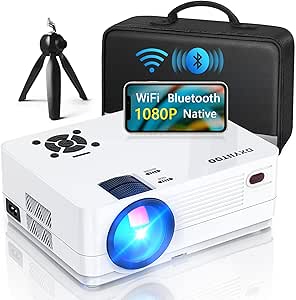


| projectors for 120 inch screen | Native resolution | Connectivity | Brightness |
|---|---|---|---|
| HAPPRUN Native 1080P Bluetooth | 1920×1080 | Bluetooth 5.3, HDMI, USB, 3.5mm jack, IR | — |
| Geekman 4K Projector with WiFi | 1920×1080 | Bluetooth, HDMI, USB, 3.5mm jack, Wi-Fi | — |
| CEBORY Portable Projector with | 1920×1080 | Dual HDMI, USB, AV, 3.5mm audio, Bluetooth 5.3, dual-band Wi-Fi | — |
| 4K Projector with WiFi and Blu | 1920×1080 | Wi-Fi 6, Bluetooth | 550 lumens |
| Native 1080P Projector with Wi | 1920×1080 | HDMI, USB, VGA, AV, 3.5mm audio | — |
| ViewSonic PX749-4K 4K UHD Gami | 3840 x 2160 | — | 4,000 lumens |
| White Smart Mini Projector wit | 1920 x 1080 | Bluetooth 5.2, Wi-Fi 6, HDMI, USB, 3.5mm jack | — |
| 4K WiFi & Bluetooth Projector | 1920 x 1080 | — | Conflicting listing figures: 1,000 ANSI lumens in title/description; 2,000 ANSI lumens in specifications |
| 4500 ANSI Large Projector with | 1920 x 1080 | Bluetooth, HDMI, VGA, Wi-Fi | Conflicting listing figures: 4,500 ANSI lumens in title/description; 20,000 lumens in specifications |
| Hisense M2 Pro Triple Laser Sm | — | — | 1,300 ANSI lumens |
| Emerson EVP-2002 120-Inch Home | 1280 x 720 | — | — |
| Smart Outdoor Projector with 4 | 1080p | — | 600 ANSI lumens |
| NexiGo PJ40 Projector with WiF | — | — | 700 ANSI lumens |
| AWOL Aetherion Max 4K 3D Ultra | — | 3× HDMI 2.1a, DisplayPort 1.4a | 3000 ANSI lumens |
More Details on Our Top Picks
HAPPRUN Native 1080P Bluetooth Projector
For a 120-inch screen, the HAPPRUN H1’s main advantage is native 1920×1080 resolution: it can show Full HD detail without relying on 4K input support to fill in the claim. Its stated throw-distance range of 1.2 to 7 meters gives buyers some flexibility when placing it, though the listing does not specify the exact distance needed for a 120-inch image. Bluetooth 5.3 can send sound to a separate speaker, a useful option since built-in projector audio may not suit a movie night. Compared with the Geekman, HAPPRUN offers a simpler feature set and does not list autofocus or Wi-Fi. That makes setup less automated, but also keeps the choice focused on Full HD projection. Skip it if you want built-in streaming apps or a supplied screen; neither is listed.
Pros:- Native 1920×1080 resolution suits Full HD viewing at a 120-inch image size.
- Bluetooth 5.3 supports wireless connection to an external speaker.
- Listed throw-distance range runs from 1.2 to 7 meters.
- Portable design is suited to moving between indoor and outdoor viewing setups.
Cons:- Streaming services require a separate TV stick or another connected source.
- No HDMI cable or Bluetooth speaker is included.
- No autofocus or automatic keystone correction is listed, so placement may take more adjustment.
Best for: Buyers who want a portable, native-1080p projector for a 120-inch screen and already have an HDMI source or streaming stick.
Not ideal for: Viewers who want built-in streaming apps, automatic image alignment, or a complete screen-and-projector bundle.
- Native resolution:1920×1080
- Display type:LCD
- Contrast ratio:10000:1
- Maximum image size:200 inches
- Throw distance:1.2–7 meters
- Connectivity:Bluetooth 5.3, HDMI, USB, 3.5mm jack, IR
- Built-in speakers:Yes
- Light source operating life:100000 hours
Our verdict“Choose the HAPPRUN if you want straightforward native-1080p projection for a 120-inch screen and are comfortable supplying your own streaming device and sound.”
Geekman 4K Projector with WiFi and Bluetooth, Up to 450 Inch Screen, Auto Focus and Auto Keystone Correction, Dolby Audio Home Theater and Outdoor Movie Projector
The Geekman is the most setup-friendly choice here for buyers who want a 120-inch image without repeatedly tweaking focus and alignment. Autofocus and auto screen alignment can reduce the fuss of moving the projector or changing its position, while its stated 50-to-450-inch range puts 120 inches comfortably within its supported sizes. Its resolution is native 1080p; 4K is a supported input, not native 4K projection. Compared with the HAPPRUN, Geekman adds Wi-Fi and automatic correction, so it is better suited to users who value convenience over a simpler feature set. The tradeoff is that the product details do not state brightness, and the 5W Dolby Audio speaker may not replace a separate sound system. A TV dongle is also not included.
Pros:- Autofocus and auto screen alignment can simplify setup and repositioning.
- Native 1920×1080 resolution is suitable for Full HD content at 120 inches.
- Wi-Fi and Bluetooth support wireless networking and audio connections.
- Specified image-size range includes 120 inches, with room for larger projections.
Cons:- Native resolution is 1080p; 4K refers to supported input rather than 4K projection.
- Brightness is not specified in the supplied product details.
- The 5W built-in speaker may be limited for larger rooms or outdoor viewing.
Best for: Buyers setting up a 120-inch screen who want autofocus, automatic alignment, and Wi-Fi connectivity in one projector.
Not ideal for: Viewers who need confirmed brightness figures for ambient-light use, native 4K projection, or a bundled streaming dongle.
- Native resolution:1920×1080
- Supported input:4K, 1080p
- Display size:50–450 inches
- Throw distance:3–20 feet
- Autofocus:Yes
- Auto screen alignment:Yes
- Connectivity:Bluetooth, HDMI, USB, 3.5mm jack, Wi-Fi
- Built-in speaker:5W Dolby Audio
Our verdict“Pick the Geekman for a 120-inch setup where automatic focus and alignment matter more than native 4K or clearly documented brightness.”
CEBORY Portable Projector with WiFi, Bluetooth, Full HD 1080p and 100″ Screen
CEBORY has a practical advantage over the other picks for buyers starting from scratch: it includes a foldable 100-inch screen and carrying bag. That screen is smaller than the 120 inches in this roundup, so buyers will need a separate larger screen or suitable projection surface to reach the target size; the projector itself is listed for images up to 300 inches. Native 1080p keeps the resolution aligned with Full HD viewing, while dual HDMI and dual-band Wi-Fi give several ways to connect sources. Compared with the HAPPRUN, CEBORY offers a more complete portable kit, but its bundled screen does not meet a 120-inch brief. It also needs external power, so portability means easy transport rather than cordless use. The stated brightness figure is not directly comparable to ANSI lumens.
Pros:- Includes a foldable 100-inch screen and carrying bag for a ready-to-carry starter setup.
- Native 1920×1080 resolution and listed support for images up to 300 inches.
- Dual HDMI and dual-band Wi-Fi provide flexible connection options.
- Dual Hi-Fi SRS speakers and Bluetooth 5.3 offer built-in and wireless audio choices.
Cons:- The included screen is 100 inches, not the 120 inches required for this roundup.
- Requires external power and has no built-in battery.
- The stated 15000-lumen figure is not identified as ANSI lumens, making brightness comparisons difficult.
Best for: First-time projector buyers who want a portable starter kit and plan to add or use a 120-inch screen separately.
Not ideal for: Buyers who require a 120-inch screen in the box or need a battery-powered projector for cordless outdoor use.
- Native resolution:1920×1080
- Display type:LCD LED
- Maximum image size:300 inches
- Minimum image size:40 inches
- Throw distance:0.95–6.5 meters
- Connectivity:Dual HDMI, USB, AV, 3.5mm audio, Bluetooth 5.3, dual-band Wi-Fi
- Built-in speakers:Dual Hi-Fi SRS speakers
- Light source life:100000 hours
- Included screen:Foldable 100-inch screen
Our verdict“Choose CEBORY if you value a portable screen bundle and can supply a larger screen to reach 120 inches.”
4K Projector with WiFi and Bluetooth, AI Auto Focus & 6D Keystone, Dolby Audio, HDR10+ – KOGATA Smart Portable Outdoor Home Theater
The KOGATA GC357 is the pick for viewers who want the projector to do more than display an external source. Its listed Netflix, YouTube, Prime Video, and other apps reduce reliance on a separate TV stick, while autofocus and 6D keystone correction can help shape an image when placement is imperfect. For a 120-inch screen, though, the key caution is its stated 550-lumen brightness: that points toward a darkened room rather than daytime or brightly lit viewing. Native resolution is 1080p, with 4K listed as the maximum supported resolution, so it is not native 4K projection. Compared with the Geekman, KOGATA adds built-in apps and HDR10+, while Geekman lists a much wider image-size range and automatic screen alignment. KOGATA’s feature set is richer, but brightness is the limiting factor.
Pros:- Built-in streaming apps reduce the need for a separate TV stick.
- Autofocus and 6D keystone correction support flexible placement.
- HDR10+ and 4K input support add format compatibility beyond basic Full HD sources.
- Dolby and DTS audio are listed alongside Wi-Fi 6 and Bluetooth.
Cons:- Native resolution is 1920×1080 rather than 4K.
- Stated brightness of 550 lumens may constrain a 120-inch image to dark viewing conditions.
- Built-in apps and correction features may require more initial setup than a basic projector.
Best for: Viewers who want built-in streaming apps and automatic image adjustment for a 120-inch screen in a dark room.
Not ideal for: People planning daytime outdoor movies or viewing in rooms with substantial ambient light, given the stated 550-lumen brightness.
- Native resolution:1920×1080
- Maximum supported resolution:3840×2160
- Brightness:550 lumens
- Autofocus:Yes
- Keystone correction:6D
- HDR:HDR10+
- Connectivity:Wi-Fi 6, Bluetooth
- Supported apps:Netflix, YouTube, Prime Video, and over 200 apps
- Audio:Dolby, DTS
Our verdict“Choose the KOGATA if built-in apps and automatic setup matter most and your 120-inch viewing space can be kept dark.”
Native 1080P Projector with WiFi 6 and Bluetooth, Full HD Video Projector for Outdoor Movies, 300″ Display, 4K Home Theater, Compatible with iOS/Android/PC/Xbox/PS4/TV Stick/HDMI/USB
This projector suits buyers who expect to connect a mix of devices: its listed inputs include HDMI, USB, VGA, and AV, alongside Wi-Fi 6 and Bluetooth 5.2. That breadth can make a 120-inch setup easier to share across a console, computer, or streaming device without relying on one connection type. Native 1080p is appropriate for Full HD viewing, while the advertised 4K compatibility should be read as input support, not native 4K output. The stated projection-distance range of 0.95 to 5.5 meters is useful for planning, though the product details do not specify the distance required for exactly 120 inches. Compared with the HAPPRUN, this model adds VGA, AV, and Wi-Fi 6, but the HAPPRUN’s listed maximum throw distance is longer. The claimed 20000 lumens is not labeled ANSI, so brightness is hard to compare reliably.
Pros:- Native 1920×1080 resolution supports Full HD content.
- HDMI, USB, VGA, and AV accommodate a range of older and newer sources.
- Wi-Fi 6, Bluetooth 5.2, and screen-mirroring support add wireless options.
- Listed projection distance starts at 0.95 meters and extends to 5.5 meters.
Cons:- 4K compatibility does not mean native 4K projection.
- The 20000-lumen brightness claim is not specified as ANSI lumens.
- The supplied details do not identify the throw distance needed for a 120-inch image.
Best for: Households or casual gaming setups that need several wired input types plus wireless connectivity for a 120-inch screen.
Not ideal for: Buyers who need independently comparable ANSI brightness figures, native 4K projection, or a confirmed throw distance for exactly 120 inches.
- Native resolution:1920×1080
- Maximum supported resolution:1920×1080
- Display type:LCD
- Display size:Up to 300 inches
- Projection distance:0.95–5.5 meters
- Connectivity:HDMI, USB, VGA, AV, 3.5mm audio
- Wireless:Wi-Fi 6, Bluetooth 5.2
- Lamp life:100000 hours
- Built-in speakers:Yes
Our verdict“Pick this model if your 120-inch setup needs broad device compatibility, but compare brightness cautiously because its lumen figure is not stated in ANSI terms.”
ViewSonic PX749-4K 4K UHD Gaming Projector with 4000 Lumens and 240Hz Refresh Rate
For a 120-inch screen, the ViewSonic PX749-4K stands out for pairing native 4K with a stated 4,000-lumen output, giving it a stronger case for rooms that cannot be fully darkened than the Hisense M2 Pro, listed at 1,300 ANSI lumens. Its 240Hz refresh rate and stated 4.2ms input lag also make it the gaming-focused choice here: fast play is its clearest advantage over the more cinema-oriented Hisense. The projector can scale well beyond 120 inches, but that maximum size is less relevant than the brightness and throw setup at your intended screen distance. The tradeoff is a more fixed installation: it is specified for ceiling mounting, draws 310 watts, and the supplied details do not establish speaker quality. Choose it for gaming and a bright, large image, not for the simplest portable movie setup.
Pros:- Native 3840 x 2160 resolution provides 4K detail at a 120-inch image.
- Stated 4,000-lumen brightness gives it a stronger bright-room case than the Hisense M2 Pro.
- 240Hz refresh rate and stated 4.2ms input lag suit fast-paced gaming.
- Supports projection sizes up to 300 inches for flexible screen sizing.
Cons:- Ceiling mounting is the specified mounting type, making casual repositioning less convenient.
- 310-watt power consumption is a meaningful tradeoff for extended viewing.
- Built-in speaker quality is not specified, so a separate audio setup may be needed.
Best for: Console and PC gamers planning a ceiling-mounted 120-inch setup in a room with some ambient light.
Not ideal for: Viewers who need a lightweight, flexible projector, dependable built-in audio, or a compact setup for frequent relocation.
- Native resolution:3840 x 2160
- Brightness:4,000 lumens
- Display technology:DLP
- Refresh rate:240Hz
- Input lag:4.2ms
- Maximum image size:300 inches
- Light source life:4,000 hours
- Power consumption:310 watts
Our verdict“Choose the ViewSonic if gaming responsiveness and a bright native-4K image matter more than portability and simple setup.”
White Smart Mini Projector with WiFi and Bluetooth, 4K Support, Portable 1080P Outdoor Projector with 360° Stand
The XuanPad mini is the lineup’s easy-to-move option, weighing 1.89 pounds and including a 360° rotatable stand. It supports images up to 200 inches, so a 120-inch screen falls within its stated range, though the product data does not give a brightness figure to predict how well that size will hold up with room light. Its native 1080p resolution is the detail ceiling; “4K support” means compatibility with 4K input, not native 4K projection. Compared with the ceiling-oriented ViewSonic PX749-4K, this model favors portability and automatic setup aids over gaming-specific speed and documented high brightness. Autofocus and 6D keystone correction can reduce adjustment work, but wireless app access may still depend on compatible devices. I’d choose it for flexible, occasional viewing, not as my first pick for a dedicated 120-inch theater.
Pros:- At 1.89 pounds, it is much easier to carry and reposition than the ViewSonic PX749-4K.
- The 40-to-200-inch projection range includes a 120-inch screen.
- Autofocus and 6D keystone correction can simplify setup on changing surfaces.
- Wi-Fi 6, Bluetooth 5.2, HDMI, USB, and a 3.5mm jack offer several connection options.
Cons:- Native resolution is 1920 x 1080; 4K support does not make it a native-4K projector.
- Brightness is not specified, making performance on a large screen in ambient light hard to judge.
- Battery life and runtime details are not provided, and app streaming may require compatible devices.
Best for: Travelers and renters who want a lightweight projector for occasional 120-inch indoor or outdoor movie nights.
Not ideal for: Buyers building a permanent 120-inch theater, especially those who need a stated brightness level or native 4K detail.
- Native resolution:1920 x 1080
- Maximum supported resolution:3840 x 2160
- Projection size:40 to 200 inches
- Weight:1.89 pounds
- Connectivity:Bluetooth 5.2, Wi-Fi 6, HDMI, USB, 3.5mm jack
- Setup features:Autofocus, 6D keystone correction, 360° rotatable stand, zoom
- Operating system:Smart TV with apps
Our verdict“Pick the XuanPad for portability and quick setup, but choose a better-documented, brighter model for a regular 120-inch screen.”
4K WiFi & Bluetooth Projector with 120″ Screen, Auto Focus, 1000 ANSI Lumens, Compatible with HDMI/USB/iOS/Android/Windows
This projector is the most directly sized for the subject of this guide: its stated 75-to-120-inch screen range tops out at the target size, rather than relying on a much larger maximum that may not describe real-world performance. Native resolution is 1920 x 1080, so its 4K label refers to playback support, not 4K pixel output. The listed brightness is inconsistent: the title and description cite 1,000 ANSI lumens, while the specifications say 2,000 ANSI lumens. I would not treat either figure as settled without clarification. Compared with the Hisense M2 Pro, it gives up native 4K and Dolby Vision, but includes 10W dual speakers and automatic focus and keystone features. The claimed 5-to-16-foot throw range helps with placement, though a dim room remains the safer choice for a 120-inch image.
Pros:- Its stated 75-to-120-inch screen range directly covers the target screen size.
- Autofocus and automatic keystone correction can reduce manual setup adjustments.
- Dual 10W speakers provide an onboard audio option without requiring separate speakers.
- A stated 5-to-16-foot throw range offers placement flexibility.
Cons:- Native resolution is 1080p, despite support for 4K playback.
- Brightness information conflicts between the product title and supplied specifications.
- The 120-inch screen size is the stated upper limit, leaving no larger-size flexibility.
Best for: Buyers who want a straightforward 1080p projector sized for a screen up to 120 inches, with automatic setup and built-in stereo speakers.
Not ideal for: Viewers seeking confirmed brightness for a lit room or true native 4K detail at 120 inches.
- Native resolution:1920 x 1080
- Stated screen-size range:75 to 120 inches
- Brightness:Conflicting listing figures: 1,000 ANSI lumens in title/description; 2,000 ANSI lumens in specifications
- Contrast ratio:20,000:1
- Speakers:Dual 10W
- Throw distance:5 to 16 feet
- Light source life:60,000 hours
- Power consumption:110 watts
Our verdict“Choose this model for a 1080p setup that tops out at 120 inches, but verify its brightness claim before planning to use it with ambient light.”
4500 ANSI Large Projector with WiFi and Bluetooth, 450″ Display, 4K Decoding, HiFi Speakers for Home Theater & Business
The main appeal here is setup flexibility: the projector supports ceiling, tripod, and desktop mounting, making it easier to adapt a 120-inch screen to a living room, presentation space, or temporary outdoor arrangement. It also offers HDMI, VGA, Wi-Fi, and Bluetooth, a broader mix of connections than the compact XuanPad. For image detail, however, this is a native 1080p LCD projector; 4K decoding does not deliver native 4K resolution. The brightness data also needs caution: the title and description claim 4,500 ANSI lumens, while the specifications list 20,000 lumens without an ANSI qualification. I would not use those figures as a reliable head-to-head comparison with the ViewSonic PX749-4K. Its 450-inch maximum is far beyond what a 120-inch buyer needs, and the listed throw distances and long lamp-life claim do not replace a clear brightness rating.
Pros:- Ceiling, tripod, and desktop mounting support gives it more placement options than the ceiling-mount-only ViewSonic.
- HDMI, VGA, Wi-Fi, and Bluetooth suit mixed home and presentation setups.
- Native 1080p resolution is clearly stated, distinguishing actual output from 4K decoding.
- The listed 2.5-to-6.5-meter throw range provides placement guidance.
Cons:- Brightness claims conflict: the title says 4,500 ANSI lumens, while specifications list 20,000 lumens without the ANSI unit.
- Native resolution is 1920 x 1080, not 4K.
- The product is described as heavy, which can complicate transport and secure mounting.
- A 450-inch maximum image size does not establish brightness or clarity at that size.
Best for: Home users or presenters who need desktop, tripod, or ceiling placement and a mix of HDMI, VGA, and wireless connections.
Not ideal for: Buyers who prioritize verified brightness figures, native 4K image detail, or a compact, lightweight projector.
- Native resolution:1920 x 1080
- Brightness:Conflicting listing figures: 4,500 ANSI lumens in title/description; 20,000 lumens in specifications
- Display type:LCD
- Maximum image size:450 inches
- Throw distance:2.5 to 6.5 meters
- Mounting options:Ceiling, tripod, desktop
- Connectivity:Bluetooth, HDMI, VGA, Wi-Fi
- Lamp life:Up to 100,000 hours
Our verdict“Consider this projector for flexible placement and varied connections, but seek clarification on brightness if a 120-inch image must work in a lit room.”
Hisense M2 Pro Triple Laser Smart Portable Projector, 4K UHD, 65”–200”, Dolby Vision, Vidaa OS
For a 120-inch screen, the Hisense M2 Pro is the native-4K cinematic pick: its triple-laser light source, Dolby Vision support, and AI picture and color processing are aimed at preserving image detail and color impact on a large image. It also has enough sizing range to use at 120 inches without pushing its stated 200-inch maximum. Compared with the ViewSonic PX749-4K, the Hisense emphasizes HDR movie features and smart streaming rather than the ViewSonic’s 240Hz refresh rate and stated 4.2ms input lag. Its 1,300 ANSI lumens make a darkened room the safer setting, especially at 120 inches, and are less suited to daytime viewing than the ViewSonic’s stated 4,000 lumens. Optical zoom helps adjust image size while retaining resolution, but the supplied data does not specify speaker performance.
Pros:- Native 4K UHD resolution preserves detail on a 120-inch image.
- Triple laser and Dolby Vision support suit color-rich, HDR-focused movie viewing.
- Vidaa OS provides built-in access to streaming apps.
- 1.0–1.3:1 optical zoom allows image-size adjustment while retaining 4K resolution.
Cons:- At 1,300 ANSI lumens, it is better suited to darkened rooms than daytime viewing.
- Its listed 200-inch maximum is not a reason to expect strong performance at that size in ambient light.
- Active 3D requires DLP-Link glasses that are not included.
- Built-in speaker details are not supplied.
Best for: Movie-focused viewers who want native 4K, Dolby Vision, built-in Vidaa streaming, and flexible placement in a light-controlled room.
Not ideal for: Daytime viewers or competitive gamers who need stronger stated brightness or the ViewSonic PX749-4K’s high refresh rate and low input lag.
- Resolution:4K UHD
- Brightness:1,300 ANSI lumens
- Projection size:65 to 200 inches
- Light source:Triple laser
- Operating system:Vidaa OS
- Optical zoom:1.0–1.3:1
- Supported technologies:Dolby Vision, Active 3D, AI PQ and color enhancement
Our verdict“Choose the Hisense for native-4K, Dolby Vision movie viewing at 120 inches in a darkened room, not for bright-room gaming.”
Emerson EVP-2002 120-Inch Home Theater LCD Projector
The Emerson is a straightforward choice if 120 inches is your target size and you want a projector that is easy to move and connect. At 1.4 pounds, it is much easier to carry between rooms than the 7.74-pound NexiGo PJ40, and HDMI and USB inputs cover common playback devices. Its listed display resolution is 1920 x 1080, but its native resolution is 1280 x 720; that distinction matters on a screen this large, where fine detail can look softer than on the PJ40’s native 1080p image. The listed throw range of 3.3 to 9.96 feet offers placement flexibility, though the product description caps the image at 120 inches. Choose it for casual movies and portability, not maximum sharpness or built-in sound: its basic speakers may call for external audio.
Pros:- Light 1.4-pound body is easier to reposition than the NexiGo PJ40.
- Listed 1920 x 1080 display resolution supports Full HD input.
- HDMI and USB connect common laptops, consoles, and media devices.
- Listed 30,000-hour light-source life reduces routine replacement concerns.
Cons:- Native resolution is 1280 x 720, below the NexiGo PJ40’s native 1080p.
- Projection size is limited to 120 inches.
- Basic built-in speakers may not suit movie watching without external audio.
Best for: Casual movie viewers who need a lightweight projector for a room with a fixed screen up to 120 inches and plan to use external speakers.
Not ideal for: Buyers who want crisp native 1080p detail across a large screen, a screen larger than 120 inches, or strong built-in audio.
- Native resolution:1280 x 720
- Display resolution:1920 x 1080
- Display type:LCD
- Throw distance:3.3–9.96 feet
- Maximum projection size:120 inches
- Light-source life:30,000 hours
- Weight:1.4 pounds
- Connections:Bluetooth, HDMI, USB
Our verdict“Choose the Emerson if low weight and a simple 120-inch setup matter more than native 1080p sharpness or self-contained sound.”
Smart Outdoor Projector with 4K Support, WiFi, Bluetooth, and Built-in Apps
The P62 Pro suits buyers who want a streaming-ready 120-inch setup without making an external streamer the centerpiece. Its built-in apps, Wi-Fi 6, and two HDMI ports make it more self-contained than the Emerson EVP-2002, while autofocus and keystone correction can simplify positioning. The image is native 1080p, not native 4K: 4K support means it accepts that content, then displays it at 1080p. Its 600 ANSI lumens also put it below the AWOL Aetherion Max’s listed 3000 ANSI lumens, so the AWOL is the stronger fit for rooms that are hard to darken. For a dimmer room or outdoor viewing after dark, the P62 Pro brings useful setup and streaming conveniences, but picture setup may still need calibration and it lacks a carrying case.
Pros:- Built-in apps can reduce reliance on an external streaming device.
- Autofocus and keystone correction help with setup on different surfaces.
- Wi-Fi 6, Bluetooth 5.2, and two HDMI ports offer varied connection options.
- Dual 10W speakers with Dolby audio provide built-in sound.
Cons:- Native resolution is 1080p, so 4K-supported content is not displayed at native 4K.
- Listed brightness of 600 ANSI lumens is lower than the AWOL Aetherion Max’s 3000 ANSI lumens.
- Picture quality may require setup and calibration, and no carrying case is included.
Best for: Viewers who want built-in streaming apps, wireless connections, and easier focusing for a 120-inch screen in a dim room or nighttime outdoor setting.
Not ideal for: Buyers seeking native 4K detail or a bright-room 120-inch image; its native resolution is 1080p and its listed brightness is 600 ANSI lumens.
- Native resolution:1080p
- 4K support:Yes
- HDR:HDR10
- Brightness:600 ANSI lumens
- Speakers:Dual 10W with Dolby audio
- Connections:2× HDMI, 2× USB, Wi-Fi 6, Bluetooth 5.2
- Setup features:Autofocus and keystone correction
- Zoom:50–100%
Our verdict“Pick the P62 Pro for convenient built-in streaming and assisted setup in a darkened room, not for native 4K or bright-room viewing.”
NexiGo PJ40 Projector with WiFi and Bluetooth, Native 1080P, 4K Supported, Outdoor & Home Theater
For a 120-inch screen, the NexiGo’s strongest case is native 1080p resolution: it can show Full HD detail directly, unlike the Emerson EVP-2002, whose native resolution is 720p. The PJ40 is also specified for images up to 300 inches, giving you room to change screen size later, though that maximum does not by itself establish how bright or sharp the image will look at every size. Its 700 ANSI lumens point toward use in a dim room, rather than daylight viewing; the AWOL Aetherion Max lists substantially more brightness for challenging ambient light. The 20W speakers may be enough for casual viewing, but its fan can reach 46dB and wireless mirroring may not work with some protected streaming apps. This is a practical pick for buyers who prioritize native resolution and flexible connections over quiet operation.
Pros:- Native 1920 x 1080 resolution provides more direct Full HD detail than the Emerson EVP-2002.
- Listed projection size reaches 300 inches, beyond the Emerson’s 120-inch limit.
- HDMI, USB, AV, RJ45, and 3.5mm audio support a broad range of wired setups.
- Built-in 20W speakers offer more audio output than a basic speaker setup.
Cons:- Listed 700 ANSI lumens are less suited to bright rooms than the AWOL Aetherion Max’s 3000 ANSI lumens.
- Fan noise is listed at up to 46dB and may distract during quiet scenes.
- Copyright restrictions can prevent some streaming apps from working through screen mirroring.
Best for: Home and outdoor movie viewers who want native 1080p on a 120-inch screen, broad device connections, and the option to project larger later.
Not ideal for: Viewers who watch in bright rooms, need quiet playback during dialogue-heavy scenes, or depend on wireless mirroring for every streaming app.
- Resolution:1920 x 1080 native
- Brightness:700 ANSI lumens
- Maximum projection size:300 inches
- Speakers:20W
- Zoom:60–100%
- Wireless connections:Wi-Fi 5GHz, Bluetooth 5.1
- Other connections:HDMI, USB, AV, RJ45, 3.5mm audio
- Fan noise:35–46dB
Our verdict“Choose the PJ40 for native 1080p detail and flexible connections at 120 inches if your room is dim and fan noise is acceptable.”
AWOL Aetherion Max 4K 3D Ultra Short Throw Projector with 120″ Motorized ALR Floor-Rising Screen and Universal UST Projector Station
The AWOL is the most purpose-built option here for a premium 120-inch setup, pairing native 4K resolution with a motorized ALR floor-rising screen. Its 0.18–0.25 throw ratio is the key room-planning advantage: the projector can sit close to the screen, unlike the Emerson EVP-2002, which lists a conventional throw distance of 3.3 to 9.96 feet. With 3000 ANSI lumens and a 110% Rec.2020 color gamut, the AWOL is also better equipped than the P62 Pro’s 600 ANSI lumens for rooms that cannot be fully darkened. That capability comes with a larger, more involved setup, and the projector and screen ship separately. Its listed 1ms-class latency at 240Hz will appeal to gamers, but the system is harder to move and place than the smaller conventional projectors.
Pros:- Native 4K UHD resolution preserves fine detail on a 120-inch screen.
- Listed 3000 ANSI lumens and 110% Rec.2020 gamut suit brighter-room viewing and vivid color.
- Ultra-short-throw design pairs with the included 120-inch motorized ALR floor-rising screen.
- 1ms-class latency at 240Hz and HDMI 2.1a support gaming-focused setups.
Cons:- Large physical size makes placement and installation more demanding than the Emerson or P62 Pro.
- Projector and screen ship separately, so deliveries and setup may not happen together.
- A specialized screen-and-projector arrangement is less portable and flexible than the NexiGo PJ40.
Best for: Buyers building a fixed, premium 120-inch theater in a bright or shared living room who want native 4K, a close-wall setup, and gaming features.
Not ideal for: Portable-projector shoppers, small-room buyers without space for the large unit, or anyone seeking a simple one-box purchase and setup.
- Resolution:3840 x 2160 (4K UHD)
- Brightness:3000 ANSI lumens
- Throw ratio:0.18–0.25
- Included screen:120-inch motorized ALR floor-rising screen
- Maximum image size:150 inches
- Color gamut:110% Rec.2020
- Light-source life:25,000 hours
- Gaming latency:1ms-class at 240Hz
- Connectivity:3× HDMI 2.1a, DisplayPort 1.4a
Our verdict“Choose the AWOL for a fixed 120-inch theater where native 4K, brighter-room performance, and short placement distance justify the larger setup.”

How We Picked
I compared the 14 listed projectors for the demands of a 120-inch image, giving the most weight to resolution claims, stated brightness, placement and setup features, and whether the product’s design suits a real home theater, gaming, or portable-use scenario. A model’s maximum advertised screen size did not earn it a higher position on its own; I looked for information that helps buyers judge whether a large image is likely to be practical, including throw style, focus and keystone tools, and whether a screen is included.
The ranking favors options with a clearer fit for 120 inches and useful distinctions for different buyers. The Hisense leads as a versatile 4K smart option, while the ViewSonic ranks higher for gaming and the AWOL for buyers who want an integrated UST-and-screen setup. Less fully specified portable models remain relevant for tighter budgets or casual use, but their brightness, native resolution, and room suitability need closer checking. I also treat broad claims such as “4K support,” huge maximum screen sizes, and unqualified brightness figures cautiously when the listing details do not establish what they mean for a 120-inch picture.
Factors to Consider When Choosing Projectors For 120 Inch Screens
Choosing a projector for a 120-inch screen means matching the projector to the room as much as to the screen. I’d settle the room’s lighting, placement, and screen plan before comparing connectivity or built-in apps, since those choices can rule out otherwise appealing models.
1. Check Native Resolution, Not Just 4K Compatibility
A 120-inch image makes pixel structure and fine detail easier to notice than a smaller picture, especially when viewers sit close. Check whether the listing says native 4K or native 1080p with 4K input support; those describe different image detail. “4K support” or “4K decoding” can mean the projector accepts a 4K signal and scales it rather than displaying it at native 4K resolution. Native 1080p may still be a sensible fit for casual movies, but buyers seeking the crispest large-screen detail should compare native resolution first. Also check whether your streaming device or console can send the format the projector accepts. Don’t pay a premium for a 4K label without confirming what the projector’s imaging hardware actually displays.
2. Match Brightness to the Room and Screen
A projector that looks acceptable in a dark room can appear washed out with daylight or lamps on. For a 120-inch picture, the larger image spreads available light over more area, so room brightness and screen gain matter together. Compare brightness figures only when their measurement standards are clear; ANSI lumens and unspecified “lumens” are not interchangeable labels. If you need daytime viewing, plan for light control or investigate a screen designed for the projector’s placement rather than assuming a large brightness claim solves the problem. A darkened room can let a less powerful model make more sense, particularly for evening movies. Avoid treating an advertised maximum image size as proof that the image will remain bright at that size.
3. Measure Throw Distance Before You Buy
Screen size alone does not tell you whether a projector will fit on a shelf, ceiling mount, or table. Use the manufacturer’s throw ratio or distance calculator to confirm the lens can form a 120-inch image from your planned position. Standard-throw models need room behind or in front of the seating area, while ultra-short-throw models sit close to the screen and require careful alignment. Auto focus and keystone correction can speed setup, but digital correction may alter the image and does not replace a suitable physical position. Measure both the projector-to-screen distance and the space needed for cables, ventilation, and mounting. This check can prevent a technically compatible projector from becoming awkward to install.
4. Choose a Screen Plan Alongside the Projector
A bare wall is convenient, but its texture, color, and flatness can soften the picture or create uneven brightness. At 120 inches, small wall flaws become easier to see, making a properly sized screen a more meaningful part of the setup. An ambient-light-rejecting screen may help in a brighter room, but it must suit the projector type and angle; UST screens are not automatically suitable for standard-throw models. Bundled screen systems simplify matching, yet they also limit your choice of screen size and placement. Check the usable image dimensions rather than assuming a screen labeled “120 inch” will fit your wall with its frame included. Budget for the screen, mount, and installation space as part of the decision.
5. Decide Which Setup Features You’ll Actually Use
Wi-Fi, Bluetooth, built-in apps, auto focus, and keystone correction can make setup and everyday use easier, but they do not improve the projector’s native resolution or solve inadequate brightness. Built-in apps may also have different support or update lifespans from a separate streaming device. If you use a console, check the HDMI capabilities and the refresh-rate and input-lag information rather than relying on a gaming label alone. Bluetooth audio can simplify casual viewing, though wireless sound may introduce delay or may not match a dedicated audio system. For frequent changes between rooms, portability and quick setup can outweigh advanced theater features. Spend on convenience features when they remove a real friction point in your setup, not just because they appear on a spec sheet.
6. Account for Noise, Heat, and Long-Term Use
A projector may run for a long movie or gaming session, so fan noise and ventilation affect comfort even when the image looks good. Check placement options that keep vents clear and avoid putting the unit where its fan faces the seating area. Lamp-based and laser-based designs can have different maintenance expectations, so read the manufacturer’s guidance on light-source life, filter care, and service access before choosing. A compact projector is easier to move, but a smaller enclosure may have less room to manage heat quietly. For a fixed home theater, stable mounting and straightforward access for cleaning can matter more than a travel-friendly form. The right tradeoff depends on whether the projector is a room fixture or an occasional-use device.
Frequently Asked Questions
Can every projector listed create a good-looking 120-inch image?
No. A product may advertise a maximum image larger than 120 inches without providing enough detail to judge brightness or sharpness at that size. Room lighting, throw distance, native resolution, and screen quality all affect the result. Models with clearer 4K specifications or a stated brightness standard offer more useful comparison points, but their performance still depends on the setup. Check the manual or manufacturer’s calculator for the distance required to produce a 120-inch image before buying.
Is native 1080p enough for a 120-inch screen?
It can be enough for movie nights, casual viewing, or buyers who sit farther back and prioritize cost or portability. The larger image makes fine detail and pixel structure more visible, especially at closer seating distances, so native 4K is more appealing for viewers who want maximum detail. A projector that accepts 4K input but displays native 1080p should not be treated as equivalent to a native 4K model. Decide based on seating distance, content quality, and how much detail matters to you rather than the “4K supported” wording alone.
Will a projector with a 120-inch screen claim work in a bright living room?
Not necessarily. A screen-size claim does not specify how well the image performs with daylight or room lights on. At 120 inches, ambient light can reduce contrast and make colors look washed out, even when the projector can technically fill the screen. Light-blocking curtains and a screen suited to the projector can help, but neither replaces adequate projector brightness. If daytime viewing is a priority, look for clearly stated brightness specifications and plan the screen and room together.
Should I choose an ultra-short-throw projector or a standard-throw model?
An ultra-short-throw model suits buyers who cannot place a projector across the room or want to avoid a ceiling mount, but it needs a flat, carefully aligned screen area. A standard-throw projector usually offers more placement options from a shelf or ceiling mount, provided the room has enough distance. UST setups can depend on a compatible screen to control ambient light and preserve geometry, so factor in the complete system rather than the projector alone. Compare the throw requirements against your measured room before choosing either design.
Is a bundled screen worth choosing over buying one separately?
A bundle can simplify compatibility and reduce the work of matching a projector to a screen, especially when it includes a motorized or UST-specific screen. It may be less attractive if the screen size, gain, or mounting style does not fit your room. Buying separately gives you more control over screen material and dimensions, but requires checking that the screen suits the projector’s throw type and intended lighting conditions. Measure the full frame and installation footprint, not just the diagonal image size. Compare the complete setup before deciding which route is more practical.
Conclusion
For most buyers seeking a versatile 120-inch home setup, I’d begin with the Hisense M2 Pro, whose 4K triple-laser design and stated size range directly suit this screen target. The best value depends on the actual brightness and native-resolution details of the lower-cost options, so I’d compare those specifications before choosing between the HAPPRUN, NexiGo PJ40, and other 1080p-oriented models. For a premium integrated setup, the AWOL Aetherion Max makes the most sense if you want an ultra-short-throw projector with a bundled motorized screen. The ViewSonic PX749-4K is the better fit for gaming-focused buyers who value its stated high refresh rate, while beginners may prefer a model with auto focus and keystone tools after confirming its throw distance and brightness suitability. For compact or occasional outdoor use, compare the portable options by native resolution, light control, and setup needs rather than their maximum screen-size claims. Measure your room, select the screen plan, and then choose the projector whose strengths match how you’ll use 120 inches.