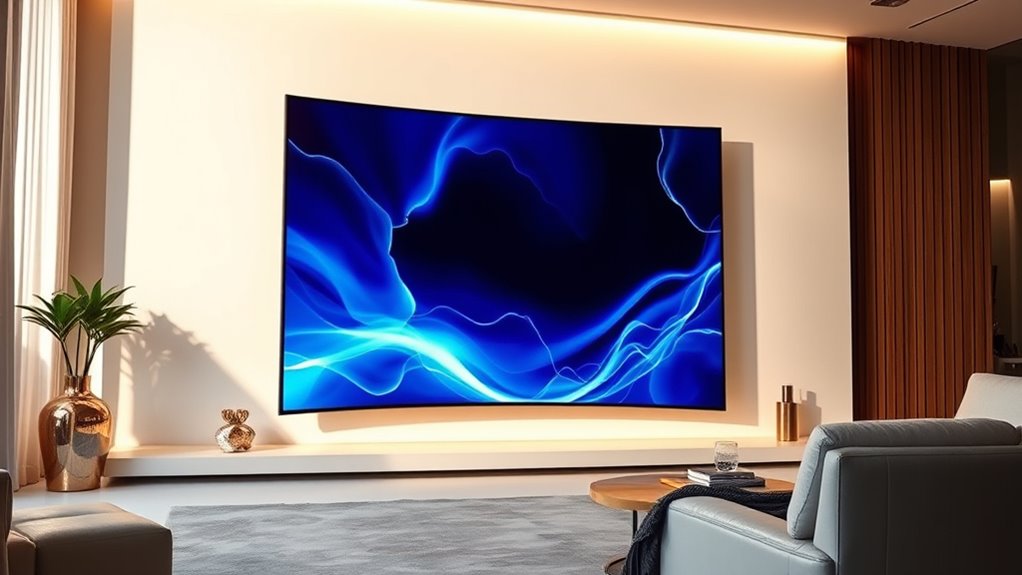

Highend curved LED displays deliver immersive visuals with vibrant colors and stunning contrast, ideal for gaming, professional design, or large-scale presentations. The Samsung Odyssey OLED G9 stands out as the best overall choice thanks to its OLED panel, high refresh rate, and deep contrast. For those seeking ultra-high resolution, the LG 49WL95C-W offers a dual QHD setup perfect for multitasking. Meanwhile, the Samsung Odyssey Neo G9 combines quantum mini-LED technology with a massive 57-inch curved screen, making it a premium pick for enthusiasts. The main tradeoffs in this category include balancing between resolution, refresh rate, color accuracy, and price. Keep reading to see how these options compare and which one fits your needs best.

Get business pricing on your home office setup
- Business-only prices and quantity discounts
- Tax-exempt purchasing
- Multiple users, one account, clear invoices
Complete the kit


Key Takeaways
- Top-tier performance in high-end curved displays hinges on resolution, refresh rate, and contrast ratio, with OLED and mini-LED leading the way.
- Size and curvature are critical; larger screens with a more aggressive curve provide immersive experiences but may sacrifice desk space and compatibility.
- Price varies widely, with premium options offering better color accuracy and faster response times, but at a significant cost.
- Multifunctionality, like USB-C, HDR support, and built-in speakers, distinguishes many high-end models for professional and entertainment uses.
- Many highend displays target specific markets — gaming, professional design, or business — so choosing the right model depends heavily on your primary use case.


| highend curved led display | Resolution | Refresh Rate | Screen Size | Response Time |
|---|---|---|---|---|
| Samsung Odyssey OLED G9 Curved | 5120 x 1440 | 240Hz | 49 inches | 0.03ms GTG |
| Samsung 40" ViewFinity S8 | 5120 x 2160 (5K2K WUHD) | 144Hz | — | — |
| LG 49WL95C-W Ultrawide Dual QH | 5120 x 1440 | — | — | — |
| CRUA 49" DQHD 165Hz Ultrawide | 5120 x 1440 (DQHD) | 165Hz | — | — |
| Samsung 57" Odyssey Neo G9 Dua | Dual 4K UHD | 240Hz | 57 inches | 1ms (GTG) |
| Samsung 57" Odyssey Neo G9 | Dual 4K UHD | 240Hz | 57 inches | 1ms (GTG) |
| Dell UltraSharp U4025QW 40-inc | 5K2K WUHD | — | 40 inches | 5 ms |
| Dell 34 Monitor S3425DW | WQHD | 120Hz | 34 inches | 0.03ms |
| HP Series 5 Pro 549pm 49" DQHD | DQHD | 165 Hz | 49 inches | — |
| Samsung 49” Business Curved Ul | Dual QHD | 120Hz | 49 inches | — |
| Deco Gear 49-Inch Super Ultraw | 5120×1440 (5K2K QHD) | 120Hz | — | 1 ms |
| Sceptre 34-Inch Curved Ultrawi | 3440 x 1440 | 165Hz | — | 1ms MPRT |
More Details on Our Top Picks
Samsung Odyssey OLED G9 Curved Gaming Monitor – 49″ Dual QHD (5120 x 1440) OLED, 240Hz, 0.03ms, HDR10+, 1,000,000:1 Contrast, 32:9, 1800R Curvature
This Samsung Odyssey OLED G9 stands out for its stunning OLED technology, delivering vibrant colors and deep blacks that far surpass traditional LED displays like the LG 49WL95C-W. Its 240Hz refresh rate and 0.03ms response time make it ideal for fast-paced gaming, providing ultra-smooth visuals. The 1800R curvature enhances immersion, while HDR10+ support adds dynamic contrast. Compared to the Samsung 57″ Odyssey Neo G9, this model offers superior picture quality thanks to OLED’s inherent contrast but comes at a significantly higher price and smaller size, which could be a limiting factor for some users. Still, for gamers seeking the most vivid, responsive display, this is a compelling choice.
Pros:- Exceptional contrast and vibrant color fidelity thanks to OLED technology
- Ultra-fast 240Hz refresh rate with 0.03ms response time for smooth gaming
- Deep 1800R curvature enhances immersive experience
- Supports HDR10+ and AMD FreeSync Premium Pro
Cons:- High cost limits accessibility for casual users
- Large size requires substantial desk space
- Limited input options may restrict compatibility
Best for: High-end gamers who want the best visuals and fastest response times in a curved display
Not ideal for: Users on a budget or those needing a larger screen for multi-purpose use, due to its premium price and size
- Screen Size:49 inches
- Resolution:5120 x 1440
- Display Technology:OLED
- Refresh Rate:240Hz
- Response Time:0.03ms GTG
- Contrast Ratio:1,000,000:1
- Curvature:1800R
- Inputs:HDMI, DisplayPort, Micro HDMI
- Speakers:2-channel, Adaptive Sound Pro
Our verdict“This monitor is ideal for serious gamers prioritizing visual fidelity and speed in a curved format.”
Samsung 40″ ViewFinity S8 (S85TH) Curved Monitor, 5K2K WUHD Resolution
The Samsung ViewFinity S8 offers a sharp 5K2K resolution that rivals the clarity of the LG 49WL95C-W but in a slightly smaller 40-inch format. Its versatile connectivity, including Thunderbolt 5 and built-in LAN, makes it highly suitable for creative workflows and multitasking, especially when compared to the more gaming-focused Odyssey G9. The ergonomic adjustments and built-in KVM switch add practical value for professional environments. However, the premium price and the need for compatible hardware can be barriers. For those who prioritize detailed visuals and flexible connectivity over ultrawide gaming, this monitor makes a compelling choice.
Pros:- Exceptional 5K2K resolution with vibrant, detailed visuals
- Versatile connectivity including Thunderbolt 5 and Ethernet
- Ergonomic design with height, tilt, and swivel adjustments
- Built-in KVM switch facilitates multitasking
Cons:- Premium price may be prohibitive for some
- Requires compatible hardware to utilize all features fully
- Smaller size compared to larger ultrawide monitors
Best for: Designers, content creators, and professionals needing high-resolution multitasking
Not ideal for: Casual users or gamers seeking ultra-fast refresh rates or larger screens for entertainment
- Size:40 inches
- Resolution:5120 x 2160 (5K2K WUHD)
- Refresh Rate:144Hz
- Features:Thunderbolt 5, HDR10+, built-in LAN, KVM switch
- Design:Curved
- Connectivity:USB-C, Ethernet, HDMI
Our verdict“This monitor is tailored for creative professionals who need high resolution and flexible connectivity in a curved format.”
LG 49WL95C-W Ultrawide Dual QHD Monitor 49″ 32:9 Curved IPS Display with HDR10 and USB Type-C
The LG 49WL95C-W provides a large, curved IPS panel with dual QHD resolution, making it a strong choice for multitasking and color-sensitive work. Compared to the Samsung Odyssey OLED G9, LG’s IPS technology offers better viewing angles and consistent color accuracy, though it doesn’t match OLED’s deep blacks or contrast. The inclusion of HDR10 support and multiple ergonomic adjustments enhances usability, but the built-in speakers are modest, and its size demands ample desk space. For professionals needing reliable color and multiple windows, this model delivers excellent value, but it may fall short for those seeking the ultimate contrast or gaming speed.
Pros:- Wide, immersive 49-inch curved IPS display
- Balanced dual QHD resolution for sharp visuals
- Excellent viewing angles and color accuracy
- Multiple ergonomic adjustments and USB-C connectivity
Cons:- Lacks the contrast and blacks of OLED or Mini-LED displays
- Price may be high for casual users
- Built-in speakers are not audiophile quality
Best for: Multitaskers, professionals, and content creators prioritizing color fidelity and ergonomic comfort
Not ideal for: Gamers or users seeking the deepest blacks and fastest response times
- Size:49 inches
- Resolution:5120 x 1440
- Display Type:IPS
- HDR:HDR10
- Connectivity:USB Type-C
- Aspect Ratio:32:9
Our verdict“This monitor excels for multitasking and color-critical work, with a balanced curved IPS display and ergonomic features.”
CRUA 49″ DQHD 165Hz Ultrawide Curved Gaming Monitor, 1500R, FreeSync, Black
The CRUA 49″ DQHD offers a compelling balance of features at a more accessible price point, with a 1500R curvature and 165Hz refresh rate that caters well to gaming and content creation. While it lacks the OLED’s contrast and the Mini-LED’s brightness, its wide color coverage and 120% sRGB make it suitable for visual tasks. The absence of built-in speakers and a bulky size mean it’s less ideal for casual setups or smaller desks, but it still performs strongly among ultrawide curved monitors in its price range. Compared to premium options like the Samsung Odyssey Neo G9, it sacrifices some image depth but remains a capable, budget-friendly choice.
Pros:- Large 49-inch curved display with immersive visual effect
- High 165Hz refresh rate with FreeSync support
- Wide color coverage and adjustable ergonomic stand
- Affordable in comparison to high-end models
Cons:- No built-in speakers or advanced brightness features
- Size demands significant desk space
- Lacks OLED or Mini-LED contrast advantages
Best for: Budget-conscious gamers and content creators who want a large ultrawide display without premium costs
Not ideal for: Users requiring high contrast, built-in audio, or a more refined aesthetic
- Size:49 inches
- Resolution:5120 x 1440 (DQHD)
- Refresh Rate:165Hz
- Curvature:1500R
- Color Coverage:120% sRGB
- Stand Adjustments:Height, Tilt, Lift
Our verdict“This monitor offers a sizeable ultrawide experience for gamers and creators on a budget, with decent features and performance.”
Samsung 57″ Odyssey Neo G9 Dual 4K UHD Quantum Mini-LED Curved Gaming Monitor Bundle with Software and Extended Warranty
The Samsung Odyssey Neo G9 stands as the largest and most feature-rich in this lineup, boasting dual 4K UHD resolution, Quantum Mini-LED technology, and a 240Hz refresh rate. Its 57-inch size creates an unparalleled immersive experience, ideal for gaming and large-format visual work. The Mini-LED technology offers superior contrast and brightness, surpassing traditional LED displays like the CRUA or LG in image depth. The included bundle with software and extended warranty enhances value, but the high price and size demand a dedicated space and substantial investment. Compared to the OLED G9, it sacrifices OLED’s perfect black levels but compensates with larger size and HDR capabilities, making it best suited for users seeking a colossal, high-performance display.
Pros:- Massive 57-inch dual 4K UHD display for immersive visuals
- Quantum Mini-LED technology delivers excellent contrast and brightness
- High 240Hz refresh rate with 1ms response time for fast-paced gaming
- Includes software bundle and extended warranty for peace of mind
Cons:- Very high price and large physical footprint
- Requires extensive space and setup effort
- Complex features may be overwhelming for casual users
Best for: Enthusiast gamers and professionals needing a massive, high-contrast curved display
Not ideal for: Casual users or those with limited space and budget constraints
- Screen Size:57 inches
- Resolution:Dual 4K UHD
- Refresh Rate:240Hz
- Response Time:1ms (GTG)
- Display Technology:Quantum Mini-LED
- HDR:HDR 1000
- Input:DisplayPort 2.1, HDMI
- Warranty:3 years (extended)
Our verdict“This monitor is designed for users who want a colossal, high-performance curved display with premium contrast and features.”
Samsung 57″ Odyssey Neo G9 (G95NC) Dual 4K UHD Curved Gaming Monitor
This monitor stands out for its massive dual 4K UHD screens combined with a 1000R curvature, delivering unparalleled immersion for gaming enthusiasts. Compared to the Dell UltraSharp U4025QW, it offers a much faster 240Hz refresh rate and 1ms response time, making it ideal for fast-paced gaming, though it comes with a significantly larger footprint and a premium price tag. Its Quantum Mini LED technology ensures vibrant, high-contrast visuals, while the extensive input options and ergonomic stand maximize customization. The complex setup and high cost could be barriers for some users, but for those prioritizing extreme immersion and top-tier specs, this monitor is a clear winner.
Pros:- Immersive dual 4K UHD display with exceptional contrast and brightness
- Fast 240Hz refresh rate and 1ms response time for smooth gameplay
- Advanced Quantum Mini LED technology for superior image quality
- Multiple input options and adjustable ergonomic stand
Cons:- Requires substantial desk space due to its size
- Premium features come at a high price point
- Setup complexity with many advanced settings
Best for: High-end gamers and professional streamers seeking maximum immersion and performance.
Not ideal for: Casual users or those with limited desk space due to its large size and premium cost.
- Screen Size:57 inches
- Resolution:Dual 4K UHD
- Refresh Rate:240Hz
- Response Time:1ms (GTG)
- HDR:VESA DisplayHDR 1000
- Brightness:1,000 nits
- Input Options:DisplayPort 2.1, HDMI 2.1, USB Hub
- Stand Adjustments:Swivel, tilt, height adjustment
- VESA Compatibility:Yes
Our verdict“This monitor is best suited for serious gamers and professionals demanding maximum visual immersion at a premium price.”
Dell UltraSharp U4025QW 40-inch Curved 5K2K WUHD LED Monitor
The Dell UltraSharp U4025QW offers a large, curved 40-inch display with a stunning 5K2K WUHD resolution, making it ideal for creative professionals and multitaskers. Unlike the Samsung Odyssey Neo G9, it prioritizes crisp image quality and workspace comfort over ultra-fast refresh rates, with a 5ms response time that is sufficient for most productivity tasks but less suited for competitive gaming. Its USB Type-C connectivity streamlines data transfer and charging, aligning well with modern workflows. However, its size demands ample desk space, and its high cost may deter budget-conscious buyers. This monitor excels for those needing high resolution and a broad viewing area for complex work or detailed media editing.
Pros:- Large, immersive curved display for enhanced productivity
- High-resolution 5K2K WUHD for sharp, detailed visuals
- USB Type-C for fast data transfer and charging
- Spacious 40-inch viewing area
Cons:- Less suitable for fast gaming due to 5ms response time
- Premium price and large footprint may limit accessibility
- Limited focus on gaming features
Best for: Creative professionals and multitaskers demanding high resolution and expansive workspace.
Not ideal for: Fast-paced gamers or users seeking ultra-low response times for competitive play.
- Screen Size:40 inches
- Resolution:5K2K WUHD
- Display Type:LED
- Response Time:5 ms
- Brightness:600 Nit
- Connectivity:USB Type-C
- Aspect Ratio:21:9
Our verdict“This display is perfect for creatives and professionals prioritizing high resolution and workspace comfort over gaming performance.”
Dell 34 Monitor S3425DW, WQHD VA, 120Hz, FreeSync Premium, Eye Comfort
The Dell S3425DW delivers a 34-inch curved VA panel with a 120Hz refresh rate, blending vibrant visuals with smooth performance suitable for casual gaming and media consumption. Compared to the Samsung LS49C954UANXZA, this monitor offers a more manageable size and price, making it appealing for users who want a curved experience without sacrificing too much on performance. Its wide color coverage and HDR support produce vivid images, while the Blue Light Reduction technology enhances long-term viewing comfort. The lack of adjustable stand and limited ergonomic features could be drawbacks for some. Overall, this pick balances quality and affordability, ideal for users who want good visuals without the premium price tag.
Pros:- Vivid, true-to-life colors with wide coverage
- Smooth 120Hz refresh rate with FreeSync Premium
- Blue light reduction technology for eye comfort
- Decent HDR support for enhanced visuals
Cons:- Limited ergonomic adjustments, less ideal for all-day use
- No built-in speakers or extensive ports
- Response time may not satisfy competitive gamers
Best for: Casual gamers and multimedia users seeking a curved display with good color and comfort features.
Not ideal for: Professional video editors or users wanting extensive ergonomic adjustment options.
- Screen Size:34 inches
- Resolution:WQHD
- Panel Type:VA
- Refresh Rate:120Hz
- Response Time:0.03ms
- Color Coverage:99% sRGB, 95% DCI-P3
- Brightness:600 Nit
Our verdict“A versatile, affordable curved monitor for casual use and multimedia enjoyment with good visual quality.”
HP Series 5 Pro 549pm 49″ DQHD Curved Ultrawide Video Conferencing Monitor
This 49-inch curved ultrawide monitor excels in collaborative settings, thanks to its pop-up 5MP webcam with AI noise reduction and immersive audio. Unlike the gaming-focused Samsung Odyssey Neo G9, it emphasizes video conferencing and multitasking, providing a high contrast ratio of 4000:1 for vibrant visuals in professional environments. Its 165Hz refresh rate supports smooth visuals, beneficial for dynamic presentations or multitasking workflows. The adjustable mount and high-quality webcam make it a strong choice for remote work, though the large size and limited speaker details could be drawbacks. It’s a smart pick for professionals seeking a large, feature-rich display tailored for communication and productivity.
Pros:- Large, curved 49-inch display enhances multitasking
- High contrast ratio and vibrant colors for media clarity
- Integrated 5MP webcam with AI noise reduction
- Adjustable mounting options for flexible setup
Cons:- Very large footprint requires substantial desk space
- Limited details on built-in speakers or audio quality
- High price may be prohibitive for some buyers
Best for: Remote professionals and teams needing a large, versatile conferencing and multitasking display.
Not ideal for: Gamers or users with limited desk space, due to its size and focus on video conferencing features.
- Screen Size:49 inches
- Resolution:DQHD
- Refresh Rate:165 Hz
- Contrast Ratio:4000:1
- Brightness:400 nits
- Webcam:Poly Studio 5MP, pop-up, tiltable
- Connectivity:3.5mm audio jack
Our verdict“Ideal for professionals who prioritize video conferencing and multitasking in a large, curved workspace.”
Samsung 49” Business Curved Ultrawide Dual QHD Monitor, USB-C, DisplayPort, HDMI, 120Hz, VESA DisplayHDR 400
The Samsung LS49C954UANXZA offers a 49-inch curved ultrawide experience with dual QHD resolution, designed for productivity and multitasking. Its versatile connectivity, including USB-C with 90W power delivery, simplifies workspace setup, and the VESA DisplayHDR 400 support provides richer colors and contrast. Compared with the Dell UltraSharp U4025QW, this monitor emphasizes connectivity options and HDR capabilities for dynamic visuals, though it lacks some of the high-end resolution and workspace size of the Dell model. Its ergonomic stand and built-in speakers add to its convenience, making it well-suited for busy professionals needing a large, connected workspace. The 120Hz refresh rate benefits smooth visuals but isn’t ideal for competitive gaming.
Pros:- Immersive 49-inch curved display for multitasking
- Versatile connectivity with USB-C and 90W power delivery
- VESA DisplayHDR 400 for better color and contrast
- Height adjustable stand and built-in speakers
Cons:- 120Hz refresh rate not available in Picture-by-Picture mode
- Brightness does not auto-adjust to ambient light
- Some features require additional software for full functionality
Best for: Business professionals and multitaskers needing a large, connected ultrawide display with good color and HDR support.
Not ideal for: High-end gamers or creative professionals requiring ultra-high resolution or extensive ergonomic features.
- Screen Size:49 inches
- Curvature:1000R
- Aspect Ratio:32:9
- Resolution:Dual QHD
- Refresh Rate:120Hz
- HDR:VESA DisplayHDR 400
- Power Delivery:90W via USB-C
Our verdict“Best suited for productivity-focused users who need a large, versatile ultrawide workspace with good connectivity options.”
Deco Gear 49-Inch Super Ultrawide Curved Monitor, 5120×1440, 5K2K, 120Hz, 32:9
The Deco Gear 49-inch ultrawide monitor excels in delivering an expansive workspace that combines high resolution with a fast refresh rate, making it a strong contender against the Samsung Odyssey OLED G9. While the OLED offers superior contrast and deep blacks, Deco Gear’s high contrast ratio of 3000:1 and broad color coverage make it well-suited for professional creative tasks and immersive gaming alike. Its versatility with multiple connectivity options, including USB-C, adds convenience, though its size demands a substantial desk setup and might limit ergonomic adjustments. Compared to smaller, more focused displays, this monitor prioritizes space and multitasking power, but the large footprint could be a drawback for tighter setups.
Pros:- Extremely wide 49-inch curved display enhances multitasking and immersion
- High resolution combined with a 120Hz refresh rate suits both gaming and professional work
- Versatile connectivity including USB-C, HDMI, and DisplayPort with built-in speakers
Cons:- Requires significant desk space due to its large size
- Limited ergonomic adjustments compared to smaller monitors
- Potentially higher power consumption because of its size and features
Best for: Creative professionals and gamers who need a large, high-resolution, ultra-wide display for multitasking and immersive experiences
Not ideal for: Users with limited desk space or those seeking more ergonomic adjustability, as the size and fixed curvature may limit comfort
- Display Size:49 inches
- Resolution:5120×1440 (5K2K QHD)
- Aspect Ratio:32:9
- Refresh Rate:120Hz
- Contrast Ratio:3000:1
- Connectivity:DisplayPort, HDMI, USB-C
- VESA Mount:Yes
- Built-in Speakers:Yes
- Response Time:1 ms
Our verdict“This monitor is ideal for those who prioritize expansive, high-quality visuals for multitasking or gaming in a spacious setup.”
Sceptre 34-Inch Curved Ultrawide WQHD Monitor (3440 × 1440), R1500, up to 180Hz/165Hz, DisplayPort x2, 99% sRGB, 1ms, Built-in Speakers, Machine Black, 2025
The Sceptre 34-inch ultrawide monitor offers impressive speed with a 165Hz refresh rate and 1ms response time, making it a strong alternative to the Samsung Odyssey G9’s dual QHD OLED. Its 3440×1440 resolution and 99% sRGB coverage deliver vibrant visuals suited for gaming and creative work, though it lacks some of the deep contrast and HDR capabilities of OLED options. The dual DisplayPort inputs provide flexible connectivity, and its luminous backcover lights add aesthetic appeal, but the smaller size compared to the Deco Gear model means less workspace for multitasking. While it excels in fast-paced gaming and general productivity, its limited port options and regional power requirements could be hurdles for some.
Pros:- Fast 165Hz refresh rate with 1ms response time reduces motion blur
- High-resolution 3440×1440 ultrawide format boosts productivity and gaming immersion
- Multiple connectivity options including dual HDMI and DisplayPort
Cons:- Limited to 240V power supply, requiring a converter in some regions
- No built-in USB hub or extra ports beyond HDMI and DisplayPort
- Size may still demand a spacious desk, though smaller than larger ultrawides
Best for: Gamers and productivity users who need a fast, responsive ultrawide display in a more manageable size
Not ideal for: Professionals seeking the deepest contrast and color accuracy for high-end creative work, or those with limited desk space
- Display Size:34 inches
- Resolution:3440 x 1440
- Aspect Ratio:21:9
- Refresh Rate:165Hz
- Response Time:1ms MPRT
- Panel Type:VA
- Brightness:280 cd/m²
- Contrast Ratio:1,000,000:1
- Connectivity:2 x HDMI, 2 x DisplayPort
Our verdict“This monitor makes the most sense for gamers and professionals who want high responsiveness in a compact ultrawide format without the need for massive desk space.”

How We Picked
Products were evaluated based on performance, display quality, build durability, feature set, and value for the price. High resolution, fast refresh rates, and color accuracy were prioritized since these are key in highend displays. Usability factors such as connectivity options, ergonomic adjustments, and additional features like HDR support also influenced rankings. Models that combine premium display tech with practical features for their target audience earned higher scores, while those with significant tradeoffs or niche limitations ranked lower. This approach ensures the list highlights options that balance cutting-edge tech with real-world usability, helping buyers find the best fit for their needs.Factors to Consider When Choosing Highend Curved Led Displays
When selecting a highend curved LED display, understanding the core factors can make the difference between a great investment and buyer’s remorse. It’s important to evaluate not just specs but how well those specs translate into everyday use. Considering your primary needs—whether gaming, professional editing, or business presentations—will help narrow down the options. Let’s explore key considerations to keep in mind before making a purchase.Display Technology and Resolution
Choosing between OLED, mini-LED, and IPS panels is critical. OLED offers superior contrast and deep blacks, ideal for multimedia and creative work, but often comes at a premium. Mini-LED provides high brightness and excellent contrast with less risk of burn-in, making it suitable for gaming and professional tasks. Resolution impacts clarity; 5K2K or dual QHD setups maximize workspace and detail, especially for professional workflows. Always match resolution with your hardware capabilities to avoid performance bottlenecks and ensure sharp visuals.
Size and Curvature
Larger screens with a more pronounced curvature create immersive experiences, especially for gaming and video editing. However, larger displays demand more desk space and may pose ergonomic challenges. A curvature of 1800R or 1500R offers a good balance between immersion and comfort. Consider your typical viewing distance and workspace constraints—more aggressive curves are best for close-up use, while subtler curves suit broader setups or shared workspaces.
Color Accuracy and HDR Support
For creative professionals, color accuracy and wide color gamuts like sRGB or DCI-P3 are non-negotiable. HDR support, especially HDR10+ or DisplayHDR 400, enhances visual depth and realism, crucial for media and design work. However, higher HDR standards often increase the cost. Ensure the display’s color calibration features or factory calibration if color precision is vital for your tasks.
Connectivity and Ergonomics
Features like USB-C, Thunderbolt, or multiple HDMI/DisplayPort inputs improve versatility, especially for multi-device setups. Adjustable stands for height, tilt, and swivel are important for ergonomic comfort during long sessions. Built-in speakers and hub functionalities can reduce clutter but might compromise on audio quality or expandability. Prioritize features that align with your workflow and space constraints.
Price and Long-Term Value
Highend displays represent a significant investment, so consider their longevity and what features will serve you over time. Premium models with advanced tech tend to hold value longer and provide better performance, but they also come with higher upfront costs. Balance your budget with your needs—sometimes a slightly more affordable model with good specs can deliver excellent value without overpaying for features you won’t use.
Frequently Asked Questions
Is OLED better than mini-LED for highend curved displays?
OLED panels excel in delivering perfect blacks, high contrast, and vibrant colors, making them ideal for creative tasks and media consumption. Mini-LED displays, while slightly behind in contrast depth, offer higher brightness levels and are less prone to burn-in, which benefits gaming and prolonged use. Your choice should depend on your primary use—if color accuracy and contrast are paramount, OLED is better; for versatility and brightness, mini-LED might be preferable.
How important is curvature for a highend curved display?
The degree of curvature affects immersion and comfort. A steeper curve, like 1800R, creates a wraparound effect that enhances gaming and multimedia experiences. However, it might be less comfortable for multitasking or wider desks. More moderate curves provide a good balance for diverse tasks. Consider your typical viewing distance and workspace layout—more aggressive curves suit close-up use, while gentler curves are better for shared or flexible setups.
Can I use a highend curved display for professional photo editing?
Yes, but only if the display offers high color accuracy, a wide color gamut, and proper calibration options. Look for models with factory calibration, DCI-P3 or AdobeRGB support, and HDR capabilities. These features ensure your edits reflect real-world colors accurately. Keep in mind that larger, high-resolution models provide more workspace, but verify that your workstation can handle the output to avoid performance issues.
Are high refresh rates necessary on a highend curved display?
Higher refresh rates, such as 120Hz or above, are especially beneficial for gaming and fast-paced multimedia, providing smoother motion and reducing eye strain. However, for professional editing or static content, lower refresh rates may suffice. Ensure your graphics hardware can support these rates at your desired resolution. If gaming is your priority, investing in a high refresh rate model provides a noticeable improvement in responsiveness.
What should I consider about connectivity options?
Connectivity options like USB-C, Thunderbolt, HDMI, and DisplayPort affect how easily you can integrate the display into your existing setup. USB-C with power delivery simplifies cable management by enabling charging and data transfer through a single port. Multiple inputs allow for switching between devices without unplugging. Assess your device compatibility and workflow needs—more versatile connectivity ensures future-proofing and ease of use.
Conclusion
If you prioritize overall excellence for a versatile highend curved LED display, the Samsung Odyssey OLED G9 offers unmatched contrast, refresh rate, and immersive design. For creative professionals needing precise color and large workspace, the LG 49WL95C-W makes a strong case. Enthusiasts with a focus on gaming and cutting-edge tech should consider the Samsung Odyssey Neo G9 for its mini-LED tech and massive screen. Budget-conscious buyers seeking quality without overpaying might opt for models like the Deco Gear or Sceptre. Your choice should align with your primary use—gaming, professional work, or general high-end multimedia—so weigh features accordingly.
As an affiliate, we earn on qualifying purchases.Halloween Picks

12-Foot Inflatable Pumpkin Halloween Archway with LED Lights

MGparty 14.5FT Halloween Inflatable Walk-in Pumpkin House with LED Lights

9 ft Halloween Inflatable Haunted Castle with Dragon and Ghost