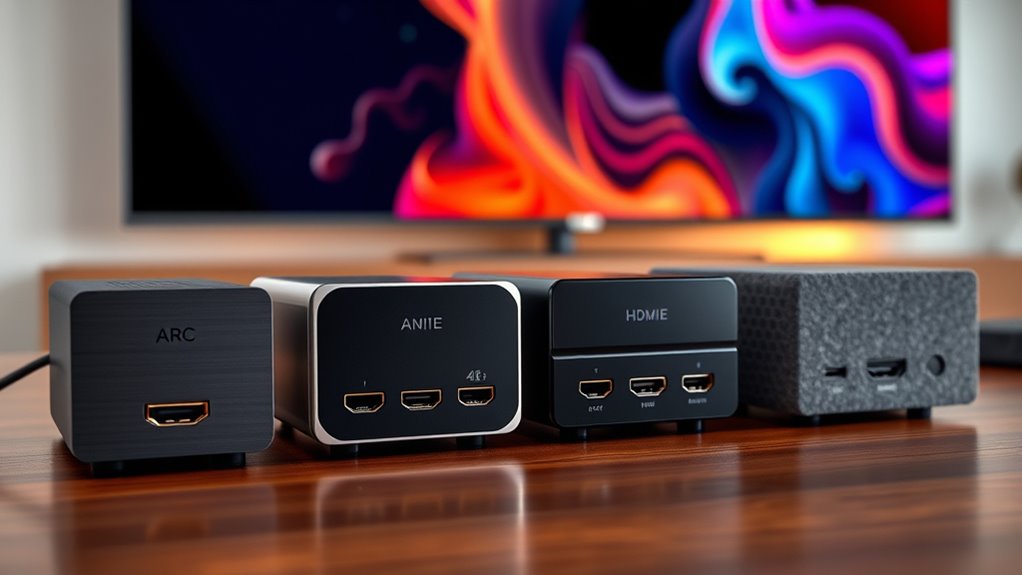

HDMI ARC audio extractors enable you to route audio from your TV or HDMI source to external audio systems like soundbars and speakers. The best options deliver high-quality sound with minimal lag, but they vary significantly in features and compatibility. The HDMI ARC Audio Extractor Converter for HDTV Soundbar Speaker Amplifier stands out for its straightforward setup and reliable performance. Meanwhile, the Orei 8K@60Hz HDMI Audio Extractor offers future-proof 8K support for high-resolution setups, but at a higher price. Many users face tradeoffs between resolution support, ease of use, and connectivity options. Continue reading for a detailed breakdown of the best picks and what to consider before buying.

Get business pricing on your home office setup
- Business-only prices and quantity discounts
- Tax-exempt purchasing
- Multiple users, one account, clear invoices
Complete the kit


Key Takeaways
- Top picks balance resolution support with compatibility, avoiding bottlenecks in high-end setups.
- Ease of use and setup remain vital — models with simple interfaces save time and frustration.
- Future-proof options like 8K support tend to be more expensive but ensure longevity.
- Optical and HDMI outputs are common, but some models include additional outputs like 3.5mm or RCA for versatility.
- Price varies widely; the best value offers a strong balance of features without premium costs.
| HDMI ARC Audio Extractor Converter for HDTV Soundbar Speaker Amplifier |  | Best Overall for Versatile Home Theater Integration | ARC Function: Yes | Supported Sampling Rate: 32, 44.1, 48, 96, 192 KHz | Supports 5.1 Surround Sound: Yes | VIEW ON AMAZON | See Our Full Breakdown |
| Avedio Links HDMI eARC/ARC Audio Extractor 4K@60Hz, HDMI to Optical Toslink SPDIF & 3.5mm AUX Stereo Audio Converter Splitter |  | Best for High-Resolution 4K Video and Multiple Audio Outputs | Resolution: 4K@60Hz | Audio Output: Optical Toslink SPDIF, 3.5mm AUX | HDMI Version: HDMI 2.0 | VIEW ON AMAZON | See Our Full Breakdown |
| OREI 8K@60Hz HDMI Audio Extractor, SPDIF & 3.5mm, ARC, HDCP 2.3, CEC |  | Best for 8K and HDMI 2.1 High-Resolution Setups | Input: HDMI | Output: HDMI ARC, L/R Audio Out, Optical Out | Video Resolution Support: 8K @ 50/60Hz, 4K @ 120Hz, 1080P @ 120Hz | VIEW ON AMAZON | See Our Full Breakdown |
| VPFET HDMI ARC Audio Extractor – HDMI ARC to Optical, RCA, 3.5mm Output Converter for HDTV Soundbar Speakers and Headphones |  | Best for Basic ARC to Analog Conversion | Supported Audio Formats: Dolby, DTS, LPCM | Sampling Rate: 192kHz | Output Ports: Optical (Toslink), 3.5mm stereo | VIEW ON AMAZON | See Our Full Breakdown |
| Avantree HAX06 HDMI ARC Audio Extractor with Passthrough |  | Best for 5.1 Surround and Wireless Headphone Use | Compatibility: HDMI ARC port | Outputs: Optical, RCA | Supports: 5.1 surround sound passthrough | VIEW ON AMAZON | See Our Full Breakdown |
| 4K60Hz HDMI ARC 192KHz Audio Extractor Converter for TV Soundbar Amplifier |  | Best Overall for High-Resolution Home Theater Connectivity | Supported Resolutions: 4K at 60Hz | Audio Sampling Rate: 192KHz | Channels: 5.1 surround sound | VIEW ON AMAZON | See Our Full Breakdown |
| HDMI ARC Audio Extractor, DAC Converter for HDTV Soundbar Speaker Amplifier |  | Best for Budget-Friendly Analog Conversion | Maximum Supply Voltage: 5 volts | Number of Channels: 2 | Audio Output Mode: Stereo, Optical, Coaxial | VIEW ON AMAZON | See Our Full Breakdown |
| eSynic Professional 192KHz eARC & ARC to Optical Audio Extractor |  | Best for Simple High-Quality eARC Audio Transfer | Audio Sampling Rate: 192KHz | Input: eARC/ARC HDMI port | Output: Optical (Toslink) | VIEW ON AMAZON | See Our Full Breakdown |
| VPFET HDMI eARC Audio Extractor for HDTV ARC/eARC Audio Conversion |  | Best for Dual Digital Outputs and Manual Control | Supported Audio Formats: 192kHz, 24-bit/192 kHz | Outputs: Optical (Toslink), Coaxial | Power Supply: DC 5V | VIEW ON AMAZON | See Our Full Breakdown |
| HDMI ARC Audio Extractor, ARC to Optical RCA or 3.5mm Converter |  | Best for Multi-Format Compatibility with Basic Control | Audio Formats Supported: Dolby DTS 5.1, PCM 2.0 | Sampling Rate: 192KHz | Supports Simultaneous Output: Yes | VIEW ON AMAZON | See Our Full Breakdown |
| HDMI Audio Extractor 8K eARC ARC 4K@120Hz Optical SPDIF RCA Converter |  | Best Overall for High-Resolution Home Theater Setups | Supported Resolutions: 8K@60Hz, 4K@120Hz, 4K@60Hz, 2K@120Hz, 1080P | Audio Outputs: Optical, L/R stereo, 3.5mm AUX | Power Supply: Type-C 5V cable | VIEW ON AMAZON | See Our Full Breakdown |
| HDMI ARC Adapter 4K60Hz HDMI ARC Audio Extractor with 3.5mm and Stereo Output |  | Best for Basic ARC Audio Extraction from TVs | Supported Resolutions: 4K@60Hz | Sampling Rate: 192 KHz | Audio Output: L/R stereo, 3.5mm | VIEW ON AMAZON | See Our Full Breakdown |
| eSynic Professional 192KHz eARC & ARC Audio Extractor – 3.5mm AUX and L/R Out |  | Best for High-Quality Listening from HDTV eARC/ARC Ports | Sampling Rate: 192KHz | Audio Formats Supported: PCM, PCM 2.0 | Power Supply: USB | VIEW ON AMAZON | See Our Full Breakdown |
| HDMI ARC Audio Extractor and Converter for HDTV Soundbar and Speakers |  | Best for Versatile High-Resolution TV Audio Conversion | Input: HDMI ARC | Outputs: Optical, RCA (L/R), 3.5mm headphone | Supported Audio Formats: PCM/LPCM, 24-bit SPDIF | VIEW ON AMAZON | See Our Full Breakdown |
| hdmi arc audio extractor | Compatibility |
|---|---|
| HDMI ARC Audio Extractor Conve | — |
| Avedio Links HDMI eARC/ARC Aud | — |
| OREI 8K@60Hz HDMI Audio Extrac | — |
| VPFET HDMI ARC Audio Extractor | HDMI ARC port only |
| Avantree HAX06 HDMI ARC Audio | HDMI ARC port |
| 4K60Hz HDMI ARC 192KHz Audio E | All HDMI source devices with ARC/eARC support |
| HDMI ARC Audio Extractor | — |
| eSynic Professional 192KHz eAR | Requires eARC or ARC HDMI port, HDMI-CEC enabled |
| VPFET HDMI eARC Audio Extracto | HDMI eARC port only |
| HDMI ARC Audio Extractor | — |
| HDMI Audio Extractor 8K eARC A | Blu-ray/DVD players, TV boxes, Fire TV Stick, Apple TV, PS3/4/5, Xbox, PC, laptops |
| HDMI ARC Adapter 4K60Hz HDMI A | HDMI ARC-enabled TVs, PS4, PS5, Xbox, Blu-ray players, soundbars |
| eSynic Professional 192KHz eAR | HDTV eARC/ARC interface only |
| HDMI ARC Audio Extractor and C | ARC-enabled HDTVs, soundbars, amplifiers, Blu-ray, game consoles |
More Details on Our Top Picks
HDMI ARC Audio Extractor Converter for HDTV Soundbar Speaker Amplifier
This HDMI ARC audio extractor excels in delivering high-quality surround sound with a straightforward setup, making it ideal for users who prioritize seamless compatibility and multi-channel audio. Compared with the VFaet HDMI eARC@60Hz, it lacks 8K support but offers broader device compatibility and simpler plug-and-play operation. The need for a suitable HDMI ARC port and correct TV configuration is a minor tradeoff, but it ensures reliable audio delivery. Its support for Dolby and DTS 5.1 makes it suitable for most home theater setups, though optical and coaxial outputs can’t be controlled remotely. This pick makes the most sense for those seeking a reliable, easy-to-use device without the need for high-resolution 8K video.
Pros:- Supports high-quality Dolby and DTS 5.1 surround sound
- Simple plug-and-play setup without drivers
- Compatible with a broad array of HDTVs and audio devices
Cons:- Requires TV with HDMI ARC port and proper configuration
- Optical and coaxial outputs cannot be controlled via TV remote
Best for: Home theater enthusiasts seeking a straightforward, reliable ARC audio extractor compatible with a wide range of devices
Not ideal for: Users with 8K Ultra HD setups or those needing advanced features like eARC or remote control of outputs
- ARC Function:Yes
- Supported Sampling Rate:32, 44.1, 48, 96, 192 KHz
- Supports 5.1 Surround Sound:Yes
- Compatible Devices:Soundbars, speakers, amplifiers with optical, coaxial, RCA, or 3.5mm ports
- Power Supply:USB
- Cable Requirements:Supports HDMI 1.4 with ARC feature
Our verdict“This device is ideal for users wanting a dependable, easy-to-set-up ARC audio extractor for standard home theater use.”
Avedio Links HDMI eARC/ARC Audio Extractor 4K@60Hz, HDMI to Optical Toslink SPDIF & 3.5mm AUX Stereo Audio Converter Splitter
This extractor stands out for supporting 4K@60Hz resolution, making it suitable for users with modern 4K TVs who also need flexible audio outputs. Unlike the VFaet HDMI eARC@60Hz, which focuses on higher resolutions, it emphasizes multi-output options such as optical and analog stereo, enhancing compatibility with various speakers and sound systems. While it lacks Dolby Digital Plus support and CEC functions, its broad device compatibility makes it ideal for users who prioritize video quality and multiple audio formats. The need to set input sources to PCM/stereo and the absence of certain advanced features mean it’s best for straightforward setups. This pick is perfect for users who want high-res video and diverse audio connectivity in one device.
Pros:- Supports 4K@60Hz video output
- Multiple audio outputs including optical and stereo
- ARC support enhances home theater audio experience
Cons:- Does not support Dolby Digital Plus or CEC functions
- Requires input source to be PCM/stereo for optical and L/R output
Best for: Home users with 4K content and diverse audio equipment, seeking flexible audio output options
Not ideal for: Users needing Dolby Digital Plus support or advanced CEC control features for seamless device communication
- Resolution:4K@60Hz
- Audio Output:Optical Toslink SPDIF, 3.5mm AUX
- HDMI Version:HDMI 2.0
- Supported Audio Formats:PCM, DTS, Dolby Digital, Dolby TrueHD, DTS-HD
- ARC Support:Yes
- Input/Output Ports:HDMI, optical SPDIF, 3.5mm stereo
Our verdict“This device is well-suited for users requiring high-resolution video and versatile audio output options at a reasonable price point.”
OREI 8K@60Hz HDMI Audio Extractor, SPDIF & 3.5mm, ARC, HDCP 2.3, CEC
The OREI 8K@60Hz HDMI Audio Extractor is tailored for high-end home theaters with 8K and HDMI 2.1 devices, supporting ultra-high resolutions and advanced HDCP 2.3 compliance. Compared with the AVANTREE HAX06, which offers passthrough and support for 5.1, this model extends support to 8K at 60Hz, catering to future-proof setups. Its compact, durable metal design ensures reliability, and the inclusion of a worldwide power supply adds to its appeal. However, it does not support eARC, only ARC, and volume control cannot be managed via TV remote, which could be limitations for some users. This device suits those investing in the latest high-res technology and wanting broad audio format support, including Dolby Atmos and DTS:X.
Pros:- Supports 8K resolution at 60Hz, future-proofing high-end setups
- Compatible with HDMI 2.1 devices and supports Dolby Atmos, DTS:X
- Compact, durable metal enclosure for reliable use
Cons:- Does not support eARC, only ARC
- Volume control cannot be managed via TV remote
Best for: Owners of 8K TVs and HDMI 2.1-compatible equipment seeking high-resolution audio and video support
Not ideal for: Consumers with standard HD or 4K setups who don’t need 8K or HDMI 2.1 features, as it may be more than they require
- Input:HDMI
- Output:HDMI ARC, L/R Audio Out, Optical Out
- Video Resolution Support:8K @ 50/60Hz, 4K @ 120Hz, 1080P @ 120Hz
- Audio Formats Supported:LPCM 2/5.1/7.1CH, Dolby Digital, DTS, Dolby Atmos, DTS:X
- HDMI Version:2.1
- HDCP Version:2.3
Our verdict“This extractor is best suited for users with high-end, 8K HDMI 2.1 equipment seeking the highest possible resolution and audio format support.”
VPFET HDMI ARC Audio Extractor – HDMI ARC to Optical, RCA, 3.5mm Output Converter for HDTV Soundbar Speakers and Headphones
The VPFET HDMI ARC Audio Extractor offers a straightforward solution for converting digital audio from HDMI ARC into analog formats like optical and RCA, making it ideal for connecting older speakers or headphones. Compared with the Avantree HAX06, which supports passthrough and wireless headphones, this device focuses solely on basic conversion, with support for high-resolution audio up to 192kHz. Its dedicated design for HDMI ARC ensures stable audio return, but it’s limited to LPCM audio over the 3.5mm and optical outputs, and only works with HDMI ARC ports, not standard HDMI. Setup requires manual enabling of ARC functions on the TV, which might be a barrier for some users. This unit is perfect for those with older audio equipment needing digital-to-analog conversion.
Pros:- Supports high-resolution audio up to 192kHz
- Multiple output options including optical and 3.5mm
- Designed specifically for HDMI ARC, ensuring stable audio return
Cons:- Limited to LPCM audio format on outputs
- Only compatible with HDMI ARC ports, not standard HDMI
Best for: Users with HDMI ARC-enabled TVs who need to connect older speakers or headphones with analog or optical inputs
Not ideal for: Those seeking advanced multi-channel surround sound or integration with modern digital audio formats like Dolby Digital Plus
- Supported Audio Formats:Dolby, DTS, LPCM
- Sampling Rate:192kHz
- Output Ports:Optical (Toslink), 3.5mm stereo
- Compatibility:HDMI ARC port only
- Power Supply:Type-C cable
- Included Cables:HDMI ARC cable, optical audio cable
Our verdict“This converter is ideal for users needing simple, reliable digital-to-analog conversion for older audio setups using HDMI ARC.”
Avantree HAX06 HDMI ARC Audio Extractor with Passthrough
The Avantree HAX06 is a versatile device supporting 5.1 surround sound passthrough, making it a strong choice for users who want to connect their ARC-enabled TV to both a soundbar and wireless headphones simultaneously. Compared with the OREI 8K@60Hz, which focuses on ultra-high resolution, the HAX06 emphasizes convenience and multi-device use, though it doesn’t support 8K or high-res video. Its main limitation is incompatibility with streaming devices or gaming consoles, which restricts its use to certain setups. Additionally, it requires HDMI-CEC support for remote volume control, which can be inconsistent on some TVs. This device suits homeowners who want flexible audio options and the ability to use headphones without disrupting the main audio feed.
Pros:- Supports 5.1 surround sound passthrough
- Enables simultaneous use of soundbar and wireless headphones
- Easy to connect to HDMI ARC port
Cons:- Not compatible with HDMI sources like streaming devices or consoles
- Requires HDMI-CEC support for remote volume control
- Bluetooth transmitter not included
Best for: Users with HDMI ARC-only TVs who want to connect soundbars and wireless headphones simultaneously
Not ideal for: Users with 8K setups or those needing support for HDMI sources like gaming consoles or streaming devices
- Compatibility:HDMI ARC port
- Outputs:Optical, RCA
- Supports:5.1 surround sound passthrough
- Additional Features:Simultaneous use of soundbar and headphones
Our verdict“This extractor is best for users who prioritize headphone use and multi-device audio flexibility on HDMI ARC-compatible TVs.”
4K60Hz HDMI ARC 192KHz Audio Extractor Converter for TV Soundbar Amplifier
This extractor stands out for supporting high-resolution audio up to 192KHz, making it ideal for serious audiophiles seeking lossless sound. Compared with the eSynic Professional 192KHz eARC & ARC to Optical Audio Extractor, it offers more versatile output options like optical, coaxial, and 3.5mm, providing broader compatibility with different devices. However, it requires a TV with HDMI ARC or eARC, which might limit its use with older models. Its multiple outputs give flexibility, but optical and coaxial ports can’t be controlled by the TV remote, adding setup complexity. This pick makes the most sense for users who want maximum audio fidelity and have compatible TVs, willing to handle some setup troubleshooting for superior sound quality.
Pros:- Supports high-resolution audio up to 192KHz; Multiple audio output options for flexible connectivity; Compatible with a wide range of HDMI devices and TVs
Cons:- Requires TV with HDMI ARC or eARC port; Optical and coaxial outputs cannot be remote-controlled; Setup may involve troubleshooting and correct configuration
Best for: Home theater enthusiasts who prioritize high-resolution audio and versatile outputs
Not ideal for: Casual users with basic sound setups or older TVs lacking HDMI ARC/eARC ports
- Supported Resolutions:4K at 60Hz
- Audio Sampling Rate:192KHz
- Channels:5.1 surround sound
- Outputs:Optical, Coaxial, 3.5mm, L/R
- Compatibility:All HDMI source devices with ARC/eARC support
Our verdict“This is best for users with modern HDMI ARC/eARC-compatible TVs seeking lossless, high-res audio output.”
HDMI ARC Audio Extractor, DAC Converter for HDTV Soundbar Speaker Amplifier
Compared with the 4K60Hz HDMI ARC 192KHz Audio Extractor, this model focuses on converting digital ARC signals into analog outputs, making it a good choice for connecting older sound systems. It supports high sampling rates up to 192kHz, ensuring decent audio fidelity, but it does not support Dolby Digital formats, which could limit surround sound capabilities. Its plug-and-play design simplifies setup, yet the need to set the TV audio output to PCM can be a hassle for less tech-savvy users. This device suits those who prioritize straightforward analog connectivity over advanced digital formats, but it might disappoint users expecting Dolby Digital support or surround sound.
Pros:- Supports high-resolution audio up to 192kHz; Compatible with various devices including gaming consoles; Easy plug-and-play operation
Cons:- Does not support Dolby Digital formats; Limited to PCM input, no digital decoding; Requires setting audio output to PCM
Best for: Consumers with older soundbars or amplifiers needing analog inputs and basic high-res audio support
Not ideal for: Users seeking Dolby Digital or Dolby Digital Plus support for immersive surround sound
- Maximum Supply Voltage:5 volts
- Number of Channels:2
- Audio Output Mode:Stereo, Optical, Coaxial
- Material Type:Metal
- Interface:HDMI
Our verdict“Ideal for those wanting simple analog conversion from ARC-enabled TVs without complex digital surround sound needs.”
eSynic Professional 192KHz eARC & ARC to Optical Audio Extractor
This extractor is tailored for users with eARC or ARC ports seeking a straightforward optical output. It surpasses the HDMI ARC Audio Extractor, DAC Converter by supporting the latest eARC standard, providing higher quality audio transmission. Its plug-and-play nature makes it accessible for most users, but it only works with eARC or ARC HDMI ports—limiting its compatibility. No volume control features may be a drawback for some, requiring adjustments on connected devices. It’s a solid choice for those with compatible TVs who want an uncomplicated way to send high-res audio to legacy or optical-only audio systems.
Pros:- High-quality 192KHz audio extraction; Plug-and-play, no drivers needed; Compact, minimal cable setup
Cons:- Requires specific HDMI eARC/ARC port; No volume control via TV remote; Must verify TV port labeling and settings
Best for: TV owners with eARC or ARC ports needing high-quality optical output without extra fuss
Not ideal for: Those with standard HDMI ports or expecting volume control via remote
- Audio Sampling Rate:192KHz
- Input:eARC/ARC HDMI port
- Output:Optical (Toslink)
- Power Supply:USB
- Compatibility:Requires eARC or ARC HDMI port, HDMI-CEC enabled
Our verdict“Perfect for users with eARC-compatible TVs seeking a simple, high-res optical audio solution.”
VPFET HDMI eARC Audio Extractor for HDTV ARC/eARC Audio Conversion
Compared with the eSynic Professional 192KHz eARC & ARC to Optical Audio Extractor, this VPFET model offers both optical and coaxial outputs simultaneously, catering to users with diverse audio setups. Its support for high-resolution audio up to 192 kHz ensures excellent sound quality, but it’s only compatible with HDMI eARC ports, not standard HDMI. The manual enabling of eARC in some TVs can be a stumbling block, and volume control often requires adjustment directly on connected devices. This product is well-suited for those who need flexible digital outputs and are comfortable with some manual configuration.
Pros:- Supports high-res audio up to 192 kHz; Dual outputs for maximum compatibility; Compact and easy to install
Cons:- Limited to HDMI eARC ports; Manual eARC activation needed on some TVs; Volume control may require device adjustments
Best for: Users with high-end audio systems requiring both optical and coaxial outputs from eARC-enabled TVs
Not ideal for: Owners of non-eARC HDMI ports or those seeking automatic volume control via TV remote
- Supported Audio Formats:192kHz, 24-bit/192 kHz
- Outputs:Optical (Toslink), Coaxial
- Power Supply:DC 5V
- Compatibility:HDMI eARC port only
Our verdict“Ideal for audiophiles with eARC TVs needing flexible digital output options and manual setup.”
HDMI ARC Audio Extractor, ARC to Optical RCA or 3.5mm Converter
This device offers broad compatibility, supporting Dolby DTS 5.1 and PCM 2.0, making it suitable for many common home setups. It excels over the 4K60Hz HDMI ARC 192KHz Audio Extractor when users need multiple analog and digital outputs, including RCA and 3.5mm jacks. Its volume control feature, adjustable via the TV remote, adds convenience, but it doesn’t support 7.1 surround sound or Dolby Digital Plus, limiting immersive audio options. It’s perfect for users with ARC or eARC ports on their TVs who want a flexible, multi-format solution without demanding digital formats.
Pros:- Supports Dolby DTS 5.1 and PCM 2.0; Allows simultaneous multiple outputs; Volume control via TV remote
Cons:- Does not support 7.1 surround sound; Optical output volume control not available; Limited digital format support
Best for: Home users with basic surround sound needs and multiple analog audio devices
Not ideal for: Audiophiles seeking full Dolby Digital or immersive surround sound support
- Audio Formats Supported:Dolby DTS 5.1, PCM 2.0
- Sampling Rate:192KHz
- Supports Simultaneous Output:Yes
- Volume Control:Yes (via TV remote)
- Connection Types:ARC, optical, RCA, 3.5mm
Our verdict“Suitable for users wanting versatile audio output options with basic surround sound and volume control features.”
HDMI Audio Extractor 8K eARC ARC 4K@120Hz Optical SPDIF RCA Converter
This model stands out for supporting up to 8K@60Hz and 4K@120Hz, making it ideal for high-end home theater systems. Compared with the eSynic Professional 192KHz eARC & ARC Audio Extractor, it offers broader compatibility with modern HDMI devices and advanced video features like HDR and Dolby Vision, but it requires a Type-C power supply and only outputs PCM audio through analog ports, which may limit audio quality for some setups. Its multiple output options ensure versatility, yet its lack of direct TV connection and the need for external power are tradeoffs.
Pros:- Supports up to 8K@60Hz and 4K@120Hz resolutions for future-proofing
- Multiple audio outputs including optical, L/R stereo, and 3.5mm AUX
- Compatible with a wide range of HDMI sources and formats, including HDR and Dolby Vision
- Supports advanced audio formats like DTS 7.1/5.1CH
Cons:- Requires a Type-C 5V power supply, adding to setup complexity
- Analog ports only support PCM, which could introduce noise with other formats
Best for: Home theater enthusiasts who need high-resolution video and multiple audio outputs in one device
Not ideal for: Users seeking a simple, plug-and-play device for basic TV audio extraction, as it’s more complex and requires external power
- Supported Resolutions:8K@60Hz, 4K@120Hz, 4K@60Hz, 2K@120Hz, 1080P
- Audio Outputs:Optical, L/R stereo, 3.5mm AUX
- Power Supply:Type-C 5V cable
- Modes:PASS, R/L, SPDIF
- Compatibility:Blu-ray/DVD players, TV boxes, Fire TV Stick, Apple TV, PS3/4/5, Xbox, PC, laptops
- Supports:HDR, HDR10+, Dolby Vision, DTS 7.1/5.1CH, HLG, VRR
Our verdict“This is best suited for high-end users who want top-tier video and flexible audio options, accepting setup complexity and power requirements.”
HDMI ARC Adapter 4K60Hz HDMI ARC Audio Extractor with 3.5mm and Stereo Output
This pick is well-suited for users with ARC-enabled TVs who want a straightforward, affordable solution to extract 4K audio at 60Hz. Compared to the HDMI ARC Audio Extractor and Converter for HDTV Soundbar and Speakers, it offers similar resolution support but with a more compact, durable aluminum design and easier plug-and-play operation. However, it only supports PCM 2.0 audio, lacking support for surround sound formats like Dolby Digital 5.1 or 7.1, which limits its use for home theater setups requiring surround sound. Its reliance on TV ARC and CEC settings means some setup may be necessary.
Pros:- Supports high-resolution 4K audio at 60Hz for clear sound
- Simultaneous L/R stereo and 3.5mm outputs for flexible connections
- Durable aluminum construction and simple plug-and-play setup
- Compact size fits easily behind TVs or in tight spaces
Cons:- Does not support 5.1 or Dolby Digital surround sound formats
- Requires enabling ARC and CEC on the TV, which can be confusing for some users
Best for: Consumers with ARC-enabled TVs looking to connect soundbars or stereo speakers without complex configuration
Not ideal for: Audiophiles or home theater enthusiasts needing surround sound support or Dolby formats, as it only supports PCM 2.0
- Supported Resolutions:4K@60Hz
- Sampling Rate:192 KHz
- Audio Output:L/R stereo, 3.5mm
- Material:Aluminum
- Compatibility:HDMI ARC-enabled TVs, PS4, PS5, Xbox, Blu-ray players, soundbars
- Note:Supports PCM 2.0 only, no surround sound
Our verdict“This device makes the most sense for users with ARC-enabled TVs who prioritize simplicity and basic stereo audio over surround sound capabilities.”
eSynic Professional 192KHz eARC & ARC Audio Extractor – 3.5mm AUX and L/R Out
This model excels in delivering high-fidelity audio from HDTV eARC/ARC ports, supporting sampling rates up to 192KHz. Compared with the HDMI ARC Audio Extractor 4K60Hz with Stereo Output, it offers higher sampling rates, which benefits audiophiles and those seeking crisp, detailed sound. Its plug-and-play USB power makes setup straightforward, but it is limited to HDTV eARC/ARC interfaces and does not support optical or Dolby formats, which could limit compatibility with non-TV devices. This focus on high-quality stereo audio makes it ideal for dedicated listening setups rather than multi-channel surround sound.
Pros:- Supports high sampling rates up to 192KHz for detailed audio
- USB-powered, making it easy to set up without additional adapters
- High-quality PCM audio output for immersive listening
- Plug-and-play with no drivers required
Cons:- Limited to HDTV eARC/ARC interfaces, not suitable for general HDMI devices
- No support for optical or Dolby audio formats
- Requires correct TV setup and enabling eARC/ARC functions
Best for: Audio purists and audiophiles using HDTVs with eARC or ARC ports who want the highest possible stereo sound quality
Not ideal for: Users aiming to connect multiple HDMI devices or seeking surround sound support, as it only works with HDTV eARC/ARC ports and PCM formats
- Sampling Rate:192KHz
- Audio Formats Supported:PCM, PCM 2.0
- Power Supply:USB
- Compatibility:HDTV eARC/ARC interface only
- Output:3.5mm AUX, L/R stereo
Our verdict“This device is best for those with HDTVs supporting eARC/ARC who want premium stereo audio quality without surround sound, accepting limited compatibility.”
HDMI ARC Audio Extractor and Converter for HDTV Soundbar and Speakers
This extractor offers a straightforward solution for routing audio from HDMI ARC-enabled TVs to various analog outputs, supporting high-resolution audio up to 192kHz. Compared with the HDMI ARC Adapter 4K60Hz with Stereo Output, it supports higher sampling rates and includes multiple output options, but it does not support Dolby or eARC formats, limiting surround sound capabilities. Its compatibility with a broad range of devices makes it suitable for users who want a simple, reliable converter, but the lack of Dolby support may be a downside for those seeking immersive sound experiences. The device’s plug-and-play nature simplifies installation, yet it relies on TV ARC functionality.
Pros:- Supports high-resolution audio up to 192kHz for high-fidelity sound
- Multiple output options, including optical, RCA, and 3.5mm
- Plug-and-play setup with no drivers required
- Compatible with a wide range of ARC-enabled devices
Cons:- Does not support Dolby or eARC formats, limiting surround sound
- Requires TV with ARC support and proper configuration
- Optical and coaxial outputs lack remote control features
Best for: Home users seeking high-fidelity audio from ARC-enabled TVs with multiple analog output options
Not ideal for: Enthusiasts needing Dolby Digital or surround sound support, as it only handles PCM/LPCM audio formats
- Input:HDMI ARC
- Outputs:Optical, RCA (L/R), 3.5mm headphone
- Supported Audio Formats:PCM/LPCM, 24-bit SPDIF
- Max Sampling Rate:192kHz
- Compatibility:ARC-enabled HDTVs, soundbars, amplifiers, Blu-ray, game consoles
- Note:Supports PCM only; no Dolby decoding
Our verdict“Ideal for users who want versatile, high-res stereo audio extraction from ARC-enabled TVs without the need for surround sound support.”

How We Picked
These products were evaluated based on performance, build quality, ease of installation, and compatibility with different HDMI standards. We prioritized models that support the latest HDMI eARC and ARC protocols, as these ensure seamless audio transfer without latency issues. Durability and user interface also played a role; products with straightforward setup and minimal configuration earned higher rankings. The selection reflects a mix of budget-friendly and premium options, ensuring suitability for various needs and systems. Ultimately, the ranking emphasizes value, future-proofing, and reliability for real-world use cases.Factors to Consider When Choosing Hdmi Arc Audio Extractors
Choosing the right HDMI ARC audio extractor involves considering several key factors beyond basic features. Compatibility with your existing devices, resolution support, and ease of use are crucial. It’s also important to evaluate the outputs available—such as optical, RCA, or 3.5mm—to match your audio equipment. Understanding these broader considerations helps prevent common pitfalls like buying an incompatible model or one that can’t handle your resolution needs. Here are the main factors to keep in mind:Compatibility and HDMI Standards
Ensure the extractor supports your HDMI version, especially if you have 4K, 8K, or eARC devices. Some models are limited to older standards, which can cause issues with high-resolution content or advanced audio formats. Compatibility with your TV and audio system is critical to avoid connectivity problems. For instance, if you have a Dolby Atmos setup, verify that the extractor supports it explicitly. Choosing a model aligned with your HDMI and audio standards guarantees smoother operation and future-proofing.
Resolution Support and Future-Proofing
Opt for extractors supporting at least 4K@60Hz, and consider 8K support if you plan to upgrade soon. Higher resolution support ensures your device won’t become obsolete quickly, especially with the growing prevalence of 8K content. However, models supporting 8K tend to be more expensive, so weigh this against your current and anticipated needs. Be aware that some lower-priced options might only support 1080p or 4K, which could limit your system’s performance in the future.
Ease of Use and Setup
Simplicity matters, especially if you’re not tech-savvy. Look for units with straightforward connections and minimal configuration. Features like plug-and-play operation, clear indicators, and user-friendly interfaces can significantly reduce setup time. Some models include extra features like remote controls or auto-detection, which add convenience but may increase complexity. Balance these extras with your comfort level to find a model that offers reliable performance without unnecessary hassle.
Outputs and Connectivity Options
The variety of outputs determines how flexible your system can be. Optical (Toslink) is common for high-quality audio, but some users need RCA or 3.5mm outputs for compatibility with older equipment. Consider whether your setup requires multiple outputs or specific connectors. Also, check if the extractor offers pass-through options for video, which can simplify wiring and reduce clutter. Selecting a model with versatile outputs helps ensure compatibility across different devices.
Price and Value
Prices for HDMI ARC audio extractors range from budget-friendly to premium. Cheaper models might lack support for high resolutions or advanced audio formats, while more expensive options generally provide better build quality and future-proof features. Consider what features are essential for your setup and whether a higher price guarantees better performance or longevity. Sometimes, spending a bit more upfront saves money in upgrades or replacements down the line.
Frequently Asked Questions
Can I use an HDMI ARC audio extractor with my old TV?
Most older TVs do not support HDMI ARC, which limits the usefulness of an ARC-specific extractor. If your TV lacks ARC support, look for a regular HDMI audio extractor that can work with standard HDMI ports and extract audio separately. Alternatively, check if your TV has other audio outputs like optical or coaxial, which can serve as alternative connections. Matching the extractor’s capabilities with your TV’s output options is essential to avoid compatibility issues.
Will an HDMI ARC audio extractor support Dolby Atmos or DTS:X?
This depends on the specific model and its support for advanced audio formats. Many higher-end extractors now support Dolby Atmos and DTS:X, but cheaper or older models might not. Always verify the product specifications to see if these formats are supported, especially if you have a home theater system that relies on immersive sound. Unsupported formats can result in loss of audio quality or limited compatibility with your audio devices.
Is 8K support necessary for my setup?
If you have or plan to upgrade to an 8K TV or source, choosing an extractor supporting 8K@60Hz or higher makes sense. However, if your current system is limited to 4K, investing in an 8K model might be unnecessary at this time. Keep in mind that 8K extractors are generally more expensive, and the content availability is still limited. For now, 4K support may suffice unless future-proofing is a priority.
Do I need an HDMI ARC extractor if my TV doesn’t support ARC?
No, if your TV lacks ARC support, an ARC-specific extractor won’t add functionality. Instead, you should look for a standard HDMI audio extractor that can work with your available ports. These models can still extract audio from HDMI signals without relying on ARC, but you’ll lose the convenience of seamless audio routing that ARC provides. Confirm your TV’s capabilities before investing in an ARC-specific device.
What is the main difference between ARC and eARC extractors?
ARC (Audio Return Channel) and eARC (enhanced ARC) are different in terms of bandwidth and supported formats. eARC supports higher resolution audio formats like Dolby Atmos and DTS:X with greater bandwidth, making it ideal for high-end home theater setups. Most ARC extractors handle basic audio signals, but if you want support for the latest immersive formats and higher bitrates, an eARC-compatible model is necessary. Consider your audio needs and device compatibility when choosing between the two.
Conclusion
For most users seeking a reliable, straightforward solution, the HDMI ARC Audio Extractor Converter for HDTV Soundbar Speaker Amplifier offers excellent value and ease of use. Those with high-resolution setups or future-proofing in mind should consider models supporting 8K, like the OREI 8K@60Hz HDMI Audio Extractor. If you’re new to audio extraction or want a budget-friendly option, simpler models with basic features can suffice. Power users or home theater enthusiasts should invest in premium options with eARC support for the best audio quality and compatibility. Matching your specific device capabilities and future plans will ensure the best experience.
As an affiliate, we earn on qualifying purchases.Halloween Picks
halloween