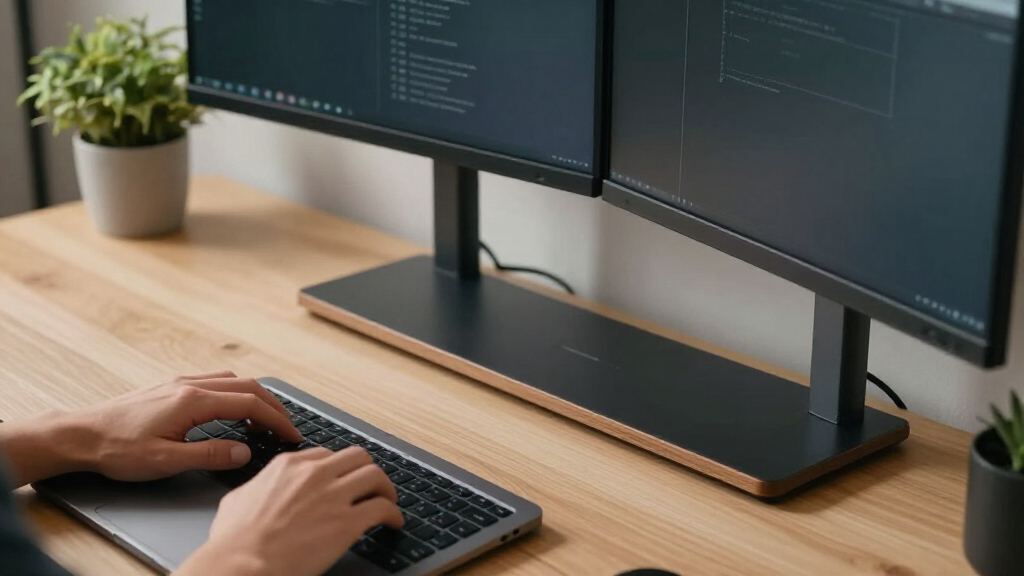

Among these desk monitor stands, I rank the HUANUO FlowLift™ Dual Monitor Stand as the best overall because its independent full-motion arms offer more ergonomic control than fixed-height risers. The Amazon Basics Height Adjustable Monitor Stand is my value pick for a simple single-screen setup, while the ErGear Single Monitor Arm suits buyers who want wide adjustment without paying for a dual-arm mount. The main choice is between the flexible positioning and open desk space of a mounted arm and the easy setup, storage, and broader device support of a desktop riser. Screen weight, VESA compatibility, desk strength, and the amount of usable storage separate the strongest options from superficially similar models. Continue reading for the full breakdown of all 15 picks and the buyer types each one serves best.
Complete the kit


Key Takeaways
- HUANUO ranks first because independent amazon.com/dp/B0F5PPDTVR?tag=4kprojectorguide-20&ascsubtag=dc-521349″ target=”_blank” rel=”nofollow sponsored noopener”>dual-arm movement offers a bigger ergonomic benefit than the fixed or stepped height adjustments found on most risers.
- The lineup divides into two clear groups: VESA-mounted arms maximize positioning and desk clearance, while shelf-style risers support more device types and add storage.
- Amazon Basics offers the clearest value for one conventional monitor, but its 22-pound limit and stepped plastic design make it less suitable for heavy or premium displays.
- Among wide dual-monitor risers, TAVR emphasizes configurable positioning, YAOHUOO favors uninterrupted shelf width, and WESTREE places more weight on furniture-like styling and storage.
- The two WALI 44-pound listings appear functionally identical, so I would compare price, seller, delivery, and return terms instead of treating them as separate upgrades.
| HUANUO FlowLift™ Dual Monitor Stand |  | Best Overall | Monitor Size: 13–32″ per screen | Weight Capacity: 4.4–19.8 lbs per arm | VESA Compatibility: 75 × 75 mm or 100 × 100 mm | VIEW LATEST PRICE | See Our Full Breakdown |
| Dual Monitor Stand Riser with Drawer and Pen Holders |  | Best for Small-Item Storage | Material: Metal | Monitor Capacity: 2 monitors | Storage: 1 built-in drawer | VIEW LATEST PRICE | See Our Full Breakdown |
| BONTEC Wooden Monitor Stand Riser |  | Best Compact Riser | Material: MDF wood | Color: White | Listed Dimension: 16.5″ | VIEW LATEST PRICE | See Our Full Breakdown |
| Single LCD Computer Monitor Free-Standing Desk Mount Riser |  | Best for Heavy Single Monitors | Monitor Size: 13–32″ | Monitor Capacity: 1 monitor | VESA Compatibility: 50 × 50, 75 × 75, or 100 × 100 mm | VIEW LATEST PRICE | See Our Full Breakdown |
| TAVR Monitor Stand Riser |  | Best for Wide Desks | Material: Wood | Monitor Capacity: Up to 2 monitors | Dimensions: 30.7–43.3 × 9.3 × 3.6″ | VIEW LATEST PRICE | See Our Full Breakdown |
| BONTEC Dual Monitor Stand Riser, Adjustable Length & Swivel Angle, White |  | Best Adjustable Dual-Monitor Riser | Adjustable Length: 31.5 to 42.5 inches | Swivel Support: Yes | Material: Wood | VIEW LATEST PRICE | See Our Full Breakdown |
| WESTREE Dual Monitor Stand Riser, Wood and Steel Multi-Purpose Desktop Storage Stand for 2 Monitors, Laptop, Printer, TV, Rustic Brown |  | Best for Heavy Desktop Equipment | Material: Wood and steel | Color: Rustic brown | Monitor Capacity: 2 monitors | VIEW LATEST PRICE | See Our Full Breakdown |
| Desk Organizer and Accessories, 2-Tier Monitor Stand Riser with Drawer and Pen Holders, Black |  | Best for Small-Item Organization | Material: Metal | Number of Tiers: 2 | Drawer: 1 included | VIEW LATEST PRICE | See Our Full Breakdown |
| WALI Adjustable Monitor Stand for Desk, Supports up to 44 lbs, Black |  | Best Height Range | Platform Dimensions: 14.6 x 9.3 inches | Maximum Support Weight: 44 lbs | Height Settings: 4.5, 5.3, and 6.1 inches | VIEW LATEST PRICE | See Our Full Breakdown |
| WALI Adjustable Monitor Stand for Desk, Supports up to 44 lbs, Black |  | Best Metal Single-Monitor Riser | Platform Dimensions: 14.6 x 9.3 inches | Maximum Support Weight: 44 lbs | Height Settings: 3.9, 4.7, and 5.5 inches | VIEW LATEST PRICE | See Our Full Breakdown |
| Amazon Basics Height Adjustable Monitor Stand Riser |  | Best Budget Adjustable Riser | Top width: 11.6 inches | Top depth: 11 inches | Lowest height: 2.87 inches | VIEW LATEST PRICE | See Our Full Breakdown |
| Gianotter Dual Monitor Stand Riser with Drawer and Pen Holders |  | Best Dual-Monitor Organizer | Monitor arrangement: Dual monitor | Material: High-strength metal | Color: Black | VIEW LATEST PRICE | See Our Full Breakdown |
| VIVO Dual Monitor Desk Stand for Two Screens |  | Best Freestanding Dual-Monitor Mount | Screen compatibility: 13 to 27 inches | Monitor capacity: 2 screens | Maximum weight: 22 lbs per monitor | VIEW LATEST PRICE | See Our Full Breakdown |
| YAOHUOO 39-Inch Dual Monitor Stand Riser |  | Best Heavy-Duty Wide Riser | Length: 38.6 inches | Depth: 10.2 inches | Height: 5 inches | VIEW LATEST PRICE | See Our Full Breakdown |
| ErGear Single Monitor Arm for 13–34 Inch Screens |  | Best Single-Monitor Articulating Arm | Screen compatibility: 13 to 34 inches | Maximum monitor weight: 19.8 lbs | VESA patterns: 75 x 75 mm or 100 x 100 mm | VIEW LATEST PRICE | See Our Full Breakdown |
| desk monitor stand | Color | Material |
|---|---|---|
| HUANUO FlowLift™ Dual Monitor | — | — |
| Dual Monitor Stand Riser with | Black | Metal |
| BONTEC Wooden Monitor Stand Ri | White | MDF wood |
| Single LCD Computer Monitor Fr | — | — |
| TAVR Monitor Stand Riser | Black | Wood |
| BONTEC Dual Monitor Stand Rise | White | Wood |
| WESTREE Dual Monitor Stand Ris | Rustic brown | Wood and steel |
| Desk Organizer and Accessories | Black | Metal |
| WALI Adjustable Monitor Stand | Black | — |
| WALI Adjustable Monitor Stand | Black | — |
| Amazon Basics Height Adjustabl | — | ABS plastic |
| Gianotter Dual Monitor Stand R | Black | High-strength metal |
| VIVO Dual Monitor Desk Stand f | — | — |
| YAOHUOO 39-Inch Dual Monitor S | — | — |
| ErGear Single Monitor Arm for | — | — |
More Details on Our Top Picks
HUANUO FlowLift™ Dual Monitor Stand
I rank the HUANUO FlowLift™ Dual Monitor Stand first because it provides the strongest blend of ergonomic range, desk clearance, and dual-screen stability in this group. Unlike the TAVR Monitor Stand Riser, it suspends both displays above the work surface, leaving more usable room for a keyboard, dock, or notebook. Its full-motion arms also let each screen move independently for portrait coding, gaming, or document work. The reinforced dual C-clamp is more secure than a basic freestanding riser, while a grommet option adds flexibility. That capability comes with firm compatibility limits: monitors need supported VESA holes and weight, and the desk must be wooden, unobstructed underneath, and within the stated thickness range. I would skip it for glass desks or anyone wanting tool-free placement.
Pros:- Independent full-motion adjustment supports mixed landscape and portrait layouts
- Dual C-clamp base offers stronger desk attachment than a basic single clamp
- C-clamp and grommet installation options suit different wooden desk layouts
- Integrated cable routing and suspended screens free substantial workspace
Cons:- Cannot be recommended for glass or plastic desks
- Desk crossbeams or underside panels may prevent installation
- Each monitor must stay within a 4.4–19.8 lb range and use compatible VESA holes
Best for: Dual-screen workers and gamers who want independent display positioning while reclaiming as much desktop space as possible
Not ideal for: Owners of glass, plastic, cross-braced, or non-VESA setups because the mounting requirements are restrictive
- Monitor Size:13–32″ per screen
- Weight Capacity:4.4–19.8 lbs per arm
- VESA Compatibility:75 × 75 mm or 100 × 100 mm
- Desk Compatibility:Wooden desks
- Desk Thickness:0.59–3.54″
- Mounting Options:Dual C-clamp or grommet
- Tilt:+85° to -50°
- Swivel and Rotation:±90° swivel; 360° rotation
- Maximum Height:15.75″
Our verdict“This is my first choice for compatible wooden desks when flexible dual-screen positioning matters more than quick installation.”
Dual Monitor Stand Riser with Drawer and Pen Holders
The Dual Monitor Stand Riser with Drawer and Pen Holders earns its place by combining screen elevation with enclosed storage, a pairing that suits desks crowded by stationery and small accessories. Its drawer hides loose items more effectively than the open compartments beneath the BONTEC Wooden Monitor Stand Riser, while the two pen holders keep daily tools within reach. I also favor its no-installation design for renters, dorm residents, or anyone unwilling to clamp hardware to a desk. Yet it offers far less screen-positioning freedom than the HUANUO FlowLift™: both monitors remain on the same physical platform, without independent tilt or rotation. The available product data also gives no precise width or load rating, making fit harder to verify for oversized displays. This is a practical organization-first pick, not the strongest ergonomic solution.
Pros:- Built-in drawer conceals small accessories and reduces visible clutter
- Two dedicated pen holders keep writing tools accessible
- Metal construction provides a sturdy platform
- No desk clamp, drilling, or VESA installation is required
Cons:- Does not provide independent tilt, swivel, or rotation for either monitor
- Published data does not state platform dimensions or weight capacity
- Fixed black metal styling may clash with lighter office furniture
Best for: Home-office and dorm users with two moderate-size monitors who need a drawer for stationery and want no mounting work
Not ideal for: Owners of oversized or especially heavy monitors who need verified dimensions, load limits, or independent screen movement
- Material:Metal
- Monitor Capacity:2 monitors
- Storage:1 built-in drawer
- Accessory Holders:2 pen holders
- Color:Black
- Installation:No installation required
- Adjustability:Adjustable
Our verdict“I recommend this riser for buyers who value concealed accessory storage more than precise monitor articulation.”
BONTEC Wooden Monitor Stand Riser
I chose the BONTEC Wooden Monitor Stand Riser as the compact option because its 16.5-inch footprint is easier to place on a dorm desk or narrow study table than the 30.7–43.3-inch TAVR Monitor Stand Riser. The two-tier layout raises one screen while creating open storage for a keyboard, notebook, or small accessories. A phone slot and cable routing add more day-to-day utility than a plain platform, and the white finish suits lighter workspaces. Its 66-pound rating is generous for a compact MDF riser, though physical size may rule out wide monitor bases before weight becomes a problem. It also lacks the enclosed drawer found on the Dual Monitor Stand Riser with Drawer and Pen Holders. Buyers wanting independent screen angles should move to an arm mount; this model provides simple fixed elevation rather than full ergonomic adjustment.
Pros:- Compact 16.5-inch size fits smaller desks better than wide dual-monitor risers
- Two tiers add storage without expanding the desk footprint
- Built-in phone holder and cable routing tame everyday clutter
- 66 lb capacity accommodates many substantial single-monitor setups
Cons:- Short platform is unsuitable for most side-by-side dual-monitor arrangements
- MDF construction is less resistant to moisture and impact than metal
- Fixed platform cannot tilt, swivel, or rotate the display
Best for: Students and single-monitor users with narrow desks who want vertical storage, phone access, and a light-colored finish
Not ideal for: Dual-monitor users or owners of wide monitor feet that cannot fit comfortably on a 16.5-inch riser
- Material:MDF wood
- Color:White
- Listed Dimension:16.5″
- Weight Capacity:66 lbs
- Storage Design:2 tiers with open storage
- Phone Storage:Built-in phone holder
- Cable Management:Integrated
- Stability:Anti-slip pads
Our verdict“This is my compact choice for a single screen when storage and a small footprint outweigh positional flexibility.”
Single LCD Computer Monitor Free-Standing Desk Mount Riser
The Single LCD Computer Monitor Free-Standing Desk Mount Riser is my heavy-display pick because its stated 77-pound capacity exceeds the per-arm limit of the HUANUO FlowLift™ and the total rating of the TAVR Monitor Stand Riser. It supports three common VESA patterns, including the less common 50 × 50 mm format, and provides tilt, swivel, rotation, and four height levels. Those controls make it more adaptable than a fixed wooden platform without requiring a desk clamp. The tradeoff is a sizable tempered-glass base that occupies surface area and may add unwanted weight to a light desk. Adjustment ranges are also narrower than the HUANUO arm, particularly for tilt and sideways movement. Because it carries only one monitor, it suits a focused workstation rather than a dual-screen command center. Its main advantage is freestanding strength.
Pros:- High stated 77 lb capacity supports unusually heavy single displays
- Freestanding design avoids desk-edge and underside compatibility problems
- Four height levels plus tilt, swivel, and rotation improve viewing alignment
- Supports 50 × 50, 75 × 75, and 100 × 100 mm VESA patterns
Cons:- Supports only one monitor
- Tempered-glass base occupies desk space that clamp-mounted arms leave open
- Tilt and swivel ranges are more limited than the HUANUO dual arm
Best for: Single-monitor users with a heavy VESA-compatible display who need adjustment but cannot or do not want to clamp the desk
Not ideal for: Dual-screen users and owners of lightweight desks where a heavy tempered-glass base would consume too much space
- Monitor Size:13–32″
- Monitor Capacity:1 monitor
- VESA Compatibility:50 × 50, 75 × 75, or 100 × 100 mm
- Weight Capacity:77 lbs
- Tilt Range:-15° to +10°
- Swivel Range:-50° to +50°
- Rotation:360°
- Height Adjustment:4 levels
- Base Material:Tempered safety glass
Our verdict“I would choose this for one heavy monitor when clamp-free adjustment is more useful than maximum desktop clearance.”
TAVR Monitor Stand Riser
The TAVR Monitor Stand Riser is the most adaptable platform-style choice here, stretching from 30.7 to 43.3 inches and changing angle to match straight or corner-oriented workspaces. Compared with the compact BONTEC Wooden Monitor Stand Riser, it can support a genuine side-by-side setup and supplies three separate storage shelves beneath the displays. It also avoids the monitor and desk compatibility checks required by the HUANUO FlowLift™, making setup more approachable for non-VESA screens. I rank it below that arm because it cannot independently tilt, rotate, or raise each monitor, and its large footprint may overwhelm a shallow or narrow desk. The 44-pound combined load limit also demands attention when pairing two heavy displays. For buyers who want flexible placement without mounting hardware, its adjustable width and angle offer a strong middle ground.
Pros:- Width adjusts across a 12.6-inch range for different dual-monitor layouts
- Adjustable angle accommodates straight desks and corner arrangements
- Three shelves divide storage for accessories and small electronics
- Platform design works with monitors that lack VESA mounting holes
Cons:- Large minimum width can crowd compact desks
- 44 lb total capacity may be restrictive for two heavy monitors
- Cannot independently adjust the height, tilt, or rotation of each screen
Best for: Dual-monitor users with wide or corner desks who want configurable shelving without attaching hardware to the furniture
Not ideal for: Small-desk owners or buyers with two heavy monitors whose combined weight approaches or exceeds 44 lbs
- Material:Wood
- Monitor Capacity:Up to 2 monitors
- Dimensions:30.7–43.3 × 9.3 × 3.6″
- Adjustable Length:30.7–43.3″
- Angle Adjustment:Yes
- Maximum Load:44 lbs
- Storage:3 shelves
- Color:Black
Our verdict“This is my pick for a broad dual-monitor desk that needs configurable shelving without the commitment of a clamp-mounted arm.”
BONTEC Dual Monitor Stand Riser, Adjustable Length & Swivel Angle, White
I rank the BONTEC Dual Monitor Stand Riser highest among the shelf-style dual-monitor options here because its 31.5-to-42.5-inch adjustable span and swiveling sections adapt to different screen arrangements. The WESTREE Dual Monitor Stand Riser is sturdier-looking with steel legs, but its fixed layout offers less freedom when monitors need to angle inward. BONTEC also builds in compartments, a phone holder, and cable management, turning unused space below the screens into practical storage. That flexibility comes with a large minimum footprint, so it can overwhelm a narrow desk. Buyers should also remember that this is a wooden riser rather than an articulated mount: it raises screens and changes their horizontal placement, but it cannot match the independent positioning of the HUANUO FlowLift dual arms.
Pros:- Adjustable 31.5-to-42.5-inch span accommodates varied dual-monitor layouts
- Swiveling sections support angled screen positioning
- Large compartments, smartphone holder, and cable management reduce desktop clutter
- Quick assembly and a non-slip base simplify setup
Cons:- The 31.5-inch minimum width is still substantial for a small desk
- Cannot provide the independent motion available from VESA monitor arms
- Wood construction and white-only finish may not suit every workspace
Best for: Dual-monitor users with a wide desk who want adjustable screen spacing plus built-in storage without installing a clamp-mounted arm
Not ideal for: People with compact desks or buyers who need independent height, tilt, and rotation control for each monitor
- Adjustable Length:31.5 to 42.5 inches
- Swivel Support:Yes
- Material:Wood
- Color:White
- Monitor Capacity:2 monitors
- Assembly Time:About 2 minutes
- Storage:Large compartments and smartphone holder
- Cable Management:Integrated
Our verdict“I recommend this BONTEC riser for wide desks where adaptable dual-screen placement and accessible storage matter more than full monitor articulation.”
WESTREE Dual Monitor Stand Riser, Wood and Steel Multi-Purpose Desktop Storage Stand for 2 Monitors, Laptop, Printer, TV, Rustic Brown
The WESTREE Dual Monitor Stand Riser makes the most sense when structural confidence and furniture-like styling take priority over adjustability. Its wood-and-steel construction is better suited to a monitor pair, printer, or small TV than the plastic WALI Adjustable Monitor Stand, while the open area underneath keeps notebooks and peripherals within reach. I place it behind the adjustable BONTEC dual riser because WESTREE does not list variable width or swivel positioning, making it less adaptable when screen sizes change. The missing numerical load rating is also a real limitation: “heavy duty” offers less buying certainty than WALI’s stated 44-pound capacity. Its rustic brown finish can warm up a home office, though it may clash with white or minimalist desks. Pre-drilled holes and included tools keep assembly approachable.
Pros:- Steel legs and wood shelving provide a sturdy platform
- Supports several equipment types, including dual monitors, laptops, printers, and TVs
- Open under-shelf area adds useful desktop storage
- Pre-drilled holes and included tools make assembly easier
Cons:- No numerical maximum load capacity is provided
- No width or angle adjustment is listed
- Rustic styling will not complement every desk setup
Best for: Home-office users who want a stable, furniture-style platform for two monitors, a printer, or another bulky desktop device
Not ideal for: Buyers who need verified weight limits, adjustable screen spacing, or a finish that blends into a modern all-white workspace
- Material:Wood and steel
- Color:Rustic brown
- Monitor Capacity:2 monitors
- Load Rating:Described as heavy duty; numerical limit not provided
- Compatible Equipment:Monitors, laptops, printers, and TVs
- Storage:Open space beneath the platform
- Assembly:Pre-drilled holes and tools included
Our verdict“I would choose WESTREE for a fixed, sturdy equipment shelf, but not when verified capacity or layout adjustment is a priority.”
Desk Organizer and Accessories, 2-Tier Monitor Stand Riser with Drawer and Pen Holders, Black
This 2-Tier Monitor Stand Riser earns its place by prioritizing small-item storage rather than dual-screen flexibility. The built-in drawer hides loose accessories, while two dedicated pen holders keep frequently used tools upright and visible. Compared with the BONTEC Adjustable Dual Monitor Stand Riser, this model is less suitable for spreading out two displays, but its compact, layered format is a better match for one monitor or laptop surrounded by office supplies. The metal build also gives it a more rigid feel than the plastic WALI stand. I would not pick it for precise ergonomic tuning because no adjustable height settings are listed. A missing load rating creates another uncertainty for owners of heavy displays, and the extra tier may still consume too much surface area on a shallow desk. Its four non-slip pads help keep the organizer planted.
Pros:- Drawer provides concealed storage for small desk accessories
- Two pen holders keep writing tools readily accessible
- Metal two-tier construction combines elevation with organized storage
- Four non-slip pads help prevent sliding and desk scratches
Cons:- No height adjustment is listed
- No maximum supported weight is provided
- Two-tier footprint may crowd shallow or very small desks
Best for: Students, administrators, and home-office workers using one monitor or laptop who need a drawer and quick-access stationery storage
Not ideal for: Owners of heavy or dual-monitor setups who need a published load limit and adjustable viewing height
- Material:Metal
- Number of Tiers:2
- Drawer:1 included
- Pen Holders:2 included
- Non-Slip Pads:4 included
- Color:Black
- Design:Minimalist
- Supported Device Types:Monitor or laptop
Our verdict“I recommend this model for a single-screen workstation where organizing stationery matters more than height adjustment or dual-monitor capacity.”
WALI Adjustable Monitor Stand for Desk, Supports up to 44 lbs, Black
I favor this WALI Adjustable Monitor Stand for buyers who need more lift from a compact single-device riser. Its three settings reach 4.5, 5.3, or 6.1 inches, giving it a higher ceiling than the metal WALI B094QTGHNZ, which stops at 5.5 inches. That extra elevation can better align a low monitor with eye level, while the vented 14.6-by-9.3-inch platform also suits laptops that generate heat. A 44-pound rating makes the capacity clear, unlike the WESTREE stand’s unspecified limit. The tradeoff is construction: its plastic body may not age as well as the other WALI model’s metal shelf, particularly beneath a heavy printer. The three preset heights are useful but do not offer fine adjustment, and wide or unusually shaped monitor bases may extend beyond the platform.
Pros:- Reaches 6.1 inches, the taller maximum of the two WALI options
- Supports equipment weighing up to 44 pounds
- Vented platform helps release heat from laptops and electronics
- Open space underneath creates room for small accessories
Cons:- Plastic construction may be less durable than the metal WALI alternative
- Only three preset heights are available
- The 14.6-by-9.3-inch platform may not suit broad or irregular monitor bases
Best for: Single-monitor or laptop users who need up to 6.1 inches of elevation from a compact stand with a documented weight rating
Not ideal for: Buyers with oversized monitor bases or those who prefer metal construction for long-term support of heavy equipment
- Platform Dimensions:14.6 x 9.3 inches
- Maximum Support Weight:44 lbs
- Height Settings:4.5, 5.3, and 6.1 inches
- Maximum Height:6.1 inches
- Platform:Vented
- Construction:Plastic
- Color:Black
- Compatible Equipment:Monitors, laptops, and printers
- Storage:Open space beneath platform
Our verdict“I would pick this WALI version when maximum elevation and clear load capacity outweigh the durability advantage of a metal platform.”
WALI Adjustable Monitor Stand for Desk, Supports up to 44 lbs, Black
The metal-shelf WALI Adjustable Monitor Stand is my durability-focused choice for a single monitor, laptop, or printer. It carries the same 44-pound published capacity as WALI B0G2RTY746, but its metal platform is the stronger proposition for buyers wary of plastic flex or wear. Vented holes help laptops shed heat, and three height positions provide more ergonomic choice than a fixed organizer such as the 2-Tier Monitor Stand with Drawer. Yet the comparison with the plastic WALI is not one-sided: this version tops out at 5.5 inches rather than 6.1, so taller users or very low screens may receive too little lift. The 14.6-by-9.3-inch shelf can also be restrictive for broad monitor feet. With no drawer or divided compartments, the space underneath is useful but less organized than BONTEC’s built-in storage.
Pros:- Metal shelf offers a more durable platform than the plastic WALI version
- Published 44-pound capacity accommodates many monitors and printers
- Three height settings support different viewing positions
- Vent holes help reduce heat buildup beneath laptops
Cons:- Maximum 5.5-inch height is lower than the other WALI stand
- Platform may not fit oversized or unusually shaped device bases
- No drawer, pen holder, or divided storage compartments
Best for: Buyers supporting a single monitor, laptop, or printer who prefer a metal platform and need no more than 5.5 inches of lift
Not ideal for: Tall users needing more elevation or owners of monitors with bases wider than the 14.6-by-9.3-inch shelf
- Platform Dimensions:14.6 x 9.3 inches
- Maximum Support Weight:44 lbs
- Height Settings:3.9, 4.7, and 5.5 inches
- Maximum Height:5.5 inches
- Shelf Material:Metal
- Ventilation:Vented holes
- Color:Black
- Compatible Equipment:Monitors, laptops, and printers
- Storage Compartments:None
Our verdict“I recommend this WALI model for buyers who value a sturdy metal shelf over maximum height and integrated organization.”
Amazon Basics Height Adjustable Monitor Stand Riser
I rank the Amazon Basics Height Adjustable Monitor Stand Riser as the budget choice because its three stackable levels provide useful ergonomic flexibility without a mount or complicated setup. The 2.87-to-4.8-inch height range lets buyers make small elevation changes, while the compact top suits a single monitor or laptop. Compared with the YAOHUOO Dual Monitor Stand Riser, it occupies far less desk space and is easier to move, but it lacks that model’s wide storage area and 100-pound capacity. Its ABS construction also feels less substantial than the Gianotter’s metal build. I would choose it for lightweight everyday equipment, not a large display: the 22-pound limit, modest surface, and basic appearance keep it below heavier-duty risers in the ranking.
Pros:- Three fixed height levels support simple ergonomic adjustments
- Compact footprint leaves more working room on smaller desks
- Non-skid feet help prevent movement during everyday use
- Lightweight ABS body is easy to reposition
Cons:- 22-pound capacity is much lower than that of heavy-duty risers
- Small top surface may not accommodate large monitor bases
- Plastic construction lacks the rigidity and finish of metal or wood alternatives
Best for: Budget-conscious laptop users and single-monitor workers who need a compact riser with several fixed height choices
Not ideal for: Owners of heavy or wide monitors exceeding 22 pounds, since the small plastic platform is built for lighter equipment
- Top width:11.6 inches
- Top depth:11 inches
- Lowest height:2.87 inches
- Middle height:4.2 inches
- Maximum height:4.8 inches
- Height levels:3
- Material:ABS plastic
- Maximum supported weight:22 lbs
Our verdict“I recommend this riser for an inexpensive single-screen height correction, provided the monitor base and weight fit its compact platform.”
Gianotter Dual Monitor Stand Riser with Drawer and Pen Holders
The Gianotter Dual Monitor Stand Riser earns its place by combining screen elevation with storage that is immediately accessible. A built-in drawer corrals small accessories, while magnetic pen holders keep writing tools from consuming desk space. That organization-first design separates it from the VIVO Dual Monitor Desk Stand, which offers far more screen articulation but little storage beyond cable clips. It is also sturdier than the plastic Amazon Basics riser, thanks to its metal construction, and arrives ready to use without assembly. I rank it below more flexible mounts because the product data gives no exact platform dimensions, height range, or weight capacity, making compatibility harder to judge. The fixed platform approach also cannot independently align two mismatched screens, and the black-only finish limits coordination with lighter workspaces.
Pros:- Integrated drawer creates concealed storage beneath the screens
- Magnetic pen holders keep frequently used tools within reach
- Adjustable height supports a more comfortable viewing position
- Metal construction and assembly-free setup favor quick installation
Cons:- No stated platform dimensions or weight capacity makes monitor fit uncertain
- A shared platform cannot position each screen independently
- Only a black finish is listed, and the metal body may be cumbersome to move
Best for: Home-office workers using two modestly sized monitors who want a ready-made riser with storage for pens and small desk accessories
Not ideal for: Buyers with oversized displays or mismatched monitor heights, since platform dimensions and independent screen positioning are not provided
- Monitor arrangement:Dual monitor
- Material:High-strength metal
- Color:Black
- Height adjustment:Adjustable
- Drawer:Included
- Pen storage:Magnetic pen holders
- Assembly required:No
Our verdict“I would pick the Gianotter for dual-screen organization, but buyers needing precise articulation should choose a monitor mount instead.”
VIVO Dual Monitor Desk Stand for Two Screens
I give the VIVO Dual Monitor Desk Stand the strongest role among these dual-screen options because it adjusts each display rather than merely raising both on one shelf. Its tilt, swivel, rotation, and height controls help align two 13-to-27-inch monitors, including portrait and landscape combinations. Compared with the Gianotter riser, the VIVO sacrifices drawer storage but delivers far finer screen positioning; compared with the HUANUO FlowLift, its freestanding base avoids clamping the desk. That base creates the main compromise. At 13 by 10.5 inches, it consumes useful surface area, and screens pulled forward or backward may require the stand to be bolted down for stability. Each arm supports 22 pounds, yet VESA compatibility is mandatory. I rank it highly for flexible dual-display layouts where drilling or clamping is undesirable.
Pros:- Independent tilt, swivel, rotation, and height adjustment for two screens
- Freestanding base avoids desk-edge clamp requirements
- Detachable VESA plates simplify monitor attachment
- Cable clips keep paired display cables better controlled
Cons:- Large base occupies 13 by 10.5 inches of desktop space
- May require bolting down when monitors are extended forward or backward
- Limited to 27-inch VESA-compatible screens
Best for: Dual-monitor users with VESA-compatible 13-to-27-inch screens who want independent positioning without attaching a clamp to the desk
Not ideal for: Shallow-desk users who frequently pull their monitors forward, because the large freestanding base may consume space or need added anchoring
- Screen compatibility:13 to 27 inches
- Monitor capacity:2 screens
- Maximum weight:22 lbs per monitor
- VESA patterns:75 x 75 mm or 100 x 100 mm
- Base dimensions:13 x 10.5 inches
- Tilt:+90° to -90°
- Swivel:180°
- Rotation:360°
- Height:Adjustable
Our verdict“I recommend the VIVO when independent dual-screen adjustment matters more than preserving every inch of desktop surface.”
YAOHUOO 39-Inch Dual Monitor Stand Riser
The YAOHUOO Dual Monitor Stand Riser is my pick for buyers who want one broad, sturdy platform rather than movable arms. Its 38.6-inch shelf supports two monitors and creates a long storage bay underneath for a keyboard, laptop, or desk accessories. A 100-pound capacity makes it much better suited to heavy display bases than the 22-pound Amazon Basics riser, while the wood-and-steel build brings more rigidity. It also offers more continuous surface area than the adjustable TAVR three-shelf organizer. That strength comes with a demanding footprint: at 10.2 inches deep, this stand can crowd a shallow desk, and its five-inch height cannot be tuned for different users. I place it behind articulated mounts for ergonomic control, but ahead of lighter risers for stable dual-monitor support. The wood surface may also show scratches over time.
Pros:- Wide platform accommodates two monitors or a monitor-and-laptop setup
- 100-pound capacity supports much heavier equipment than basic plastic risers
- Open space below the shelf provides substantial desktop storage
- Steel frame and non-slip pads improve platform stability
Cons:- 38.6-inch width can overwhelm compact desks
- Fixed five-inch height offers no ergonomic fine-tuning
- Wood surface may collect visible scratches with repeated equipment movement
Best for: Workers with a wide desk, two base-mounted monitors, and heavy equipment that benefits from a single 100-pound-capacity shelf
Not ideal for: Users with narrow or shallow desks who need adjustable screen height, since the 38.6-inch platform is large and fixed at five inches
- Length:38.6 inches
- Depth:10.2 inches
- Height:5 inches
- Weight capacity:100 lbs
- Materials:Wood and steel
- Monitor capacity:2 monitors
- Feet:Non-slip pads
- Assembly time:Approximately 10 minutes
Our verdict“I would choose the YAOHUOO for a wide, weight-bearing dual-monitor shelf, not for a compact desk or frequently changing setup.”
ErGear Single Monitor Arm for 13–34 Inch Screens
I select the ErGear Single Monitor Arm for buyers who want to reclaim desktop space and move one screen through a broad viewing range. Its 17.5-inch height adjustment and 18.1-inch reach provide more control than the Amazon Basics or YAOHUOO risers, while tilt, swivel, and rotation support posture changes and portrait viewing. Unlike the freestanding VIVO dual stand, the ErGear uses a C-clamp or grommet mount, leaving no large base beneath the display. It also accommodates screens up to 34 inches, larger than VIVO’s 27-inch ceiling. The tradeoffs are strict compatibility limits: a monitor must weigh no more than 19.8 pounds and use a 75-by-75 or 100-by-100 VESA pattern. Thick desks can also fall outside the listed mounting ranges. I rank it as the most flexible single-screen choice, not a solution for dual displays.
Pros:- Broad height and reach adjustments support varied seated and standing positions
- Tilt, swivel, and full rotation allow landscape or portrait viewing
- C-clamp and grommet options suit two common desk configurations
- Integrated cable management keeps wiring close to the arm
Cons:- 19.8-pound limit excludes some large or heavy 34-inch displays
- Requires a 75 x 75 mm or 100 x 100 mm VESA pattern
- Mounting hardware does not fit desks beyond the stated thickness ranges
Best for: Single-monitor users with a compatible desk and a 13-to-34-inch VESA display who want flexible positioning plus open space below the screen
Not ideal for: Owners of monitors over 19.8 pounds, non-VESA displays, dual-screen setups, or desks thicker than the supported mounting limits
- Screen compatibility:13 to 34 inches
- Maximum monitor weight:19.8 lbs
- VESA patterns:75 x 75 mm or 100 x 100 mm
- Height adjustment:Up to 17.5 inches
- Maximum reach:18.1 inches
- Tilt:+80° to -50°
- Swivel:±90°
- Rotation:360°
- Mounting options:C-clamp for 0.39–2.56-inch desks or grommet for 0.39–2.95-inch desks
Our verdict“I recommend the ErGear for a compatible single monitor when movement and clear desk space take priority over storage or dual-screen support.”
How We Picked
I ranked these desk monitor stands by how well their published designs address screen positioning, stability, desk compatibility, and everyday usability. For mounted arms, I gave more weight to adjustment range, supported screen sizes and weights, VESA patterns, cable routing, and the choice of clamp or grommet installation. For desktop risers, I focused on usable height, platform dimensions, load rating, storage access, footprint, and whether the layout works with one or two screens. I also separated meaningful flexibility from features that mainly add visual complexity. Products ranked higher when their design could solve more ergonomic problems without demanding an unusually strong, deep, or spacious desk.
The ordering reflects buyer impact rather than the number of listed features. Full-motion control and broad compatibility placed HUANUO at the top, while straightforward pricing and low setup demands helped Amazon Basics lead on value. Adjustable multi-section risers such as TAVR and BONTEC ranked ahead of more basic shelves when their extra width or angle control created a useful advantage for dual displays. I marked narrow shelves, fixed-height platforms, limited weight ratings, and reliance on VESA mounting as real tradeoffs rather than automatic faults. When two listings offered the same core design, as with the duplicated WALI model, I treated price and seller terms as the deciding factors.
| desk monitor stand | Material | Color |
|---|---|---|
| HUANUO FlowLift™ Dual Monitor | — | — |
| Dual Monitor Stand Riser with | Metal | Black |
| BONTEC Wooden Monitor Stand Ri | MDF wood | White |
| Single LCD Computer Monitor Fr | — | — |
| TAVR Monitor Stand Riser | Wood | Black |
| BONTEC Dual Monitor Stand Rise | Wood | White |
| WESTREE Dual Monitor Stand Ris | Wood and steel | Rustic brown |
| Desk Organizer and Accessories | Metal | Black |
| WALI Adjustable Monitor Stand | — | Black |
| WALI Adjustable Monitor Stand | — | Black |
| Amazon Basics Height Adjustabl | ABS plastic | — |
| Gianotter Dual Monitor Stand R | High-strength metal | Black |
| VIVO Dual Monitor Desk Stand f | — | — |
| YAOHUOO 39-Inch Dual Monitor S | — | — |
| ErGear Single Monitor Arm for | — | — |
Factors to Consider When Choosing Desk Monitor Stands
I would start by deciding whether the desk needs precise screen movement, simple elevation, or added storage. That choice narrows the field faster than comparing finishes or accessory counts. The sections below explain the broader tradeoffs that shape comfort, compatibility, and long-term value.
Choose Between a Monitor Arm and a Desktop Riser
A monitor arm is the better format when I want independent height, tilt, rotation, and depth adjustment. It can also clear the area beneath the screen, but the clamp or grommet transfers leverage into the desktop and may not suit glass, hollow-core, or thin furniture. A riser places weight vertically on the desk, requires almost no installation, and can hold devices without VESA holes. Its drawback is that most models provide fixed or stepped positioning, so the screen may still sit too far forward or at the wrong height. Shelf risers also consume surface area even when their storage space offsets part of that footprint. I would choose the format around the desired screen position and desk construction, not around which one appears more technical.
Match Screen Weight, Size, and VESA Pattern
Screen size is only a rough compatibility guide because two 32-inch monitors can have very different weights and center-of-gravity demands. I would check the display weight without its original base, then leave a reasonable margin below the stand’s per-arm weight limit. Buyers using mounted arms also need a 75 x 75 mm or 100 x 100 mm VESA pattern, unless a compatible adapter is available. Curved and ultrawide displays place more leverage on an arm than their weight alone suggests, which can lead to tilt droop on a marginal mount. With risers, I would compare the monitor base dimensions against the actual shelf depth and width, not merely the advertised screen count. A high total load rating does little good if the feet or base overhang the platform.
Check the Desk Before Choosing a Mounting Base
Clamp compatibility depends on more than desktop thickness. Rear aprons, cable trays, wall clearance, beveled edges, and reinforcement bars can block the mounting plate even when the listed thickness range matches. I would inspect the underside and reserve a flat, solid clamping area before choosing an arm. A grommet mount can solve an edge-access problem, but it requires an existing hole or permission to drill one. Renters and buyers with delicate furniture may be better served by a freestanding mount or riser despite the lost desk space. For heavier dual-screen setups, a reinforcement plate or solid desktop can spread pressure and reduce local flex.
Set Height Around Eye Level and Viewing Distance
A taller stand is not automatically more ergonomic. I generally aim for the top portion of the screen near eye level while the head remains neutral, then adjust for posture, display size, and whether glasses change the comfortable viewing angle. Fixed risers work best when their height matches the combined height of the chair, user, desk, and monitor base. If several people share the workstation, tool-free height and depth adjustment becomes far more useful than an extra drawer. Depth matters because large screens can feel oppressive on shallow desks, even at the right height. I would pay more for an arm when frequent position changes are likely, but choose a riser when one stable setup already fits the user.
Balance Storage Against Working Space
Drawers, pen cups, and lower shelves can reduce clutter, but they do not all create equally usable storage. I would measure the keyboard, notebook, dock, and laptop that need to fit beneath or beside the stand before treating storage as a benefit. Wide three-section risers can span two monitors, yet their side supports may divide the desk into compartments that restrict larger accessories. A long open shelf offers more freedom, while built-in drawers favor small items such as cables, adapters, and stationery. Deep organizers may also push the monitors closer to the user on a shallow desk. The best storage design is the one that preserves a clear primary work zone rather than merely adding more compartments.
Know When Paying More Makes Sense
I would spend more for stronger adjustment hardware, a wider compatible weight range, stable joints, and mounting options that fit the current desk. Those features can remain useful through screen upgrades, whereas decorative shelves and small organizers may lose value when the setup changes. Premium pricing makes less sense for a fixed workstation that only needs a modest height increase. In that case, a basic riser with the right dimensions can deliver the same practical result with less setup. Dual-monitor users should budget for independent alignment and sag resistance, since small height differences become distracting across adjacent screens. I would treat finish, extra storage, and cable accessories as secondary to fit, stability, and adjustment needs.
Frequently Asked Questions
Should I Buy a Monitor Arm or a Riser for a Small Desk?
I would usually choose a monitor arm for a structurally sound small desk because it removes monitor bases and opens more usable surface area. A riser may still be the safer choice when the desk is glass, hollow, unusually thin, or blocked underneath. Shelf risers can reclaim some space through storage, but their depth may push the screen uncomfortably close. Measure both the mounting area and viewing distance before deciding. For a compact desk that can accept a clamp, an arm generally provides the better balance of space efficiency and positioning freedom.
Can a Clamp-On Monitor Stand Damage My Desk?
A clamp can mark or deform a desktop when its pressure is concentrated on soft, thin, hollow, or delicate material. I would verify the manufacturer’s thickness range and inspect the underside for a solid contact area before installation. A reinforcement plate or protective pad can distribute force, though it cannot make a weak desk suitable for a heavy dual-screen load. Glass desks need special caution and should only carry a clamp if the furniture maker permits it. When the desktop construction is uncertain, a freestanding mount or platform riser is the lower-risk choice.
How High Should a Desk Monitor Stand Raise My Screen?
I would set the display so its upper area sits around eye level while my head and neck remain relaxed. The correct rise depends on monitor size, chair height, posture, and whether the display already has an adjustable factory stand. A fixed riser may work with a small lift, while a laptop or low monitor base may require more height. Before buying, stack stable books to simulate the proposed rise and check comfort over a normal work period. This simple check reveals whether I need a single fixed platform or a model with several height settings.
Is One Dual-Monitor Stand Better Than Two Single Arms?
A dual stand creates a cleaner installation and often costs less than two separate arms, but both displays share one mounting point and a combined capacity limit. Two single arms provide more independent placement, which helps when screens differ in size, weight, or orientation. They also spread the load across two desk locations, although they require more clamp space and hardware. I favor one dual arm for matched monitors arranged side by side and two singles for mixed displays or widely separated positions. The desk must support the chosen layout without excessive flex in either case.
Will These Stands Work With a Curved or Ultrawide Monitor?
A stand may work with a curved or ultrawide display if the VESA pattern and weight fall within its limits, but those figures do not tell the whole story. The screen’s width and forward center of gravity can create extra leverage that causes a lightly rated arm to tilt or drift. I would choose more capacity margin than I would for a flat monitor and check whether the tilt joint is intended for the display format. For a riser, the original monitor base must sit fully on the shelf without overhang. A strong single arm such as ErGear is the more relevant format here than a compact dual-monitor shelf, provided the exact display remains within the published specifications.
Conclusion
For most dual-screen buyers, I would choose the HUANUO FlowLift™ Dual Monitor Stand as the best overall because its independent full-motion arms provide the strongest mix of ergonomic range, desk clearance, and installation choice. The Amazon Basics riser is my best value pick for a conventional single monitor, while the WALI 44-pound platform is the better beginner option when simple setup and higher stated capacity matter more than fine adjustment. Buyers seeking a more polished dual-screen organizer should look at the TAVR as the premium riser; its adjustable length, angle, and three-part layout offer more configuration than a basic shelf. For a compact white workspace, the 16.5-inch BONTEC wooden riser is the cleaner fit, though it lacks the positioning range of an arm.
For specific needs, I favor the ErGear arm for one large adjustable screen, VIVO for a freestanding dual-monitor mount, and YAOHUOO for buyers who need a broad 39-inch shelf. WESTREE makes more sense when furniture-like styling and mixed-device storage outrank fine ergonomic control, while the drawer-equipped Gianotter and similar organizers suit stationery-heavy desks. BONTEC’s adjustable dual riser offers a lighter-looking white alternative to TAVR, and the generic single LCD mount serves buyers who want VESA mounting without clamping the desk. I would choose among the duplicated WALI listings by price and seller policy because their stated core specifications do not reveal a meaningful performance difference. The final decision comes down to whether the workspace benefits most from movement, storage, compactness, or easy installation.