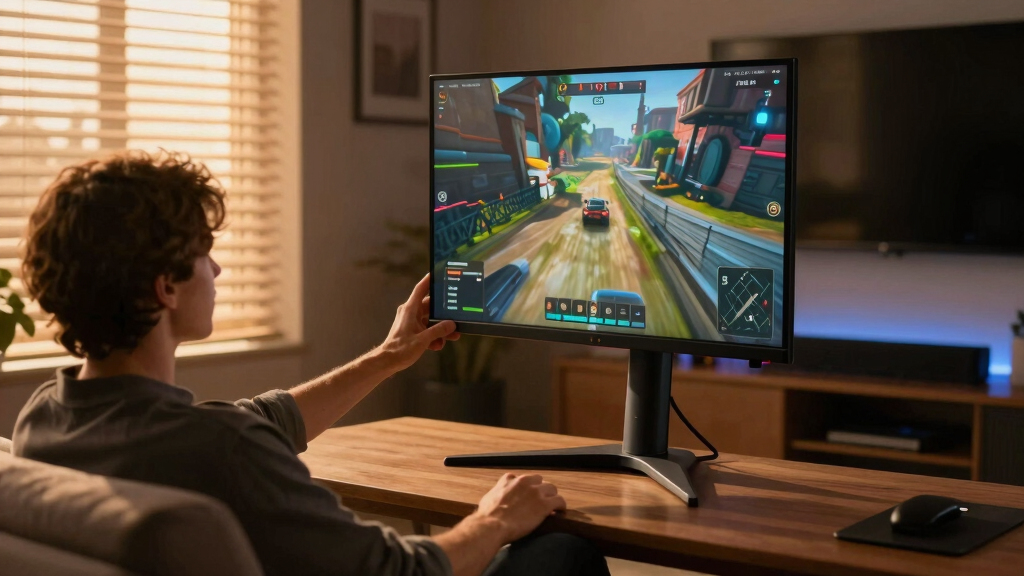

Choosing the right 4k gaming monitor for a media room involves balancing picture quality, refresh rates, and size to create an immersive experience. The LG 32GX850A-B stands out as the best overall thanks to its stunning OLED display, perfect for cinematic viewing and gaming. The Samsung Odyssey Neo G9 offers a massive, curved dual 4K panel with high refresh rates, ideal for an all-in-one media and gaming setup. A common challenge is finding a monitor that combines high resolution with fast response times without breaking the bank. Keep reading for a detailed breakdown of the top options and what makes each one unique.

Get business pricing on your home office setup
- Business-only prices and quantity discounts
- Tax-exempt purchasing
- Multiple users, one account, clear invoices
Key Takeaways
- OLED panels like the LG 32GX850A-B deliver exceptional contrast, making them ideal for media-rich gaming experiences.
- High refresh rates (at least 144Hz) are essential for smooth gameplay, especially on larger screens like the Samsung Neo G9.
- Size matters: larger monitors enhance immersion but may require more space and higher investment.
- Compatibility with gaming technologies like G-SYNC and FreeSync ensures tear-free visuals across varied hardware.
- Price varies widely; premium OLEDs and ultra-wide models cost more, but offer significant visual benefits for media use.


| 4k gaming monitors for media room | Resolution | Refresh Rate | HDR | Response Time |
|---|---|---|---|---|
| LG 32GX850A-B 32" UltraGear 4K | 3840 x 2160 (4K UHD) | 165Hz / 330Hz (dual mode) | VESA DisplayHDR True Black 400 | 0.03ms |
| Samsung 37” Odyssey G7 | 4K UHD | 165Hz | VESA DisplayHDR 600 | 1ms (GtG) |
| CRUA 27-inch Gaming Monitor | 3840 x 2160 (4K UHD) | 144Hz | — | — |
| ASUS ROG Swift 32” 4K OLED Gam | 3840 x 2160 (4K UHD) | 240Hz | VESA DisplayHDR 400 True Black | 0.03ms (GTG) |
| LG 32UR500K-B 32-inch 4K UHD H | 3840 x 2160 (4K UHD) | — | HDR10 | — |
| KOORUI 27" 4K Gaming Monitor | 4K UHD / FHD | 160Hz / 320Hz | HDR400 | 1ms |
| LG 27G810A-B 27-inch Ultragear | 3840 x 2160 (4K UHD) | 180Hz (4K) / 360Hz (FHD) | DisplayHDR 400 | 1ms GtG |
| Samsung 27" Odyssey G7 G70F FH | 3840 x 2160 (4K UHD) | 180Hz in 4K, 360Hz in FHD | HDR10 | 1ms (GtG) |
| Samsung 57" Odyssey Neo G9 | Dual 4K UHD | 240Hz | DisplayHDR 1000 | 1ms (GTG) |
| Dell 32 Plus 4K Monitor | 3840 x 2160 (4K) | 120Hz | — | — |
| ASUS TUF Gaming 27” 4K HDR Mon | 3840 x 2160 (4K) | 160Hz | Yes | 1ms |
| Acer Nitro 27" 4K UHD Gaming I | 3840 x 2160 UHD | 160Hz | HDR10 | 0.5ms |
| ASUS ROG Strix 32” 4K OLED Gam | 3840 x 2160 (4K) | 165Hz | DisplayHDR 400 True Black | 0.03ms |
| Samsung 32” Odyssey G55C Serie | QHD (2560×1440) | 165Hz | HDR10 | 1ms |
| Samsung 43” Smart Monitor M7 | 4K UHD | — | — | — |
More Details on Our Top Picks
LG 32GX850A-B 32″ UltraGear 4K UHD OLED Gaming Monitor
This LG model stands out for its stunning OLED panel that delivers deep blacks and vibrant colors, making it ideal for media rooms where picture quality is paramount. Compared to the ASUS PG32UCDM, it offers superior contrast with OLED technology, though it lacks the higher 240Hz refresh rate of the ASUS. Its dual-mode refresh (165Hz/330Hz) caters to both casual and competitive gaming, but the glossy finish can be problematic in bright rooms, generating reflections that diminish its immersive potential. The extensive ergonomic adjustments ensure comfort during long viewing sessions, while support for G-SYNC and FreeSync provides tear-free gameplay. However, the premium price and smaller size (32 inches) may deter some users seeking larger screens or a more budget-friendly option.
Pros:- Vivid OLED display with exceptional contrast and color depth
- Ultra-fast 0.03ms response time for smooth gaming
- Supports both G-SYNC and FreeSync Premium Pro for tear-free play
- Dual refresh modes for versatile gaming experiences
Cons:- Glossy finish causes reflections in bright environments
- High-end price limits accessibility for casual users
- Limited to 32 inches, which might be small for some media rooms
Best for: Media enthusiasts who prioritize image quality and vibrant visuals in a controlled lighting environment.
Not ideal for: Bright rooms or spaces with lots of reflections, as the glossy OLED finish may cause glare; budget-conscious buyers due to the high price.
- Display Size:32 inches
- Resolution:3840 x 2160 (4K UHD)
- Panel Type:OLED
- Brightness:275 nits
- Contrast Ratio:1.5M:1
- Refresh Rate:165Hz / 330Hz (dual mode)
- Response Time:0.03ms
- Color Gamut:DCI-P3 98.5%
- HDR:VESA DisplayHDR True Black 400
Our verdict“This monitor is perfect for media room owners who want stunning visual quality and smooth gameplay, despite a higher price and reflective surface.”
Samsung 37” Odyssey G7 (G75F) 4K UHD Curved Gaming Monitor
The Samsung Odyssey G7’s 37-inch curved display offers an expansive and immersive viewing experience, ideal for media rooms seeking a cinematic feel. Its 4K resolution and 165Hz refresh rate deliver sharp, fluid images, rivaling the clarity of the LG OLED, but with a larger screen size that fills bigger spaces. The 1000R curvature enhances immersion, especially during cinematic playback or racing games. VESA DisplayHDR 600 improves contrast, but it falls short of OLED’s deep blacks, making it less ideal for dark-room viewing. The 1ms response time and Adaptive Sync support ensure smooth gameplay, but the large footprint may not fit smaller rooms or desks. Its premium price reflects its high-end features, so it’s best suited for serious media room setups.
Pros:- Large 37-inch curved display enhances immersion
- 4K UHD resolution with vibrant visuals
- 165Hz refresh rate and 1ms response time for seamless gaming
- VESA DisplayHDR 600 for improved contrast and clarity
Cons:- Large size may not fit in compact media rooms
- Premium price may be prohibitive for some
- Less deep blacks compared to OLED options
Best for: Home theater lovers who want a large, immersive curved display for both gaming and media consumption.
Not ideal for: Smaller media rooms or users with limited space, as the large 37-inch curved monitor may be overwhelming or impractical.
- Size:37 inches
- Resolution:4K UHD
- Display Curvature:1000R
- HDR:VESA DisplayHDR 600
- Refresh Rate:165Hz
- Response Time:1ms (GtG)
Our verdict“Ideal for those seeking an expansive, immersive display with cinematic quality in a spacious media room environment.”
CRUA 27-inch Gaming Monitor, 144Hz 4K UHD IPS, Adjustable Vertical Screen, Supports AMD FreeSync, Built-in Speakers, Wall Mountable
The CRUA 27-inch monitor combines a 4K UHD IPS panel with a 144Hz refresh rate, making it a strong choice for media rooms where clarity and color accuracy are essential. Its size is more manageable than larger models, and the full ergonomic range (height, pivot, tilt, rotate) allows precise positioning for optimal viewing angles. Compared to larger screens like the Samsung G7, it offers a more balanced size for smaller or more versatile media setups. The support for AMD FreeSync and built-in speakers adds convenience, but the relatively high price for a 27-inch model may be off-putting for casual users. The wall-mount capability enhances its flexibility, especially in multi-purpose rooms, but it might lack the screen real estate some media enthusiasts prefer.
Pros:- Vivid 4K IPS display with excellent color accuracy
- 144Hz refresh rate for smooth visuals
- Full ergonomic adjustments for personalized setup
- Supports wall mounting and versatile connectivity
Cons:- Relatively high price for a 27-inch monitor
- Limited screen size for cinematic immersion
- Built-in speakers may lack audiophile quality
Best for: Home media rooms where space is limited but high-quality 4K visuals and ergonomic flexibility are desired.
Not ideal for: Large media spaces or users seeking an ultra-wide or larger display for cinematic experiences, as the 27-inch size may feel constrained.
- Size:27 inches
- Resolution:3840 x 2160 (4K UHD)
- Panel Type:IPS
- Refresh Rate:144Hz
- Color Coverage:120% sRGB
- Connectivity:HDMI 2.1, DisplayPort 1.4
Our verdict“Best suited for media rooms with space constraints that still require crisp visuals and flexible positioning.”
ASUS ROG Swift 32” 4K OLED Gaming Monitor (PG32UCDM)
The ASUS ROG Swift PG32UCDM offers a 32-inch 4K QD-OLED panel that excels in delivering rich colors and perfect blacks, making it a top choice for media rooms demanding cinematic quality. Its 240Hz refresh rate and 0.03ms response time support ultra-smooth gaming, rivaling the performance of the LG OLED, but with additional features like a dedicated heatsink and graphene film for heat management. While OLED’s potential burn-in risk remains a concern, ASUS mitigates this with advanced heat controls, making it suitable for long media sessions. Its high price and limited stand adjustments are tradeoffs, but the stunning visuals and fast performance justify the premium for dedicated enthusiasts.
Pros:- Exceptional color accuracy and deep blacks with QD-OLED technology
- High 240Hz refresh rate and rapid 0.03ms response time
- Effective heat management with dedicated cooling features
- Supports G-SYNC Compatibility
Cons:- Premium price point limits accessibility
- OLED technology carries a burn-in risk with prolonged static images
- Limited stand adjustability for some users
Best for: High-end media room setups where premium visuals and gaming performance are equally prioritized.
Not ideal for: Budget-conscious buyers or those concerned about OLED burn-in risks, as the high price and potential longevity issues may be limiting.
- Display Size:32 inches
- Resolution:3840 x 2160 (4K UHD)
- Panel Type:QD-OLED
- Refresh Rate:240Hz
- Response Time:0.03ms (GTG)
- HDR:VESA DisplayHDR 400 True Black
Our verdict“Designed for enthusiasts seeking the ultimate in visual fidelity and gaming performance in a high-end media room environment.”
LG 32UR500K-B 32-inch 4K UHD HDR10 Monitor with Built-in Speakers
This LG model offers a 32-inch 4K UHD display with HDR10 support, suitable for media rooms where affordability is a priority. Its VA panel provides decent contrast and wide viewing angles, making it a practical choice for casual media viewing and gaming. While it lacks the high refresh rates of the more gaming-focused options like the Samsung Odyssey G7 or ASUS PG32UCDM, its 60Hz refresh rate suffices for general entertainment, especially in less competitive settings. The built-in stereo speakers add convenience, but they won’t satisfy audiophiles. Its ergonomic stand and HDR support make it a good entry-level choice, though it doesn’t deliver the ultra-smooth gameplay of higher-end monitors.
Pros:- Vivid 4K UHD display with HDR10 support
- Built-in stereo speakers for convenience
- Ergonomic tilt adjustments for comfortable viewing
- Affordable price point
Cons:- Limited to 60Hz refresh rate, not ideal for high-end gaming
- Higher power consumption compared to similar models
- Lacks modern connectivity options like USB-C
Best for: Budget-conscious media room owners who prioritize 4K visuals and HDR over high refresh rates.
Not ideal for: Competitive gamers or users seeking ultra-smooth visuals, as 60Hz refresh rate limits fast-paced gameplay.
- Size:32 inches
- Resolution:3840 x 2160 (4K UHD)
- Display Technology:VA LED
- Brightness:250 nits
- Contrast Ratio:1000:1
- HDR:HDR10
Our verdict“A solid entry-level choice for media rooms focusing on visual quality and affordability, but not suited for fast-paced gaming.”
KOORUI 27″ 4K Gaming Monitor – Dual Mode UHD 160Hz / FHD 320Hz, Fast IPS, FreeSync Premium & G-SYNC Compatible, HDMI 2.1 / DP 1.4, HDR400, Adjustable Stand, PC & Console Ready
This model stands out for offering dual modes—switching between 4K at 160Hz and FHD at 320Hz—which makes it ideal for media rooms that double as gaming and creative spaces. Its Fast IPS panel delivers vibrant colors and quick response times, though users need to manually switch modes, which can interrupt flow. Compared to the LG 27G810A-B, it sacrifices some high-end features like a 360Hz FHD mode but makes up for versatility with more ergonomic adjustments. The HDR400 rating enhances visual quality, but the absence of integrated speakers or additional ports limits multimedia flexibility. This pick makes the most sense for media room setups where both casual gaming and color-critical work are desired, but those seeking seamless mode switching might prefer the LG model.
Pros:- Dual mode support for versatile media and gaming use
- High refresh rates for smooth gameplay
- Vibrant 4K with rich colors
- Ergonomic stand with height, tilt, pivot adjustments
Cons:- Manual mode switching can interrupt workflow
- Higher price due to advanced features
- Limited built-in audio or extra ports
Best for: Media room owners who want flexibility between gaming and content creation without multiple monitors
Not ideal for: Users who prefer seamless, automatic mode switching during gaming or media use, as this monitor requires manual toggling
- Screen Size:27 inches
- Resolution:4K UHD / FHD
- Refresh Rate:160Hz / 320Hz
- Panel Type:Fast IPS
- Response Time:1ms
- HDR:HDR400
Our verdict“This monitor suits media room setups that value flexible dual-mode performance over seamless switching.”
LG 27G810A-B 27-inch Ultragear 4K UHD Gaming Monitor with Dual Mode 180Hz/360Hz, 1ms, G-Sync, FreeSync Premium
The LG 27G810A-B excels in delivering ultra-smooth gameplay with its dual modes: 4K at 180Hz and FHD at 360Hz, making it ideal for media rooms that host high-end gaming. Its 1ms response time and HDR support ensure vibrant visuals with minimal motion blur. Compared to the KOORUI monitor, LG offers more comprehensive stand adjustments—including swivel and pivot—and more seamless G-Sync and FreeSync integration, but at a premium price. Its vibrant color coverage (95% DCI-P3) also benefits media playback and creative work. However, the high cost may deter budget-conscious setups, and it requires a compatible graphics card to unlock G-Sync features fully. This monitor is best suited for media rooms where high-performance gaming and media viewing are equally prioritized, but those on a tight budget should consider less feature-rich alternatives.
Pros:- Dual modes for flexible high-end gaming
- Fast 1ms response time with HDR support
- Excellent color coverage for media and creative use
- Adjustable stand for ergonomic comfort
Cons:- Premium pricing limits accessibility
- Requires compatible graphics card for full G-Sync benefits
- Limited built-in connectivity options
Best for: Enthusiast media room owners who demand high refresh rates and color accuracy for gaming and multimedia
Not ideal for: Casual users or those seeking a more affordable, plug-and-play media monitor with fewer high-end features
- Display Size:27 inches
- Resolution:3840 x 2160 (4K UHD)
- Refresh Rate:180Hz (4K) / 360Hz (FHD)
- Response Time:1ms GtG
- Color Coverage:95% DCI-P3
- HDR:DisplayHDR 400
Our verdict“This LG monitor fits media rooms where serious gaming and media fidelity are equally valued and budget is less of a concern.”
Samsung 27″ Odyssey G7 G70F FHD Gaming Monitor, 4K 180Hz, Fast IPS, G-Sync & FreeSync Premium
The Samsung Odyssey G7 G70F offers a compelling blend of 4K resolution and fast IPS panel technology, with a 180Hz refresh rate that ensures smooth gameplay in media rooms that double as gaming hubs. Its dual mode enables quick toggling between 4K UHD and FHD resolutions, with an impressive 1ms response time and HDR10 support adding vividness. Compared with the LG 27G810A-B, this model provides a slightly larger display and a more aggressive design, but requires a compatible GPU for G-Sync and FreeSync, which could add to the setup cost. The adjustable stand and vibrant colors make it a strong candidate for media rooms where immersive visuals are key. Its larger size and premium price may dissuade smaller setups or budget-conscious users. Ideal for media rooms that prioritize high-res gaming and flexible resolution options.
Pros:- High-resolution 4K display with vibrant colors
- Fast IPS panel with 1ms response time
- Dual mode for switching resolutions at high refresh rates
- Adjustable ergonomic stand
Cons:- Requires compatible GPU for adaptive sync features
- Premium price point
- Large physical size may not suit compact rooms
Best for: Gamer-oriented media room owners needing high-resolution visuals with fast response and adaptive sync
Not ideal for: Users with limited space or those unwilling to invest in high-end graphics cards for G-Sync/FreeSync features
- Size:27 inches
- Resolution:3840 x 2160 (4K UHD)
- Refresh Rate:180Hz in 4K, 360Hz in FHD
- Response Time:1ms (GtG)
- HDR:HDR10
Our verdict“This monitor suits media rooms seeking high-quality 4K visuals combined with gaming performance and flexibility.”
Samsung 57″ Odyssey Neo G9 (G95NC) Series Dual 4K UHD Curved Gaming Monitor, 240Hz, 1ms, Quantum Mini-LED, DisplayHDR 1000, AMD FreeSync Premium Pro
The Samsung Odyssey Neo G9 stands out as a massive, curved dual 4K UHD display that transforms any media room into an immersive entertainment environment. Its 240Hz refresh rate and 1ms response time, combined with Quantum Mini-LED technology and DisplayHDR 1000, deliver stunning picture quality with deep contrast and vivid colors. Unlike smaller models, this monitor’s size demands significant space but rewards with a panoramic viewing experience perfect for media consumption and gaming. Its multiple inputs and ergonomic adjustments make it versatile, but setup and cost can be intimidating for casual users. Compared to the 27-inch options, this is a dedicated choice for those wanting a large, immersive display rather than a traditional monitor. Ideal for large media rooms wanting a cinematic experience with gaming-level performance.
Pros:- Massive dual 4K UHD curved display for immersive media
- High contrast with Quantum Mini-LED and HDR1000
- Fast 240Hz refresh rate and 1ms response time
- Multiple inputs and ergonomic adjustments
Cons:- Requires substantial desk and space clearance
- Very high price point
- Complex setup for optimal use
Best for: Large media room owners seeking a giant, curved display for immersive viewing and gaming
Not ideal for: Compact spaces or users on a tight budget, due to its size and high price
- Size:57 inches
- Resolution:Dual 4K UHD
- Refresh Rate:240Hz
- Response Time:1ms (GTG)
- HDR:DisplayHDR 1000
- Technology:Quantum Mini-LED
Our verdict“This monitor is perfect for large media rooms craving an expansive, cinematic experience with high-end gaming capabilities.”
The Dell S3225QS offers a sizable 31.5-inch 4K display with a VA panel that delivers high contrast and vibrant colors, making it a strong choice for media rooms focused on color accuracy and media consumption. Its 120Hz refresh rate with AMD FreeSync Premium ensures smooth visual performance, though it falls short of ultra-high refresh rates needed for fast-paced gaming. Compared to the smaller LG or Samsung models, the Dell emphasizes a larger display with excellent contrast and color coverage suitable for multimedia editing and viewing. Its sleek design and ultra-thin bezels add to its aesthetic appeal, but its static stand lacks detailed ergonomic adjustments, which might be limiting for extended use. This monitor best serves media rooms prioritizing vivid visuals and size over fast-paced gaming features.
Pros:- Large 31.5-inch display with vivid contrast
- High color accuracy with 99% sRGB and 95% DCI-P3
- Good contrast ratio for deep blacks
- Sleek, modern design
Cons:- Limited refresh rate for fast gaming
- No adjustable stand or ergonomic features
- Lacks high-end gaming features like HDR1000 or 240Hz
Best for: Media room owners who prioritize color accuracy and large screen size for media consumption and editing
Not ideal for: High-intensity gamers needing ultra-fast response times or adjustable ergonomics
- Display Size:31.5 inches
- Resolution:3840 x 2160 (4K)
- Refresh Rate:120Hz
- Panel Type:VA
- Color Coverage:99% sRGB, 95% DCI-P3
- Contrast Ratio:1500:1
Our verdict“This monitor suits media rooms focused on color fidelity and large screens for media and productivity, but less so for fast-paced gaming.”
ASUS TUF Gaming 27” 4K HDR Monitor (VG27UQ1A) – 160Hz, 1ms, G-SYNC Compatible
This monitor excels as a balanced choice for media rooms that double as gaming hubs, offering a 160Hz refresh rate and 1ms response time that surpass many standard 4K displays. Its support for both G-SYNC and FreeSync Premium ensures tear-free visuals across a variety of devices, making it ideal for immersive gameplay or cinematic viewing. Compared to the OLED options, it provides excellent color accuracy with 95% DCI-P3 and HDR support, but it doesn’t match the deep blacks and contrast of OLED panels. The tradeoff here is a higher price point and the need for a compatible graphics card to fully utilize G-SYNC and FreeSync. This pick makes sense for gamers seeking a smooth, high-performance media experience that also supports casual or professional gaming.
Pros:- High 160Hz refresh rate and 1ms response time for smooth motion
- Supports both G-SYNC and FreeSync Premium for tear-free visuals
- Excellent color coverage with HDR and 95% DCI-P3
Cons:- Relatively expensive compared to basic 4K monitors
- Requires compatible GPU to unlock full G-SYNC and FreeSync benefits
Best for: Gamers who want a high-refresh-rate 4K monitor suitable for media room use with excellent color accuracy and adaptive sync support
Not ideal for: Users seeking the deepest blacks and contrast for cinema-like viewing, as OLED options outperform in that area
- Size:27 inches
- Resolution:3840 x 2160 (4K)
- Refresh Rate:160Hz
- Response Time:1ms
- Color Gamut:95% DCI-P3
- HDR:Yes
Our verdict“This monitor offers a versatile, high-performance gaming and media experience suited for dedicated media rooms and gaming enthusiasts willing to invest in quality.”
Acer Nitro 27″ 4K UHD Gaming IPS Monitor with AMD FreeSync Premium, 160Hz, 0.5ms Response
The Acer Nitro VG270K delivers impressive 4K visuals with a 160Hz refresh rate and a rapid 0.5ms response time, making it a compelling choice for media rooms that prioritize both gaming and sharp image quality. Its IPS panel provides vibrant colors and wide viewing angles, supported by HDR10 for better contrast and color depth. Unlike the ASUS VG27UQ1A, it offers a slightly lower price point, though it sacrifices some of the premium accessories and color gamut coverage (90% DCI-P3). The limited ergonomic adjustments mean it’s less adaptable to different seating arrangements, and running at 4K at high refresh rates demands a powerful GPU. Overall, this monitor strikes a good balance for those seeking high-end specs without the highest price tag, especially if they’re budget-conscious but still want quality.
Pros:- Vivid 4K UHD resolution with IPS panel for clarity and color accuracy
- Fast 0.5ms response time and 160Hz refresh rate for smooth visuals
- HDR10 support enhances contrast and color depth
Cons:- Lower color gamut coverage compared to premium models (90% DCI-P3)
- Limited ergonomic features, mainly tilt only
Best for: Media room owners who want a high-quality 4K display with fast response times and excellent color for both gaming and streaming
Not ideal for: Users who need extensive ergonomic adjustments or a larger screen size, as tilt is limited and it’s a 27-inch model
- Size:27 inches
- Resolution:3840 x 2160 UHD
- Refresh Rate:160Hz
- Response Time:0.5ms
- Color Gamut:90% DCI-P3
- HDR:HDR10
Our verdict“This monitor offers solid performance for media rooms that value speed, color, and affordability in a 4K gaming setup.”
ASUS ROG Strix 32” 4K OLED Gaming Monitor (XG32UCWG) – TrueBlack Glossy OLED, Dual Mode (4K@165Hz, FHD@330Hz), 0.03ms, G-SYNC Compatible, USB-C, HDMI 2.1, 3-Year Warranty
The ASUS ROG Strix XG32UCWG stands out for its vibrant OLED display delivering deep blacks and vivid colors, perfect for high-end media rooms that double as gaming stations. Its dual mode allows switching between 4K@165Hz and FHD@330Hz, providing ultra-smooth gameplay. Compared with the OLED LG models, its price is relatively more accessible, though it still commands a premium. The 0.03ms response time and G-SYNC compatibility ensure minimal motion blur and tear-free visuals, but the OLED panel’s susceptibility to burn-in could be a concern for long-term static content. Its size and premium price mean it’s best suited for dedicated gaming rooms or media spaces where visual quality takes priority over cost. This monitor elevates the visual experience to a professional level but requires careful management of its OLED characteristics.
Pros:- Exceptional OLED picture quality with true blacks and vibrant colors
- Dual mode with ultra-high refresh rates for versatile gaming
- Fast 0.03ms response time and G-SYNC compatibility
Cons:- Premium price point may be prohibitive for some
- OLED panels can be susceptible to burn-in if static images are displayed frequently
Best for: Media room enthusiasts who want a top-tier visual experience with vibrant colors and ultra-fast response times, especially for gaming and movies
Not ideal for: Users with limited space or those concerned about OLED burn-in over long-term static content, as large size and panel type demand careful use
- Size:32 inches
- Resolution:3840 x 2160 (4K)
- Refresh Rate:165Hz
- Response Time:0.03ms
- Display Technology:OLED
- HDR:DisplayHDR 400 True Black
Our verdict“This monitor offers unmatched visual richness for media rooms that prioritize color accuracy and gaming performance, provided space and budget allow.”
Samsung 32” Odyssey G55C Series QHD Curved Gaming Monitor, 165Hz, 1ms, HDR10, FreeSync
While not a 4K display, the Samsung Odyssey G55C’s QHD resolution combined with a 165Hz refresh rate and 1ms response time makes it a strong choice for media rooms that prioritize immersive visuals over ultra-high resolution. Its 1000R curvature enhances immersion, especially when paired with a larger screen size, providing a more cinematic feel. Compared to 4K options like the LG 32UR500K, this monitor offers smoother motion and a more engaging viewing experience thanks to the high refresh rate. However, the lower resolution means it can’t deliver the same level of detail as true 4K screens, which may be a drawback for viewers wanting pixel-perfect clarity. Its curved design favors media rooms with appropriate space and setup, but may not suit all desk configurations. This monitor is ideal for viewers who prefer an immersive, curved display for gaming and casual media consumption.
Pros:- Curved 1000R display enhances immersion
- Fast 165Hz refresh rate and 1ms response time for smooth gameplay
- Supports HDR10 for vibrant visuals
Cons:- Lower resolution limits detail compared to 4K monitors
- Curved design may not suit all setups or preferences
Best for: Media rooms where immersive, curved visuals are preferred over absolute resolution for gaming and multimedia enjoyment
Not ideal for: Users seeking true 4K resolution for detailed media editing or crisp image quality at a pixel level
- Size:32 inches
- Resolution:QHD (2560×1440)
- Refresh Rate:165Hz
- Response Time:1ms
- Curvature:1000R
- HDR:HDR10
Our verdict“This monitor excels for immersive media experiences in larger rooms, especially if curved screens enhance your viewing enjoyment over pixel-perfect clarity.”
Samsung 43” Smart Monitor M7 (M70F) 4K UHD Display, LS43FM702UNXZA
The Samsung M7 43-inch Smart Monitor combines a large 4K UHD screen with smart TV capabilities, making it ideal for media rooms that serve multiple functions beyond gaming. Its AI-enhanced visuals and integrated apps provide a vibrant, versatile entertainment experience, comparable to a smart TV, unlike most gaming monitors that focus solely on performance. While it doesn’t match the high refresh rates of dedicated gaming screens like the ASUS VG27UQ1A or Acer Nitro, it compensates with connectivity options like USB-C, HDMI, and a built-in gaming hub, making it a flexible centerpiece. Its size and smart features mean it’s best for media-centric rooms where visual quality and multifunctionality are valued over ultra-fast response times. This monitor suits those who want a large, bright display with smart capabilities in their media setup.
Pros:- Vivid 4K UHD display with AI optimization
- Multiple connectivity options including USB-C and HDMI
- Smart TV apps and gaming hub for versatile entertainment
Cons:- Limited gaming performance due to lower refresh rates
- Setup may be complex for non-technical users
Best for: Large media rooms where a versatile, smart 4K display for entertainment, work, and gaming is desired
Not ideal for: Hardcore gamers seeking ultra-fast response times or high-refresh-rate gaming monitors, as it prioritizes smart features and size
- Size:43 inches
- Resolution:4K UHD
- Features:Samsung Vision AI, Smart TV Apps
- Connectivity:USB-C, HDMI, USB-A
- Additional:Gaming Hub, Samsung Knox
Our verdict“This large, feature-rich monitor is perfect for media rooms that value size, smart features, and versatile entertainment options over raw gaming performance.”
How We Picked
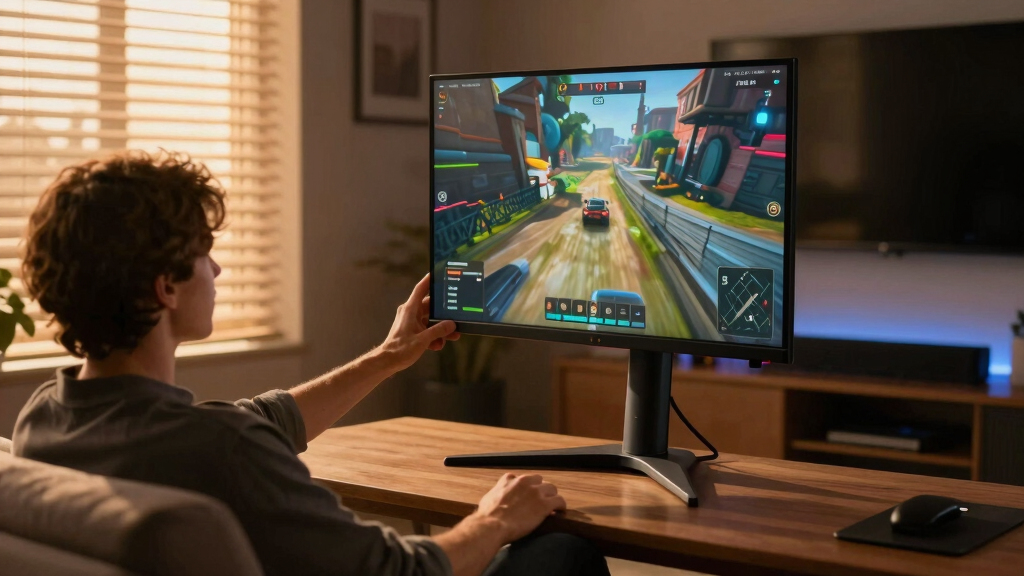
This lineup was curated based on a combination of performance metrics, usability, build quality, and value. I prioritized monitors that excel in resolution, refresh rate, and color accuracy—key factors for media rooms where visual fidelity matters. Models were also evaluated for connectivity options, compatibility with gaming technologies, and size options suitable for media setups. To rank these monitors, I compared their balance of features versus price, aiming to highlight options from budget-friendly to premium that deliver the best media experience in 2026.Factors to Consider When Choosing 4k Gaming Monitors For Media Rooms
When selecting a 4k gaming monitor for a media room, it’s important to consider several factors that influence both performance and enjoyment. A well-chosen monitor can transform your space into an immersive entertainment hub, but making the right choice depends on understanding key specs and features. Here are the most important considerations to help narrow down your options and avoid common pitfalls.Display Technology and Contrast
OLED panels, like those on some premium models, provide unparalleled contrast and deep blacks, making them fantastic for cinematic experiences. IPS panels offer better color accuracy and wider viewing angles, which are important in larger media rooms. Be aware that cheaper VA panels may have slower response times and less accurate colors. Choosing the right technology depends on whether you prioritize picture depth or color fidelity for your media viewing and gaming.
Size and Immersion
The size of your monitor should complement your room’s layout and viewing distance. Larger screens (32 inches and above) create a more immersive experience, especially for gaming and movies. However, bigger monitors require a more substantial investment and may need appropriate mounting or space. Consider whether your space can accommodate an ultra-wide or curved monitor for a panoramic effect, which enhances media immersion but can be more expensive and demanding on your hardware.
Refresh Rate and Response Time
High refresh rates (at least 144Hz, with some models reaching 240Hz) are crucial for smooth gameplay, especially in fast-paced media or gaming scenarios. Response time also impacts motion clarity; lower response times reduce blur and ghosting. Combining a high refresh rate with a low response time ensures that fast action looks crisp. Keep in mind that some ultra-high refresh rate monitors may have tradeoffs in connectivity or price, so balance these specs with your actual gaming and media needs.
Connectivity and Compatibility
Ensure your media room setup includes the right ports—HDMI 2.1 and DisplayPort 1.4 are essential for 4K at high refresh rates. Also, look for compatibility with G-SYNC or FreeSync to prevent tearing and stuttering during gaming. Some monitors offer USB-C ports for easy connection to laptops or streaming devices. Avoid models with limited connectivity if you plan to connect multiple devices or want future-proofing for new hardware.
Price and Value
Premium features like OLED technology and ultra-wide screens come with a higher price tag. Budget options may lack contrast or have slower response times but still deliver 4K resolution for casual media use. Consider what features are essential for your media experience—investing in a higher-priced model often pays off in picture quality and longevity. Beware of overspending on features you won’t use, but don’t compromise on core specs like resolution and refresh rate for the sake of savings.
Frequently Asked Questions
Is OLED worth it for a media room gaming monitor?
Yes, OLED technology offers superior contrast ratios and deep blacks, which significantly enhance cinematic quality and color richness. For a media room where visual fidelity is a priority, OLED monitors provide a more immersive experience compared to traditional LED or LCD panels. However, they tend to come at a premium price and may have issues like burn-in over long periods. If you value picture quality above all else and are willing to invest, OLED makes a compelling case for media-centric gaming setups.
Do I need a curved monitor for a media room?
Curved monitors can improve immersion by wrapping the display around your field of view, especially on larger models like 32 inches and above. They reduce glare and reflections from ambient light sources, making them ideal for media rooms. However, they can also distort image geometry if not positioned correctly and are typically more expensive. If your space allows and you want a more cinematic experience, a curved monitor adds a sense of depth that flat screens may lack.
Is a 144Hz refresh rate enough for media room gaming?
For most media room gaming, a 144Hz refresh rate strikes a good balance between smooth gameplay and affordability. It handles fast action well and reduces motion blur, which is crucial for an engaging experience. Ultra-high refresh rates like 240Hz are unnecessary unless you’re also competitive gaming or playing fast-paced shooters. Focus instead on ensuring your monitor supports 4K at these high refresh rates, as that combination is key for media-rich gaming.
Should I prioritize size or resolution for my media setup?
Size and resolution both matter, but for a media room, larger screens (at least 32 inches) often provide a more immersive experience even if the resolution is fixed at 4K. Bigger displays fill the room better and make viewing more comfortable from various angles. However, ensure your seating distance aligns with the monitor size; a very large screen close up can be overwhelming. Combining a large size with high resolution maximizes visual clarity and immersion.
Are gaming features like G-SYNC necessary in a media room?
While G-SYNC and FreeSync are primarily designed to improve gaming smoothness, they can also enhance media playback by reducing tearing and stuttering during fast-moving scenes or when using gaming consoles. If your setup involves a high-end gaming PC or console, these features can contribute to a seamless experience. However, for purely media consumption like streaming movies, they are less critical, and you might prioritize picture quality and color accuracy instead.
Conclusion
For those prioritizing overall picture quality and cinematic experience, the LG 32GX850A-B OLED is the best choice, especially if you value deep blacks and vibrant colors. Gamers who want a massive, immersive display should consider the Samsung Odyssey Neo G9 for its expansive ultra-wide design and high refresh rate. Budget-conscious buyers may find the CRUA 27-inch 4K UHD Monitor offers solid performance without breaking the bank. Beginners or casual media room users should focus on size and color accuracy, while serious gamers or cinephiles should invest in premium OLED or curved ultra-wide options. Your ideal monitor depends on your space, budget, and how you plan to balance gaming with media enjoyment.Fall Picks
fall essentials
As an affiliate, we earn on qualifying purchases.