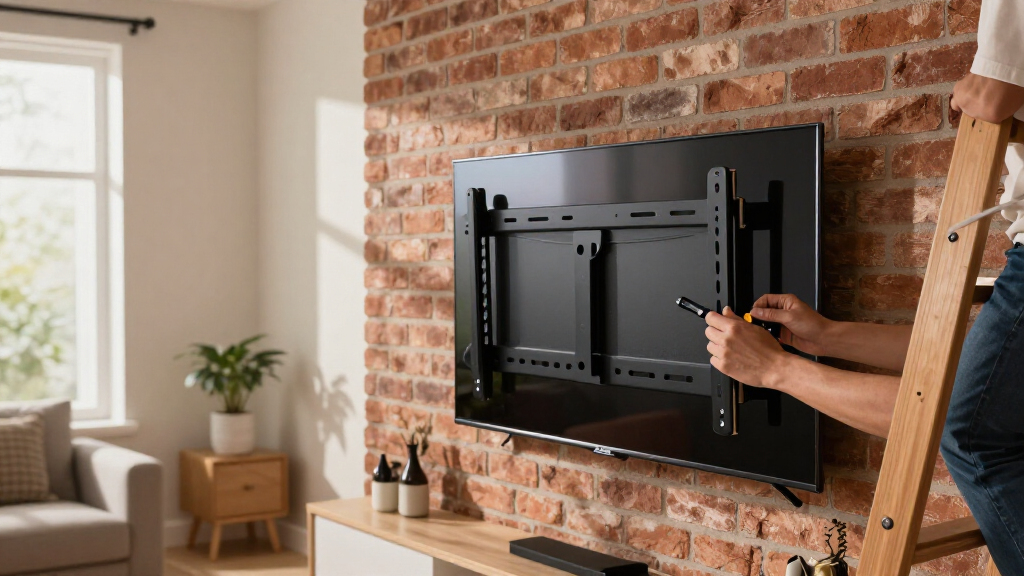
For a 4K OLED TV, the right wall mount needs to match your screen’s VESA pattern and weight while giving you the viewing angle and wall clearance your room calls for. My best overall pick is the Perlegear Ultra Slim Full Motion Mount, which pairs a low-profile design with swivel and tilt for larger TVs. The monTEK Ultra Slim Fixed Mount is a simpler choice for a close-to-wall setup, while the Mounting Dream Full Motion Mount suits buyers who want more movement and broad size coverage. The main tradeoff is between a slim, steady fixed bracket and a movable arm that needs more clearance and careful installation. Read on for the full comparison, fit checks, and recommendations by buyer type.

Get business pricing on your home office setup
- Business-only prices and quantity discounts
- Tax-exempt purchasing
- Multiple users, one account, clear invoices
Complete the kit


Key Takeaways
- Perlegear’s 42–90-inch full-motion mount stands out as the most balanced large-TV option in this lineup, combining low-profile positioning with swivel and tilt.
- Fixed mounts from monTEK and Mounting Dream suit buyers who value a close wall fit, but they give up angle adjustment after installation.
- Mounting Dream’s 32–70-inch full-motion bracket is the flexible value pick for many mid-size TVs, with a stated 110-pound capacity.
- Full-motion coverage varies widely: the USX MOUNT 26–65-inch model is aimed at smaller screens, while several other brackets cover TVs up to 90 or 95 inches.
- Screen size alone does not establish compatibility. Buyers still need to check the TV’s VESA pattern, weight, wall type, and the mount’s stated limits.
| Ultra Slim TV Wall Mount for 43-80″ OLED TVs |  | Best for a Flush OLED Setup | TV compatibility: LG, Samsung, and Sony OLED TVs | Screen size range: 43–80 inches | Maximum weight: 88 lbs | VIEW LATEST PRICE | See Our Full Breakdown |
| monTEK Ultra Slim Fixed TV Wall Mount for 43–95 inch TVs Holds 150 lbs |  | Best for Large, Heavy OLEDs | Supported TV size: 43–95 inches | Maximum load: 150 lbs | VESA compatibility: 200 × 200 to 800 × 400 mm | VIEW LATEST PRICE | See Our Full Breakdown |
| USX MOUNT Full Motion TV Wall Mount for 26-65 Inch TVs, UL Listed, Swivel & Tilt, VESA 400x400mm, Supports Up to 77 lbs |  | Best for Compact Rooms | TV size range: 26–65 inches | VESA compatibility: 75 × 75 to 400 × 400 mm | Weight capacity: 77 lbs | VIEW LATEST PRICE | See Our Full Breakdown |
| Pipishell Full Motion TV Wall Mount for 26-74 inch TVs up to 99lbs |  | Best for Mid-Size OLED Flexibility | Supported TV size: 26–74 inches | Maximum weight: 99 lbs | VESA compatibility: 100 × 100 to 400 × 400 mm | VIEW LATEST PRICE | See Our Full Breakdown |
| Mounting Dream Full Motion TV Wall Mount for 32-70 Inch TVs up to 110 lbs |  | Best for Straightforward Full Motion | Screen size: 32–70 inches | Maximum weight: 110 lbs | VESA compatibility: Up to 400 × 400 mm | VIEW LATEST PRICE | See Our Full Breakdown |
| Perlegear Ultra Slim TV Wall Mount for 42-90 inch TVs, Low Profile Full Motion Bracket with Swivel and Tilt, Supports Up to 132 lbs |  | Best Full Motion for a Slim Fit | TV size range: 42-90 inches | Maximum load: 132 lbs | VESA compatibility: 200x200mm to 600x400mm | VIEW LATEST PRICE | See Our Full Breakdown |
| Pipishell Tilt TV Wall Mount Bracket for 37-90 Inch TVs |  | Best Simple Tilt Pick | TV compatibility: Most 37-90 inch TVs, including OLED | Maximum load: 132 lbs | VESA patterns: 200x100mm to 600x400mm | VIEW LATEST PRICE | See Our Full Breakdown |
| Mounting Dream Fixed TV Wall Mount for 42-90 Inch TVs |  | Best for a Clean Fixed Install | TV size range: 42-90 inches | Maximum load: 132 lbs | VESA compatibility: 100x100mm to 800x400mm | VIEW LATEST PRICE | See Our Full Breakdown |
| monTEK 1.1-Inch Ultra Slim Full Motion TV Wall Mount for 43-90 Inch TVs |  | Best for Wide Swivel Range | TV size range: 43-90 inches | Maximum load: 132 lbs | VESA compatibility: 100x200mm to 600x400mm | VIEW LATEST PRICE | See Our Full Breakdown |
| USX Mount Full Motion TV Wall Mount for 42-90 inch Flat Screen TVs |  | Best for Extra Reach | TV size range: 42-90 inches | Maximum load: 132 lbs | VESA compatibility: 200x100mm to 600x400mm | VIEW LATEST PRICE | See Our Full Breakdown |
| Mounting Dream Tilting TV Wall Mount for 37-90 Inch TVs up to 132lbs |  | Best for Large TVs on a Tight Budget | Supported TV size: 37-90 inches | Maximum weight: 132 lbs | VESA compatibility: Up to 600x400mm | VIEW LATEST PRICE | See Our Full Breakdown |
| 4k OLED wall mount | VESA compatibility | Maximum load |
|---|---|---|
| Ultra Slim TV Wall Mount for 4 | Up to 600 × 300 mm, including 200 × 200 mm | — |
| monTEK Ultra Slim Fixed TV Wal | 200 × 200 to 800 × 400 mm | 150 lbs |
| USX MOUNT Full Motion TV Wall | 75 × 75 to 400 × 400 mm | — |
| Pipishell Full Motion TV Wall | 100 × 100 to 400 × 400 mm | — |
| Mounting Dream Full Motion TV | Up to 400 × 400 mm | — |
| Perlegear Ultra Slim TV Wall M | 200x200mm to 600x400mm | 132 lbs |
| Pipishell Tilt TV Wall Mount B | — | 132 lbs |
| Mounting Dream Fixed TV Wall M | 100x100mm to 800x400mm | 132 lbs |
| monTEK 1.1-Inch Ultra Slim Ful | 100x200mm to 600x400mm | 132 lbs |
| USX Mount Full Motion TV Wall | 200x100mm to 600x400mm | 132 lbs |
| Mounting Dream Tilting TV Wall | Up to 600x400mm | — |
More Details on Our Top Picks
Ultra Slim TV Wall Mount for 43-80″ OLED TVs
For buyers who want a 4K OLED to sit close to the wall, this mount’s 0.71-inch profile gives it the slimmest look in this five-product group. It covers common 43- to 80-inch OLED sizes and includes a built-in level and quick-release cords, which help with positioning and later removal. Compared with the monTEK Ultra Slim Fixed TV Wall Mount, it sits closer to the wall, while the monTEK supports larger, heavier screens and more VESA patterns. The tradeoff is a fixed viewing angle: there’s no tilt or swivel to cut glare or adjust for off-center seating. It also needs secure stud mounting, so buyers should check their TV’s weight and VESA pattern before choosing it.
Pros:- 0.71-inch profile creates a notably close-to-wall appearance.
- Fits OLED TVs from 43 to 80 inches.
- Built-in level helps with alignment during installation.
- Quick-release cords simplify removing the TV.
Cons:- Fixed design provides no tilt or swivel adjustment.
- Secure installation requires wall studs.
- 88-pound capacity and listed VESA range may exclude some larger OLEDs.
Best for: OLED owners with a 43- to 80-inch TV who prioritize a close-to-wall look and have a straight-on viewing position.
Not ideal for: Households that need to angle the screen to reduce glare, watch from side seating, or mount a TV outside the listed size and weight limits.
- TV compatibility:LG, Samsung, and Sony OLED TVs
- Screen size range:43–80 inches
- Maximum weight:88 lbs
- VESA compatibility:Up to 600 × 300 mm, including 200 × 200 mm
- Wall profile:0.71 inches
- Mount type:Fixed
- Installation features:Built-in level and quick-release cords
Our verdict“Choose this mount for a slim, fixed OLED installation when a flush look matters more than viewing-angle adjustment.”
monTEK Ultra Slim Fixed TV Wall Mount for 43–95 inch TVs Holds 150 lbs
The monTEK is the strongest fit here for a large 4K OLED: its 150-pound capacity and support for screens up to 95 inches give it more headroom than the 88-pound Ultra Slim TV Wall Mount for 43-80″ OLED TVs. Its 0.95-inch fixed profile still keeps the set close to the wall, and the broad VESA range helps accommodate larger mounting patterns. The supplied data also lists wood studs at several spacings plus concrete and brick, giving it more wall-surface flexibility than the stud-focused slim option. That breadth comes with a setup burden: buyers need to check the TV’s pattern and wall conditions, and beginners may find installation harder. Like the other fixed picks, it cannot tilt or swivel to manage glare.
Pros:- 150-pound load limit gives more capacity for heavier televisions.
- Supports screens from 43 to 95 inches.
- Fits VESA patterns from 200 × 200 to 800 × 400 mm.
- Listed for wood studs, concrete, and brick walls.
Cons:- Fixed design has no tilt or swivel.
- Compatibility and wall checks add planning before installation.
- Installation may be challenging for beginners without suitable tools.
Best for: Owners of large or heavier OLED TVs who want a close-to-wall fixed mount and have the tools to install it securely.
Not ideal for: Buyers who need adjustable viewing angles, want a simple first-time installation, or have not confirmed their TV’s VESA pattern.
- Supported TV size:43–95 inches
- Maximum load:150 lbs
- VESA compatibility:200 × 200 to 800 × 400 mm
- Profile depth:0.95 inches
- Wall compatibility:Wood studs at 16, 18, or 24 inches; concrete or brick
- Mount type:Fixed
- Item weight:3.4 lbs
- Warranty:2 years
- Model number:TM1006W-LF
Our verdict“Pick the monTEK when your large OLED needs the lineup’s higher weight capacity and a slim fixed profile.”
USX MOUNT Full Motion TV Wall Mount for 26-65 Inch TVs, UL Listed, Swivel & Tilt, VESA 400x400mm, Supports Up to 77 lbs
For a smaller 4K OLED in a room where seats or glare shift, this USX MOUNT adds full motion in a compact size range: it fits 26- to 65-inch TVs, swivels up to 90 degrees either way, and extends 16.7 inches. That reach makes it easier to aim a screen toward a sofa or side chair than either fixed slim mount, though it sacrifices their close-to-wall appearance. Compared with the Pipishell Full Motion TV Wall Mount, the USX tops out at a smaller screen size and a lower 77-pound capacity, but offers a wider stated swivel range and longer extension. The tradeoff is installation complexity: it requires wood studs or solid concrete, and drywall alone is not suitable.
Pros:- Swivels up to 90 degrees in either direction.
- Tilts from +5 to -15 degrees to adjust the viewing angle.
- Extends 16.7 inches and retracts to 2.81 inches.
- Includes mounting hardware, spacers, washers, bubble level, and cable ties.
Cons:- 77-pound capacity and 65-inch maximum limit compatibility with larger OLEDs.
- Not suitable for drywall-only mounting.
- Installation on concrete requires appropriate anchors and may challenge beginners.
Best for: Apartment or bedroom OLED owners with a 26- to 65-inch TV who need to turn the screen toward different seating positions.
Not ideal for: Owners of OLEDs above 65 inches or 77 pounds, or anyone seeking a fixed, ultra-slim wall profile.
- TV size range:26–65 inches
- VESA compatibility:75 × 75 to 400 × 400 mm
- Weight capacity:77 lbs
- Tilt range:+5° / −15°
- Swivel range:±90°
- Extension:2.81–16.7 inches
- Mounting surfaces:Wood studs or solid concrete
- Material:Heavy-duty steel
Our verdict“Choose this USX mount for a lighter, smaller OLED that needs more reach and swivel than a fixed bracket can offer.”
Pipishell Full Motion TV Wall Mount for 26-74 inch TVs up to 99lbs
The Pipishell covers a useful middle ground for a 4K OLED: it accepts screens up to 74 inches and carries up to 99 pounds, while adding tilt, swivel, leveling, and extension. That gives it more screen and weight headroom than the USX MOUNT Full Motion TV Wall Mount, whose range stops at 65 inches and 77 pounds. Its ±45-degree swivel is narrower than the USX’s stated ±90 degrees, so it suits modest angle changes better than aiming the screen across a room. The 15.34-inch extension helps with access and positioning, but won’t match a fixed mount’s near-wall finish. Buyers should verify VESA fit and stud spacing; this model is limited to studs no farther apart than 16 inches.
Pros:- Supports TVs up to 74 inches and 99 pounds.
- Tilts and swivels for more flexible seating and glare control.
- ±3-degree leveling adjustment helps correct alignment after mounting.
- Works with wood studs, concrete, or brick walls.
Cons:- ±45-degree swivel is less than the USX mount’s stated ±90 degrees.
- Maximum 400 × 400 mm VESA pattern may not fit every OLED.
- Stud spacing beyond 16 inches is unsupported, and installation can be involved.
Best for: People with a 26- to 74-inch OLED who want tilt and moderate swivel, plus more capacity than the smaller USX option.
Not ideal for: Owners needing a very wide swivel, a flush fixed look, or installation on studs spaced more than 16 inches apart.
- Supported TV size:26–74 inches
- Maximum weight:99 lbs
- VESA compatibility:100 × 100 to 400 × 400 mm
- Tilt range:+5° to −15°
- Swivel range:±45°
- Level adjustment:±3°
- Maximum extension:15.34 inches
- Wall compatibility:Wood studs, concrete, or brick
Our verdict“Choose Pipishell for a mid-size OLED that needs full-motion adjustment and more capacity than the compact USX mount.”
Mounting Dream Full Motion TV Wall Mount for 32-70 Inch TVs up to 110 lbs
This Mounting Dream is a practical choice for a 32- to 70-inch 4K OLED when you want angle adjustment without moving up to a more specialized slim bracket. It supports up to 110 pounds and extends 17.5 inches, slightly farther than the USX MOUNT’s 16.7-inch reach; that extra extension can help when seating is offset or access behind the TV matters. The supplied data also calls out clear instructions and adjustable leveling, which may make setup more approachable than the Pipishell’s more involved installation. Its fit details are narrower, though: the listed VESA maximum is 400 × 400 mm, and the information gives no numeric swivel range. Concrete anchors may need to be requested, and drywall alone is not suitable.
Pros:- 110-pound capacity exceeds the USX and Pipishell mounts in this group.
- Extends 17.5 inches and retracts to 3.4 inches.
- Tilt and swivel allow adjustments for seating and glare.
- Clear instructions and adjustable leveling support a more approachable setup.
Cons:- Not suitable for drywall-only installation.
- Concrete anchors may need to be requested separately.
- Listed VESA compatibility reaches 400 × 400 mm, and no numeric swivel range is provided.
Best for: OLED owners with a 32- to 70-inch screen who want a full-motion mount, clear setup guidance, and a 110-pound capacity.
Not ideal for: Buyers mounting to drywall, those with a VESA pattern above 400 × 400 mm, or anyone who needs a specified wide swivel angle.
- Screen size:32–70 inches
- Maximum weight:110 lbs
- VESA compatibility:Up to 400 × 400 mm
- Tilt:+5° / −15°
- Swivel:Left or right; range not specified
- Extension:3.4–17.5 inches
- Installation notes:Not for drywall; concrete anchors available upon request
Our verdict“Pick this Mounting Dream for a mid-size OLED when you want full motion, higher listed capacity, and a guided installation.”
Perlegear Ultra Slim TV Wall Mount for 42-90 inch TVs, Low Profile Full Motion Bracket with Swivel and Tilt, Supports Up to 132 lbs
The Perlegear Ultra Slim combines a 1.1-inch retracted profile with tilt, swivel, and up to 15 inches of extension. That makes it a flexible choice for an OLED in a shared room, where viewers may sit off-center but still want the screen close to the wall when pushed back. Compared with the Mounting Dream Fixed TV Wall Mount, it gives up some simplicity and broader VESA coverage in exchange for adjustable viewing angles. Its 132-pound capacity and support for screens up to 90 inches suit many large TVs, but buyers need to match the TV’s VESA pattern and wall structure carefully. Installation calls for wood studs, concrete, or brick; the full-motion hardware may be a more involved fit for a first-time installer.
Pros:- Extends up to 15 inches for flexible seating positions
- Tilts and swivels for adjusting glare and viewing angle
- Retracts to a 1.1-inch profile
- Supports TVs up to 90 inches and 132 pounds
Cons:- Requires wood studs, concrete, or brick rather than drywall alone
- Installation may be challenging for first-time mount installers
- VESA support tops out at 600x400mm
Best for: Owners of large OLEDs who need to angle the screen for seating areas to the side
Not ideal for: Renters or beginners mounting to drywall alone, since it needs structural support and full-motion installation can be involved
- TV size range:42-90 inches
- Maximum load:132 lbs
- VESA compatibility:200x200mm to 600x400mm
- Tilt:5° up to 15° down
- Swivel:±45°
- Extension:Up to 15 inches
- Wall compatibility:16-24 inch wood studs, concrete, or brick
- Material:Heavy-duty steel
Our verdict“Choose the Perlegear if a large OLED needs flexible positioning while staying close to the wall when retracted.”
Pipishell Tilt TV Wall Mount Bracket for 37-90 Inch TVs
The Pipishell Tilt is the straightforward choice here: it holds TVs up to 90 inches and 132 pounds, sits 1.44 inches from the wall, and offers a 7° tilt to help reduce glare. Unlike the Perlegear Ultra Slim, it does not swivel or extend, so it cannot redirect a screen toward side seating. That limitation is also its appeal for buyers who want a simpler, low-profile installation without an articulating arm. The broad stated fit across TV types includes OLED, but the 7° adjustment is modest and may not solve glare from every window or viewing height. Check the TV’s weight and VESA pattern before buying, and confirm the mounting surface can support the load.
Pros:- Fits TVs from 37 to 90 inches
- Supports up to 132 pounds
- 7° tilt can help manage glare
- Low-profile 1.44-inch wall spacing
Cons:- No swivel or extension for off-center viewing
- The 7° tilt range may be too limited for some rooms
- VESA pattern and TV weight must be checked for fit
Best for: OLED owners who want a basic tilt adjustment for glare and do not need to turn the screen toward other seats
Not ideal for: Households with side seating or frequent room reconfiguration that would benefit from swivel and extension
- TV compatibility:Most 37-90 inch TVs, including OLED
- Maximum load:132 lbs
- VESA patterns:200x100mm to 600x400mm
- Mount type:Tilt
- Tilt:7°
- Distance from wall:1.44 inches
- Stud compatibility:16-24 inch wood studs
- Material:Steel
Our verdict“Pick the Pipishell for a large OLED that needs only a modest tilt and a simple, close-to-wall setup.”
Mounting Dream Fixed TV Wall Mount for 42-90 Inch TVs
For buyers who want an OLED to sit close and stay put, the Mounting Dream Fixed keeps the setup spare: its 1.1-inch wall gap gives a flush look, while its VESA range reaches 800x400mm. That wider pattern range can suit some TVs that fall outside the Perlegear Ultra Slim and monTEK Ultra Slim Full Motion limits. The tradeoff is fixed positioning: there is no tilt or swivel for dealing with glare or angled seating, so placement needs to be right before installation. The mount is rated for 42-90 inch screens up to 132 pounds, but the listing cautions against drywall-only mounting. It fits buyers prioritizing a low-profile appearance over adjustability.
Pros:- Only 1.1 inches between TV and wall
- VESA support extends to 800x400mm
- Fits TVs from 42 to 90 inches
- Supports up to 132 pounds
Cons:- Fixed mount offers no tilt, swivel, or extension
- Not intended for drywall-only installation
- TV weight and VESA pattern need to be verified
Best for: OLED owners with a centered viewing position who want a minimal wall gap and broad VESA compatibility
Not ideal for: Viewers who need to reduce glare with tilt or turn the screen toward seating off to one side
- TV size range:42-90 inches
- Maximum load:132 lbs
- VESA compatibility:100x100mm to 800x400mm
- Mount type:Fixed, low profile
- Distance from wall:1.1 inches
- Stud spacing:16, 18, 24, or 32 inches
- TV shape compatibility:Flat and curved TVs
- Wall compatibility:Brick or concrete supported; not drywall alone
Our verdict“Choose this Mounting Dream model when a close, fixed OLED placement matters more than angle adjustment.”
monTEK 1.1-Inch Ultra Slim Full Motion TV Wall Mount for 43-90 Inch TVs
The monTEK Ultra Slim Full Motion pairs a 1.1-inch retracted profile with up to ±60° swivel, a wider stated range than the Perlegear Ultra Slim and USX Mount Full Motion, both rated at ±45°. That extra reach can help in rooms where seating shifts to the side, though the listing notes that larger screens may not achieve the full swivel. Tilt and level adjustment add flexibility for fine-tuning the screen after mounting, while the 132-pound capacity covers many large OLEDs. Its 600x400mm VESA ceiling means some larger-pattern TVs will not fit, and the mount needs wood studs, concrete, or brick. It suits buyers who value adjustability while keeping the arm tucked away between viewings.
Pros:- Swivel range is rated up to ±60°
- Retracts to a 1.1-inch wall profile
- Includes tilt and level adjustment
- Supports TVs up to 90 inches and 132 pounds
Cons:- Maximum swivel may be restricted by larger screens
- Requires wood studs, concrete, or brick
- VESA compatibility tops out at 600x400mm
Best for: Large-screen OLED owners who regularly watch from different seating angles and want the mount to retract close to the wall
Not ideal for: Owners of TVs with VESA patterns above 600x400mm or buyers who need drywall-only mounting
- TV size range:43-90 inches
- Maximum load:132 lbs
- VESA compatibility:100x200mm to 600x400mm
- Wall profile:1.1 inches
- Tilt:+3°/-12°
- Swivel:±60°
- Material:Heavy-duty steel
- Wall compatibility:Wood studs, concrete, or brick
Our verdict“Choose the monTEK when wide swivel adjustment is more useful than fitting a VESA pattern beyond 600x400mm.”
USX Mount Full Motion TV Wall Mount for 42-90 inch Flat Screen TVs
The USX Mount Full Motion extends up to 16.49 inches, the longest stated reach among the full-motion options in this batch. That extra distance can help angle a large OLED toward another part of the room; the Perlegear Ultra Slim reaches 15 inches, while the Mounting Dream Fixed has no movement at all. USX also offers tilt and ±45° swivel for everyday adjustments, with a 132-pound rating and support for TVs up to 90 inches. The price of that reach is a less discreet extended position, and the listing says concrete anchors are not included. Its stud compatibility is listed as up to 16 inches, so buyers with different spacing or masonry walls should check the mounting requirements before choosing it.
Pros:- Extends up to 16.49 inches
- Tilts and swivels for adjustable viewing
- Supports TVs up to 90 inches and 132 pounds
- Includes hardware and a level
Cons:- Concrete anchors are not included
- Maximum swivel depends on TV size
- Installation instructions may be complex for beginners
Best for: OLED owners who need the screen to pull well away from the wall for viewing from multiple positions
Not ideal for: Buyers seeking a permanently flush look or installing into concrete without sourcing separate anchors
- TV size range:42-90 inches
- Maximum load:132 lbs
- VESA compatibility:200x100mm to 600x400mm
- Extension range:2.40-16.49 inches
- Tilt:+5°/-15°
- Swivel:±45°
- Wall stud compatibility:Up to 16 inches
- Product weight:11.9 lbs
Our verdict“Pick the USX Mount if you need the greatest stated extension and can supply the right anchors for your wall.”
Mounting Dream Tilting TV Wall Mount for 37-90 Inch TVs up to 132lbs
For a large 4K OLED that needs a close-to-wall fit, I’d shortlist this tilting Mounting Dream mount: its 1.5-inch profile keeps the screen visually close to the wall, while an 8-degree tilt can help reduce glare when the TV sits above eye level. It supports TVs up to 90 inches and 132 pounds, with VESA compatibility up to 600x400mm. Compared with the Mounting Dream Full Motion TV Wall Mount, this design gives up swiveling and broad repositioning, but takes a simpler, lower-profile approach. The tradeoff is limited adjustment: 8 degrees may not solve glare from every seat, and installation calls for wood studs rather than drywall alone. I’d choose it for a mostly fixed viewing setup, not a room where the screen needs frequent repositioning.
Pros:- Supports TVs from 37 to 90 inches and up to 132 pounds.
- 1.5-inch profile keeps the screen close to the wall.
- 8-degree tilt can help reduce glare for elevated installations.
- VESA compatibility up to 600x400mm covers a broad range of TV patterns.
Cons:- Requires wood-stud mounting; drywall-only installation is unsuitable without appropriate structural support.
- The 8-degree tilt range offers less glare control than a more adjustable mount.
- No swivel or full-motion adjustment for viewing from different parts of the room.
Best for: People mounting a large OLED on wood studs who want a close-to-wall profile and modest downward tilt.
Not ideal for: Renters relying on drywall alone or households that need swivel adjustment to serve several seating positions.
- Supported TV size:37-90 inches
- Maximum weight:132 lbs
- VESA compatibility:Up to 600x400mm
- Wall mount spacing:Up to 24 inches
- Tilt range:8 degrees
- Profile distance:1.5 inches
Our verdict“Choose this mount for a large OLED on wood studs when a slim, mostly fixed installation matters more than swivel or extensive tilt.”
How We Picked
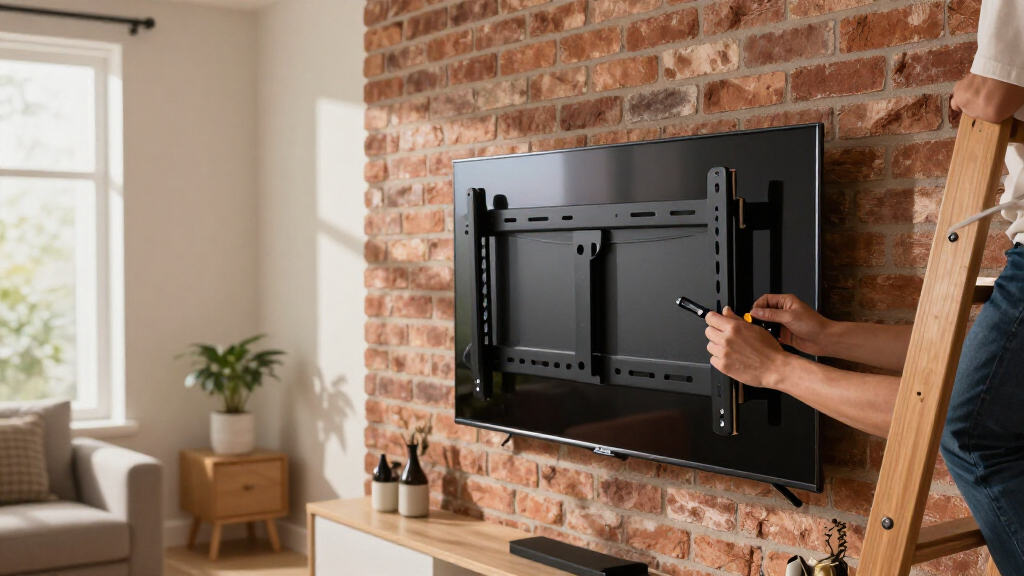
I compared the 11 mounts on the details that shape a real installation: stated screen-size range, weight capacity, supported movement, wall clearance, and how clearly the product is positioned for different room layouts. A mount’s advertised size range is only a starting point, so buyers should confirm the television’s VESA pattern and weight against the exact mount specifications before purchasing. I gave more weight to practical fit and useful movement than to a large maximum-size claim on its own.
The order reflects distinct use cases. The Perlegear full-motion option ranks first for pairing slim positioning with adjustable viewing on larger sets; broad-capacity fixed mounts rank well for straightforward, close-to-wall installs. Mid-size full-motion brackets offer a more accessible route to swivel and tilt, while smaller-range models sit lower for buyers with large OLED screens. Product listings do not establish installation quality or long-term durability, so I treat their stated specifications as the basis for comparison rather than as hands-on test results.
Factors to Consider When Choosing 4k OLED Wall Mounts
Before choosing a bracket, match the mount to both the television and the room. These checks help prevent a purchase that technically fits the screen size but fails to suit the wall, cables, or viewing position.
Match VESA Pattern and TV Weight
Find the VESA hole spacing and weight of your TV in its manual or manufacturer listing before comparing mounts. The screen-size range printed on a bracket does not guarantee that its mounting plate fits every TV in that range. Check the mount’s supported VESA patterns and rated capacity, and follow any restrictions for extending an arm. Leave a margin below the stated weight limit rather than treating the maximum as a target. OLED models can be light for their size, but their rear panels and mounting points still call for the manufacturer’s specified hardware and handling. If the TV’s documentation is unclear, verify the exact model number before ordering.
Choose Movement for Your Seating Layout
A fixed bracket works well when the screen faces the main seating position and glare is not a regular problem. Tilt can help when the TV sits above eye level, while swivel is useful for an off-center sofa, adjoining room, or changing daylight. Full-motion arms add reach and angle options, but they project farther from the wall and can make cable routing more involved. Think through where people actually sit before paying for movement you may rarely use. For a corner installation, measure the arm’s reach and check whether the screen can clear nearby walls or furniture. Movement should solve a real viewing issue, not just add a feature to the box.
Measure Wall Clearance, Cables, and Ports
Ultra-slim mounts create a tidy profile, but close wall placement can make plugs and cable bends difficult. Measure the TV’s rear depth, the location of its ports, and the size of the connectors you plan to use. If you expect to change cables often, a little extra clearance may save effort later. Full-motion brackets can improve access when extended, though the arm itself needs room behind and beside the television. Check that power outlets and cable plates remain reachable after installation. A paper template or careful measurement of the bracket’s wall plate can expose conflicts before you drill.
Check Your Wall and Stud Layout
The wall determines which mounts can be installed safely and where the screen can sit. Confirm whether you have wood studs, metal studs, masonry, or another wall construction, then check that the product includes or specifies compatible anchors and fasteners. A wide bracket may offer more options for lining up with studs, but a TV’s desired position can still fall between them. Do not assume drywall anchors are suitable for a heavy television or an extended arm. If the planned location does not align with the mount’s required structure, choose a different position or seek qualified installation help. Marking studs and checking level before drilling helps avoid an expensive correction.
Decide When Paying More Is Worth It
Extra spend makes sense when a mount solves a specific problem, such as reaching multiple seating areas or supporting a very large screen within its rated limits. A fixed bracket may be the better value if the viewing angle is already right and a low profile matters most. Compare the included hardware, adjustment range, stated capacity, and fit for your TV rather than judging by brand or size claims alone. For a first installation, clear instructions and a manageable wall plate can matter more than extra motion. Budget separately for cable management or installation help if the setup needs it. Choosing fewer features can reduce setup complexity without compromising the viewing position you need.
Frequently Asked Questions
Will any mount listed for my TV’s screen size fit my 4K OLED?
No. Screen-size ranges are broad compatibility guides, not a guarantee for every model. Check your TV’s VESA pattern and weight against the bracket’s supported patterns and rated capacity. Also confirm that the mount’s rails or plate do not block ports or protrude in a way that conflicts with the TV’s back. If your TV has an unusual mounting layout, use its model-specific documentation before buying.
Should I choose a fixed mount or a full-motion mount for a living room?
Choose based on where you sit and whether the screen needs to move. A fixed mount is a good fit when the TV faces one main seating area and you want it close to the wall. A full-motion model can help with off-center seating or glare, but it needs clearance for the arm and careful cable routing. Tilt alone may solve a high-mounted screen without the added reach of swivel. Measure the room and map the viewing angles before deciding.
Can I install one of these mounts on drywall without finding a stud?
Do not assume that drywall alone can support a TV mount, especially a full-motion arm that applies extra force when extended. Check the instructions for the wall types and fasteners the specific bracket permits. Many installations require attachment to studs or masonry, and the right method depends on the wall construction and TV load. If the studs do not line up with your preferred TV position, consider a different location or a mounting solution rated for that structure. A qualified installer can assess a wall that is difficult to identify.
Will an ultra-slim mount leave enough room for my OLED’s cables?
It depends on the TV’s port locations, connector shape, and the mount’s actual wall clearance. Some plugs need more bending space than a slim bracket leaves, especially when ports face directly backward. Check the TV’s rear layout and the mount’s listed profile, then account for cable heads rather than measuring only the wire. Right-angle adapters can help in some setups, but verify they fit and are suitable for the connection. If access or cable changes matter, a slightly deeper mount may be more practical.
Is a higher weight capacity enough to choose between two mounts?
No. Capacity matters, but it does not tell you whether the bracket matches your VESA pattern, reaches your seating position, or suits your wall. A higher-capacity fixed mount may be less useful than a lower-capacity full-motion option if you need to turn the screen, provided the latter supports your TV with room to spare. Compare the full set of fit details and the installation requirements. Choose a model whose stated limits cover your TV and whose design fits how you use the room.
Conclusion
For the broadest mix of slim positioning and viewing adjustment, I recommend the Perlegear Ultra Slim Full Motion Mount as the best overall pick. The Mounting Dream 32–70-inch Full Motion Mount is my best value choice for buyers with a mid-size TV who want swivel and tilt. For a close-to-wall setup, the monTEK Ultra Slim Fixed Mount is a strong fit, while the Mounting Dream Fixed Mount suits buyers installing a larger screen without needing movement. Beginners should favor the mount whose size, VESA support, wall hardware, and instructions clearly match their TV and wall; if you need to adjust for off-center seating, choose a compatible full-motion model such as the USX MOUNT 42–90-inch Full Motion Mount. Check your TV’s exact weight and VESA pattern before choosing any of them.
Fall Picks
fall essentials
As an affiliate, we earn on qualifying purchases.

![Bukit Bintang Hicks Flat: DBKL Orders Cleanup After Viral Video Exposes Dirty Conditions [WATCH] - NST Online](https://4kprojectorguide.com/wp-content/uploads/2026/09/bukit-bintang-hicks-flat-dbkl-orders-cleanup-after-viral-video-exposes-dirty-con-featured-260x140.jpg)