
TL;DR

Get business pricing on your home office setup
- Business-only prices and quantity discounts
- Tax-exempt purchasing
- Multiple users, one account, clear invoices
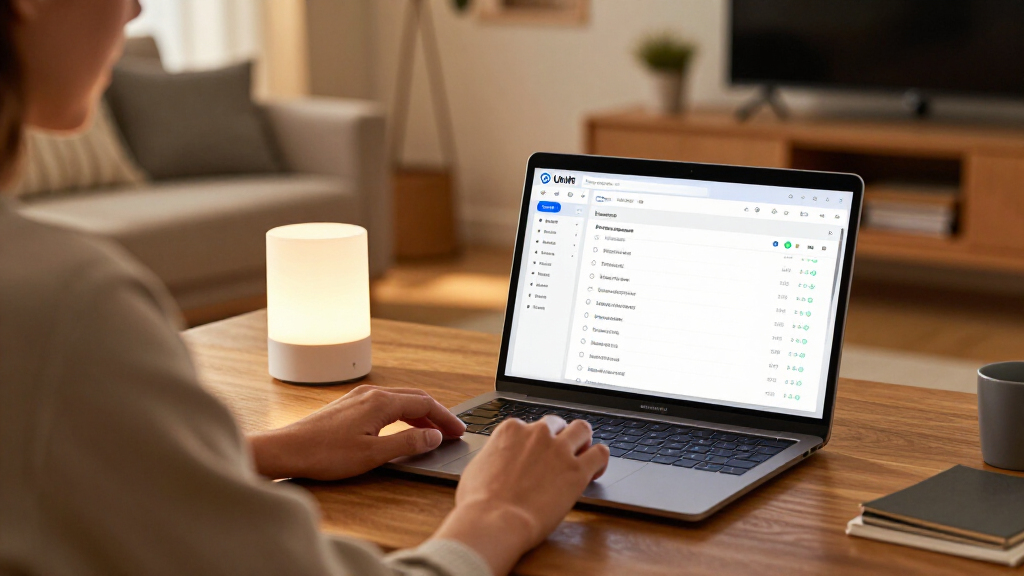
Ubiquiti’s UniFi Network 11 adds monitoring for compatible Matter-over-Thread devices, showing supported device details and their Thread connections alongside Wi-Fi and Ethernet equipment. Users must add devices with Matter pairing codes, and the feature requires a compatible UniFi gateway and specified network settings.
Ubiquiti’s UniFi Network 11 adds monitoring for compatible Matter-over-Thread devices, bringing them into the network topology view used for Wi-Fi and Ethernet equipment. The update can display information such as manufacturer, model, firmware, battery status and signal strength where a device supports those details, giving UniFi users another way to investigate smart-home connection problems.
To monitor an individual Matter device, users must add it with a Matter pairing code. According to the report, UniFi then combines Matter device information with Thread connectivity data, allowing a device to appear in the topology alongside other network equipment. The report says Thread border routers are discovered automatically, while the Matter devices themselves require manual setup.
Network 11 also adds historical network topology through a feature called Time Machine. It lets users review earlier network states and check what changed before a device went offline. The report describes this as a diagnostic aid; it does not establish that the feature identifies the cause of every interruption or repairs connectivity.
The feature has several prerequisites: a compatible UniFi OS gateway running version 6.0.10 or later, with IPv6 and mDNS enabled on the relevant network. The source does not provide a full compatibility list or confirm whether all Matter-over-Thread products expose the same monitoring fields.
A clearer view of Thread connections
Thread is designed to connect low-power smart-home devices, but basic device-status screens may not explain why a device is unreachable. UniFi Network 11 addresses part of that troubleshooting gap by placing supported Matter devices in a broader network topology view, where users can inspect their relationship to Thread border routers and other infrastructure.
The change is aimed at monitoring and diagnostics, not smart-home control. The report says UniFi is not a replacement for Apple Home or another platform for operating lights, creating automations or managing everyday routines. Its value is instead in helping users see network information that a control app may not provide.
That distinction matters for people with larger or more complex home networks. If a device stops responding, historical topology may help show what changed around the time of the outage. But the benefit depends on compatible equipment, correct network configuration and the device exposing relevant data; the update is not presented as a guaranteed fix for Thread reliability issues.
Matter-over-Thread smart home devices
As an affiliate, we earn on qualifying purchases.
As an affiliate, we earn on qualifying purchases.
Matter identity meets Thread data
Thread is an IPv6-based wireless networking protocol. Its network can track addresses, neighboring nodes, routing and signal quality, but those details do not necessarily identify a node as a particular product. Matter provides device-level information, such as manufacturer and product type, but accessing it generally requires an authorised Matter controller.
The report says UniFi appears to combine those two sources of information. Its requirement that users enter a pairing code suggests that monitoring is not based solely on passive scanning of Thread traffic. Matter supports multi-admin, which can let a compatible device participate in more than one smart-home ecosystem. The report describes UniFi as apparently using this capability to establish an authorised connection; Ubiquiti’s implementation details are not independently confirmed in the supplied material.
The report compares UniFi’s approach with Thread diagnostic tools and Home Assistant’s Matter.js server. It says Matter.js can provide diagnostic information after devices are added, while UniFi’s Time Machine offers historical topology. These comparisons are the report’s assessment, not a published independent test of every tool or device.
“The focus is on monitoring and diagnostics”
— Matter Alpha report
UniFi compatible Thread border router
As an affiliate, we earn on qualifying purchases.
As an affiliate, we earn on qualifying purchases.
Setup limits and open questions
The supplied report does not specify the update’s rollout schedule, supported gateway models, or a complete list of Matter devices and data fields that UniFi can monitor. Although the report says users must add devices individually, it does not confirm whether Ubiquiti plans to add bulk import or other setup options.
Users with smart-home devices on separate VLANs may also need to check that IPv6 and mDNS work across the relevant networks. The report flags this as a configuration challenge but does not give a universal setup procedure. Ubiquiti has also not confirmed how this feature will work with the SuperLink Gateway HA, or whether UniFi may add device control or automation later.
As an affiliate, we earn on qualifying purchases.
What UniFi users should check
Users considering the feature should first verify that their UniFi OS gateway meets the stated version requirement and that IPv6 and mDNS are enabled on the network used by their Matter devices. They should also confirm that each device can be commissioned with a pairing code from an existing smart-home controller. The report gives no date for a wider rollout or additional product announcements.
Further details from Ubiquiti would clarify gateway compatibility, device support, setup across VLANs and any plans for bulk commissioning. Until then, UniFi Network 11 is best understood as a new monitoring layer for supported Matter-over-Thread devices, rather than a new smart-home control platform.
smart home device troubleshooting kit
As an affiliate, we earn on qualifying purchases.
As an affiliate, we earn on qualifying purchases.
Key Questions
What does UniFi Network 11 add for Matter and Thread?
It can show compatible Matter-over-Thread devices in UniFi’s network topology and display supported details such as manufacturer, model, firmware, battery status and signal strength.
Does UniFi Network 11 control smart-home devices?
No. The report describes the feature as monitoring and diagnostics, not a system for controlling lights, creating automations or replacing Apple Home and similar platforms.
What is required to add a Matter device?
The report says users must add each device with a Matter pairing code. It also lists a compatible UniFi OS gateway running version 6.0.10 or later, with IPv6 and mDNS enabled on the relevant network.
Can UniFi add all existing Matter devices at once?
The report says devices must currently be added individually and that there is no bulk import option.
Will UniFi Network 11 work with SuperLink Gateway HA?
The supplied report says Ubiquiti has not confirmed how the products will work together. Compatibility or integration details remain unclear.
Source: rss
Halloween Picks
halloween
As an affiliate, we earn on qualifying purchases.