
If your projector won’t turn on, start by checking the remote’s batteries and aiming it directly at the sensor. Verify the power cable is securely plugged in and test the outlet with another device. Inspect the power button for damage or sticking, and ensure the projector isn’t in sleep mode or low-power mode. If these steps don’t work, look inside for blown fuses or internal damage. Keep exploring for more solutions.
Key Takeaways
- Check remote batteries, ensure it points directly at the projector sensor, and test the remote’s power button at close range.
- Confirm the power cable is securely connected and test the outlet with another device or try a different socket.
- Inspect the projector’s power button for damage or sticking, and consider resetting or replacing if necessary.
- Verify the projector is not in standby, sleep, or eco modes; use the physical power button to wake it up.
- Look for internal fuse issues or circuit damage, and consult a technician if internal components appear compromised.
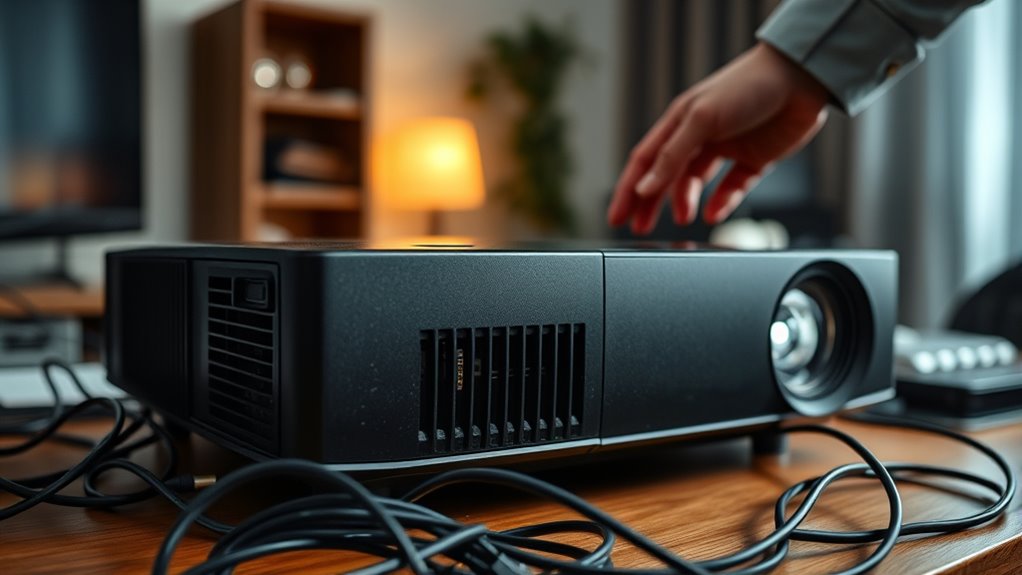
Dealing with a projector that won’t turn on can be frustrating, but many power issues are simple to diagnose and fix. One of the first things you should check is the remote control. Sometimes, the problem isn’t with the projector itself but with the remote. Make sure the remote has fresh batteries and is pointed directly at the projector’s sensor. Often, remote controls can lose synchronization or have blocked signals, so try pressing the power button from close range or using the projector’s physical power button to rule out remote issues.
Next, examine the projector’s settings adjustment options. Many projectors have power-saving or eco modes that might prevent it from turning on if certain conditions aren’t met. Access the menu using the control panel on the device itself, and verify that the projector isn’t set to a standby or sleep mode. If the projector is in a sleep state, pressing the power button or the remote control should wake it up. If it’s stuck in a particular mode, resetting settings to default can often resolve the issue.
Another common cause of power problems is the power connection. Check that the power cable is securely plugged into both the projector and the outlet. Sometimes, the outlet itself might be the issue—try plugging the projector into a different socket or test the outlet with another device. If you’re using a power strip, make sure it’s turned on and functioning properly. Faulty or loose connections are often overlooked but are quick fixes once identified.
If the projector still doesn’t turn on, inspect the power button itself. It might be stuck, damaged, or unresponsive. Gently press it to see if there’s any physical obstruction or visible damage. If you notice any signs of wear or damage, replacing the power button or seeking professional repair might be necessary.
Additionally, understanding the projector’s power specifications and ensuring they match your power source can prevent internal issues. Finally, if all these steps fail, consider whether the projector’s internal fuse or circuit might be blown. Unplug the device, wait a few minutes, and then try again. If you’re comfortable doing so, open the casing to check for blown fuses or obvious internal damage. Otherwise, it’s best to contact a technician. Troubleshooting power issues may seem complex at first, but with patience and these straightforward checks, you can often get your projector back up and running without much hassle.

Original Replacement Remote Control for HY320/300Pro Projector & Gimbal 3/5 – Universal Compatible with Magcubic/Xgody/Aubor/Maypug/HIPPUS/Mentech/LYNCAST Projectors, Infrared IR Remote with Buttons
- Compatibility: Designed for HY300Pro and Gimbal 3/5
- System Compatibility: Works with Magcubic, Xgody, Aubor, and more
- Infrared Range: Operates within 8 meters
As an affiliate, we earn on qualifying purchases.
As an affiliate, we earn on qualifying purchases.
Frequently Asked Questions
Can a Faulty HDMI Cable Prevent the Projector From Powering On?
A faulty HDMI cable won’t prevent your projector from powering on because HDMI issues mainly affect video and audio transmission, not power. However, if your projector relies on HDMI for startup signals, a damaged or loose HDMI cable could cause startup problems. Also, check for power cord damage, as a damaged power cord can stop the projector from turning on altogether. Always inspect both HDMI and power connections for issues.
What Should I Do if the Projector’s Power Button Is Unresponsive?
If your projector’s power button is unresponsive, try a remote reset first by turning it off and unplugging it for a few minutes, then plugging it back in. If that doesn’t work, consider the possibility of a faulty button and look into button replacement. You might also check for any physical damage or loose connections. If these steps fail, contacting a professional technician is a good idea.
Is It Normal for the Projector to Make Clicking Sounds When Turned On?
Think of your projector as a sleeping giant waking up; those clicking sounds are its way of stretching. It’s normal for projectors to make clicking noises when turning on, as internal components shift into place. These projector noises signal the device is powering up. However, if the clicking persists or is accompanied by other issues, it might be time to check for loose connections or seek professional help to keep your cinematic giant happy and healthy.
How Do I Check if the Power Outlet Is Working Correctly?
To check if the power outlet is working correctly, start by performing power outlet testing with a different device, like a lamp or phone charger. If it doesn’t turn on, do an electrical circuit check by plugging in another appliance to see if it works. If that device also fails, reset your circuit breaker or fuse. This way, you quickly determine if the outlet or circuit is causing the issue.
Can a Dirty or Damaged Power Cord Cause Startup Issues?
Yes, a dirty or damaged power cord can definitely cause startup issues. You should perform a damage assessment by inspecting the entire cord for frays, cuts, or exposed wires. If you notice any damage, replace the power cord immediately to guarantee proper power delivery. Keeping the cord clean and in good condition prevents connectivity problems and helps your projector turn on reliably. Don’t ignore visible issues—safety and function depend on it.

AC 2 Prong C8 Power Cord 5ft Standard 2-Slot for TV PS4 PS5 Speaker Monitor Xbox Wall Power Cable Replacement Black
- Device Compatibility: Works with TVs, monitors, printers, and more
- Package Contents: Includes one 5ft power cord
- Console Compatibility: Compatible with PS2, PS3, PS4, PS5, Xbox models, and Apple TV
As an affiliate, we earn on qualifying purchases.
As an affiliate, we earn on qualifying purchases.
Conclusion
If your projector still won’t turn on after troubleshooting, don’t give up. Remember, about 60% of power issues stem from simple problems like loose connections or faulty outlets. Regularly inspecting your cables and ensuring proper power supply can save you time and frustration. Keep your device well-maintained, and you’ll likely avoid future issues. Addressing these common problems promptly can extend your projector’s lifespan and keep your presentations running smoothly.

BOJACK 15 Values 200 pcs Fast-Blow Glass Fuses Assortment Kit 5x20mm 250V 1 5 10 15 20A 6x30mm 250V 1 2 3 5 6 7 8 10 15 20A amp packag in a Clear Plastic Box
- Brand: BOJACK
- Product Type: Fuse Assortment Kit
- Number of Fuses: 200 pieces
As an affiliate, we earn on qualifying purchases.
As an affiliate, we earn on qualifying purchases.

Portable VGA SVGA XGA Display Signal Generator with HD15F Connector RGBHV Output 640×480 800×600 1024×768 1280×1024 60Hz for CRT LCD Monitor and Projector Testing and Repair Powered by 9V Battery
- Signal Detection: Diagnoses display defects effectively
- Wide Compatibility: Supports LCD, CRT, and projectors
- Multiple Resolutions: Includes 640×480 to 1280×1024 modes
As an affiliate, we earn on qualifying purchases.
As an affiliate, we earn on qualifying purchases.