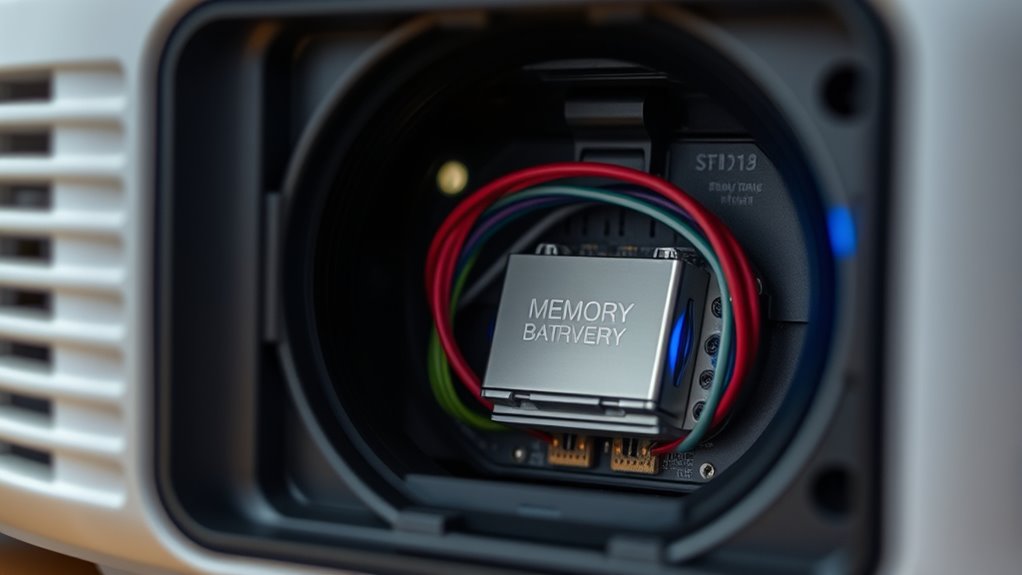

If your projector keeps resetting or losing settings, start by checking the internal memory battery, as a failing or dead battery often causes these issues. Replacing it can restore your configurations. Also, verify your firmware is up to date, since outdated software can lead to glitches. If these steps don’t help, there may be underlying hardware problems, so continuing further will guide you through more troubleshooting tips to fix the problem effectively.
Key Takeaways
- The memory battery maintains projector settings during power off; replace it if settings are lost frequently.
- Firmware updates fix bugs and prevent resets; ensure your projector has the latest firmware version.
- Power fluctuations and electrical noise can cause resets; use stable power sources and check connections.
- Performing a factory reset may temporarily resolve issues but might not address underlying hardware problems.
- Regularly verify and replace the memory battery and firmware to prevent settings loss and ensure optimal performance.
If your projector keeps resetting or losing its settings unexpectedly, it can disrupt your presentations and cause frustration. One common cause for this issue is a failing memory battery. Inside your projector, there’s a small battery responsible for preserving your customized settings, like display preferences, network configurations, and calibration data, even when the device is turned off. Over time, this memory battery can weaken or die, leading to the loss of saved settings whenever you power down the projector. Replacing the memory battery is usually a straightforward fix—consult your projector’s manual or a professional technician to ensure you get the right type and install it correctly. Once replaced, your settings should stay intact, and you won’t have to reconfigure your projector each time you turn it on.
Another vital step is to check whether your projector’s firmware is up to date. Firmware acts as the operating system of your projector, controlling how it functions and communicates with other devices. Manufacturers often release firmware updates to fix bugs, improve stability, or add new features. If your projector is running outdated firmware, it might be prone to glitches, including resetting or losing settings unexpectedly. To resolve this, visit the manufacturer’s website, find your model, and follow their instructions for performing a firmware update. Some projectors allow you to update firmware via USB or network connection. Keeping your firmware current can prevent many issues and help your projector run smoothly. Additionally, understanding projector compatibility with gaming consoles and ensuring your device meets the necessary specifications can help avoid unexpected resets caused by hardware conflicts.
It’s also worth noting that sometimes, resetting the device to factory settings can temporarily fix issues, but if the problem persists, it’s likely related to hardware or firmware issues. After updating the firmware, reboot the projector and reconfigure your settings. Ensure that all connections are secure and that there’s no interference from power fluctuations or electrical noise, as these can sometimes cause resets. If you’ve replaced the memory battery and updated the firmware but still experience problems, it might be time to seek professional repair services. A technician can diagnose deeper hardware issues or internal component failures that could be causing your projector to reset unexpectedly.

X3 Projector Battery Replacement (Note The Applicable Model)
X3 Projector Battery Replacement
As an affiliate, we earn on qualifying purchases.
As an affiliate, we earn on qualifying purchases.
Frequently Asked Questions
How Often Should I Replace the Projector’s Memory Battery?
You should replace the projector’s memory battery every 3 to 5 years, depending on its lifespan. Regularly check for signs of battery failure, like lost settings or incorrect time display. Replacing the memory battery on time guarantees your projector keeps its settings and firmware intact. Don’t wait until it completely fails—timely replacement helps maintain smooth operation and prevents unnecessary troubleshooting later.
Can Firmware Updates Cause My Projector to Reset Settings Automatically?
Yes, firmware updates can cause your projector to reset settings automatically if the update introduces reset triggers or isn’t fully compatible with your device. To avoid this, verify the firmware is compatible with your projector model and follow manufacturer instructions carefully. Sometimes, updates include default resets to optimize performance or fix bugs, so double-check settings after updating to keep your preferences intact.
What Are Signs of a Failing Memory Battery in a Projector?
Did you know over 60% of projector failures are linked to memory issues? Signs of a failing memory battery include sudden resets, incorrect time or date, and loss of custom settings. If you notice these projector battery symptoms, it’s likely time to replace the battery. Addressing projector memory issues early can prevent more serious problems, ensuring your projector continues to operate smoothly without unexpected resets or lost configurations.
Is There a Way to Back up Projector Settings Before Resetting?
Yes, you can back up your projector settings before resetting by following specific backup procedures. Check if your projector has a built-in option for exporting or saving settings, or connect it to a computer with compatible software. This guarantees setting preservation, allowing you to easily restore your preferences afterward. Always consult your projector’s manual for detailed steps, as procedures may vary between models.
How Do I Know if My Projector’s Firmware Is up to Date?
Imagine you’re setting up your projector for a vital presentation, and you wonder if the firmware’s current. To check, navigate to the settings menu and look for firmware version info. Make certain your firmware is compatible with your projector model, then follow the manufacturer’s update procedures—usually downloading firmware from their website and installing it via USB or network. Regular updates fix bugs and improve performance, so stay current.

ViewSonic PA503HD 4000 Lumens High DLP Brightness Projector with 1.1x Optical Zoom, USB, and HDMI inputs for Home and Office
High Brightness DLP Lamp FHD Projector: Full HD (1920x1080p) resolution with a 1.4-1.6 throw ratio and 4,000 ANSI…
As an affiliate, we earn on qualifying purchases.
As an affiliate, we earn on qualifying purchases.
Conclusion
If your projector keeps resetting like a forgetful guest, it’s time to check its memory battery and firmware. Think of the battery as the keeper of your settings’ memory, and the firmware as the engine that keeps your projector running smoothly. By giving these a quick check, you’re fundamentally fine-tuning a delicate instrument. Don’t let confusion dim your display—restore stability and let your projector shine bright, like a beacon guiding your viewing experience.
projector settings reset fix
As an affiliate, we earn on qualifying purchases.
As an affiliate, we earn on qualifying purchases.
X3 Projector Battery Replacement (Note The Applicable Model)
X3 Projector Battery Replacement
As an affiliate, we earn on qualifying purchases.
As an affiliate, we earn on qualifying purchases.