To guarantee your projector and equipment get safe, reliable power, install dedicated outlets and circuits that match their demands. Use properly grounded outlets to prevent shocks and electrical damage, and connect high-power devices to circuits designed for their load. Organize cables with clips and sleeves to avoid hazards and electrical faults. Considering surge protectors adds extra safety against voltage spikes. Keep these essential tips in mind—exploring further will help you optimize your setup even more.

Get business pricing on your home office setup
- Business-only prices and quantity discounts
- Tax-exempt purchasing
- Multiple users, one account, clear invoices
Key Takeaways
- Use dedicated circuits for high-power devices like projectors to prevent overloads and ensure stable operation.
- Verify outlets are properly grounded and circuit breakers are up to code for safety and reliability.
- Assess and upgrade wiring as needed to support the electrical demands of your projector and equipment.
- Avoid overloading power strips; connect high-power devices directly to outlets or dedicated circuits.
- Organize cables with proper management tools to reduce hazards and maintain a tidy, safe setup.

Are you ready to guarantee your electrical setup is safe and efficient? When setting up your projector and related equipment, it’s imperative to pay close attention to outlets, circuits, and power sources to avoid potential hazards and ensure smooth operation. Starting with power sources, consider whether wireless power options might suit your needs. Wireless power technology can reduce clutter and make setup more flexible, but it’s crucial to verify compatibility and range. While wireless power is advancing, most home or office setups still rely on traditional outlets. Whichever method you choose, make sure your wiring supports your equipment’s power demands to prevent overloads.
Ensure your setup is safe by verifying wiring and considering wireless power options for flexibility and reduced clutter.
Surge protection is a fundamental component of a safe electrical setup. Power surges can occur unexpectedly due to lightning strikes, power outages, or issues with the grid, and they can cause severe damage to your projector and electronics. Installing surge protectors ensures that sudden voltage spikes won’t fry your devices. Look for surge protectors with adequate joule ratings; higher ratings offer better protection for sensitive equipment. Also, consider models with multiple outlets, so you can connect your projector, AV receiver, and other gear in one hub. Remember, surge protectors aren’t a one-time investment—replace them periodically, especially after a major surge or several years of use.
Next, make certain your outlets and circuits are properly configured. Use dedicated circuits for high-power devices like projectors and amplifiers to prevent overloading and tripped breakers. If your setup involves multiple devices, consider installing additional outlets or upgrading your existing wiring to handle the load. Proper grounding is equally important. Faulty grounding can lead to electrical shocks or damage, so verify that all outlets are grounded correctly and that your circuit breaker panel is up to code. A licensed electrician can help you assess and upgrade your system if needed.
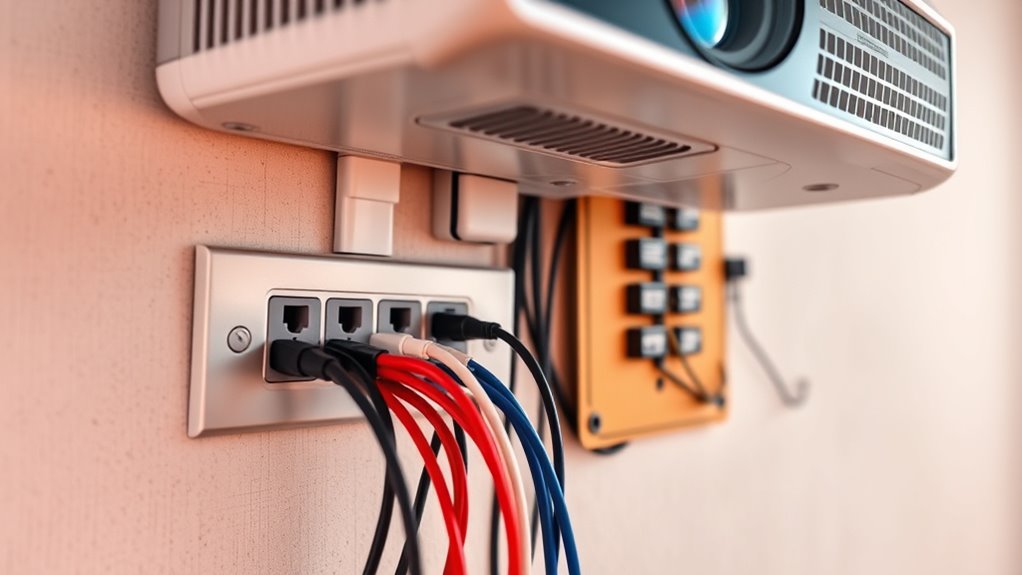
Additionally, organize your cables neatly to avoid tripping hazards and interference. Use cable management solutions like clips, sleeves, or conduits. This not only maintains a tidy space but also protects your cables from damage, which could cause electrical faults. Always check that your power strips and extension cords are rated for your equipment’s power draw—they shouldn’t be used as permanent solutions. Instead, dedicate circuits and outlets to your main devices.
Ultimately, the goal is to create an electrical setup that’s safe, reliable, and adaptable. By integrating wireless power where possible, installing surge protection, ensuring proper wiring and grounding, and managing cables effectively, you set yourself up for a smooth experience. This careful planning will prevent interruptions, extend the lifespan of your equipment, and give you peace of mind during your project or presentation.
surge protector with multiple outlets
As an affiliate, we earn on qualifying purchases.
As an affiliate, we earn on qualifying purchases.
Frequently Asked Questions
Can I Use Extension Cords for High-Power Devices Safely?
You can use extension cords for high-power devices, but only if you guarantee proper extension cord safety. Choose heavy-duty cords rated for the device’s power needs, and avoid daisy-chaining multiple cords. Check the cord’s ampacity and never exceed its maximum load. Always plug high-power devices directly into a wall outlet when possible, and regularly inspect cords for damage to prevent overheating or fire hazards.
What Is the Best Circuit Breaker Size for Projector Setups?
Choosing the right circuit breaker size for your projector setup is like selecting the right armor for a knight—protection is key. You should typically use a 15-amp breaker for standard projectors, ensuring safety considerations are met and preventing overloads. If your equipment draws more power, a 20-amp breaker might be necessary. Always match breaker size to your device’s power needs to keep your setup safe and reliable.
How Many Outlets Should I Install for Multiple Devices?
You should install enough outlets to safely power all your devices without overloading. Use outlet placement strategies that minimize extension cords and keep power strips within safe limits for power strip safety. For multiple devices, consider installing dedicated outlets for high-power equipment, ensuring each outlet is accessible and appropriately spaced. This setup reduces tripping hazards and maintains a safe, efficient power supply for your projector and equipment.
Is It Necessary to Upgrade My Home Wiring for New Equipment?
Is your home wiring ready to handle your new equipment? Think of your wiring as a highway—if it’s too narrow, traffic (power) slows down or crashes. Upgrading your home wiring ensures your power capacity meets your needs, preventing overloads and potential hazards. If you’re adding high-power devices, it’s wise to consult an electrician to upgrade your wiring, keeping everything running smoothly and safely.
How Do I Prevent Electrical Overloads in My Setup?
To prevent electrical overloads, you should use surge protectors to guard your equipment and guarantee they’re rated for your device’s power needs. Additionally, install circuit monitoring to keep an eye on current flow and avoid overloading circuits. Avoid plugging too many devices into a single outlet, and consider spreading your equipment across multiple circuits if necessary, to maintain safe and reliable power distribution.
dedicated circuit breaker for home theater
As an affiliate, we earn on qualifying purchases.
As an affiliate, we earn on qualifying purchases.
Conclusion
Remember, a well-planned electrical setup keeps your projector and equipment running smoothly and safely. By understanding outlets, circuits, and power needs, you prevent surprises and protect your investment. Always double-check your connections and avoid overloading circuits. As the saying goes, “A stitch in time saves nine”—taking care now guarantees your setup stays reliable and trouble-free for countless movie nights and presentations ahead.
grounded electrical outlets for projector
As an affiliate, we earn on qualifying purchases.
As an affiliate, we earn on qualifying purchases.
cable management clips and sleeves
As an affiliate, we earn on qualifying purchases.
As an affiliate, we earn on qualifying purchases.
Halloween Picks
halloween
As an affiliate, we earn on qualifying purchases.