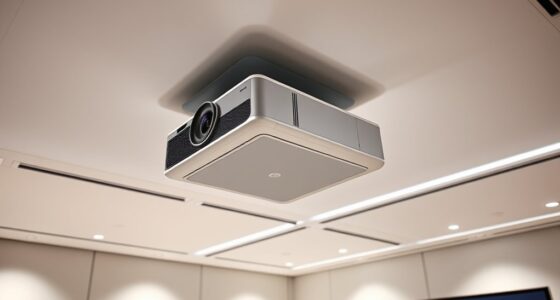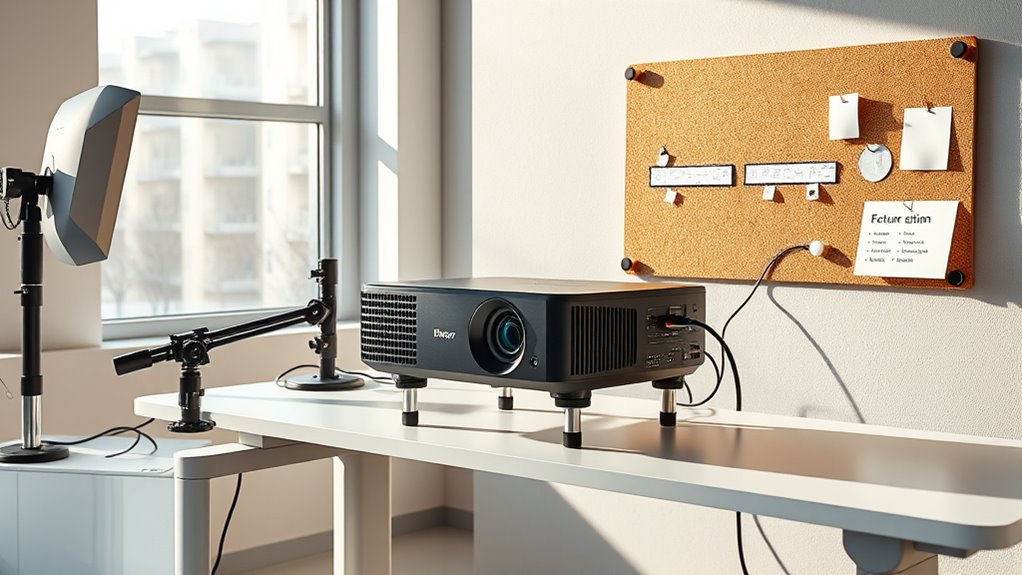
To plan for an evolving projector setup, focus on scalable, modular components that can grow with your needs. Choose upgradeable hardware, flexible mounting options, and networked projectors for easy expansion. Document your infrastructure and identify future requirements early on to avoid costly reconfigurations. Prioritize setup flexibility, ensuring wiring and power systems support added units without disruption. If you want to guarantee your system remains adaptable over time, explore strategies that keep your setup ready for growth.
Key Takeaways
- Design modular, upgradeable components like lenses, mounts, and input modules to facilitate easy future enhancements.
- Plan wiring, power, and network infrastructure with scalability in mind to support additional projectors and devices.
- Utilize networked and daisy-chaining projectors for seamless expansion and centralized control management.
- Document expansion strategies, including infrastructure needs and upgrade pathways, for effective implementation over time.
- Choose flexible physical mounting and cabling solutions that accommodate larger setups without extensive rework.

Are you ready to grow your business beyond its current limits? When planning for expansion, one of the most essential aspects is developing a projector setup that can adapt and scale over time. Your goal should be to create a flexible system that can handle increased demands without requiring a complete overhaul. To achieve this, focus on scaling infrastructure thoughtfully from the start, ensuring that your setup can evolve seamlessly as your needs grow. This means investing in modular components that can be added or upgraded easily. Modular components allow you to expand your projector system incrementally, avoiding costly replacements and minimizing downtime.
Start by evaluating the core elements of your current setup. Are your projectors powerful enough to support larger venues or higher-resolution content? Is your wiring and power infrastructure capable of supporting additional units? These are the questions that guide your scaling infrastructure planning. Implementing modular components, such as interchangeable lenses, adaptable mounts, and upgradeable input modules, offers a future-proof approach. With modular design, you can upgrade specific parts without replacing entire systems, saving both time and money.
Incorporate scalable hardware solutions, like networked projectors that can be linked together to create larger displays. This approach allows you to add more projectors as your audience or project size increases. When choosing equipment, prioritize systems that support daisy-chaining or network integration. This way, expanding your setup becomes as simple as connecting new units, rather than reconfiguring the entire system. Additionally, make sure your control systems are designed with scalability in mind, enabling centralized management of multiple projectors for easier operation.
Planning for growth also involves considering your physical space and how your infrastructure can expand within it. Modular mounting solutions and flexible cabling options help accommodate larger setups without clutter or confusion. As your business grows, you’ll want to easily add new projectors, screens, or accessories without extensive rework. Think ahead about how your space can support future additions, and choose modular solutions that fit your plan.
Furthermore, understanding the Relationships – Personality Test concepts can help you anticipate how your team or clients might adapt to new technology, ensuring smoother transitions during expansion. Finally, document your expansion plan thoroughly. Keep track of which components are upgradeable, how they connect, and what additional infrastructure you’ll need down the line. This strategic foresight ensures that your projector setup remains adaptable, efficient, and ready to support your business’s growth trajectory. With a focus on scaling infrastructure and modular components, you’ll create an adaptable system that evolves with your needs, keeping your presentation capabilities sharp and your investment protected over time.

WALI Projector Mount Ceiling/Wall - Universal 3-in-1 Bracket with Extension Pole, Height Adjustable Holder for LCD/DLP Projectors, Supports up to 44lbs (PM-003-W), White
Compatibility: Universal Projector Mount Bracket for Both Ceiling and Wall Installation. Applicable to mounting holes distance between 8.9’’to...
As an affiliate, we earn on qualifying purchases.
Frequently Asked Questions
How Do I Future-Proof My Projector Wiring?
To future-proof your projector wiring, include wireless connectivity options to reduce dependence on cables and allow easy updates. Use flexible, high-quality cabling that can handle potential upgrades and longer runs. Opt for a versatile mounting system that supports repositioning as your setup evolves. By combining wireless tech with adaptable mounting, you guarantee your projector remains functional and easy to upgrade over time, saving you hassle and expense.
What Are the Best Modular Components for Expandable Setups?
Think of your setup as a blank canvas ready to grow; the best modular components are those like modular mounts and expandability kits that let you add or upgrade parts easily. These components keep your system flexible, so you can adapt as your needs change. Look for brands that offer compatible, scalable pieces, ensuring your projector setup remains future-ready without starting from scratch every time you want an upgrade.
How Can I Manage Increased Power Requirements Over Time?
To manage increased power needs, you should focus on power management strategies and wiring upgrades. Start by evaluating your current power load and plan for future expansions. Use high-quality, scalable wiring solutions that can handle higher current flows. Consider installing a dedicated power supply or circuit breaker for your projector setup, and regularly monitor power usage to prevent overloads. This proactive approach ensures your system grows smoothly without risking damage or downtime.
What Are Common Challenges When Upgrading Projector Systems?
Upgrading your projector system might seem straightforward, but expect calibration issues and mounting flexibility to trip you up. Ironically, as you add new components, aligning everything perfectly becomes a challenge. You’ll wrestle with calibration quirks and wish for more mounting options, only to find that your setup’s flexibility limits can hinder future upgrades. Prepare for some trial and error, but stay patient—your evolving system will be worth it.
How Do I Ensure Compatibility With New Projection Technologies?
To guarantee compatibility with new projection technologies, focus on flexible mounting options and easy access for projection calibration. Choose a versatile mount that supports future upgrades and allows quick adjustments. Stay updated on emerging projection standards and tech updates, so you can calibrate your system accordingly. Regularly review your setup to identify potential compatibility issues early, and invest in adaptable components that accommodate evolving projection technologies over time.

Aurzen Ceiling Projector Mount Bracket, 360° Rotation & 90° Tilt, Adjustable 9"-15" Length, ¼-Inch Screw, Compatible with TMY, HAPPRUN, Yaber, Epson & Most Projectors
Note: Not compatible with Aurzen D1 MAX
As an affiliate, we earn on qualifying purchases.
Conclusion
Just as a tree branches out over time, your projector setup should be designed to grow and adapt. Think ahead, choose flexible components, and leave room for expansion—like planting seeds for future possibilities. With careful planning, your system will evolve smoothly, much like a story that unfolds chapter by chapter. Embrace the journey of building a versatile setup, and watch your creative landscape flourish beyond today’s horizons.

PUTORSEN Adjustable Projector Ceiling Mount,Universal Projector Shelf for Ceiling and Wall, Holds up to 22lbs,No Hole Installation, Hidden Cable Routing, Black
Versatile Application: PUTORSEN projector ceiling mount is compatible with most manual or spectrum projector screens, Also can be...
As an affiliate, we earn on qualifying purchases.

DYNAVISTA Full Motion Universal Ceiling Projector Mount Bracket with Adjustable Height and Extendable Arms Rotating Swivel Mount for Home and Office Projector (Black)
Universally Compatible: This projector ceiling mount supports most projector brands with distance between the mounting holes on back...
As an affiliate, we earn on qualifying purchases.