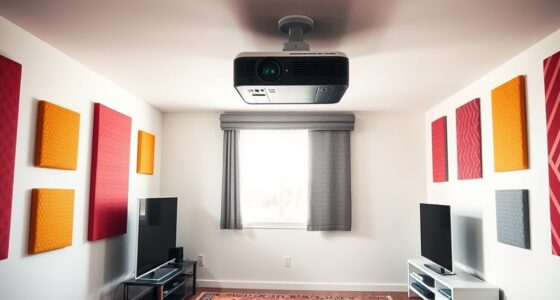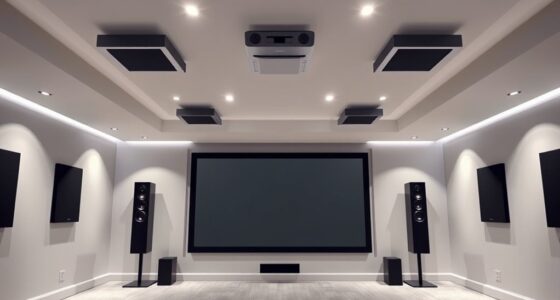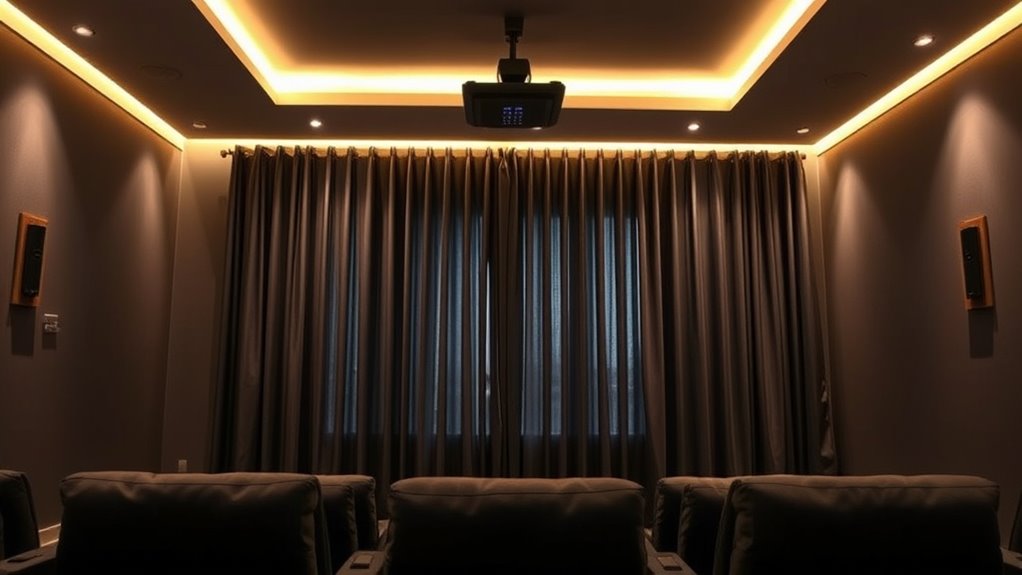

To optimize your projector setup, choose blackout curtains or smart blinds to block external light effectively. Paint your walls in matte, dark colors to absorb glare and enhance contrast, while avoiding shiny finishes that reflect light. Use dimmable LED lighting to adjust brightness based on your needs, and layer your lighting for a cozy ambiance. Combining these tips helps create a ideal viewing environment; explore more ways to perfect your space.
Key Takeaways
- Use blackout curtains or smart blinds to block external light and prevent glare on the projector screen.
- Opt for matte, dark-colored wall paint to absorb ambient light and enhance contrast.
- Incorporate dimmable LED lighting to adjust brightness and create optimal viewing conditions.
- Combine window tinting with curtains for layered light control and reduced heat transfer.
- Position lighting fixtures and choose finishes to minimize reflections and glare around the projection area.

Have you ever wished to instantly adjust the lighting in your space to match your mood or activity? With the right tools, you can effortlessly control your ambient light to create the perfect environment for any occasion. One of the most innovative options is smart blinds, which let you automate the opening and closing of your window coverings with a tap on your phone or a voice command. These smart blinds are a game-changer because they allow you to regulate natural light without having to get up and manually adjust curtains or shades. By integrating smart blinds into your space, you can easily darken a room for movie nights or let in more sunlight on a bright morning. They also work seamlessly with home automation systems, letting you set schedules or scenes that adjust lighting levels based on your activities.
Alongside smart blinds, window tinting offers a sleek, permanent solution to controlling light and heat from outside. Tinted windows reduce glare and prevent harsh sunlight from washing out your projector’s image, which is especially useful in media rooms or home theaters. Window tinting also helps regulate indoor temperatures, decreasing the need for air conditioning and making your space more energy-efficient. When combined with smart blinds, window tinting provides a layered approach to ambient light control. For example, during a movie, you can lower your smart blinds and activate your window tint to block out unwanted glare and external light, creating a darker, more immersive environment.
In addition to window treatments, the color and finish of your walls play a essential role in managing ambient light. Light-colored walls reflect more light, which can brighten a room, but might cause glare if not balanced properly. Darker shades absorb excess light, reducing glare and creating a cozier atmosphere. When planning your room, consider paint finishes—matte surfaces diffuse light evenly, while semi-gloss or satin finishes can reflect light and add a subtle glow, affecting how ambient light interacts with your space. Additionally, paint finishes can influence the room’s brightness and glare, making them a crucial element in your ambient light control strategy. Combining thoughtful paint choices with strategic lighting fixtures, like dimmable LEDs, helps you fine-tune the atmosphere effortlessly.
Frequently Asked Questions
How Do Ambient Light Conditions Affect Projector Image Quality?
Ambient light conditions directly impact your projector image quality by causing screen glare and reflections on reflective surfaces. Excess light washes out the image, reducing contrast and making details hard to see. To improve picture clarity, you should control ambient light with curtains or blinds, minimize reflective surfaces around the screen, and use dimmable lighting. This creates a darker environment that enhances your viewing experience and image sharpness.
What Are the Best Curtain Materials for Light Blocking?
You should choose blackout curtains made from tightly woven fabrics like suede, velvet, or polyester blends, as they effectively block light and resist wear. Guarantee durability by selecting high-quality materials that withstand frequent use. Use proper curtain installation techniques, such as wall-mounted rods and overlapping panels, to maximize light blocking. Properly hung curtains prevent gaps, enhancing your projector’s image quality by minimizing ambient light interference.
Can Paint Colors Influence Ambient Light Reflections?
Yes, paint colors influence ambient light reflections. Light-colored paints, like whites and pastels, reflect more ambient light, potentially reducing contrast on your projector screen. Darker shades, such as deep blues or charcoal, absorb light and minimize reflections, enhancing picture quality. Considering color psychology, choosing calming, neutral tones can create a balanced environment, preventing excessive light reflection while maintaining a comfortable viewing space.
Which Lighting Setups Minimize Glare on Screens?
To minimize glare and improve screen contrast, you should use direct lighting with dimmable fixtures positioned away from the screen. Avoid bright, overhead lights that cause reflections, and opt for indirect lighting that provides even illumination. Using wall-mounted or floor lamps with adjustable brightness helps reduce glare reduction, ensuring your screen stays clear and vibrant. Properly controlling ambient light creates an ideal viewing environment, enhancing your projector experience.
Are There Smart Solutions for Automatic Ambient Light Adjustment?
Yes, you can use smart window systems and automated blinds to adjust ambient light automatically. These solutions connect to your smart home setup, sensing light levels and adjusting in real-time to reduce glare and optimize your projector viewing. You’ll enjoy a seamless experience, with your environment perfectly controlled without manual effort. Just set your preferences, and let the smart window and automated blinds handle the rest for ideal lighting conditions.
Conclusion
Controlling ambient light transforms your viewing experience. While curtains and paint set the stage, lighting tips fine-tune the atmosphere, creating perfect conditions. Darkness invites clarity, yet a touch of light keeps the room inviting. Balancing these elements means you get sharp images without sacrificing comfort. Remember, controlling ambient light isn’t just about reducing glare; it’s about enhancing your entire viewing experience. With a few simple adjustments, you turn any space into a true home theater—bright enough to enjoy, dark enough to see clearly.