Wireless projectors let you share content effortlessly by using technologies like Miracast, WiDi, and screen mirroring. Miracast and WiDi enable your devices to connect directly to the projector without cables, offering quick, hassle-free setups. Compatibility varies across devices and protocols, so it’s important to choose a projector supporting multiple standards. Ensuring a strong Wi-Fi connection improves performance. Keep exploring to discover how to make the most of these wireless options and enhance your projection experience.
Key Takeaways
- Miracast and WiDi are wireless standards enabling device screen sharing without cables.
- Compatibility varies among devices; check supported protocols before purchasing or connecting.
- Screen mirroring allows real-time display of smartphones, tablets, and laptops on projectors.
- Stable Wi-Fi networks or direct connections improve mirroring performance and reduce lag.
- Many wireless projectors support multiple standards, ensuring broader device compatibility.
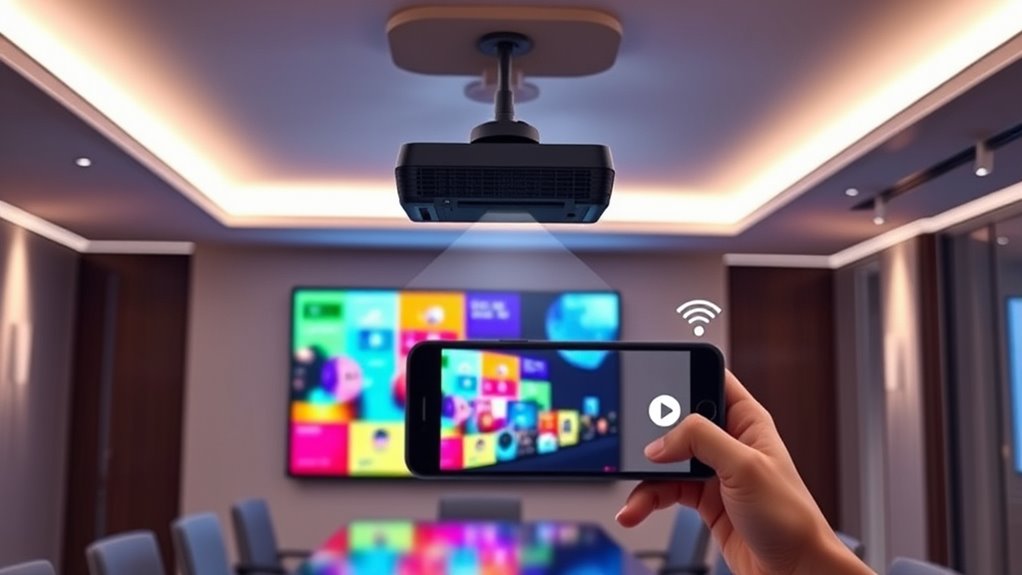
Wireless projectors have revolutionized how you share content in meetings, classrooms, and home theaters. One of their biggest advantages is the portable setup they offer, allowing you to move freely without being tethered by cables. Whether you’re presenting in a conference room, teaching a class, or setting up a movie night at home, wireless projectors provide a convenient and flexible solution. With just a few taps on your device, you can project your content onto a screen or wall, saving you the hassle of dealing with long cords or complex wiring. This portability makes it easier to set up in different locations and quickly switch between devices, enhancing your overall experience. Additionally, choosing a projector with diverse design options can help match your decor and improve the aesthetic of your presentation or entertainment area.
However, despite these benefits, you might encounter some compatibility issues that can hinder your wireless projection experience. Not all devices work seamlessly with every wireless projector, especially when it comes to technologies like Miracast, WiDi, and screen mirroring. For example, some laptops or tablets might support Miracast but not WiDi, or vice versa. Additionally, certain operating systems or device manufacturers may have proprietary protocols that aren’t compatible with standard wireless projectors. This means you may need to check your device’s specifications and ensure it supports the wireless mirroring technology your projector uses. If compatibility issues arise, you might find yourself troubleshooting or even needing additional adapters or software updates, which can be frustrating.
To minimize these issues, it’s essential to choose a wireless projector that supports multiple protocols or is compatible with your primary devices. Many modern projectors advertise compatibility with popular standards like Miracast and WiDi, but it’s always a good idea to double-check the specifications before purchasing. Also, keep in mind that network environments can impact performance. For instance, a congested Wi-Fi network might cause lag or disconnections during screen mirroring. To avoid this, connect your device and projector to a stable, high-speed Wi-Fi network, or consider using a direct wireless connection if available.
![Projector-4K with WiFi and Bluetooth:[3000 ANSI/40W Dolby Audio/Official Licensed Apps], Outdoor-Projector with Smart OS 2.0 & AI Auto Focus,ONOAYO ONO5Pro 2.0 Smart Movie Projector for Indoor/Outdoor](https://m.media-amazon.com/images/I/411TCiwZ0EL._SL500_.jpg)
Projector-4K with WiFi and Bluetooth:[3000 ANSI/40W Dolby Audio/Official Licensed Apps], Outdoor-Projector with Smart OS 2.0 & AI Auto Focus,ONOAYO ONO5Pro 2.0 Smart Movie Projector for Indoor/Outdoor
[Hear the Difference–Hollywood-Grade Dual 40W Dolby Audio] Why spend $500 on a TV + soundbar or settle for...
As an affiliate, we earn on qualifying purchases.
Frequently Asked Questions
What Are the Compatibility Requirements for Miracast and Widi?
You need to verify your device compatibility and network requirements are met for Miracast and WiDi. Both need compatible hardware, like supported Wi-Fi adapters and OS versions. Your devices should connect to the same Wi-Fi network, preferably a 5GHz band for better performance. Check if your device supports Miracast or WiDi through settings or hardware specifications. Without these, screen mirroring won’t work smoothly or at all.
How Secure Are Wireless Screen Mirroring Connections?
Think of wireless screen mirroring as a delicate dance, where encryption protocols act as your partner’s trusted steps, keeping your connection secure. While these connections are generally safe, network vulnerabilities can expose them to risks if not properly protected. Using strong encryption and secure Wi-Fi networks minimizes threats, but stay vigilant, as any weak link could be exploited. You’re responsible for maintaining a safe, encrypted environment for your mirrored content.
Can Multiple Devices Connect to a Single Wireless Projector Simultaneously?
Yes, multiple devices can connect to a single wireless projector simultaneously, enabling multi device sharing. However, connection limitations vary depending on the projector model and its supported technology. Some projectors handle multiple streams well, while others may experience lag or disconnects. To guarantee smooth multi device sharing, check your specific projector’s capabilities and consider network bandwidth, as these factors impact how effectively several devices can connect and share content at once.
What Is the Typical Latency or Lag in Wireless Screen Sharing?
Latency in wireless screen sharing typically ranges from 100 to 300 milliseconds, like the heartbeat of a swift dance. You can measure this latency to gauge performance, and lag reduction techniques, such as improving Wi-Fi quality or using dedicated channels, help smooth out the flow. While some delay is inevitable, optimizing these factors guarantees your content appears almost seamlessly, keeping your presentations or viewing experiences fluid and engaging.
Are There Any Cost Differences Between Miracast, Widi, and Other Methods?
You’ll find that Miracast and WiDi generally have lower costs because they don’t require licensing fees, making them budget-friendly options for wireless screen sharing. Other methods, like proprietary solutions, may involve higher costs due to licensing fees or additional hardware. When comparing these options, consider both the upfront device costs and any ongoing licensing fees, as these considerably impact the overall cost comparison for your setup.

Official Licensed Google TV Smart Projector, HAPPRUN 4K UHD Home Theater with Dolby Sound, Wi-Fi & Bluetooth, Built-in Streaming Apps, Compatible with Games Consoles & Smartphone, Indoor & Outdoor Use
[ Built-in Official Licensed Google TV ] - Without additional equipment, the smart projector can directly access Netflix,...
As an affiliate, we earn on qualifying purchases.
Conclusion
Now that you understand Miracast, WiDi, and screen mirroring basics, you’re equipped to elevate your presentation game. These wireless technologies act as your bridge to seamless connectivity, transforming your device into a window to the big screen. Embrace this digital evolution—it’s like revealing a secret passage to effortless sharing. With these tools, your ideas flow freely, turning any space into a stage where innovation takes center stage.

WALI Projector Mount Ceiling/Wall - Universal 3-in-1 Bracket with Extension Pole, Height Adjustable Holder for LCD/DLP Projectors, Supports up to 44lbs (PM-003-W), White
Compatibility: Universal Projector Mount Bracket for Both Ceiling and Wall Installation. Applicable to mounting holes distance between 8.9’’to...
As an affiliate, we earn on qualifying purchases.

ViewSonic PX701-4K UHD 4K Projector with 3200 Lumens, 240Hz, 4.2ms, HDR, Auto Keystone, Dual HDMI for Home Theater
4K Home Theater Projector: UHD (3840x2160p) 4K resolution with a 1.5-1.6 throw ratio and 3,200 ANSI lumens perfect...
As an affiliate, we earn on qualifying purchases.