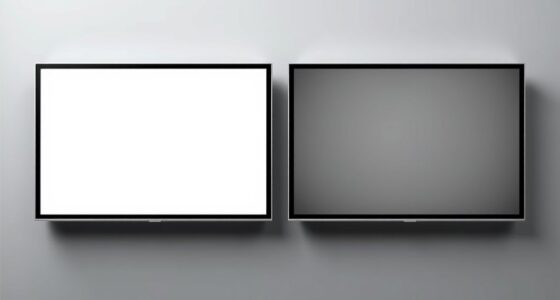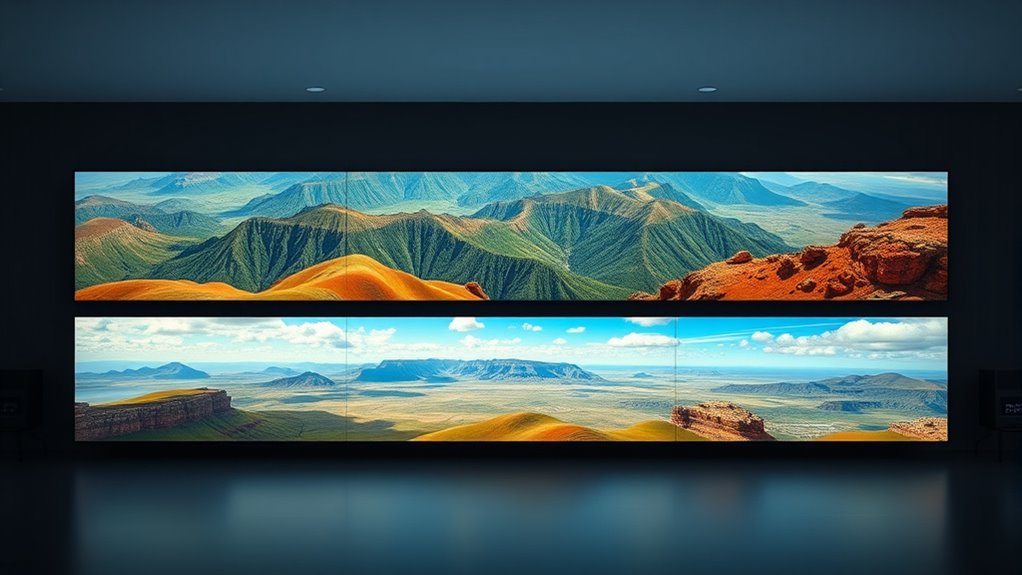
Understanding aspect ratios like 16:9, 4:3, and Cinemascope helps you see how images fit on different screens. 16:9 is common for modern TVs and offers a wide, immersive view, while 4:3 looks more square and was used in older displays. Cinemascope creates a panoramic effect, perfect for cinematic scenes. Knowing these ratios lets you better plan your visuals and framing. Keep exploring to see how each impacts your viewing experience.
Key Takeaways
- 16:9 is the standard widescreen aspect ratio, ideal for modern TVs and streaming content, mimicking natural human vision.
- 4:3 is more square-like, historically used in older monitors, emphasizing vertical space for documents and traditional content.
- Cinemascope (2.35:1) provides a wide, cinematic view, perfect for landscapes and immersive storytelling, emphasizing width over height.
- Aspect ratios influence frame composition, visual balance, and viewer engagement by shaping how scenes and elements are arranged.
- Understanding different ratios helps optimize content presentation, ensuring images are balanced, professional, and suited to their display medium.
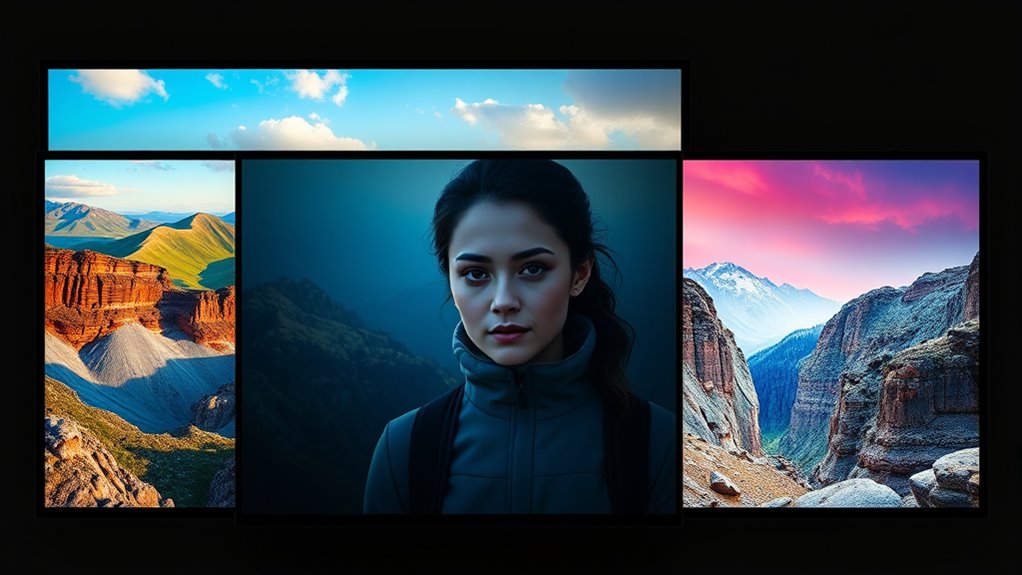
Have you ever wondered what makes some screens and images look so balanced and visually appealing? The secret often lies in aspect ratios, which determine how an image fits within a display. When you look at a screen, the aspect ratio defines its shape by comparing its width to its height. Understanding these ratios can help you grasp why certain screens feel more natural or cinematic. One key aspect to contemplate is frame composition, which involves arranging visual elements within the boundaries of your screen dimensions. The way you position objects and balance visual weight depends heavily on the aspect ratio, influencing how scenes are perceived and how comfortable they are to view.
Understanding aspect ratios helps create balanced, visually appealing images and enhances frame composition.
Different aspect ratios such as 16:9, 4:3, and Cinemascope each have unique characteristics that impact how content appears on your screen. The 16:9 ratio, also known as widescreen, is the standard for most modern TVs, monitors, and streaming content. It’s designed to mimic natural human vision, offering a broad, immersive experience without feeling overly stretched or cramped. This ratio provides ample space for multiple viewers and is ideal for watching movies, gaming, and general use, as it complements the typical screen dimensions of contemporary devices. The 4:3 ratio, which was prevalent in older televisions and computer monitors, has a more square-like shape. This aspect ratio emphasizes vertical space, making it suitable for tasks requiring more focus on height, such as document editing or older TV shows. Its frame composition tends to feel more confined, which can influence how you arrange visual elements, often requiring more vertical stacking.
Cinemascope, or the 2.35:1 aspect ratio, introduces a more elongated, cinematic view often used in films to produce a grand, sweeping effect. This ratio emphasizes width over height, creating a sense of grandeur and immersion that draws you deeper into the scene. When working with Cinemascope, you need to pay special attention to your frame composition to avoid empty space or awkward cropping. The wide screen allows for expansive landscapes or multiple subjects side-by-side, but it requires careful planning to ensure key elements stay within the frame without feeling lost or disconnected.
Ultimately, understanding how aspect ratios influence screen dimensions and frame composition helps you create more visually appealing images and videos. Whether you’re designing content or simply choosing the right screen for your needs, recognizing these ratios allows you to optimize visual storytelling and ensure your images look balanced, engaging, and professional. By contemplating the shape of your display, you can better control how viewers experience your content, making every frame count.

Official Licensed Google TV Smart Projector, HAPPRUN 4K UHD Home Theater with Dolby Sound, Wi-Fi & Bluetooth, Built-in Streaming Apps, Compatible with Games Consoles & Smartphone, Indoor & Outdoor Use
[ Built-in Official Licensed Google TV ] - Without additional equipment, the smart projector can directly access Netflix,...
As an affiliate, we earn on qualifying purchases.
Frequently Asked Questions
How Do Aspect Ratios Affect Viewer Experience?
Aspect ratios directly influence your visual perception and emotional impact while watching. A wider ratio like Cinemascope immerses you in expansive landscapes, creating a sense of grandeur and awe. In contrast, a 4:3 ratio feels more intimate, focusing your attention on characters. By choosing different aspect ratios, filmmakers shape how you emotionally connect with the story, making the viewing experience more engaging and impactful.
Can Aspect Ratios Be Changed During Editing?
Changing aspect ratios during editing is like shifting gears in a car—it’s totally possible and offers great editing flexibility. You can create aspect ratio shiftings to smoothly switch from one ratio to another, adding visual interest or fitting specific screens. Most editing software allows you to crop, resize, or letterbox footage, so you can easily adapt your project to different aspect ratios without losing essential content or compromising quality.
Are There Standard Aspect Ratios for Virtual Reality?
Yes, virtual reality has standard aspect ratios, typically around 16:9 or 4:3, but the most important focus is on immersive aspect ratios designed for a seamless experience. These standards help guarantee your VR content looks natural and engaging. When creating or viewing VR, make sure the aspect ratio matches the headset’s specifications to avoid distortion and maximize immersion, keeping your experience smooth and realistic.
How Do Aspect Ratios Influence Film Composition?
Aspect ratios greatly influence your film composition by shaping visual balance and framing techniques. A wider ratio like Cinemascope creates immersive landscapes, while a 4:3 emphasizes intimacy and focus. When choosing an aspect ratio, you guide viewers’ attention, set the mood, and enhance storytelling. It’s a essential tool that helps you craft compelling visuals, ensuring your scenes are balanced and framed to communicate your creative vision effectively.
Which Aspect Ratios Are Best for Mobile Devices?
For mobile devices, portrait orientation with flexible aspect ratios works best. You should focus on ratios like 9:16 or 3:4, which fit comfortably on screens held vertically. These ratios allow you to adapt content easily, ensuring it looks good whether viewers are scrolling or watching in full-screen mode. By choosing aspect ratio flexibility, you make your visuals more engaging and user-friendly on various mobile devices.

ViewSonic PX701-4K UHD 4K Projector with 3200 Lumens, 240Hz, 4.2ms, HDR, Auto Keystone, Dual HDMI for Home Theater
4K Home Theater Projector: UHD (3840x2160p) 4K resolution with a 1.5-1.6 throw ratio and 3,200 ANSI lumens perfect...
As an affiliate, we earn on qualifying purchases.
Conclusion
As you explore different aspect ratios, you realize how they subtly shape your viewing experience. It’s almost a coincidence how a wider 16:9 can make you feel immersed, while the classic 4:3 offers a nostalgic touch. Cinemascope, with its sweeping visuals, transports you straight to the movies. In the end, understanding these ratios helps you appreciate the artistry behind what you see on screen, making every movie or show a little more special.
![Projector-4K with WiFi and Bluetooth:[3500 ANSI/60W Dolby Audio/Official Licensed Apps], Outdoor-Projector with Smart OS 2.0 & AI Auto Focus,ONOAYO ONO5Pro 2.0 Smart Movie Projector for Indoor/Outdoor](https://m.media-amazon.com/images/I/41fylkjOTIL._SL500_.jpg)
Projector-4K with WiFi and Bluetooth:[3500 ANSI/60W Dolby Audio/Official Licensed Apps], Outdoor-Projector with Smart OS 2.0 & AI Auto Focus,ONOAYO ONO5Pro 2.0 Smart Movie Projector for Indoor/Outdoor
[Hear the Difference–Hollywood-Grade Dual 60W Dolby Audio] Why spend $500 on a TV + soundbar or settle for...
As an affiliate, we earn on qualifying purchases.

ViewSonic LS901-4K UHD 4K Laser Projector with 5500 Lumens, 1.7X Optical Zoom, 4K HDR/HLG Support, 4 Corner Adjustment, H/V Keystone, 360 Degrees Projection for Home Theater and Commercial Venues
4K Home Theater Laser Projector: UHD (3840x2160p) 4K resolution with a 1.2-2.0 throw ratio and 5,500 ANSI lumens,...
As an affiliate, we earn on qualifying purchases.