
The main difference between native 4K and pixel-shifted 4K is that native 4K has a true 3840 x 2160 pixel image, providing genuine resolution, better HDR, and smoother motion. In contrast, pixel-shifted displays simulate 4K by shifting images, which can reduce true detail and color depth. If you want crisp images, vibrant HDR, and accurate motion, native 4K is the better choice—keep exploring to learn more about their real impact.
Key Takeaways
- Native 4K has a true 3840×2160 pixel array, while pixel-shifted 4K simulates resolution by shifting images.
- Native 4K offers superior HDR quality, richer colors, and better contrast due to genuine pixel structure.
- Motion clarity and response times are faster in native 4K displays, reducing blur and artifacts.
- Pixel-shifted 4K displays may show less sharpness and more motion artifacts during fast-paced scenes.
- Overall, native 4K provides authentic resolution and better performance, while pixel-shifted is a budget-friendly alternative.

When choosing a 4K display, understanding the difference between native 4K and pixel-shifted 4K is essential. Native 4K refers to a panel that has a true 3840 x 2160 pixel resolution, meaning every pixel is physically present on the screen. Pixel-shifted 4K, on the other hand, uses a technique where the image is slightly shifted or shifted multiple times to simulate 4K resolution. This method can produce images that look remarkably similar to true 4K, but there are subtle differences that matter, especially when it comes to HDR impact and motion clarity.
Native 4K offers true resolution and better HDR and motion performance than pixel-shifted 4K displays.
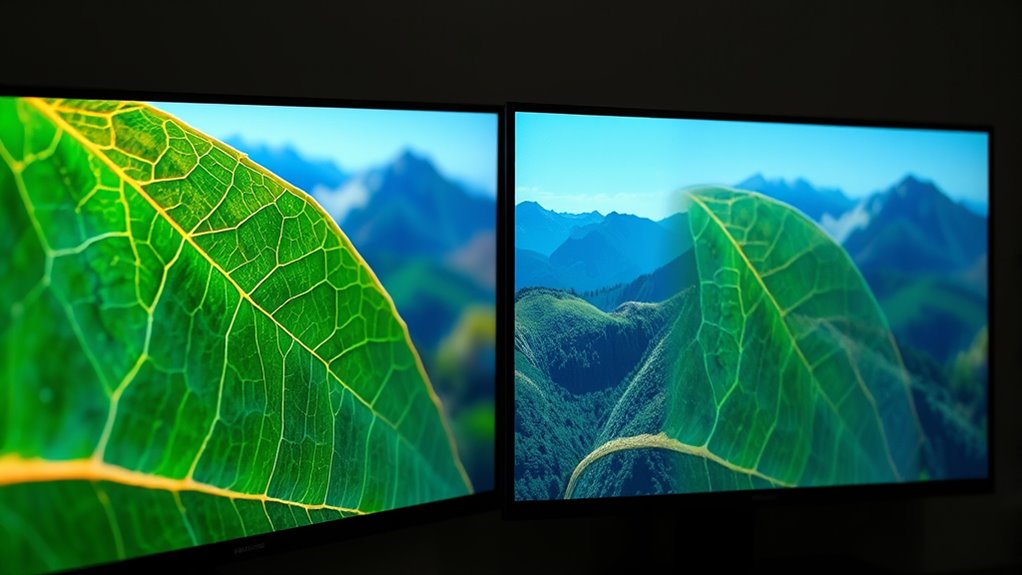
HDR impact is one area where native 4K displays generally excel. Because native 4K screens have dedicated pixels for every part of the image, they can better handle high dynamic range content, delivering richer colors and more precise contrast. The full pixel array allows for more accurate local dimming and better control over brightness, which enhances HDR performance. Pixel-shifted displays may struggle a bit here, as their simulated pixels can’t quite match the depth and richness of true 4K panels. The result is sometimes less vibrant HDR, with subtler gradations and slightly reduced contrast impact.
Motion clarity is another vital factor. Native 4K screens typically have faster response times and higher refresh rates, which makes fast-moving scenes look smoother and sharper. The actual pixels update quickly and consistently, reducing motion blur and ghosting. With pixel-shifted 4K, the process of shifting pixels can introduce slight delays or artifacts during rapid motion, potentially leading to less crisp images during fast-paced scenes. While some advanced pixel-shifted displays use motion interpolation or other processing to improve this, they often can’t fully match the motion clarity of native 4K panels. This difference is especially noticeable during sports, action movies, or gaming.
In essence, if you’re seeking the best HDR impact and superior motion clarity, native 4K displays tend to deliver a more authentic and dynamic experience. Pixel-shifted 4K can be a budget-friendly alternative that offers impressive visual quality, but it may fall slightly short in scenarios demanding the highest levels of HDR performance and fast motion handling. Your choice ultimately depends on how much you value true resolution, color depth, and smooth motion, but understanding these distinctions helps you make a more informed decision.

1500 ANSI Official Licensed Google TV Smart Projector, HAPPRUN 4K Full HD Home Theater with Auto Focus, Dolby Sound, Wi-Fi Bluetooth, Built-in Apps, Compatible with Phone & PC, Indoor & Outdoor Use
[ Built-in Officially Licensed Google TV ]-Enjoy the reliability of an officially certified Google TV projector. Stream Netflix,…
As an affiliate, we earn on qualifying purchases.
As an affiliate, we earn on qualifying purchases.
Frequently Asked Questions
Which 4K Technology Offers Better Color Accuracy?
You’ll find that native 4K displays generally offer better color accuracy because they produce true-to-source images with higher color fidelity and consistent color depth. Pixel-shifted 4K can sometimes enhance resolution but might slightly compromise color precision due to processing techniques. For the best color accuracy, go for native 4K, as it maintains richer, more accurate colors and better overall color consistency.
How Does Pixel-Shifted 4K Impact Motion Clarity?
Pixel-shifted 4K pixels perfect motion clarity by enhancing motion resolution, making fast-paced scenes smoother. You’ll notice fewer artifacts, as the technology reduces unwanted visual glitches. This results in clearer, crisper motion, especially during rapid action sequences. You’ll enjoy a more seamless viewing experience, as pixel-shifting sharpens motion detail and minimizes distortions, giving you a true-to-life, fluid picture that feels incredibly real and remarkably refined.
Are There Any Compatibility Issues With Native 4K Displays?
You might encounter some compatibility issues with native 4K displays, especially regarding resolution compatibility and HDMI standards. To avoid problems, guarantee your device’s firmware is up to date, as manufacturers often release updates to improve compatibility. Double-check that your source device supports native 4K resolution and that your cables and ports meet the necessary specifications. Staying updated helps you enjoy seamless, high-quality viewing without interruptions.
What Is the Lifespan Difference Between the Two Technologies?
Think of your display as a marathon runner; the endurance depends on the technology. Native 4K screens generally have a longer lifespan, but pixel-shifted 4K can experience more burn-in risk over time due to image stability. Power consumption varies, with native 4K often demanding more energy. Ultimately, your choice affects the display’s longevity, balancing burn-in risks and energy use, shaping how long your screen remains vibrant and functional.
Can Pixel-Shifted 4K Be Upgraded to Native 4K?
You can’t upgrade pixel-shifted 4K displays to native 4K through software or hardware changes. Upgrading methods are limited because display compatibility depends on the hardware design. If you want true native 4K, you’ll need to replace your existing display with one that supports native 4K resolution. Pixel-shifted 4K screens are optimized for their technology, so upgrading isn’t feasible without switching to a native 4K model.

Dell 27 Plus 4K Monitor – S2725QS – 27-inch 4K (3840 x 2160) 120Hz 16:9 Display, IPS Panel, AMD FreeSync Premium, sRGB 99%, Integrated Speakers, 1500:1 Contrast Ratio, Comfortview – Ash White
Improved ComfortView Plus: Reduces harmful blue light emissions to ≤35%, for all-day comfort without sacrificing color accuracy.
As an affiliate, we earn on qualifying purchases.
As an affiliate, we earn on qualifying purchases.
Conclusion
Ultimately, understanding the difference between native 4K and pixel-shifted 4K helps you make better viewing choices. Native 4K offers true resolution, true clarity, true detail. Pixel-shifted 4K enhances perceived resolution, improves clarity, and maximizes existing technology. By knowing what to expect from each, you can decide whether to prioritize true resolution or perceptual enhancement, ensuring your viewing experience aligns with your preferences and expectations. Either way, you’re making an informed, confident choice.
Roku Smart TV – 55-Inch Select Series, 4K HDR TV – Roku TV with Enhanced Voice Remote – Flat Screen LED Television with Wi-Fi for Streaming Live Local News, Sports, Family Entertainment
A treat for the eyes: Sharp 4K brings out rich detail on our 55" flat screen TV, while…
As an affiliate, we earn on qualifying purchases.
As an affiliate, we earn on qualifying purchases.

ASUS ROG Strix 27” 4K HDR USB-C Gaming Monitor (XG27UCG) – UHD (3840×2160) Dual Mode (4K 160Hz or FHD 320Hz), 1ms, Fast IPS, Extreme Low Motion Blur Sync, G-SYNC Compatible, AI Gaming, 3yr Warranty
27-inch 4K (3840 x 2160) gaming monitor with versatile dual mode (4K @ 160 Hz or FHD @…
As an affiliate, we earn on qualifying purchases.
As an affiliate, we earn on qualifying purchases.