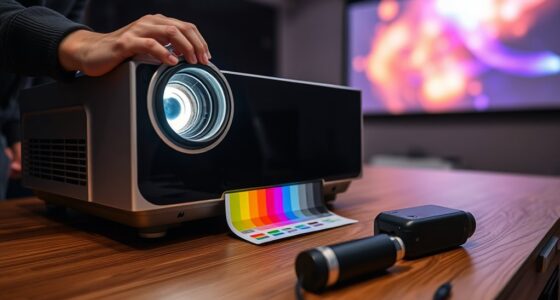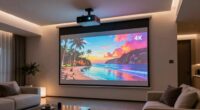
If HDR looks too dark on your projector, it’s often due to improper calibration, limited HDR support, or contrast settings that aren’t optimized. You might not be adjusting brightness correctly or your projector might not handle HDR well, causing images to appear dull. Ambient lighting can also wash out HDR effects. To get the best picture, you need to calibrate your projector carefully and understand its capabilities. Keep going to discover how to improve your HDR experience.
Key Takeaways
- Inadequate brightness calibration can cause HDR images to appear dull or underexposed.
- Lack of proper HDR support or compatibility limits contrast and vibrancy in projection.
- Poor color accuracy or incorrect color settings reduce the perceived brightness and detail.
- Ambient lighting conditions can diminish HDR effects, making images seem darker.
- Improper contrast settings and calibration prevent HDR highlights from appearing bright enough.
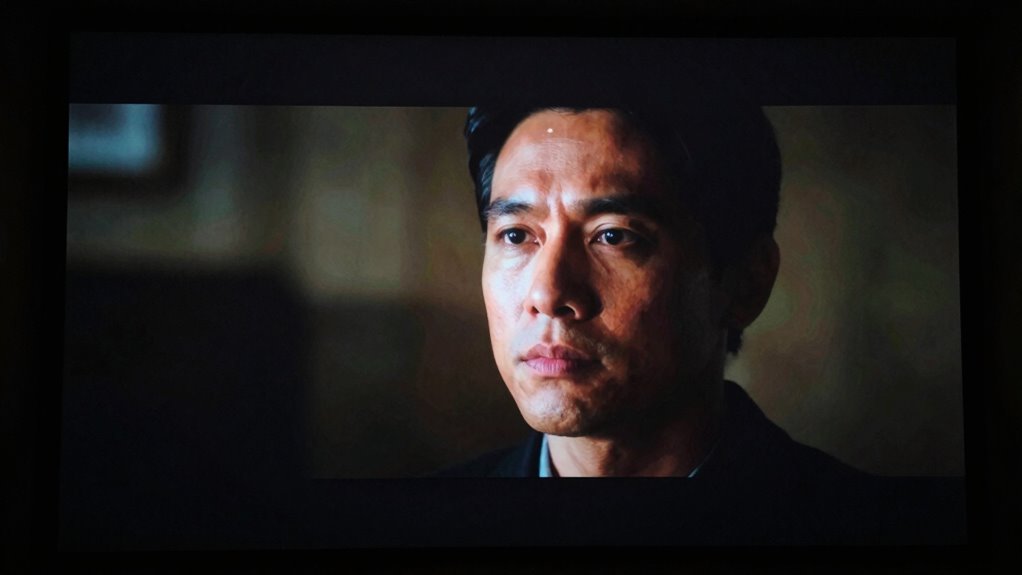
High Dynamic Range (HDR) can dramatically improve your viewing experience, but on some projectors, it ends up looking too dark instead of vibrant. When this happens, it’s often tied to issues with how your projector handles color accuracy and brightness calibration. HDR content is designed to display a wider range of colors and contrast, but if your projector isn’t properly calibrated or lacks the necessary capabilities, those bright highlights can get muted or lost in shadows. This results in an image that feels dull and underwhelming, rather than lively and detailed.
One common reason HDR looks too dark is that your projector isn’t optimized for proper brightness calibration. Brightness calibration is the process of adjusting your projector’s settings to ensure that the light output matches the intended levels for HDR content. If it’s set too low, the bright parts of the image won’t reach their full potential, causing a flat, washed-out picture. Conversely, if it’s too high, the image can become overly harsh or lead to clipping, losing detail in highlights. Achieving the right balance is key, especially since HDR relies on accurate contrast levels to make bright areas pop without overshadowing darker scenes. Proper brightness calibration can be complex, but many projectors include tools or settings to assist with this process. Additionally, understanding your projector’s capability to handle HDR content can help prevent these issues from occurring in the first place. Knowing your projector’s HDR compatibility is essential for optimizing the picture quality and avoiding these problems altogether. It’s also helpful to consider the ambient lighting conditions in your viewing space, as they can impact perceived brightness and contrast.
In addition to brightness calibration, color accuracy plays a significant role in how HDR appears. Poor color accuracy means that your projector isn’t reproducing the intended hues and shades correctly. When colors are off, the image can seem muted or overly dark because the projector isn’t effectively conveying the richness and vibrancy HDR is meant to deliver. To fix this, you need to ensure your projector is properly calibrated for color. This involves adjusting color temperature, gamma settings, and sometimes using calibration tools to match the projector’s output to industry standards. When these are set correctly, HDR content can display a more accurate, vibrant range of colors, making scenes look more realistic and lively, rather than dull.
Additionally, understanding the contrast ratio of your projector can help you better optimize HDR settings for more vibrant images. Ultimately, if HDR looks too dark, it’s a sign that your projector may need a combination of brightness calibration and color accuracy adjustments. Many projectors can be fine-tuned with calibration tools or professional help, so you get that vibrant, detailed image HDR is supposed to provide. Without these adjustments, even the best HDR content can fall flat, making your viewing experience less immersive and more frustrating. Proper calibration ensures you’re getting the full benefit of HDR, with bright, true-to-life images that truly stand out.

The Display Calibration Guide – Volume 2 HDR: Calibrate Your TV or Projector with a Sensor and Free Tools
As an affiliate, we earn on qualifying purchases.
As an affiliate, we earn on qualifying purchases.
Frequently Asked Questions
How Does Projector Brightness Affect HDR Performance?
Projector brightness directly impacts HDR performance by affecting color accuracy and image clarity. If your projector isn’t bright enough, HDR content may appear too dark, losing detail in shadows and highlights. This can also strain the lamp lifespan, as higher brightness settings wear out the lamp faster. To optimize HDR, make certain your projector has sufficient brightness for your environment, balancing vivid colors with long-term lamp durability.
Can Calibration Improve HDR Brightness on Projectors?
Yes, calibration can improve HDR brightness on projectors. Using calibration techniques, you can optimize color accuracy and adjust brightness levels to enhance HDR performance. Proper calibration guarantees your projector displays content as intended, preventing darkness issues caused by factory settings. By fine-tuning contrast, gamma, and color balance, you make HDR content brighter and more vibrant, giving you a better viewing experience overall.
What Roles Do Contrast Ratio and Color Depth Play?
Contrast ratio and color depth are key to HDR quality. Higher contrast ratios enhance image contrast, making dark scenes appear deeper and more realistic, while better color depth improves color accuracy, providing richer, more vibrant hues. If these aspects are limited, your projector may struggle to display true HDR effects, resulting in darker images. To improve HDR brightness, focus on increasing contrast ratio and color depth for a more dynamic, accurate picture.
Does Ambient Lighting Influence HDR Brightness Perception?
You might be surprised to learn that studies show ambient light can reduce perceived brightness by up to 50%. Yes, ambient lighting markedly influences HDR brightness perception because it affects your color perception and contrast sensitivity. When there’s too much ambient light, HDR images may seem darker than intended, making details less vibrant. To enjoy true HDR quality, controlling ambient light levels helps your projector display images as vividly and accurately as possible.
Are Some Projector Models Better Suited for HDR Content?
Yes, some projector models are better suited for HDR content. Look for projectors with a high-quality projector lens that can accurately project detailed images, and guarantee they support HDR metadata. These features help deliver brighter, more vibrant images. You’ll notice improved contrast and color accuracy, especially in darker scenes. Choosing a model with advanced HDR support and a good lens ensures you get the most out of your HDR content.

Calibrite ColorChecker Studio Spectrophotometer for Complete Color Management for Display, Projector, Printer and Scanner Profiling Software, w/ColorChecker Classic Mini for Custom Camera Profiling
SPECIFICATIONS: All in one spectrophotometer for camera to print color control, supports monitor display and projector profiling plus…
As an affiliate, we earn on qualifying purchases.
As an affiliate, we earn on qualifying purchases.
Conclusion
So, next time your HDR images appear darker than expected, ask yourself—are your projector’s settings optimized for HDR content? Sometimes, it’s just a matter of tweaking brightness, contrast, or color profiles. Don’t settle for dull visuals; you’ve got the power to enhance your viewing experience. After all, isn’t the goal to enjoy vivid, lifelike images that truly pop? With a little adjustment, you can bring your HDR to the full brightness it deserves.

ViewSonic PX749-4K UHD 4K Gaming Projector Designed for Xbox with 4.2ms Response Time, 4000 ANSI Lumens, H/V Keystone, 1.3x Optical Zoom, and USB C for Home Theater
4K Home Theater Projector: UHD (3840x2160p) 4K resolution with a 1.1-1.5 throw ratio and 4,000 ANSI lumens perfect…
As an affiliate, we earn on qualifying purchases.
As an affiliate, we earn on qualifying purchases.
![[2000 ANSI/AI Visual Calibration/4K Support] X7 Native 1080P Smart Projector with Android 14 OS, Portable Movie Projector for Bedroom & Outdoor, AI Auto Focus & Keystone Black & Slate Gray Sliver](https://m.media-amazon.com/images/I/51z4MWv1aJL._SL500_.jpg)
[2000 ANSI/AI Visual Calibration/4K Support] X7 Native 1080P Smart Projector with Android 14 OS, Portable Movie Projector for Bedroom & Outdoor, AI Auto Focus & Keystone Black & Slate Gray Sliver
[2000 ANSI Lumens & Native 1080P Brilliance] Don't settle for washed-out images in dimly lit rooms. Equipped with…
As an affiliate, we earn on qualifying purchases.
As an affiliate, we earn on qualifying purchases.