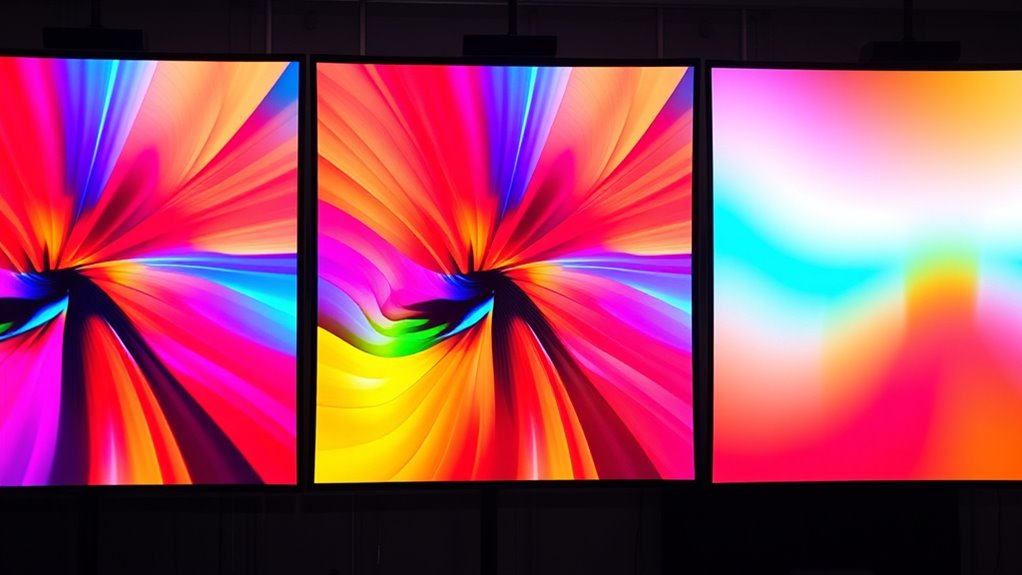

Understanding color gamuts like sRGB, DCI-P3, and BT.2020 helps you see how projectors can produce more vibrant, true-to-life images. sRGB is common but limited in range, while DCI-P3 offers richer reds and greens for a more vivid experience. BT.2020 covers nearly the entire visible spectrum, giving you the broadest colors and detail. Recognizing these differences guides you to select the right projector for better visual quality—keep exploring to learn more.
Key Takeaways
- sRGB is a standard color space for most displays, offering a limited but consistent color range.
- DCI-P3 covers a wider spectrum than sRGB, especially enhancing reds and greens for more vibrant visuals.
- BT.2020 provides an even broader gamut, encompassing nearly the entire visible spectrum for ultra-high-definition content.
- Proper calibration and device color management are essential to accurately reproduce these gamuts in projectors.
- Choosing a projector with a wider color gamut enhances color richness and realism in visual presentations.

Have you ever wondered why colors look different on various screens or printers? The answer lies in the concept of color gamuts and how they’re managed across different devices. Understanding color gamut involves knowing about the evolution of color spaces and the display calibration techniques used to achieve accurate color reproduction. Over time, the way we handle color has evolved markedly, leading to more vibrant, precise images. Early displays had limited color ranges, which meant colors appeared dull or inaccurate. Today, advancements in technology have expanded color spaces, allowing for richer, more lifelike visuals, especially in high-end projectors and displays.
Colors look different across devices due to varying color gamuts and calibration techniques.
The evolution of color space has played a vital role in this progress. Initially, standard RGB color spaces like sRGB served as the baseline for most displays and digital content. As demands for broader color ranges increased, new standards emerged, such as DCI-P3 and BT.2020, offering wider gamuts. DCI-P3, originally designed for digital cinema, covers a larger portion of the visible spectrum than sRGB, providing more vivid reds and greens. BT.2020, also known as Rec. 2020, takes this further with an even broader gamut, aiming to encompass almost the entire visible color spectrum. When you compare these, it becomes clear that each step in the color space evolution allows for more precise and immersive visual experiences, especially critical in projectors used for high-quality home theaters or professional screenings.
Display calibration techniques are essential in ensuring that these broader color gamuts are accurately represented on your screen or projector. Proper calibration involves adjusting settings such as contrast, brightness, and color balance, often with specialized tools like colorimeters or spectrophotometers. These devices measure the output of your display and help create a color profile that aligns with the intended color space. When you calibrate your projector for a specific color gamut, you’re ensuring that the colors you see are true to the standard, whether it’s sRGB, DCI-P3, or BT.2020. This process reduces discrepancies caused by manufacturing variances or aging components, maintaining color accuracy over time. Advanced calibration techniques continue to improve the fidelity and consistency of color reproduction in modern display technology.
Understanding how these elements work together — from the evolution of color spaces to the calibration techniques — helps you appreciate why some projectors display more vibrant, true-to-life colors than others. It’s not just about having a wide color gamut; it’s about how well your device can reproduce those colors accurately. As display technology continues to advance, so will the methods for calibrating and managing color gamuts, bringing richer, more immersive visual experiences into your home or professional environment.
Frequently Asked Questions
How Does Color Gamut Affect Projector Image Quality?
Color gamut directly impacts your projector’s image quality by enhancing color accuracy and display saturation. A wider color gamut lets your projector reproduce more vibrant and true-to-life colors, making images pop and look more realistic. If the color gamut is limited, colors may appear dull or washed out, reducing overall quality. So, choosing a projector with a broad color gamut guarantees your visuals are both vivid and accurate.
Can a Projector Display All Three Color Gamuts Simultaneously?
No, a projector can’t display all three color gamuts simultaneously due to color gamut limitations. Your projector’s color management system is designed to optimize specific gamuts, but it can’t expand beyond its inherent capabilities. When you switch between sRGB, DCI-P3, or BT.2020, it adjusts accordingly, but displaying them all at once isn’t possible. To improve color accuracy, focus on selecting a projector with the right color gamut for your needs.
What Is the Impact of Color Gamut on Gaming Visuals?
Think of your gaming visuals as a vibrant painting coming to life. A wider color gamut boosts color accuracy, making every explosion and character pop with realism. It enhances visual immersion, pulling you deeper into the game’s world. When your projector covers more of the color spectrum, your gaming experience becomes richer and more lifelike, transforming ordinary gameplay into an extraordinary adventure filled with vivid detail and stunning clarity.
Are Wider Gamuts Always Better for Home Theaters?
Wider gamuts aren’t always better for home theaters if color accuracy and depth matter to you. While a broader color range can make visuals more vibrant, it may also lead to oversaturation or less true-to-life colors if your projector isn’t calibrated properly. To get the best experience, focus on a projector that balances a wide color gamut with excellent color accuracy and depth, ensuring your movies look natural and immersive.
How Do I Calibrate My Projector for Accurate Color Reproduction?
To calibrate your projector for accurate color reproduction, start by using color calibration techniques like adjusting the contrast, brightness, and color settings. Invest in color accuracy tools like a colorimeter or spectrophotometer to make certain of precise calibration. Follow the on-screen calibration guides or professional calibration services if needed. Regularly recalibrate to maintain color consistency and ensure your images display true-to-life colors, enhancing your viewing experience.
Conclusion
Think of choosing a color gamut like picking the right set of paints for a masterpiece. Just as vibrant colors can make your artwork pop, a wider color gamut like DCI-P3 or BT.2020 brings more life and realism to your projector’s display. When selecting your setup, remember: the broader the spectrum, the richer your visual experience. Don’t settle for dull shades—embrace the full palette and let your images truly shine.