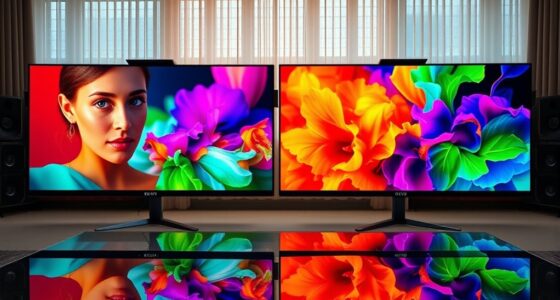

Lumens and nits measure brightness but in different ways. Lumens indicate the total light output from a projector, making it easier to see in darker rooms or when ambient light is low. Nits, on the other hand, show how bright a specific point on a display appears, which is helpful for screens viewed in bright environments. Understanding these differences can help you pick the right device—stick around to learn more about applying these units to your setup.
Key Takeaways
- Lumens measure total light output from a projector, indicating overall brightness in dark environments.
- Nits measure brightness at a specific point on a display surface, reflecting how bright the image appears to viewers.
- Higher lumens help overcome ambient light in large or well-lit spaces, while nits are crucial for visibility in bright surroundings.
- Lumens are used to evaluate projector brightness, whereas nits are more relevant for monitors, TVs, and digital signage.
- Both units are important; choose lumens for projectors and nits for screens based on ambient light conditions.

When choosing a display or projector, understanding the difference between lumens and nits is vital, as both measure brightness but in different ways. This distinction becomes particularly important when considering ambient light conditions and screen gain, which can greatly impact your viewing experience. Lumens are a measure of the total light output from a projector, indicating how bright the image will appear in a dark room. They help you gauge whether the projector can overcome ambient light and produce a clear picture. Higher lumens mean a brighter image, which is essential if you’re projecting in a well-lit space or a room with lots of windows. However, simply increasing lumens isn’t always the solution, especially if your screen’s gain isn’t suitable for such brightness levels. Additionally, understanding how ambient light interacts with your display setup can help optimize image quality and viewer comfort. Screen gain refers to how much light a screen reflects or amplifies. A screen with a high gain, say 1.8 or higher, reflects more light back toward the viewer, making the image appear brighter. This is especially helpful in environments with some ambient light, as it can compensate for the extra illumination. Conversely, low-gain screens (around 1.0 or less) distribute light more evenly and reduce hotspots, but they require a projector with sufficient lumens to produce a bright enough image. If you set up in a room with considerable ambient light, you’ll want a projector with higher lumens and a screen with appropriate gain to guarantee visibility and color accuracy. Nits, on the other hand, measure the brightness of a display directly, usually in reference to screens like monitors, TVs, or digital signage. Unlike lumens, which measure total light output, nits specify how bright a particular point on the screen appears to your eyes. When evaluating a display for a brightly lit environment, nits give you a more precise idea of how visible the image will be under those conditions. For example, a screen with 1,000 nits will be much brighter and easier to see in a sunny room than one with 300 nits.
Frequently Asked Questions
How Do Ambient Light Conditions Affect Brightness Perception?
Ambient light conditions greatly influence your brightness perception, as higher ambient light sensitivity can make images seem dimmer. In bright rooms, your perception variability increases, so even a high-lumen projector might not look as vivid. To get the best image, you need to reduce ambient light or increase your projector’s brightness. Pay attention to your environment, and you’ll enjoy sharper, more vibrant visuals regardless of lighting conditions.
Can a Projector With Higher Lumens Outperform One With Higher Nits?
A projector with higher lumens can outperform one with higher nits, especially in larger or well-lit spaces, because lumens measure overall brightness. However, higher lumens might impact color accuracy and increase power consumption. You should consider your environment’s ambient light and the importance of color fidelity. Ultimately, choose based on your needs for bright images, color accuracy, and energy efficiency, not just raw brightness numbers.
Are Nits Relevant for Outdoor Projector Applications?
In outdoor settings with bright ambient lighting, nits matter because they measure brightness directly on the screen, helping you see clear images. If your outdoor projector is used in well-lit environments, higher nits improve visibility despite ambient light. Screen durability and outdoor lighting conditions influence how well a projector performs outside. So, considering nits guarantees your outdoor display stays vivid and sharp, even under harsh sunlight or fluctuating lighting.
How Does Screen Size Impact Perceived Brightness?
As your screen size increases, perceived brightness decreases because larger screens spread the same light over a wider area. Your viewer distance also matters; sitting farther away makes the image seem dimmer. To maintain a bright, clear picture on bigger screens, you’ll need a projector with higher lumens. Adjusting both screen size and viewer distance helps you optimize brightness for a better viewing experience.
Is There a Standard Brightness Level for Home Theaters?
Imagine a cozy, inviting room where your home theater shines just right. Typically, a brightness of 1,500 to 2,500 lumens balances well with high contrast ratios and vibrant color accuracy, creating crisp images without being overwhelming. While there’s no strict standard, aiming for this range guarantees your space feels immersive and comfortable, with enough brightness for various lighting conditions and a picture that truly pops.
Conclusion
Understanding lumens and nits is like choosing the right paint for your room—both measure brightness, but in different ways. I once tried projecting a movie outdoors with a low-lumen projector, and it was like trying to read a map in fog. Knowing the right unit helps you avoid that fog and get a clear picture. So, next time you pick a projector, remember: choosing the right brightness unit is your key to a perfect viewing experience.