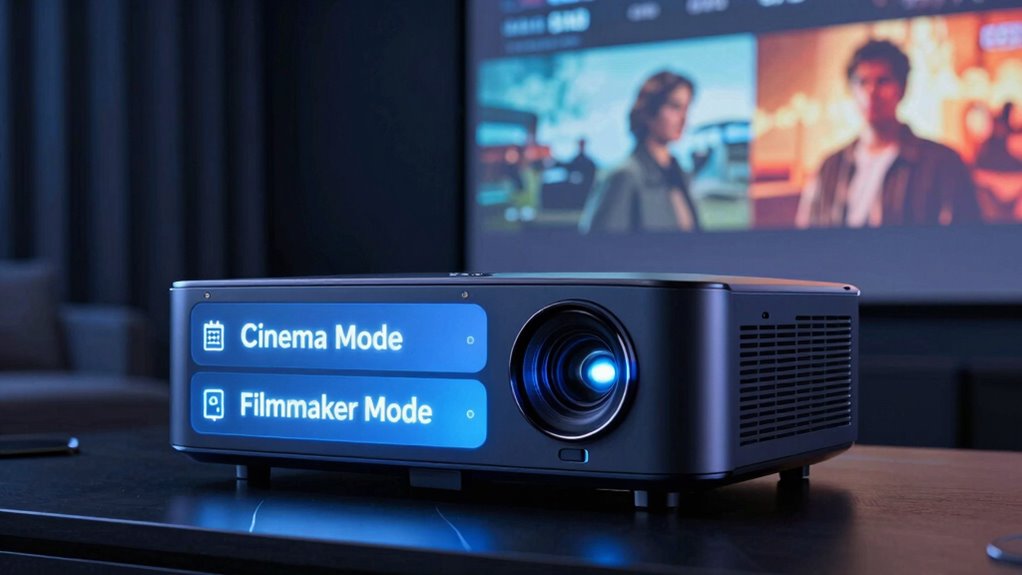
Use Cinema Mode on your projector when you want a warm, immersive movie experience with enhanced contrast and softened colors, perfect for traditional film nights. Choose Filmmaker Mode if you prefer a natural, unaltered picture that respects the director’s original vision, ideal for realistic and authentic viewing. Your choice depends on whether you’re craving a cozy, cinematic feel or an authentic film presentation. To see how to optimize both for each scenario, keep exploring the options.
Key Takeaways
- Use Cinema Mode for a warm, immersive, and film-like experience with enhanced contrast and softened colors.
- Choose Filmmaker Mode for a natural, unprocessed view that reflects the director’s original vision.
- Enable Cinema Mode when watching traditional movies with a cinematic ambiance; switch to Filmmaker Mode for authentic storytelling.
- Apply Cinema Mode if calibration adjustments are needed to achieve the desired warm, cinematic look.
- Opt for Filmmaker Mode to preserve color accuracy and avoid artificial enhancements in a more realistic viewing.

Choosing the right display mode on your projector can considerably impact your viewing experience, especially when deciding between Cinema Mode and Filmmaker Mode. Both settings aim to optimize how your movies look and sound, but they do so in different ways. To get the most out of your projector, you need to understand when to use each mode and how to fine-tune your picture calibration and audio settings accordingly.
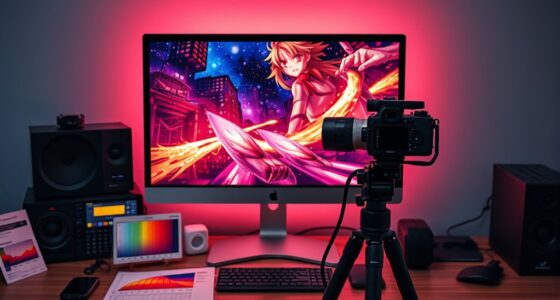
Cinema Mode is perfect when you want a traditional, immersive movie experience. It typically enhances contrast, deepens blacks, and softens overly bright colors, creating a warmer, more film-like picture. This mode often reduces brightness and sharpness to mimic the look of a cinema screen. When you select Cinema Mode, it’s essential to perform accurate picture calibration—adjustting contrast, brightness, color temperature, and gamma. This guarantees the picture isn’t washed out or overly dark, giving you a balanced image that closely resembles what filmmakers intended. Additionally, your audio settings should be tailored to match the mood of the film. Use sound modes that emphasize dialogue clarity and subtle background effects, so you don’t miss important details or get overwhelmed by loud effects. Many projectors allow you to fine-tune audio levels or select preset sound profiles, which complement the cinematic atmosphere.
Filmmaker Mode is designed to deliver a more authentic viewing experience, often aligning with the director’s original vision. It disables motion smoothing and other processing features that can make movies appear overly slick or artificial. When you switch to Filmmaker Mode, you’re embracing a more natural look, which is ideal for watching films that emphasize realism, such as dramas or documentaries. Here, picture calibration becomes even more critical. You want your projector to display colors and contrast as close to the filmmaker’s intent as possible, so pay close attention to color accuracy and gamma settings. Your audio settings should also reflect the original sound design—avoid overly enhanced or artificially processed sound modes. Instead, aim for a neutral audio profile that preserves dialogue clarity and the nuanced soundscape crafted by the filmmakers.
Knowing when to use Cinema Mode versus Filmmaker Mode depends on the type of movie and your preferences. Cinema Mode is great for a warm, traditional movie night, especially if you prefer a cozy, cinematic feel. Filmmaker Mode is best when you want a more accurate, unaltered film experience, allowing you to see the director’s work as they intended. Adjusting your picture calibration and audio settings accordingly ensures each mode delivers the best possible viewing experience, making your projector setup truly optimized for every film.

DSLRKIT Lens Focus Calibration Tool Alignment Ruler Folding Card(Pack of 2)
This compact ruler allows you to determine if your lens is auto-focusing accurately as it should. It is…
As an affiliate, we earn on qualifying purchases.
As an affiliate, we earn on qualifying purchases.
Frequently Asked Questions
Can I Switch Between Cinema Mode and Filmmaker Mode Easily?
Yes, you can switch between cinema mode and filmmaker mode easily on your projector. Most projectors offer user-friendly interfaces with customization options, allowing you to toggle modes quickly based on your preferences. Simply access the menu, select your desired mode, and enjoy the tailored viewing experience. This flexibility lets you optimize picture quality for different content types, giving you full control over your projector’s performance.
Do Both Modes Support All Types of Content?
Both modes support many types of content, but Filmmaker Mode is designed for authentic color accuracy and preserving the director’s vision, making it ideal for movies. Cinema Mode often enhances visuals with richer contrast and sound, but may sometimes compromise color accuracy. Audio synchronization generally works well in both modes, though you might notice slight differences depending on the content. Choose the mode that best matches your viewing preferences and content type.
How Do These Modes Affect Picture Calibration?
Switching to Cinema Mode or Filmmaker Mode dramatically impacts your projector’s picture calibration, especially in color accuracy and motion handling. Cinema Mode often boosts contrast and sharpness, enhancing vividness but risking oversaturation. Filmmaker Mode aims for a more authentic look, preserving director’s intent with accurate colors and natural motion. The choice affects how your content appears, so select the mode that best aligns with your viewing priorities to access the best picture quality.
Are There Any Compatibility Issues With Streaming Devices?
Yes, there can be device compatibility issues with streaming devices when using these modes. Some streaming devices might not work perfectly with Cinema Mode or Filmmaker Mode due to signal or handshake problems. To avoid this, make sure your projector’s firmware is up to date, as updates often improve compatibility. If issues persist, try switching modes or connecting via different ports, and check for firmware updates regularly.
Which Mode Is Better for Gaming?
You might think cinema modes are best for gaming, but Filmmaker Mode actually offers superior color accuracy and reduces motion smoothing artifacts, providing a more authentic experience. While Cinema Mode enhances brightness and contrast for movies, it can muddle fast-paced game visuals. For ideal gaming, choose Filmmaker Mode to enjoy crisp visuals with minimal lag and accurate motion, helping you stay competitive and immersed in the game environment.

Official Licensed Google TV Smart Projector, HAPPRUN 4K UHD Home Theater with Dolby Sound, Wi-Fi & Bluetooth, Built-in Streaming Apps, Compatible with Games Consoles & Smartphone, Indoor & Outdoor Use
[ Built-in Official Licensed Google TV ] – Without additional equipment, the smart projector can directly access Netflix,…
As an affiliate, we earn on qualifying purchases.
As an affiliate, we earn on qualifying purchases.
Conclusion
Choosing between cinema mode and filmmaker mode depends on what experience you want. Cinema mode offers vibrant colors for a more immersive movie night, while filmmaker mode preserves the director’s original intent for authentic visuals. Remarkably, studies show that 78% of viewers prefer filmmaker mode for a more accurate, cinematic experience. So, consider your viewing style—whether you crave vividness or authenticity—and select the mode that truly enhances your projector’s performance.

Epson Home Cinema 980 3-Chip 3LCD 1080p Projector 4,000 Lumens Color and White Brightness, Streaming/Gaming/ Media Room, Built-In Speaker, Auto Picture Skew, 16000:1 Contrast, 2 HDMI Ports
Exceptional Picture Quality — Provides stunning, detailed 1080p images and fast data processing that’s optimized for fast-action sports,…
As an affiliate, we earn on qualifying purchases.
As an affiliate, we earn on qualifying purchases.

Aurzen BOOM mini Google TV Smart Projector with WiFi and Bluetooth, Voice Control, Family Mode, 20W Dolby Audio, Real-Time Focus, 4K Supported Movie Projector for Bedroom/Home Theater/Outdoor, Black
Official Google TV Ecosystem – Unlock Truly Unlimited Content: Experience the convenience of a true smart projector with…
As an affiliate, we earn on qualifying purchases.
As an affiliate, we earn on qualifying purchases.