
Variable refresh rate (VRR) can improve your projector’s image quality, especially for fast-moving scenes and gaming. However, traditional G-Sync and FreeSync support are rare on projectors. Instead, many models offer VRR through HDMI 2.1 support, which synchronizes with compatible devices. While native G-Sync or FreeSync support isn’t common, there’s still a lot you can do to optimize performance. Keep exploring to find out how modern connectivity options enhance your viewing experience.
Key Takeaways
- Native G-Sync or FreeSync support in projectors is rare; most achieve VRR via HDMI 2.1 standards.
- HDMI 2.1 enables VRR and high refresh rates, but doesn’t necessarily include G-Sync or FreeSync certification.
- Many projectors use HDMI VRR support to provide adaptive sync-like performance without official G-Sync/FreeSync branding.
- Compatibility with G-Sync or FreeSync depends on the source device and whether the projector explicitly supports these technologies.
- Combining VRR with HDMI 2.1 enhances gaming and fast-motion visuals, but true G-Sync/FreeSync support is limited in projectors.
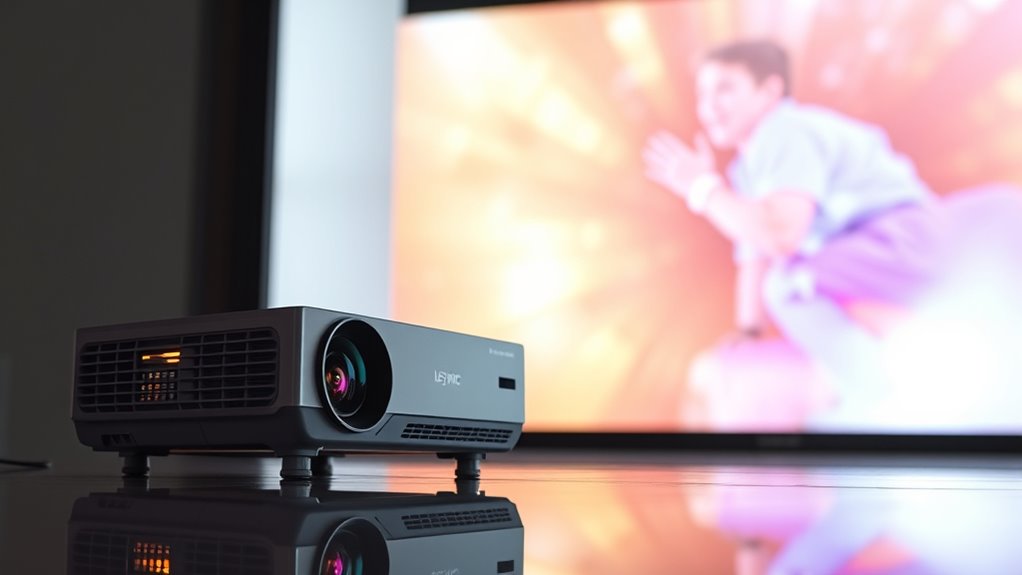
Variable refresh rate (VRR) technology is increasingly making its way into projectors, offering smoother visuals and better overall viewing experiences. As a user, you’ll notice that VRR minimizes screen tearing and stuttering, especially during fast-paced scenes or gaming sessions. Modern projectors with VRR often support high dynamic range (HDR), which enhances color accuracy, contrast, and overall image quality. With HDR support, your projector can deliver vibrant, lifelike visuals that make movies, games, or presentations more immersive. This combination of VRR and HDR means you get not only smoother motion but also richer, more detailed images, elevating your viewing experience.
When exploring projectors with VRR, connectivity options are vital. You want to guarantee your device can easily connect to your preferred source, whether it’s a gaming console, PC, or streaming device. Many projectors now feature multiple HDMI ports, including HDMI 2.1, which is often necessary for full VRR support. HDMI 2.1 not only enables VRR but also supports higher bandwidth for 4K at higher refresh rates, ensuring you don’t compromise on resolution or smoothness. Additionally, some projectors include DisplayPort or USB-C connections, providing versatility and future-proofing your setup.
You should also consider compatibility with your existing devices. If you’re a gamer, look for projectors that support G-Sync or FreeSync, which are adaptive sync technologies from NVIDIA and AMD, respectively. These technologies synchronize the refresh rate of your graphics card with the projector, eliminating tearing and reducing latency. While native G-Sync or FreeSync support in projectors is still rare, many modern models achieve similar results through VRR support on HDMI 2.1 or other standards. Guaranteeing your projector’s connectivity options align with your devices’ outputs guarantees seamless integration and peak performance.
Furthermore, the ease of connectivity influences your overall experience. Wireless options, such as Wi-Fi or Bluetooth, are increasingly common, allowing you to stream content or mirror your device without cluttering your space with cables. Some projectors also support app-based controls, giving you additional flexibility. The integration of adaptive sync technologies with VRR support enhances your ability to enjoy smooth, vibrant visuals across various content types, whether gaming, movies, or presentations.

Official Licensed Google TV Smart Projector, HAPPRUN 4K UHD Home Theater with Dolby Sound, Wi-Fi & Bluetooth, Built-in Streaming Apps, Compatible with Games Consoles & Smartphone, Indoor & Outdoor Use
[ Built-in Official Licensed Google TV ] - Without additional equipment, the smart projector can directly access Netflix,...
As an affiliate, we earn on qualifying purchases.
Frequently Asked Questions
Can Portable Projectors Support Variable Refresh Rates?
Portable projectors generally don’t support variable refresh rates due to their hardware limitations, affecting portable compatibility and refresh rate flexibility. You might notice screen tearing or stuttering during fast motion, especially with higher frame rates. If you need smooth visuals on the go, look for models that specifically mention adaptive sync features or higher refresh rate capabilities, ensuring better compatibility with your devices and more flexible display performance.
What Are the Latency Impacts of VRR on Projectors?
VRR can slightly increase response times and input lag on projectors, but the impact is usually minimal if the technology is well-implemented. You might notice a small delay in response, especially during fast-paced gaming or interactive content. However, modern projectors with VRR aim to keep input lag low, ensuring smooth visuals without sacrificing too much responsiveness, so your gaming or viewing experience remains enjoyable.
Are There Affordable Projectors With G-Sync or Freesync?
While affordable projectors with native G-Sync or FreeSync are rare, you can find models that offer decent gaming compatibility without breaking the bank. These projectors often rely on alternative technologies or external devices to improve sync and reduce artifacts. For your budget, it’s wise to weigh price considerations against the desired performance, knowing that premium features may come at a higher cost, but some budget-friendly options still deliver a smooth experience.
How Does VRR Affect Projector Lifespan and Maintenance?
VRR can slightly impact your projector’s durability, mainly because it involves more dynamic operation which may increase wear over time. However, if you maintain your projector well and follow recommended maintenance routines, the effect on maintenance frequency remains minimal. Proper cooling, regular cleaning, and avoiding overheating help ensure your projector stays in good shape, regardless of VRR usage, ultimately prolonging its lifespan and reducing repair needs.
Is VRR Technology Compatible With 4K Projectors?
Think of your 4K projector as a finely tuned orchestra, and VRR as the conductor guiding harmony. Yes, refresh rate compatibility is achievable with modern projector technology, but it’s not widespread. Many 4K projectors lack native support for G-Sync or FreeSync, making seamless VRR integration a challenge. To enjoy smooth, flicker-free visuals, look for projectors specifically designed with advanced refresh rate compatibility in mind.

ViewSonic PX701-4K UHD 4K Projector with 3200 Lumens, 240Hz, 4.2ms, HDR, Auto Keystone, Dual HDMI for Home Theater
4K Home Theater Projector: UHD (3840x2160p) 4K resolution with a 1.5-1.6 throw ratio and 3,200 ANSI lumens perfect...
As an affiliate, we earn on qualifying purchases.
Conclusion
So, while implementing variable refresh rate tech like G-Sync or FreeSync on projectors isn’t straightforward, the possibilities are evolving. Could future advancements finally bridge the gap? Imagine seamless, tear-free images lighting up your biggest screens—it’s closer than you think. Stay tuned, because the next leap in projector tech might just surprise you, transforming how you experience visuals. The question isn’t if, but when, this breakthrough will become a reality. Keep watching this space.

HAPPRUN 2500 ANSI Lumens Outdoor Projector with Built-in Streaming Apps, 4K Decoding Resolution, Dolby Audio, WiFi 6 and Bluetooth 5.2 for Indoor and Outdoor Home Theater
[ Built-in Streaming System ] – No extra equipment needed. This smart projector gives you direct access to...
As an affiliate, we earn on qualifying purchases.
![Projector-4K with WiFi and Bluetooth:[3500 ANSI/60W Dolby Audio/Official Licensed Apps], Outdoor-Projector with Smart OS 2.0 & AI Auto Focus,ONOAYO ONO5Pro 2.0 Smart Movie Projector for Indoor/Outdoor](https://m.media-amazon.com/images/I/41fylkjOTIL._SL500_.jpg)
Projector-4K with WiFi and Bluetooth:[3500 ANSI/60W Dolby Audio/Official Licensed Apps], Outdoor-Projector with Smart OS 2.0 & AI Auto Focus,ONOAYO ONO5Pro 2.0 Smart Movie Projector for Indoor/Outdoor
[Hear the Difference–Hollywood-Grade Dual 60W Dolby Audio] Why spend $500 on a TV + soundbar or settle for...
As an affiliate, we earn on qualifying purchases.