
Auto Low Latency Mode (ALLM) automatically switches your projector or display to a low latency setting when you start gaming. It detects when gameplay begins and adjusts the display instantly, reducing input lag and smoothing your experience. This means you won’t need to manually change settings for ideal response times. If you want to understand how ALLM works with projectors and the benefits it offers, keep exploring to find out more.
Key Takeaways
- ALLM automatically switches projectors to low latency mode when gaming is detected, reducing input lag.
- It requires HDMI 2.1 compatibility between the projector and gaming device for seamless communication.
- Using ALLM enhances gaming responsiveness without manual adjustments, providing a smoother experience.
- Not all projectors support HDMI 2.1 or ALLM, so compatibility is essential for automatic low latency switching.
- Upgrading to HDMI 2.1-enabled projectors ensures future-proofing and optimal gaming performance.
Have you ever wondered how your gaming experience can become smoother and more responsive? If you’re serious about enjoying your games without lag or delays, understanding Auto Low Latency Mode (ALLM) is essential. ALLM is a feature designed to optimize your display’s performance by automatically switching your TV or projector into a low latency mode whenever you’re gaming. This means less input lag, faster response times, and a more immersive experience. The key to accessing ALLM’s benefits lies in compatible devices that support HDMI 2.1 features. With HDMI 2.1, your setup can communicate seamlessly, allowing your display to recognize when you’re playing and adjust settings instantly. This eliminates the need to manually switch modes, which can be frustrating and time-consuming. When your projector or TV supports HDMI 2.1 and ALLM, it creates a more synchronized environment where your gaming console or PC can tell your display to prioritize speed over picture enhancements.
Your gaming compatibility becomes essential in this setup. Not all displays or input sources support HDMI 2.1 or ALLM, so you need to guarantee both your projector and gaming devices are compatible. Modern gaming consoles like the PlayStation 5 and Xbox Series X/S are built with HDMI 2.1 ports, making them capable of transmitting the necessary signals for ALLM. Similarly, select high-end projectors and televisions also support these features. When everything is compatible, your gaming setup becomes smarter. The moment you start a game, your device detects the connection and signals your display to switch into low latency mode automatically. This process happens in the background without you having to navigate menus or change settings manually. The result: a seamless changeover that keeps your focus on the game, not on fiddling with display options.
Understanding HDMI 2.1 features like ALLM helps you make informed decisions when upgrading your home entertainment system. It guarantees you’re getting the most out of your gaming hardware by reducing lag and improving responsiveness. It also future-proofs your setup, as HDMI 2.1 is becoming the standard for high-performance gaming and media consumption. Incorporating compatible devices that support HDMI 2.1 ensures you maximize the benefits of ALLM and enhances your overall gaming experience. With the right combination of compatible devices and HDMI 2.1 support, you’ll experience a significant boost in your gaming responsiveness, making gameplay more precise and enjoyable. Fundamentally, ALLM leverages the power of HDMI 2.1 to create a smarter, more efficient gaming environment, where your display adapts instantly to your gaming needs. This automatic switching is what makes ALLM a must-have feature for any serious gamer looking for the best possible experience.
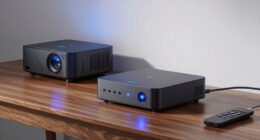
HDMI 2.1 gaming projector
As an affiliate, we earn on qualifying purchases.
As an affiliate, we earn on qualifying purchases.
Frequently Asked Questions
Does ALLM Work With All HDMI Devices?
ALLM doesn’t work with all HDMI devices, as HDMI compatibility varies. Your device needs to support HDMI 2.1 and Auto Low Latency Mode for seamless integration. Check your device’s specifications to verify it’s compatible with ALLM. If your device isn’t compatible, it won’t automatically switch to low latency mode, so you might need to enable it manually or upgrade to a device that supports proper device integration for ideal gaming and streaming experiences.
Can ALLM Improve Gaming Performance on Projectors?
Yes, ALLM can improve your gaming performance on projectors by reducing gaming latency. When you enable AUTO LOW LATENCY MODE, your projector automatically switches to a low-latency input mode, minimizing delays between your controller and the on-screen action. This guarantees smoother gameplay, especially during fast-paced games. Just make sure your projector and gaming device support ALLM and that your projector input is set to automatically switch for ideal gaming experience.
How Do I Enable ALLM on My Projector?
Think of your projector as a race car; enabling ALLM is like engaging the turbo boost. To do this, you need to navigate to your calibration settings and turn on Auto Low Latency Mode. Make sure your firmware is up to date, as updates often reveal new features like ALLM. Usually, you’ll find this setting in the HDMI or gaming mode options—activate it, and enjoy smoother, faster gameplay.
Is ALLM Compatible With Older HDMI Versions?
Allm’s compatibility with older HDMI versions depends on your devices’ HDMI compatibility and device interoperability. If your projector and connected device support HDMI 2.0 or higher, Allm is more likely to work seamlessly. However, with older HDMI versions, you might face limitations, and Allm may not function properly. Check your device specifications to verify compatibility and maximize performance for low latency gaming and smooth streaming.
What Are Common Issues With ALLM Activation?
You might find activation issues with ALLM frustrating, especially if calibration challenges or outdated firmware get in the way. Sometimes, firmware updates are necessary to guarantee compatibility and smooth function. Make sure your devices support ALLM properly and keep everything updated. If problems persist, resetting your devices or adjusting settings can help. Staying current with firmware updates often resolves most activation glitches, giving you a seamless gaming or viewing experience.
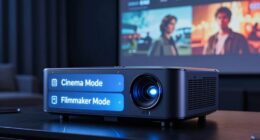
projector with Auto Low Latency Mode
As an affiliate, we earn on qualifying purchases.
As an affiliate, we earn on qualifying purchases.
Conclusion
Now that you understand how Auto Low Latency Mode works, you can make smarter choices for your projector setup. With ALLM, you reduce lag and enjoy smoother gaming and streaming. Isn’t it time you experienced seamless, real-time action without missing a beat? By enabling ALLM, you get the best possible performance with minimal hassle. So, why settle for delays when you can have instant response and peak performance every time?
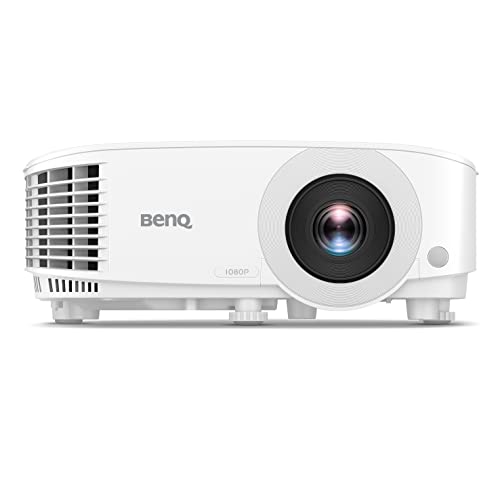
BenQ TH575 1080p Indoor Gaming Projector, 3800 LMS, 16.7ms Low Latency, Enhanced Game-Mode, High Contrast, Dual HDMI, 3D Ready, Auto Vertical Keystone, Standard Throw, 1.1x Zoom, 3 Year Warranty
NEW 2023 MODEL: Upgraded 3800 ANSI Lumens paired with an improved 15,000:1 contrast ratio (FOFO) when compared to…
As an affiliate, we earn on qualifying purchases.
As an affiliate, we earn on qualifying purchases.
HDMI 2.1 compatible projector
As an affiliate, we earn on qualifying purchases.
As an affiliate, we earn on qualifying purchases.