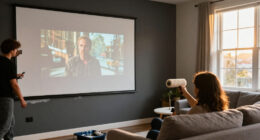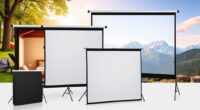
Gaming screen paint can turn a smooth wall into a projector surface, but the right finish depends on your projector, room light, and preferred image brightness. My best overall pick is Smarter Surfaces Ultra High Contrast Projector Screen Paint, a dark-grey option aimed at stronger contrast in controlled rooms. For a brighter image, the 3D4K Light Grey Silver with 2.4 Gain stands out, while Smarter Surfaces Black Projector Screen Paint targets setups where ambient light and contrast are the main concerns. The tradeoff is that higher-gain and darker coatings suit different conditions, and paint cannot fix a rough wall or a poorly placed projector. Read on for the full comparison, buying advice, and picks for different gaming setups.

Get business pricing on your home office setup
- Business-only prices and quantity discounts
- Tax-exempt purchasing
- Multiple users, one account, clear invoices
Complete the kit


Key Takeaways
- Room lighting separates the leading choices: dark-grey and black coatings prioritize perceived contrast, while ultra-white and digital-theater-white options are better suited to setups seeking a brighter-looking image.
- The 3D4K 2.4-gain paints favor brightness over a neutral, low-gain approach: their listed gain may appeal to some setups, but buyers should check projector placement and viewing positions before choosing them.
- Short-throw compatibility is a distinct buying filter: the single-coat silver and digital-theater-white paints explicitly target short-throw use, so they merit attention when the projector sits close to the wall.
- Container size changes the commitment, not the coating’s role: the ultra-white and digital-theater-white options appear in multiple sizes, letting buyers match a test area or full screen without treating larger volume as a performance upgrade.
- Clear paint solves a different problem from colored screen paint: SmarterSurfaces Clear Projection Screen Paint is aimed at keeping the wall’s appearance visible when not projecting, rather than offering the same opaque surface choice as white, grey, or black paints.


| gaming screen paint | Color | Coverage | Finish | Brand |
|---|---|---|---|---|
| Smarter Surfaces Ultra High Co | Dark Grey – Ultra High Contrast | 6 m² per 750 ml | — | — |
| Projector Screen Paint 3D4K Li | Light Grey Silver | 100 sq ft per quart | Matte | Paint on Screen |
| Smarter Surfaces Projector Scr | Light Grey – High Contrast | 4.5 m² per 880 ml | — | — |
| S1 Ultimate Contrast Projector | — | 170 sq ft | Matte | Paint on Screen |
| 3D4K Projector Screen Paint wi | Gray / silverish light gray | — | Semi-gloss | Paint on Screen |
| Projector Screen Paint | Singl | Silver | 350–400 square feet per gallon | Matte | Paint on Screen |
| Smarter Surfaces Black Project | Black – Ultra 4K | 48 square feet | Matte | SmarterSurfaces |
| Projector Screen Paint | Ultra White | 160 square feet | Matte | — |
| Projector Screen Paint | White | 50–60 square feet with two coats | Matte | Mollor |
| Projector Screen Paint | Singl | Digital Theater White | — | Matte | Paint on Screen |
| Projector Screen Paint | White | 40 square feet | — | — |
| Projector Screen Paint | Singl | White | Listing states 25–30 sq ft and 50–60 sq ft per two coats | Matte | Mollor |
| SmarterSurfaces Clear Projecti | Clear; for use over a colored surface | 48.4 square feet per tin | Matte | — |
| Projector Screen Paint | White | Description: 130–140 sq ft; specifications: 100 sq ft | Matte | COATEZ |
More Details on Our Top Picks
Smarter Surfaces Ultra High Contrast Projector Screen Paint for Wall, Dark Grey, 48 sq ft, 4K & 8K Compatible
For a gaming room where controlling ambient light matters more than maximizing brightness, this dark-grey, 0.1-gain finish is the lineup’s contrast-focused choice. Its stated 48-square-foot coverage suits a defined projection area, while 4K and 8K compatibility makes it a fit for high-resolution sources. Compared with the Smarter Surfaces High Contrast Light Grey, this darker option is aimed more squarely at low-light viewing; the light-grey paint may be a more flexible match when the room is not fully dark. Application requires a base coat and top coat, so it is less of a quick wall refresh than the S1 Ultimate Contrast, which is described as single-coat. I’d choose it for a dedicated indoor gaming space, but not for a bright room or anyone wanting a one-coat project.
Pros:- Dark-grey color and stated 0.1 gain target high-contrast viewing in low ambient light.
- Compatible with 4K and 8K projections.
- Coverage is specified as 6 m² per 750 ml, useful for planning a defined wall area.
- Listed low-VOC and low-odor properties suit indoor application.
Cons:- Indoor use only limits placement options.
- Base and top coats add preparation and application time compared with the single-coat S1 Ultimate Contrast.
- The low stated gain makes this a less suitable choice when the setup needs a brighter image.
Best for: Gamers with a dedicated, controllable-light room who prioritize dark-scene contrast on a 48-square-foot projection area.
Not ideal for: Players projecting in a bright or multipurpose room, or anyone who wants an outdoor-rated paint or a single-coat application.
- Color:Dark Grey – Ultra High Contrast
- Coverage:6 m² per 750 ml
- Gain value:0.1
- Use:Indoor
- Application:Base coat and top coat; brush, roller, or sprayer
- Warranty:3-year limited warranty
- Dimensions:11 in W × 6 in H
- Weight:1.3 kg
Our verdict“Choose this dark-grey paint for a controlled-light gaming room where contrast matters more than brightness or quick application.”
Projector Screen Paint 3D4K Light Grey Silver with 2.4 Gain – HD 1080P, Active 3D Capable, 4K Ready
This light-grey silver paint is the brightness-oriented alternative in this group, with a stated 2.4 gain and support for 1080p, 4K, and active 3D projection. That makes it more compelling for gamers who want a more reflective surface than the Smarter Surfaces High Contrast Light Grey, whose listed gain is 0.6 and whose description emphasizes contrast in low light. The higher-gain approach is not a universal upgrade: wall preparation still matters, and the matte silver finish should be matched to the projector and room rather than chosen on gain alone. At one quart, it covers a stated 100 square feet, making it a practical DIY option for larger interior areas. I’d skip it if the priority is a subdued, dark-room surface or if the wall cannot be prepared smoothly.
Pros:- Stated 2.4 gain offers a brighter-surface approach than the low-gain Smarter Surfaces options.
- Compatible with 1080p, 4K, and active 3D projection.
- One-quart package has stated coverage of 100 square feet.
- Water-based matte finish is specified for interior surfaces.
Cons:- Limited to interior use.
- Wall preparation is needed for the intended projection results.
- The 2.4 gain makes projector and room matching more important than with a low-gain contrast-focused paint.
Best for: Gamers with an indoor 1080p, 4K, or active-3D projector who want a higher-gain surface and have a well-prepared wall.
Not ideal for: Buyers seeking a low-gain, contrast-first finish for a dark room, or those unable to prepare a smooth interior surface.
- Brand:Paint on Screen
- Paint type:Water-based
- Color:Light Grey Silver
- Gain:2.4
- Finish:Matte
- Coverage:100 sq ft per quart
- Dry time:4 hours
- Size:32 fl oz (1 quart)
- Use:Interior surfaces
Our verdict“Pick this for an indoor gaming setup that benefits from a higher-gain surface and active-3D compatibility, provided the wall is properly prepared.”
Smarter Surfaces Projector Screen Paint for Wall 4K, 8K (48 sq ft) – High Contrast Light Grey Projection Screen Paint
This light-grey paint takes a middle position between the lineup’s darker, very-low-gain option and its brighter 2.4-gain silver paints. Its 0.6 gain and high-contrast positioning suit gaming in controlled or dim light, while the lighter color is less specialized than the Smarter Surfaces Ultra High Contrast Dark Grey. The paint is specified for 4K and HD projection and supports smooth surfaces including plaster, wood, wallboard, and concrete, giving it more stated substrate flexibility than the S1’s drywall-focused description. The tradeoff is application effort: the instructions call for two base coats and two top coats, followed by a 24-hour cure. Its listed 4.5 m² coverage also means larger projection areas may need more product. I’d choose it for contrast-minded buyers who can accommodate a careful multi-coat job.
Pros:- 0.6 gain and light-grey color balance contrast focus with a less-dark finish than the Ultra High Contrast paint.
- Specified for 4K and HD projectors.
- Compatible with plaster, wood, wallboards, and concrete.
- Five-year warranty is listed.
Cons:- Application calls for two base coats and two top coats.
- Listed coverage is 4.5 m², which may not cover a large projection area.
- Requires a 24-hour cure.
Best for: Gamers seeking a light-grey, contrast-focused wall finish for a 4K or HD projector and willing to complete multiple coats.
Not ideal for: Buyers who need a fast one-coat installation, a brighter high-gain surface, or coverage for a large wall from one package.
- Color:Light Grey – High Contrast
- Coverage:4.5 m² per 880 ml
- Gain value:0.6
- Light reflectivity:57%
- Application:Two base coats and two top coats; brush or roller
- Surface compatibility:Plaster, wood, wallboards, and concrete
- Cure time:24 hours
- Warranty:5 years
Our verdict“Choose this light-grey option for a contrast-focused gaming setup with varied smooth wall materials and enough time for four coats.”
S1 Ultimate Contrast Projector Screen Paint – 1 Gallon
The S1’s main advantage for a gaming room is practical: the gallon package is stated to cover 170 square feet, and the product description calls for a single coat. That combination makes it a simpler route to a broad projection wall than the Smarter Surfaces High Contrast Light Grey, which specifies four coats and a smaller coverage area. It is described for 1080 HD and 4K clarity, with a matte finish for interior surfaces. The limitation is that the data does not give a gain value or a specific grey tone, so buyers who want to tune a setup around a quantified gain should look instead at the 2.4-gain 3D4K paint or Smarter Surfaces’ 0.6-gain option. I’d favor this when broad coverage and a simpler application matter more than detailed surface specifications.
Pros:- Stated 170-square-foot coverage suits a broad projection area.
- Single-coat application is simpler than the multi-coat Smarter Surfaces options.
- Specified for 1080 HD and 4K UHD projection.
- Matte finish is intended for interior surfaces.
Cons:- Product information limits the stated surface suitability to interior drywall.
- No gain value or specific paint color is provided in the supplied specifications.
- Listed dry time is four hours and may be longer in cooler conditions, according to the product details.
Best for: Gamers painting a large indoor drywall projection area who value gallon coverage and a stated single-coat application.
Not ideal for: Buyers who need a specified gain, an explicitly 8K or active-3D listing, or a paint described for surfaces beyond interior drywall.
- Brand:Paint on Screen
- Type:Acrylic
- Use:Interior surface
- Coverage:170 sq ft
- Application:Single coat, as described
- Dry time:4 hours
- Size:1 gallon (128 fl oz)
- Finish:Matte
- Weight:10 lb
Our verdict“Choose the S1 when you need broad indoor coverage and a simple stated application, not a precisely specified gain or color.”
3D4K Projector Screen Paint with 2.4 Gain, 1 Gallon, Silverish Light Gray
This gallon-size 3D4K paint combines the group’s 2.4 gain approach with a larger package, so it fits a whole-room projection project better than the quart-size version of the same 3D4K paint. Its single-coat description also contrasts with the four-coat process listed for the Smarter Surfaces High Contrast Light Grey. The silverish light-grey finish is specified as semi-gloss, while the smaller 3D4K product is matte; that difference gives buyers a reason to check the intended wall appearance and projector match rather than treating the two as interchangeable. The data lists 4K and active-3D capability, plus water repellency, but offers limited detail on long-term durability. I’d select it for a higher-gain, indoor gaming setup requiring a gallon, not for a subdued matte finish or a room where low gain is the priority.
Pros:- Stated 2.4 gain provides a higher-gain alternative to the Smarter Surfaces 0.6-gain paint.
- Gallon size suits larger interior projects.
- Listed as 4K-ready and active-3D capable.
- Water-repellent property is specified.
Cons:- Semi-gloss finish differs from the matte finish of the quart-size 3D4K paint and may not suit buyers seeking a matte wall appearance.
- Indoor use only.
- The supplied product information gives limited detail on long-term durability.
Best for: Gamers planning a larger indoor projection surface who want a gallon of 2.4-gain paint and 4K or active-3D compatibility.
Not ideal for: Buyers who want a matte, low-gain contrast surface, outdoor use, or clear information about long-term durability.
- Brand:Paint on Screen
- Type:Specialty
- Color:Gray / silverish light gray
- Gain:2.4
- Application:Liquid; roll or sprayer; single coat as described
- Cure time:1 day
- Dry time:0.5 hours
- Size:1 gallon (128 fl oz)
- Finish:Semi-gloss
Our verdict“Choose this gallon-size 3D4K paint for a larger indoor setup where higher gain and active-3D compatibility matter more than a matte, low-gain finish.”
Projector Screen Paint | Single-Coat Short Throw Projection Screen Paint for 1080 HD and 4K UHD Clarity | Interior Use | Silver, 1 Gallon
For a large gaming room using a short-throw projector, this silver, single-coat formula has a practical advantage: its stated coverage is 350–400 square feet per gallon, far more than Mollor’s 32-ounce Digital Theater White, which covers 50–60 square feet with two coats. It is listed for 1080 HD and 4K projection, so it suits players who want a wall-sized image without mounting a separate screen. The tradeoff is that silver isn’t the neutral white choice, and the product information gives no gain or viewing-angle figure to help predict brightness and off-axis performance. It is also indoor-only, and the 24-hour dry time means the room won’t be ready for same-day play. I’d shortlist it for a broad, compatible surface—not for an unprepared wall or an outdoor gaming area.
Pros:- Stated coverage of 350–400 square feet per gallon suits broad surfaces.
- Single-coat application can reduce painting time compared with products that call for two coats.
- Designed for 1080 HD and 4K projection.
- Listed for interior walls, wood, metal, concrete, and plastic.
Cons:- Silver finish may not suit buyers seeking a conventional white projection surface.
- A 24-hour drying period delays setup.
- Indoor use only, with no listed gain or viewing-angle data.
Best for: Gamers with a large indoor short-throw setup who need one gallon of paint for a broad projection area.
Not ideal for: Players who need a known gain or viewing angle, want a white surface, or plan to project outdoors.
- Brand:Paint on Screen
- Color:Silver
- Finish:Matte
- Coverage:350–400 square feet per gallon
- Dry time:24 hours
- Use:Indoor
- Surface recommendations:Interior walls, wood, metal, concrete, and plastic
- Container size:1 gallon
Our verdict“Choose this for a large indoor short-throw projection area when broad coverage matters more than documented brightness specifications.”
Smarter Surfaces Black Projector Screen Paint (48 ft²) – Matte Finish, Gain 0.1, High Contrast for 4K/8K Indoor Use
This is the lineup’s specialist option for gamers who prioritize dark blacks and contrast over a bright image. Its matte black finish and 0.1 gain are intended to absorb ambient light, unlike the Ultra White 4K/8K paint, which is the more natural direction when image brightness is the priority. That makes this a better match for a dedicated room with controlled lighting than a multipurpose space where lights stay on. The listed 140-degree viewing angle gives more flexibility for seating, and the low-VOC formula plus three-year limited warranty are useful differentiators. The limitation is fundamental: very low gain can leave the picture dim, especially with a less powerful projector or some ambient light. I’d choose it for contrast-focused play, not as a universal wall coating.
Pros:- Matte black finish is designed to absorb ambient light and deepen perceived blacks.
- Listed 140-degree viewing angle supports seating spread across the room.
- Low-VOC formulation meets EU safety standards.
- Includes a three-year limited warranty.
Cons:- Gain of 0.1 can make the image too dim in rooms with ambient light.
- Coverage is limited to 48 square feet.
- A black surface is a specialized choice and may not suit bright, multipurpose viewing.
Best for: Gamers building a light-controlled theater room who want a black-painted projection surface for contrast-focused play.
Not ideal for: Players using a modest-brightness projector, gaming with room lights on, or needing a bright, flexible multipurpose screen.
- Brand:SmarterSurfaces
- Color:Black – Ultra 4K
- Gain:0.1
- Coverage:48 square feet
- Viewing angle:140 degrees
- Finish:Matte
- Warranty:3-year limited
- Weight:1.3 kg
Our verdict“Pick this for a controlled-light gaming room where contrast matters more than brightness or broad room flexibility.”
Projector Screen Paint – High Definition, 4K/8K, Ultra White – Gallon
For gaming rooms where friends watch from more than one spot, the Ultra White paint’s stated 180-degree viewing angle is its clearest advantage. It is a more broadly usable choice than Smarter Surfaces’ black paint, which trades brightness for contrast and is better suited to controlled lighting. The listed 1.5 gain also points toward a brighter image than a low-gain surface, though the product data does not specify projector or room conditions for that figure. This water-based gallon is presented for 4K and 8K projection and covers 160 square feet. The catch is the application: the listing says two coats are needed for optimal coverage, adding work before the gaming setup is ready. I’d favor it over a specialized dark finish when multiple seats and a bright, wide-view image matter more than maximum black depth.
Pros:- Stated 180-degree viewing angle suits seating spread across a room.
- Listed 1.5 gain is geared toward a brighter projected image.
- Water-based paint can be applied with standard painting tools.
- Gallon coverage is listed at 160 square feet.
Cons:- Two coats are recommended for optimal coverage, increasing application time.
- A gallon may be more than needed for a small gaming area.
- White paint is less specialized for contrast than the black, low-gain alternative.
Best for: Gamers who host group sessions and want a white projection surface with a stated wide viewing angle.
Not ideal for: Buyers who want a one-coat application, need a small quantity, or prioritize deep blacks in a dedicated dark room.
- Color:Ultra White
- Coverage:160 square feet
- Gain:1.5
- Viewing angle:180 degrees
- Finish:Matte
- Paint base:Water-based
- Unit size:128 fluid ounces
- Listed dimensions:192 inches W × 120 inches H
Our verdict“Choose this white paint for a group gaming room where wide viewing and image brightness take priority over a fast, single-coat job.”
Projector Screen Paint – Digital Theater White, 32 Fl Oz
Mollor’s 32-ounce container is the small-area pick: its listed 50–60 square feet of coverage with two coats is a closer fit for a compact gaming nook than the gallon of Paint on Screen Digital Theater White, whose coverage is not quantified in the supplied specs. It is described as suitable for HD and 4K projectors, and the two-hour dry time is shorter than the 24 hours listed for that gallon-sized alternative. There is a mismatch in the product information, though: the description promotes a single coat, while the coverage specification says two coats. I would plan around the two-coat figure rather than assume a one-coat finish. Its matte white surface is also not water resistant, so it needs careful cleaning and is a poor choice where hands or spills are likely to reach the wall.
Pros:- Smaller 32-fluid-ounce container suits limited projection areas.
- Listed coverage is 50–60 square feet with two coats.
- Two-hour dry time is shorter than the 24-hour figure for Paint on Screen’s gallon options.
- Specified for interior walls and HD/4K projection.
Cons:- Coverage is limited compared with gallon-size options.
- Product details conflict on single-coat claims versus two-coat coverage.
- Not water resistant, making cleaning less forgiving.
Best for: Gamers painting a compact indoor projection area who prefer a smaller container and can allow for two coats.
Not ideal for: Anyone covering a large wall, needing a washable surface, or relying on a clearly confirmed single-coat application.
- Brand:Mollor
- Type:Enamel
- Color:White
- Finish:Matte
- Coverage:50–60 square feet with two coats
- Dry time:2 hours
- Container size:32 fluid ounces
- Water resistance:Not water resistant
Our verdict“Consider this for a small indoor gaming wall if you can follow the two-coat coverage guidance and keep the surface away from spills.”
Projector Screen Paint | Single-Coat Short Throw for 1080 HD & 4K UHD Clarity | Indoor Use | Digital Theater White, 1 Gallon
Among these options, this gallon stands out for gamers who want a white projection surface that can be washed. Its water-resistant, washable finish is a practical distinction from Mollor’s smaller Digital Theater White, which is explicitly not water resistant. The product is also described as a single-coat short-throw paint for 1080 HD and 4K UHD, making it appealing for a dedicated wall or ceiling where a separate screen would be awkward. That convenience has limits: the supplied coverage is simply listed as “Full,” so it does not give a reliable area for planning, and the 24-hour dry time is much longer than Mollor’s two-hour figure. It is indoor-only, too. I’d choose it for a frequently used gaming room where wipeability matters, but not when exact coverage or rapid setup is the deciding factor.
Pros:- Water-resistant and washable finish is more forgiving than Mollor’s non-water-resistant paint.
- Single-coat application is intended to simplify setup.
- Designed for 1080 HD and 4K UHD projection.
- Suitable for indoor walls, ceilings, and other surfaces.
Cons:- Coverage information is not quantified, complicating area planning.
- 24-hour dry time delays use of the room.
- Indoor use only.
Best for: Gamers who want a washable, water-resistant white projection wall for a regularly used indoor setup.
Not ideal for: Buyers who need a precise coverage estimate, want the surface ready quickly, or plan an outdoor installation.
- Brand:Paint on Screen
- Type:Acrylic
- Color:Digital Theater White
- Finish:Matte
- Container size:128 fluid ounces (1 gallon)
- Dry time:24 hours
- Water resistance:Water resistant
- Use:Indoor
Our verdict“Choose this gallon when a washable white gaming surface matters more than a precise coverage estimate or fast turnaround.”
Projector Screen Paint – High Definition, 4K/8K, Ultra White – Quart
For a gaming setup built around a bright, neutral projection surface, this quart is the most balanced choice in this group. Its 1.5 gain white finish is intended to boost brightness, while the stated 4K and 8K compatibility suits detailed game graphics. The listed 40-square-foot coverage is enough for a modest screen area, but the two-coat application means planning the wall size before starting. Compared with COATEZ Projector Screen Paint, this option provides a clearly stated gain value and coverage figure, while COATEZ claims broader single-coat coverage but lists conflicting coverage details. Washability and repairability are useful if a gaming room sees regular use. The tradeoff is that this is a conventional white surface: buyers seeking a transparent finish that preserves a colored wall should look at SmarterSurfaces Clear Projection Screen Paint instead.
Pros:- 1.5 gain white finish is designed to provide a brighter projection surface.
- Listed as compatible with 4K and 8K projection.
- Washable and repairable finish can simplify upkeep.
- Water-based, non-toxic, low-VOC formula is suited to indoor spaces.
Cons:- Coverage is limited to 40 square feet with two coats.
- Two coats add application time and material needs.
- White paint changes the wall appearance when the projector is off.
Best for: Gamers setting up a dedicated, white projection area who want a stated gain value and a washable, repairable finish.
Not ideal for: Renters or gamers who want to retain a colored wall, or anyone painting a surface larger than 40 square feet with one quart.
- Coverage:40 square feet
- Color:White
- Package size:32 fluid ounces
- Gain:1.5
- Application:Walls and flat surfaces
- Projection compatibility:4K and 8K
- Features:Washable, repairable, non-toxic, low VOC
Our verdict“Choose this quart for a dedicated white gaming screen where brightness, stated coverage, and a maintainable finish matter more than preserving the wall color.”
Projector Screen Paint | Single-Coat Short Throw Projector Screen Paint for 1080 HD and 4K UHD Clarity | Indoor Use | Digital Theater White – 16 Fl Oz
Mollor’s 16-fluid-ounce container is the compact pick for gamers painting a limited indoor area rather than an entire wall. It is presented as short-throw compatible and supports 4K/8K projection, making it a possible fit for a projector placed close to the screen. The listing’s application claims conflict: the title and pros describe a single coat, while the coverage details specify 50–60 square feet with two coats and a separate coverage area of 25–30 square feet. I would plan around the smaller figure and confirm the coat instructions before buying. Compared with the 32-ounce B00DR7E7Z2 quart, Mollor takes less storage space but offers less product and no stated gain value. The two-hour drying time also makes it less convenient for a quick same-session setup.
Pros:- Compact 16-fluid-ounce container suits smaller projects.
- Listed for indoor use and short-throw projection.
- Claims support for 4K and 8K projection.
- Matte white finish is intended for a projection-ready interior wall.
Cons:- Coverage information conflicts between 25–30 square feet and 50–60 square feet.
- Single-coat claims conflict with instructions indicating two coats.
- Two-hour drying time can delay getting the gaming setup ready.
- No gain value is provided for comparison with other paints.
Best for: Gamers with a small indoor short-throw setup who want a compact container and can verify the coverage and coat directions before application.
Not ideal for: Anyone painting a large gaming wall or needing dependable coverage planning, since the listing gives conflicting coverage and coat information.
- Brand:Mollor
- Paint type:Specialty projector screen paint
- Size:16 fluid ounces
- Color:White
- Finish:Matte
- Coverage:Listing states 25–30 sq ft and 50–60 sq ft per two coats
- Dry time:2 hours
- Use:Indoor surfaces
Our verdict“Pick Mollor for a small indoor short-throw screen only if you can confirm the coat and coverage directions before starting.”
SmarterSurfaces Clear Projection Screen Paint (48 sq ft) – Transparent Indoor Wall Paint for 4K Projectors
Unlike the white paints in this lineup, SmarterSurfaces Clear is designed to leave the underlying wall color visible, making it the distinctive option for a gaming room where a white rectangle would look out of place between sessions. Its clear matte finish, 1.0 gain, and 140-degree viewing angle are listed for indoor projection, with coverage of 48.4 square feet per tin. That makes it a more room-conscious choice than B00DR7E7Z2 if preserving the wall’s appearance is the priority, though the white paint’s 1.5 gain may better suit buyers who want a brighter surface. Clear paint depends on the wall beneath it, so it is not a straightforward fix for a rough, dark, or uneven surface. The 24-hour drying time also calls for more setup patience than Mollor’s stated two hours.
Pros:- Transparent finish preserves the underlying wall color.
- Listed coverage of 48.4 square feet per tin.
- 140-degree viewing angle supports viewing from different seating positions.
- Two-coat application and eco-friendly, low-odor description suit indoor DIY use.
Cons:- Not suitable for glass surfaces and depends on a smooth wall.
- 24-hour drying time can extend installation.
- 1.0 gain is lower than the 1.5 gain listed for B00DR7E7Z2.
- Indoor use only.
Best for: Gamers who want a projection area on a smooth, already suitable wall while keeping its existing color visible when the projector is off.
Not ideal for: Players who need a brighter white screen, are painting glass, or cannot wait 24 hours for drying.
- Color:Clear; for use over a colored surface
- Coverage:48.4 square feet per tin
- Application:Two coats with a roller
- Finish:Matte
- Gain:1.0
- Viewing angle:140 degrees
- Drying time:24 hours
- Screen size:120 inches at 16:9 aspect ratio
- Use:Indoor
Our verdict“Choose SmarterSurfaces Clear when keeping your gaming room’s wall color matters more than gaining the brighter white finish offered by B00DR7E7Z2.”
Projector Screen Paint – 1 QT / 946 ML
COATEZ is the brightness-oriented alternative here, with a listed 1.6 gain—slightly above the 1.5 gain of B00DR7E7Z2—and stated compatibility with 3D and 4K projection. That makes it worth a look for a gaming room where a more reflective white surface is the priority. Its coverage claims need caution, though: the description says 130–140 square feet with one coat, while the specifications list 100 square feet. I would not plan a screen around the larger claim without confirming it with the manufacturer. The acrylic formula is described as washable, repairable, and water-repellent, but the listing also notes that color accuracy may vary. Compared with the transparent SmarterSurfaces paint, COATEZ is a more conventional white-screen choice and will not preserve a colored wall.
Pros:- Listed 1.6 gain is the highest stated value among these four products.
- Supports 3D and 4K projection according to the product description.
- Washable and repairable surface supports ongoing maintenance.
- Low-VOC, non-toxic description and water-repellent finish suit indoor use.
Cons:- Coverage claims conflict: the description states 130–140 square feet, while specs list 100 square feet.
- Product information notes that color accuracy may vary.
- White finish changes the wall’s appearance when not projecting.
Best for: Gamers prioritizing a higher stated gain white surface for an indoor 3D or 4K projection setup, provided they verify coverage before purchase.
Not ideal for: Buyers who need reliable coverage estimates or consistent color results, or who want a transparent finish that retains wall color.
- Brand:COATEZ
- Paint type:Acrylic
- Size:35 fluid ounces / 946 ml
- Color:White
- Gain:1.6
- Coverage:Description: 130–140 sq ft; specifications: 100 sq ft
- Finish:Matte
- Projection compatibility:3D and 4K
- Water resistance:Water repellent
Our verdict“Consider COATEZ for a brightness-focused white gaming screen, but confirm the true coverage before choosing it over B00DR7E7Z2.”

How We Picked
I compared the 14 options through the needs of a gaming projector setup: image brightness and contrast goals, stated gain or color, short-throw suitability, intended room conditions, finish, and coverage or container size. Product names and listed specifications informed the comparison; where a listing does not provide details such as recommended ambient light, application steps, or measured performance, I avoid treating those details as established facts.
The ranking favors products with a clear use case and useful specifications for matching paint to a setup. The Smarter Surfaces ultra-high-contrast grey leads as a broadly understandable contrast-focused choice, while the 3D4K 2.4-gain paints rank as brighter-image alternatives rather than universal upgrades. Short-throw paints, black and clear finishes, and smaller containers follow for their more specific fit. Similar products in different sizes are separated by project scale and commitment, not by an assumption that one container performs better.
| gaming screen paint | Use | Brand | Finish |
|---|---|---|---|
| Smarter Surfaces Ultra High Co | Indoor | — | — |
| Projector Screen Paint 3D4K Li | Interior surfaces | Paint on Screen | Matte |
| Smarter Surfaces Projector Scr | — | — | — |
| S1 Ultimate Contrast Projector | Interior surface | Paint on Screen | Matte |
| 3D4K Projector Screen Paint wi | — | Paint on Screen | Semi-gloss |
| Projector Screen Paint | Singl | Indoor | Paint on Screen | Matte |
| Smarter Surfaces Black Project | — | SmarterSurfaces | Matte |
| Projector Screen Paint | — | — | Matte |
| Projector Screen Paint | — | Mollor | Matte |
| Projector Screen Paint | Singl | Indoor | Paint on Screen | Matte |
| Projector Screen Paint | — | — | — |
| Projector Screen Paint | Singl | Indoor surfaces | Mollor | Matte |
| SmarterSurfaces Clear Projecti | Indoor | — | Matte |
| Projector Screen Paint | — | COATEZ | Matte |
Factors to Consider When Choosing Gaming Screen Paint
Before choosing a coating, match it to the conditions that shape the projected image. These broader checks can prevent a common mistake: buying paint based on a resolution label or gain number alone, then finding it does not suit the room or projector position.
Match the Paint Tone to Room Light
Room light changes how much contrast you perceive, so start by noting whether you can darken the space during play. A grey or black surface may suit a light-controlled setup where contrast is a priority, while a white surface may be a more natural direction when you want a brighter-looking image. Neither color automatically compensates for daylight or lamps striking the screen directly. Think about light at the wall, not just the overall brightness of the room. If the setup serves both gaming and daytime viewing, consider whether a compromise finish is preferable to optimizing only for late-night play. Test the intended wall area under typical gaming conditions before committing to a full application.
Treat Gain as a Setup Choice, Not a Score
Gain describes how a screen surface reflects light relative to a reference, but a higher figure is not a guarantee of a better image from every seat. The listed 2.4 gain on the 3D4K paints makes them a different proposition from low-gain black paint, and the choice should fit projector position and viewing angles. A more directional surface may create uneven brightness for players seated off-axis, depending on the product and setup. Compare the gain claim with the projector’s output, screen size, and seating layout rather than choosing the largest number. If several people play from different positions, broad, consistent viewing may matter more than peak brightness from one seat. Treat product claims as a starting point and check the maker’s technical guidance before purchase.
Check Throw Distance Before Choosing a Short-Throw Formula
Projector distance affects how light reaches the wall, so a coating labeled for short-throw use deserves attention when the projector sits close to the screen. A standard-throw projector does not automatically benefit from a formula marketed for short throw. Confirm the projector’s throw ratio and the actual image size you plan to project, then compare them with the coating instructions. Short-throw installations can also make wall texture and application flaws more visible, so a suitable paint cannot replace careful surface preparation. Avoid assuming that phrases such as 4K-ready alone confirm compatibility with every projector geometry. When the manufacturer’s guidance is unclear, ask before painting a permanent screen area.
Prepare the Wall as Carefully as the Coating
Painted projection surfaces depend on a flat, clean, consistent wall; bumps, seams, and patchy repairs can distract during fast-moving games. Fill imperfections, sand smooth, remove dust, and follow the product’s primer and application directions rather than assuming ordinary wall-paint habits apply. A single-coat claim can reduce application steps, but it does not make wall preparation unnecessary. Keep the projected image dimensions and screen borders planned before painting so the finished area aligns with the projector. If you rent or may change the room layout, weigh the permanence of a painted screen against a portable screen option. Allow the coating to cure as directed before judging the image.
Choose Coverage for the Actual Screen Area
Container size should follow the dimensions of the planned image area and the stated coverage, not the room’s wall size. The roundup includes products sold in small formats, quarts, and gallons, so a smaller container can make sense for a test patch or compact screen while a larger project may need more material. Check whether the listed coverage assumes one coat and whether the instructions call for additional coats or primer. Buying too little can leave color variation if a later batch differs, while buying far more than needed adds storage and leftover-material concerns. For a first-time application, plan a test area and include a modest allowance for edges and touch-ups. Do not treat a larger container as evidence of stronger image performance.
Decide Whether the Wall Must Look Normal When the Projector Is Off
Opaque white, grey, and black coatings create a visible screen-colored area even when gaming is over. Clear projection paint serves a different purpose by aiming to preserve the wall’s ordinary appearance between uses, which may suit shared rooms or spaces where a dedicated screen patch would be unwelcome. That convenience comes with a different decision: the final image depends more on the underlying wall color and condition, so the result may not match a purpose-colored surface. Compare the visual priority when the projector is on with the room’s appearance when it is off. If image consistency is the main goal, an opaque finish offers a more deliberate surface choice. If discretion matters more, review the clear product’s compatibility and application guidance closely.
Frequently Asked Questions
Is grey or white gaming screen paint better for a room that is not fully dark?
Neither color can remove the effect of light falling on the screen, so first consider whether you can control lamps or window light. Grey paint is often chosen to prioritize perceived contrast, while white paint may favor a brighter-looking image. The right balance depends on projector output, screen size, and the amount and direction of ambient light. Compare the grey and white options under the lighting you will actually use, rather than relying on color names alone. If the room is bright during play, reducing light at the wall may help more than changing paint color.
Should I choose a 2.4-gain paint for a gaming projector?
A listed 2.4 gain can make a product worth investigating when image brightness is a priority, but it is not a universal performance upgrade. Projector placement and where players sit affect whether a gain-oriented surface suits the setup. Check the manufacturer’s viewing-angle and installation guidance, along with your intended screen size and projector output. A group playing from different seats may prefer a surface that gives a more consistent image across the room. Compare the 3D4K option against neutral or contrast-focused paints using your setup requirements, not the gain figure by itself.
Can I use ordinary wall paint as a substitute for projector screen paint?
Ordinary wall paint may project an image, but it is not necessarily formulated or specified for projection use. Color consistency, sheen, and surface uniformity can affect how the image looks, and a textured wall can remain distracting regardless of the coating. Screen paints in this roundup state particular uses such as high contrast, short throw, or 4K and 8K compatibility, giving buyers more specific criteria to check. Those labels do not replace wall preparation or confirm performance in every setup. If image quality matters for gaming, compare the intended projection finish and application instructions before choosing a standard wall coating.
Does a 4K- or 8K-ready label mean the paint will improve my projector’s resolution?
No; a resolution-ready label does not upgrade the projector or create detail beyond what its source and optics can deliver. It indicates the product is marketed for use with high-resolution projection, but the wall’s smoothness and paint application still affect the visible image. A poorly prepared surface can distract even when the projector supports 4K. Check the paint’s intended finish, coverage, and compatibility alongside your projector specifications. For gaming, also account for image size, viewing distance, and room lighting rather than selecting by resolution wording alone.
Is clear projection paint a good choice if I want the wall to look unchanged?
Clear projection paint is the most directly relevant option in this lineup if preserving the wall’s appearance is a priority, but it differs from an opaque white or grey screen coating. Because it does not provide the same deliberate colored base, the underlying wall’s color, texture, and condition may shape the projected image. Check the product guidance for suitable wall surfaces and expected preparation before applying it. If you value a predictable screen area above an unmarked-looking room, an opaque finish may be a better fit. A small test section can help you judge the balance between everyday appearance and projected image before treating a larger area.
Conclusion
For most buyers choosing from this lineup, I would start with Smarter Surfaces Ultra High Contrast Projector Screen Paint as the best overall, especially when contrast matters in a controlled room. The best value direction is the product whose finish and container size fit the screen you actually need; the quart or smaller formats can limit leftover material, while the gallon options suit larger projects. For a best premium-style brightness-focused choice, consider the 3D4K 2.4-gain paint only if its guidance suits your projector placement and seating. Beginners should favor a clearly specified, opaque finish and a manageable test area before applying a full wall. For specific needs, look to the short-throw paints for close projector placement, black paint for a contrast-focused use case, and clear paint when keeping the wall visually discreet matters most. Choose by room light, throw distance, and wall condition first; resolution labels and container size come after those fit questions.