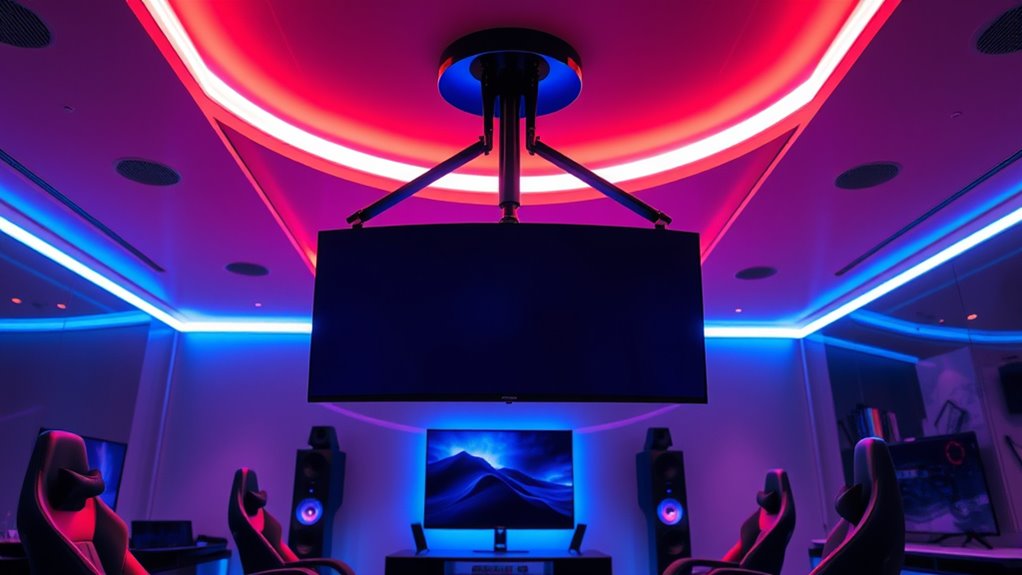
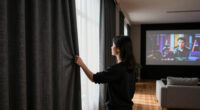
A gaming ceiling mount can free up desk space and keep a projector steady, but the right choice depends on your ceiling, projector, and desired viewing angle. I name the VIVO MOUNT-VP01B best overall for its adjustable ceiling-mount design, while the WALI Universal Mount stands out for hidden cable management and the VIVO MOUNT-VP08DP for drop ceilings. The main tradeoffs are direct mounting versus a shelf-style platform, installation flexibility versus a cleaner finished look, and compatibility with your room structure. Check your projector’s mounting points and weight before choosing. Read on for the full breakdown and buying guidance.

Get business pricing on your home office setup
- Business-only prices and quantity discounts
- Tax-exempt purchasing
- Multiple users, one account, clear invoices
Complete the kit


Key Takeaways
- The VIVO MOUNT-VP01B leads for direct ceiling placement: its adjustable mount design gives it a stronger all-around role than compact shelf-style options, though buyers still need to confirm projector compatibility.
- PUTORSEN’s small mount and CroBlissful’s foldable mount serve different space constraints: the former is a compact ceiling-or-wall option, while the latter’s folding arm and ball head suit setups that need repositioning.
- Cable routing distinguishes the WALI and full-size PUTORSEN shelf mount: both are aimed at a tidier installation, but their shelf-style approach differs from a direct projector attachment.
- The VIVO MOUNT-VP08DP is purpose-built for a drop ceiling: its 2-by-2-foot format addresses a ceiling type the other picks do not specifically target.
- Installation style matters as much as adjustability: a mount that fits the projector but not the ceiling structure, cable path, or desired position can create more work than it saves.
| VIVO Black Adjustable Ceiling Projector Mount, MOUNT-VP01B |  | Best Overall for Direct Ceiling Mounting | Weight capacity: 30 lb (13.6 kg) | Supported mounting-hole span: Up to 12.5 in (31.8 cm) | Tilt: +15° to -15° | VIEW ON AMAZON | See Our Full Breakdown |
| PUTORSEN Adjustable Projector Ceiling Mount – Wall or Ceiling, 22 lb, Small |  | Best for Flexible Device Placement | Weight capacity: 22 lb | Tray dimensions: 11.02 x 8.27 in | Arm extension: 14.17 to 21.65 in | VIEW ON AMAZON | See Our Full Breakdown |
| Mini Ceiling Wall Projector Mount Stand 175mm, Black |  | Best for Lightweight Mini Projectors | Maximum weight capacity: 5 kg | Arm length: 17.5 cm | Compatible devices: Projectors | VIEW ON AMAZON | See Our Full Breakdown |
| CroBlissful Foldable Projector Wall Mount with 360° Rotation and 1/4″ Ball Head |  | Best Fold-Away Mount for Small Devices | Weight capacity: 5.5 lb (2.5 kg) | Thread size: 1/4 in | Rotation: 360° | VIEW ON AMAZON | See Our Full Breakdown |
| WALI Universal Projector Ceiling Wall Mount with Hidden Cable Management |  | Best for a Tidy Wall-or-Ceiling Setup | Maximum load: 22 lb | Ceiling adjustable length: 14.17 to 22.44 in | Wall adjustable length: 22.05 to 31.5 in | VIEW ON AMAZON | See Our Full Breakdown |
| PUTORSEN Adjustable Projector Ceiling Mount, Universal Projector Shelf for Ceiling and Wall, Holds up to 22 lbs, No Hole Installation, Hidden Cable Routing, Black |  | Best for Shelf-Style Flexibility | Compatible devices: Projectors, cameras, and laptops | Maximum weight capacity: 22 lbs | Height adjustment: 14.17 to 21.65 inches | VIEW ON AMAZON | See Our Full Breakdown |
| VIVO White 2×2 ft Drop Ceiling Projector Mount (MOUNT-VP08DP) |  | Best for 2×2 Drop Ceilings | Model: MOUNT-VP08DP | Mount type: Drop ceiling tile | Maximum weight capacity: 29.7 lbs | VIEW ON AMAZON | See Our Full Breakdown |
| gaming ceiling mount | Mount type | Material |
|---|---|---|
| VIVO Black Adjustable Ceiling | Ceiling mount | High-grade steel |
| PUTORSEN Adjustable Projector | Wall or ceiling | Alloy steel |
| Mini Ceiling Wall Projector Mo | Ceiling mount | — |
| CroBlissful Foldable Projector | Wall or ceiling | Metal |
| WALI Universal Projector Ceili | — | Iron |
| PUTORSEN Adjustable Projector | — | — |
| VIVO White 2×2 ft Drop Ceiling | Drop ceiling tile | — |
More Details on Our Top Picks
VIVO Black Adjustable Ceiling Projector Mount, MOUNT-VP01B
For a direct, close-to-ceiling installation, the VIVO MOUNT-VP01B offers a useful balance of load capacity and aiming control. Its all-steel build supports projectors up to 30 lb, while tilt, swivel, and full rotation give you room to square the image without relying on a long extension arm. That low-profile setup is a clearer fit for a fixed gaming room than the PUTORSEN Adjustable Projector Ceiling Mount – Wall or Ceiling, 22 lb, Small, which uses a tray and adjustable arm to place a device farther from the mounting surface. The VIVO’s tradeoff is fit: its mounting-hole span tops out at 12.5 inches, and mini projectors may need the extension arms removed. Choose it for a compatible projector and a tidy ceiling position; skip it if you need a shelf-style mount or longer reach.
Pros:- Supports up to 30 lb with an all-steel construction.
- Tilt, swivel, and 360° rotation help aim the image precisely.
- Low-profile design keeps the projector close to the ceiling.
- Fits most projectors within its stated mounting-hole span.
Cons:- Mounting-hole spacing is limited to 12.5 inches.
- Extension arms must be removed to fit mini projectors.
- Does not provide the tray-style device support offered by PUTORSEN’s small mount.
Best for: Gamers with a standard or mini projector that has compatible mounting holes who want a sturdy, low-profile ceiling installation.
Not ideal for: Owners of projectors with mounting-hole spacing beyond 12.5 inches, or buyers who need a tray and extended positioning arm.
- Weight capacity:30 lb (13.6 kg)
- Supported mounting-hole span:Up to 12.5 in (31.8 cm)
- Tilt:+15° to -15°
- Swivel:+15° to -15°
- Rotation:360°
- Material:High-grade steel
- Support range:2 to 12.5 in (5.1 to 31.8 cm)
- Mount type:Ceiling mount
Our verdict“Choose the VIVO for a compatible projector that needs strong, adjustable support close to the ceiling rather than a long-reach tray mount.”
PUTORSEN Adjustable Projector Ceiling Mount – Wall or Ceiling, 22 lb, Small
The PUTORSEN is the most adaptable pick here when the projector needs to sit away from the ceiling or wall. Its 11.02-by-8.27-inch tray can hold projectors, cameras, or laptops, and the arm adjusts from 14.17 to 21.65 inches. That makes it more useful for devices without conventional mounting holes than the VIVO MOUNT-VP01B, which attaches through a projector’s mounting points and keeps the unit closer to the ceiling. Built-in cable management also helps keep a gaming setup visually neat. The compromises are the tray’s limited surface area and a lower 22 lb capacity than VIVO’s 30 lb rating. Installation may take more care than a short direct mount, so this is best for buyers who need positioning flexibility, not the cleanest low-profile arrangement.
Pros:- Supports multiple device types, including projectors, cameras, and laptops.
- Adjustable arm offers 14.17 to 21.65 inches of reach.
- Integrated cable management conceals cords.
- Tray-based support works for devices without standard projector mounting holes.
Cons:- The tray may not accommodate larger devices securely.
- Its 22 lb capacity is lower than the VIVO MOUNT-VP01B’s 30 lb limit.
- Wall or ceiling installation may be challenging for some buyers.
Best for: Gamers using a compact projector, camera, or other device without standard mounting holes who need adjustable distance from the wall or ceiling.
Not ideal for: Buyers with a large device that exceeds the tray footprint, or anyone prioritizing a close-to-ceiling mount with a higher load limit.
- Weight capacity:22 lb
- Tray dimensions:11.02 x 8.27 in
- Arm extension:14.17 to 21.65 in
- Material:Alloy steel
- Mount type:Wall or ceiling
- Compatibility:Projectors, cameras, laptops, and other devices
- Color:Black
Our verdict“Pick this PUTORSEN when a tray and adjustable reach matter more than a low-profile fit or the higher capacity of the VIVO mount.”
Mini Ceiling Wall Projector Mount Stand 175mm, Black
This mount is aimed squarely at lightweight mini projectors: it has a 17.5 cm arm and a stated 5 kg load limit, with a metal enclosure for basic support. Compared with the VIVO MOUNT-VP01B, it gives up substantial capacity and has fewer adjustment details listed, but its compact-projector focus may suit a smaller gaming setup that does not need a heavy-duty universal mount. The adjustable arm offers some flexibility when lining up the image, though the product data does not specify its tilt, swivel, or rotation range. That makes it harder to judge how finely you can correct placement than with VIVO’s stated three-way adjustments. Choose this for a light mini projector and a straightforward ceiling or wall mount; skip it if your projector is near the 5 kg limit or needs precise angle control.
Pros:- Designed to fit a range of mini projectors.
- Adjustable 17.5 cm arm allows some placement flexibility.
- Metal enclosure provides a sturdy support structure.
- Can be installed on a ceiling or wall.
Cons:- Maximum capacity is 5 kg, well below the VIVO MOUNT-VP01B’s 13.6 kg.
- Adjustment angles are not specified in the supplied product data.
- Limited to ceiling or wall mounting.
Best for: Owners of a lightweight mini projector who want a simple ceiling or wall mount with a short adjustable arm.
Not ideal for: Gamers with full-size or heavier projectors, or those who need clearly specified multi-axis aiming adjustments.
- Maximum weight capacity:5 kg
- Arm length:17.5 cm
- Compatible devices:Projectors
- Mount type:Ceiling mount
- Mounting options:Ceiling or wall
- Enclosure material:Metal
- Item weight:2.56 oz
Our verdict“Choose this compact mount for a light mini projector, but select the VIVO if you need higher capacity and specified aiming adjustments.”
CroBlissful Foldable Projector Wall Mount with 360° Rotation and 1/4″ Ball Head
The CroBlissful suits a compact gaming setup where folding the arm away matters as much as aiming the image. Its 1/4-inch thread and 360° rotation support compatible projectors, cameras, and lights, while the foldable arm is less intrusive when the device is not in use. Compared with the Mini Ceiling Wall Projector Mount Stand 175mm, it specifies a broad rotation range and a downward tilt range, but its 5.5 lb capacity is similar in spirit to that mount’s lightweight-projector focus and far below the VIVO’s 30 lb rating. The small base also makes secure attachment especially important, and the product data warns against vaulted ceilings and regular drywall. It is a niche pick for a light device on a suitable mounting surface, not a general-purpose heavy projector bracket.
Pros:- Folds away to reduce obstruction when the device is not in use.
- 360° rotation and stated tilt range aid image positioning.
- 1/4-inch thread supports compatible projectors, cameras, and lights.
- Metal construction supports devices up to 5.5 lb.
Cons:- The 5.5 lb capacity rules out many full-size projectors.
- Product data advises against vaulted ceilings and regular drywall.
- Small base calls for careful installation and secure support.
Best for: Gamers with a lightweight 1/4-inch-threaded projector or camera who want a foldable arm and flexible aiming.
Not ideal for: Owners of heavier projectors, installations on vaulted ceilings or regular drywall, or buyers who want a larger mounting base.
- Weight capacity:5.5 lb (2.5 kg)
- Thread size:1/4 in
- Rotation:360°
- Tilt range:30° up / 90° down
- Arm length:13.39 in
- Mount type:Wall or ceiling
- Material:Metal
- Item weight:1.2 lb
Our verdict“Choose the CroBlissful for a light threaded device and a fold-away setup on a compatible surface, not for a heavy gaming projector.”
WALI Universal Projector Ceiling Wall Mount with Hidden Cable Management
The WALI stands out for combining hidden cable management with several installation options and a long adjustment range. Its 22 lb capacity covers many home gaming projectors, while the ceiling length adjusts from 14.17 to 22.44 inches; wall placement reaches farther still. That range gives it more positioning flexibility than the VIVO MOUNT-VP01B, which keeps the projector close to the ceiling, though VIVO supports a heavier load and lists explicit tilt, swivel, and rotation adjustments. WALI’s iron construction and included hardware suit a more involved setup, but its adjustment mechanisms may take patience, and compatibility can vary with unusually large or non-standard projectors. The listed water resistance does not make it a better outdoor choice without further installation details. Pick it for a tidy indoor wall-or-ceiling arrangement, not for maximum load capacity.
Pros:- Hidden cable management helps keep a gaming setup neat.
- Supports wall or ceiling installation with different adjustment ranges.
- Fits many projectors weighing up to 22 lb.
- Includes installation hardware and a detailed manual according to the product description.
Cons:- Its 22 lb limit is lower than the VIVO MOUNT-VP01B’s 30 lb capacity.
- Adjustment mechanisms may be complex for some users.
- Compatibility may vary with very large or non-standard projectors.
Best for: Home theater and gaming-room owners who want concealed cabling and the option to mount a compatible projector on a wall or ceiling.
Not ideal for: Buyers with projectors over 22 lb, non-standard devices, or a preference for simple adjustment and a low-profile ceiling mount.
- Maximum load:22 lb
- Ceiling adjustable length:14.17 to 22.44 in
- Wall adjustable length:22.05 to 31.5 in
- Mounting options:Wall, ceiling, or floor
- Material:Iron
- Cable management:Hidden cable management
- Water resistance:Water resistant
- Warranty:10 years
Our verdict“Choose the WALI when concealed cables and wall-or-ceiling flexibility outweigh the VIVO’s higher capacity and more clearly specified angle controls.”
PUTORSEN Adjustable Projector Ceiling Mount, Universal Projector Shelf for Ceiling and Wall, Holds up to 22 lbs, No Hole Installation, Hidden Cable Routing, Black
The PUTORSEN suits gaming setups where a shelf is more useful than a mount that attaches directly to the projector. Its metal tray can hold a projector, camera, or laptop, while height adjustment lets you set the device position for your screen. The hidden cable routing also helps keep cords from hanging into view. Compared with the VIVO MOUNT-VP08DP, this mount is not tied to a standard 2-by-2-foot drop ceiling, so it can work in more room types. The tradeoff is that it supports less weight, and the tray may be too small for larger projectors. I’d choose it for a lighter, compact gaming projector; buyers who need broad device placement or a drop-ceiling fit should look at alternatives.
Pros:- Tray supports projectors and other compatible devices, including cameras and laptops.
- Height adjusts from 14.17 to 21.65 inches for flexible placement.
- Hidden cable routing keeps the installation neater.
- Can mount to a ceiling or wall rather than requiring a drop ceiling.
Cons:- The tray may not fit larger projectors.
- 22-pound maximum capacity is lower than the VIVO MOUNT-VP08DP’s 29.7-pound limit.
- Indoor use only; no water resistance is specified.
Best for: Gamers with a compact projector who want a tray-style mount for a ceiling or wall and need adjustable positioning.
Not ideal for: Owners of large projectors or heavy equipment, since the tray size and 22-pound capacity may not suit their devices.
- Compatible devices:Projectors, cameras, and laptops
- Maximum weight capacity:22 lbs
- Height adjustment:14.17 to 21.65 inches
- Mounting type:Ceiling and wall
- Tray material:Metal
- Item dimensions:8.66 x 13.77 x 14.17 inches
- Item weight:2.8 kg
Our verdict“Choose the PUTORSEN if you want an adjustable shelf for a lighter gaming projector and do not need the higher capacity of the VIVO drop-ceiling mount.”
VIVO White 2×2 ft Drop Ceiling Projector Mount (MOUNT-VP08DP)
For a gaming room with a standard 2-by-2-foot drop ceiling, the VIVO MOUNT-VP08DP offers a direct, no-drill way to position a projector: it replaces a ceiling tile and provides an adjustable attachment point. Its 29.7-pound capacity exceeds the PUTORSEN shelf’s 22-pound limit, making it the stronger fit for heavier compatible projectors. The telescoping arm adjusts from 15 to 23 inches, while tilt, swivel, and full rotation give you options to line up the image. Integrated cable management helps control cords above the setup. That specialization is also the main drawback: unlike the PUTORSEN, it cannot serve a typical solid ceiling or wall, and its large tile-sized frame makes sense only where that ceiling system is already in place.
Pros:- Replaces a standard 2-by-2-foot ceiling tile, avoiding ceiling drilling.
- Supports up to 29.7 pounds, more than the PUTORSEN shelf mount.
- Height adjustment and tilt, swivel, and rotation support image alignment.
- Integrated cable management helps keep wiring organized.
Cons:- Only fits suitable 2-by-2-foot drop-ceiling installations.
- The tile-sized frame is bulky and not suited to ordinary ceiling or wall mounting.
- The 29.7-pound capacity rules out heavier projector setups.
Best for: Gamers in rooms with standard 2-by-2-foot drop ceilings who want adjustable projector placement without drilling into the ceiling structure.
Not ideal for: Buyers with solid ceilings, nonstandard ceiling tiles, or projectors heavier than 29.7 pounds.
- Model:MOUNT-VP08DP
- Mount type:Drop ceiling tile
- Maximum weight capacity:29.7 lbs
- Extension range:15 to 23 inches
- Tilt range:+15° to -15°
- Swivel range:+15° to -15°
- Rotation:360°
- Mounting hole diagonal:Up to 12.5 inches
- Material and color:Alloy steel, white
Our verdict“Pick the VIVO if your gaming room has a compatible 2-by-2-foot drop ceiling and you want more capacity and positioning control than the PUTORSEN shelf provides.”

How We Picked
I ranked these seven options around the practical demands of a gaming projector setup: stable placement, useful adjustment, compatibility with different room layouts, installation demands, and cable handling. I gave more weight to clear fit and mounting purpose than to broad claims, since a direct ceiling mount, a shelf-style platform, a foldable arm, and a drop-ceiling mount solve different problems.
The VIVO MOUNT-VP01B takes the overall spot for its adjustable ceiling-mount focus. Other products rank higher for specific needs rather than broad versatility: the WALI and larger PUTORSEN shelf mount emphasize cable tidiness, the compact PUTORSEN and CroBlissful suit constrained or repositionable layouts, and the VIVO MOUNT-VP08DP is the dedicated drop-ceiling choice. I also weighed likely installation tradeoffs, including the need to match the mount to both the projector and ceiling construction; no single style is right for every room.
| gaming ceiling mount | Material | Mount type |
|---|---|---|
| VIVO Black Adjustable Ceiling | High-grade steel | Ceiling mount |
| PUTORSEN Adjustable Projector | Alloy steel | Wall or ceiling |
| Mini Ceiling Wall Projector Mo | — | Ceiling mount |
| CroBlissful Foldable Projector | Metal | Wall or ceiling |
| WALI Universal Projector Ceili | Iron | — |
| PUTORSEN Adjustable Projector | — | — |
| VIVO White 2×2 ft Drop Ceiling | — | Drop ceiling tile |
Factors to Consider When Choosing Gaming Ceiling Mount
Before choosing a gaming ceiling mount, treat the projector, room, and ceiling as one setup rather than shopping by mount shape alone. These broader checks can prevent a mount that technically fits but leaves the image misaligned, cables exposed, or installation dependent on the wrong surface.
Match the Mount to Your Projector’s Attachment Style
Start by checking whether your projector has compatible threaded mounting points or is designed to sit on a platform. A direct mount can keep the projector close to the ceiling, while a shelf-style mount supports devices that do not attach neatly to a bracket. Do not assume that a universal label means every projector fits; compare the device’s mounting pattern, footprint, and weight with the mount’s specifications. Also account for the shape of the projector body, since vents and ports can be blocked by a tight platform or bracket. If you switch projectors often, a shelf may offer more flexibility, but it can take up more space and may place the lens differently. Confirm fit before planning the final image position.
Check What Your Ceiling Can Safely Support
A mount’s stated load limit is only one part of the installation question: the ceiling material and attachment point must also support the combined load. Find a joist or use a mounting method rated for the actual ceiling structure rather than relying on drywall alone. Drop ceilings need their own compatible support approach; a standard bracket should not be treated as interchangeable with a tile-grid mount. Before drilling, locate wiring, pipes, and other hidden obstructions. If you are unsure what sits above the ceiling surface, pause and ask a qualified installer rather than guessing. The mount’s fit to the room can matter more than its adjustment range.
Plan Throw Distance and Lens Alignment Before Installation
Choose the projector’s location from its throw distance and the screen size you want, not from the easiest place to attach a bracket. A small change in mount position can shift the image enough to require keystone correction or leave the picture off-center. Check the projector manual for lens offset, throw ratio, and recommended orientation, then mark the intended image area before drilling. Avoid depending on digital correction to solve a poor physical placement, since it can reduce usable image quality. Adjustable tilt or swivel helps with fine alignment, but it cannot compensate for a fundamentally wrong distance. A quick layout check can prevent repeated repositioning.
Choose Between a Direct Bracket and a Shelf
Direct brackets usually suit projectors with compatible mounting points and can create a less bulky installation. A shelf-style option can be easier when a device lacks standard mounting holes, but it adds a platform that may be more visible and can limit placement near a low ceiling. Consider whether you need to reach the projector’s controls or ports after installation. Foldable or wall-mounted arms can help in rooms where a fixed overhead position is inconvenient, though extra joints may require more careful alignment. Think about your room’s traffic, screen location, and storage needs before deciding. The most adaptable design is not always the cleanest one.
Treat Cable Routing as Part of the Installation
Power and video cables need a planned route, especially when the projector sits overhead and the gaming source is across the room. Hidden routing can make an installation look tidier, but it does not remove the need to manage cable length, bends, access, and heat around the projector. Check whether your connection plan needs HDMI, power, audio, or an extender, and leave enough slack for adjustments without letting cables hang loose. Do not run cords through walls or ceilings unless the cable and installation method meet local requirements. A mount with cable channels can help with organization, but the room’s wiring path still determines how clean the result looks. Plan connections before fixing the mount in place.
Decide How Much Adjustment You Actually Need
More swivel, tilt, and extension can make alignment easier, but extra movement also adds points that may need tightening and checking. If the projector and screen positions are fixed, a simpler mount may be easier to keep aligned. If the setup must fold away, serve different viewing positions, or work around furniture, added articulation may justify the extra complexity. Consider future changes too: a new projector or screen location can make adjustment useful, but only if the mount supports the needed direction and range. Check how the mount locks into position rather than focusing only on the advertised movement. Pick enough adjustment for your room, not the largest feature list.
Frequently Asked Questions
Can I use a ceiling mount if my projector does not have mounting holes?
Possibly, but you will need a compatible shelf-style mount rather than a bracket that attaches directly to the projector. Check the platform dimensions, weight capacity, and any lip or restraint that helps keep the device in place. Make sure the shelf does not cover ventilation openings or access to essential ports. For an overhead installation, the shelf and its attachment to the ceiling both need to be secure. If your projector is unusually shaped or heavy, get confirmation from the mount maker before installing it above a seating area.
Is a drop-ceiling projector mount interchangeable with a regular ceiling mount?
No. A mount designed for a suspended ceiling is made for that grid-based installation, while a conventional mount is generally attached to a solid ceiling structure. Ceiling tiles alone should not be treated as load-bearing supports for a projector. Check the mount instructions for the exact grid or reinforcement requirements, and confirm that your ceiling layout matches them. If the room has a suspended ceiling but a solid structure above it, the installation may need a different support method. When the ceiling construction is unclear, consult an installer before buying.
Should I choose a direct mount or a projector shelf for gaming?
Choose a direct mount if your projector has compatible mounting points and you want a compact overhead installation. A shelf is often a better match for a projector without those points or for buyers who value device flexibility over a close-fitting bracket. Gaming itself does not require one mount style, but stable positioning and accurate image alignment matter for either approach. Think about how often you will access the ports, replace the projector, or change the room layout. Compare the mount’s platform or bracket fit with your device before deciding.
How can I keep HDMI and power cables from hanging over the gaming area?
Plan the cable route from the console or PC to the projector before installing the mount, and check whether the chosen path is practical and permitted for your home. Cable channels or hidden-routing features can organize the run near the mount, but they do not replace an appropriate in-wall cable or a safe surface route. Measure for the full path and allow a little slack for alignment and servicing. Keep cables away from hot surfaces, sharp edges, and places where they could be pulled. If the route passes through a wall or ceiling, follow local electrical and building requirements or use a qualified installer.
Will an adjustable mount fix an image that does not line up with my screen?
It can help with modest tilt or angle corrections, but adjustment cannot make every projector placement work. The projector’s throw distance, lens offset, and screen position set the limits of where the image can land. Check those specifications and mark the target image before drilling. Avoid relying on extensive keystone correction to compensate for a poorly placed mount, since digital correction can reduce image quality. If the screen and projector cannot align within the projector’s stated range, changing the mount location is usually a better fix than adding more adjustment.
Conclusion
For most fixed gaming rooms, I recommend the VIVO MOUNT-VP01B as the best overall because its adjustable ceiling-mount focus makes it the clearest all-around choice in this lineup. The small PUTORSEN is my best value-style pick for buyers who want a compact ceiling-or-wall option, while the WALI is the stronger choice when hidden cable management matters. For a premium-style installation centered on a tidier shelf and cable route, compare the full-size PUTORSEN with the WALI and verify projector fit before choosing. Beginners should favor the mount style that matches their projector and ceiling with the fewest extra steps; that may be a simple direct bracket for a compatible projector or a shelf for one without mounting holes. Choose the VIVO MOUNT-VP08DP for a 2-by-2-foot drop ceiling, or the CroBlissful when folding away or repositioning the projector is the priority. Before ordering any of them, confirm the projector’s weight and attachment style, the ceiling structure, and the intended throw distance.
Fall Picks
fall essentials
As an affiliate, we earn on qualifying purchases.