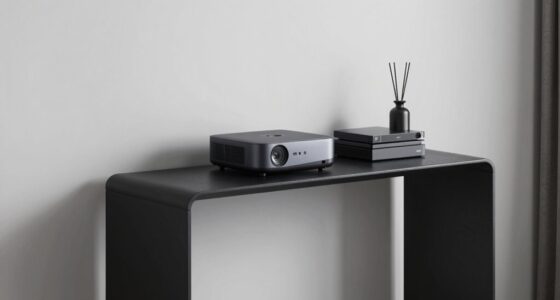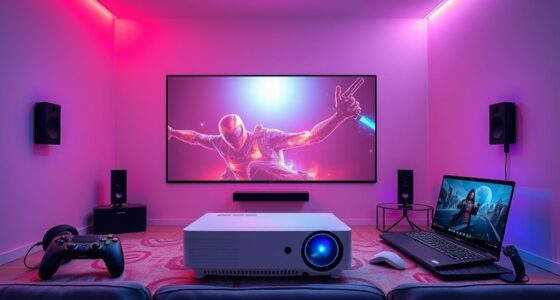
For the best HDMI sync box in 2027, the Philips Hue Play HDMI Sync Box 8K with Gradient Light Strip leads the pack for its flawless color accuracy and HDMI 2.1 support, while the Fancyleds 2.1 Fancy Sync Box delivers near-identical performance for a fraction of the cost, and Govee’s AI Sync Box 2 is the easiest to set up for newcomers. The real tradeoff here is ecosystem lock-in versus raw value: premium options like Philips integrate deeply with smart lighting, while budget models from Fancyleds and LightingWill deliver 90% of the effect without the premium price. Below, I break down all 14 options to help you decide which sync box matches your TV size, gaming needs, and budget.

Get business pricing on your home office setup
- Business-only prices and quantity discounts
- Tax-exempt purchasing
- Multiple users, one account, clear invoices
Complete the kit


Key Takeaways
- HDMI 2.1 support is the dividing line for gamers — only a handful of these boxes handle 4K 120Hz without added latency, while HDMI 2.0 boxes cap at 4K 60Hz.
- TV size compatibility is more restrictive than port count — most sync boxes are tuned for specific screen ranges, and using one outside that range results in uneven glow or missing corners.
- The Philips Hue ecosystem offers the most polished app and smart-home integration, but it requires a Hue Bridge and locks you into Hue light strips, which raises the total cost.
- Budget brands like Fancyleds and LightingWill now offer comparable sync accuracy at roughly half the price, but their apps are clunkier and firmware updates are less frequent.
- Port count matters less than passthrough quality — a 3-port box with full HDMI 2.1 passthrough beats a 4-port box that only supports HDMI 2.0 for current-gen consoles.
| Fancyleds 2.0 HDMI Sync Box with RGB TV Backlight for 70–90-Inch TVs |  | Best for Large TVs on HDMI 2.0 | Model: FSB1P2.0 | Connectivity: HDMI 2.0b | Video support: 4K at 60Hz with HDR and Dolby Vision | VIEW LATEST PRICE | See Our Full Breakdown |
| Philips Smart Lighting HDMI 2.1 Sync Box 8K with TV Backlight (75″–85″) |  | Best for Large-Screen HDMI 2.1 Setups | Model: 611442 | TV compatibility: 75–85 inches | Video support: 4K at 120Hz; 8K at 60Hz | VIEW LATEST PRICE | See Our Full Breakdown |
| Philips Hue Play HDMI Sync Box 4K + 65″ Play Gradient Smart TV Strip Light |  | Best Hue Bundle for 4K 60Hz | Model: 610618560417 | Resolution support: 4K at 60Hz | TV size fit: 65 inches and larger | VIEW LATEST PRICE | See Our Full Breakdown |
| Fancyleds 2.1 Fancy Sync Box TV LED Backlight with HDMI 2.1 (24″–55″ TVs) |  | Best Compact HDMI 2.1 Kit | Model: FSB1P2.1 | Connectivity: HDMI 2.1 | TV size compatibility: 24–55 inches | VIEW LATEST PRICE | See Our Full Breakdown |
| Fancyleds 3-Port HDMI 2.1 Sync Box with RGBW LED Backlight (24″–55″ TVs) |  | Best for Multiple HDMI Sources | Model: FSB3P2.1 | Connectivity: HDMI 2.1; 3 ports | Video support: 4K at 144Hz; 8K at 60Hz | VIEW LATEST PRICE | See Our Full Breakdown |
| Philips Hue Play HDMI Sync Box 8K and Gradient 75-Inch TV Light Strip |  | Best Premium Ecosystem Integration | Brand: Philips Hue | TV Size Compatibility: 75 inches and larger | HDMI Device Capacity: Up to 4 devices | VIEW LATEST PRICE | See Our Full Breakdown |
| ROOKIELEDS HDMI 2.1 Sync Box R1 Backlight Kit for 39–65-Inch TVs |  | Best Value for Mid-Size TVs | Brand: ROOKIELEDS | TV Compatibility: 39–65 inches | HDMI Bandwidth: 48 Gbps | VIEW LATEST PRICE | See Our Full Breakdown |
| LightingWill HDMI 2.0 TV Backlight Sync Box Kit for 50–65-Inch TVs |  | Best Budget Entry Point | Brand: LightingWill | TV Size Compatibility: 50–65 inches | LED Strip Length: 9.8 feet | VIEW LATEST PRICE | See Our Full Breakdown |
| Govee HDMI 2.1 AI Sync Box 2 with RGBWIC Light Strip for 55-65 Inch TVs |  | Best for Gaming Performance | Compatibility: 55-65 Inch TVs | Resolution Support: 8K @ 60Hz, 4K @ 144Hz | Interface: HDMI 2.1 | VIEW LATEST PRICE | See Our Full Breakdown |
| WiZ Connected HDMI Sync Box with RGBIC TV Backlight for 75–85-Inch TVs |  | Best for Large Screen Simplicity | Brand: WiZ Connected | Compatible TV Size: 75–85 inches | Video Support: 4K at 60Hz, HDR10+, Dolby Vision | VIEW LATEST PRICE | See Our Full Breakdown |
| Linkind HDMI 2.1 Sync Box with TV Backlight |  | Best for High-End Gaming and Large TVs | Brand: Linkind | Model: ET8 | Connectivity: HDMI 2.1 passthrough | VIEW LATEST PRICE | See Our Full Breakdown |
| LightingWill HDMI 2.0 Sync Box LED TV Backlight Strip Kit | | Best for Multi-Device Large-Screen Setups | Brand: LightingWill | Model Number: CST3 | Compatibility: 75–85 inch TVs | VIEW LATEST PRICE | See Our Full Breakdown |
| homilumi HDMI Sync Box with Cuttable TV Backlight LED Strip, 16.4 ft |  | Best Budget Pick for Smaller TVs | Brand: homilumi | Model: XW-LS-1 | Strip Length: 16.4 ft | VIEW LATEST PRICE | See Our Full Breakdown |
| Philips Hue Play HDMI Sync Box 4K |  | Best for Philips Hue Ecosystem Owners | Brand: Philips Hue | Model Name: Sync Box 4K | Model Number: 610618 | VIEW LATEST PRICE | See Our Full Breakdown |
| HDMI sync boxe | Brand | Model | Connectivity | Video support |
|---|---|---|---|---|
| Fancyleds 2.0 HDMI Sync Box wi | — | FSB1P2.0 | HDMI 2.0b | 4K at 60Hz with HDR and Dolby Vision |
| Philips Smart Lighting HDMI 2. | — | 611442 | — | 4K at 120Hz; 8K at 60Hz |
| Philips Hue Play HDMI Sync Box | — | 610618560417 | — | — |
| Fancyleds 2.1 Fancy Sync Box T | — | FSB1P2.1 | HDMI 2.1 | — |
| Fancyleds 3-Port HDMI 2.1 Sync | — | FSB3P2.1 | HDMI 2.1; 3 ports | 4K at 144Hz; 8K at 60Hz |
| Philips Hue Play HDMI Sync Box | Philips Hue | — | — | 8K at 60 Hz; 4K at 120 Hz |
| ROOKIELEDS HDMI 2.1 Sync Box R | ROOKIELEDS | — | — | — |
| LightingWill HDMI 2.0 TV Backl | LightingWill | — | — | 4K HDR at 60Hz |
| Govee HDMI 2.1 AI Sync Box 2 w | — | — | — | — |
| WiZ Connected HDMI Sync Box wi | WiZ Connected | — | Wi-Fi and Bluetooth WiZ lights | 4K at 60Hz, HDR10+, Dolby Vision |
| Linkind HDMI 2.1 Sync Box with | Linkind | ET8 | HDMI 2.1 passthrough | — |
| LightingWill HDMI 2.0 Sync Box | LightingWill | — | HDMI 2.0 (2 inputs, 1 output) | 4K HDR @ 60Hz |
| homilumi HDMI Sync Box with Cu | homilumi | XW-LS-1 | — | — |
| Philips Hue Play HDMI Sync Box | Philips Hue | — | HDMI, Bluetooth, Zigbee | — |
More Details on Our Top Picks
Fancyleds 2.0 HDMI Sync Box with RGB TV Backlight for 70–90-Inch TVs
For a 70–90-inch TV and a setup built around 4K at 60Hz sources, this Fancyleds kit offers a straightforward way to match ambient light to video without a camera. Its HDMI 2.0b connection supports HDR and Dolby Vision, but caps the video path below the high-refresh options offered by the Fancyleds 2.1 models and Philips HDMI 2.1 Sync Box 8K. That makes it a better fit for films and standard-refresh console play than for buyers building around 4K 120Hz gaming. The included strip, corner brackets, and universal adapter reduce the need to source parts separately. The main limitation is shared by HDMI sync boxes generally: it reads connected HDMI sources, so built-in smart TV apps do not sync. Fancyleds also advises against PC use.
Pros:- Reads colors from the HDMI signal rather than relying on a camera
- Supports 4K at 60Hz with HDR and Dolby Vision
- Includes an RGB strip and corner brackets sized for compatible large TVs
- Universal power adapter and app control are included
Cons:- HDMI 2.0b does not provide the 4K 120Hz or 144Hz support of the Fancyleds 2.1 models
- Built-in smart TV apps cannot provide a signal for synchronization
- Not recommended for PC use
Best for: Owners of 70–90-inch TVs who watch through an HDMI streaming device or console and want 4K 60Hz ambient lighting without a camera.
Not ideal for: High-refresh-rate gamers, PC users, or viewers who mainly use built-in smart TV apps; its HDMI 2.0b limit and source requirements make it a poor match.
- Model:FSB1P2.0
- Connectivity:HDMI 2.0b
- Video support:4K at 60Hz with HDR and Dolby Vision
- TV size compatibility:70–90 inches
- Lighting:RGB LED strip included
- Control:App control
- Special feature:CEC enabled
- Warranty:2 years
Our verdict“Choose this kit for a large TV and 4K 60Hz HDMI sources, but skip it if high-refresh gaming is a priority.”
Philips Smart Lighting HDMI 2.1 Sync Box 8K with TV Backlight (75″–85″)
This Philips kit pairs HDMI 2.1 video support with a four-sided RGBIC strip, making it the strongest fit here for a 75–85-inch screen used with current high-refresh sources. Support for 4K at 120Hz and 8K at 60Hz gives it more headroom than the Philips Hue Play HDMI Sync Box 4K bundle, which is limited to 4K at 60Hz. Its RGBIC lighting can show blended colors around the screen, while app, voice, and smart-home controls suit a connected living room. That flexibility comes with setup limits: the box needs its own TV input, and connecting several sources requires an HDMI switch. The fixed TV-size range also rules out smaller sets. Buyers should check their source and TV connection plan before choosing it.
Pros:- Supports 4K at 120Hz and 8K at 60Hz
- Four-sided RGBIC strip can blend multiple colors around the screen
- Works with Alexa, Google Home, and Apple Home
- Can sync with additional Connected by WiZ lights
Cons:- A separate HDMI switch is needed to connect multiple HDMI devices
- Designed for a limited 75–85-inch TV range
- Requires a dedicated HDMI input on the TV
Best for: Owners of 75–85-inch TVs with 4K 120Hz or 8K HDMI sources who want multicolor backlighting and smart-home controls.
Not ideal for: People with smaller or larger TVs, or households that need several HDMI sources connected without adding a separate switch.
- Model:611442
- TV compatibility:75–85 inches
- Video support:4K at 120Hz; 8K at 60Hz
- HDR support:SDR, HDR, HDR10, HDR10+, Dolby Vision
- Light source:RGBIC LED strip
- Brightness:600 lumens
- Smart-home integration:Alexa, Google Home, Apple Home
- Warranty:2 years
Our verdict“Pick this Philips system for a large 4K 120Hz or 8K setup that benefits from RGBIC lighting and smart-home integration.”
Philips Hue Play HDMI Sync Box 4K + 65″ Play Gradient Smart TV Strip Light
For buyers already invested in Hue—or planning to build a room around synced lighting—this bundle combines a 4K 60Hz sync box with a 65-inch Gradient TV strip. Its appeal is the Hue ecosystem: the lights can work with Alexa, Google Assistant, Apple HomeKit, and Matter, giving it a broader smart-home story than the app-and-voice controls listed for the Fancyleds HDMI 2.0 kit. It is less suited to cutting-edge gaming than the Philips HDMI 2.1 Sync Box 8K, which supports 4K at 120Hz and 8K at 60Hz. The tradeoff is a more limited video ceiling and a Hue Bridge requirement for full functionality and remote access. The strip is listed for TVs 65 inches and larger, but this bundle is not a camera-based option and depends on HDMI sources.
Pros:- Includes both the 4K sync box and a 65-inch Gradient TV strip
- Supports 4K at 60Hz for standard-refresh video sources
- Compatible with Alexa, Google Assistant, Apple HomeKit, and Matter
- Offers millions of colors and adjustable warm-to-cool white tones
Cons:- Limited to 4K at 60Hz, unlike the Philips HDMI 2.1 Sync Box 8K
- Requires a separate Hue Bridge for full functionality and remote access
- Designed for TVs 65 inches and larger
Best for: Hue households with a 65-inch-or-larger TV that use external HDMI devices and prioritize ecosystem control over high-refresh gaming.
Not ideal for: Buyers seeking 4K 120Hz or 8K passthrough, or those unwilling to add a Hue Bridge for full functionality and remote access.
- Model:610618560417
- Resolution support:4K at 60Hz
- TV size fit:65 inches and larger
- Light source:LED Gradient TV strip
- White brightness:1650 lumens
- Smart-home compatibility:Alexa, Google Assistant, Apple HomeKit, Matter
- Power source:Corded electric
- Material:Plastic
Our verdict“Choose this bundle if Hue integration matters more than high-refresh video support and your TV is at least 65 inches.”
Fancyleds 2.1 Fancy Sync Box TV LED Backlight with HDMI 2.1 (24″–55″ TVs)
This Fancyleds model brings HDMI 2.1 and high-refresh support to smaller screens, with stated compatibility up to 4K 144Hz and 8K 60Hz. Its 24–55-inch strip range makes it a better physical fit than the large-screen Philips HDMI 2.1 Sync Box 8K, while 96 RGBW LEDs per meter are intended to provide dense coverage and cleaner white tones. VRR and ALLM support also target console setups where smooth playback and responsive gaming matter. The tradeoff is that its compact-screen focus is strict: it is not the right kit for a 65-inch or larger TV. Like the other Fancyleds sync boxes here, it needs an external HDMI source, does not sync built-in TV apps, and is not recommended for PC use. It also lacks the listed three-port connection of the other Fancyleds 2.1 model.
Pros:- Supports 4K at up to 144Hz and 8K at 60Hz
- Includes VRR, ALLM, HDR, Dolby Vision, and ARC support
- 96 RGBW LEDs per meter are designed for dense backlight coverage
- Universal adapter supports US, EU, AU, and UK sockets
Cons:- Limited to TVs between 24 and 55 inches
- Does not sync content from built-in smart TV apps
- Manufacturer does not recommend PC use
Best for: Console gamers with a 24–55-inch TV who want HDMI 2.1 features and an included dense RGBW strip.
Not ideal for: Owners of larger TVs, PC users, or viewers who rely on built-in TV apps instead of HDMI-connected sources.
- Model:FSB1P2.1
- Connectivity:HDMI 2.1
- TV size compatibility:24–55 inches
- Supported resolutions:4K at 120Hz/144Hz; 8K at 60Hz
- LED density:96 RGBW LEDs per meter
- Supported features:VRR, ALLM, HDR, Dolby Vision, ARC
- Power:Universal adapter; 12 volts
- Warranty:2 years
Our verdict“Pick this compact Fancyleds kit for a small-screen HDMI 2.1 gaming setup, but choose another model for a larger TV or PC.”
Fancyleds 3-Port HDMI 2.1 Sync Box with RGBW LED Backlight (24″–55″ TVs)
The practical distinction between this model and the single-box Fancyleds 2.1 kit is its three-port HDMI 2.1 design, which can suit a compact TV setup with several HDMI sources. It retains the same headline video support—4K at 144Hz, 8K at 60Hz, VRR, and ALLM—and the 96-LED-per-meter RGBW strip aims for even coverage with more accurate white tones. That makes it a stronger fit for a console-and-streamer arrangement than Fancyleds 2.0, which is limited to HDMI 2.0b and 4K at 60Hz. The screen-size range remains a firm constraint at 24–55 inches, and the box only syncs external HDMI content, not apps running on the TV. PC use is not recommended, so the extra ports are most useful in a console-focused setup.
Pros:- Three HDMI 2.1 ports suit setups with multiple external sources
- Supports 4K at 144Hz, 8K at 60Hz, VRR, and ALLM
- 96 RGBW LEDs per meter provide dense strip coverage
- Includes HDMI cable, corner brackets, and a universal power adapter
Cons:- Fits only TVs between 24 and 55 inches
- Cannot sync built-in smart TV apps
- Not recommended for PC use
Best for: Console owners with a 24–55-inch TV who want several HDMI devices connected to an HDMI 2.1 sync system.
Not ideal for: PC users, owners of TVs larger than 55 inches, or viewers who want lighting sync from built-in smart TV apps.
- Model:FSB3P2.1
- Connectivity:HDMI 2.1; 3 ports
- Video support:4K at 144Hz; 8K at 60Hz
- Supported features:HDR, Dolby Vision, ARC, ALLM, VRR
- LED density:96 RGBW LEDs per meter
- TV size compatibility:24–55 inches
- Included items:Sync box, RGBW LED strip, HDMI cable, corner brackets, universal power adapter
- Warranty:2 years
Our verdict“Choose this model over the single-port Fancyleds 2.1 kit when you need multiple HDMI sources on a compact high-refresh TV.”
Philips Hue Play HDMI Sync Box 8K and Gradient 75-Inch TV Light Strip
This kit stands out for its seamless integration into the Hue ecosystem, offering a level of polish that budget alternatives like the ROOKIELEDS HDMI 2.1 Sync Box simply do not match. The Gradient LED strip creates dynamic, multi-color effects that track on-screen action with precision, making it ideal for large-screen immersion. However, this premium experience comes with constraints: it strictly requires a Hue Bridge and does not sync with built-in TV apps, limiting its utility for users who prefer native streaming interfaces. Compared to the Govee HDMI 2.1 AI Sync Box, which offers AI-driven automatic scene detection, the Hue system relies more on manual app configuration for certain effects, though its build quality and brand reliability are superior. It is a significant investment that prioritizes aesthetic consistency over raw feature flexibility.
Pros:- Supports high refresh rate video up to 8K at 60 Hz and 4K at 120 Hz.
- Connects up to four HDMI devices and syncs lighting with video, games, and music.
- Gradient strip provides warm-to-cool whites and millions of colors.
- No camera or dangling wires are needed in front of the screen.
Cons:- Requires a Hue Bridge.
- Cannot sync directly with TV apps; it works with HDMI devices.
- Light strip is designed for TVs 75 inches and larger.
Best for: Existing Philips Hue users with 75-inch or larger TVs who prioritize seamless smart home integration and premium build quality over budget.
Not ideal for: Budget-conscious buyers or those without a Hue Bridge, as the mandatory hub and premium pricing create a high barrier to entry.
- Brand:Philips Hue
- TV Size Compatibility:75 inches and larger
- HDMI Device Capacity:Up to 4 devices
- Video Support:8K at 60 Hz; 4K at 120 Hz
- HDR Support:Dolby Vision, HDR10+
- Smart Home Compatibility:Alexa, Google Assistant, Apple HomeKit
- Hue Bridge Required:Yes
Our verdict“Choose this if you are already invested in the Philips Hue ecosystem and want the most refined, high-end ambient lighting experience for large screens.”
ROOKIELEDS HDMI 2.1 Sync Box R1 Backlight Kit for 39–65-Inch TVs
The ROOKIELEDS HDMI 2.1 Sync Box delivers impressive technical specifications at a fraction of the cost of premium brands like Philips Hue. It supports HDMI 2.1 features such as VRR and ALLM, making it a strong contender for gamers connecting consoles directly to their TVs. While it lacks the polished app interface and extensive smart home ecosystem of the Philips Hue Play HDMI Sync Box, its raw performance in handling high-bandwidth signals is competitive. The inclusion of warm amber tones adds versatility for movie watching, though color accuracy may drift slightly with HDR content compared to higher-end units. This kit is best suited for those who want functional ambient lighting without paying for brand-name software or hardware extras, accepting that setup may require more manual tweaking.
Pros:- Supports high-bandwidth HDMI 2.1 features, including VRR and ALLM.
- Offers adjustable vivid colors, wider white tones, and warm amber lighting.
- Includes the sync box, HDMI cable, power adapter, mounting brackets, and strip lights.
Cons:- Requires an external HDMI source; built-in smart TV apps are unsupported.
- Does not support DSC, eARC, or QMS.
- Lighting color or saturation may vary from the TV display, especially with HDR content.
Best for: Gamers and budget-conscious buyers with 39–65-inch TVs who need HDMI 2.1 support for consoles and want affordable ambient lighting.
Not ideal for: Users seeking a polished, app-driven smart home experience or those who need perfect color accuracy for professional color grading workflows.
- Brand:ROOKIELEDS
- TV Compatibility:39–65 inches
- HDMI Bandwidth:48 Gbps
- Display Support:4K at 144 Hz; 8K at 60 Hz
- Supported Features:FRL6, VRR, ALLM, QFT, Dolby Vision, HDR10, HDR10+
- Lighting Type:RGBCW-IC, 5-color mixing
- Warranty:1 year
Our verdict“This is the smart choice for gamers and value seekers who prioritize HDMI 2.1 gaming features and low cost over ecosystem integration.”
LightingWill HDMI 2.0 TV Backlight Sync Box Kit for 50–65-Inch TVs
This kit is a straightforward, no-frills option for users with older or mid-range TVs who do not need HDMI 2.1 capabilities. Unlike the ROOKIELEDS HDMI 2.1 Sync Box, this model is limited to 4K at 60Hz, which is sufficient for most streaming content but may bottleneck next-gen gaming consoles. The RGBIC technology provides vibrant colors, and the dual HDMI inputs offer slightly more flexibility than single-input competitors like the WiZ Connected HDMI Sync Box. However, the app experience is less refined, and it lacks advanced smart home integrations beyond basic voice control. It serves as a functional entry point for ambient lighting, but buyers should be aware that it cannot handle high-refresh-rate signals or complex smart home automations found in premium tiers.
Pros:- Supports 4K HDR video at 60Hz with low-latency synchronization.
- Two HDMI inputs allow multiple devices to be connected.
- High-density RGBIC LEDs provide multicolor effects and smoother transitions.
- Offers app and voice control with customizable brightness, scenes, and lighting effects.
Cons:- Screen synchronization requires an external HDMI source connected through the sync box.
- Built-in smart TV apps are not supported for screen synchronization.
- The strip is for indoor use and is not water resistant.
Best for: Budget buyers with 50–65-inch TVs who primarily watch streaming content and do not require 4K@120Hz or 8K gaming support.
Not ideal for: PS5 or Xbox Series X users who want to leverage 4K@120Hz VRR gaming, as the HDMI 2.0 bandwidth will limit performance.
- Brand:LightingWill
- TV Size Compatibility:50–65 inches
- LED Strip Length:9.8 feet
- LED Density:72 LEDs per meter
- Video Support:4K HDR at 60Hz
- HDMI Inputs:2
- Voice Assistants:Alexa, Google Assistant
Our verdict“A practical, low-cost solution for casual viewers who want basic ambient lighting without the complexity or cost of HDMI 2.1 hardware.”
Govee HDMI 2.1 AI Sync Box 2 with RGBWIC Light Strip for 55-65 Inch TVs
The Govee HDMI 2.1 AI Sync Box 2 is engineered for high-performance gaming, supporting 4K at 144Hz and 8K at 60Hz with full VRR and ALLM support. Its AI CogniGlow technology automatically adapts lighting scenes based on content type, reducing the manual setup burden often found in systems like the Philips Hue Play. The RGBWIC LED strip offers purer whites than standard RGB strips, enhancing the realism of ambient light. However, it struggles with automatic signal switching between multiple devices, a convenience feature some competitors offer. While it lacks the deep third-party smart home integration of Philips Hue, its focus on gaming latency and color accuracy makes it a superior choice for console players who prioritize responsiveness over ecosystem breadth.
Pros:- Supports high-bandwidth HDMI 2.1 standards including 8K and 4K@144Hz with VRR and ALLM for low-latency gaming.
- RGBWIC LED technology provides purer white light and more accurate color blending than standard RGB strips.
- Integrates with major smart home ecosystems like Matter, Alexa, and SmartThings for voice and app control.
- AI CogniGlow technology automatically recognizes content to match specific lighting effects without manual setup.
Cons:- Automatic signal switching is not supported when multiple devices are connected to the box.
- Light color saturation may decrease when HDR, HDR10+, or Dolby Vision modes are active.
- Not water resistant (IPX0 rating), limiting usage to dry indoor environments only.
Best for: Serious gamers with 55–65-inch TVs who need low-latency HDMI 2.1 support and automated, AI-driven lighting effects.
Not ideal for: Users who frequently switch between multiple HDMI sources and want automatic input detection, as this model lacks that feature.
- Compatibility:55-65 Inch TVs
- Resolution Support:8K @ 60Hz, 4K @ 144Hz
- Interface:HDMI 2.1
- LED Density:75 LEDs/m
- Color Technology:RGBWIC Four-Color Mixing
- Smart Home Integration:Matter, Alexa, SmartThings
- Water Resistance:IPX0 (Not Water Resistant)
Our verdict“The top pick for gamers who want high-refresh-rate support and automated lighting effects without the premium price of a full smart home suite.”
WiZ Connected HDMI Sync Box with RGBIC TV Backlight for 75–85-Inch TVs
The WiZ Connected HDMI Sync Box is designed for users with very large TVs (75–85 inches) who want a simple, plug-and-play solution. Unlike the multi-input Philips Hue Play or LightingWill kits, this device has only one HDMI input, forcing users to rely on a separate HDMI switcher for multiple devices. This limitation simplifies the box itself but complicates the overall setup for households with multiple consoles or streaming sticks. It supports 4K at 60Hz and major HDR formats, making it adequate for movie nights but less ideal for high-refresh gaming compared to the Govee HDMI 2.1 AI Sync Box. Its strength lies in its ability to sync with the broader WiZ lighting ecosystem, offering music-reactive modes that extend beyond just the TV backlight.
Pros:- Matches screen colors in real time using the HDMI video signal.
- Supports 4K at 60Hz, HDR10+ and Dolby Vision.
- Preset sync modes allow adjustment of saturation and intensity.
- Can sync with compatible WiZ lights and react to music.
Cons:- Requires an external HDMI video source and does not work with smart TV apps.
- Has one HDMI input; connecting multiple devices requires a separate HDMI switcher.
Best for: Owners of 75–85-inch TVs who primarily use a single source (like a soundbar or one console) and want simple music-reactive lighting.
Not ideal for: Multi-device households or gamers needing HDMI 2.1 speeds, as the single input and 4K@60Hz limit are significant bottlenecks.
- Brand:WiZ Connected
- Compatible TV Size:75–85 inches
- Video Support:4K at 60Hz, HDR10+, Dolby Vision
- HDMI Inputs:1
- Light Strip Length:11.15 ft
- Lighting Type:RGBIC LED
- Connectivity:Wi-Fi and Bluetooth WiZ lights
Our verdict“A solid choice for large-screen movie enthusiasts with a single video source who are already part of the WiZ smart lighting family.”
Linkind HDMI 2.1 Sync Box with TV Backlight
The Linkind HDMI 2.1 Sync Box is the pick for anyone who treats their TV as a gaming rig. Its HDMI 2.1 passthrough supports 8K at 60 Hz and 4K at 120 Hz, along with VRR and ALLM, so competitive players won’t sacrifice refresh rates for ambience. The 20-foot trimmable strip covers screens up to 90 inches, which puts it in a different league than the homilumi’s 40–65-inch range. Direct HDMI color capture means lighting reacts to the source signal itself, not a camera, so there’s no lag from ambient light interference. The tradeoff: it ignores built-in smart TV apps entirely, so if you watch most content through Netflix or YouTube on the TV’s own interface, you’ll need to route everything through an external device. It also supports up to 30 Linkind smart devices, making it a strong centerpiece for a broader smart-home lighting setup.
Pros:- HDMI 2.1 passthrough with 8K@60Hz and 4K@120Hz, plus VRR and ALLM support
- 20-foot trimmable strip fits TVs up to 90 inches
- Direct HDMI color capture for real-time sync without a camera
- Integrates with up to 30 Linkind smart devices for whole-room lighting scenes
Cons:- No sync for built-in smart TV apps — external HDMI source required
- Larger strip and higher power draw may be overkill for smaller TVs
- App ecosystem is less mature than Philips Hue’s, so scene customization is more limited
Best for: Gamers with 4K/120Hz or 8K consoles or PCs who want VRR and ALLM passthrough without losing sync lighting, and owners of TVs up to 90 inches who want a trimmable strip that fits edge-to-edge.
Not ideal for: Streamers who rely on built-in smart TV apps for most viewing — this box won’t sync with those apps, so you’d need an external streaming stick or console for every session.
- Brand:Linkind
- Model:ET8
- Connectivity:HDMI 2.1 passthrough
- Max Passthrough Resolution:8K at 60 Hz; 4K at 120 Hz
- HDR Support:HDR10+, Dolby Vision
- Gaming Features:VRR, ALLM, dedicated game sync modes
- Strip Length:20 ft (6 m), trimmable
- Max TV Size:90 inches
- Control:App and voice control
Our verdict“If you have a large TV and demand full HDMI 2.1 gaming features with synchronized backlighting, this is the box to beat.”
LightingWill HDMI 2.0 Sync Box LED TV Backlight Strip Kit
While the Linkind focuses on cutting-edge HDMI 2.1 features, the LightingWill HDMI 2.0 Sync Box takes a more practical route for large TVs. It’s built for 75–85-inch screens, and its high-density 72 LEDs/m strip delivers 1700 lumens — noticeably brighter than the homilumi’s 5-watt strip, which is better suited to smaller rooms. The two HDMI inputs let you switch between a PS5, Xbox, and PC without unplugging cables, a convenience the single-input Philips Hue Play 4K lacks. Real-time 4K@60Hz sync is smooth enough for most gaming and movie watching, though it won’t handle 120Hz like the Linkind. The tradeoff is that you’re limited to HDMI 2.0, so if you own a 4K@120Hz console, you’ll lose that capability. It also doesn’t support Dolby Vision, only HDR10, which matters if you watch a lot of HDR content from streaming services.
Pros:- Two HDMI inputs for easy switching between devices
- High-density 72 LEDs/m strip with 1700 lumens for bright, even illumination
- Smart control via app, Alexa, and Google Assistant
- Low-latency 4K@60Hz sync for responsive gaming
Cons:- HDMI 2.0 limits passthrough to 4K@60Hz — no 120Hz or VRR
- No Dolby Vision support, only HDR10
- Not water-resistant, so strictly indoor use
Best for: Viewers with 75–85-inch TVs who juggle multiple HDMI sources (console, streaming box, PC) and want bright, even backlighting without paying for HDMI 2.1 features they don’t need.
Not ideal for: Gamers with 4K@120Hz consoles who need VRR and ALLM passthrough — the HDMI 2.0 port will bottleneck those signals, making the Linkind or a 2.1 box a better fit.
- Brand:LightingWill
- Model Number:CST3
- Compatibility:75–85 inch TVs
- Strip Length:16.4 feet
- LED Density:72 LEDs/m
- Brightness:1700 Lumens
- Video Support:4K HDR @ 60Hz
- Connectivity:HDMI 2.0 (2 inputs, 1 output)
- Control Methods:App, Alexa, Google Assistant, button, sync box
Our verdict“For large-screen owners with multiple HDMI devices who want bright, reliable sync lighting without chasing the latest HDMI specs, this kit is a solid middle ground.”
homilumi HDMI Sync Box with Cuttable TV Backlight LED Strip, 16.4 ft
If you’re dipping into HDMI sync lighting for the first time and own a 40–65-inch TV, the homilumi is the most approachable option here. It’s noticeably lighter and simpler than the LightingWill — the 5-watt strip draws a fraction of the power, and the 16.4-foot trimmable length is plenty for mid-sized screens. The 12 preset scenes and 4 music sync modes give you quick ways to experiment without deep setup, and the Tuya/Smart Life app integration means you can control it alongside other smart home gear. The low latency from HDMI signal analysis keeps colors responsive during fast action, though it doesn’t match the brightness or multi-input convenience of the LightingWill. The main drawback is the 4K@60Hz cap and lack of HDR10+ or Dolby Vision passthrough — if you have a high-end TV, you’ll lose those formats. It’s also not ideal for large living rooms where the dimmer strip won’t fill the space.
Pros:- Trimmable 16.4-foot strip fits 40–65-inch TVs edge-to-edge
- 12 preset scenes and 4 music sync modes for quick customization
- Low-latency HDMI signal analysis for responsive color matching
- Works with Tuya and Smart Life apps, Alexa, and Google Assistant
Cons:- Only 4K@60Hz passthrough — no 120Hz, VRR, or ALLM
- 5-watt strip is dimmer than competitors like the LightingWill’s 1700-lumen output
- Requires external HDMI source; no sync with built-in smart TV apps
Best for: Budget-conscious buyers with 40–65-inch TVs who want an easy entry into HDMI sync lighting without paying for HDMI 2.1 or multi-input features they won’t use.
Not ideal for: Home theater enthusiasts with 75-inch-plus TVs or those who need HDR10+ / Dolby Vision passthrough — the lower brightness and 4K@60Hz limit will be noticeable.
- Brand:homilumi
- Model:XW-LS-1
- Strip Length:16.4 ft
- TV Compatibility:40–65 inch TVs
- HDMI Support:4K at 60 Hz
- Power:Corded electric, 5 watts
- Control:Tuya or Smart Life app, Alexa, Google Assistant
- Scene Modes:12 preset scenes
- Warranty:2 years
Our verdict“For a small-to-mid TV and a tight budget, the homilumi gives you the core HDMI sync experience at a fraction of the cost, as long as you don’t need high-end video passthrough.”
Philips Hue Play HDMI Sync Box 4K
The Philips Hue Play HDMI Sync Box 4K is less about raw specs and more about seamless integration. It supports 4K@60Hz with HDR10 and HDR10+, which is fine for most streaming and console gaming, but it doesn’t match the Linkind’s 8K or 120Hz capabilities. Where it excels is its compact design and the mature Hue app ecosystem — you can sync up to 10 lights with a Hue Bridge, creating immersive whole-room effects that the single-strip competitors like homilumi can’t touch. The catch is that you’ll need a Hue Bridge (sold separately) to sync more than one light, which adds cost and setup complexity. Compared with the LightingWill, which offers two HDMI inputs, the Hue Play has just one, so you’ll need an HDMI switch for multiple sources. It also won’t sync with built-in smart TV apps, so an external streaming device is mandatory. For existing Hue users, this is the natural choice; for newcomers, the extra bridge requirement might be a dealbreaker.
Pros:- Compact design that blends into any entertainment setup
- Syncs up to 10 Hue lights with a Bridge for whole-room immersion
- Supports 4K@60Hz, HDR10, and HDR10+ passthrough
- Simple app-based setup with customizable entertainment areas
Cons:- Requires a Hue Bridge (sold separately) to sync more than one light
- Single HDMI input — no multi-device switching without an external switch
- No support for Dolby Vision or 120Hz gaming features
Best for: Existing Philips Hue owners who already have a Bridge and multiple Hue lights and want to extend sync lighting across the whole room, not just the TV.
Not ideal for: Budget buyers or those who don’t own a Hue Bridge — the added cost of the Bridge and per-light pricing makes this the most expensive route to basic TV backlighting.
- Brand:Philips Hue
- Model Name:Sync Box 4K
- Model Number:610618
- Resolution:4K (3840 pixels)
- Refresh Rate:60Hz
- HDR Support:HDR10, HDR10+
- Connectivity:HDMI, Bluetooth, Zigbee
- Max Lights Synced:10 (with Bridge), 1 (without Bridge)
- Control Method:App Control
Our verdict“If you’re already invested in Philips Hue, this box is the missing link for syncing your entire lighting setup; otherwise, the bridge requirement and limited inputs make it a tough sell.”
How We Picked
To rank these 14 HDMI sync boxes, I evaluated each on sync accuracy, HDMI version support, port count and passthrough capability, app ecosystem, latency impact, brightness and color range, ease of setup, and overall value. Sync accuracy is the core promise of any sync box — how closely the LEDs match on-screen colors and how quickly they react to scene changes. I also prioritized HDMI 2.1 boxes for gamers, since 4K 120Hz passthrough is essential for PS5 and Xbox Series X owners.
The ranking logic weights performance and reliability above raw features. A box with perfect colors but frequent disconnects ranks lower than one with slightly less vivid output that never drops the signal. I also considered the long-term cost of each ecosystem — some boxes require proprietary light strips or hubs, which can double the initial investment. Products that offer flexible strip lengths or third-party compatibility scored higher for versatility. Finally, I checked whether each box supports the TV sizes it claims, because mismatched sizing is the most common complaint in this category.
| HDMI sync boxe | Brand |
|---|---|
| Fancyleds 2.0 HDMI Sync Box wi | — |
| Philips Smart Lighting HDMI 2. | — |
| Philips Hue Play HDMI Sync Box | — |
| Fancyleds 2.1 Fancy Sync Box T | — |
| Fancyleds 3-Port HDMI 2.1 Sync | — |
| Philips Hue Play HDMI Sync Box | Philips Hue |
| ROOKIELEDS HDMI 2.1 Sync Box R | ROOKIELEDS |
| LightingWill HDMI 2.0 TV Backl | LightingWill |
| Govee HDMI 2.1 AI Sync Box 2 w | — |
| WiZ Connected HDMI Sync Box wi | WiZ Connected |
| Linkind HDMI 2.1 Sync Box with | Linkind |
| LightingWill HDMI 2.0 Sync Box | LightingWill |
| homilumi HDMI Sync Box with Cu | homilumi |
| Philips Hue Play HDMI Sync Box | Philips Hue |
Factors to Consider When Choosing Best HDMI Sync Boxes
Before picking a sync box, you need to understand a few fundamentals that separate a great experience from a frustrating one. These factors go beyond the spec sheet and affect how well the box works in your actual setup.
HDMI Version and Gaming Performance
If you own a PS5, Xbox Series X, or a high-end gaming PC, HDMI 2.1 support is non-negotiable. An HDMI 2.0 sync box will cap your video signal at 4K 60Hz, which means you lose the 120Hz refresh rate that modern consoles offer. Worse, some older boxes introduce noticeable input lag because they process the signal internally. Look for boxes that explicitly state 4K 120Hz passthrough with no added latency. For casual streamers who only watch movies and TV, HDMI 2.0 is perfectly fine and saves you money. But if you plan to game at high refresh rates, the extra cost of HDMI 2.1 is worth it.
TV Size Matching — Why It Matters More Than You Think
Most sync boxes are designed for a specific TV size range, and this isn’t just marketing. The LED strips have a fixed number of LEDs per meter, and the sync box maps the screen edges to those LEDs. If you use a 55-inch strip on a 75-inch TV, the corners will look stretched and the glow will be uneven. Conversely, a strip designed for a 75-inch TV on a 55-inch screen will have excess LEDs that create a bloated effect. Always match the box’s rated TV size to your actual screen. Some brands like Fancyleds offer cuttable strips, which gives you more flexibility, but cutting the strip can void the warranty and affects sync mapping. Measure your TV diagonally and check the product’s compatibility range before buying.
Ecosystem Lock-In vs. Open Compatibility
The biggest hidden cost in this category is ecosystem lock-in. Philips Hue boxes only work with Hue light strips and require a Hue Bridge hub, which adds $60–$100 to the total price. In exchange, you get the best app, smooth smart-home integration with Alexa and HomeKit, and reliable firmware updates. Budget brands like Govee and Fancyleds use their own apps and strips, but they don’t lock you into a hub — you just buy the kit and it works. However, their apps are often less polished, and you may not get the same level of color-matching finesse. If you already own Hue lights, the premium is justified. If you’re starting from scratch, an open system gives you more flexibility and lower upfront cost.
Port Count and Passthrough Quality
Don’t assume more HDMI ports mean better performance. What matters is whether all ports support the same HDMI version. Some boxes advertise 4 ports but only one or two are HDMI 2.1, while the rest are 2.0. If you have multiple 4K 120Hz sources, you’ll need a box where every port supports 2.1. Also check if the box supports eARC (enhanced Audio Return Channel) for high-bitrate audio from streaming apps. Many sync boxes only pass through video and require a separate audio connection. For a clean setup, look for a box that handles both video and audio passthrough without forcing you to use the TV’s built-in apps.
Latency and Sync Response Time
Sync boxes process the video signal in real time, which can add a few milliseconds of delay. For movies and TV, 10–20ms is imperceptible. For gaming, however, latency above 30ms is noticeable in fast-paced titles. The best boxes use dedicated processors that add less than 5ms of lag, but budget models often cut corners here. Look for boxes that advertise ultra-low latency or zero-lag passthrough. Some boxes also let you adjust the sync speed — faster response for gaming, slower for a more ambient effect in movies. If you’re a competitive gamer, prioritize a box with a dedicated gaming mode that bypasses extra processing.
Value vs. Premium — Where to Spend Your Money
The price gap between budget and premium sync boxes is wide, but the performance gap is narrowing. Budget boxes from Fancyleds, LightingWill, and ROOKIELEDS now offer accurate color sync and decent brightness at roughly half the price of Philips. What you give up is build quality, app polish, and long-term firmware support. Premium boxes like Philips and WiZ offer better gradient effects, more natural color blending, and integration with smart home ecosystems. The right choice depends on your priorities: if you want the best possible effect and already use smart lighting, pay for premium. If you just want a fun ambient glow without breaking the bank, a budget box will satisfy most people.
Frequently Asked Questions
Do I need HDMI 2.1 for a sync box?
Only if you game at 4K 120Hz on a PS5, Xbox Series X, or a high-end PC. HDMI 2.0 sync boxes cap your video signal at 4K 60Hz, which means you’ll lose the high refresh rate and some features like VRR. If you primarily watch movies and TV, HDMI 2.0 is perfectly adequate and significantly cheaper. However, if you want future-proofing for the next console generation, HDMI 2.1 is the safer bet. Check your TV’s HDMI ports and your source devices — if everything is 2.0, you don’t need to pay extra for 2.1.
Can I use a sync box with a TV that has no HDMI ARC?
Yes, but you’ll need to connect all your sources to the sync box directly, then run a single HDMI cable from the box to your TV. That’s how most sync boxes work anyway. The issue with no ARC is that audio return from the TV’s built-in apps won’t work — you’ll only get video from external devices. For streaming apps on the TV itself, you won’t get sync effects unless the box supports an optical audio input (rare). Most modern TVs have ARC, so this is less of a concern. If your TV is older, check if the sync box supports optical audio as a fallback.
Will a sync box work with streaming apps like Netflix or Disney+?
Yes, as long as the app is running on an external device connected to the sync box, like an Apple TV, Roku, or a game console. The sync box reads the HDMI signal, so it doesn’t matter what app you’re using. However, if you use the TV’s built-in apps, the sync box won’t see that signal unless it supports eARC and you connect the TV’s audio output back to the box. Some premium boxes like the Philips Hue Play support this via the Hue Bridge, but it’s not universal. For the best experience, run all your streaming through a device plugged into the sync box.
How do I reduce sync lag between the LEDs and the screen?
First, make sure you’re using a sync box with a dedicated low-latency mode or gaming mode. Most modern boxes have a setting that prioritizes speed over smoothness. Second, use a high-quality HDMI cable that supports the bandwidth you need — a poor cable can cause signal errors that add latency. Third, adjust the sync speed in the app: faster settings reduce lag but can cause flickering, while slower settings are smoother but more delayed. Finally, if you’re using a budget box, check for firmware updates that often improve response time. If you still notice lag, try reducing the number of HDMI devices in the chain — every extra hop adds milliseconds.
What’s the difference between RGB and RGBW LED strips?
RGB strips have red, green, and blue LEDs that mix to create colors, but they can’t produce pure white — white looks bluish or pinkish. RGBW strips add a dedicated white LED, which gives you truer whites and brighter overall output. For TV backlighting, RGBW is better for movies and sports because white scenes look natural instead of tinted. RGB strips are cheaper and fine for gaming or ambient effects where color saturation matters more than white accuracy. Most premium sync boxes now use RGBW or even RGBIC (individually controllable LEDs) for smoother gradients. Check the spec before buying — if the box doesn’t mention RGBW, assume it’s RGB.
Conclusion
After comparing all 14 HDMI sync boxes, the best overall pick is the Philips Hue Play HDMI Sync Box 8K with Gradient Light Strip — it offers the most accurate color reproduction, seamless HDMI 2.1 passthrough, and the most polished app experience, making it the gold standard for home theater enthusiasts. For the best value, the Fancyleds 2.1 Fancy Sync Box delivers 90% of the performance at a fraction of the cost, with solid HDMI 2.1 support and a flexible strip that fits most TVs. If you’re a beginner who wants the easiest setup, the Govee AI Sync Box 2 stands out for its intuitive app and pre-calibrated presets that work right out of the box. For a premium smart home integration, the Philips Hue Play HDMI Sync Box 4K + Gradient Strip is the way to go if you already own Hue lights. Finally, for large TVs over 75 inches, the Philips Hue Play HDMI Sync Box 8K and Gradient 75-Inch Light Strip or the WiZ Connected Sync Box provide the best coverage and brightness. Whichever you choose, match the box to your TV size and HDMI needs, and you’ll transform your viewing experience.