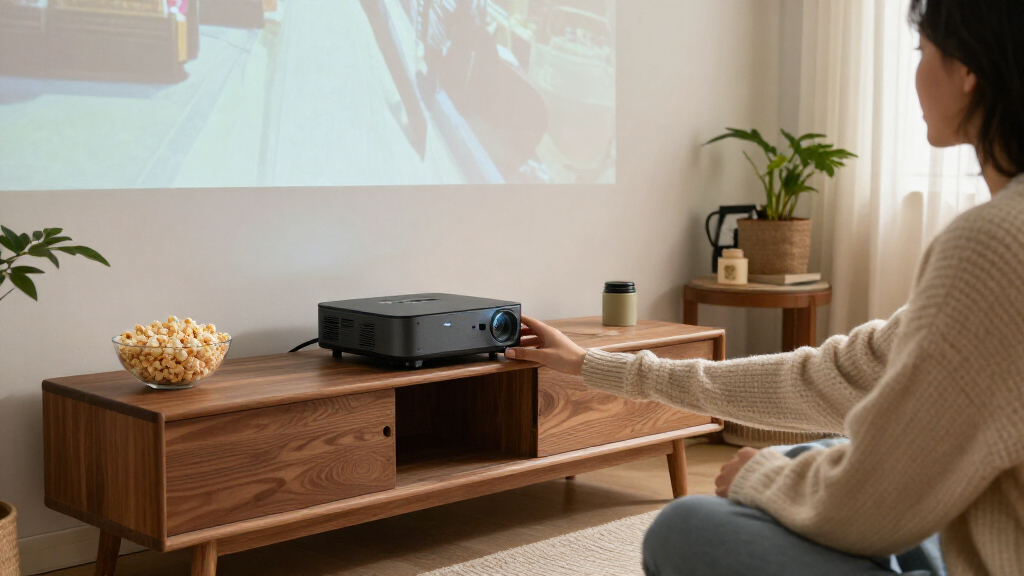
Among these ultra short throw projectors, my best overall pick is the Hisense PX3-PRO, which combines 4K resolution, triple-laser color, and a home-theater-focused design. The Optoma GT3500HDR stands out for buyers who prioritize 1080p gaming and a shorter setup, while the Epson PowerLite 760W suits classrooms and presentations better than movie rooms. The main tradeoffs are image quality and smart features versus brightness, placement flexibility, and the added care a large-screen setup can require. A projector’s stated resolution or light output alone cannot tell you whether it will suit your room, screen, and viewing habits. Continue reading for my full comparison and guidance on choosing the right fit.

Get business pricing on your home office setup
- Business-only prices and quantity discounts
- Tax-exempt purchasing
- Multiple users, one account, clear invoices
Complete the kit


Key Takeaways
- The lineup splits into distinct jobs: the Hisense PX3-PRO and other 4K laser models target home theater, while the Epson PowerLite 760W is built around classroom-style WXGA use.
- Triple-laser models lead the premium conversation: AWOL VISION, Hisense, JMGO, and XGIMI offer 4K triple-laser options, but features and brightness claims still need to be weighed against room conditions and setup.
- Gaming and movie priorities diverge: the Optoma GT3500HDR and GT2000HDR emphasize Full HD laser projection, while the premium 4K picks place more emphasis on resolution and color.
- Portable does not automatically mean easy placement: the Optoma ML1080UST Photon GO and compact smart projector add flexibility, but buyers still need to check throw distance, power needs, and built-in streaming support.
- Not every product labeled short throw is ultra short throw: the BenQ TH671ST and GO2 may fit some close-placement setups, but buyers should verify throw ratio and the required distance for their intended screen size.
| Optoma GT3500HDR 1080p Full HD Ultra Short Throw Laser Projector |  | Best for Large-Screen Gaming | Native resolution: 1920 × 1080 | Brightness: 3,800 lumens | Image size: 90–120 inches | VIEW LATEST PRICE | See Our Full Breakdown |
| Optoma GT2000HDR Ultra-Compact Short-Throw Full HD Home Laser Projector |  | Best for Dust-Prone Rooms | Native resolution: 1920 × 1080 | Brightness: 3,500 lumens | Contrast ratio: 300,000:1 | VIEW LATEST PRICE | See Our Full Breakdown |
| Epson PowerLite 760W WXGA Ultra Short Throw Laser Projector |  | Best for Classrooms | Resolution: WXGA, 1280 × 800 | Brightness: 4,100 lumens, color and white | Display technology: 3LCD | VIEW LATEST PRICE | See Our Full Breakdown |
| Optoma ML1080UST Photon GO Portable 1080p Ultra Short Throw Projector |  | Best Portable Ultra Short Throw | Native resolution: 1920 × 1080 | Brightness: 650 ANSI lumens | Image size: 60–100 inches | VIEW LATEST PRICE | See Our Full Breakdown |
| Portable Smart Projector with Google TV, Native 1080p, 4K Decoding, HDR10, Wi-Fi 6, and Bluetooth 5.3 |  | Best for Flexible Placement | Resolution: Native 1080p; supports 4K decoding | Throw ratio: 0.8:1 | Screen size: 60–120 inches | VIEW LATEST PRICE | See Our Full Breakdown |
| BenQ TH671ST 1080p Short-Throw Home Entertainment Projector |  | Best for Gaming on a Budget | Native resolution: 1920 × 1080 | Brightness: 3,000 ANSI lumens | Throw ratio: 0.69–0.83 | VIEW LATEST PRICE | See Our Full Breakdown |
| AWOL VISION LTV-3000 Pro 4K 3D Ultra Short Throw Triple Laser Projector |  | Best for Dialogue-Focused Home Theater | Native resolution: 3840 × 2160 | Brightness: 2,000 lm; maximum white brightness listed as 3,000 ANSI lumens | Throw ratio: 0.25:1 | VIEW LATEST PRICE | See Our Full Breakdown |
| AWOL VISION Aetherion Pro 4K Ultra Short Throw Laser Projector |  | Best for Large-Screen Gaming | Native resolution: 3840 × 2160 | Brightness: Description: 2,600 ISO lumens; specifications: 3,000 lm | Maximum image size: 200 inches | VIEW LATEST PRICE | See Our Full Breakdown |
| Hisense PT1 Ultra Short Throw Triple Laser 4K Projector |  | Best for Built-In Streaming | Resolution: 3840 × 2160 | Brightness: 2,500 ANSI lumens | Contrast ratio: 3,000:1 | VIEW LATEST PRICE | See Our Full Breakdown |
| GO2 4K Short Throw Projector with VIDAA, Voice Control and 65W Audio |  | Best for Flexible Placement and Built-In Audio | Resolution: 4K supported; native resolution not specified | Brightness: 5,000 ANSI | Contrast ratio: 50,000:1 | VIEW LATEST PRICE | See Our Full Breakdown |
| Hisense PX3-PRO 4K Ultra Short Throw Triple Laser Projector |  | Best for Premium Movie Nights | Native resolution: 3840 x 2160 | Brightness: 3000 ANSI lumens | Contrast ratio: 3000:1 | VIEW LATEST PRICE | See Our Full Breakdown |
| Nova Pro 4K Ultra Short Throw Laser Projector with Google TV |  | Best for Built-In Streaming | Resolution: 3840 × 2160 | Display technology: DLP | Light source: ALPD laser | VIEW LATEST PRICE | See Our Full Breakdown |
| JMGO O2S Ultra 4K Ultra Short Throw Triple Laser Projector |  | Best for Contrast and Sound | Native resolution: 3840 x 2160 | Brightness: 3600 lumens | Native contrast ratio: 4000:1 | VIEW LATEST PRICE | See Our Full Breakdown |
| AWOL VISION Aetherion Max 4K Ultra Short Throw Laser Projector, 3,300 ISO Lumens |  | Best for Competitive Gaming | Native resolution: 3840 x 2160 | Light source: RGB triple laser | Brightness: 3300 ISO lumens | VIEW LATEST PRICE | See Our Full Breakdown |
| XGIMI MIRA 4K Triple-Laser Ultra-Short-Throw Projector |  | Best for Easy Setup | Native resolution: 3840 × 2160 | Brightness: 2000 ISO lumens | Dynamic contrast ratio: 20,000:1 | VIEW LATEST PRICE | See Our Full Breakdown |
| ultra short throw projector | Brightness | Native resolution | Image size |
|---|---|---|---|
| Optoma GT3500HDR 1080p Full HD | 3,800 lumens | 1920 × 1080 | 90–120 inches |
| Optoma GT2000HDR Ultra-Compact | 3,500 lumens | 1920 × 1080 | — |
| Epson PowerLite 760W WXGA Ultr | 4,100 lumens, color and white | — | — |
| Optoma ML1080UST Photon GO Por | 650 ANSI lumens | 1920 × 1080 | 60–100 inches |
| Portable Smart Projector with | — | — | — |
| BenQ TH671ST 1080p Short-Throw | 3,000 ANSI lumens | 1920 × 1080 | 30–300 inches |
| AWOL VISION LTV-3000 Pro 4K 3D | 2,000 lm; maximum white brightness listed as 3,000 ANSI lumens | 3840 × 2160 | 80–150 inches |
| AWOL VISION Aetherion Pro 4K U | Description: 2,600 ISO lumens; specifications: 3,000 lm | 3840 × 2160 | — |
| Hisense PT1 Ultra Short Throw | 2,500 ANSI lumens | — | 80–150 inches |
| GO2 4K Short Throw Projector w | 5,000 ANSI | — | — |
| Hisense PX3-PRO 4K Ultra Short | 3000 ANSI lumens | 3840 x 2160 | — |
| Nova Pro 4K Ultra Short Throw | 2100 ISO lumens | — | 80–150 inches |
| JMGO O2S Ultra 4K Ultra Short | 3600 lumens | 3840 x 2160 | 80–150 inches |
| AWOL VISION Aetherion Max 4K U | 3300 ISO lumens | 3840 x 2160 | — |
| XGIMI MIRA 4K Triple-Laser Ult | 2000 ISO lumens | 3840 × 2160 | 80–120 inches |
More Details on Our Top Picks
Optoma GT3500HDR 1080p Full HD Ultra Short Throw Laser Projector
The GT3500HDR is the gaming-focused pick here: it can put a 90–120-inch picture close to the wall, with a 100-inch image from less than a foot away. Its 8 ms input lag at 1080p/120 Hz gives fast games a more responsive feel than the classroom-oriented Epson PowerLite 760W, whose WXGA resolution is better suited to presentations. The Optoma also brings 3,800 lumens and accepts 4K HDR input, though it displays at native 1080p rather than 4K. Digital zoom and corner adjustments can help with setup, but they do not remove the need to position the projector carefully. Its laser is rated for up to 30,000 hours; the built-in 15 W speaker is convenient for casual play, but buyers wanting fuller sound should plan for external audio.
Pros:- Projects up to 120 inches from a very short distance
- 8 ms input lag at 1080p/120 Hz supports responsive gaming
- 3,800-lumen brightness and 4K HDR input compatibility
- Laser light source rated for up to 30,000 hours
Cons:- Native resolution is 1080p, so 4K input is not displayed at native 4K
- The built-in 15 W speaker may not satisfy buyers seeking fuller audio
- Its 90-inch minimum image size may be too large for some rooms
Best for: Console and PC gamers who want a large image close to the wall and value 1080p/120 Hz responsiveness.
Not ideal for: Buyers seeking native 4K detail or cinema-style sound from the projector alone.
- Native resolution:1920 × 1080
- Brightness:3,800 lumens
- Image size:90–120 inches
- Throw distance:0.66–1.31 feet
- Gaming input lag:8 ms at 1080p/120 Hz
- Light source life:Up to 30,000 hours
- HDR input:4K HDR compatible
- Speaker:Built-in 15 W
Our verdict“Choose the GT3500HDR for a bright, responsive big-screen gaming setup when native 4K resolution is not a requirement.”
Optoma GT2000HDR Ultra-Compact Short-Throw Full HD Home Laser Projector
The GT2000HDR suits a home setup where compact dimensions and dust resistance matter as much as image size. Its IPX6 dust resistance and laser source rated for up to 30,000 hours offer a different kind of practicality from the GT3500HDR, which has a closer 0.66-foot minimum throw and specified 120 Hz gaming performance. The GT2000HDR is described as short throw, with a 120-inch image from 4 feet 4 inches away, so it needs more room in front of the screen than a true ultra short throw model such as the GT3500HDR. It accepts 4K HDR input but displays at 1080p, and the listed 214-inch minimum image size conflicts with the 120-inch example. I would verify the intended screen size and placement before choosing it.
Pros:- IPX6 dust resistance is suited to dust-prone environments
- Laser light source rated for up to 30,000 hours
- Can project a stated 120-inch image from 4 feet 4 inches
- Supports 4K HDR input and has an enhanced game mode
Cons:- Short-throw design needs more distance than the GT3500HDR’s sub-foot 100-inch setup
- Native resolution is 1080p rather than 4K
- Listed minimum image size conflicts with the 120-inch projection example
Best for: Home users who want a compact laser projector and value dust resistance for a room where equipment may collect dust.
Not ideal for: Buyers who need a clearly specified ultra short throw setup or a small minimum image size; the supplied size data is inconsistent.
- Native resolution:1920 × 1080
- Brightness:3,500 lumens
- Contrast ratio:300,000:1
- Throw type:Short throw
- 120-inch projection distance:4 feet 4 inches
- Light source life:Up to 30,000 hours
- Dust resistance:IPX6
- Power consumption:98 watts
Our verdict“Consider the GT2000HDR for a compact, dust-resistant home setup only after confirming that its throw and screen-size data fit your room.”
Epson PowerLite 760W WXGA Ultra Short Throw Laser Projector
The PowerLite 760W is the presentation-first choice in this group. Its 4,100 lumens of both color and white brightness and images up to 150 inches suit lessons or meetings where a large, clear display matters more than film-level resolution. The ultra short throw design can reduce shadows when a presenter stands near the screen, while wireless casting and split-screen display support group work. Compared with Optoma’s GT3500HDR, the Epson gives up Full HD and gaming-focused 120 Hz performance for WXGA resolution and classroom features. Its 360-degree placement and wall-mount or tabletop options allow more installation flexibility, but the stated maximum throw distance is only 3.04 feet. At 1280 × 800, it is a poor fit for buyers who want detailed 1080p movies or 4K-style home cinema.
Pros:- 4,100 lumens of color and white brightness
- Ultra short throw placement can reduce presenter shadows
- Wireless casting and split-screen display support up to four devices
- 360-degree placement plus wall-mount and tabletop options
Cons:- WXGA resolution is below the Full HD Optoma GT3500HDR
- Maximum throw distance is 3.04 feet
- Laser light source is rated for 20,000 hours, shorter than the 30,000-hour Optoma models
Best for: Teachers and meeting-room operators who need a bright, large display with wireless sharing and reduced presenter shadows.
Not ideal for: Home-cinema buyers who prioritize Full HD or higher resolution for films and games.
- Resolution:WXGA, 1280 × 800
- Brightness:4,100 lumens, color and white
- Display technology:3LCD
- Maximum image size:150 inches
- Throw distance:1.11–3.04 feet
- Light source life:20,000 hours
- Wireless and wired connectivity:Wi-Fi, Ethernet, HDMI, USB
- Placement:360-degree; wall-mountable or tabletop
Our verdict“Pick the PowerLite 760W for bright classroom and meeting-room presentations where sharing and shadow reduction matter more than Full HD detail.”
Optoma ML1080UST Photon GO Portable 1080p Ultra Short Throw Projector
The Photon GO brings the most self-contained entertainment setup of these five: its Google TV, Google Cast, auto focus and 20 W stereo speakers reduce the gear needed for a movie night. The Triple Laser RGB light source and Full HD resolution are paired with a 60–100-inch image from under a foot away. That makes it more suitable for spontaneous, close-wall viewing than the GT3500HDR, which reaches 120 inches and offers much higher listed brightness at 3,800 lumens. The Photon GO is rated at 650 ANSI lumens, so it is better suited to darker rooms than bright spaces. Its battery supports up to 1.5 hours of cordless use, handy for a short viewing session but limiting for longer films unless power is available.
Pros:- Projects a 60–100-inch image from 0.34–0.81 feet
- Google TV and Google Cast provide built-in streaming and casting
- Triple Laser RGB with native 1080p and HDR10 support
- 20 W stereo speakers and a built-in battery support portable viewing
Cons:- 650 ANSI lumens is better suited to darker rooms
- Battery life is rated for up to 1.5 hours
- Maximum image size is 100 inches, smaller than the GT3500HDR’s 120 inches
Best for: People who want a portable, app-equipped projector for short movie sessions in darker rooms, without a separate streaming box.
Not ideal for: Buyers who need a bright picture in a lit room, a screen larger than 100 inches, or cordless runtime for long films.
- Native resolution:1920 × 1080
- Brightness:650 ANSI lumens
- Image size:60–100 inches
- Throw distance:0.34–0.81 feet
- Light source:Triple Laser RGB
- HDR support:HDR10
- Battery life:Up to 1.5 hours
- Speaker output:20 watts
Our verdict“Choose the Photon GO for portable, close-wall streaming in a dark room when its modest brightness and short battery runtime suit your viewing sessions.”
Portable Smart Projector with Google TV, Native 1080p, 4K Decoding, HDR10, Wi-Fi 6, and Bluetooth 5.3
This compact smart projector is the flexible-placement pick: its 0.8:1 throw ratio can make a 100-inch image from 5.9 feet, and the built-in rotatable stand makes it easier to aim from a shelf, table, or tripod. Google TV, automatic focus, keystone correction, obstacle avoidance and screen alignment streamline setup. Compared with the Optoma Photon GO, it can reach a stated 120-inch image and includes a longer two-year warranty, but its listed projection distance for that size is 6.9 feet rather than under a foot. That makes it short throw rather than ultra short throw in practical room planning. It decodes 4K content but displays at native 1080p, and the product data cautions that clarity may soften at longer distances.
Pros:- Rotatable stand and 2.6-pound weight make placement flexible
- Automatic focus, keystone correction, obstacle avoidance and screen alignment simplify setup
- Google TV with Wi-Fi 6 and Bluetooth 5.3 supports streaming and wireless connections
- Stated image size reaches 120 inches
Cons:- A 100-inch image requires 5.9 feet, so it is not as close-wall as the Optoma Photon GO
- Native resolution is 1080p despite 4K decoding
- Image clarity may soften at longer projection distances
Best for: Apartment dwellers and travelers who want a lightweight smart projector that can be aimed from different surfaces and stands.
Not ideal for: Buyers who need an image close to the wall; the 100-inch image requires 5.9 feet of projection distance.
- Resolution:Native 1080p; supports 4K decoding
- Throw ratio:0.8:1
- Screen size:60–120 inches
- Projection distance:100 inches at 5.9 feet; up to 120 inches at 6.9 feet
- Operating system:Google TV, Android 14.0
- Wireless connectivity:Wi-Fi 6, Bluetooth 5.3
- Weight:2.6 lbs (1.2 kg)
- Mounting:Rotatable stand; 1/4-inch screw hole
Our verdict“Pick this model for lightweight, adjustable smart projection when flexible placement matters more than true ultra short throw distance.”
BenQ TH671ST 1080p Short-Throw Home Entertainment Projector
The BenQ TH671ST is the practical pick for buyers who want a large screen for games and films without installing a laser UST system. Its short-throw lens can make a 100-inch image from about 5 feet, while 3,000 ANSI lumens gives it more flexibility in rooms with some ambient light than the darker-room-focused AWOL VISION LTV-3000 Pro. Native 1080p and low input lag favor responsive play, though this is a clear step down from the 4K detail and HDR range of the newer Hisense PT1. The tradeoff is a lamp that lasts 4,000 hours in normal mode, with longer life only in Lampsave, and a 5W speaker that is best treated as a backup. Its 0.69–0.83 throw ratio is short-throw, not the near-wall placement of the UST models here.
Pros:- Native 1920 × 1080 resolution with 3,000 ANSI lumens
- Can project a 100-inch image from about 5 feet
- Gaming-focused low input lag
- Two HDMI ports plus VGA and audio connections
Cons:- Lamp life is 4,000 hours in normal mode
- Single 5W speaker is limited for room-filling sound
- Requires substantially more distance from the wall than UST projectors
Best for: Gamers who want a bright Full HD big-screen setup and can place the projector several feet from the wall
Not ideal for: Buyers who need a true ultra short throw setup, native 4K, or strong built-in sound
- Native resolution:1920 × 1080
- Brightness:3,000 ANSI lumens
- Throw ratio:0.69–0.83
- Image size:30–300 inches
- Contrast ratio:10,000:1
- Lamp life:4,000 hours normal; up to 15,000 hours Lampsave
- Speaker:5W × 1
- Weight:2.7 kg (5.95 lbs)
Our verdict“Choose the TH671ST for bright, responsive Full HD gaming when you have room for a short-throw setup and do not need 4K or UST placement.”
AWOL VISION LTV-3000 Pro 4K 3D Ultra Short Throw Triple Laser Projector
For a UST home theater where speech clarity matters, the AWOL VISION LTV-3000 Pro has a distinctive advantage: its built-in center channel speaker is designed to anchor dialogue to the screen. Triple laser light, 4K UHD, Dolby Vision, HDR10+, and 3D make it a more cinema-oriented option than the BenQ TH671ST, which trades those formats for a brighter Full HD gaming setup. Its fixed 0.25:1 throw ratio puts a large image close to the wall, but that fixed geometry makes cabinet depth and placement precision important. The 80–150-inch range also caps the screen size below the 200-inch claim for the AWOL VISION Aetherion Pro. At 2,000 lm listed brightness, it suits controlled lighting; an ALR screen may help in brighter rooms. Active shutter glasses and compatible playback gear are needed for 3D.
Pros:- 4K UHD triple laser with Dolby Vision and HDR10+ support
- Built-in center channel speaker designed to clarify dialogue
- Fixed 0.25:1 throw ratio supports near-wall placement
- Supports Dolby Atmos, 3D, and Control4 integration
Cons:- Fixed throw geometry requires careful cabinet and screen placement
- Brighter rooms may call for an ALR screen
- 3D requires active shutter glasses and compatible source equipment
Best for: Home theater buyers who want UST placement, immersive HDR formats, and clearer screen-centered dialogue
Not ideal for: Viewers who need a flexible throw setup, a screen larger than 150 inches, or bright-room performance without an ALR screen
- Native resolution:3840 × 2160
- Brightness:2,000 lm; maximum white brightness listed as 3,000 ANSI lumens
- Throw ratio:0.25:1
- Image size:80–150 inches
- Contrast ratio:2,500:1
- Color coverage:107% BT.2020; 147% DCI-P3
- Light source life:25,000 hours
- Mounting type:Floor mount
Our verdict“Pick the LTV-3000 Pro for a carefully placed UST theater where dialogue-focused audio and broad cinema format support matter more than maximum screen size.”
AWOL VISION Aetherion Pro 4K Ultra Short Throw Laser Projector
The AWOL VISION Aetherion Pro combines an unusually large stated screen ceiling with gaming features that are less central to the LTV-3000 Pro. Its up to 200-inch 4K image, VRR, ALLM, and listed 1 ms latency suit buyers building one UST setup for films and responsive play. Dolby Vision and HDR10+ support add flexibility across HDR sources, while 110% Rec.2020 color coverage targets vivid reproduction. There is a specification mismatch to weigh: the description gives 2,600 ISO lumens, but the specs list 3,000 lm. The listed maximum throw distance of 20.19 feet also does not fit neatly with the ultra short throw description, so placement claims need confirmation before a room is planned around them. Compared with the Hisense PT1, it offers a larger stated image and stronger gaming feature set, but less straightforward spec data.
Pros:- Supports 4K projection up to a stated 200 inches
- Gaming features include 1 ms latency, VRR, and ALLM
- Supports Dolby Vision, HDR10+, HDR10, and HLG
- RGB triple laser with stated 110% Rec.2020 color gamut
Cons:- Brightness differs between the description and specifications
- Listed 20.19-foot maximum throw distance is unusual for a UST projector
- Two-year warranty is shorter than the LTV-3000 Pro’s stated three-year warranty
Best for: Gamers and movie fans planning a large UST screen who want VRR, ALLM, and broad HDR format support
Not ideal for: Buyers who need consistent brightness and throw-distance figures before committing to a fixed cabinet or screen layout
- Native resolution:3840 × 2160
- Brightness:Description: 2,600 ISO lumens; specifications: 3,000 lm
- Maximum image size:200 inches
- Color gamut:110% Rec.2020
- Contrast:Up to 6,000:1 native with IRIS; up to 60,000:1 viewing contrast
- Light source:RGB triple laser; 25,000-hour operating life
- Gaming features:1 ms latency, VRR, ALLM, Dolby Vision Gaming
- Warranty:2 years
Our verdict“Consider the Aetherion Pro for a large-screen gaming and HDR setup if you can verify its brightness and placement specifications for your room.”
Hisense PT1 Ultra Short Throw Triple Laser 4K Projector
The Hisense PT1 makes the most sense for a living room where streaming and movie formats should be ready on the projector itself. Google TV is paired with Dolby Vision, Dolby Atmos, HDR10+, IMAX Enhanced, Filmmaker Mode, and 3D, giving it a broader home-entertainment package than the gaming-centered BenQ TH671ST. Its 4K triple-laser system covers a stated 110% of BT.2020, and the 80–150-inch image range fits typical UST screen plans. The tradeoff is that Hisense’s ALR screen is separate, and the supplied distance figures conflict: the listed minimum is 1.32 feet while the maximum is 0.31 feet. That makes it difficult to rely on those numbers for placement. Compared with the AWOL VISION Aetherion Pro, the PT1 has a more familiar streaming platform, while the Aetherion lists a larger image and more explicit gaming features.
Pros:- 4K triple laser with 2,500 ANSI lumens
- Google TV built in
- Supports Dolby Vision, Dolby Atmos, HDR10+, IMAX Enhanced, and Filmmaker Mode
- Stated 110% BT.2020 color gamut and 25,000-hour light source life
Cons:- Listed minimum and maximum throw distances appear reversed or inconsistent
- Hisense ALR screen is sold separately
- Maximum image size is 150 inches, smaller than the Aetherion Pro’s stated 200 inches
Best for: Households that want Google TV and major HDR and audio formats built into a 4K UST projector
Not ideal for: Buyers who need precise placement measurements from the listed specs or expect an ALR screen in the box
- Resolution:3840 × 2160
- Brightness:2,500 ANSI lumens
- Contrast ratio:3,000:1
- Image size:80–150 inches
- Color gamut:110% BT.2020
- Light source life:25,000 hours
- Connectivity:Bluetooth 5, Ethernet, HDMI, USB 3.0, Wi-Fi
- Smart and video features:Google TV, Dolby Vision, Dolby Atmos, HDR10+, IMAX Enhanced, Filmmaker Mode, 3D
Our verdict“Choose the PT1 if built-in Google TV and a broad movie format package matter more than a larger screen or clearly documented placement figures.”
GO2 4K Short Throw Projector with VIDAA, Voice Control and 65W Audio
The GO2 is the flexible all-in-one pick in this group, though its 100-inch image needs about 8 feet, so it is short-throw rather than ultra short throw. A 360-degree stand makes it easier to aim at different walls or use outside after dark, while 65W Dolby-supported stereo speakers provide a fuller built-in audio option than the LTV-3000 Pro’s listed 5W speaker. VIDAA adds streaming apps, live TV, games, and voice control; AirPlay and smartphone control widen the ways to send content. Its stated 5,000 ANSI brightness and 50,000:1 contrast sound ambitious, but the product data says it is unsuitable for bright rooms, so I would plan for evening or controlled-light viewing. Compared with the Hisense PT1, it offers a much longer throw and more flexible positioning, but lacks a clearly stated native 4K resolution and the PT1’s UST placement.
Pros:- 65W Dolby-supported stereo speakers reduce reliance on external audio
- VIDAA includes streaming apps, live TV, games, and voice control
- 360-degree stand supports flexible aiming
- AirPlay, Wi-Fi, Bluetooth, and multiple HDMI and USB ports
Cons:- Needs about 8 feet for a 100-inch image, unlike true UST models
- Not recommended for bright rooms; outdoor use is aimed at nighttime
- Product data states 4K support but does not specify native 4K resolution
Best for: Viewers who want an all-in-one projector with strong built-in audio, streaming controls, and flexible positioning for nighttime use
Not ideal for: Buyers who need true UST wall-adjacent placement, bright-room viewing, or a clearly specified native 4K panel
- Resolution:4K supported; native resolution not specified
- Brightness:5,000 ANSI
- Contrast ratio:50,000:1
- Projection size:50–500 inches
- Throw distance for 100-inch image:About 8 feet
- Audio:65W Dolby-supported stereo speakers
- Operating system:VIDAA
- Wireless features:Wi-Fi, Bluetooth, Apple AirPlay
Our verdict“Pick the GO2 for flexible nighttime viewing and powerful onboard audio if you can accommodate an eight-foot throw and do not require true UST placement.”
Hisense PX3-PRO 4K Ultra Short Throw Triple Laser Projector
The PX3-PRO is a strong fit for a dedicated living-room cinema setup: its native 4K triple-laser picture, Dolby Vision, and IMAX Enhanced support put movie presentation ahead of compactness or setup flexibility. Its stated 0.12-meter minimum throw distance helps keep the projector close to the wall, while the 80-to-150-inch range can suit different screen sizes. Compared with the Hisense PT1, this model is the pick for buyers who want the listed Xbox gaming support and Harman Kardon audio alongside Google TV. That feature set comes with practical space demands: a 150-inch image needs a large viewing area, and tabletop placement near the wall leaves little room to reposition the unit. I’d choose it for a fixed, large-screen setup, not a room that needs frequent layout changes.
Pros:- Native 4K resolution with AI upscaling for lower-resolution sources
- Triple-laser light source with Dolby Vision and IMAX Enhanced support
- 80-to-150-inch projection range with a stated 0.12-meter minimum throw
- Google TV, Xbox gaming support, and Harman Kardon speakers are built in
Cons:- Large image sizes require substantial wall or screen space
- Near-wall tabletop placement can restrict setup and repositioning
- The listed 3000:1 contrast ratio is lower than the JMGO O2S Ultra’s 4000:1 native figure
Best for: Movie-focused households with room for a large screen and a fixed tabletop position near the wall
Not ideal for: Renters or multipurpose-room users who need to move the projector between viewing locations
- Native resolution:3840 x 2160
- Brightness:3000 ANSI lumens
- Contrast ratio:3000:1
- Projection size:80–150 inches
- Throw distance:0.12–0.46 meters
- Light source:Triple laser
- Light source operating life:25,000 hours
- Connectivity:Bluetooth 5, Ethernet, HDMI, USB 3.0, Wi-Fi
Our verdict“Choose the PX3-PRO for a feature-rich 4K movie room if you have the screen space and can keep its tabletop position fixed.”
Nova Pro 4K Ultra Short Throw Laser Projector with Google TV
The Nova Pro suits buyers who want streaming ready as soon as the projector is set up. Google TV with Netflix built in makes it less dependent on a separate streaming box, while HDMI 2.1, Wi-Fi 6, and optical audio give it useful connection options. Its 0.23:1 throw ratio and 80-to-150-inch range support large images in small rooms, much like the Hisense PX3-PRO. The difference is that the Nova Pro lists 2100 ISO lumens, below the Hisense model’s 3000 ANSI lumens, so room lighting deserves more attention. HDR10, HLG, and dual 15W speakers round out a convenient living-room package, but direct sunlight can wash out the image. I’d favor it over the PX3-PRO when integrated streaming and broad connectivity matter more than the higher stated brightness.
Pros:- Google TV with Netflix built in
- 4K resolution with HDR10 and HLG support
- HDMI 2.1, Wi-Fi 6, optical, LAN, USB, and 3.5 mm audio connections
- Dual 15W speakers with Dolby Audio and DTS-HD support
Cons:- Direct sunlight can affect the image; a darker room or ALR screen is recommended
- Listed brightness is lower than the Hisense PX3-PRO’s stated 3000 ANSI lumens
- A 150-inch image requires placement about 49 cm from the screen
Best for: Viewers who want Google TV and Netflix built in, plus several wired audio and device connections
Not ideal for: Households that watch in direct sunlight or want a brighter listed output for an ambient-light room
- Resolution:3840 × 2160
- Display technology:DLP
- Light source:ALPD laser
- Brightness:2100 ISO lumens
- Contrast ratio:3000:1
- Throw ratio:0.23:1
- Image size:80–150 inches
- HDR support:HDR10, HLG
- Audio:Dual 15W speakers; Dolby Audio and DTS-HD
Our verdict“Pick the Nova Pro if built-in streaming and connection options are priorities and you can control the room lighting.”
JMGO O2S Ultra 4K Ultra Short Throw Triple Laser Projector
The JMGO O2S Ultra stands apart through its listed 4000:1 native contrast and 20W Dynaudio speakers, making it a compelling match for viewers who care about picture depth and integrated sound. Its 0.16:1 throw ratio is shorter than the Nova Pro’s 0.23:1, which can make a large image easier to fit close to a wall. It also offers Dolby Vision, Google TV, and a native Netflix app. The brightness claim is 3600 lumens, but the product data does not specify the same measurement standard used for the Nova Pro’s ISO lumens or the PX3-PRO’s ANSI lumens, so direct comparisons are limited. Another point to check before planning a tight installation: the listed throw distances span 1 to 4 meters. Buyers should confirm the desired screen size against their room layout.
Pros:- Listed 4000:1 native contrast ratio
- 0.16:1 throw ratio and projection sizes from 80 to 150 inches
- 20W Dynaudio speakers with Dolby Atmos and DTS:X support
- Google TV with a native Netflix app, Dolby Vision, and Blu-ray 3D support
Cons:- The listed 1-to-4-meter throw-distance range may need clarification for a close-wall installation
- Brightness is listed in lumens without an ANSI or ISO measurement standard
- Product information does not specify a software update duration
Best for: Movie watchers who want strong stated native contrast, built-in streaming, and more capable integrated speakers
Not ideal for: Buyers who need a clearly specified close-wall throw distance for their exact screen size before choosing a placement
- Native resolution:3840 x 2160
- Brightness:3600 lumens
- Native contrast ratio:4000:1
- Throw ratio:0.16:1
- Image size:80–150 inches
- Throw distance:1–4 meters
- Audio:20W Dynaudio integrated speakers
- Smart platform:Google TV with native Netflix
- Features:Dolby Vision, Dolby Atmos, DTS:X, Blu-ray 3D
Our verdict“Choose the O2S Ultra for its stated native contrast and audio features, after confirming the throw distance fits your room.”
AWOL VISION Aetherion Max 4K Ultra Short Throw Laser Projector, 3,300 ISO Lumens
The Aetherion Max is the gaming-focused choice in this group. Its up to 240Hz support, VRR, ALLM, HDMI 2.1a, and DisplayPort give gaming setups a broader feature set than the listed Hisense PX3-PRO, whose product data names Xbox support but not a refresh rate. A 0.2:1 throw ratio and 150-inch maximum image also suit a large screen without a long conventional projector throw. For movies, RGB triple laser and 3300 ISO lumens give it a substantial listed output, and anti-rainbow-effect technology addresses a viewing artifact some buyers may notice with DLP projection. The tradeoff is room preparation: direct overhead lighting can reduce image clarity, and an ALR screen is recommended. I’d put it ahead of the more cinema-oriented PX3-PRO for gaming-first rooms, but not for buyers unwilling to manage ambient light.
Pros:- Up to 240Hz support with VRR and ALLM
- HDMI 2.1a and DisplayPort connections
- RGB triple-laser source with 3300 ISO lumens
- Anti-rainbow-effect technology and a two-year warranty
Cons:- An ALR screen is recommended for clear, high-contrast images under direct overhead lighting
- Maximum listed image size is 150 inches
- Floor-mount form factor may constrain placement compared with a portable projector
Best for: Console and PC gamers building a large-screen setup who can control overhead light
Not ideal for: Bright-room viewers who cannot use an ALR screen or manage direct overhead lighting
- Native resolution:3840 x 2160
- Light source:RGB triple laser
- Brightness:3300 ISO lumens
- Throw ratio:0.2:1
- Maximum image size:150 inches
- Refresh rate:Up to 240Hz
- Connectivity:Bluetooth, HDMI, USB, Wi-Fi, DisplayPort
- Light source operating life:25,000 hours
- Warranty:2 years
Our verdict“Choose the Aetherion Max for its gaming connections and high refresh rate if your room can control ambient light.”
XGIMI MIRA 4K Triple-Laser Ultra-Short-Throw Projector
The XGIMI MIRA favors quick setup in a tight space. Its 0.175:1 throw ratio can produce a 100-inch image from 7.6 inches away, and automatic focus, keystone, and screen alignment reduce the adjustments a first-time projector owner may face. Google TV and 36W Harman Kardon audio add a ready-to-watch package. Against the Hisense PX3-PRO, the MIRA lists a smaller 120-inch maximum image and 2000 ISO lumens, while the Hisense reaches 150 inches and lists 3000 ANSI lumens. That makes the MIRA better suited to modest, close-wall setups than buyers chasing the largest screen or brighter stated output. VRR and ALLM also make it more gaming-aware than a basic streaming projector, though the listed maximum throw distance is only two feet.
Pros:- Automatic focus, keystone, and screen alignment simplify setup
- 0.175:1 throw ratio can create a 100-inch image from 7.6 inches away
- Google TV and 36W Harman Kardon speakers are built in
- VRR and ALLM support gaming features
Cons:- Maximum image size is 120 inches, below the 150-inch maximum listed for the PX3-PRO
- Listed brightness is 2000 ISO lumens
- Maximum throw distance is listed as two feet, limiting placement flexibility
Best for: First-time UST buyers who want automatic image alignment, built-in streaming, and a screen up to 120 inches
Not ideal for: Viewers planning a screen larger than 120 inches or needing flexible placement beyond two feet from the screen
- Native resolution:3840 × 2160
- Brightness:2000 ISO lumens
- Dynamic contrast ratio:20,000:1
- Throw ratio:0.175:1
- Image size:80–120 inches
- Throw distance:0.5–2 feet
- Audio:36W Harman Kardon speakers; Dolby Audio
- Smart features:Google TV; automatic focus, keystone, and screen alignment
- Gaming features:1ms input lag, VRR, ALLM
Our verdict“Pick the MIRA for automatic setup and a compact 80-to-120-inch viewing space, rather than a maximum-size screen.”
How We Picked
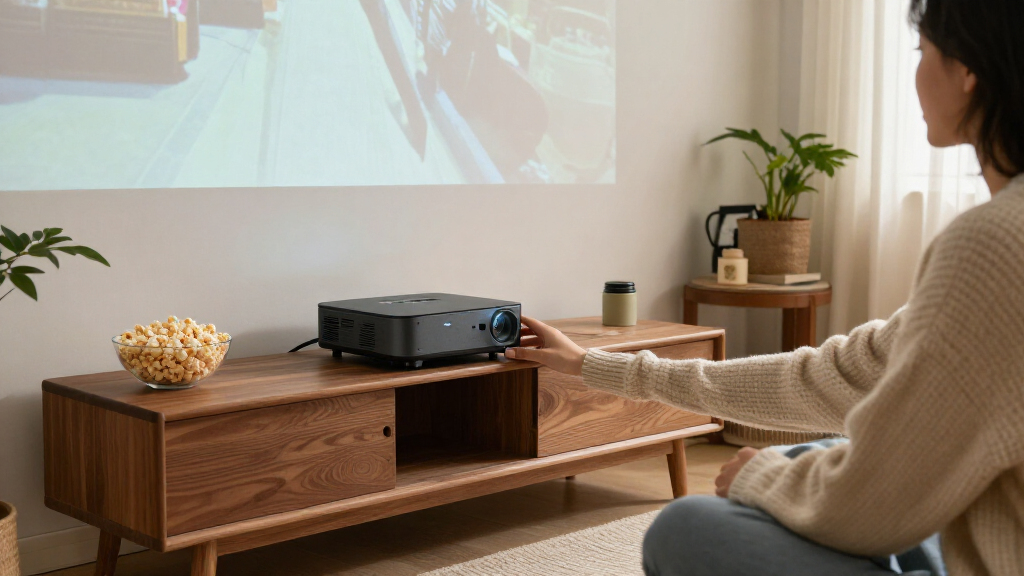
I compared these 15 models by how well their designs answer different ultra short throw needs: a large image from close to the wall, a usable picture for the intended room, and features that fit the way the projector will be used. I weighed resolution and light source alongside brightness claims, color technology, smart-TV functions, audio, portability, gaming orientation, and the practical distinction between ultra-short-throw and merely short-throw models. I also treated stated specifications as a starting point rather than a guarantee of identical performance across rooms.
The ranking favors models that offer a strong mix of image capability, setup fit, and everyday usefulness, while giving specialized picks credit for serving a clear audience. Premium 4K triple-laser models rank well for dedicated home theaters, but they are not automatically the right choice for classrooms, casual gaming, or portable viewing. Models with narrower use cases rank lower as all-around recommendations, not because those use cases lack value. Buyers should confirm each projector’s throw ratio, screen-size range, and feature availability before choosing.
Factors to Consider When Choosing Ultra Short Throw Projectors
Choosing among ultra short throw projectors is less about finding the longest spec list and more about matching the projector to the room and the job. These factors can prevent costly mismatches that a product comparison alone may not resolve.
Check Throw Ratio Against Your Actual Wall
“Ultra short throw” is not a guarantee that every model can sit in the same spot. Measure the space from the wall or screen to the front edge of the cabinet, then compare that distance with the model’s throw ratio and supported image sizes. Account for the projector’s body depth, cables, and any stand or cabinet lip, not just the lens position. A small placement error can shift the image enough to make alignment frustrating. Avoid buying based only on a marketing photo showing a projector close to a wall; the pictured screen size may not match your room. If your cabinet position is fixed, prioritize a verified placement calculation over a larger advertised maximum screen size.
Match Brightness to Light in the Room
Room lighting changes how much projected contrast and color you can perceive. A darkened media room can make a home-theater model’s image strengths more apparent, while a bright living room or classroom may call for more light output and careful screen selection. Manufacturer brightness figures are useful for comparing models, but they do not tell the whole story about image quality or how the projector performs in your room. Do not assume a brighter model will compensate for direct sunlight on the screen. Plan where windows, lamps, and the screen will sit before deciding whether you need a high-brightness design or better light control. This can matter more to viewing comfort than a small resolution difference.
Choose Resolution for Screen Size and Viewing Distance
4K can reveal more detail on a large image, particularly when viewers sit close enough to notice fine textures. On a smaller screen or from farther away, the difference may be less apparent, so it may make sense to prioritize other features. Full HD models in this lineup can suit gaming and general viewing when buyers value their particular setup strengths more than the extra pixel count. Also check whether a listing describes native resolution or decoding support; those terms do not mean the same thing. Think about the content you watch and your seating distance before paying extra for a resolution upgrade. Resolution is one part of picture quality, not a stand-in for contrast, color, or room suitability.
Budget for the Screen and Placement, Not Just the Projector
An ultra short throw projector sits close to the screen, so the screen surface and wall condition are unusually visible parts of the system. A flat, suitable screen can help produce a more even picture, while an uneven wall may show texture or distort geometry. Ambient-light-rejecting screens can help in some brighter rooms, but they need to be matched to the projector’s position and viewing area. Do not assume that a standard pull-down screen will work equally well with every ultra-short-throw model. Check compatibility and the complete installed footprint before ordering accessories. If the projector must share a console with other equipment, allow room for ventilation and easy access to connections.
Separate Built-In Streaming from the Core Projection Features
Some models advertise smart-TV platforms or bundled streaming features, while others may rely on an external device. Built-in apps can reduce cable clutter, but platform support, app availability, and update policies can change over time. A streaming stick or media player may offer a more familiar interface and easier replacement if an app stops working. Check whether the projector has the connections and wireless options you need, and whether its audio works for your setup. Built-in speakers are convenient for casual viewing, yet they may not satisfy buyers planning a dedicated theater. Decide whether you value a simple all-in-one arrangement or prefer to choose streaming and sound equipment separately.
Treat Gaming, Portability, and Classroom Use as Separate Priorities
A projector that works well for movies may not be the best match for responsive gaming, frequent transport, or classroom presentations. Gamers should look for clearly specified input lag, supported refresh rates, and the resolution available at the desired mode rather than relying on a gaming label. Portable models can ease occasional room changes, but check power arrangements, setup steps, and whether the image remains practical in the spaces where you plan to use them. For teaching or presentations, aspect ratio, readable text, connectivity, and manageable maintenance may matter more than cinematic color. A common mistake is choosing one “do everything” model without ranking these jobs. Pick the main use first, then treat secondary features as bonuses.
Frequently Asked Questions
Can I put an ultra short throw projector on any TV console?
Not without checking both the projector’s placement range and the console’s dimensions. Ultra-short-throw models need precise positioning, and a few centimeters can alter the image’s size or alignment. Measure from the wall or screen to the projector’s lens area, and include the body depth and cable clearance in your plan. A console that is too shallow or uneven can make setup difficult even when the projector technically fits. Confirm the required distance for your target screen size before buying furniture or mounting a screen.
Do I need a special screen, or will a plain wall work?
A plain, smooth, neutral-colored wall can work for casual viewing, but its texture and flatness will affect the image more with a projector placed close to it. A suitable screen can improve uniformity and help the picture hold up in rooms with ambient light. Screen compatibility matters: some materials are designed for light arriving from a particular angle, so a screen made for a conventional projector may not be a good match. Check the projector and screen makers’ guidance before pairing them. If you are building a permanent setup, include screen cost and installation in your plan.
Is 4K worth choosing over Full HD for an ultra short throw setup?
It depends on screen size, viewing distance, and how much detailed content you watch. A large 4K image can show finer detail, but viewers sitting far from a modest screen may see little benefit over Full HD. The lineup also shows that resolution is not the only difference: laser technology, color approach, brightness, smart features, and intended use vary across models. Compare the projector’s native resolution with any decoding claims, since accepting a 4K signal does not necessarily mean the image is displayed at native 4K. Spend more on 4K when your room and seating let you appreciate it.
Will an ultra short throw projector look good in a bright living room?
It can work in a living room, but ambient light reduces perceived contrast and can wash out the picture. Closing blinds, controlling lamps, and choosing a screen suited to the room may help more than relying on a brightness figure alone. Direct light falling on the screen is especially difficult to overcome. Check the projector’s brightness specifications and consider the screen size you plan to use, then judge whether your room can be darkened during viewing. If the room stays bright all day, prioritize light management and practical viewing conditions over a promise of a very large image.
Should I choose a built-in smart projector or add a streaming device?
A built-in platform can simplify setup and reduce extra cables, which is useful for a casual or all-in-one system. An external streaming device may offer a preferred interface, broader app support, or a simpler upgrade path if the projector’s software ages. Check the apps you rely on, wireless options, and available inputs before deciding. Also separate streaming convenience from projection quality: a smart platform does not make a projector brighter or improve its placement range. Buyers who already own a media player may get more value from choosing the projector for its image and installation fit.
Conclusion
For a balanced home-theater choice, I recommend the Hisense PX3-PRO as best overall among these picks, while the Hisense PT1 and AWOL VISION LTV-3000 Pro are worth comparing if their specific feature sets better match your room. For best value, start with the Optoma GT2000HDR if Full HD and a compact laser design meet your needs; value here means avoiding features you will not use, not choosing by price. Beginners who want a more integrated setup can look at the Nova Pro 4K or the portable smart projector, after confirming app support and placement requirements. For a premium installation, compare the AWOL VISION Aetherion Max and AWOL VISION Aetherion Pro against your screen size and room conditions. Classroom buyers should give the Epson PowerLite 760W a closer look, while gaming-focused Full HD buyers can favor the Optoma GT3500HDR; the ML1080UST Photon GO is the lineup’s portable-minded option. Before choosing any model, verify throw distance, screen compatibility, and the features that matter most for your main use.