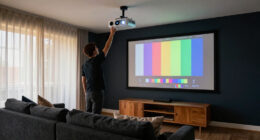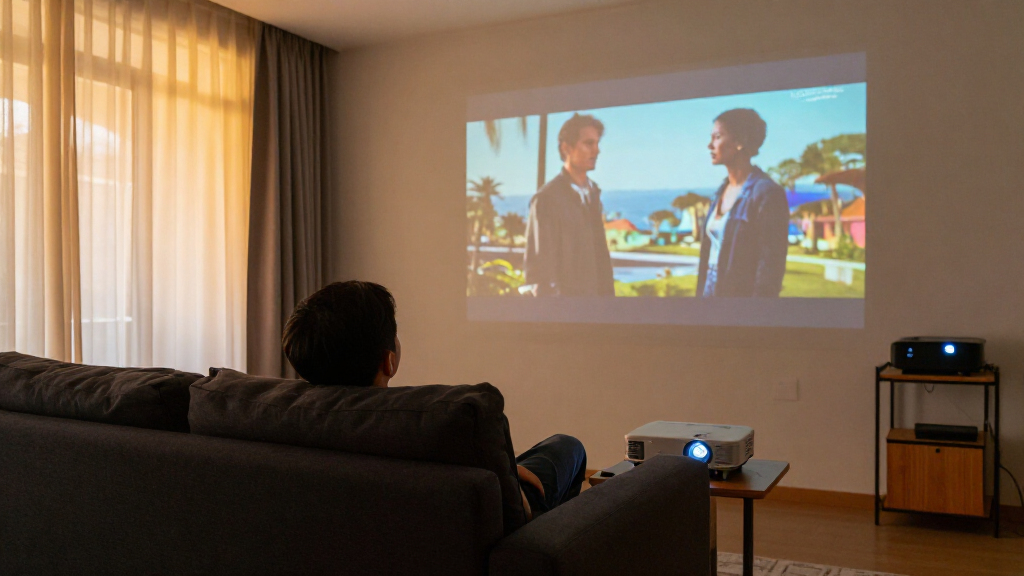
For most dedicated home theaters, I’d start with the Epson Home Cinema 3800: its 3LCD design and 4K PRO-UHD processing make it a compelling fit for a large-screen room. The Optoma UHZ36 stands out for buyers who want a laser light source, while the Valerion StreamMaster Plus2 targets premium rooms where gaming features and Dolby Vision matter. The main tradeoffs are native resolution versus pixel-shifting or 4K decoding, room brightness versus dark-room contrast, and built-in streaming convenience versus a purpose-built theater setup. Several compact smart models decode 4K but use native 1080p panels, so those labels do not promise the same detail as a 4K display system. Read on for how I’d match each projector to a room, budget, and viewing style.

Get business pricing on your home office setup
- Business-only prices and quantity discounts
- Tax-exempt purchasing
- Multiple users, one account, clear invoices
Complete the kit


Key Takeaways
- Epson Home Cinema 3800 is my best overall fit for a traditional theater, while Epson Home Cinema 2350 offers a more streaming-oriented alternative.
- The compact VIDAA, NexAurea, X9 PRO, GOODEE, and outdoor smart models largely pair 4K decoding with native 1080p imaging, making them easier to place than dedicated high-detail theater picks.
- Optoma UHZ36 uses a laser light source, which may appeal to buyers seeking a different maintenance profile from lamp-based models.
- Valerion StreamMaster Plus2 separates itself with Dolby Vision, 3D, and high-refresh gaming claims, but its premium feature set only matters if the room and sources can use them.
- ViewSonic PX701-4K emphasizes brightness and fast refresh, suiting mixed movie and gaming use more than a buyer focused only on dark-room film viewing.
| VIDAA Smart Projector with Native 1080p, 4K Decoding, Wi-Fi 6, and Dolby Audio |  | Best for Flexible Streaming | Native resolution: 1920 x 1080 | Maximum display resolution: 3840 x 2160 pixels | Brightness: 550 ANSI lumens | VIEW LATEST PRICE | See Our Full Breakdown |
| NexAurea Smart Projector with WiFi 6, Bluetooth 5.4, Native 1080P/4K Decoding, HDR10+, Auto Focus, and Built-in Apps |  | Best for Built-In Sound | Resolution: Native 1080p with 4K decoding | Connectivity: Wi-Fi 6, Bluetooth 5.4, HDMI eARC | Audio: Dual 25W speakers, Dolby Audio, DTS decoding | VIEW LATEST PRICE | See Our Full Breakdown |
| X9 PRO 4K Smart Projector with VIDAA OS, 920 ISO ANSI Lumens, Dolby Audio, and AI Auto Focus |  | Best for Moderately Lit Rooms | Resolution: Native 1080p with 4K decoding | Brightness: 920 ISO ANSI lumens | Color gamut: 130% NTSC | VIEW LATEST PRICE | See Our Full Breakdown |
| 4K Outdoor Projector with Google TV, WiFi and Bluetooth |  | Best for Flexible Placement | Native resolution: 1920 x 1080 | Maximum resolution: 3840 x 2160, upscaled | Display type: LCD | VIEW LATEST PRICE | See Our Full Breakdown |
| GOODEE 4K Smart Projector with AI ToF Autofocus, Wi-Fi 6 and Bluetooth |  | Best for Large-Screen Setups | Native resolution: 1920 x 1080 | Maximum resolution: 4096 x 2160 | Brightness: 4000 lumens | VIEW LATEST PRICE | See Our Full Breakdown |
| HAPPRUN 1500 ANSI Official Licensed Google TV Outdoor 4K Full HD Projector |  | Best for Easy Streaming and Flexible Placement | Native resolution: 1920 × 1080 | 4K support: 4K decoding; maximum display resolution 1920 × 1080 | Display type: LCD | VIEW LATEST PRICE | See Our Full Breakdown |
| Epson Home Cinema 2350 4K PRO-UHD Smart Streaming Projector | 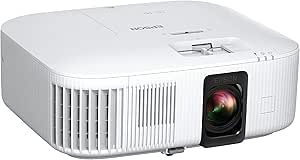 | Best for Bright, Colorful Living-Room Viewing | Resolution: 4K PRO-UHD resolution enhancement; listed maximum display resolution 3840 × 2160 | Display type: 3-chip LCD | Brightness: 2,800 lumens | VIEW LATEST PRICE | See Our Full Breakdown |
| Valerion StreamMaster Plus2 4K Laser Projector – 300″ IMAX Enhanced Home Theater, 4ms Input Lag, 240Hz, 3D, Dolby Vision, HDR10, Smart Home & AI Assistant | 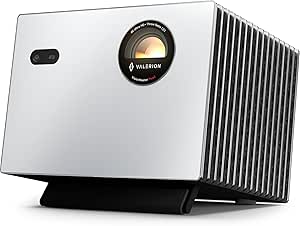 | Best Premium 4K Laser and Gaming Pick | Native resolution: 3840 × 2160 (4K UHD) | Display type: Laser | Brightness: 2,000 ANSI lumens / 2,000 ISO lumens | VIEW LATEST PRICE | See Our Full Breakdown |
| ViewSonic PX701-4K UHD Projector, 3200 Lumens, 240Hz HDR, Auto Keystone DLP |  | Best for Bright-Room Gaming | Native resolution: 3840 × 2160 | Display type: DLP | Brightness: 3,200 ANSI lumens | VIEW LATEST PRICE | See Our Full Breakdown |
| Optoma UHZ36 4K UHD Laser HDR Home Theater Projector |  | Best for High-Brightness, Long-Life Projection | Resolution: 4K UHD (3840 × 2160) | Display technology: DLP | Brightness: 3,500 ANSI lumens | VIEW LATEST PRICE | See Our Full Breakdown |
| Epson Home Cinema 3800 4K PRO-UHD 3LCD Projector |  | Best for Bright, Flexible Rooms | Projection technology: 3-chip 3LCD | Resolution: 3840 × 2160 | Brightness: 3,000 lumens | VIEW LATEST PRICE | See Our Full Breakdown |
| 4K projectors for home theater | Connectivity | Brightness | Contrast ratio | Native resolution |
|---|---|---|---|---|
| VIDAA Smart Projector with Nat | Wi-Fi 6, Bluetooth 5.4, HDMI 2.1, 3.5 mm jack | 550 ANSI lumens | — | 1920 x 1080 |
| NexAurea Smart Projector with | Wi-Fi 6, Bluetooth 5.4, HDMI eARC | — | — | — |
| X9 PRO 4K Smart Projector with | Wi-Fi 6, Bluetooth 5.4, HDMI (ARC/CEC), USB, 3.5 mm jack | 920 ISO ANSI lumens | — | — |
| 4K Outdoor Projector with Goog | Wi-Fi 6, Bluetooth 5.2, HDMI, USB, 3.5 mm jack | — | — | 1920 x 1080 |
| GOODEE 4K Smart Projector with | Dual-band Wi-Fi 6, Bluetooth 5.4 | 4000 lumens | 2000:1 | 1920 x 1080 |
| HAPPRUN 1500 ANSI Official Lic | HDMI with ARC, USB 2.0, 3.5 mm audio, Bluetooth 5.2, dual-band Wi-Fi | Listed as 1,000 ANSI lumens; maximum white brightness also listed as 1,500 ANSI lumens | 25,000:1 | 1920 × 1080 |
| Epson Home Cinema 2350 4K PRO- | HDMI, Wi-Fi, Bluetooth audio | 2,800 lumens | 35,000:1 | — |
| Valerion StreamMaster Plus2 4K | HDMI 2.1, USB 3.0, Bluetooth 5.2, Ethernet, Wi-Fi 6E, AirPlay 2, Miracast, Chromecast | 2,000 ANSI lumens / 2,000 ISO lumens | 10,000:1 with enhanced black level | 3840 × 2160 (4K UHD) |
| ViewSonic PX701-4K UHD Project | Dual HDMI, USB-A | 3,200 ANSI lumens | 12,000:1 | 3840 × 2160 |
| Optoma UHZ36 4K UHD Laser HDR | HDMI, USB, RCA | 3,500 ANSI lumens | 1,500,000:1 | — |
| Epson Home Cinema 3800 4K PRO- | — | 3,000 lumens | 100,000:1 | — |
More Details on Our Top Picks
VIDAA Smart Projector with Native 1080p, 4K Decoding, Wi-Fi 6, and Dolby Audio
I’d pick this model for a home theater where streaming convenience and easy setup matter more than native 4K detail. VIDAA OS brings a broad app and live TV selection, while AirPlay and voice control make it simpler to share or start content without adding a streaming box. Auto focus and 6D keystone correction also help when the projector moves between rooms or mounting positions.
The tradeoff is its native 1080p resolution: 4K decoding accepts 4K sources but does not deliver a 4K panel image. Its 550 ANSI lumens also make a darkened room a better fit than daytime viewing. Compared with the X9 PRO, it has a smaller stated brightness figure and less detailed color claims, but offers a similarly broad VIDAA experience. I’d skip it if sharp native 4K or bright-room viewing is the priority.
Pros:- VIDAA OS includes access to over 1,200 apps and 1,000 live TV channels.
- Auto focus and 6D keystone correction simplify setup after repositioning.
- Wi-Fi 6, Bluetooth 5.4, AirPlay, HDMI 2.1, and Dolby Audio support varied setups.
Cons:- Native resolution is 1920 x 1080; 4K is decoded rather than displayed natively.
- 550 ANSI lumens is a constraint in bright rooms.
Best for: Viewers who want built-in streaming and simple repositioning in a darkened bedroom or living room.
Not ideal for: Home theater buyers seeking native 4K detail or a projector for rooms with substantial ambient light.
- Native resolution:1920 x 1080
- Maximum display resolution:3840 x 2160 pixels
- Brightness:550 ANSI lumens
- Operating system:VIDAA OS
- Connectivity:Wi-Fi 6, Bluetooth 5.4, HDMI 2.1, 3.5 mm jack
- Image features:HDR10+, MEMC, AI auto focus, 6D keystone correction
- Maximum image size:300 inches
- Audio:Dolby Audio
Our verdict“Choose this VIDAA model for convenient streaming and flexible setup in a room you can dim, and pass if native 4K is a requirement.”
NexAurea Smart Projector with WiFi 6, Bluetooth 5.4, Native 1080P/4K Decoding, HDR10+, Auto Focus, and Built-in Apps
The NexAurea is the most self-contained choice here for a modest home theater: native Netflix, YouTube, and Prime Video reduce the need for an external streamer, and its dual 25W speakers give movie dialogue and effects more presence than a basic compact projector setup. HDMI eARC leaves room to connect a separate audio system later, so the built-in sound can be a starting point rather than a dead end.
Like the VIDAA model, it uses a native 1080p panel with 4K decoding, so it cannot match the detail of true 4K options such as the Epson Home Cinema 2350. Auto focus, 6D keystone, obstacle avoidance, and a stated ≤28 dB noise level suit a bedroom or shared living space. I’d weigh its lesser-known brand against the feature set, and skip it if proven native-4K performance is central to the theater.
Pros:- Native support for Netflix, YouTube, and Prime Video reduces dependence on a separate streaming device.
- Dual 25W Dolby Audio speakers provide a strong built-in audio option.
- HDMI eARC supports connection to an external audio system.
- Auto focus, 6D keystone, and obstacle avoidance ease placement.
Cons:- Native resolution is 1080p; 4K content is decoded rather than shown at native 4K.
- Brand recognition is lower than that of established projector makers.
Best for: Movie watchers building a bedroom or living-room setup who want built-in streaming and substantial onboard sound.
Not ideal for: Buyers prioritizing native 4K image detail or those who prefer a projector from an established manufacturer.
- Resolution:Native 1080p with 4K decoding
- Connectivity:Wi-Fi 6, Bluetooth 5.4, HDMI eARC
- Audio:Dual 25W speakers, Dolby Audio, DTS decoding
- Image features:HDR10+, MEMC, auto focus, 6D keystone, obstacle avoidance
- Maximum projection size:Up to 300 inches
- Noise level:≤28 dB
- Warranty:3 years
Our verdict“Choose the NexAurea if you want streaming and robust built-in sound in one 1080p projector, and look elsewhere for native 4K.”
X9 PRO 4K Smart Projector with VIDAA OS, 920 ISO ANSI Lumens, Dolby Audio, and AI Auto Focus
Among the two VIDAA options in this group, the X9 PRO has the clearer case for a living room that cannot be fully darkened: its stated 920 ISO ANSI lumens exceeds the VIDAA Smart Projector’s 550 ANSI lumens. That extra output may help the image hold up better with some ambient light, while 130% NTSC color gamut and HDR10 give it a stronger color-focused pitch for films and shows.
It still uses a native 1080p panel, so the 4K decoding label should not be confused with the detail of native 4K models such as the Epson Home Cinema 2350. Dual 20W Dolby speakers and AirPlay 2 add useful convenience, and the auto setup tools reduce placement fuss. I’d choose it over the lower-brightness VIDAA model for a brighter room, but neither is a substitute for a true 4K projector in a dedicated theater.
Pros:- Stated brightness of 920 ISO ANSI lumens is higher than the other VIDAA projector in this batch.
- 130% NTSC color gamut and HDR10 support provide a color-focused feature set.
- Dual 20W Dolby speakers and AirPlay 2 support convenient viewing.
- Auto focus and 6D keystone correction simplify setup.
Cons:- Native resolution is 1080p, despite 4K decoding support.
- Brightness is not suited to fully daylight outdoor viewing.
Best for: Viewers using a living room with moderate ambient light who want VIDAA streaming and onboard audio.
Not ideal for: Dedicated-theater buyers who require native 4K detail or viewers planning to project outdoors in full daylight.
- Resolution:Native 1080p with 4K decoding
- Brightness:920 ISO ANSI lumens
- Color gamut:130% NTSC
- HDR support:HDR10
- Operating system:VIDAA OS
- Audio:2 x 20W speakers, Dolby Audio
- Connectivity:Wi-Fi 6, Bluetooth 5.4, HDMI (ARC/CEC), USB, 3.5 mm jack
- Smart features:AirPlay 2, Apple HomeKit, AI voice control, auto focus, 6D keystone
Our verdict“Pick the X9 PRO over the lower-brightness VIDAA model for a moderately lit room, while accepting its native 1080p ceiling.”
4K Outdoor Projector with Google TV, WiFi and Bluetooth
This VOPLLS projector stands out for a home theater that needs to move between a tabletop, ceiling, or occasional outdoor setup. Its 360° rotating design and several mounting options make changing the projection direction less involved, while Google TV brings a broad app selection directly to the projector. Auto focus and keystone correction help when the placement changes from one session to the next.
The tradeoff is a 1080p native panel with 4K upscaling, rather than true 4K resolution. Its stated 8.2-foot throw distance and roughly 2-meter maximum image size also make it a less natural fit for a large dedicated theater than the GOODEE, which claims a much larger image and longer throw. Dolby Atmos speakers are convenient, but buyers wanting theater-scale image size or native 4K should look elsewhere.
Pros:- Google TV provides access to a broad range of apps and voice control.
- 360° rotation and multiple mounting options support flexible placement.
- Auto focus and keystone correction help compensate after repositioning.
- Built-in Dolby Atmos speakers and Bluetooth 5.2 offer convenient audio options.
Cons:- Native resolution is 1920 x 1080; 4K resolution is upscaled.
- The stated 8.2-foot throw distance and approximately 2-meter maximum image size limit large-room flexibility.
Best for: Households that want Google TV in a portable projector they can reposition between rooms or use outdoors after dark.
Not ideal for: Dedicated home theater owners seeking native 4K detail or a very large screen from a longer throw distance.
- Native resolution:1920 x 1080
- Maximum resolution:3840 x 2160, upscaled
- Display type:LCD
- Connectivity:Wi-Fi 6, Bluetooth 5.2, HDMI, USB, 3.5 mm jack
- Throw distance:8.2 feet
- Maximum image size:Approximately 2 meters
- Audio:Dual Dolby Atmos speakers
- Mounting:Tripod, ceiling, tabletop, floor, or wall
Our verdict“Choose the VOPLLS for a repositionable Google TV setup, and skip it if your theater depends on native 4K or a large projected image.”
GOODEE 4K Smart Projector with AI ToF Autofocus, Wi-Fi 6 and Bluetooth
The GOODEE is the most ambitious large-image option in this batch: it claims a 400-inch maximum image and a throw distance up to 19 feet, giving it more stated placement range than the VOPLLS, whose listed maximum image is about 2 meters. Its AI ToF autofocus, auto keystone, and obstacle avoidance aim to reduce the work of aligning a large picture. The 60W Dolby audio system may also cover casual viewing without a separate soundbar.
Those big-screen claims come with a key caveat: this is a native 1080p LCD projector, with 4K support rather than native 4K detail. The listed 4000 lumens are not specified as ANSI lumens, so I would not treat that figure as directly comparable to the X9 PRO’s 920 ISO ANSI rating. Its 180W power draw is also higher than the smaller VOPLLS. Choose it for flexible sizing and built-in sound, not for confirmed native 4K sharpness.
Pros:- Claims a maximum image size of 400 inches and throw distance up to 19 feet.
- AI ToF autofocus, auto keystone, and obstacle avoidance support easier setup.
- 60W Dolby Audio with AI SoundBalance can reduce reliance on external speakers.
- Wi-Fi 6 and Bluetooth 5.4 support wireless streaming and audio connections.
Cons:- Native resolution is 1920 x 1080; 4K content may be upscaled.
- Brightness is listed as 4000 lumens without an ANSI specification, limiting direct comparison.
- Power consumption is listed at 180W.
Best for: Buyers with room to position a large-screen projector who value automated alignment and powerful built-in speakers.
Not ideal for: Shoppers who need verified ANSI brightness comparisons or native 4K resolution for a dedicated cinema room.
- Native resolution:1920 x 1080
- Maximum resolution:4096 x 2160
- Brightness:4000 lumens
- Contrast ratio:2000:1
- Audio:60W Dolby Audio with AI SoundBalance
- Connectivity:Dual-band Wi-Fi 6, Bluetooth 5.4
- Maximum image size:400 inches
- Maximum throw distance:19 feet
- Power consumption:180W
Our verdict“Choose the GOODEE for its claimed large-screen range and onboard sound, but pass if native 4K detail or comparable brightness data is essential.”
HAPPRUN 1500 ANSI Official Licensed Google TV Outdoor 4K Full HD Projector
The HAPPRUN is the most self-contained option here for households that want streaming built into a projector they can move between rooms or take outdoors. Licensed Google TV, voice search and automatic focus simplify setup and app access, while its listed native 1080p resolution means 4K content is decoded rather than displayed at full 4K. Compared with the Epson Home Cinema 2350, it offers a more portable, setup-friendly streaming package, but gives up the Epson’s stated 4K PRO-UHD resolution enhancement and higher 2,800-lumen brightness. HAPPRUN’s brightness figures also differ across the listing: it cites 1,000 ANSI lumens in one spec and up to 1,500 elsewhere, so I would favor a dim room over daylight viewing. Its built-in speakers and zoom are convenient, though serious theater sound and a fixed, carefully calibrated installation may call for other equipment.
Pros:- Licensed Google TV includes streaming apps and voice search without a separate streaming device.
- Automatic focus and keystone correction can speed setup in changing locations.
- HDMI ARC, Bluetooth 5.2, Wi-Fi 6 and USB provide flexible device and audio connections.
- Compact installation options include tabletop, tripod, wall and ceiling mounting.
Cons:- Native resolution is 1920 × 1080; 4K content is decoded to Full HD.
- Brightness is inconsistently listed as 1,000 and up to 1,500 ANSI lumens, making bright-room performance hard to judge.
- Built-in dual speakers may not satisfy viewers seeking room-filling theater sound.
Best for: Viewers who want built-in Google TV and automatic image setup for casual movie nights in a darkened living room or backyard.
Not ideal for: Dedicated home-theater buyers who want native 4K detail or reliable viewing in a bright room; this projector is native 1080p and its brightness figures vary in the listing.
- Native resolution:1920 × 1080
- 4K support:4K decoding; maximum display resolution 1920 × 1080
- Display type:LCD
- Brightness:Listed as 1,000 ANSI lumens; maximum white brightness also listed as 1,500 ANSI lumens
- Contrast ratio:25,000:1
- Image size:40–200 inches in specs; product description claims up to 300 inches
- Connectivity:HDMI with ARC, USB 2.0, 3.5 mm audio, Bluetooth 5.2, dual-band Wi-Fi
- Throw ratio:1.3:1
Our verdict“Choose the HAPPRUN for easy built-in streaming and flexible placement if Full HD is enough and you can control the room lighting.”
Epson Home Cinema 2350 4K PRO-UHD Smart Streaming Projector
The Epson Home Cinema 2350 is a strong fit for a home theater that also serves as an everyday living room, where light output and color matter as much as movie-night detail. Its 2,800 lumens and three-chip 3LCD design are aimed at bright, vivid images, while 4K PRO-UHD enhancement and HDR10 add detail and range. That makes it a more living-room-oriented choice than the Valerion StreamMaster Plus2, which emphasizes laser 4K, Dolby Vision and high-refresh gaming. The Epson counters with a stated under-20-ms input lag and vertical lens shift for more flexible placement, but its 10 W speaker is modest for theater sound. Android TV provides built-in streaming, though the listing says some apps need subscriptions and streaming depends on a suitable Wi-Fi connection. Buyers who want 4K detail without a separate streamer should weigh those conveniences against the Valerion’s more advanced image and gaming features.
Pros:- 2,800-lumen output is suited to rooms that are not fully dark.
- Three-chip 3LCD technology supports vivid, accurate color.
- Android TV with voice search provides built-in streaming.
- Low-latency mode, Bluetooth audio support and vertical lens shift add gaming and setup flexibility.
Cons:- Its 10 W speaker may need an external audio system for an immersive theater setup.
- Streaming requires a wireless network, and some apps require paid subscriptions.
- Bluetooth audio is limited to content played through Android TV, according to the listing.
Best for: Households using a projector in a living room with some ambient light, who want vivid color, built-in Android TV and responsive casual gaming.
Not ideal for: Dedicated theater viewers prioritizing native 4K laser features, Dolby Vision or robust built-in sound; the Epson’s 10 W speaker and 4K enhancement approach may not suit them.
- Resolution:4K PRO-UHD resolution enhancement; listed maximum display resolution 3840 × 2160
- Display type:3-chip LCD
- Brightness:2,800 lumens
- Contrast ratio:35,000:1
- Input lag:Under 20 ms
- Connectivity:HDMI, Wi-Fi, Bluetooth audio
- Speaker:10 W
- Mounting:Tabletop
Our verdict“Pick the Epson for a bright, colorful multi-use room with built-in streaming, and look elsewhere if native 4K laser features are your priority.”
Valerion StreamMaster Plus2 4K Laser Projector – 300″ IMAX Enhanced Home Theater, 4ms Input Lag, 240Hz, 3D, Dolby Vision, HDR10, Smart Home & AI Assistant
The Valerion earns the premium home-theater role by combining native 4K laser projection with Dolby Vision, a stated 10,000:1 contrast ratio and unusually fast gaming specifications. Its 4 ms input lag and 240 Hz refresh rate make it the strongest gaming-focused option in this group, while Google TV and broad smart-home control reduce the need for extra devices. Against the ViewSonic PX701-4K, the Valerion adds a laser light source, Dolby Vision and integrated streaming; the ViewSonic instead lists higher brightness at 3,200 lumens, which may help in rooms with more ambient light. The Valerion’s 2,000-lumen output is better suited to controlled lighting, and a screen size claim of up to 300 inches depends on room and setup. Its many features and mounting options are appealing, but buyers should plan placement carefully around its substantial footprint.
Pros:- Native 3840 × 2160 resolution with a laser light source.
- Dolby Vision, HDR10 and 110% Rec.2020 color gamut support.
- Listed 4 ms input lag and 240 Hz refresh rate target responsive gaming.
- Google TV, smart-home voice control and Wi-Fi 6E offer broad built-in connectivity.
Cons:- 2,000 ANSI lumens may be insufficient for bright rooms.
- Large footprint can complicate placement in compact spaces.
- The extensive feature set may be unnecessary for buyers who only need basic movie streaming.
Best for: Home-theater and gaming enthusiasts who want native 4K, Dolby Vision, integrated Google TV and very low input lag in a light-controlled room.
Not ideal for: Viewers who need a bright image in a sunlit room or a small, simple projector; its 2,000-lumen rating and large footprint may be limiting.
- Native resolution:3840 × 2160 (4K UHD)
- Display type:Laser
- Brightness:2,000 ANSI lumens / 2,000 ISO lumens
- Contrast ratio:10,000:1 with enhanced black level
- Refresh rate:Up to 240 Hz
- Input lag:4 ms
- Image size:40–300 inches
- Connectivity:HDMI 2.1, USB 3.0, Bluetooth 5.2, Ethernet, Wi-Fi 6E, AirPlay 2, Miracast, Chromecast
Our verdict“Choose the Valerion for a premium, gaming-capable 4K theater in a controlled-light room, especially if Dolby Vision and built-in smart features matter.”
ViewSonic PX701-4K UHD Projector, 3200 Lumens, 240Hz HDR, Auto Keystone DLP
The ViewSonic PX701-4K suits a home theater that doubles as a gaming room, particularly when some ambient light is hard to avoid. Its 3,200-lumen brightness, native 4K resolution and dual HDMI inputs give it a practical mix of image detail and console connectivity. For fast play, the listed 4.2 ms input lag and 240 Hz refresh rate put it close to the Valerion StreamMaster Plus2; the Valerion adds a laser light source, Dolby Vision and built-in Google TV, while the ViewSonic’s higher stated brightness favors rooms that are less dark. Auto keystone, four-corner adjustment and 1.1× optical zoom can help square the image during installation, though digital correction is no substitute for careful projector placement. The PX701-4K is a lamp-based DLP model with a listed 6,000-hour light-source life, and it lacks integrated streaming apps, so plan on an external device.
Pros:- Native 3840 × 2160 resolution and 3,200-lumen brightness.
- Listed 4.2 ms input lag and 240 Hz refresh rate support responsive gaming.
- Auto keystone, four-corner adjustment and 1.1× optical zoom ease setup.
- Dual HDMI inputs and powered USB-A support consoles and streaming dongles.
Cons:- No built-in streaming platform is listed, so streaming requires an external device.
- Lamp light source is rated for 6,000 hours, shorter than the Valerion and Optoma laser sources listed here.
- Digital keystone correction can reduce image fidelity compared with precise physical alignment.
Best for: Console and PC gamers who want native 4K, fast response and a brighter image for a multipurpose room.
Not ideal for: Movie-first buyers seeking integrated streaming, a laser light source or a projector optimized for a fully dark theater with advanced HDR formats.
- Native resolution:3840 × 2160
- Display type:DLP
- Brightness:3,200 ANSI lumens
- Contrast ratio:12,000:1
- Input lag:4.2 ms
- Refresh rate:Up to 240 Hz
- Image size:30-inch minimum listed; product descriptions claim up to 300 inches
- Connectivity:Dual HDMI, USB-A
Our verdict“Choose the ViewSonic for bright-room gaming with native 4K and fast response, provided you are comfortable supplying your own streamer.”
Optoma UHZ36 4K UHD Laser HDR Home Theater Projector
The Optoma UHZ36 is the straightforward pick for a dedicated installation where high brightness and a long-lasting light source matter more than built-in streaming. Its listed 3,500 ANSI lumens can help maintain a punchy image in a room that is not fully dark, while the 30,000-hour DuraCore laser avoids routine lamp replacement. Compared with the ViewSonic PX701-4K, the Optoma offers a laser source and a higher stated brightness, while the ViewSonic lists faster gaming figures and more image-adjustment tools. Filmmaker Mode aims to preserve the intended color and frame rate, and MEMC smooths motion for sports, but the listed contrast ratio is lower than some high-end alternatives. There is no stated smart TV platform, so streaming requires an external player. I’d shortlist it for bright, regular viewing, not for buyers seeking an all-in-one projector or the deepest blacks.
Pros:- 3,500 ANSI-lumen rating supports viewing in rooms with some ambient light.
- DuraCore laser light source is rated for up to 30,000 hours.
- Filmmaker Mode targets accurate color and frame-rate presentation.
- MEMC motion processing is included for sports and gaming.
Cons:- No built-in smart TV apps are specified, so streaming needs an external device.
- The listed 1,500,000:1 contrast ratio is lower than some high-end competitors according to the product information.
- At 10.4 lb, it may be less convenient to move between rooms than compact smart projectors.
Best for: Frequent viewers installing a bright 4K laser projector in a multipurpose home theater who already use a streaming box or console.
Not ideal for: Buyers wanting built-in apps, deep black levels as the main priority, or competitive gaming features such as the ViewSonic’s stated 4.2 ms input lag.
- Resolution:4K UHD (3840 × 2160)
- Display technology:DLP
- Brightness:3,500 ANSI lumens
- Light source:DuraCore laser, rated up to 30,000 hours
- Contrast ratio:1,500,000:1
- Speaker:15 W
- Connectivity:HDMI, USB, RCA
- Dimensions and weight:8.5 × 10.8 × 4.5 inches; 10.4 lb
Our verdict“Pick the Optoma for bright, frequent 4K viewing and long laser life if you already have a streaming source and do not prioritize deepest blacks.”
Epson Home Cinema 3800 4K PRO-UHD 3LCD Projector
The Epson Home Cinema 3800 suits a home theater that needs strong brightness and forgiving placement. Its 3,000 lumens of color and white output can help keep a large image visible when the room is not fully dark, while lens shift gives more freedom to position the projector without relying on digital correction. Compared with the Epson Home Cinema 2350, this model emphasizes placement flexibility and includes dual 10 W speakers, though both use pixel-shifted 4K PRO-UHD rather than native 4K panels. That distinction matters for buyers seeking native 4K imaging. The 3800 accepts 4K HDR at 60 Hz, but its built-in speakers are a starting point rather than a substitute for a dedicated theater sound system. Its size and tabletop mounting also make it less suited to compact setups.
Pros:- 3,000 lumens of color and white brightness support viewing on large screens in rooms that are not fully dark
- Lens shift allows more flexible placement without depending on digital keystone correction
- Accepts 4K HDR input at 60 Hz
- Dual 10 W speakers and Bluetooth provide convenient audio for casual viewing
Cons:- Pixel-shifted 4K PRO-UHD is not native 4K panel resolution
- Built-in speakers are limited for a full home theater audio setup
- Tabletop design and sizable projection range may not suit compact rooms or installations
Best for: Home theater owners who want a bright, large image and need lens shift to fit a projector into a room with limited mounting options
Not ideal for: Buyers who require native 4K panels, a compact projector, or built-in audio capable of filling a dedicated theater
- Projection technology:3-chip 3LCD
- Resolution:3840 × 2160
- Brightness:3,000 lumens
- Contrast ratio:100,000:1
- HDR support:Full 10-bit HDR
- HDMI:HDMI 2.0, 18 Gbps; 4K HDR at 60 Hz
- Maximum image size:300 inches
- Throw distance:1.32–2.15 meters
- Audio and connectivity:Dual 10 W stereo speakers; Bluetooth
Our verdict“Choose the Home Cinema 3800 if brightness and flexible placement matter more to you than native 4K panels or compact size.”
How We Picked
I ranked these projectors for home theater usefulness, weighing the imaging system and resolution claims alongside brightness, HDR support, light source, setup aids, and likely room fit. I gave more weight to features that affect movie viewing on a large screen than to smart platform or connectivity claims alone. A projector described as 4K decoding with a native 1080p panel is treated differently from a model marketed around 4K UHD or 4K PRO-UHD imaging; those labels do not describe the same level of displayed detail.
The order reflects balanced theater performance and practical fit, with options for gaming, streaming, outdoor use, and simpler setups placed according to those distinct strengths. Models with broad theater appeal rank ahead of projectors whose strengths depend on a specific room or use. Since the product list does not provide comparable contrast measurements, throw ratios, screen recommendations, or independent image tests, I avoid claiming a definitive picture-quality winner based on unavailable evidence.
Factors to Consider When Choosing 4K Projectors For Home Theaters
Before choosing a model, I’d work backward from the room, screen, and source devices. A projector can carry a 4K label and still deliver a different viewing experience from another model in this roundup, so a few practical checks matter more than a feature checklist.
Match the 4K Claim to the Display System
Projector listings can use “4K” for native UHD imaging, pixel-shifting systems, or simply decoding a 4K input. Those approaches can produce different levels of visible detail, especially on a very large screen viewed from nearby seats. Check the stated native resolution and the specific imaging method before comparing models. A 1080p projector that accepts a 4K signal may still be a reasonable choice for casual streaming, but it should not be your default for a detail-focused theater. Screen size, seating distance, and source quality determine how much resolution you can actually appreciate. I’d spend more on the imaging system only when the room and viewing distance make the improvement worthwhile.
Plan Around Room Light and Screen Size
Brightness needs rise with ambient light and screen size, but a bright rating alone does not guarantee a satisfying movie image. A dark, controlled room can make shadow detail and contrast feel more important than headline lumens. In a multipurpose room, daylight or wall lighting can wash out darker scenes, so consider curtains and screen placement before moving to a brighter projector. Outdoor viewing adds another challenge: ambient light changes, and there may be no practical way to control it. Do not assume a projector marketed for outdoor use will look cinematic at any hour. Choose the screen size after considering the room’s light conditions, not just the largest size a listing advertises.
Check Throw Distance, Lens Placement, and Keystone Limits
Measure the distance from the planned projector position to the screen before buying. Throw ratio determines whether a model can fill your chosen screen from that spot, and lens shift can make placement easier when the mount and screen do not line up perfectly. Autofocus and auto keystone reduce setup effort, but keystone correction reshapes the image and can sacrifice detail. A common mistake is to rely on automatic correction to solve a poor mounting position. For a permanent theater, I’d prioritize a layout that lets the projector face the screen squarely. For temporary or shared spaces, setup aids may be worth more than fine placement controls.
Choose a Light Source With Maintenance in Mind
Lamp and laser projectors can differ in upkeep, replacement needs, and how they fit your usage pattern. A laser light source may be attractive if you expect frequent viewing and want to avoid routine lamp changes, but the product details should confirm the expected service life and support terms. A lamp-based projector can still make sense when the purchase is for occasional movie nights or when its overall feature mix better suits the room. Check whether filters need cleaning and whether replacement parts are available in your region. Total ownership effort depends on ventilation, dust, and hours of use as well as the light source. I’d treat maintenance claims as one part of the decision rather than a substitute for checking image and placement fit.
Decide Whether Smart Features Belong in the Projector
Built-in apps and TV platforms simplify casual streaming, especially when the projector moves between rooms or outdoor setups. In a dedicated theater, an external streaming box or receiver may already handle apps and audio, making the projector’s smart interface less valuable. Check which streaming services are supported and whether the model receives software updates; platform names alone do not answer that. Also consider sound: built-in speakers can help for a quick setup, but a separate sound system usually gives films more presence. If you plan to route sources through an AV receiver, confirm the connections and formats your setup needs. Pay for onboard convenience when it reduces friction in your actual routine.
Prioritize the Features You Will Use
High refresh rates and low input-lag claims matter most to buyers who play responsive games, while 3D and advanced HDR formats matter only if compatible content is part of the plan. A movie-focused buyer may gain more from suitable placement, a controlled room, and a well-matched screen than from gaming specifications. HDR support can improve compatible content, but the result still depends on brightness, tone mapping, and room conditions. Check that consoles, streamers, and receivers support the formats you want to send. Avoid choosing a projector around a feature that appears impressive but will rarely be used. I’d rank the room’s everyday viewing needs first, then use specialty features to break a close call.
Frequently Asked Questions
Does a projector that decodes 4K show the same detail as a 4K UHD projector?
No. 4K decoding means the projector can accept and process a 4K input, but a model with a native 1080p panel does not display the same pixel structure as a 4K UHD system. That distinction matters most on a large screen or when seats are close to it. For casual viewing or a flexible room, a 1080p smart projector may still suit your needs. Check the native resolution and imaging method in the product specifications before deciding.
Should I choose a laser projector for a home theater?
A laser light source can suit frequent viewing and buyers who want a different maintenance routine from a lamp model. It does not by itself guarantee better contrast, color, or black levels. Compare the full projector specifications and confirm service-life and support details for the specific model. If you watch occasionally, a lamp projector may still be a sensible fit. Room placement and image performance should carry at least as much weight as the light source.
Can I use a bright projector in a room with windows?
A brighter projector can help in a room with some ambient light, but windows can still reduce perceived contrast and make dark scenes look washed out. Curtains or blinds often improve the picture more than moving up one brightness tier. Consider when you watch, how much light you can control, and the size of the screen. A smaller image can appear more vivid than a very large one under the same conditions. For a theater-first setup, controlling the room light gives you more consistent results.
Are auto focus and auto keystone enough for a permanent ceiling mount?
They can make initial setup quicker, but they do not replace planning the projector’s position and throw distance. Keystone correction changes the image geometry and can reduce usable detail, so a projector aligned squarely with the screen is preferable. Before mounting, check the throw range, lens shift, and the screen’s height and width. Autofocus is useful for getting a sharp image after placement, while keystone is better treated as a correction for limited flexibility. For a fixed theater, plan the mount around the screen first.
Do I need a projector with built-in streaming apps?
Built-in apps are handy if you want a simple setup with fewer connected devices or plan to move the projector between locations. They may add little value if an AV receiver, game console, or streaming box already supplies your content. Check app availability and update support rather than assuming every service will work as expected. Also decide how you will handle audio, since built-in projector speakers are convenient but may not suit a theater room. Choose an integrated platform when its convenience matches how you watch.
Conclusion
For a balanced dedicated theater, I’d choose the Epson Home Cinema 3800 as my best overall pick; buyers who want a smart streaming focus can look to the Epson Home Cinema 2350. The ViewSonic PX701-4K is my value-oriented option for buyers who want a bright, gaming-friendly mix, while the Valerion StreamMaster Plus2 is the premium choice for those who will use its Dolby Vision, 3D, and high-refresh features. Beginners setting up a flexible room may prefer a smart model with autofocus, such as the NexAurea or GOODEE, while accepting their native 1080p imaging. For a laser light source, consider the Optoma UHZ36; for outdoor sessions, compare the HAPPRUN and Google TV outdoor model around your light conditions and setup needs. Match the imaging system and placement to your room first, then let convenience and specialty features settle the choice.