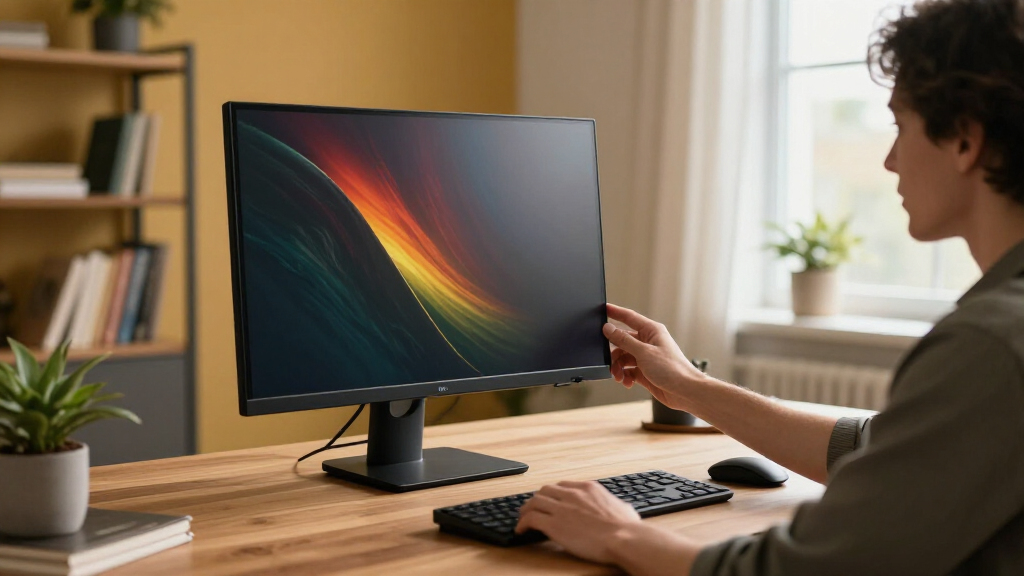

Finding the right 4k computer monitor involves balancing image quality, performance, and price. The Samsung 27″ ViewFinity S7 (S70H) stands out as the best overall for its sharp resolution and color accuracy. For those seeking a larger display, the Samsung 32″ ViewFinity S7 (S71H) offers extra screen real estate with excellent color performance. Meanwhile, gamers might prefer the Acer Nitro 27-inch 4K UHD IPS for smooth performance, even if it sacrifices some color precision. The main tradeoffs in this category revolve around balancing high resolution with refresh rates, color accuracy, and budget constraints. Keep reading for a detailed breakdown to identify which monitor best fits your needs.

Get business pricing on your home office setup
- Business-only prices and quantity discounts
- Tax-exempt purchasing
- Multiple users, one account, clear invoices
Complete the kit


Key Takeaways
- The Samsung ViewFinity S7 models excel in color accuracy and build quality, making them ideal for creative professionals.
- Gaming-focused monitors like the Acer Nitro and Dell S2725QC prioritize refresh rates and adaptive sync features over color accuracy.
- Larger screens, such as the Samsung 32″ S71H, provide more workspace but tend to come at a higher price and require more desk space.
- HDR support varies significantly; models with HDR10 or better are better suited for multimedia consumption.
- Price differences often reflect refresh rate, build quality, and additional features like USB-C or ergonomic adjustments.
| Samsung 27″ ViewFinity S7 (S70H) High-Resolution Monitor |  | Best Overall for Professional Clarity and Color Accuracy | Display Size: 27 inches | Resolution: 3840 x 2160 pixels | Display Technology: IPS | VIEW LATEST PRICE | See Our Full Breakdown |
| Samsung 32″ ViewFinity S7 (S71H) 4K UHD IPS HDR10 High Resolution Monitor |  | Best for Large Screen Professional Use and Color Fidelity | Screen Size: 32 inches | Resolution: 3840 x 2160 (4K UHD) | Panel Type: IPS | VIEW LATEST PRICE | See Our Full Breakdown |
| Acer Nitro 27-inch 4K UHD IPS Gaming Monitor VG270K |  | Best for Gaming and High-Performance Visuals | Size: 27 inches | Resolution: 3840 x 2160 (UHD) | Panel Type: IPS | VIEW LATEST PRICE | See Our Full Breakdown |
| LG 27UP850K-W 27-inch 4K UHD IPS HDR Computer Monitor |  | Best for Versatile Productivity and Creative Work | Display Size: 27 inches | Resolution: 3840 x 2160 (4K UHD) | Color Gamut: 95% DCI-P3 | VIEW LATEST PRICE | See Our Full Breakdown |
| LG 27US500-W Ultrafine 27-Inch 4K UHD HDR10 IPS Monitor |  | Best for Creative Professionals on a Budget | Screen Size: 27 inches | Resolution: 3840 x 2160 (UHD) | Contrast Ratio: 1000:1 | VIEW LATEST PRICE | See Our Full Breakdown |
| Dell 27 Monitor S2725QC 4K UHD IPS 120Hz FreeSync Premium |  | Best Overall 4K IPS Monitor for Versatile Use | Display Size: 27 inches | Resolution: 3840 x 2160 (4K UHD) | Panel Type: IPS | VIEW LATEST PRICE | See Our Full Breakdown |
| Dell 27 Monitor S2725QS 4K UHD IPS, 120Hz, FreeSync Premium |  | Best Value 4K UHD IPS Monitor with HDR Compatibility | Display Size: 27 inches | Resolution: 4K UHD | Panel Type: IPS | VIEW LATEST PRICE | See Our Full Breakdown |
| Samsung 27″ ViewFinity S7 (S71H) 4K UHD IPS HDR10 High Resolution Monitor |  | Best for Professionals and Gamers Seeking High-Quality Visuals | Display Size: 27 inches | Resolution: 3840 x 2160 (4K UHD) | Panel Type: IPS | VIEW LATEST PRICE | See Our Full Breakdown |
| Dell 32 Monitor S3225QS 4K UHD VA, 120Hz, FreeSync Premium, Eye Comfort |  | Best Large Screen 4K UHD with Vivid Colors | Display Size: 32 inches | Resolution: 4K UHD | Panel Type: VA | VIEW LATEST PRICE | See Our Full Breakdown |
| 4k computer monitor | Resolution | HDR | Display Size | Panel Type |
|---|---|---|---|---|
| Samsung 27" ViewFinity S7 | 3840 x 2160 pixels | — | 27 inches | — |
| Samsung 32" ViewFinity S7 | 3840 x 2160 (4K UHD) | HDR10 | — | IPS |
| Acer Nitro 27-inch 4K UHD IPS | 3840 x 2160 (UHD) | HDR10 support | — | IPS |
| LG 27UP850K-W 27-inch 4K UHD I | 3840 x 2160 (4K UHD) | VESA DisplayHDR 400 | 27 inches | — |
| LG 27US500-W Ultrafine 27-Inch | 3840 x 2160 (UHD) | HDR10 | — | — |
| Dell 27 Monitor S2725QC 4K UHD | 3840 x 2160 (4K UHD) | — | 27 inches | IPS |
| Dell 27 Monitor S2725QS 4K UHD | 4K UHD | Ready | 27 inches | IPS |
| Samsung 27" ViewFinity S7 | 3840 x 2160 (4K UHD) | HDR10 | 27 inches | IPS |
| Dell 32 Monitor S3225QS 4K UHD | 4K UHD | Yes | 32 inches | VA |
More Details on Our Top Picks
Samsung 27″ ViewFinity S7 (S70H) High-Resolution Monitor
The Samsung 27″ ViewFinity S7 (S70H) stands out for its vibrant 4K UHD resolution combined with an IPS panel that offers wide viewing angles, making it ideal for creative professionals who need consistent color reproduction from different positions. Compared to the larger S71H, it’s more compact but still provides excellent HDR10 support and color vibrancy. The 60Hz refresh rate isn’t suited for high-end gaming, but for design work and media consumption, it delivers stunning visuals. Its multiple connectivity options, including HDMI and DisplayPort, support versatile setups, while eye comfort technology helps reduce fatigue during long work sessions. The main tradeoff is its price, which is higher than some competitors, and it lacks USB-C or built-in speakers, limiting connectivity and multimedia features.
Pros:- Vibrant 4K UHD resolution with accurate colors
- Wide 178° viewing angle maintains consistent visuals
- Multiple connectivity options including HDMI and DisplayPort
- Eye comfort technology reduces eye strain
Cons:- Limited to 60Hz refresh rate, not suitable for fast-paced gaming
- No built-in speakers or USB-C port
Best for: Creative professionals and office users who prioritize color accuracy and consistent visuals.
Not ideal for: Gamers seeking high refresh rates or those who want integrated audio and USB-C connectivity.
- Display Size:27 inches
- Resolution:3840 x 2160 pixels
- Display Technology:IPS
- Contrast Ratio:3000:1
- Brightness:300 cd/m2
- Viewing Angle:178 degrees
Our verdict“This monitor is perfect for professionals who need reliable, color-accurate visuals for creative work or media editing.”
Samsung 32″ ViewFinity S7 (S71H) 4K UHD IPS HDR10 High Resolution Monitor
The Samsung 32″ ViewFinity S7 (S71H) offers a bigger display with the same high-quality 4K UHD resolution and IPS panel technology, making it a solid choice for professionals who want extra screen space. Its HDR10 support enhances contrast and detail, especially for multimedia editing and viewing. Compared to the 27-inch S70H, it provides a larger workspace but comes at a higher price and may have slightly less pixel density, which can affect pixel-perfect tasks. The monitor’s multiple ports and eye comfort features make it versatile for long hours at work, though its HDR performance can vary based on content and setup. The lack of detailed adjustable stand features may be a downside for ergonomic customization.
Pros:- Large 32-inch display with 4K UHD resolution
- IPS panel with wide viewing angles
- HDR10 support enhances contrast and visual detail
- Multiple ports for flexible connectivity
Cons:- Higher price point for professional-grade display
- Limited information on stand adjustability
- HDR performance may depend on setup and content
Best for: Professionals needing a larger workspace with accurate color and HDR support.
Not ideal for: Gamers or users seeking highly adjustable stands or integrated multimedia features.
- Screen Size:32 inches
- Resolution:3840 x 2160 (4K UHD)
- Panel Type:IPS
- HDR:HDR10
- Ports:HDMI, DisplayPort
- Viewing Angle:178°
Our verdict“This monitor suits professionals who want a larger, color-accurate display with HDR for media and creative tasks.”
Acer Nitro 27-inch 4K UHD IPS Gaming Monitor VG270K
The Acer Nitro VG270K offers a 27-inch 4K UHD IPS display with a blazing-fast 0.5ms response time and AMD FreeSync, making it one of the best options for gaming enthusiasts who also want sharp visuals. Its support for HDR10 and wide DCI-P3 95% gamut deliver vibrant, cinema-quality images that rival some creative monitors like the Samsung S70H, but with the added advantage of rapid response times. While its 72Hz refresh rate at 4K might seem modest compared to high-end gaming monitors with 144Hz or higher, its DFR feature allows for smoother gameplay at 1080p. The lack of built-in speakers and the absence of USB-C connectivity could be drawbacks for users seeking a more integrated setup.
Pros:- Ultra-fast 0.5ms response time for smooth gameplay
- High color accuracy with DCI-P3 95% and HDR10 support
- Zero-frame design for seamless multi-monitor setups
- VESA mount compatible for ergonomic flexibility
Cons:- Limited to 72Hz at 4K, not ideal for high-end competitive gaming
- No built-in speakers or USB-C port
Best for: Gamers who want fast response times and vibrant visuals on a 27-inch 4K IPS panel.
Not ideal for: Professional color graders or users who require high refresh rates above 72Hz for competitive gaming.
- Size:27 inches
- Resolution:3840 x 2160 (UHD)
- Panel Type:IPS
- Response Time:Up to 0.5ms G to G
- Color Gamut:DCI-P3 95%
- HDR:HDR10 support
Our verdict“This monitor delivers rapid response and vibrant visuals for gamers who also want sharp 4K quality without maximum refresh rates.”
LG 27UP850K-W 27-inch 4K UHD IPS HDR Computer Monitor
The LG 27UP850K-W excels for users who want a versatile 4K display with extensive connectivity, including USB-C with power delivery, making it ideal for multitasking and creative workflows. Its HDR 400 support brings vibrant colors and contrast, comparable to the Samsung S70H, but with added ergonomic features like height, tilt, and pivot adjustments. The built-in stereo speakers, while decent, don’t match dedicated audio setups, but they’re convenient for quick media. Its premium price reflects the high-end features and build quality, but gaming performance isn’t its focus, with only 72Hz at 4K. For creative professionals or tech-savvy office users, this monitor provides a balanced mix of visuals and flexibility.
Pros:- Vivid 4K UHD display with HDR 400 support
- USB-C port with power delivery for simplified setups
- Ergonomic stand with height, tilt, and pivot adjustments
- Built-in stereo speakers with Waves MaxxAudio
Cons:- Higher price compared to simpler 4K monitors
- Limited gaming-specific features or high refresh rates
- No built-in webcam
Best for: Creative professionals and multitaskers who value connectivity and ergonomic flexibility.
Not ideal for: Competitive gamers seeking ultra-high refresh rates or those with minimal need for adjustable stands.
- Display Size:27 inches
- Resolution:3840 x 2160 (4K UHD)
- Color Gamut:95% DCI-P3
- HDR:VESA DisplayHDR 400
- Connectivity:USB-C, HDMI, DisplayPort
- Stand Adjustments:Height, tilt, pivot
Our verdict“This monitor is well-suited for creative and professional users who need flexible connectivity and vibrant visuals.”
LG 27US500-W Ultrafine 27-Inch 4K UHD HDR10 IPS Monitor
The LG 27US500-W offers a solid 27-inch 4K UHD IPS display with HDR10 support, providing deep blacks and vibrant colors ideal for digital artists and photo editors. While it doesn’t feature the extensive connectivity options of the LG 27UP850K-W, it still offers a wide viewing angle and ergonomic tilt for comfortable use. Its contrast ratio of 1000:1 and 90% DCI-P3 color gamut deliver quality visuals, but it lacks built-in speakers and advanced features, making it a more straightforward choice for those focused on visual fidelity rather than multimedia or gaming. The absence of USB-C limits its convenience for modern laptops.
Pros:- High-resolution 4K UHD display with vibrant visuals
- Supports HDR10 for better contrast and color
- Wide viewing angles with IPS technology
- Ergonomic tilt adjustment for comfort
Cons:- No built-in speakers or USB-C port
- Limited connectivity options
- Higher-end features come at a premium price
Best for: Creative professionals and casual users seeking high-quality visuals without premium features.
Not ideal for: Gamers or users needing extensive connectivity and ergonomic adjustments at a lower price.
- Screen Size:27 inches
- Resolution:3840 x 2160 (UHD)
- Contrast Ratio:1000:1
- HDR:HDR10
- Color Gamut:90% DCI-P3
- Stand:Ergonomic tilt
Our verdict“This monitor is a strong choice for creators prioritizing image quality over extra features or gaming performance.”
Dell 27 Monitor S2725QC 4K UHD IPS 120Hz FreeSync Premium
This Dell S2725QC combines vibrant IPS visuals with a 120Hz refresh rate, making it a solid choice for users who want smooth motion for gaming and sharp images for creative work. Compared to the Samsung S71H, its color accuracy and low blue light technology stand out, though it lacks detailed warranty info and extensive user reviews. Its USB-C with 65W power delivery simplifies cable management, ideal for those seeking a clutter-free setup. The absence of detailed warranty information is a drawback, and the overall user satisfaction remains less documented. Overall, this monitor suits users who need a reliable, color-rich display with smooth motion for both work and entertainment.
Pros:- Vivid 4K visuals with IPS technology for accurate colors
- 120Hz refresh rate ensures smooth motion in games and videos
- Low blue light mode reduces eye strain during extended use
- USB-C with 65W power delivery simplifies connectivity
Cons:- No detailed warranty information provided, which may concern some buyers
- Limited review data means user satisfaction levels are less clear
Best for: Creative professionals and casual gamers who prioritize color quality and smooth performance in a versatile 27-inch monitor
Not ideal for: Power users requiring extensive warranty support or those seeking a highly reviewed, extensively tested model
- Display Size:27 inches
- Resolution:3840 x 2160 (4K UHD)
- Panel Type:IPS
- Refresh Rate:120Hz
- Response Time:4ms
- Contrast Ratio:1500:1
Our verdict“This monitor offers a well-rounded mix of vibrant visuals and smooth performance, perfect for those who want versatility in a 27-inch display.”
Dell 27 Monitor S2725QS 4K UHD IPS, 120Hz, FreeSync Premium
The Dell S2725QS stands out for its sleek ultra-thin bezel design and excellent color accuracy, making it a strong choice for creative work and media consumption. Its 120Hz refresh rate with FreeSync Premium provides a tear-free experience that rivals higher-priced options like the Samsung ViewFinity S7. While it offers HDR readiness and reduced blue light emissions, it falls short on built-in audio features and may lack some connectivity options. Compared to the Dell S2725QC, its modern design and HDR support give it an edge for multimedia enthusiasts, but its slightly slower response time and limited ports make it less suited for high-end gaming or extensive peripheral setups. This pick makes the most sense for users seeking a balance of quality and affordability in a stylish 27-inch monitor.
Pros:- Vivid, accurate colors with 99% sRGB coverage
- Sleek ultra-thin bezel design enhances aesthetic appeal
- Smooth visuals with 120Hz refresh rate and FreeSync Premium
- HDR readiness improves contrast and color depth
Cons:- Limited built-in audio features, requiring external speakers
- Lack of explicit port details in the description could be a concern for some
Best for: Multimedia consumers and creative professionals needing accurate colors and a sleek design without high price tags
Not ideal for: Gamers who require extensive ports or ultra-low response times, or users needing detailed warranty coverage
- Display Size:27 inches
- Resolution:4K UHD
- Panel Type:IPS
- Refresh Rate:120Hz
- Response Time:5ms
- HDR:Ready
Our verdict“This monitor combines style and performance at a compelling price point, ideal for users focused on media and creative tasks.”
Samsung 27″ ViewFinity S7 (S71H) 4K UHD IPS HDR10 High Resolution Monitor
The Samsung ViewFinity S7 (S71H) offers sharp 4K UHD resolution with wide viewing angles thanks to its IPS panel, making it suitable for professional work and gaming alike. Its HDR10 support enhances contrast, and the inclusion of Game Mode improves responsiveness during gameplay. Compared to Dell’s options, its broader port selection and HDR capabilities make it more appealing for multimedia use. However, the high price might deter casual users, and limited stand adjustability could affect ergonomic comfort. With eye comfort features reducing strain, this monitor targets users who want both color accuracy and gaming performance in a single package. This monitor is best suited for users demanding professional-grade visuals with some gaming capability.
Pros:- High-resolution 4K UHD with accurate colors and wide angles
- HDR10 support for enhanced contrast and depth
- Game Mode for improved responsiveness during gaming
- Multiple connectivity options including HDMI and DisplayPort
Cons:- Potentially high price for casual users
- Limited stand adjustability may impact ergonomic comfort
Best for: Creative professionals and gamers who want accurate colors and HDR performance in a 27-inch display
Not ideal for: Casual users or those on a tight budget, due to its potentially high cost and limited stand flexibility
- Display Size:27 inches
- Resolution:3840 x 2160 (4K UHD)
- Panel Type:IPS
- HDR:HDR10
- Response Time:5ms
- Viewing Angle:178°
Our verdict“This monitor excels for users who need a high-precision display for both professional work and gaming, despite its premium price.”
Dell 32 Monitor S3225QS 4K UHD VA, 120Hz, FreeSync Premium, Eye Comfort
The Dell S3225QS offers a larger 32-inch display with a VA panel that provides richer contrast and vivid colors, making it an excellent choice for multimedia and immersive workspaces. Its 120Hz refresh rate combined with FreeSync Premium ensures tear-free visuals, comparable to smaller IPS models like the Samsung S71H but with a more expansive screen area. While it excels in color depth and contrast, it’s limited in sound quality and lacks built-in speakers, which could be inconvenient for some users. Its eye comfort features mitigate fatigue during long sessions, and the sleek ultra-thin bezel design enhances aesthetics. Compared to smaller IPS monitors, this 32-inch VA panel emphasizes contrast and size over ultra-wide viewing angles and response times, making it better suited for entertainment and general productivity. This large-format monitor suits users who prioritize vivid visuals and a bigger workspace.
Pros:- Vivid colors with 99% sRGB and 95% DCI-P3 coverage
- Large 32-inch size enhances immersive experience
- Smooth visuals with 120Hz and FreeSync Premium
- HDR support adds contrast and depth
Cons:- Limited built-in audio options, requiring external speakers
- No mention of extensive stand adjustments or ergonomic features
Best for: Content creators and casual gamers who want a larger display with rich contrast and color depth
Not ideal for: High-end gamers or users requiring extensive stand adjustability and built-in audio features
- Display Size:32 inches
- Resolution:4K UHD
- Panel Type:VA
- Refresh Rate:120Hz
- Response Time:0.03ms
- HDR:Yes
Our verdict“This monitor offers a big, colorful display with excellent contrast, ideal for multimedia use and casual gaming on a larger scale.”
How We Picked
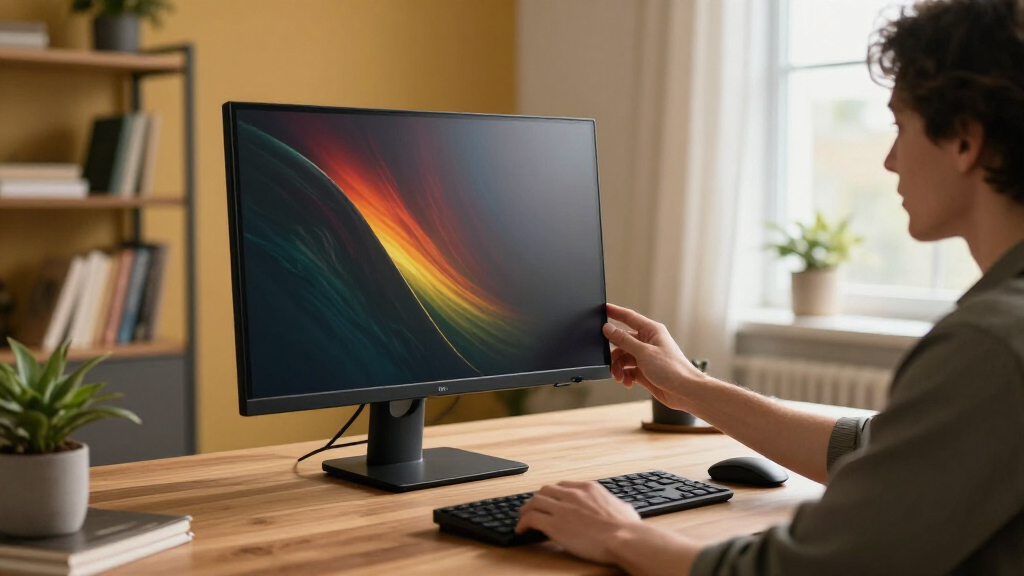
These monitors were evaluated based on their display quality, performance, build durability, and value for money. I prioritized models offering true 4k resolution with consistent image clarity, color fidelity, and good ergonomics. Refresh rates and adaptive sync features were considered essential for gaming or fast-paced work. We also looked at user reviews for reliability and ease of use. The ranking reflects a balance of these factors, aiming to highlight options for different budgets and primary uses.| 4k computer monitor | Panel Type | HDR |
|---|---|---|
| Samsung 27" ViewFinity S7 | — | — |
| Samsung 32" ViewFinity S7 | IPS | HDR10 |
| Acer Nitro 27-inch 4K UHD IPS | IPS | HDR10 support |
| LG 27UP850K-W 27-inch 4K UHD I | — | VESA DisplayHDR 400 |
| LG 27US500-W Ultrafine 27-Inch | — | HDR10 |
| Dell 27 Monitor S2725QC 4K UHD | IPS | — |
| Dell 27 Monitor S2725QS 4K UHD | IPS | Ready |
| Samsung 27" ViewFinity S7 | IPS | HDR10 |
| Dell 32 Monitor S3225QS 4K UHD | VA | Yes |
Factors to Consider When Choosing 4k Computer Monitors
Choosing a 4k monitor requires understanding several key factors that influence your experience and satisfaction. Beyond pixel count, resolution alone doesn’t guarantee quality—look for color accuracy, panel type, and refresh rate. Consider your primary use, whether professional editing, gaming, or general productivity, as this shapes what features matter most. Price often correlates with build quality and performance, so identifying your budget helps narrow options. Additionally, consider ergonomic features like height adjustment and connectivity options to ensure long-term comfort and compatibility with your devices.Display Quality and Panel Type
Not all 4k monitors are created equal in terms of panel technology. IPS panels deliver the best color accuracy and viewing angles, making them ideal for creative tasks. VA panels tend to have higher contrast ratios, providing deeper blacks, which benefits multimedia viewing. TN panels are less common at this resolution and generally focus on faster response times, primarily suited for gaming. Understanding these differences helps match a monitor’s visual qualities to your needs, avoiding disappointment in color reproduction or contrast.
Refresh Rate and Response Time
For tasks involving fast motion, such as gaming or video editing, a higher refresh rate (at least 120Hz) can significantly improve smoothness. Response time also matters here, with lower milliseconds indicating less motion blur. Most 4k monitors aimed at professional use have standard 60Hz, which is sufficient for most productivity tasks, but gamers should prioritize higher refresh rates to avoid choppiness. Balancing these specs against your budget is key, as high-refresh monitors tend to cost more.
Color Accuracy and HDR Support
If your work involves photo editing, graphic design, or video production, look for monitors with factory-calibrated color accuracy and support for wider color gamuts like sRGB or AdobeRGB. HDR support, especially HDR10 or Dolby Vision, enhances multimedia experiences by delivering more dynamic images, but not all HDR implementations are equal. Buying a monitor with good HDR support can elevate your viewing experience, but it often comes at a premium and requires compatible content and devices.
Connectivity and Ergonomics
Check for versatile ports such as USB-C, HDMI, and DisplayPort to ensure compatibility with your devices. USB-C can also facilitate charging and data transfer, reducing cable clutter. Ergonomic features like height adjustment, tilt, and swivel are essential for long-term comfort, especially if you spend many hours at your desk. Sometimes, cheaper monitors skimp on these features, leading to discomfort or the need for external stands or mounts.
Price and Overall Value
The price of 4k monitors varies widely, influenced by features like refresh rate, HDR, and build quality. It’s tempting to choose the cheapest option, but this might mean sacrificing color accuracy, response times, or durability. Conversely, premium models offer advanced features and better performance but at a higher cost. Finding a balance that fits your specific needs and budget ensures you don’t overpay for unnecessary features or settle for subpar quality.
Frequently Asked Questions
Is a 4k monitor worth it for productivity tasks?
Absolutely. A 4k monitor provides sharp text and detailed images, which can reduce eye strain and improve clarity when working on spreadsheets, coding, or multitasking. Higher resolution also allows for more content to be displayed simultaneously, increasing efficiency. For most productivity tasks, the main considerations are color accuracy, screen size, and ergonomic features. If your workflow benefits from detailed visuals or multitasking, investing in a 4k monitor usually pays off.
Should I prioritize refresh rate over resolution for gaming?
While 4k resolution enhances visual fidelity, a higher refresh rate (120Hz or more) is more critical for smooth gameplay. Many high-end gaming monitors now combine 4k resolution with fast refresh rates, but they tend to be more expensive. If gaming is your primary focus, consider whether you prefer ultra-sharp visuals or smoother motion. For most gamers, a balance of 4k resolution with at least 120Hz refresh rate provides a satisfying experience, though it often means paying a premium.
Are curved monitors better for 4k displays?
Curved screens can improve immersion and reduce distortion at wider sizes, making them appealing for larger 4k monitors. They are especially beneficial if you use the monitor for extended periods or for immersive tasks like gaming or video editing. However, curved monitors can be more expensive and may not suit all desk setups or preferences. If you prioritize flat surfaces for precision work or have limited space, flat panels might be a better choice.
What’s the difference between HDR support and true HDR content?
HDR support in a monitor indicates the capability to display high dynamic range content, but not all HDR implementations are equal. Some monitors feature basic HDR10 support without the brightness or contrast range necessary to truly benefit from HDR content. True HDR requires higher peak brightness, better contrast, and wider color gamuts. For a genuine HDR experience, look for monitors with high HDR certification levels and good local dimming features.
How important is connectivity for a 4k monitor?
Connectivity options determine how easily you can connect your devices without clutter or adapters. USB-C is increasingly popular for its versatility, supporting video, data, and charging through a single cable. HDMI and DisplayPort remain standard and widely compatible. Consider your existing devices and future needs; choosing a monitor with multiple ports ensures flexibility and reduces the hassle of cable management. Good connectivity also helps future-proof your setup as new devices emerge.
Conclusion
For most users, the Samsung ViewFinity S7 (S70H) offers the best balance of image quality, build, and features, making it the ideal overall choice. Creative professionals and those who prioritize color accuracy should lean toward this model. Gamers and those seeking a budget-friendly option might find the Dell S2725QC or Samsung 27″ ViewFinity S7 (S71H) better suited to their needs. Newcomers or casual users can start with the LG 27UP850K-W for a reliable experience without overspending. Ultimately, your selection should match your primary use, budget, and workspace constraints to ensure satisfaction in 2026.
Halloween Picks

10-Foot Halloween Inflatable Double-Headed Dragon Archway

Jenaai 5.3-Foot Motion-Activated Halloween Animatronic Skeleton

Star Wars Yoda and R2-D2 Inflatable Halloween Decor, 6 ft with LEDs, Indoor/Outdoor
As an affiliate, we earn on qualifying purchases.