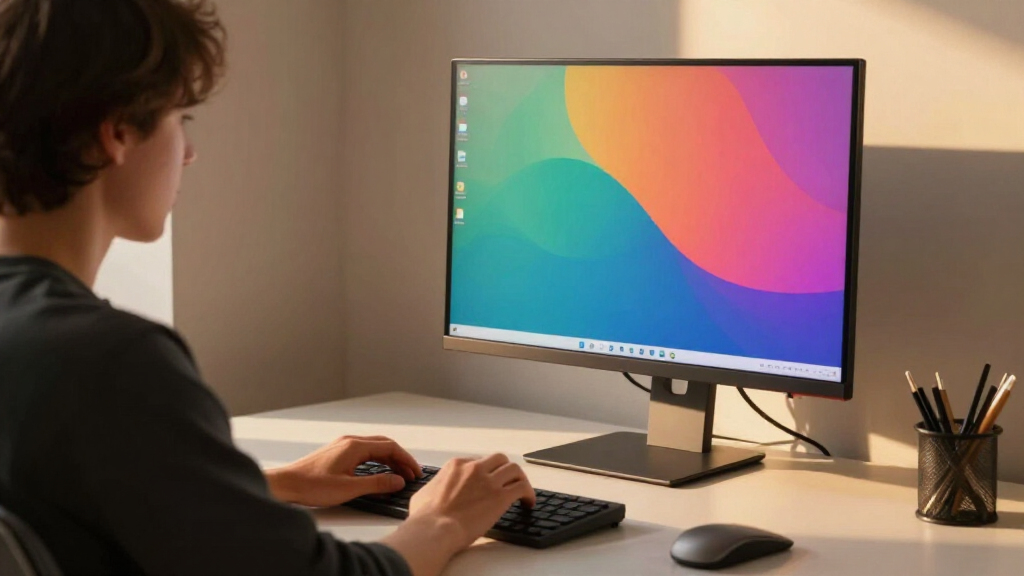

When selecting a 4k computer monitor for work, clarity, color accuracy, and screen size are key factors. The Dell 27 Plus 4K Monitor stands out as the best overall choice for its sharp display and smooth performance. For those seeking larger screens, the Sceptre 32-inch 4K UHD Monitor offers a spacious workspace, while the LG 27UP650K-W provides a balanced mix of affordability and features. The main tradeoffs involve balancing price against screen size, refresh rate, and ergonomic features. Keep reading for a detailed breakdown of each option to help you find the best fit for your work setup.
Complete the kit


Key Takeaways
- Size matters: Larger monitors like 32-inch models provide more workspace but can be more expensive and take up more desk space.
- Refresh rate is less critical for work-focused monitors; 60Hz to 120Hz options meet most productivity needs without added cost.
- Color accuracy and HDR support are important for creative professionals, but less so for typical office tasks.
- Connectivity options like USB-C and HDMI vary; choosing a monitor with versatile ports enhances compatibility with different devices.
- Ergonomic features such as adjustable stands and VESA mounts significantly improve comfort during long working hours.
| 32-Inch 4K UHD IPS Monitor with 60Hz, HDMI, DisplayPort, and Ergonomic VESA Mount |  | Best for Multi-Monitor Setups and Casual Productivity | Size: 32 inches | Resolution: 3840×2160 (4K UHD) | Refresh Rate: 60Hz | VIEW LATEST PRICE | See Our Full Breakdown |
| Dell 27 Plus 4K Monitor – S2725QS – 27-inch 4K (3840 x 2160) 120Hz IPS Display with AMD FreeSync Premium and Integrated Speakers |  | Best for Vivid Visuals and Smooth Multi-Use Performance | Size: 27 inches | Resolution: 3840×2160 (4K) | Refresh Rate: 120Hz | VIEW LATEST PRICE | See Our Full Breakdown |
| Sceptre 32-inch 4K UHD Monitor with Built-in Speakers, DisplayPort and HDMI |  | Best for Budget-Friendly 4K with Media Features | Size: 32 inches | Resolution: 3840×2160 (4K UHD) | Refresh Rate: 70Hz | VIEW LATEST PRICE | See Our Full Breakdown |
| Dell 32 Plus 4K Monitor – S3225QS |  | Best for Vivid Color and Smooth Performance | Size: 32 inches | Resolution: 3840×2160 (4K) | Refresh Rate: 120Hz | VIEW LATEST PRICE | See Our Full Breakdown |
| LG 27US500-W Ultrafine 27-Inch 4K UHD HDR10 IPS Monitor |  | Best for Creative and Color-Accurate Work | Size: 27 inches | Resolution: 3840×2160 (4K UHD) | HDR: HDR10 | VIEW LATEST PRICE | See Our Full Breakdown |
| LG 32UR550K-B 32-inch 4K UHD HDR Monitor |  | Best for Vibrant Visuals and Ergonomic Flexibility | Display Size: 32 inches | Resolution: 3840 x 2160 (4K UHD) | HDR: HDR10 | VIEW LATEST PRICE | See Our Full Breakdown |
| Dell 27 Plus 4K USB-C Monitor – S2725QC |  | Best for Smooth, Color-Accurate Work and Entertainment | Screen Size: 27 inches | Resolution: 3840 x 2160 (4K) | Refresh Rate: 120Hz | VIEW LATEST PRICE | See Our Full Breakdown |
| LG 27UP650K-W 27-inch 4K UHD IPS Computer Monitor |  | Best for Color and HDR Enthusiasts on a Budget | Display Size: 27 inches | Resolution: 3840 x 2160 (4K UHD) | Color Gamut: 95% DCI-P3 | VIEW LATEST PRICE | See Our Full Breakdown |
| ASUS 27” 4K Eye Care Monitor (VY27UQ) |  | Best for Eye Comfort and Professional Clarity | Display Size: 27 inches | Resolution: 3840 x 2160 (4K UHD) | Panel Type: IPS | VIEW LATEST PRICE | See Our Full Breakdown |
| LG 32UR500K-B 32-inch 4K UHD Monitor with HDR10 and Built-in Speakers |  | Best for Immersive Multimedia and Versatile Work | Display Size: 32 inches | Resolution: 3840 x 2160 (4K UHD) | Color Gamut: 90% DCI-P3 | VIEW LATEST PRICE | See Our Full Breakdown |
| 4k computer monitors for work | Resolution | HDR | Refresh Rate | Size |
|---|---|---|---|---|
| 32-Inch 4K UHD IPS Monitor wit | 3840×2160 (4K UHD) | HDR10 | 60Hz | 32 inches |
| Dell 27 Plus 4K Monitor | 3840×2160 (4K) | Ready | 120Hz | 27 inches |
| Sceptre 32-inch 4K UHD Monitor | 3840×2160 (4K UHD) | — | 70Hz | 32 inches |
| Dell 32 Plus 4K Monitor | 3840×2160 (4K) | Yes | 120Hz | 32 inches |
| LG 27US500-W Ultrafine 27-Inch | 3840×2160 (4K UHD) | HDR10 | — | 27 inches |
| LG 32UR550K-B 32-inch 4K UHD H | 3840 x 2160 (4K UHD) | HDR10 | 60Hz | — |
| Dell 27 Plus 4K USB-C Monitor | 3840 x 2160 (4K) | — | 120Hz | — |
| LG 27UP650K-W 27-inch 4K UHD I | 3840 x 2160 (4K UHD) | DisplayHDR 400 | — | — |
| ASUS 27” 4K Eye Care Monitor | 3840 x 2160 (4K UHD) | HDR10 | — | — |
| LG 32UR500K-B 32-inch 4K UHD M | 3840 x 2160 (4K UHD) | HDR10 | — | — |
More Details on Our Top Picks
32-Inch 4K UHD IPS Monitor with 60Hz, HDMI, DisplayPort, and Ergonomic VESA Mount
This 32-inch IPS monitor excels in providing sharp 4K visuals with 100% sRGB coverage, making it an excellent choice for detailed work and multi-monitor arrangements. Compared with smaller options like the LG 27US500-W, it offers a larger workspace but relies on a VESA mount for ergonomic adjustments, which might be inconvenient for some users. Its 60Hz refresh rate limits gaming performance, but for typical work tasks, this isn’t a major issue. The slim bezel design complements multi-screen setups, creating a seamless visual experience. However, it lacks built-in speakers and requires a VESA mount for height and tilt adjustments, which may be a downside for quick ergonomic changes.Pros:- Large 32-inch 4K UHD display with sharp, detailed visuals
- Accurate colors with 100% sRGB coverage
- VESA compatibility for flexible mounting options
- Eye care technology reduces eye strain during long hours
Cons:- Requires a VESA mount for ergonomic adjustments, which adds setup complexity
- Limited to 60Hz refresh rate, not suitable for competitive gaming
Best for: Professionals who need a large, high-resolution display for multitasking and detailed workflows, especially in multi-monitor arrangements.
Not ideal for: Gamers seeking fast-paced, high-refresh gaming, or users preferring an integrated stand with extensive ergonomic features.
- Size:32 inches
- Resolution:3840×2160 (4K UHD)
- Refresh Rate:60Hz
- Panel Type:IPS
- Color Coverage:100% sRGB
- HDR:HDR10
Our verdict“This monitor is ideal for users prioritizing a spacious, high-resolution workspace over fast refresh rates or built-in ergonomic features.”
Dell 27 Plus 4K Monitor – S2725QS – 27-inch 4K (3840 x 2160) 120Hz IPS Display with AMD FreeSync Premium and Integrated Speakers
The Dell S2725QS offers a compelling balance between sharp 4K visuals and smoother motion thanks to its 120Hz refresh rate, making it suitable for work that benefits from fluidity, like video editing or multitasking. Unlike the LG 27US500-W, which lacks high refresh rates, this monitor provides a more responsive experience without sacrificing color accuracy, thanks to its 99% sRGB coverage. Its integrated speakers add convenience for multimedia needs, though details on audio quality are limited. The ash white finish and ultra-thin bezels give it a sleek appearance, but the stand’s ergonomic flexibility isn’t clearly specified, which could be a concern for prolonged use.Pros:- Vivid 4K visuals with 99% sRGB coverage
- 120Hz refresh rate with AMD FreeSync Premium for smooth motion
- Integrated speakers add multimedia convenience
- Sleek design with ultra-thin bezels
Cons:- Limited ergonomic adjustment details, may need additional mount
- Price information not provided, could be a barrier for some users
Best for: Creative professionals and multitaskers who want vibrant visuals combined with smoother motion for extended work sessions.
Not ideal for: High-end gamers or users requiring extensive ergonomic adjustments, due to unspecified stand flexibility and focus on visual fidelity.
- Size:27 inches
- Resolution:3840×2160 (4K)
- Refresh Rate:120Hz
- Panel Type:IPS
- Color Coverage:99% sRGB
- HDR:Ready
Our verdict“This monitor suits users wanting vivid, smooth visuals with integrated audio for versatile work and casual entertainment.”
Sceptre 32-inch 4K UHD Monitor with Built-in Speakers, DisplayPort and HDMI
The Sceptre 32-inch offers a sizeable 4K UHD display with vibrant colors and a 70Hz refresh rate, which makes it suitable for general work and casual gaming. Compared to the Dell S3225QS, it provides similar large-screen benefits but with a slightly lower refresh rate, possibly affecting smoothness in fast-moving visuals. Built-in speakers are a nice space-saving feature, though their quality isn’t specified, and response time of 7 ms may fall short for competitive gaming. The wide viewing angles and IPS technology ensure consistent image quality from different positions, but the lack of ergonomic stand details limits long-term comfort options.Pros:- Large 32-inch 4K UHD display with vibrant colors
- Built-in speakers for space-saving multimedia use
- Wide viewing angles with IPS technology
- Multiple ports including HDMI and DisplayPort
Cons:- Response time of 7 ms may not suit fast-paced gaming
- Limited ergonomic features and adjustable stand details
Best for: Budget-conscious users seeking a large, color-accurate display with basic multimedia features for work and casual use.
Not ideal for: Gamers requiring higher refresh rates or professionals needing extensive ergonomic adjustments, due to response time and stand limitations.
- Size:32 inches
- Resolution:3840×2160 (4K UHD)
- Refresh Rate:70Hz
- Response Time:7 ms
- Display Technology:IPS
- Viewing Angle:178 degrees
Our verdict“This monitor is well-suited for users on a budget who need a large, vibrant display for everyday work and media consumption.”
Dell 32 Plus 4K Monitor – S3225QS
The Dell S3225QS stands out for its vivid color reproduction and smooth 120Hz performance, making it a versatile choice for both creative tasks and multimedia. Its VA panel offers richer contrast than typical IPS screens, which enhances visual depth for design work. Compared with the LG 27US500-W, which emphasizes color accuracy and HDR, this model leans toward vibrant, punchy visuals with DCI-P3 coverage. The inclusion of AMD FreeSync Premium and ComfortView Plus supports prolonged use without eye strain, but the lack of built-in speakers and limited connectivity options might be drawbacks for some users. Its size and feature set make it more of a premium all-rounder.Pros:- Vivid visuals with 99% sRGB and 95% DCI-P3 coverage
- 120Hz refresh rate with FreeSync Premium for fluid motion
- Enhanced eye comfort with ComfortView Plus
- Large 32-inch screen with high contrast
Cons:- No built-in speakers, requiring external audio
- Connectivity limited to DisplayPort and HDMI
Best for: Creative professionals and multimedia users who prioritize vivid colors and smooth visuals for extended work sessions.
Not ideal for: Users who need extensive ergonomic adjustments or built-in audio, given the absence of speakers and limited stand flexibility.
- Size:32 inches
- Resolution:3840×2160 (4K)
- Refresh Rate:120Hz
- Display Technology:VA
- Color Gamut:99% sRGB, 95% DCI-P3
- HDR:Yes
Our verdict“This monitor offers vibrant, smooth visuals with excellent color coverage, suited for creative professionals who value display quality over ergonomic features.”
LG 27US500-W Ultrafine 27-Inch 4K UHD HDR10 IPS Monitor
The LG 27US500-W offers a compact yet sharp 27-inch 4K display with HDR10 support, making it a strong choice for creative tasks that require accurate color reproduction. Its IPS panel provides wide viewing angles and deep blacks, comparable to the Dell S2725QS but with a focus on color fidelity. The ergonomic stand allows tilt adjustments, enhancing user comfort. Unlike larger monitors in this lineup, it’s better suited for dedicated creative work due to its size and precision. Its lack of built-in speakers and limited connectivity options might restrict multimedia use, and the absence of higher refresh rates limits fluidity in fast motion scenarios.Pros:- High-resolution 4K UHD with HDR10 support
- Ergonomic stand with tilt adjustment
- Wide viewing angles and deep blacks with IPS technology
- Good color accuracy for creative work
Cons:- No built-in speakers for multimedia convenience
- Limited connectivity options restrict peripheral choices
Best for: Digital artists, photographers, and video editors needing a color-accurate display with ergonomic flexibility.
Not ideal for: Gamers or users seeking a larger screen or high refresh rates, due to size and limited connectivity.
- Size:27 inches
- Resolution:3840×2160 (4K UHD)
- HDR:HDR10
- Color Gamut:90% DCI-P3
- Stand:Ergonomic, tilt
Our verdict“This monitor is best suited for creative professionals prioritizing color fidelity and ergonomic comfort over high refresh rates or multimedia features.”
LG 32UR550K-B 32-inch 4K UHD HDR Monitor
This 32-inch LG monitor stands out for its stunning 4K UHD resolution combined with HDR10 support, making it ideal for users who need vibrant, lifelike images for multitasking or creative work. Its wide 90% DCI-P3 color gamut rivals some premium options, but unlike the smaller LG 27UP650K-W, it may feel too large for compact desks. The adjustable stand with tilt, height, and pivot features enhances ergonomic comfort, yet the 60Hz refresh rate could limit smoothness for fast-paced tasks. Multiple inputs including HDMI and DisplayPort offer versatile connectivity, though the limited to 32 inches might be small for those who prefer expansive screen real estate. This pick makes the most sense for professionals who value color accuracy and ergonomic flexibility over high refresh rates or ultra-large displays.
Pros:- Vivid 4K UHD visuals with HDR10 support
- Wide 90% DCI-P3 color gamut for accurate, lifelike images
- Ergonomic stand with tilt, height, and pivot adjustments
- Multiple input options including HDMI and DisplayPort
Cons:- Limited to 60Hz refresh rate, not suitable for fast-paced gaming
- Smaller size at 32 inches may be restrictive for some users
Best for: Creative professionals or multitaskers seeking vibrant visuals and ergonomic adjustments in a 32-inch size.
Not ideal for: High-end gamers or users needing very high refresh rates, as this model’s 60Hz limits gaming fluidity.
- Display Size:32 inches
- Resolution:3840 x 2160 (4K UHD)
- HDR:HDR10
- Color Gamut:90% DCI-P3
- Refresh Rate:60Hz
- Inputs:HDMI x2, DisplayPort 1.4
- Stand Adjustments:Tilt, Height, Pivot
Our verdict“This monitor is ideal for professionals who prioritize color accuracy and ergonomic comfort over ultra-fast refresh rates or larger screens.”
Dell 27 Plus 4K USB-C Monitor – S2725QC
The Dell S2725QC offers a compelling blend of 120Hz refresh rate and 99% sRGB coverage, making it especially suitable for users who want both precise color and smoother motion, comparable to the ASUS VY27UQ’s adaptive sync features. Its 27-inch size makes it more manageable on desks but less immersive than larger models, and the 120Hz refresh rate provides a noticeable advantage for seamless scrolling and video editing. The single USB-C port simplifies connectivity, yet it caps power delivery at 65W, which could be limiting for users with power-hungry laptops. While it lacks built-in USB hubs, its overall performance makes it a strong choice for creative professionals and multitaskers who value visual fidelity and a fluid workflow.
Pros:- Smooth 120Hz refresh rate for fluid visuals
- 99% sRGB color accuracy for precise editing
- USB-C with 65W power delivery simplifies connections
- Low blue light technology for comfortable all-day use
Cons:- Limited to 65W power, not ideal for power-hungry devices
- No mention of built-in USB hubs or additional ports
Best for: Creative professionals or multitaskers who need high refresh rates and accurate color in a compact size.
Not ideal for: Gamers seeking ultra-high refresh rates above 120Hz or users needing extensive USB hub options.
- Screen Size:27 inches
- Resolution:3840 x 2160 (4K)
- Refresh Rate:120Hz
- Color Coverage:99% sRGB
- Contrast Ratio:1500:1
- Connectivity:USB-C (up to 65W)
Our verdict“This monitor strikes a balance between smooth motion and color accuracy, perfect for creative work and casual entertainment.”
LG 27UP650K-W 27-inch 4K UHD IPS Computer Monitor
The LG 27UP650K-W stands out with its 95% DCI-P3 coverage and DisplayHDR 400 support, delivering vibrant visuals similar to the LG 32UR550K-B but in a more manageable 27-inch size. Its IPS panel offers wide 178° viewing angles, making it well-suited for collaborative environments or multiple viewers. The monitor’s adjustable stand and multiple connectivity options, including HDMI and DisplayPort, provide ergonomic flexibility and versatile connections. However, at only 60Hz, it doesn’t appeal to gamers or users who prioritize high refresh rates, unlike the Dell S2725QC. This model makes the most sense for professionals who want a color-rich display with HDR support at a reasonable price, balancing visual quality with usability in a smaller footprint.
Pros:- Vibrant 4K display with 95% DCI-P3 coverage
- Supports HDR10 (DisplayHDR 400) for dynamic range
- Adjustable stand with tilt, height, and pivot
- Multiple connectivity options including HDMI and DisplayPort
Cons:- Limited to 60Hz refresh rate, not suited for high-end gaming
- Price not specified, possibly higher for HDR features
Best for: Designers or content creators who need accurate colors and HDR in a compact, adjustable display.
Not ideal for: Fast-paced gamers or users requiring high refresh rates and ultra-smooth motion.
- Display Size:27 inches
- Resolution:3840 x 2160 (4K UHD)
- Color Gamut:95% DCI-P3
- HDR:DisplayHDR 400
- Response Time:5ms GtG
- Inputs:2x HDMI, DisplayPort 1.4
Our verdict“This monitor offers excellent color and HDR performance in a compact size, ideal for creative professionals with an eye for detail.”
ASUS 27” 4K Eye Care Monitor (VY27UQ)
The ASUS VY27UQ emphasizes eye health with its Eye Care Plus technology, blue light filter, and flicker-free screen, making it an appealing choice for long work sessions. Its IPS panel with 178° viewing angles and HDR10 support ensures consistent, crisp visuals across the board—comparable to the Dell S2725QC’s color accuracy but with added focus on user comfort. Its adaptive sync improves motion clarity during multimedia tasks, yet the lack of built-in speakers or USB-C connectivity might limit its appeal for some users. This monitor makes sense for those prioritizing eye comfort and detailed visuals over ultra-fast refresh rates or extensive connectivity options.
Pros:- IPS panel with 178° wide viewing angles
- Supports HDR10 for enhanced image quality
- Eye Care Plus technology reduces eye strain
- Antibacterial treatment on bezels and hotkeys
Cons:- No built-in speakers or USB-C ports
- Potentially higher price due to specialized eye care features
Best for: Professionals or students working long hours who need eye-friendly features without sacrificing image quality.
Not ideal for: Gamers or power users who require high refresh rates or integrated audio features.
- Display Size:27 inches
- Resolution:3840 x 2160 (4K UHD)
- Panel Type:IPS
- HDR:HDR10
- Viewing Angle:178°
- Features:Eye Care Plus, Blue Light Filter, Flicker Free
Our verdict“This monitor prioritizes eye health and clarity, making it suitable for prolonged professional use or study sessions.”
LG 32UR500K-B 32-inch 4K UHD Monitor with HDR10 and Built-in Speakers
The LG 32UR500K-B combines a sizable 32-inch 4K display with vibrant colors and HDR10 support, making it well-suited for multimedia consumption and productivity alike. Its built-in stereo speakers add convenience, especially compared to models like the ASUS VY27UQ which lack audio features. The adjustable stand and customizable on-screen controls help tailor the workspace, but the absence of USB ports limits expandability for peripherals. While not the most budget-friendly option, this monitor provides a larger, more immersive viewing experience for users who want a versatile display that handles both work and entertainment well.
Pros:- Large 32-inch 4K UHD display with vibrant colors
- Built-in stereo speakers for added convenience
- Ergonomic stand with tilt adjustment
- Multiple connectivity options including HDMI and DisplayPort
Cons:- No built-in USB ports for peripherals
- Limited details on speaker quality and overall audio performance
Best for: Media enthusiasts or professionals seeking a large, color-rich display with integrated audio for versatile use.
Not ideal for: Users who require extensive port options or dedicated gaming features, as it lacks high refresh rates and USB hub capabilities.
- Display Size:32 inches
- Resolution:3840 x 2160 (4K UHD)
- Color Gamut:90% DCI-P3
- HDR:HDR10
- Speakers:Built-in stereo
- Stand:Ergonomic tilt
Our verdict“A practical choice for those who want a larger, multimedia-capable display with adjustable ergonomics for everyday work and entertainment.”
How We Picked
In selecting these monitors, I prioritized models that deliver sharp 4K resolution with reliable color reproduction and good build quality. Performance factors like refresh rate, response time, and connectivity options were considered to ensure versatility across different work scenarios. Usability features such as ergonomic adjustments and ease of setup helped distinguish top contenders. The rankings reflect a balance between value, feature set, and overall suitability for professional use, with more premium options positioned for users who prioritize advanced specs and build quality. Cost was also a factor, but only insofar as it aligned with the features offered, to provide a fair comparison across a range of budgets.| 4k computer monitors for work | HDR |
|---|---|
| 32-Inch 4K UHD IPS Monitor wit | HDR10 |
| Dell 27 Plus 4K Monitor | Ready |
| Sceptre 32-inch 4K UHD Monitor | — |
| Dell 32 Plus 4K Monitor | Yes |
| LG 27US500-W Ultrafine 27-Inch | HDR10 |
| LG 32UR550K-B 32-inch 4K UHD H | HDR10 |
| Dell 27 Plus 4K USB-C Monitor | — |
| LG 27UP650K-W 27-inch 4K UHD I | DisplayHDR 400 |
| ASUS 27” 4K Eye Care Monitor | HDR10 |
| LG 32UR500K-B 32-inch 4K UHD M | HDR10 |
Factors to Consider When Choosing 4k Computer Monitors For Work
Choosing the right 4k monitor for work involves weighing several key factors. Understanding your specific needs—whether for general office tasks, creative work, or multitasking—can help narrow down options. Beyond specs, consider how ergonomic features, connectivity, and screen size impact your daily workflow. Making a well-informed decision ensures your monitor enhances productivity without unnecessary expense or compromise.Screen Size and Resolution
While 4K resolution provides crisp detail, screen size determines how much workspace you have at a glance. Larger screens, such as 32 inches, are ideal for multitasking and detailed work but come with a higher price tag and require more desk space. Smaller 27-inch models can fit more compact setups and still offer excellent clarity. Striking the right balance depends on your workspace and how much screen real estate you need for your tasks.
Color Accuracy and HDR Support
For professionals in design, video editing, or photography, color fidelity and HDR support are vital. Monitors with IPS panels typically deliver better color consistency, but not all 4K displays are calibrated equally. Consider models with factory calibration or those supporting HDR10 if visual accuracy is a priority. For general office work, these features are less critical, but they can future-proof your setup if your work includes creative tasks.
Connectivity Options
Multiple ports—especially USB-C—offer convenience by enabling single-cable connections for both video and power. This reduces clutter and simplifies desk setup. Ensure the monitor has enough HDMI or DisplayPort inputs for your devices. Some models also include built-in speakers or USB hubs, which can streamline your workspace without extra peripherals. Compatibility and future-proofing are key considerations here.
Ergonomic and Mounting Features
Adjustable stands with height, tilt, and swivel options improve comfort during long hours at your desk. VESA compatibility further expands mounting options, freeing up desk space or enabling multi-monitor setups. Cheaper models often lack these features, leading to discomfort and potential ergonomic issues. Prioritizing ergonomic design can significantly enhance your productivity and well-being over time.
Price and Overall Value
While premium monitors may offer advanced features like higher refresh rates or better build quality, many mid-range options provide excellent value for typical work tasks. Consider how much you’re willing to invest based on your needs. Sometimes, spending a little more upfront on a durable, feature-rich monitor reduces the need for upgrades soon after purchase. Balance your budget with the features that truly impact your daily work experience.
Frequently Asked Questions
Is a higher refresh rate necessary for work monitors?
For most work environments, a refresh rate of 60Hz to 75Hz is sufficient, as it provides smooth motion without extra cost. Higher refresh rates are more beneficial for gaming or video editing where fast motion clarity matters. If your work involves real-time editing or multitasking across multiple windows, a 120Hz monitor can offer slight improvements, but it’s usually not a priority for general productivity tasks.
Should I prioritize a larger screen over higher resolution?
Both size and resolution enhance workspace, but their importance varies based on your tasks. Larger screens provide more physical space to view multiple windows simultaneously, which can boost productivity. Higher resolution, like 4K, ensures sharp details regardless of size. For maximum efficiency, a larger 4K monitor combines both benefits, but if space or budget is limited, a 27-inch 4K display is still highly effective for detailed work.
Are built-in speakers worth considering?
Built-in speakers add convenience, especially if your desk setup lacks external audio. However, their quality often doesn’t match dedicated speakers or headphones, so they are more suitable for casual audio or notifications. If audio quality is important for your work, investing in external speakers or headphones may be preferable. Consider built-in speakers as a bonus feature rather than a primary reason to choose a monitor.
What connectivity features are most useful for a work monitor?
USB-C ports are increasingly valuable for their ability to transmit video, data, and power through a single cable, simplifying your setup. HDMI and DisplayPort remain common and versatile options. Look for monitors with multiple ports to connect various devices without needing adapters. Additional features like Ethernet or USB hubs can further streamline your workspace, especially if you connect multiple peripherals.
How important are ergonomic adjustments on a monitor?
Ergonomic features like height adjustment, tilt, and swivel are vital for maintaining comfort during long work sessions. Poor positioning can lead to neck and eye strain. Monitors with VESA compatibility expand your options for mounting or customizing your setup. Investing in a monitor with good ergonomic adjustability can improve your overall productivity and reduce discomfort over time, making it a worthwhile consideration.