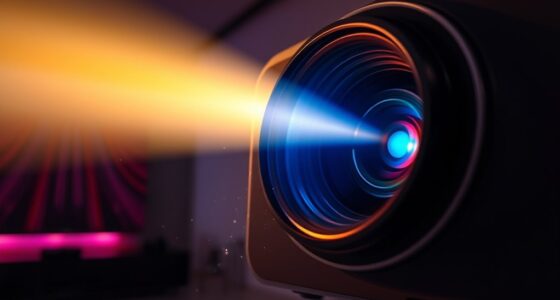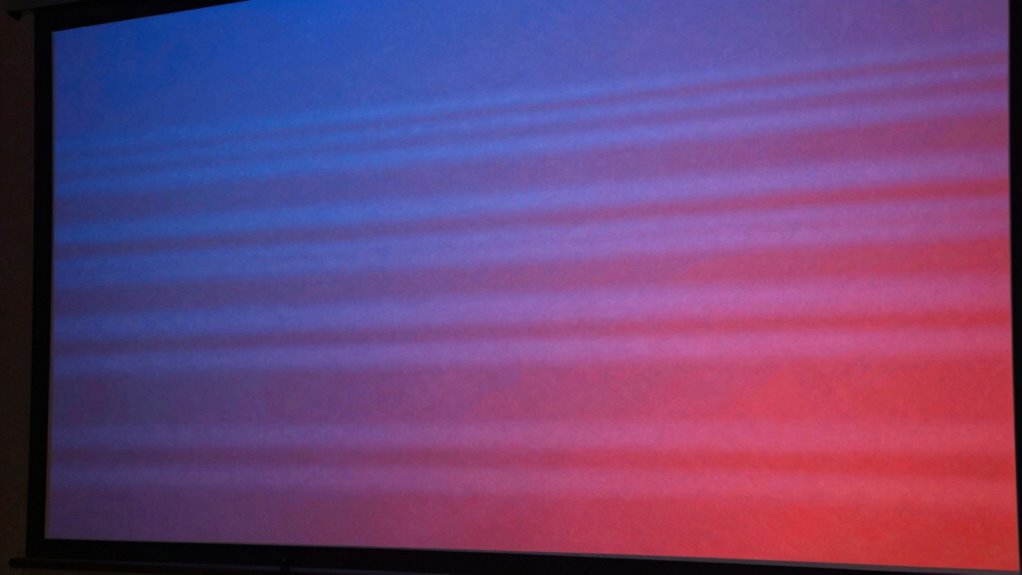
Color banding on your projector happens when it struggles to smoothly display subtle color shifts, causing visible stripes or gradients. To reduce this, calibrate your projector’s color settings, especially adjusting contrast, saturation, and gamma. Using high-quality, high-resolution sources and enabling any smoothing features can help, too. Keep your firmware updated and control ambient light for better results. If you want to discover more ways to improve your display, keep exploring the options available.

Get business pricing on your home office setup
- Business-only prices and quantity discounts
- Tax-exempt purchasing
- Multiple users, one account, clear invoices
Key Takeaways
- Color banding occurs when the projector cannot smoothly transition between shades, creating visible stripes or gradients.
- Proper color calibration adjusts settings like temperature, saturation, and gamma to minimize abrupt color shifts.
- Reducing contrast and using high-resolution content helps improve gradient smoothness and lessens banding.
- Enabling dithering or adding subtle noise can mask visible banding artifacts effectively.
- Keeping firmware updated and controlling ambient light enhances overall image quality and reduces banding visibility.
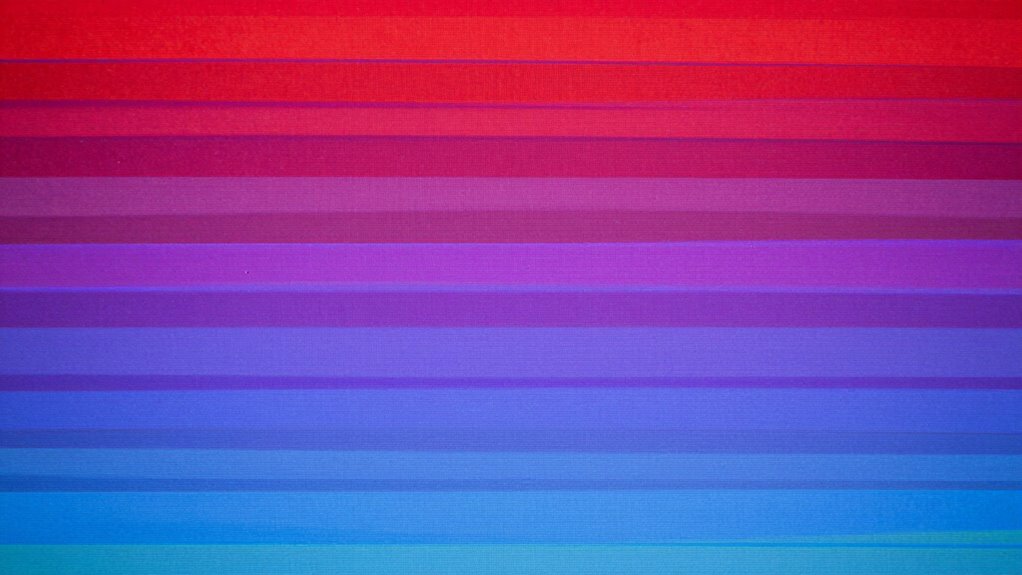
If you’ve ever noticed uneven color shifts or visible stripes on your projector’s display, you’re likely experiencing color banding. This issue occurs when your projector can’t smoothly transition between shades, resulting in those noticeable stripes or gradients. It’s often linked to how your device handles color reproduction, and thankfully, there are ways to reduce or eliminate it. To start, focusing on proper color calibration is essential. You want your projector’s color settings to match the intended display profile, which involves adjusting color temperature, saturation, and gamma. Correct calibration ensures the projector renders colors accurately, minimizing abrupt shifts that cause banding. Many projectors come with automatic calibration tools or presets, but for the best results, manual adjustments using a calibration disc or software can fine-tune the display to your environment.
Proper color calibration helps reduce banding and ensures smoother, more accurate image transitions.
Another critical aspect is your contrast settings. If your contrast is set too high, it can exaggerate differences between shades, making banding more prominent. Lowering the contrast slightly can smooth out these transitions, giving your display a more seamless gradient. Conversely, setting contrast too low might wash out the image, so find a balance that preserves detail while reducing harsh color boundaries. Proper contrast ratio also plays a role in overall image quality and depth. Beyond these settings, consider your source content and input resolution. Sometimes, banding originates from compressed or low-quality files. Using higher-resolution videos or images can significantly improve gradient smoothness. Additionally, ensure your projector’s firmware is up to date, as manufacturers often release updates that enhance color processing algorithms and reduce artifacts like banding. If your projector has a dithering or smoothing feature, enable it; these functions add subtle noise or blend colors to mask banding effects. Regular monitoring of display performance can help you catch and address issues early before they become more noticeable.
In some cases, external tools or software can help further refine your display. For instance, applying a subtle noise filter or using post-processing software on your media player can break up uniform color bands. Proper projector maintenance and calibration are vital, especially if your display environment changes or over time, to maintain optimal image quality. Proper environmental conditions, such as controlling ambient light, can also make a significant difference in how visible banding appears. Remember, the environment also impacts visibility—darkening the room and reducing ambient light can make banding less noticeable. Ultimately, reducing color banding involves a combination of proper calibration, adjusting contrast settings, choosing high-quality input sources, and keeping your projector updated. With patience and careful tweaking, you can achieve a much smoother, more natural image that minimizes distracting stripes and color inconsistencies.
projector color calibration tool
As an affiliate, we earn on qualifying purchases.
As an affiliate, we earn on qualifying purchases.
Frequently Asked Questions
Can Color Banding Occur on All Types of Projectors?
Yes, color banding can occur on all types of projectors, especially if they have limited color depth or poor filter quality. When a projector’s color depth is low, it struggles to display smooth gradients, leading to banding. Additionally, low-quality filters can cause color inconsistencies. To minimize this, choose projectors with higher color depth and high-quality filters, ensuring better color gradations and reducing banding effects.
Does Ambient Lighting Affect Color Banding Visibility?
It’s true that ambient light can make color banding more noticeable, as it affects your visual perception. When there’s a lot of ambient light, your eyes struggle to distinguish subtle color gradations, making banding appear more prominent. Conversely, in darker environments, the contrast enhances, hiding banding better. So, keeping ambient light low creates a more forgiving setting, helping you see image details clearly without being distracted by banding.
Is Color Banding More Common With 4K Projectors?
Color banding can be more noticeable with 4K projectors because their higher resolution highlights subtle gradations and imperfections. To minimize banding, you should focus on proper color calibration, ensuring accurate color rendering. Additionally, resolution enhancement techniques like dithering can help smooth out color progressions. Keep in mind that even with these adjustments, some banding might still appear, especially in scenes with very gradual color shifts.
Can Specific Content Types Cause More Banding Issues?
Absolutely, certain content types can cause more banding issues, making your viewing experience feel like a rollercoaster ride through a pixelated nightmare. Low content resolution videos often struggle with smooth gradients, leading to noticeable banding. Proper display calibration can help reduce this, ensuring smoother color shifts. High-resolution content usually fares better, but if your source isn’t optimized, you might still see those pesky bands. Always check your settings for ideal results!
How Long Does It Take to Fix Color Banding Problems?
Fixing color banding problems can take anywhere from a few minutes to several hours, depending on the severity. You’ll want to start with calibration techniques, adjusting contrast and color settings for ideal output. Also, check your screen surface; a smooth, non-reflective surface reduces banding. Patience is key—careful calibration and proper screen setup will greatly improve your projector’s color display over time.
As an affiliate, we earn on qualifying purchases.
Conclusion
In the end, understanding projector color banding is like tending a delicate garden—you’ll want to nurture your setup and make gentle adjustments. With a little patience, you can smooth out those subtle color lines, creating a lush, seamless display. Think of it as turning a patchwork quilt into a flowing tapestry. By applying the tips learned, your viewing experience will become a harmonious canvas, free from unwanted ripples and distractions, revealing true, vibrant colors.
high-resolution projector source
As an affiliate, we earn on qualifying purchases.
As an affiliate, we earn on qualifying purchases.
As an affiliate, we earn on qualifying purchases.
Fall Picks
fall essentials
As an affiliate, we earn on qualifying purchases.