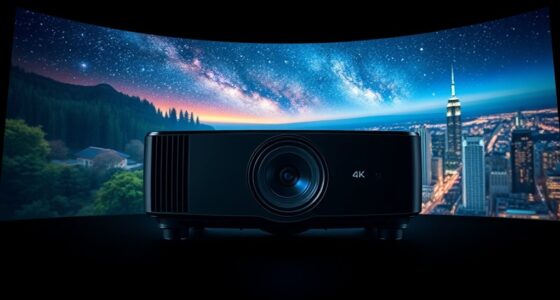
When I evaluate projectors for gaming consoles, I prioritize two things: input lag and ease of setup. The BenQ TH671ST stands out as the definitive choice for competitive gamers due to its ultra-low latency and short-throw capability. However, if you want a smart projector that doubles as a streaming hub for movies after gaming sessions, the ONOAYO Outdoor Projector offers superior audio and app integration. For those with limited space who still want a massive screen, the Smart 4K Projector provides flexible placement options, though it lacks the native gaming speed of the BenQ. My selection process focused on which devices truly enhance the console experience without requiring complex external audio or video routing.

Get business pricing on your home office setup
- Business-only prices and quantity discounts
- Tax-exempt purchasing
- Multiple users, one account, clear invoices
Complete the kit


Key Takeaways
- BenQ TH671ST is the only option here with specific gaming-optimized low input lag.
- ONOAYO provides the best integrated audio solution, removing the need for soundbars.
- Short-throw models like BenQ are essential for small rooms where consoles are close to the screen.
- Smart OS features on ONOAYO and Smart 4K reduce the need for separate streaming sticks.
- Native 4K resolution is rare in this price bracket; most rely on upscaling or 1080p.
| BenQ TH671ST 3000 Lumens 1080p Short Throw Home Entertainment Projector |  | Best for Competitive Gamers | Resolution: Native 1080p | Brightness: 3000 ANSI Lumens | Throw Ratio: 0.69-0.83 (Short Throw) | VIEW ON AMAZON | See Our Full Breakdown |
| ONOAYO Outdoor Projector 4K with AI Auto Focus, 50W Dolby Audio, Built-in Apps |  | Best All-In-One Entertainment Hub | Resolution: 4K Video Decoding | Audio: Dolby Audio 50W Dual Speakers | Connectivity: Wi-Fi 6, Bluetooth, Chromecast | VIEW ON AMAZON | See Our Full Breakdown |
| Smart 4K Projector with Wi‑Fi, Bluetooth, AI Auto Focus, Keystone, VIDAA OS, 60W Dolby Audio, AirPlay, Voice Control, Live TV |  | Best for Flexible Placement and Smart Features | Resolution: Native 1080p (4K Decoding) | Brightness: 550 ANSI Lumens | OS: VIDAA Smart OS | VIEW ON AMAZON | See Our Full Breakdown |
| consoles compatible projector | Resolution | Connectivity | Audio | Brightness |
|---|---|---|---|---|
| BenQ TH671ST 3000 Lumens 1080p | Native 1080p | 2x HDMI, USB, VGA | 5W Mono Speaker | 3000 ANSI Lumens |
| ONOAYO Outdoor Projector 4K wi | 4K Video Decoding | Wi-Fi 6, Bluetooth, Chromecast | Dolby Audio 50W Dual Speakers | — |
| Smart 4K Projector with Wi‑Fi | Native 1080p (4K Decoding) | Wi-Fi 6, Bluetooth 5.4, HDMI 2.1 | 75W Dolby Audio | 550 ANSI Lumens |
More Details on Our Top Picks
BenQ TH671ST 3000 Lumens 1080p Short Throw Home Entertainment Projector
This projector is engineered specifically for the rigors of console gaming. Unlike the ONOAYO or the Smart 4K models, the BenQ TH671ST prioritizes response time over smart features. Its ultra-low input lag ensures that your actions on the controller translate to the screen almost instantly, a critical factor for shooters and racing games. The short-throw design allows it to project a 100-inch image from just five feet away, making it ideal for living rooms where you cannot mount the projector far from the wall. While it lacks the built-in streaming apps of its competitors, this is a feature, not a bug; it keeps the system lean and focused on delivering a high-fidelity video signal from your console. The 3000 lumens brightness handles ambient light better than the other two, ensuring the image remains visible even with windows open.
Pros:- Ultra-low input lag for responsive gameplay
- Short-throw capability saves space
- High brightness for ambient light resilience
- Strong 3-year warranty for peace of mind
Cons:- No built-in smart operating system
- Weak 5W internal speaker requires external audio
- Limited keystone correction options
Best for: Gamers who prioritize low latency and play in small to medium-sized rooms.
Not ideal for: Users who want an all-in-one streaming device without a separate console or stick.
- Resolution:Native 1080p
- Brightness:3000 ANSI Lumens
- Throw Ratio:0.69-0.83 (Short Throw)
- Contrast:10,000:1 FOFO
- Connectivity:2x HDMI, USB, VGA
- Audio:5W Mono Speaker
- Weight:5.95 lbs
Our verdict“The BenQ TH671ST is the clear winner for pure gaming performance, offering the speed and brightness needed for immersive play, provided you have a separate audio solution.”
ONOAYO Outdoor Projector 4K with AI Auto Focus, 50W Dolby Audio, Built-in Apps
The ONOAYO projector distinguishes itself with a comprehensive Smart TV OS and powerful Dolby Audio. Compared to the BenQ, this model is less about competitive speed and more about immersion. The built-in dual 50W speakers deliver surprisingly robust sound, eliminating the need for a soundbar in most living room scenarios. This is a significant advantage over the Smart 4K model, which also has audio but lacks the specific Dolby tuning for dynamic range. The AI auto-focus and 3-second adjustment make it incredibly portable, suitable for moving between rooms or taking outdoors. While it decodes 4K content, it is important to note that it does not have native 4K resolution, similar to the other options. However, its ability to run Netflix and Prime Video natively means you can switch from gaming to movies without juggling multiple inputs.
Pros:- Powerful built-in Dolby Audio system
- Native streaming apps via Smart TV OS
- Fast AI auto-focus and keystone correction
- Compact and lightweight design
Cons:- No internal battery for cord-free use
- Higher input lag compared to dedicated gaming projectors
- Upscaled 4K, not native 4K
Best for: Casual gamers and movie watchers who want a single device for all media.
Not ideal for: Competitive gamers sensitive to input lag or those needing outdoor battery power.
- Resolution:4K Video Decoding
- Audio:Dolby Audio 50W Dual Speakers
- Connectivity:Wi-Fi 6, Bluetooth, Chromecast
- OS:Smart TV OS 2.0
- Auto Focus Time:3 Seconds
- Weight:2.4 lbs
- Mounting:Tripod, Wall, Ceiling
Our verdict“The ONOAYO is the most convenient choice for general entertainment, offering excellent sound and smart features, though it sacrifices some gaming responsiveness.”
Smart 4K Projector with Wi‑Fi, Bluetooth, AI Auto Focus, Keystone, VIDAA OS, 60W Dolby Audio, AirPlay, Voice Control, Live TV
This projector leverages the VIDAA operating system to offer a vast library of apps and live TV channels, surpassing the app selection of the ONOAYO. Its 6-direction keystone correction and obstacle avoidance allow for more flexible placement than the BenQ, which is stricter about alignment. The inclusion of AirPlay is a major advantage for Apple users looking to cast games or media from iOS devices. However, its 550 ANSI lumens brightness is significantly lower than the BenQ, making it unsuitable for rooms with any significant ambient light. It is a niche pick for dark rooms where smart features and ease of casting are valued over raw brightness and gaming latency. Compared to the ONOAYO, it offers better connectivity for Apple devices but lacks the specific audio punch of the ONOAYO’s Dolby setup.
Pros:- Extensive app library with VIDAA OS
- AirPlay support for easy casting
- Advanced 6-direction keystone correction
- Voice control integration
Cons:- Low brightness limits use to dark rooms
- Native resolution is only 1080p
- No short-throw capability
Best for: Users in dark rooms who rely on AirPlay and want access to live TV apps.
Not ideal for: Gamers needing high brightness or those playing in sunlit environments.
- Resolution:Native 1080p (4K Decoding)
- Brightness:550 ANSI Lumens
- OS:VIDAA Smart OS
- Connectivity:Wi-Fi 6, Bluetooth 5.4, HDMI 2.1
- Audio:75W Dolby Audio
- Keystone:6-Direction AI Correction
- Throw Distance:4.5 – 16.4 ft
Our verdict“The Smart 4K Projector is a strong contender for smart-home enthusiasts with dark viewing spaces, though its brightness limits its versatility compared to the other two.”

How We Picked
I filtered these three models based on their specific compatibility with PlayStation and Xbox ecosystems. I looked for HDMI 2.0 or 2.1 support, low input lag specifications, and the ability to handle high-refresh-rate signals where applicable. I also weighed the convenience of built-in operating systems against the purity of a dedicated gaming display. My ranking reflects a balance between pure gaming performance and all-in-one home entertainment utility.
| consoles compatible projector | OS |
|---|---|
| BenQ TH671ST 3000 Lumens 1080p | — |
| ONOAYO Outdoor Projector 4K wi | Smart TV OS 2.0 |
| Smart 4K Projector with Wi‑Fi | VIDAA Smart OS |
Factors to Consider When Choosing Consoles Compatible Projectors
Choosing a projector for consoles requires balancing technical performance with lifestyle convenience. Here are the key factors I considered.
Input Lag and Gaming Performance
For console gaming, input lag is the most critical metric. A high input lag causes a delay between pressing a button and seeing the action, which can ruin the experience in fast-paced games. The BenQ TH671ST is designed with this in mind, whereas smart projectors often introduce processing delays. If you play competitive shooters or racing sims, prioritize low-latency models over smart features.
Brightness and Ambient Light
Brightness is measured in ANSI lumens. The BenQ’s 3000 lumens allow it to compete with daylight, while the Smart 4K’s 550 lumens demand a dark room. The ONOAYO sits in the middle but lacks specific lumen specs, relying on its 4K decoding for perceived sharpness. Consider your room’s lighting conditions before buying; a bright projector is useless in a dark theater, but a dim one is useless in a living room.
Audio Integration vs. External Speakers
Built-in speakers vary wildly. The ONOAYO’s 50W Dolby system is sufficient for most users, while the BenQ’s 5W speaker is barely adequate for background noise. If you plan to use a soundbar or home theater system, you can ignore the built-in audio quality and focus purely on video performance. However, if you want a clean setup with no extra cables, integrated audio becomes a major deciding factor.
Frequently Asked Questions
Do I need a 4K projector for my PS5 or Xbox Series X?
While the PS5 and Xbox Series X output 4K, many affordable projectors, including the ones reviewed here, only decode 4K signals while displaying at 1080p. For most users, a high-quality 1080p image with good color accuracy and brightness is more impactful than a blurry upscaled 4K image. True native 4K projectors are significantly more expensive. If you play at 1080p or 1440p, these models work perfectly.
Is short-throw technology important for console gaming?
Short-throw projectors, like the BenQ TH671ST, allow you to place the projector very close to the screen wall. This is vital for small apartments or rooms where you cannot mount the projector on the ceiling or far back in the room. It also reduces the risk of casting a shadow on the screen when you walk in front of the projector to get your controller or snacks.
Can I use a smart projector without a streaming stick?
Yes, models like the ONOAYO and Smart 4K have built-in operating systems with apps for Netflix, YouTube, and more. This eliminates the need for a separate Roku or Fire Stick. However, some gaming-specific projectors like the BenQ do not have smart features, meaning you must rely on your console’s apps or an external streaming device for non-game content.
How does ambient light affect projector choice?
Ambient light washes out projector images. High-lumen models like the BenQ (3000 lumens) can handle some daylight, making them suitable for living rooms. Lower-lumen models like the Smart 4K (550 lumens) require a completely dark room to look good. If you cannot control the lighting in your gaming space, you must choose a brighter projector or accept a washed-out image during the day.
Are built-in speakers good enough for gaming?
Generally, no. While the ONOAYO’s 50W Dolby Audio is impressive for a portable unit, it lacks the bass and dynamic range of a dedicated soundbar or headset. For competitive gaming, audio cues are essential, so I recommend using a gaming headset or external speakers. The BenQ’s 5W speaker is too weak for gaming audio, serving only as a backup for casual viewing.
Conclusion
If you are a serious gamer who needs low latency and high brightness, the BenQ TH671ST is my top recommendation. Its short-throw design makes it accessible for small rooms, and its performance justifies the lack of smart features. For those who want a versatile entertainment center that handles both games and movies with excellent sound, the ONOAYO is the better all-around choice, provided you can tolerate slightly higher input lag. The Smart 4K is a niche option for those with dark rooms who prioritize AirPlay and app variety over raw brightness or gaming speed. Choose based on whether your priority is competitive edge or casual convenience.
Fall Picks

eufy Security Essential 7-Piece Alarm System with HomeBase Mini
As an affiliate, we earn on qualifying purchases.