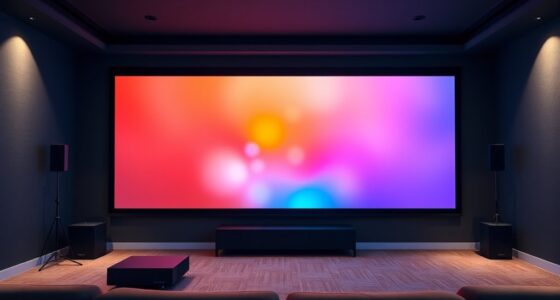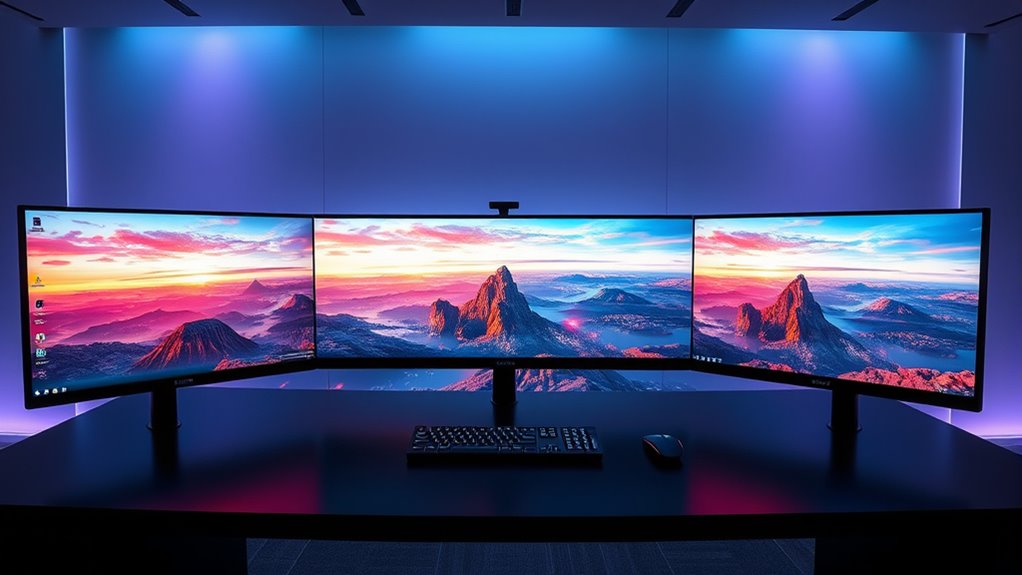

For an immersive gaming and simulation experience, ultra wide screens offer a wider field of view and smoother motion with high refresh rates. To get the most out of them, guarantee proper color calibration for vibrant, accurate visuals, and pair the monitor with a capable GPU to support high refresh rates like 120Hz or higher. Balancing these features will boost realism and performance—if you keep exploring, you’ll discover how to optimize your setup for the best results.

Get business pricing on your home office setup
- Business-only prices and quantity discounts
- Tax-exempt purchasing
- Multiple users, one account, clear invoices
Key Takeaways
- Ultra wide screens offer a broader field of view, creating immersive gaming and simulation experiences.
- Proper color calibration ensures accurate visuals, enhancing realism and visual cues during gameplay.
- High refresh rates (120Hz+) provide smoother motion and reduce motion blur in fast-paced scenes.
- Built-in calibration tools and high contrast ratios improve visual quality and ease setup.
- Compatibility between monitor features and graphics hardware is essential for optimal performance.

Ultra wide screens are transforming gaming and simulation experiences by offering a broader, more immersive view that standard monitors can’t match. With their expansive displays, you get a panoramic perspective that pulls you deeper into virtual worlds, making every scene more engaging and lifelike. But to truly maximize these benefits, you need to pay attention to a couple of key factors: color calibration and refresh rate.
Color calibration is essential because ultra wide screens often come with vibrant, wide color gamuts that can look stunning but may require fine-tuning to achieve accurate visuals. If your monitor isn’t properly calibrated, you might notice colors that appear oversaturated or washed out, which can detract from the realism and detail in games or simulations. Take the time to adjust the settings or use calibration tools to ensure that colors are true to life, helping you distinguish subtle differences in environments, characters, and objects. Accurate color calibration enhances immersion and can even improve your gameplay performance by providing clearer visual cues.
Proper color calibration ensures accurate visuals, enhances immersion, and improves gameplay by highlighting subtle details.
Refresh rate is another critical aspect to consider. Since ultra wide screens are often used for fast-paced gaming and simulations, a high refresh rate—such as 120Hz or higher—can make a significant difference. A higher refresh rate means your display updates more times per second, resulting in smoother motion and reduced motion blur. This is especially noticeable during rapid movements or fast action sequences, where lower refresh rates might cause choppiness or lag. When combined with a responsive graphics card, a high refresh rate ensures fluid gameplay, giving you a competitive edge and reducing eye strain caused by flickering or stuttering. Additionally, choosing a monitor with a high dynamic contrast ratio can further enhance image quality by making dark scenes more detailed and vibrant.
Keep in mind that achieving the optimal experience involves balancing these factors. Some ultra wide monitors come with built-in calibration tools, making it easier to fine-tune colors directly through the menu. Similarly, pairing your monitor with a powerful GPU can help you reach higher refresh rates without sacrificing image quality or stability. Also, check the monitor’s specifications to ensure it supports the refresh rate you need, especially if you’re aiming for competitive gaming or detailed simulations.
ultra wide gaming monitor 34 inch 144Hz
As an affiliate, we earn on qualifying purchases.
As an affiliate, we earn on qualifying purchases.
Frequently Asked Questions
How Do Ultra Wide Screens Affect Gaming Performance?
Ultra wide screens can impact your gaming performance by requiring higher resolution scaling, which can strain your GPU and reduce frame rate. You might notice dips in smoothness during fast-paced scenes, especially if your hardware isn’t powerful enough. To maintain ideal performance, consider adjusting graphics settings or lowering resolution scaling, ensuring you enjoy immersive visuals without sacrificing too much frame rate.
Are Ultra Wide Monitors Compatible With All Gaming Consoles?
You might think ultra wide monitors aren’t compatible with all gaming consoles, but many now support monitor compatibility through specific console adaptations. While some older consoles may need additional adapters or HDMI splitters, newer models often work seamlessly. Check your console’s specifications and your monitor’s input options. With the right setup, you can enjoy an immersive gaming experience on ultra wide screens, regardless of the console you use.
What Are the Best Graphics Settings for Ultra Wide Gaming?
You should set your graphics to match your ultra wide monitor’s aspect ratio, usually 21:9 or wider, for the best experience. Adjust color calibration to confirm vivid, accurate visuals, which enhances immersion. Enable aspect ratio adjustments in your game settings to prevent stretching or black bars. Fine-tuning these settings guarantees smooth gameplay and stunning visuals tailored to your ultra wide screen, making every session more enjoyable.
Can Ultra Wide Screens Cause Eye Strain During Long Sessions?
You might notice eye strain or visual fatigue during long sessions with ultra wide screens, especially if you’re not careful. Their expansive view can cause your eyes to work harder to focus, leading to discomfort. To prevent this, take regular breaks, guarantee proper lighting, and adjust your display settings. Using ergonomic positioning and blinking often can also help reduce eye strain and keep your gaming or simulation experience comfortable.
How Do Ultra Wide Screens Impact Multiplayer Gaming Experiences?
Ultra wide screens enhance your multiplayer gaming by immersing you in expansive visuals, improving your awareness of multiplayer dynamics. They allow for better screen sharing with teammates, making communication and coordination easier. However, they can also create a more intense experience, potentially overwhelming some players or causing distraction. Overall, these screens generally elevate multiplayer sessions, but you should adjust settings to balance immersion and comfort for ideal gameplay.
color calibration tool for monitors
As an affiliate, we earn on qualifying purchases.
As an affiliate, we earn on qualifying purchases.
Conclusion
Think of ultra wide screens like a panoramic window into your gaming world—they pull you in and make every scene feel alive. If you crave immersive experiences and sharper visuals, these screens are worth considering. They’re like having a front-row seat to every adventure, making games and simulations more engaging than ever. So, if you want to elevate your gameplay and feel truly surrounded, an ultra wide screen could be your next best move.
high refresh rate ultra wide monitor
As an affiliate, we earn on qualifying purchases.
As an affiliate, we earn on qualifying purchases.
As an affiliate, we earn on qualifying purchases.
Fall Picks
fall essentials
As an affiliate, we earn on qualifying purchases.