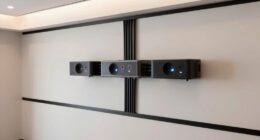
When choosing the best projector test pattern generators of 2025, I look for devices that support a wide range of resolutions and input options like VGA, HDMI, and composite, ensuring compatibility with various projectors and displays. Patterns should include color bars, grayscale gradients, and geometry tests for precise calibration. Portability and ease of use matter, whether battery-powered modules or external power sources. Keep in mind the pattern variety and calibration features—stick around to discover top options for perfect image quality.
Key Takeaways
- Look for models supporting high-resolution patterns (up to 1280×1024) for accurate calibration across various projectors.
- Choose generators with versatile input options (VGA, HDMI, composite) for broad device compatibility.
- Prioritize units offering diverse test patterns like color bars, resolution charts, and geometric shapes for comprehensive calibration.
- Opt for portable, battery-powered devices for on-site testing without reliance on mains power.
- Consider user-friendly interfaces and automatic pattern cycling features to streamline calibration and troubleshooting processes.
VGA Signal Generator for Monitor Testing
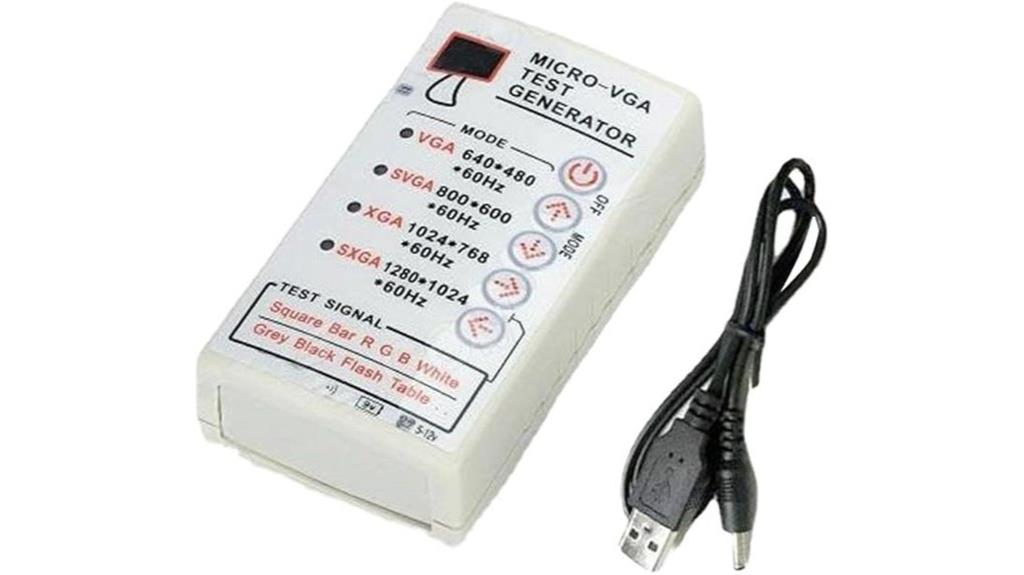
If you’re looking for a reliable tool to troubleshoot and test monitors, the VGA Signal Generator for Monitor Testing is an excellent choice. I find it portable and easy to use, supporting resolutions from 640×480 up to 1280×1024. It connects seamlessly via a 15-pin VGA, SVGA, or XGA interface, and supports RGBHV signals. Whether diagnosing CRT, LCD, or projectors, I can generate test patterns like color blocks, bars, and solid colors to verify display quality and signal integrity. Powered by a simple 9V battery or external adapter, it’s perfect for quick diagnostics, repair, or quality control in the field.
Best For: DIY technicians, monitor repair specialists, and quality control professionals seeking a portable and reliable tool to test and troubleshoot various display devices.
Pros:
- Supports multiple resolutions up to 1280×1024 and RGBHV signals for versatile testing.
- Compact, lightweight design makes it highly portable for field diagnostics.
- User-friendly operation with simple pattern cycling and easy connection via standard VGA interface.
Cons:
- External power adapter is not included, requiring an additional purchase.
- Limited to fixed refresh rate of 60Hz, which may not suit all testing needs.
- Battery not included, so users must supply their own power source.
Red Light Line Module Projector for Fabric and Wood Alignment
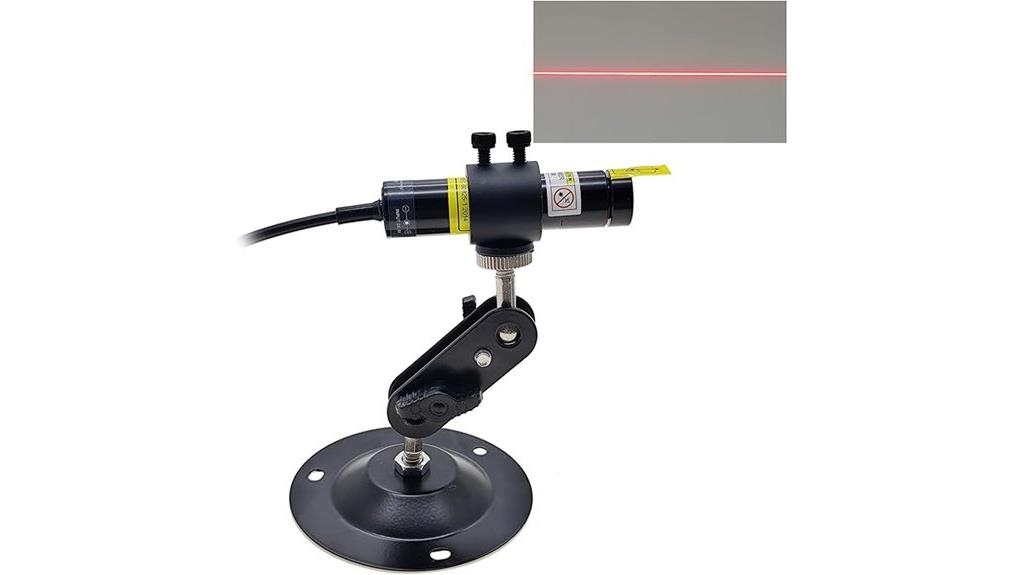
The Red Light Line Module Projector is an ideal tool for professionals who need precise fabric or wood alignment, thanks to its bright orange-red line at 638nm that guarantees clear visibility. Its focusable design allows for adjustable line width, accommodating various working distances. With a compact 16mm barrel and dustproof construction, it’s durable and easy to handle. Operating at 5V with a brightness level of 4, it provides a reliable, bright beam suitable for detailed tasks. The projector’s low output power (<5mW) ensures safety, while the included power adapter makes setup straightforward. Overall, it’s a versatile, precise solution for alignment in crafts and manufacturing.
Best For: professionals and hobbyists needing precise fabric, wood, or cloth alignment in manufacturing, crafts, or woodworking projects.
Pros:
- Bright orange-red line at 638nm provides excellent visibility for accurate alignment
- Adjustable focus and line width accommodate various working distances and precision needs
- Compact, dustproof design with a 16mm barrel ensures durability and easy handling
Cons:
- Output power less than 5mW may limit visibility in very bright environments
- Requires a 5V power supply, which may need an external adapter for some setups
- Focus adjustment may require fine-tuning for optimal results in different applications
5-12V Portable VGA Test Signal Generator for LCD & CRT Displays
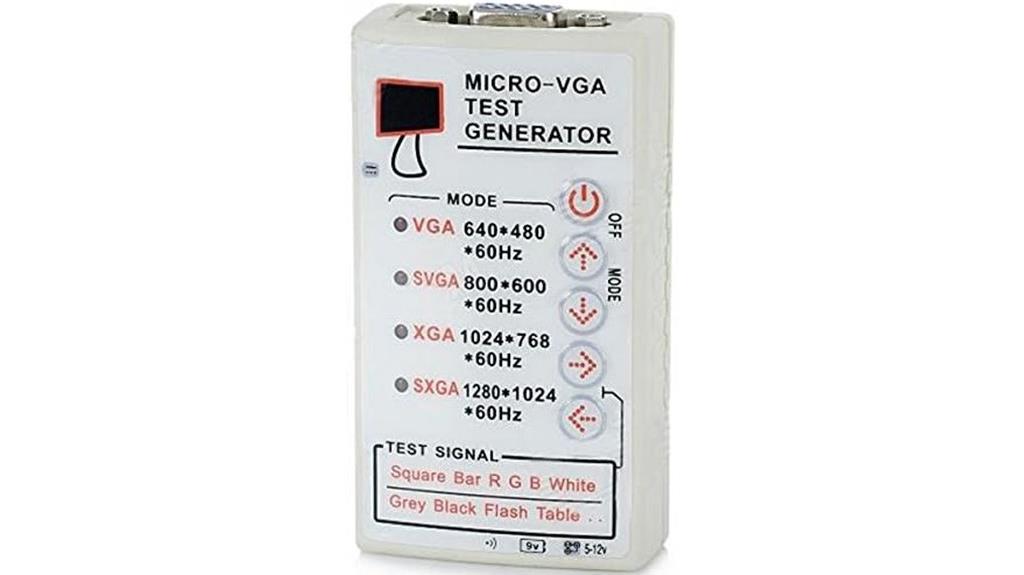
For professionals and hobbyists testing VGA displays, the 2V Portable VGA Test Signal Generator offers a compact and versatile solution. It provides standard VGA, SXGA, and XGA RGBHV signals through an HD15F connector, supporting resolutions like 640×480, 800×600, 1024×768, and 1280×1024 at 60Hz. Powered by a 9V battery, it’s small enough to carry anywhere, measuring just 26mm x 52mm x 90mm. With test patterns including squares, bars, and color fills, it’s ideal for troubleshooting and calibration on both LCD and CRT screens. This device simplifies verifying signal integrity and display performance efficiently.
Best For: professionals and hobbyists who need a portable, reliable device for testing and troubleshooting VGA displays on LCD and CRT screens.
Pros:
- Supports multiple resolutions (640×480, 800×600, 1024×768, 1280×1024) at 60Hz for versatile testing.
- Compact size (26mm x 52mm x 90mm) makes it highly portable and easy to carry.
- Provides a variety of test patterns (square, bar, color fills) to assist in calibration and diagnostics.
Cons:
- Requires a 9V battery (not included), which may need frequent replacement.
- Limited to 60Hz refresh rate; not suitable for high-refresh-rate displays.
- Only compatible with VGA, SXGA, and XGA signals, limiting use with newer digital displays.
LCD HD TV Display Screen Measuring Tool with VGA Generator and USB Cable

This LCD HD TV Display Screen Measuring Tool with VGA generator and USB cable is ideal for technicians and repair professionals seeking a portable, user-friendly device to quickly diagnose display issues. It includes a signal source VGA generator and supports projector recovery and maintenance testing. Suitable for HDTVs, LCD monitors, CRT displays, and projectors, it helps identify faults in monitors or host devices efficiently. The tool is easy to operate, connects via USB, and provides accurate measurements. By quickly diagnosing problems, it reduces repair time and enhances troubleshooting accuracy, making it an essential device for effective display maintenance and recovery.
Best For: technicians and repair professionals seeking a portable, easy-to-use device for diagnosing and troubleshooting display issues across various screens and projectors.
Pros:
- Portable and lightweight, ideal for on-site repairs
- Easy to operate with USB connectivity for quick setup
- Provides accurate measurements and fault diagnosis to streamline repairs
Cons:
- May require some technical knowledge to interpret diagnostic results
- Limited to display troubleshooting; does not repair hardware directly
- Compatibility might vary with certain monitor or projector models
650nm Red Line Laser Module (4-Pack)

Looking for a reliable laser module to enhance your aiming and positioning tools? The 650nm Red Line Laser Module (4-Pack) is perfect for precision tasks. It features adjustable focal length and offers line, cross, or point patterns, making it versatile for various applications like laser test tools, medical device positioning, or signal production. With a compact size of 12x35mm, lightweight design, and a 1mW output, it’s safe and easy to use. Powered by an external source within 3V-5V, it doesn’t need batteries. The copper construction guarantees durability, and the package includes four cross-pattern modules, providing excellent value for calibration and alignment tasks.
Best For: DIY enthusiasts, industrial technicians, and medical professionals seeking precise aiming, positioning, and testing tools with a versatile laser module.
Pros:
- Adjustable focal length and multiple pattern options (line, cross, point) for versatile use
- Compact, lightweight, and easy to integrate into various devices without batteries
- Durable copper construction and safe 1mW output suitable for multiple applications
Cons:
- Requires an external power source within 3V-5V, which may need additional components
- No included batteries, so users must have compatible power supplies on hand
- Limited to 650nm red laser wavelength, which may not be suitable for all applications
Efurden 4000-Watts Portable Inverter Generator
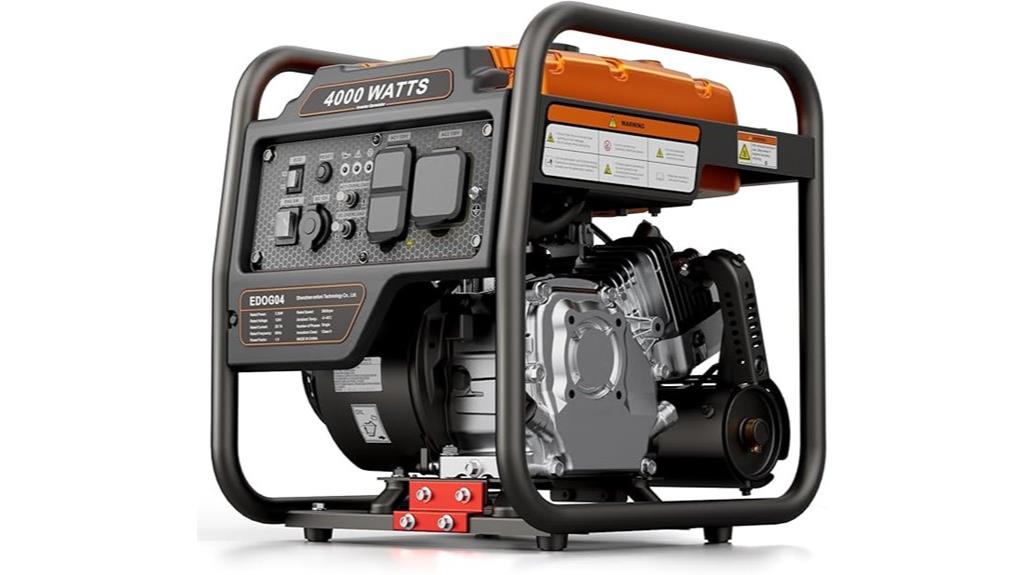
The Efurden 4000-Watts Portable Inverter Generator stands out as an ideal choice for anyone needing reliable, clean power in outdoor or emergency settings. Its gas-powered, open-frame design makes it versatile for camping, home backup, or commercial use. With 4000 peak watts and 3200 running watts, it can power sensitive electronics thanks to inverter technology. Weighing just 56 pounds, it’s portable and durable, with a noise level of 78 dBA from 23 feet—quieter than many generators. Extended runtime of up to 14 hours and safety features like low-oil shutdown make it a dependable, user-friendly option for various applications.
Best For: outdoor enthusiasts, homeowners seeking reliable emergency backup, and small business operators needing portable, clean power.
Pros:
- Quiet operation at 78 dBA from 23 feet, suitable for residential and outdoor use
- Lightweight and compact at 56 pounds, making it easy to transport and store
- Extended runtime of up to 14 hours on a 2-gallon fuel tank, ideal for prolonged use
Cons:
- Open-frame design may require additional enclosure for weather protection in harsh environments
- No built-in batteries, so it relies solely on gasoline for operation
- Noise level of 78 dBA, which, while quieter than many generators, may still be noticeable in very quiet settings
Factors to Consider When Choosing Projector Test Pattern Generators
When selecting a projector test pattern generator, I consider factors like device compatibility and the variety of patterns it offers to guarantee it meets my needs. Additionally, I pay attention to resolution support and how easy it is to operate, so I can use it efficiently. Power supply options are also vital, especially if I need flexibility in different setups.
Compatibility With Devices
Ensuring compatibility between your projector test pattern generator and your devices is crucial for effective testing. First, check that the generator supports the same resolution and refresh rate as your display to guarantee accurate results. Verify that the input interfaces—such as VGA, HDMI, or composite—match your projector or monitor’s ports. It’s also important to confirm that the generator can output the necessary color signals and patterns for diagnosing display issues. Additionally, verify it supports specific signal types used in your setup, like RGBHV or YPbPr. Finally, consider power requirements and portability to guarantee the device integrates smoothly into your testing environment. Compatibility ensures seamless operation and reliable calibration, saving time and preventing frustration during setup.
Pattern Variety Offered
Choosing a projector test pattern generator with a wide variety of patterns can substantially improve your ability to evaluate and calibrate displays. A diverse selection—color bars, resolution charts, grayscale gradients—ensures you can thoroughly assess color accuracy, contrast, sharpness, and uniformity. Specific patterns like crosshairs, geometric shapes, and test grids are essential for precise alignment and correcting geometric distortions. Generators that support multiple display technologies, including CRT, LCD, and projection systems, offer greater versatility. The ability to cycle through patterns automatically or manually provides flexibility for different testing scenarios, saving time and enhancing accuracy. Overall, a broad pattern variety equips you with the tools necessary for comprehensive display calibration and troubleshooting.
Resolution Support Range
To select the right projector test pattern generator, it’s crucial to verify that it supports a broad range of resolutions, including your display’s native resolution. This guarantees accurate testing and calibration without scaling issues. Look for compatibility with common resolutions like 640×480, 800×600, 1024×768, and 1280×1024, which cover standard monitors and projectors. The device should be capable of generating test patterns at various resolutions to diagnose issues across different display modes effectively. Additionally, a fixed refresh rate of around 60Hz is ideal, matching most projectors and monitors for consistent testing conditions. Supporting multiple resolution modes allows for thorough testing, ensuring your display hardware functions at its best in all relevant scenarios.
Ease of Operation
How easy it is to operate a projector test pattern generator can make a big difference in your calibration process. A user-friendly interface with simple controls like buttons or switches helps you quickly select test patterns without hassle. Clear, labeled options for switching between patterns ensure smooth progressions, saving time and reducing errors. Intuitive features such as one-touch cycle modes or quick standby and activation buttons further streamline operation. It’s also important that the manual or instructions are straightforward, so you can learn how to use the device efficiently with minimal training. Some models offer automatic or preset pattern sequences, which simplify testing procedures even more. Overall, an easy-to-operate generator helps you focus on calibration accuracy rather than figuring out how to use the device.
Power Supply Options
Power supply options play a crucial role in selecting the right projector test pattern generator, especially when considering portability and ease of use. I look at whether the device runs on internal batteries or external power adapters, as this affects mobility and continuous operation. External adapters, compatible with regional power standards, are common and often necessary for fixed setups. Battery-powered units excel in portability, ideal for field testing, but their runtime depends on battery capacity. Some models support dual power sources, allowing seamless switching between battery and external power, extending usability. Additionally, the power supply influences the device’s size, weight, and setup simplicity. Choosing the right option depends on your specific environment and testing needs, balancing convenience with operational requirements.
Portability and Size
When selecting a projector test pattern generator, considering its portability and size is essential for guaranteeing it fits your specific testing environment. Smaller, lightweight devices are much easier to transport, making them ideal for field diagnostics. Compact models, such as those measuring around 26mm x 52mm x 90mm, provide portability without sacrificing functionality. Portable units typically weigh under 4 ounces, allowing for quick setup and easy transport. Their size also makes storage more convenient, enabling technicians to carry multiple devices or fit them into limited spaces. Many portable options include integrated power sources or are compatible with batteries, further enhancing mobility. Overall, choosing a compact and lightweight generator ensures efficiency and flexibility in various testing scenarios.
Frequently Asked Questions
Can These Generators Be Used With 4K Projectors?
Yes, these generators can be used with 4K projectors. They’re designed to support high-resolution outputs, ensuring detailed and precise calibration for 4K displays. When choosing a test pattern generator, I recommend checking its resolution capabilities to match your projector’s 4K specifications. This way, you’ll get accurate results, vibrant colors, and sharp images, ultimately helping you achieve the perfect picture quality you desire.
Are Portable Test Pattern Generators Compatible With Smartphone Controls?
Yes, portable test pattern generators can typically be controlled via smartphone, making calibration quick and convenient. I’ve found that many models feature Bluetooth or Wi-Fi connectivity, allowing seamless setup and synchronization. This means you don’t need extra gadgets or complicated connections. Simply pair your phone with the device, and you’re ready to run tests, tweak settings, and fine-tune your projector for flawless images—all from the comfort of your couch.
Do These Devices Support Wireless Signal Output?
Yes, many of these projector test pattern generators support wireless signal output. I’ve found that wireless connectivity makes calibration much easier, allowing me to control the device remotely via Wi-Fi or Bluetooth. This flexibility means I can make adjustments without cumbersome cables, saving time and effort. Just verify the device explicitly states support for wireless output, as not all models include this feature.
How Long Do the Batteries Last in Portable Generators?
Battery life in portable generators varies depending on the model and usage, but I typically expect around 4 to 8 hours of operation on a full charge. Some high-capacity units can last even longer, especially if I’m only powering low-consumption devices. I always check the manufacturer’s specs before purchasing to guarantee the battery life suits my needs, whether for outdoor events or backup power.
Are There Eco-Friendly Options Among the Best Generators?
Yes, there are eco-friendly options among the best generators. I prefer models that use renewable energy sources or have high energy efficiency ratings. Solar-powered generators are particularly great since they produce clean energy and reduce emissions. I also look for units with low noise levels and environmentally friendly materials. Choosing eco-friendly generators helps me reduce my carbon footprint while ensuring I have reliable power whenever I need it.
Conclusion
Choosing the right projector test pattern generator can make all the difference in achieving perfect image calibration. Did you know that using proper calibration tools can improve image quality by up to 30%? Whether you’re troubleshooting a display or fine-tuning your projector, investing in a reliable generator ensures consistent, professional results. Don’t underestimate the power of the right tool — it’s the key to a flawless viewing experience every time.