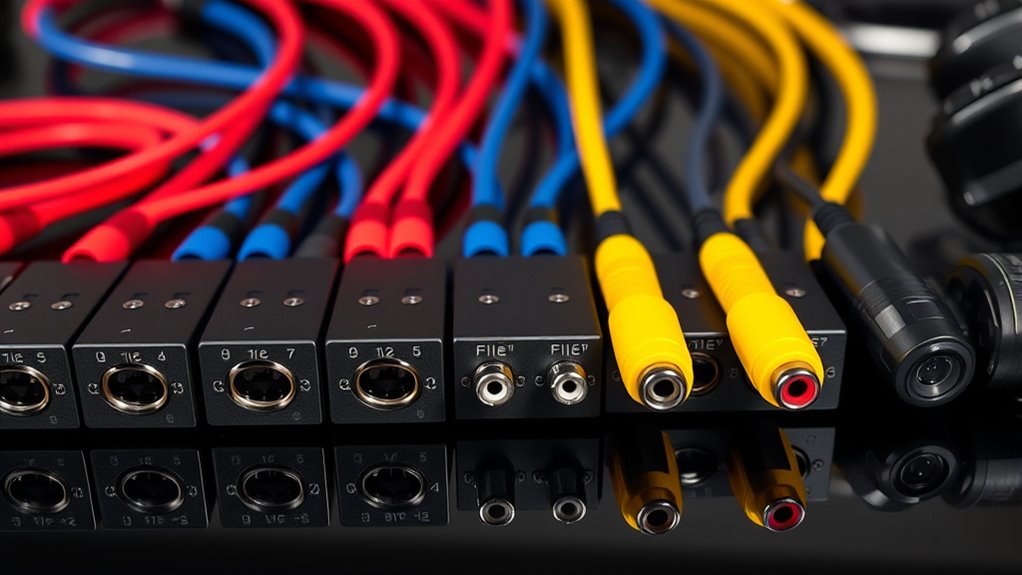

If you’re looking to boost your projector’s sound quality in 2025, I recommend exploring the top audio splitters like the Avedio Links 4K HDMI Extractor or the VPFET HDMI to Optical & AUX. These devices support high-resolution audio and multiple outputs, making setup easy and versatile. Whether you need simple dual outputs or advanced audio extraction, the options are diverse. Keep watching to discover the best choices to upgrade your audio experience.
Key Takeaways
- Look for audio splitters supporting multiple outputs like optical, RCA, and 3.5mm for versatile projector audio connections.
- Prioritize models with high-quality digital audio formats such as Dolby Digital and DTS for immersive sound.
- Consider active splitters with external power to ensure stronger audio signals and reliable multi-device use.
- Check compatibility with your projector’s HDCP standards and resolution support to prevent signal issues.
- Opt for compact, easy-to-install splitters with clear indicators and multi-port options for flexible setup.
Avedio Links 4K HDMI Audio Extractor Splitter
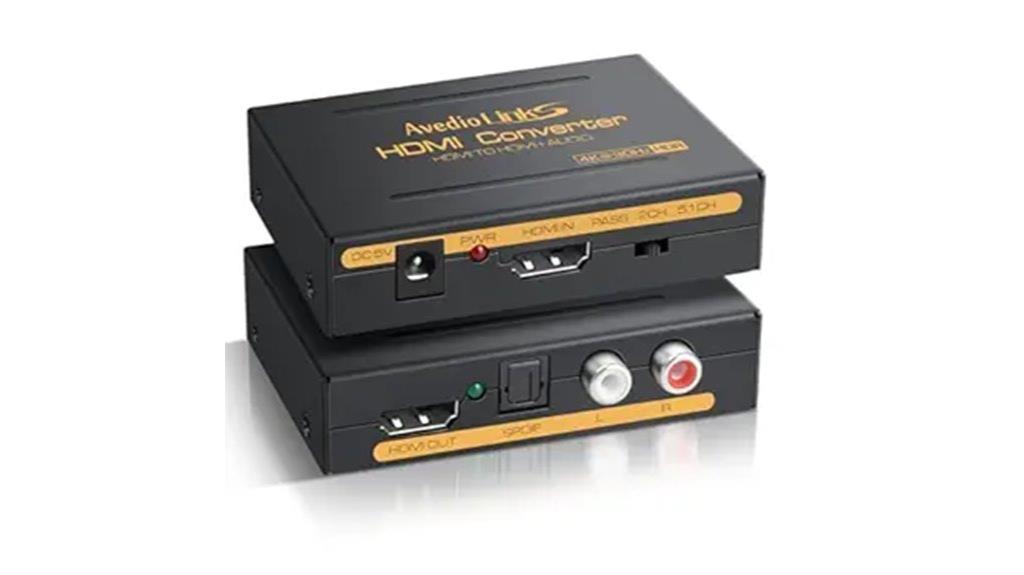
If you’re looking for an audio splitter that delivers high-quality sound without compromising your 4K visuals, the Avedio Links 4K HDMI Audio Extractor Splitter is an excellent choice. It converts HDMI digital audio and supports up to 4K@30Hz resolution, ensuring crisp visuals. Compatible with devices like Blu-ray players, game consoles, and streaming boxes, it passes through full HDMI signals while extracting audio separately. You can output audio via optical SPDIF or stereo L/R, supporting various modes, including Dolby Digital and DTS. Its compact design makes setup simple, providing reliable audio extraction without sacrificing video quality for a seamless entertainment experience.
Best For: Home entertainment enthusiasts seeking high-quality audio extraction from their 4K HDMI sources without compromising visual clarity.
Pros:
- Supports 4K@30Hz resolution with deep color and 3D for crisp visuals
- Compatible with a wide range of devices including Blu-ray players, game consoles, and streaming devices
- Offers flexible audio output options via optical SPDIF and stereo L/R, supporting multiple audio formats
Cons:
- Does not support HDMI ARC functionality, limiting some audio return features
- Limited to 4K@30Hz, not suitable for 4K@60Hz or higher refresh rates
- Requires external power via included 5V/1A adapter, adding to setup considerations
VPFET HDMI Audio Extractor 4K HDMI to Optical & AUX Converter
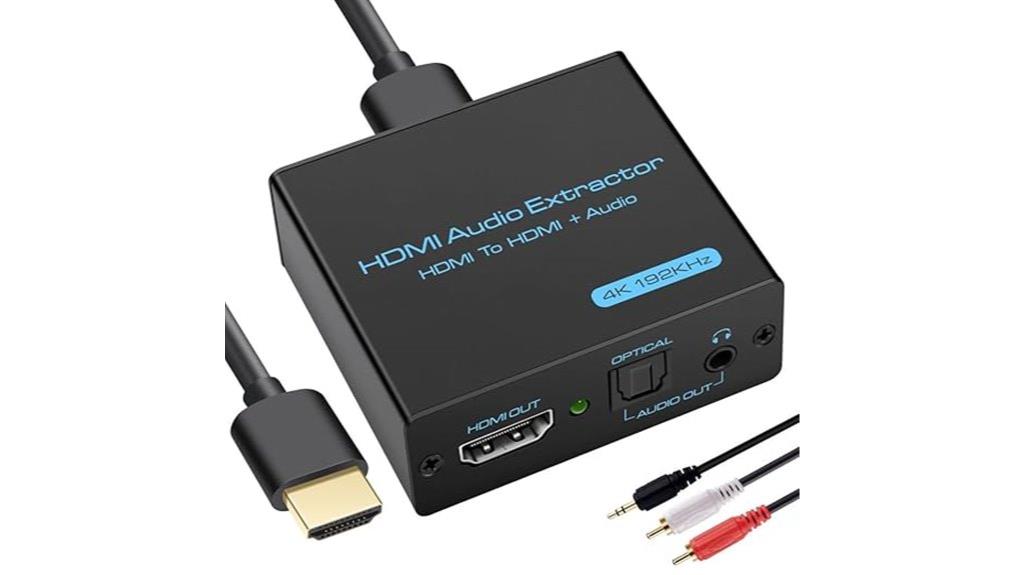
The VPFET HDMI Audio Extractor 4K HDMI to Optical & AUX Converter stands out as an excellent choice for those who need versatile audio output options from their HDMI devices. It supports 4K Ultra-HD resolution up to 30Hz and is compatible with a wide range of sources like Blu-ray players, gaming consoles, and streaming devices. With three audio modes—stereo, 5.1 surround sound, and pass-through—you can easily connect via 3.5mm or optical outputs. It’s simple to set up, powered via USB, and doesn’t require additional drivers. Plus, with a one-year warranty, it offers reliable, hassle-free audio extraction for your projector setup.
Best For: those seeking a versatile, easy-to-use HDMI audio extractor to connect their 4K devices to various audio outputs without hassle.
Pros:
- Supports 4K Ultra-HD resolution at 30Hz, ensuring high-quality video output
- Offers multiple audio modes (stereo, 5.1 surround, pass-through) for flexible sound options
- Plug-and-play setup with no additional drivers required, powered via USB for convenience
Cons:
- Does not support 7.1 channel audio or ARC/eARC features
- Compatible with HDMI sources supporting HDCP1.4 but may have limitations with some newer devices
- Fire TV, Apple TV, PS4/5 only support up to 1080p, not 4K, which could limit functionality with certain devices
HDMI Audio Extractor Splitter, HDMI to 3.5mm Audio Adapter
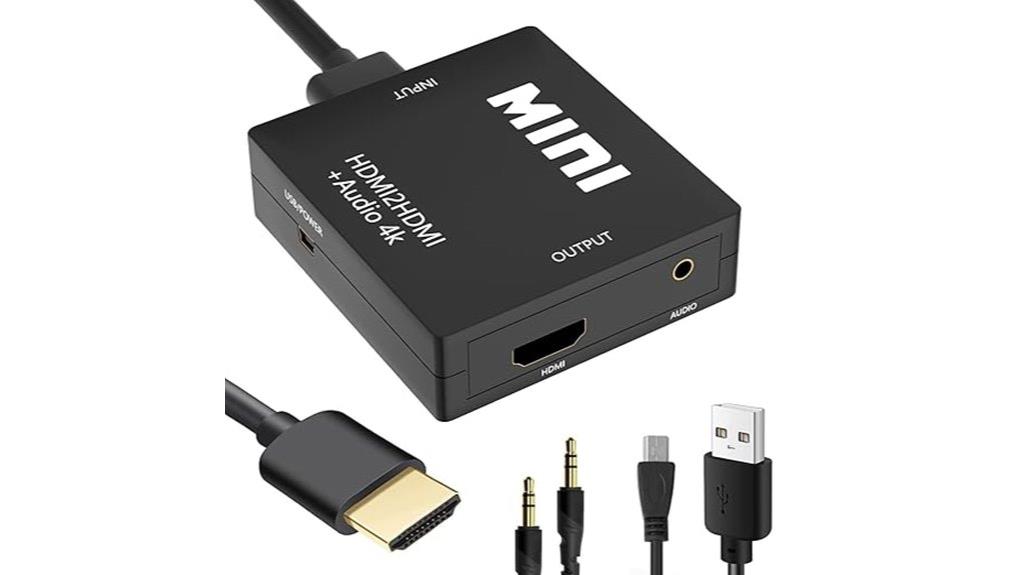
A HDMI audio extractor splitter with a 3.5mm audio adapter is an excellent choice for anyone looking to improve their sound quality from HDMI sources. It supports a wide range of devices like Roku, Chromecast, gaming consoles, and Blu-ray players, making it versatile for various setups. It converts HDMI signals into high-quality audio, supporting 3D stereo for immersive sound. The device is compact, easy to install, and doesn’t usually need external power, simplifying setup. Plus, it provides both HDMI and analog audio outputs, enhancing audio clarity while maintaining excellent video quality up to 4K resolution. It’s perfect for connecting to sound systems or PCs for upgraded audio experiences.
Best For: those seeking to enhance audio quality from HDMI devices like gaming consoles, Blu-ray players, or streaming devices without the need for external power sources.
Pros:
- Supports high-resolution video up to 4K@30Hz for crisp visuals.
- Compatible with a wide range of HDMI devices, including popular streaming and gaming consoles.
- Compact, lightweight, and easy to install with plug-and-play operation.
Cons:
- Not compatible with devices supporting ARC/eARC or TV input sources.
- May require a USB power cable for low-power HDMI devices such as PS4 or PS5.
- Limited to 4K@30Hz; does not support higher refresh rates like 60Hz or 4K at 60Hz.
Syncwire Headphone Splitter, 3.5mm Audio Y Splitter for Phones, PS4, Switch, Tablets
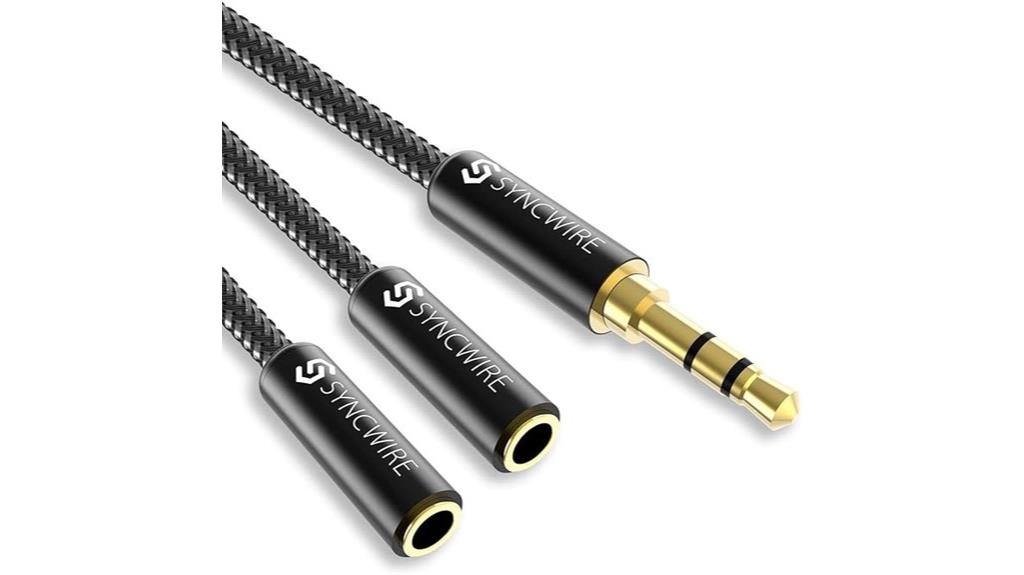
For those seeking reliable audio sharing on multiple devices, the Syncwire Headphone Splitter stands out because of its high-fidelity stereo sound and durable design. I’ve found it to deliver clear, balanced audio on both outputs, thanks to its polished 24K gold-plated connectors that eliminate signal loss and noise. Its nylon-braided cable and metal housing ensure long-lasting durability, even with frequent bends. Compact and lightweight, it’s perfect for travel or everyday use with phones, tablets, PS4, or Switch. Plus, its compatibility and slim design make it easy to connect without fuss, providing a seamless, high-quality audio experience across various devices.
Best For: users seeking reliable, high-quality audio sharing across multiple devices such as phones, tablets, gaming consoles, and portable players.
Pros:
- Provides high-fidelity stereo sound with clear, balanced audio on both outputs
- Durable construction with nylon-braided cable and 24K gold-plated connectors for long-term use
- Compact and lightweight design, ideal for travel and everyday use across various devices
Cons:
- Slim connector may not fit cases with very thick or rugged profiles
- Not compatible with certain waterproof or life-proof cases due to size constraints
- May require careful handling to avoid bending or stressing the cable at the connectors
Tendak 1X2 HDMI Splitter with Audio Extractor
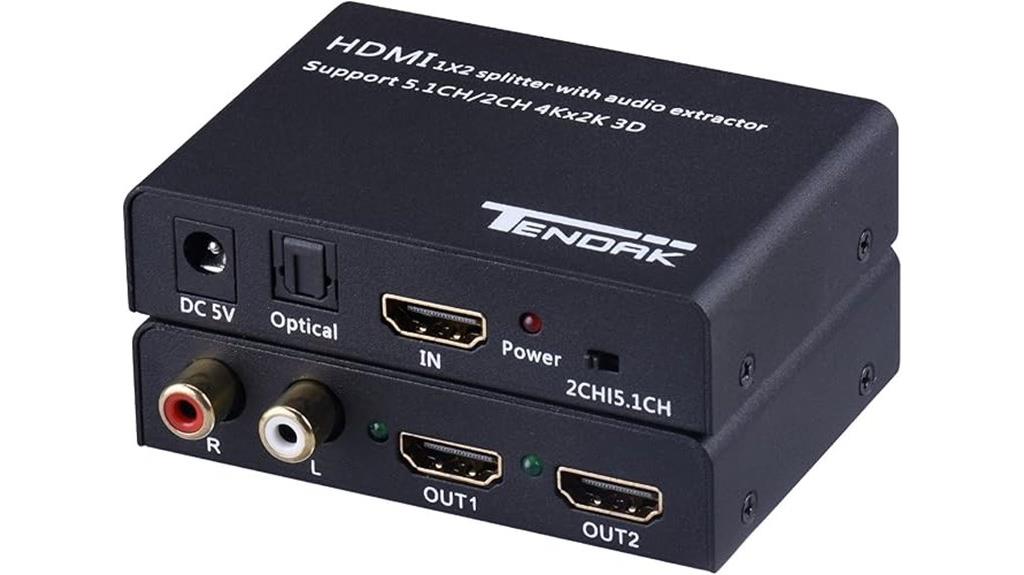
If you’re looking to connect multiple displays or audio systems effortlessly, the Tendak 1X2 HDMI Splitter with Audio Extractor is an excellent choice. It distributes one HDMI input, like a Blu-ray player or gaming console, to two outputs simultaneously, supporting up to 4K@30Hz resolution. It’s compatible with a wide range of devices, including PS5, set-top boxes, and PCs, with no driver needed—just plug and play. It also extracts high-quality audio via optical or coaxial outputs, supporting formats like Dolby True-HD and DTS-HD. Compact and reliable, it’s perfect for enhancing your visual and audio experience in any setup.
Best For: those seeking to easily connect multiple HDMI displays and audio systems simultaneously with high-quality 4K video and versatile audio extraction.
Pros:
- Supports 4K@30Hz resolution for crisp, detailed visuals
- Compatible with a wide range of devices including gaming consoles, Blu-ray players, and PCs
- Extracts high-quality audio via optical and coaxial outputs supporting various formats
Cons:
- Limited to 30Hz refresh rate at 4K resolution, which may not suit high-frame-rate needs
- Requires source device to set audio to PCM/LPCM for compatibility with some sound systems
- No built-in remote control or advanced user interface for configuration
1×4 HDMI Splitter for 4K and 3D Video Distribution
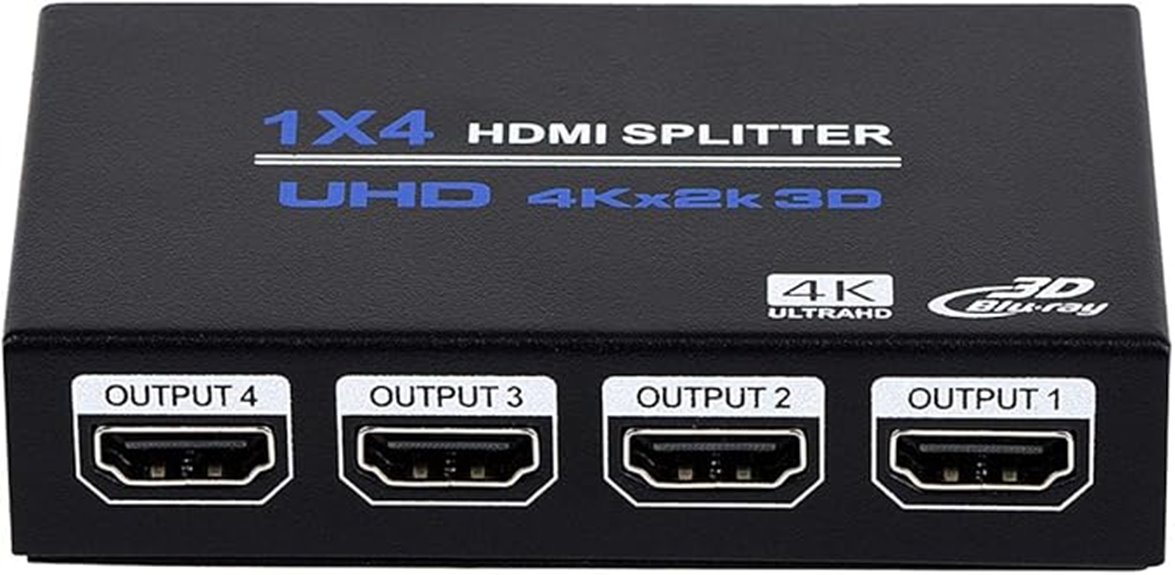
The 1×4 HDMI splitter is an ideal choice for those who need to distribute high-quality 4K and 3D video signals simultaneously to multiple displays. It supports 4K x 2K@30Hz, 3D, deep color, UHD 4K@30Hz, and FHD 1080P@120Hz, ensuring crisp visuals across four screens. Compatible with HDCP 1.4, it works with devices like computers, gaming consoles, and Blu-ray players, connecting to projectors, TVs, and monitors. Its plug-and-play design makes setup straightforward, requiring no external drivers. Keep in mind, it only mirrors screens, so extended displays aren’t supported. This splitter is perfect for home theaters, gaming setups, and presentations.
Best For: Home theater enthusiasts, gamers, and presenters who need to simultaneously display high-quality 4K or 3D content on multiple screens with a simple, plug-and-play solution.
Pros:
- Supports 4K, 3D, and deep color for high-quality video output.
- Easy to install with no external drivers required, suitable for various devices.
- Distributes signals to four screens simultaneously, ideal for multi-display setups.
Cons:
- Only supports screen mirroring; cannot extend or switch between multiple inputs.
- Does not support HDR, VRR, or CEC functionalities.
- Limited to HDMI cables up to 33 feet for input and 50 feet for output, which may affect setup flexibility.
HDMI Audio Extractor Splitter, 4K HDTV to HDMI 3.5mm AUX Audio Adapter
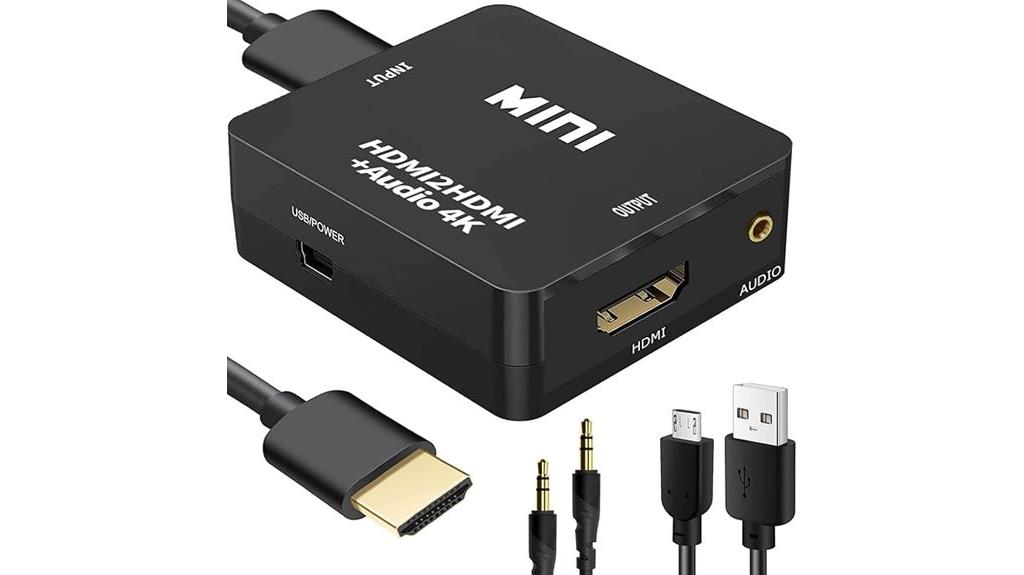
This HDMI audio extractor splitter offers a seamless way to upgrade your audio experience when connecting 4K HDTVs, projectors, or gaming consoles. It supports 4K resolution, extracting high-quality audio signals from HDMI sources like TVs, PS4/5, Xbox, Blu-ray players, and more. The device converts digital audio to analog stereo via a 3.5mm AUX or RCA output, making it perfect for setups lacking dedicated audio outputs. Easy to use with plug-and-play operation, it also supports high-resolution audio formats and synchronized audio. Whether you’re enhancing sound for gaming or home theater, this splitter provides a simple, effective solution to improve your audio quality.
Best For: those seeking to improve audio quality from HDMI devices like TVs, gaming consoles, and Blu-ray players, especially when their setup lacks dedicated audio outputs.
Pros:
- Supports 4K resolution and high-quality audio formats for clear, immersive sound.
- Plug-and-play design makes setup quick and easy without complicated configurations.
- Compatible with a wide range of HDMI sources including PS3/4/5, Xbox, Blu-ray, and more.
Cons:
- Does not support ARC or eARC functions, limiting some advanced audio features.
- Requires USB power for certain devices with low-power HDMI ports, which may necessitate an additional power source.
- Output resolution is limited to 1080P for some configurations; 4K@30Hz may require specific hardware compatibility.
BlueRigger Optical Audio Splitter 1×2
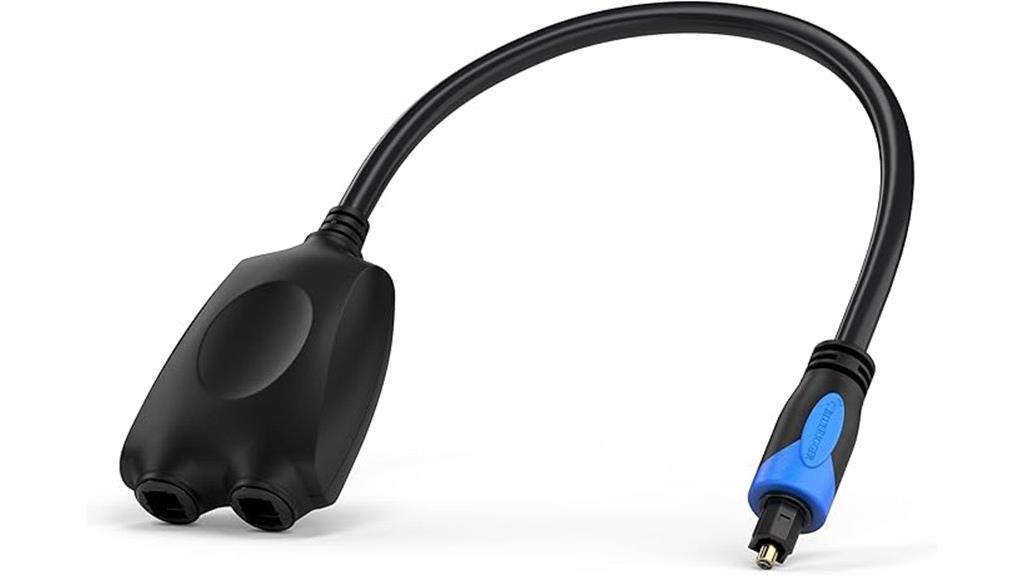
For those seeking a reliable way to connect multiple audio devices from a single Toslink source, the BlueRigger Optical Audio Splitter 1×2 stands out as an excellent option. It splits one optical input into two outputs simultaneously, compatible with devices like soundbars, home theaters, Xbox, and TVs. Supporting uncompressed PCM, Dolby Digital, DTS 5.1, and more, it handles surround sound setups up to 7.1. Its durable PVC shell, gold-plated connectors, and low-jitter fiber ensure high-fidelity sound. While signal division might weaken outputs, keeping cables under 10 feet helps. With a 4.5-star rating and lifetime support, it’s a solid choice for enhancing your audio setup.
Best For: home theater enthusiasts and gamers needing to split a single Toslink audio source to multiple devices while maintaining high-fidelity sound.
Pros:
- Supports a wide range of surround sound formats including Dolby Digital and DTS 5.1 for immersive audio experiences.
- Durable construction with gold-plated connectors and low-jitter fiber ensures reliable signal transfer.
- Easy plug-and-play setup with secure click-in Toslink connections and lifetime support from BlueRigger.
Cons:
- Signal division may cause output weakening, especially with longer cables over 10 feet.
- Being a passive splitter, it does not amplify signals, which could affect audio quality in some setups.
- Optimal performance requires keeping cable lengths short; longer cables might lead to less reliable sound.
J-Tech Digital Optical Splitter 1 in 3 Out for TV
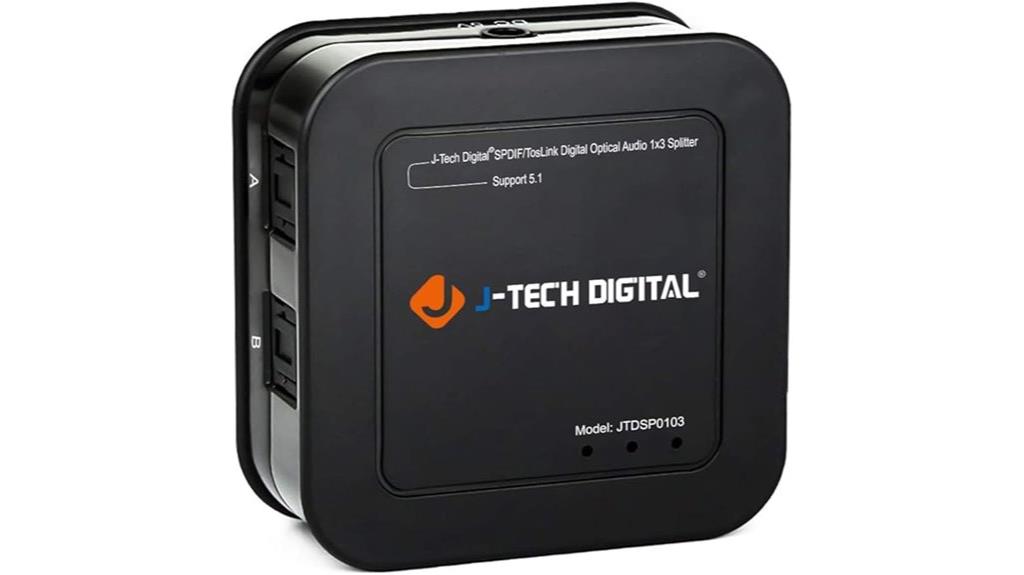
If you need to distribute high-quality audio signals from a single optical source to multiple devices, the J-Tech Digital Optical Splitter 1 in 3 Out for TV stands out as an excellent choice. It allows one optical fiber input to be split into three separate SPDIF/TosLink outputs, ensuring clear, reliable audio transmission. Supporting Dolby Digital, DTS 5.1, and PCM stereo at various sample rates, it handles multichannel audio up to 15 feet without signal loss. Its plug-and-play design, over-voltage protection, and included lifetime technical support make it perfect for home theaters, gaming, and streaming setups that demand multiple high-fidelity outputs.
Best For: home theater enthusiasts, gamers, and audio streamers who need reliable, high-quality multi-device optical audio distribution.
Pros:
- Supports multiple high-fidelity audio formats including Dolby Digital, DTS 5.1, and PCM stereo
- Plug-and-play operation with over-voltage protection for easy setup and safety
- Transmits clear audio signals over distances up to 15 feet without signal loss or degradation
Cons:
- Limited to optical fiber (TosLink) connections, not compatible with other audio interfaces
- Does not support 7.1 channel output or higher audio channel configurations
- May require external power supply, which could add to setup complexity
Avedio Links 4K HDMI Audio Extractor Splitter

The Avedio Links 4K HDMI Audio Extractor Splitter is an excellent choice for anyone seeking high-quality audio separation from their HDMI sources without sacrificing video integrity. It extracts digital audio embedded in HDMI signals and outputs it via optical SPDIF or RCA L/R stereo, while passing the original video and audio signals through HDMI. Compatible with a wide range of devices like Blu-ray players, gaming consoles, and streaming boxes, it supports up to 4K@60Hz resolution, HDCP 2.2, and 3D. It handles multiple audio formats, including DTS-HD and Dolby TrueHD, ensuring immersive sound. Setup is simple, making it perfect for enhancing your projector’s sound experience.
Best For: Home theater enthusiasts and gamers seeking seamless audio extraction and high-quality video transmission from HDMI sources without compromising signal integrity.
Pros:
- Supports 4K@60Hz resolution, HDCP 2.2, and 3D for premium video quality.
- Compatible with a wide range of devices including Blu-ray players, gaming consoles, and streaming devices.
- Offers flexible audio output options via optical SPDIF and RCA L/R, supporting multiple high-definition audio formats.
Cons:
- Does not support ARC, limiting certain audio return functionalities.
- Requires an external power supply (5V/1A DC adapter) for operation.
- Limited to 2-channel PCM output on RCA L/R, which may not suit all multi-channel audio needs.
HDMI Splitter 1 in 2 Out 4K@60Hz with HDMI Cable
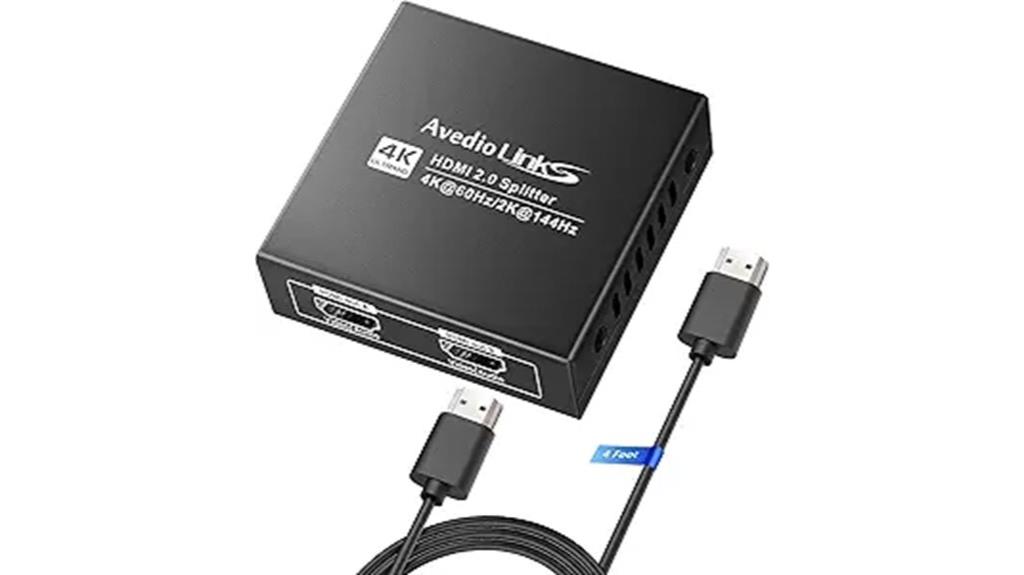
An HDMI splitter with 1 input and 2 outputs supporting 4K@60Hz delivers crisp, high-resolution images to multiple displays simultaneously, making it an ideal choice for home theaters, gaming setups, and professional presentations. It supports HDMI 2.0, HDCP 2.2, HDR10, and features EDID management with a M-A-B dial for mixed resolutions. It can mirror sources to TVs, projectors, monitors, and audio devices like soundbars. Supporting Dolby Vision, Dolby Atmos, DTS:X, and more, it it guarantees synchronized audio and video. Compact and easy to use, it includes a 4ft HDMI cable, making setup straightforward for a seamless multi-display experience.
Best For: home theater enthusiasts, gamers, and professionals needing to display high-resolution content on multiple screens simultaneously.
Pros:
- Supports 4K@60Hz, HDR10, Dolby Vision, and high-quality audio formats like Dolby Atmos and DTS:X for immersive experiences
- Compatible with HDMI 2.0 and HDCP 2.2, ensuring broad device and content compatibility
- Includes EDID management with M-A-B dial for flexible resolution settings and supports mirroring sources across multiple displays
Cons:
- Does not support extended displays or ARC/eARC functionality, limiting some multi-device configurations
- Requires a power supply for stable operation, which may add to setup complexity
- Limited to two outputs; not suitable for larger multi-monitor setups
1×3 HDMI Splitter, 1 in 3 Out HDMI Audio/Video Distributor
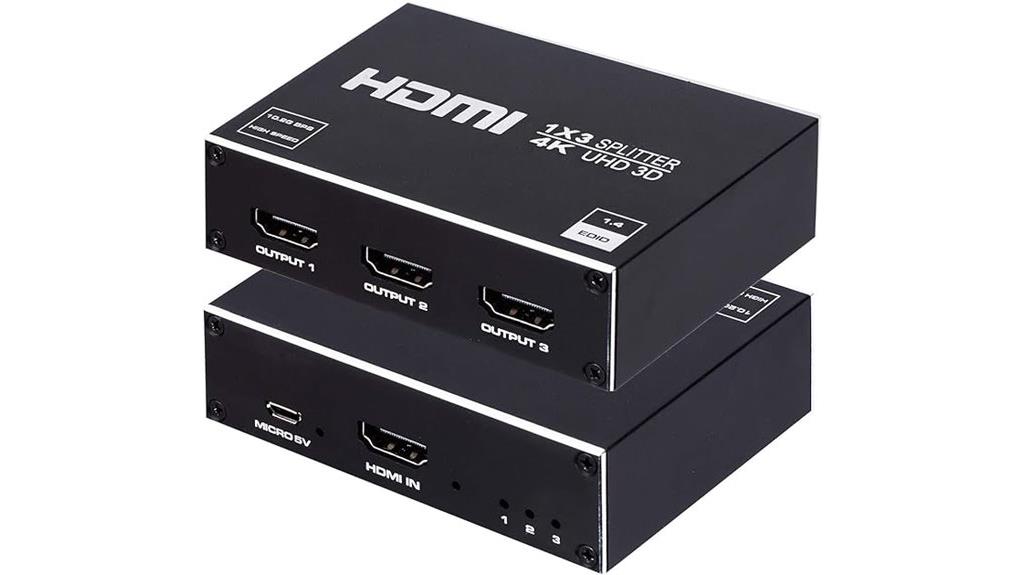
A 1×3 HDMI splitter is ideal for those who need to display the same high-definition content on multiple screens simultaneously without hassle. I like this device because it effortlessly duplicates signals from one source to three outputs, perfect for sharing movies, games, or presentations. It supports 4K resolution, 3D, and formats like Dolby and DTS, ensuring high-quality audio and video. No drivers are needed—just plug and play. Compact and lightweight, it’s compatible with various devices like projectors, TVs, and gaming consoles. With a reliable performance and positive reviews, this splitter simplifies multi-screen setups, making it a valuable addition to any audiovisual setup.
Best For: those who need to display the same high-definition content on multiple screens simultaneously, such as for presentations, gaming, or movie sharing.
Pros:
- Supports 4K resolution, 3D, and high-quality audio formats like Dolby and DTS for a premium viewing experience
- Plug-and-play design with no external drivers required for easy setup
- Compact and lightweight, compatible with a variety of devices including projectors, TVs, and gaming consoles
Cons:
- Only supports mirror mode, not extended or different screens on each output
- Does not function as a switch or extender, limiting its flexibility for multi-source or multi-display setups
- Requires an external power supply, which may add to cable clutter or setup complexity
Belkin 3.5mm Audio Splitter for Sharing Music and Videos
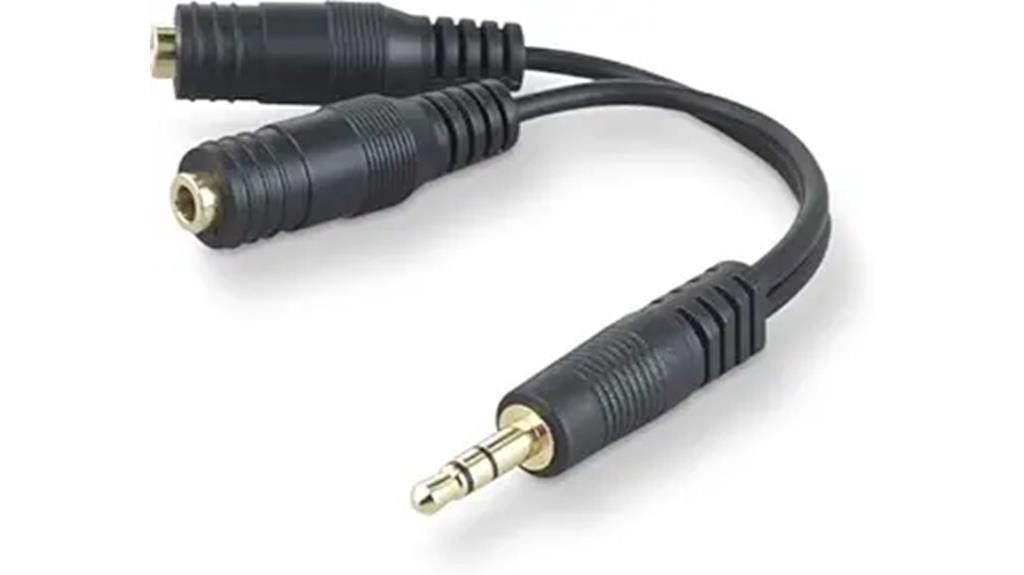
If you want to share music or videos effortlessly with friends or family, Belkin’s 3.5mm Audio Splitter is an excellent choice. It allows you to connect two headphones or speakers to a single device, so everyone can enjoy the same audio simultaneously. Compatible with a wide range of devices like iPhones, laptops, tablets, and portable players, it’s perfect for home, travel, or social settings. Built with durable materials, it assures long-lasting performance. Plus, backed by Belkin’s lifetime warranty, you can trust its reliability. This simple, versatile splitter enhances shared listening experiences without sacrificing sound quality.
Best For: those who want an easy and reliable way to share audio with friends or family across a variety of devices and settings.
Pros:
- Enables simultaneous audio output to two headphones or speakers, perfect for shared listening.
- Compatible with a wide range of devices including iPhones, laptops, tablets, and portable audio players.
- Built with durable materials and backed by a lifetime warranty for long-lasting performance and peace of mind.
Cons:
- May cause slight audio quality degradation when splitting sound to two devices.
- Limited to devices with 3.5mm AUX ports, not suitable for wireless or Bluetooth-only devices.
- Does not support advanced audio features like noise cancellation or microphone support.
VPFET HDMI Audio Extractor and Splitter with 3.5mm and RCA Outputs
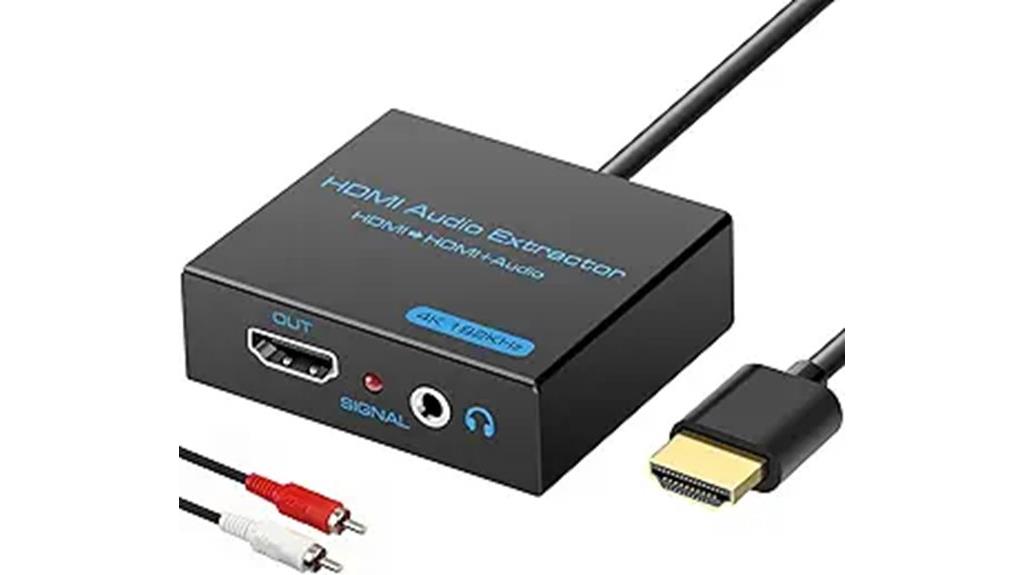
The VPFET HDMI Audio Extractor and Splitter is an excellent choice for anyone seeking a straightforward way to separate audio from HDMI signals without sacrificing video quality. It supports up to 4K@30Hz resolution, 3D, and deep color formats, making it compatible with a wide range of devices like Blu-ray players, gaming consoles, and PCs. It offers both 3.5mm and RCA outputs, allowing flexible audio connections to sound systems or headphones. The device is compact, plug-and-play, and doesn’t require external power for most setups. Its automatic EDID detection guarantees peak signal quality, making it a reliable solution for enhancing your home entertainment audio experience.
Best For: those who want an easy, reliable way to extract and enjoy high-quality audio from HDMI sources without complex setup or external power requirements.
Pros:
- Supports 4K@30Hz resolution with deep color and 3D for high-quality video output
- Compatible with a wide range of devices including Blu-ray players, gaming consoles, and PCs
- Compact, plug-and-play design with no external power needed for most setups
Cons:
- Limited to 4K@30Hz; cannot support higher resolutions like 4K@60Hz
- Some devices, such as PS4 Pro and Xbox Series X, may not output 4K@30Hz depending on settings
- May require USB power for low-power HDMI sources, which could add a minor complexity in setup
D & K Headphone Splitter for Computer, 3.5mm Female to Dual 3.5mm Male Audio Y Cable
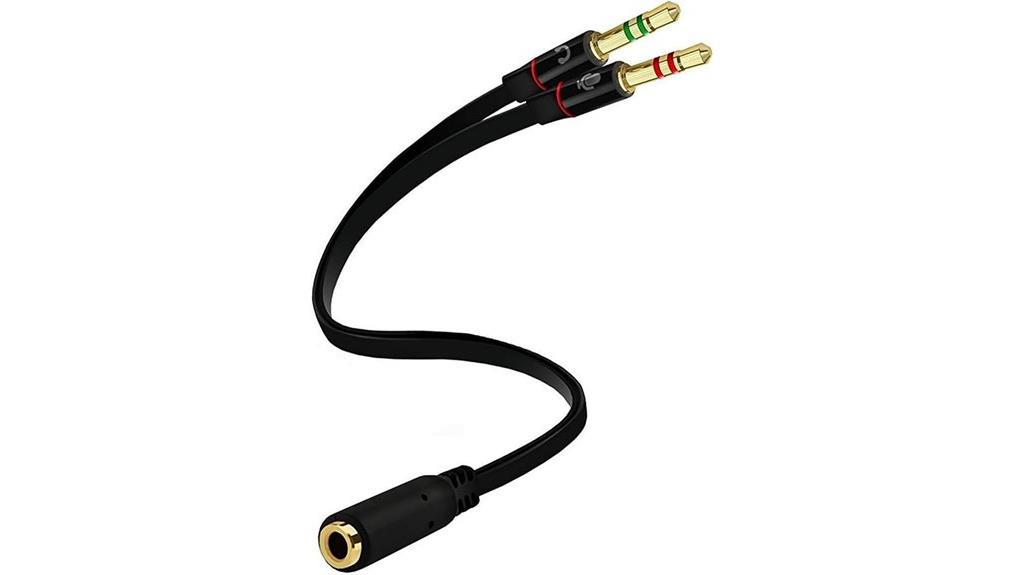
Designed for seamless audio sharing and communication, the D & K Headphone Splitter is ideal for anyone needing to connect two headsets with microphones to a single device. It converts a 3.5mm female jack into dual 3.5mm male connectors, making it perfect for PCs, laptops, and mobile devices with standard audio jacks. The gold-plated connectors and oxygen-free copper guarantee maximum durability and conductivity. I’ve used it for VOIP calls and shared listening, and it works flawlessly indoors and outdoors. Its compact, lightweight design makes it easy to carry around, providing a simple, reliable way to connect multiple headsets simultaneously.
Best For: individuals who need to connect multiple headsets with microphones to a single computer or mobile device for shared listening or communication.
Pros:
- Compatible with a wide range of devices featuring 3.5mm jacks, including smartphones, laptops, and desktops.
- Gold-plated connectors and oxygen-free copper ensure optimal durability and signal quality.
- Allows simultaneous connection of two headsets with microphones, ideal for shared conversations or multiplayer gaming.
Cons:
- May cause slight audio quality reduction when splitting signals, depending on device quality.
- Not suitable for devices with proprietary or non-standard audio ports.
- The 3.5mm connection may be less secure or prone to wear over extensive use.
Factors to Consider When Choosing Audio Splitters for Projectors

When selecting an audio splitter for your projector, I recommend considering compatibility with your devices to make certain it works seamlessly. You should also check supported audio formats and connection types to match your setup’s needs. Finally, pay attention to signal quality and power requirements to guarantee reliable audio performance.
Compatibility With Devices
Choosing the right audio splitter for your projector hinges on guaranteeing device compatibility. First, check that the splitter supports your specific connection types, whether HDMI, Toslink, or a 3.5mm jack, to match your devices. It’s also important to verify that the splitter can handle your resolution and audio formats, like 4K, Dolby Digital, or DTS, to avoid playback issues. Make sure it supports your device’s HDMI version, such as 1.4 or 2.0, for seamless operation. Additionally, confirm that it can handle the audio channels you need, whether stereo, 5.1, or 7.1 surround sound. Ultimately, guarantee the splitter’s power requirements and port compatibility align with your device to prevent connectivity problems. Proper compatibility guarantees peak performance and a hassle-free setup.
Supported Audio Formats
Selecting an audio splitter that supports the right formats is vital for delivering high-quality sound to your projector setup. You need to guarantee it handles the specific audio formats your system requires, such as Dolby Digital, DTS, or PCM, to get the best sound clarity. If you’re aiming for immersive audio, verify that the splitter can handle high-resolution signals like 5.1 or 7.1 channel surround sound. Compatibility with your source device’s output format—whether HDMI, Toslink, or analog—is paramount to prevent signal mismatch issues. Also, check if it supports uncompressed audio formats to maintain audio fidelity. Finally, review supported sampling rates, such as 44.1kHz, 48kHz, or 96kHz, to ensure seamless integration without audio lag or quality loss.
Connection Types and Ports
Making sure your audio splitter supports the right connection ports is essential for seamless integration with your projector and audio system. Check if your projector has HDMI, Toslink, RCA, or 3.5mm jacks, and select a splitter that matches these ports to avoid compatibility issues. If you plan to connect multiple audio outputs from a single source, consider splitters with multi-port options like 1-in-2 out or 1-in-4 out. Also, verify whether the splitter supports digital audio formats such as Dolby Digital, DTS, or PCM, depending on your audio system’s needs. Finally, confirm the connection type can handle your desired resolution and signal quality, like 4K HDMI or optical Toslink, for the best audio performance. Proper port compatibility guarantees a smooth setup and maximum sound experience.
Power Requirements and Ease
A reliable power source is essential for your audio splitter to deliver consistent sound quality. Whether it’s USB power or an external adapter, stable power guarantees the splitter functions properly without interruptions. I recommend checking if the splitter supports passive or active operation; active models usually need power but provide better signal strength. Make sure the power requirements match your existing setup to avoid overloads or power shortages. Ease of use also matters—some splitters are plug-and-play, while others need extra setup, which can complicate installation. Look for devices with clear power indicators or status lights—these help you monitor power status and troubleshoot quickly. Choosing the right power setup guarantees smooth performance and saves you time and frustration.
Signal Quality and Strength
Maintaining high signal quality is key to getting the best audio and video performance from your projector setup. I recommend choosing a splitter that preserves the original signal with minimal loss, ensuring your sound and image remain crisp. Look for devices that support high bandwidth standards like HDMI 2.0 or higher, which can handle 4K or even 8K signals without weakening the signal. It’s also essential that the splitter supports your preferred audio formats such as Dolby Digital, DTS, or PCM for seamless compatibility. If you’re splitting to multiple outputs, consider one with built-in amplification or active circuitry to maintain consistent signal strength. Finally, pay attention to connector quality and shielding—these features help reduce electromagnetic interference, preventing noise or dropouts during playback.
Durability and Build
Choosing an audio splitter that’s built to last means prioritizing high-quality materials and solid construction. Look for models with metal casings and reinforced connectors, designed to withstand frequent plugging and unplugging without damage. Robust shielding is essential to protect against electromagnetic interference and signal degradation, ensuring consistent sound quality. Gold-plated connectors are a smart choice—they resist corrosion and promote reliable audio transmission over time. Additionally, a sturdy design with impact-resistant features helps prevent damage from accidental drops or knocks. Heat dissipation is another critical factor; good splitters incorporate features to prevent overheating during extended use. Overall, investing in a durable splitter means you’ll enjoy a reliable, long-lasting performance that can handle the rigors of regular use.
Price and Brand Reliability
Since brand reputation often signals product reliability, sticking with established brands can save you from future headaches. Trusted brands usually offer better build quality, warranties, and customer support, so you’ll have assistance if something goes wrong. Price is also a useful indicator—lower-cost, unknown brands might cut corners, risking durability and compatibility. Well-known brands tend to have positive user reviews and ratings, reflecting real-world performance and long-term reliability. Choosing a reputable brand minimizes the risk of audio issues or connection failures, ensuring consistent sound quality across different projectors and audio systems. While you might pay a bit more upfront, investing in a trusted brand can save you time, frustration, and money down the line, making your audio experience seamless and dependable.
Frequently Asked Questions
Can These Splitters Support Multiple Audio Formats Simultaneously?
Yes, many audio splitters can support multiple audio formats simultaneously, especially those designed for high-quality sound systems. I recommend checking the specifications to confirm compatibility with formats like Dolby, DTS, or PCM. Most modern splitters are versatile and can handle various formats, but always verify their capabilities before purchasing to guarantee seamless multi-format support and ideal audio performance for your projector setup.
Are There Any Compatibility Issues With Specific Projector Brands?
Yes, there can be compatibility issues with certain projector brands. I’ve found that some projectors require specific input types or supported audio formats, which might not work seamlessly with all splitters. To avoid problems, I recommend checking your projector’s specifications and guaranteeing the splitter supports the same audio standards. When in doubt, choosing a versatile, well-reviewed splitter can help guarantee smooth compatibility and ideal sound quality.
How Do Splitters Affect Audio Delay or Latency?
Splitters can sometimes introduce a slight audio delay or latency, especially if they’re low quality or not designed for real-time audio. I’ve noticed that cheap splitters tend to cause more lag, which can disrupt listening experiences. To minimize this, I recommend investing in high-quality splitters with low latency features. Always check reviews and specifications to guarantee they support synchronized audio, so your sound stays in sync with your visuals.
Do These Splitters Require External Power Sources?
Think of an audio splitter like a busy highway junction—some need a power boost to keep traffic flowing smoothly. Many passive splitters don’t require external power, acting like a simple crossroads. However, active splitters—especially those with longer cable runs or multiple outputs—often need an external power source to enhance the signal strength. Always check the product details to ensure your setup gets the right support without surprises.
Can I Connect More Than Two Audio Devices at Once?
Yes, you can connect more than two audio devices at once with certain multi-channel splitters. I recommend choosing a splitter designed specifically for multiple outputs, as regular two-way splitters won’t support more connections effectively. Make sure to check the device’s specifications for the maximum number of outputs. This way, you can enjoy synchronized sound across all your devices without any hassle or quality loss.
Conclusion
So, while choosing the right audio splitter might seem like a small detail, it can really make your movie nights or presentations much smoother. Think of it as finding that perfect playlist—once you get it right, everything just flows effortlessly. Trust your instincts, consider what suits your setup best, and you’ll be enjoying crystal-clear sound without a hitch. After all, good audio is the silent hero behind every great viewing experience.