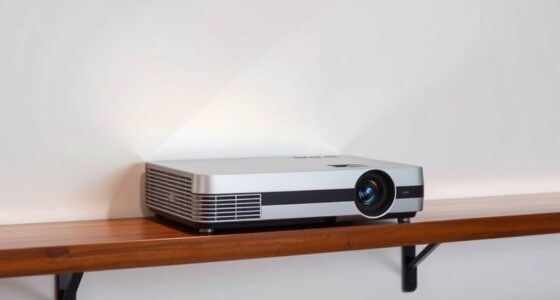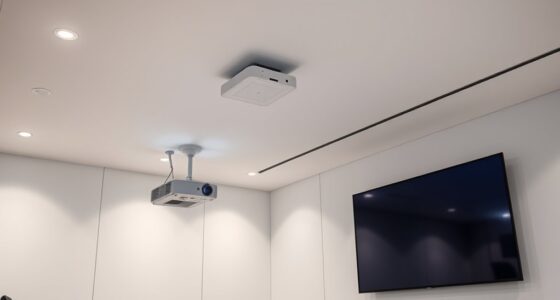

Using lens memory on your projector helps you quickly switch between multiple aspect ratios and calibration settings, making setup faster and more consistent. You can save specific configurations for different screen sizes or content formats, so you don’t need to manually readjust each time. This feature minimizes errors and saves time during events or daily use. Exploring how lens memory works further can help you optimize your projector’s performance and streamline your display adjustments.
Key Takeaways
- Lens memory stores different projection configurations, including position, focus, and aspect ratio, for quick switching between setups.
- Using lens memory allows seamless transition between multiple aspect ratios without manual readjustment.
- Preset positions help maintain image sharpness and alignment across various projection distances and angles.
- Recall functions automatically adjust lens settings, saving time during multi-format presentations or multi-room setups.
- Properly saving aspect ratio and position presets ensures consistent image quality and reduces setup errors.

When you use a projector, you might notice that switching between different setups or sources can be time-consuming and frustrating. This is especially true when dealing with multiple aspect ratios or different projection environments. Fortunately, many modern projectors come equipped with lens memory features that simplify this process. By utilizing lens memory, you can save specific settings for each display scenario, including lens calibration and aspect ratio adjustments, so you can quickly switch without losing quality or having to manually readjust every time.
Lens calibration is essential for ensuring sharp, clear images, particularly when projecting onto surfaces at different distances or angles. When you set up your projector for a particular room or screen size, you adjust the lens to focus and align the image perfectly. With lens memory, you can save these calibration settings along with the specific aspect ratio you prefer for that setup. This means that once you’ve calibrated the lens for a widescreen presentation, switching to a different aspect ratio, like a 4:3 format, can be as simple as selecting the appropriate memory preset. The projector automatically recalls the lens position, focus, and aspect ratio adjustments, saving you from manually readjusting each parameter. Additionally, the contrast ratio plays a significant role in image quality, especially in dark scenes, and can also be optimized within each stored setting for the best viewing experience.
Adjusting the aspect ratio is often necessary when switching between content types or different screens. Without lens memory, you’d need to manually tweak the zoom or lens shift every time you change the aspect ratio, which can be time-consuming and prone to errors. Lens memory allows you to store multiple configurations—each with its own lens calibration and aspect ratio setting—and switch between them with ease. This feature is especially valuable during presentations, film screenings, or multi-purpose rooms where quick transitions are indispensable.

HAKIDZEL Fresnel Lens Projector Tool High Definition Optical Fresnel Lens for Home Use Adjustable Focus for DIY Projects and Magnification
Projector lens:it is made of acrylic and material, practical and safe, excellent and simple, high transmission,fresnel
As an affiliate, we earn on qualifying purchases.
As an affiliate, we earn on qualifying purchases.
Frequently Asked Questions
Can Lens Memory Settings Be Customized for Different Screen Sizes?
Yes, lens memory settings can be customized for different screen sizes. You can perform lens calibration to guarantee ideal focus and image quality, then save these settings as presets. This allows you to quickly switch between configurations tailored for various screen sizes or aspect ratios. By customizing your preset, you streamline your setup process, ensuring each projection looks perfect without needing to manually adjust the lens each time.
How Many Aspect Ratio Presets Can a Typical Projector Store?
A typical projector can store around 3 to 10 aspect ratio presets, depending on the model. You can customize these presets through lens calibration, adjusting for different screen sizes and aspect ratios. Using preset customization, you can quickly switch between settings for various content formats, ensuring the best image quality. This flexibility helps you manage multiple aspect ratios efficiently, making your viewing experience seamless and tailored to your needs.
Do Lens Memory Adjustments Affect Image Quality?
Lens memory adjustments can slightly affect image quality, but they usually don’t cause significant issues. When you change lens settings for different aspect ratios, you might notice minor lens distortion or a slight drop in image sharpness if the adjustments aren’t precise. To keep the best quality, always fine-tune your lens memory settings carefully and make certain your projector’s lens is clean and properly calibrated.
Are Lens Memory Features Compatible With All Projector Brands?
You might find that lens memory features aren’t compatible with all projector brands, so it’s a bit of a mixed bag. Check each brand’s compatibility, as some may require specific firmware updates to enable these features. Don’t assume they’ll work seamlessly across the board; doing your homework now saves headaches later. Keep in mind, not every projector plays ball with lens memory, so verify before making a purchase.
How Do Ambient Lighting Conditions Influence Lens Memory Settings?
Ambient lighting affects your lens memory settings by impacting visual clarity. When ambient light is bright, you may need to adjust your lens to optimize focus and sharpness, ensuring images remain clear. Conversely, in darker environments, less adjustment might be needed. By understanding how ambient light influences your projector, you can fine-tune lens memory settings to maintain consistent visual clarity across different lighting conditions.

Auto Motorized Projector Screen with Remote Control, 120 inch, 4:3 Aspect Ratio, Wall/Ceiling Mounted Electric Movie Screen Wrinkle-Free, Great for Home Office Theater TV, Silver
【Size and Aspect Ratio】 120" diagonal, 4:3 View Size: 95.5"Wx71.5"H. Suitable for LED, LCD, and DLP projectors
As an affiliate, we earn on qualifying purchases.
As an affiliate, we earn on qualifying purchases.
Conclusion
By utilizing lens memory for multiple aspect ratios, you can effortlessly switch between different setups, saving time and avoiding frustration. Did you know that over 60% of projector users report improved efficiency and satisfaction after adopting lens memory features? This statistic highlights how such technology can transform your viewing experience, making adjustments seamless and stress-free. Embrace lens memory today, and enjoy perfect projections every time, no matter the aspect ratio you need.

Datacolor Spyder X Elite – Monitor Calibration Designed for Expert and Professional Photographers and Motion Imagemakers SXE100
Calibrating your monitor to achieve color precision now takes just a minute or two – several times faster…
As an affiliate, we earn on qualifying purchases.
As an affiliate, we earn on qualifying purchases.
![[360°Adjustable Stand] Mini Projector with WiFi and Bluetooth: Electric Focus & Auto Keystone 1080p Supported, 15000L,Multi-Device Compatible Outdoor Phone Projector - Visulapex Portable Home Theater](https://m.media-amazon.com/images/I/51Ck9sig+6L._SL500_.jpg)
[360°Adjustable Stand] Mini Projector with WiFi and Bluetooth: Electric Focus & Auto Keystone 1080p Supported, 15000L,Multi-Device Compatible Outdoor Phone Projector – Visulapex Portable Home Theater
【Compact design & 360°adjustable bracket】The mini projector is equipped with a cool adjustable stand, which allows for full…
As an affiliate, we earn on qualifying purchases.
As an affiliate, we earn on qualifying purchases.