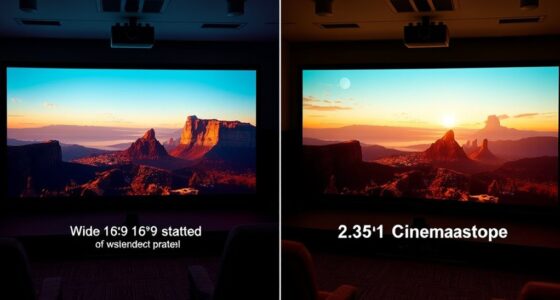
Screens for ultra-short throw projectors differ mainly in design and material to optimize image quality within close proximity. They often feature specialized surfaces like ambient light rejecting (ALR) material or matte finishes to reduce glare and reflections, even in well-lit rooms. The right screen also guarantees proper brightness, contrast, and color accuracy. Choosing the correct setup depends on your environment and preferences—stick around to discover what makes these screens stand out and how to select the best one for your space.
Key Takeaways
- Ultra-short throw screens are designed to reflect light efficiently from very close projector placement, minimizing image distortion.
- They often feature ambient light rejecting (ALR) surfaces to combat room lighting and reduce washout.
- The screen material, whether matte or glossy, impacts brightness, contrast, and glare management specific to ultra-short throw setups.
- Proper installation on a flat, smooth surface ensures optimal image clarity and prevents wrinkles or sagging over time.
- Specialized frames and tensioning systems help maintain surface flatness, enhancing image sharpness and projector performance.

Choosing the right screen for your ultra-short throw projector is essential to get the best image quality and smooth viewing experience. Unlike traditional projectors that need significant distance from the screen, ultra-short throw models sit just inches away from the surface, making the choice of projection surface options crucial. Your goal is to find a surface that enhances brightness, contrast, and color accuracy while minimizing unwanted reflections and glare.
Choosing the right ultra-short throw screen boosts image quality and minimizes glare for an optimal viewing experience.
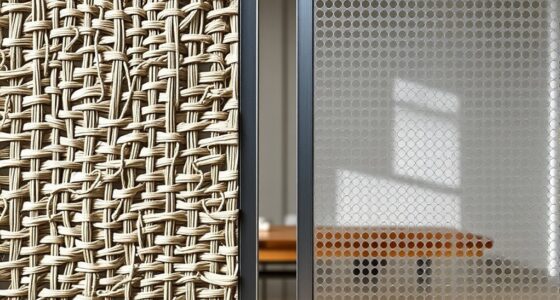
When exploring projection surface options, you’ll find that specialized screens designed for ultra-short throw projectors are typically made with materials that reflect light evenly and preserve image clarity. Some screens feature a matte or ambient light rejecting (ALR) surface, which helps combat ambient room lighting by directing light back toward the viewer and reducing washout. These surfaces are particularly beneficial if your space isn’t fully controlled for lighting, ensuring your images remain vivid and sharp. On the other hand, high-gloss screens can produce brighter images with more punch but may introduce unwanted reflections, particularly in well-lit rooms. Your choice depends on your environment and viewing preferences, but generally, ALR screens are preferred for ultra-short throw setups because they optimize image quality in real-world conditions.
Installation considerations play a vital role in guaranteeing your chosen screen performs at its best. Since ultra-short throw projectors are positioned close to the screen, the setup must be precise. You’ll want a flat, smooth mounting surface free of wrinkles or imperfections, as even minor inconsistencies can distort the projected image. When installing, keep in mind the screen’s size and aspect ratio; a larger screen can offer a more immersive experience, but it requires adequate space and proper mounting hardware. You should also consider the screen’s mounting height and angle to ensure the projection aligns perfectly and doesn’t distort the image. Some screens come with adjustable mounts or tensioning systems to help achieve a perfectly flat surface, which is crucial for maintaining image clarity.
In addition, pay attention to the screen’s material and frame. A rigid, well-built frame ensures the surface remains taut and flat over time, preventing wrinkles or sagging that could compromise the picture. If you’re installing the screen in a multi-use space, consider models with easy installation features or those compatible with wall-mounting brackets to streamline setup. The goal is to create a stable, flush surface that complements your projector’s short-distance setup and maximizes image quality.
Ultimately, selecting the right projection surface options and considering installation details are key to unlocking your ultra-short throw projector’s full potential. When you choose a surface tailored to your environment and install it carefully, you’ll enjoy crisp, bright images and a seamless viewing experience every time.
Frequently Asked Questions
Can Ultra-Short Throw Projector Screens Be Used Outdoors?
Yes, you can use ultra-short throw projector screens outdoors, but you need one with outdoor durability and weather resistance. Look for screens made from rugged, weatherproof materials that withstand rain, sun, and wind. Confirm they have UV protection to prevent fading. Proper installation in a shaded area also helps protect your screen, extending its lifespan. With the right outdoor-ready screen, you can enjoy outdoor movie nights without worry.
How Do Ambient Light Conditions Affect Screen Performance?
Coincidentally, ambient light can greatly impact your screen performance by reducing contrast and clarity. When ambient light is high, it washes out the image, making it harder to see details. For ideal viewing, you need a screen designed to handle ambient light and maintain high contrast. This way, even in bright rooms, your ultra-short throw projector’s image stays sharp and vibrant, ensuring a great viewing experience.
Are There Specific Screen Materials Best for 4K Ultra-Short Throw Projectors?
You should choose a high-quality screen material designed for 4K ultra-short throw projectors, such as specialized ALR (ambient light rejecting) surfaces. These projection surfaces enhance image clarity and color accuracy by reducing ambient light interference. Look for materials with a smooth, matte finish that minimizes glare and maintains sharp detail. Selecting the right surface guarantees your 4K content looks vivid and crisp, even in well-lit rooms.
What Maintenance Is Required for Ultra-Short Throw Projector Screens?
You should regularly perform cleaning routines on your ultra-short throw projector screen to maintain clear image quality, using a soft, lint-free cloth and gentle cleaning solutions. Keep an eye on frame durability by inspecting it periodically for signs of wear or damage, and tighten any loose screws. Avoid harsh chemicals or abrasive materials, as they can harm the screen surface and frame, ensuring your display stays in top condition.
How Does Screen Size Impact Image Quality and Resolution?
Ever wonder if bigger really is better? When you choose a larger screen, you enhance resolution clarity, making images more immersive. However, a bigger size increases viewing distance, which can sometimes reduce perceived sharpness if your projector isn’t high enough resolution. To get the best image quality, pick a screen size that matches your room’s space and your projector’s resolution. That way, every detail stays crisp and vivid.
Conclusion
Choosing the right screen for your ultra-short throw projector is like finding the perfect dance partner—everything needs to move in harmony. With specialized screens designed to optimize brightness, contrast, and image clarity, you’ll enjoy a spectacular viewing experience that feels as smooth as silk. So, don’t settle for just any surface; pick one that’s tailored to your setup, and watch your home entertainment soar to new heights—like a bird taking flight.