Your screen’s color and tint settings greatly impact how images look and how comfortable you are during extended use. When properly calibrated, colors appear accurate, vibrant, and true to life, reducing eye strain and making details easier to see. If your screen’s tint is off or the color temperature is misadjusted, images can look distorted, warm or cool in unnatural ways. Keep going to discover how perfect calibration can improve both image quality and your viewing experience.
Key Takeaways
- Screen color and tint influence overall image appearance and can alter perceived hues and shades.
- Improper calibration causes color distortions, making images look unnaturally warm, cool, or off-tone.
- Adjusting color temperature ensures accurate color reproduction and a natural viewing experience.
- Colored screens with incorrect tint can lead to eye strain and reduce visual clarity over time.
- Proper calibration maintains true-to-life images, enhancing both visual fidelity and comfort.
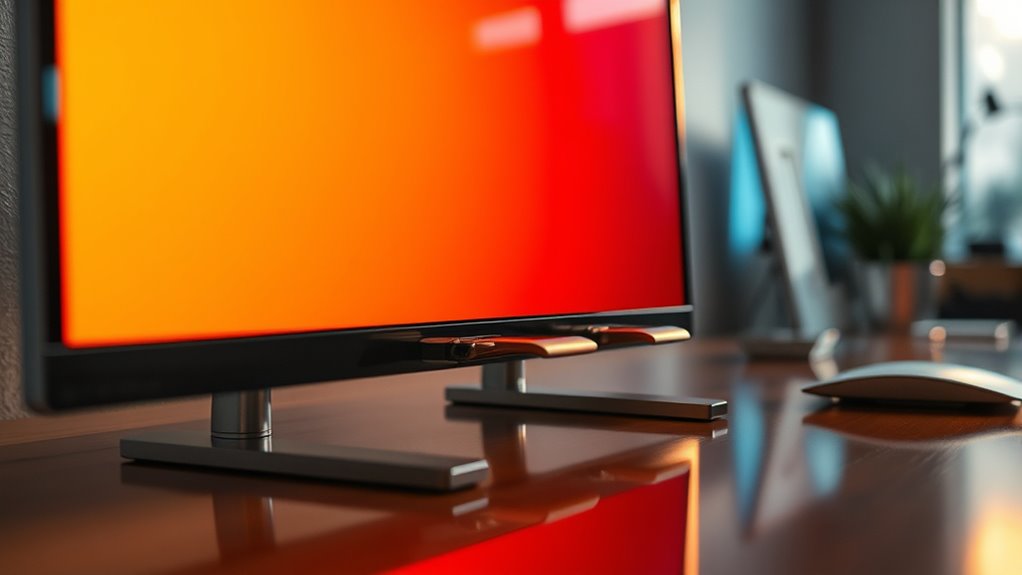
Have you ever noticed how the color and tint of your screen can affect your viewing experience? The way your display is calibrated, especially in terms of color temperature, plays a vital role in how images appear and how comfortable you feel when watching or working on your device. Color temperature refers to the warmth or coolness of the colors displayed on your screen, typically measured in Kelvin. A lower Kelvin value produces warmer, more yellowish tones, while a higher value results in cooler, bluish hues. When your screen isn’t properly calibrated, these color settings can distort real image colors, making everything look off or unnatural.
Screen calibration is the process of adjusting your display so that it accurately reproduces colors, brightness, and contrast. It’s essential if you want true-to-life images, whether you’re editing photos, watching movies, or just browsing the web. Without proper calibration, your monitor may have a skewed color temperature, causing images to look too cold or too warm, which can strain your eyes or lead to misinterpretations of visual information. For example, a too-cool screen might make skin tones look washed out or overly blue, while a too-warm screen can give a yellowish tint that affects color accuracy.
Proper screen calibration ensures accurate colors and reduces eye strain during viewing.
Adjusting the color temperature is one of the key steps in screen calibration. Many devices allow you to tweak this setting manually or through calibration tools. When you set the right color temperature, your screen’s tint aligns with natural lighting conditions or your personal preferences, making images appear more balanced and realistic. This is especially important for tasks requiring color precision, like graphic design or photo editing. If you’re not sure how to calibrate your screen, there are software solutions and hardware calibration tools that can guide you through the process, ensuring consistent and accurate colors.
The effect of improper calibration and incorrect color temperature can be subtle but impactful. You might notice eye fatigue, difficulty distinguishing between shades, or colors that don’t quite match what they should be. Over time, these issues can cause discomfort and reduce your productivity or enjoyment. By taking the time to properly calibrate your display and fine-tune its color temperature, you’ll enjoy a more vivid, true-to-life image quality that’s easier on your eyes and more faithful to the original content. Remember, your screen’s color and tint aren’t just cosmetic—they’re fundamental to how you perceive and interact with digital visuals. Proper screen calibration can also help prevent strain and improve your overall viewing experience.
![Projector-4K with WiFi and Bluetooth:[3000 ANSI/40W Dolby Audio/Official Licensed Apps], Outdoor-Projector with Smart OS 2.0 & AI Auto Focus,ONOAYO ONO5Pro 2.0 Smart Movie Projector for Indoor/Outdoor](https://m.media-amazon.com/images/I/411TCiwZ0EL._SL500_.jpg)
Projector-4K with WiFi and Bluetooth:[3000 ANSI/40W Dolby Audio/Official Licensed Apps], Outdoor-Projector with Smart OS 2.0 & AI Auto Focus,ONOAYO ONO5Pro 2.0 Smart Movie Projector for Indoor/Outdoor
[Hear the Difference–Hollywood-Grade Dual 40W Dolby Audio] Why spend $500 on a TV + soundbar or settle for...
As an affiliate, we earn on qualifying purchases.
Frequently Asked Questions
How Does Screen Tint Influence Eye Strain During Prolonged Use?
Screen tint can notably influence eye strain during prolonged use. By reducing blue light, tinted screens help lessen eye fatigue and improve comfort. Additionally, they can minimize glare, which often causes squinting and discomfort. You’ll notice less eye strain when you use screens with appropriate tints, especially during extended sessions. This makes it easier to focus, reduces headaches, and helps protect your eyes from long-term damage.
Can Colored Screens Distort Real-Life Color Perception?
Yes, colored screens can totally mess with your real-life color perception, making everything look like it’s straight out of a sci-fi movie. You might find yourself seeing colors differently than they actually are, as if your vision’s been warped by some optical illusion. This visual distortion can make it tricky to judge colors accurately, especially after long exposure, leaving you questioning if what you see is real or just a vivid dream.
Are Certain Screen Colors Better for Specific Tasks or Environments?
Certain screen colors work better for specific tasks or environments, especially when you consider ambient lighting and screen calibration. For example, warmer tones reduce eye strain in dim settings, while cooler tones enhance visibility in bright environments. Proper calibration guarantees colors appear accurately, helping you focus and work efficiently. Adjust your screen color based on your surroundings and task to improve comfort and performance effectively.
How Do Screen Color Settings Impact Digital Eye Fatigue?
Blue light exposure increases digital eye fatigue by up to 60%, making your eyes strain and feel tired faster. Adjusting contrast settings can help lessen this effect, reducing discomfort during prolonged screen use. When you tweak your screen’s color settings, especially lowering blue light levels and optimizing contrast, you give your eyes a break, making it easier to focus without fatigue. This simple step can greatly improve your digital experience.
Do Colored Screens Affect the Accuracy of Color-Sensitive Work?
Yes, colored screens can impact the accuracy of color-sensitive work. If your display technology isn’t properly calibrated, colors may appear distorted, making it hard to achieve precise results. You should regularly perform color calibration to guarantee your screen displays accurate colors. This way, you can trust your display technology to deliver consistent, true-to-life images, which is essential for tasks like photo editing, graphic design, or printing.

Official Licensed Google TV Smart Projector, HAPPRUN 4K UHD Home Theater with Dolby Sound, Wi-Fi & Bluetooth, Built-in Streaming Apps, Compatible with Games Consoles & Smartphone, Indoor & Outdoor Use
[ Built-in Official Licensed Google TV ] - Without additional equipment, the smart projector can directly access Netflix,...
As an affiliate, we earn on qualifying purchases.
Conclusion
Now that you understand how screen color and tint influence the way images appear, you might wonder how much your viewing experience is truly affected. Will changing your screen’s color settings enhance your visuals or distort them? Ultimately, being mindful of these adjustments can help you enjoy more accurate colors and reduce eye strain. So, next time you tweak your screen, ask yourself: are you optimizing your viewing, or just changing the way you see everything?

ViewSonic PX701-4K UHD 4K Projector with 3200 Lumens, 240Hz, 4.2ms, HDR, Auto Keystone, Dual HDMI for Home Theater
4K Home Theater Projector: UHD (3840x2160p) 4K resolution with a 1.5-1.6 throw ratio and 3,200 ANSI lumens perfect...
As an affiliate, we earn on qualifying purchases.

Epson Home Cinema 3800 4K PRO-UHD 3-Chip Projector with HDR
4K PRO-UHD (1) Projection technology — a new type of 4K home theater experience, utilizing advanced technologies for...
As an affiliate, we earn on qualifying purchases.