
To maintain your ALR screen’s performance over time, keep it clean with a soft microfiber cloth slightly dampened with distilled water or a screen-specific cleaner, avoiding harsh chemicals. Use protective films to prevent scratches, and handle the screen gently. Keep your environment dust-free, avoid direct sunlight, and inspect the screen regularly for signs of damage. Proper care guarantees your screen stays sharp and lasts longer—learn more tips to keep it in top condition.
Key Takeaways
- Clean the screen regularly with a soft, damp microfiber cloth to remove dust and fingerprints without damaging the surface.
- Apply protective films designed for ALR screens to prevent scratches, impacts, and dirt buildup.
- Keep the installation environment dust-free, avoid direct sunlight, and maintain stable temperatures to prevent warping or fading.
- Handle the screen gently during cleaning and inspections, using proper materials to avoid scratches or surface damage.
- Conduct routine inspections and gentle cleaning to preserve image clarity and extend the screen’s lifespan over time.
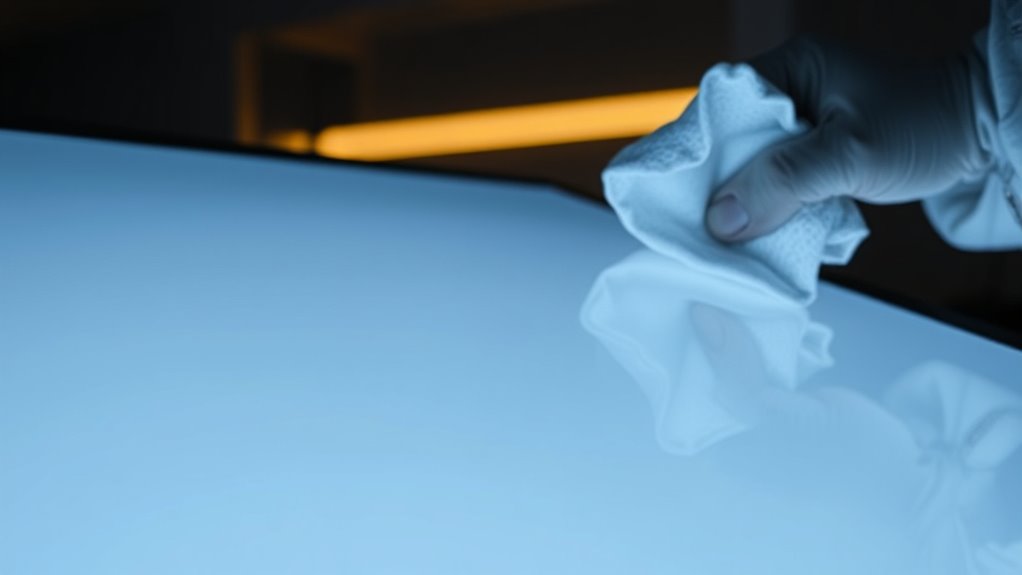
Taking proper care of your ALR screen is essential to guarantee its longevity and peak performance. These specialized screens are designed to deliver exceptional picture quality, but they require regular maintenance to stay in top condition. One of the simplest yet most effective ways to preserve your ALR screen’s clarity is through proper screen cleaning. Avoid harsh chemicals or abrasive materials, as they can damage the delicate surface. Instead, use a soft microfiber cloth slightly dampened with distilled water or a gentle, screen-specific cleaner. Gently wipe in a circular motion to remove dust, fingerprints, and smudges without scratching the surface. Regular cleaning not only keeps your picture sharp but also prevents the buildup of debris that can affect image quality and viewing experience. Proper cleaning techniques can also help prevent the accumulation of dirt that might lead to damage or degradation over time.
Another vital aspect of ALR screen care is the application of protective films. These films act as an extra layer of defense against scratches, dirt, and minor impacts, which can be common in everyday use. Installing a high-quality protective film can markedly extend the lifespan of your screen by shielding it from accidental bumps or scratches. When choosing a protective film, look for one that’s specifically designed for ALR screens, ensuring it won’t interfere with image quality or brightness. Proper installation is key; follow the manufacturer’s instructions carefully to avoid air bubbles or misalignment. Once applied, the film becomes an invisible barrier that makes ongoing cleaning easier and safer, reducing the risk of damage that could otherwise lead to costly repairs or replacements.
Maintaining your ALR screen also involves paying attention to the environment where it’s installed. Keep the area free of dust and avoid exposing the screen to direct sunlight or extreme temperatures, which can cause warping or fading over time. When cleaning, ensure your hands are clean to prevent transferring oils or dirt onto the surface. Avoid using paper towels or rough cloths, as these can scratch the screen’s surface. Instead, opt for soft, lint-free cloths designed for electronics, and always handle the screen gently. Additionally, regularly inspecting your screen for signs of wear or damage can help you address issues early before they worsen.
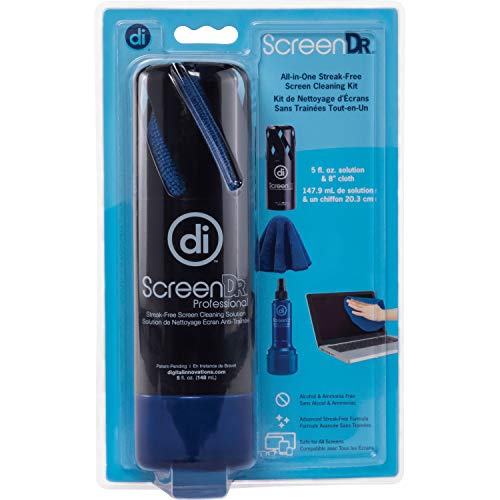
Allsop Digital Innovations ScreenDr Professional 5 oz Screen Cleaning Kit for TV / Monitor / Laptop / Tablet / Smartphone, Black, 7.3" x 3.5" x 3"
Made in the USA, alcohol and ammonia-free solution is safe to clean computer monitors, PC/laptop and tablets/iPad screens
As an affiliate, we earn on qualifying purchases.
As an affiliate, we earn on qualifying purchases.
Frequently Asked Questions
How Often Should I Clean My ALR Screen?
You should clean your ALR screen about once a month to maintain its screen durability. Regular cleaning prevents dust, fingerprints, and smudges from accumulating, which can affect performance over time. If your environment is particularly dusty or you notice fingerprints more often, increase the cleaning frequency accordingly. Use a soft, lint-free cloth and gentle cleaning solutions to avoid damage, ensuring your screen stays clear and performs best.
Can I Use Regular Cleaning Products on My ALR Screen?
Did you know that screens can accumulate up to 25% more dirt and oils than you see? You shouldn’t use regular cleaning products on your ALR screen, as they can damage the delicate surface. Instead, stick to suitable cleaning products specifically designed for screens. For ideal cleaning frequency, do it regularly—about once a week—to keep your screen clear and functioning perfectly over time.
What Is the Best Way to Prevent Scratches?
To prevent scratches on your ALR screen, always use protective films and avoid sharp objects nearby. Clean your screen with gentle cleaners specifically designed for screens, avoiding harsh chemicals. Regularly applying a protective film adds an extra layer of defense, reducing the risk of scratches from everyday contact. Handle your screen carefully, and clean it gently to maintain clarity and performance over time.
How Do I Handle Fingerprints and Smudges?
Did you know that the average person touches their phone over 2,600 times a day? To handle fingerprints and smudges, regularly clean your screen with a microfiber cloth to remove fingerprint residue. Use a gentle screen cleaner if needed. To prevent smudges, consider applying an anti-fingerprint coating or screen protector. These simple steps keep your display clear and enhance your viewing experience every day.
Are There Specific Maintenance Tools Recommended for ALR Screens?
Yes, for ALR screens, you should use soft, lint-free cloths and gentle cleaning solutions to prevent damage during screen repair or device calibration. Avoid harsh chemicals that could harm the screen’s surface. Regularly clean your screen to maintain clarity and performance, and if issues arise, consult professionals rather than attempting repairs yourself. Proper maintenance tools help preserve the screen’s quality and guarantee it functions effectively over time.

MagicFiber Microfiber Cleaning Cloth, 6 Pack – Premium Cloth for Glasses, Lens, Screens & More
Glasses cleaner – Sourced from the highest quality microfiber that absorbs and removes dust, oil, smudges, fingerprints, dirt,…
As an affiliate, we earn on qualifying purchases.
As an affiliate, we earn on qualifying purchases.
Conclusion
So, after all that, it’s funny how something as simple as gentle cleaning and proper care can keep your ALR screen performing like new—yet, many forget until it’s too late. Ironically, neglecting these small steps often leads to bigger problems down the line. So, go ahead, give your screen some love daily. It’s the easiest way to enjoy flawless performance—because who wants to spend more time fixing than using?

Hoxemator Cut to Fit Screen Protector 3-Pack (96 * 170 mm) Universal Trimmable Display Protective Film HD Clear PET Screen Protection Anti-Scratch Film Protection for Phone, GPS, Tablet, Camera
Trimmable Screen Protector: Designed with precise grid lines to help you cut to size your device. The size…
As an affiliate, we earn on qualifying purchases.
As an affiliate, we earn on qualifying purchases.

EVEO® Screen Cleaner Spray Kit (Streak-Free) TV Screen Cleaner for Smart TV, Lcd, LEd, Oled | Computer Screen Cleaner Spray and Wipe Microfiber Cloth – TV, Monitor, Laptop, iPad, Car – 6.7oz 1 Pack
Screen Cleaner is Your Screen’s New Bestfriend! – EVEO is proud to present a screen cleaner that’s perfectly…
As an affiliate, we earn on qualifying purchases.
As an affiliate, we earn on qualifying purchases.