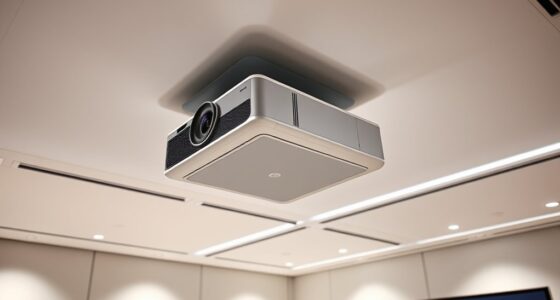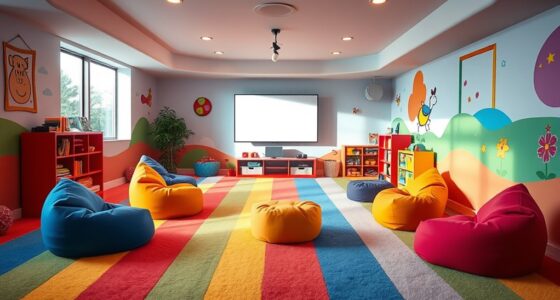
For the best contrast and immersion in your projector room, choose neutral wall colors like gray, beige, or off-white. These shades reduce distractions and prevent color cast issues, helping images stay vibrant and sharp. Matte finishes and subdued tones also minimize glare and reflections, especially in darker environments. If you want to learn more about creating the perfect setup, keep exploring the key factors that enhance your viewing experience.
Key Takeaways
- Neutral wall colors like gray, beige, or off-white maximize contrast and reduce distractions for clearer, more vibrant projected images.
- Light, matte finishes help bounce ambient light, enhancing brightness and clarity in rooms with ambient lighting.
- Dark, neutral tones create an immersive environment by boosting contrast and minimizing reflections on projector screens.
- Avoid bright or vibrant wall colors, as they can cause color casts and reduce image sharpness and immersion.
- Pairing neutral walls with matte projector screens ensures optimal image sharpness, contrast, and a distraction-free viewing experience.
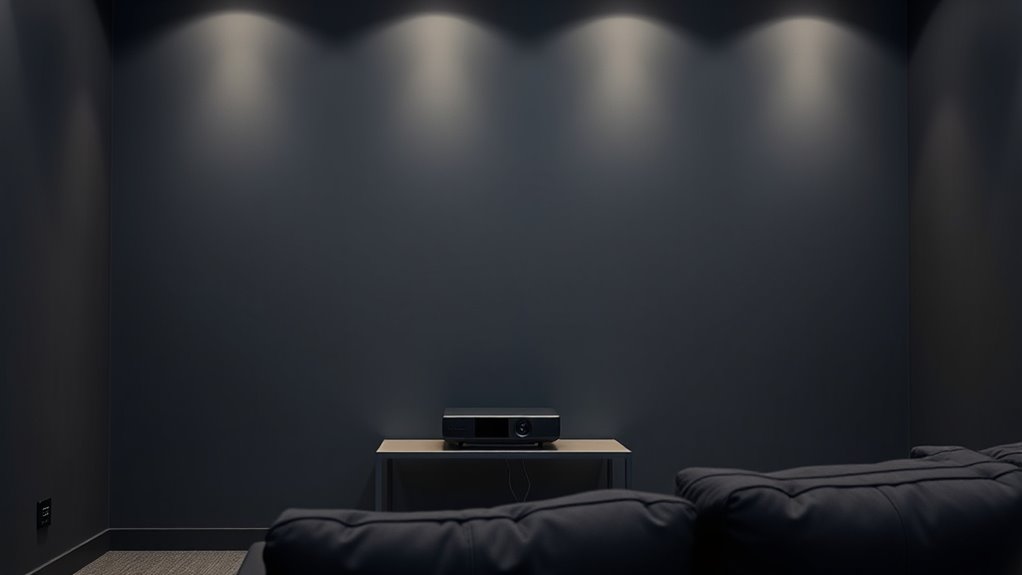
Choosing the right wall color for your projector room is essential to guarantee clear, vibrant images and a comfortable viewing experience. The color you select influences how well your projector’s light and contrast perform, which in turn affects the clarity and immersion of your viewing sessions. When considering wall color psychology, it’s important to recognize that certain hues can either enhance or diminish picture quality. Neutral shades like gray, beige, or off-white are often the best choices because they reduce color cast and minimize distractions, allowing your projected images to appear more vivid and true to life. Bright or dark colors can interfere with contrast, making images look dull or washed out, so it’s wise to avoid overly vibrant or dark shades unless properly balanced with appropriate projector screen materials.
Neutral wall colors like gray or beige enhance projector image clarity and reduce distractions.
Your choice of projector screen materials also plays a critical role in how your wall color impacts image quality. Matte surfaces are preferred because they scatter light evenly, reducing glare and reflections that could distort the picture. When you pair a high-quality matte screen with a neutral wall color, you maximize contrast and achieve sharper details. Conversely, if you use glossy or reflective surfaces, the wall color becomes even more crucial—light-colored walls can cause unwanted reflections, while dark walls might absorb too much light, diminishing brightness. Selecting projector screen materials that complement your wall color can considerably improve contrast, color accuracy, and overall image clarity.
Additionally, the size and lighting conditions of your projector room influence your color choice. If your room has ambient light, lighter wall colors can help bounce some light back, maintaining brightness without washing out images. On the other hand, in a dark room, darker, neutral tones like charcoal or slate can boost contrast, making images pop. The psychology behind wall colors shouldn’t be overlooked either; calming hues like gray or muted earth tones help create a focused, immersive environment, while overly bright colors can be distracting or cause eye strain. Furthermore, best airless paint sprayers can facilitate a smooth and even finish on your walls, ensuring the ideal surface for optimal projection quality.
Ultimately, selecting the best wall colors for your projector room involves balancing wall color psychology, projector screen materials, and room conditions. Neutral, matte finishes are generally the safest bet, ensuring your images remain sharp, vibrant, and immersive. When you make thoughtful choices based on these factors, you’ll enjoy a more cinematic experience every time you settle in for a movie or presentation.
Frequently Asked Questions
How Do Wall Colors Affect Projector Brightness?
Wall colors directly impact your projector’s brightness perception by affecting contrast and image clarity. Light-colored walls, like whites or pastels, can wash out images, reducing brightness, while darker shades improve contrast, making visuals pop. Understanding wall color psychology helps you choose hues that enhance immersion without causing glare. Ensuring projector color compatibility with your wall colors maximizes image quality and brightness, creating an ideal viewing environment.
Can Wall Paint Reflect or Absorb Projector Sound?
Your wall paint doesn’t substantially reflect or absorb projector sound, as soundproofing techniques focus more on insulation, sealing gaps, and adding sound-absorbing panels. Wall texture effects, like matte or textured finishes, can help reduce sound reflection, creating a quieter environment. To improve acoustics, combine soundproofing methods with textured paints, ensuring clearer audio and minimal echo. This approach enhances your projector room’s sound quality and overall immersion seamlessly.
Are There Eco-Friendly Paint Options for Projector Rooms?
Yes, you can choose eco-friendly paints for your projector room. Look for eco-friendly paints and sustainable wall coatings that are low in volatile organic compounds (VOCs) and made from natural or recycled materials. These options reduce harmful emissions, promote better indoor air quality, and are better for the environment. By selecting these, you create an eco-conscious space that’s both functional for projection and safe for your health and the planet.
How Do Wall Colors Influence Ambient Lighting Needs?
Wall colors influence your ambient lighting needs by affecting how much light reflects in the room. Darker shades, like deep blues or charcoal, absorb light, reducing glare and enhancing contrast, which means you’ll need less ambient light control. Conversely, lighter colors reflect more light, requiring you to manage ambient lighting carefully. Understanding wall color psychology helps you choose hues that optimize immersion without over-reliance on lighting adjustments.
What Maintenance Is Required for Painted Projector Walls?
Did you know that properly maintained painted projector walls can last up to 10 years? To keep yours in top shape, regularly clean the wall surface with a soft, damp cloth to remove dust and smudges. Focus on wall texture and choose paint with high durability to resist wear and stains. Touch up any chipped or faded areas promptly to preserve the best contrast and immersion during your projector sessions.
Conclusion
Choosing the right wall color can truly elevate your projector room experience by boosting contrast and immersion. Remember, darker shades like matte black or deep gray help minimize reflections, creating a more vibrant picture. Notably, studies show that rooms with dark walls can enhance perceived contrast by up to 40%, making your viewing sessions more immersive. So, pick your walls wisely and enjoy a cinema-quality experience right at home!