Understanding projector resolution helps you choose the right device for your needs. 1080p offers clear images suitable for small to medium screens, while 4K or UHD resolutions provide sharper detail ideal for large displays or close viewing. Higher resolutions add clarity but often cost more and need better brightness. Balancing resolution with your room’s lighting and screen size is key. Keep exploring to learn how to match your setup perfectly for the best viewing experience.
Key Takeaways
- 4K and UHD offer four times the pixels of 1080p, resulting in sharper, more detailed images.
- Resolution impacts image clarity, especially on larger screens or when viewed closely.
- Higher resolutions are essential for maintaining sharpness in large or high-quality displays.
- Brightness (lumens) must be balanced with resolution to ensure visibility in different lighting conditions.
- Selecting the right resolution depends on screen size, room lighting, and viewing distance for optimal image quality.
Have you ever wondered why some projectors display sharper images than others? A big part of that comes down to resolution, but it’s also influenced by factors like screen size variations and how resolution compares to brightness. When selecting a projector, understanding these elements helps you get the best image quality for your needs.
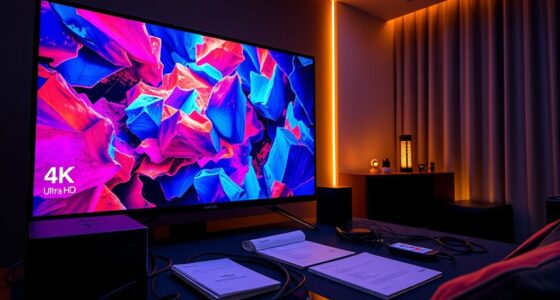
Screen size variations play a vital role in how clear an image appears. When you project onto a larger screen, the image stretches over a bigger area. If the projector’s resolution isn’t high enough, the picture can look pixelated or blurry, especially at larger sizes. For example, a 1080p projector might look sharp on a 100-inch screen but can become less detailed on a 200-inch display. That’s because the pixels are spread out over a larger area, making the image appear softer. Conversely, a 4K or UHD projector maintains sharpness even on bigger screens because it offers more pixels packed into the same space. So, if you’re planning on a large display setup, prioritizing higher resolution options guarantees clarity isn’t sacrificed.
It’s tempting to think that brighter projectors always produce better images, but resolution versus brightness is a delicate balance. Brightness, measured in lumens, affects how vivid and visible your image is, especially in well-lit rooms. However, a projector with high brightness but low resolution might produce an image that’s bright but lacking in detail. On the other hand, a high-resolution projector with insufficient brightness can struggle to produce a clear picture in ambient light. To get the best image quality, you need to match the projector’s resolution with appropriate brightness levels for your environment. For dark rooms, lower brightness can work fine with high resolution, whereas well-lit spaces demand higher lumens to maintain clarity and visibility.
Understanding how resolution impacts image sharpness, especially in relation to screen size, helps you choose a projector that suits your space. Higher resolutions like 4K and UHD pack more pixels, resulting in sharper images, essential for large screens or close viewing distances. Meanwhile, balancing resolution and brightness ensures your image remains crisp and vibrant, no matter the lighting conditions or screen size. When you’re shopping for a projector, consider both factors carefully. Remember, a projector with the right resolution for your screen size and environment will deliver a sharper, more detailed picture, making your viewing experience much more enjoyable.

Epson Home Cinema 3800 4K PRO-UHD 3-Chip Projector with HDR
4K PRO-UHD (1) Projection technology — a new type of 4K home theater experience, utilizing advanced technologies for…
As an affiliate, we earn on qualifying purchases.
As an affiliate, we earn on qualifying purchases.
Frequently Asked Questions
How Does Projector Resolution Affect Gaming Performance?
Higher projector resolution enhances gaming visuals, making details sharper, but it can also influence gaming performance. When you use resolution scaling to match your projector’s resolution, it helps maintain smooth gameplay. However, if your device struggles with high resolution, you might experience gaming lag. Balancing resolution and performance ensures you enjoy crisp visuals without sacrificing responsiveness, making for a better gaming experience overall.
Can a Higher Resolution Improve Picture Quality in a Small Room?
Yes, a higher resolution can improve picture quality in a small room by increasing pixel density, which makes images sharper and more detailed. Resolution scalability allows you to choose the right level for your space, preventing overly large images that lose clarity. With higher resolution, you’ll enjoy crisper visuals without sacrificing clarity, even in a confined space, creating a more immersive viewing experience.
What Is the Best Resolution for Outdoor Projector Use?
For outdoor projector use, opt for at least 1080p resolution to guarantee clear images across larger screen sizes. Consider the ambient lighting; in bright conditions, higher resolutions like 4K can enhance detail and sharpness. Keep in mind that larger screens require higher resolution to maintain image quality. So, match your projector’s resolution to your screen size and outdoor lighting, ensuring a crisp, vibrant viewing experience.
How Does Resolution Impact Projector Brightness and Contrast?
Higher resolution improves your projector’s resolution clarity and image sharpness, making details crisper and more vibrant. However, it doesn’t directly impact brightness or contrast, which depend on lumens and contrast ratio. A higher resolution can sometimes require more light output for ideal viewing, but overall, resolution mainly enhances clarity and sharpness, while brightness and contrast determine how vivid and visible the image is, especially in well-lit outdoor environments.
Are Higher Resolutions Worth the Extra Cost for Home Theaters?
Higher resolutions like 4K are worth the extra cost if you prioritize detailed images and future-proofing your home theater. Resolution scaling enhances picture clarity, especially on larger screens, while display compatibility guarantees your devices work seamlessly. If you value sharp visuals and have a compatible setup, investing in higher resolution projectors pays off. Otherwise, a 1080p model may suffice for casual viewing without overspending.
UHD outdoor projector
As an affiliate, we earn on qualifying purchases.
As an affiliate, we earn on qualifying purchases.
Conclusion
Now that you know the ins and outs of projector resolutions, you’re basically a superhero of home theater tech! Whether you’re aiming for mind-blowing 4K clarity or just want a crisp 1080p display, you’ve got the power to choose the perfect resolution. So go ahead—grab that projector, dream big, and turn your living room into a cinematic universe! Your friends will swear you’ve got a Hollywood studio right at home.
1080p portable projector
As an affiliate, we earn on qualifying purchases.
As an affiliate, we earn on qualifying purchases.
high brightness projector for bright rooms
As an affiliate, we earn on qualifying purchases.
As an affiliate, we earn on qualifying purchases.