Decoding brightness specs means understanding that lumens measure the total light output of projectors and lights, ideal for large or outdoor spaces, while nits track how bright a screen appears to your eyes, essential for close-up viewing and color accuracy. Knowing the context helps you choose the right metric—lumens for ambient environments, nits for glare-sensitive screens. Keep exploring to learn how these measurements impact different devices and settings.
Key Takeaways
- Lumens measure total light output of projectors and lights, while nits gauge perceived brightness on screens.
- Use lumens for evaluating brightness in large or outdoor spaces; nits are key for close-up display calibration.
- High lumens improve visibility in ambient light, whereas high nits enhance screen clarity in bright environments.
- Lumens relate to overall illumination; nits focus on brightness perception at specific display points.
- Proper environment consideration is essential: choose lumens for large areas, nits for detailed, close-view displays.
Understanding Lumens: Measuring Brightness in Projectors and Lights
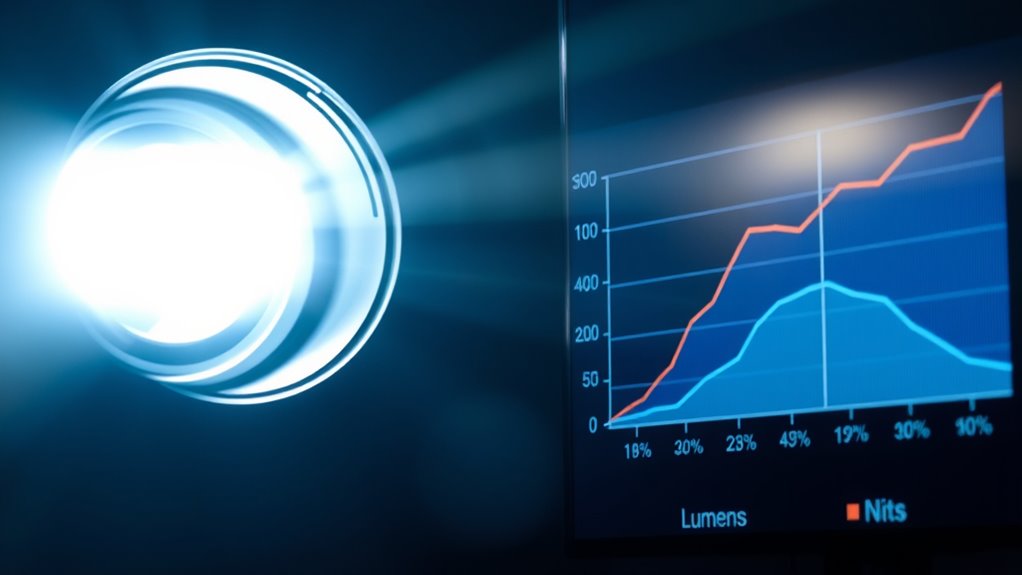
Lumens are the standard way to measure brightness in projectors and lights, providing a clear idea of how much light a device emits. To get ideal images, you need to take into account projector calibration, guaranteeing the device is set correctly for your environment. Ambient light plays a vital role; in bright rooms, higher lumens help maintain visibility, while darker rooms require fewer lumens for a sharp picture. When selecting a projector or light, think about your space’s lighting conditions and adjust accordingly. Proper calibration ensures the brightness levels match your needs, preventing washed-out images or insufficient illumination. Understanding lumens helps you choose the right device for your setup, especially when considering how ambient light impacts overall visibility and image quality.
What Are Nits? Clarifying Brightness for Screens and Displays

While lumens measure the overall brightness of projectors and lights, screens and displays often require a different standard to accurately describe their brightness. That’s where nits come in. Nits quantify the luminance of a display, indicating how bright the screen appears to your eyes. This measurement is essential for screen calibration, ensuring colors and brightness levels are accurate across different display technology types. Higher nits mean a brighter screen, which is especially important for outdoor viewing or HDR content. Unlike lumens, which gauge total light output, nits focus on the brightness perceived at a specific point on the display. Understanding nits helps you choose the right screen for your environment, ensuring optimal visibility and visual quality. Recognizing the importance of display technology can further enhance your understanding of brightness specifications.
Key Differences Between Lumens and Nits
Understanding the key differences between lumens and nits helps you choose the right brightness for your needs. You’ll see that these units measure brightness in different ways and suit various application contexts. Plus, your perception of brightness can vary depending on these measurement differences. For example, eye patch benefits demonstrate how targeted ingredients can enhance visual appearance and comfort.
Measurement Units Explained
To grasp the differences between lumens and nits, it’s important to know that they measure different aspects of brightness. Lumens quantify the total light output from a source, reflecting how much light a projector or bulb produces, which can influence color accuracy and overall visibility. Nits, on the other hand, measure luminance — how bright a display appears to the eye, considering the screen’s area. This measurement affects how well you see details in high ambient light. Understanding these units helps you evaluate products based on their intended use. For example, a high lumen count might be ideal for large rooms, while nits are essential for screens viewed in bright environments. Both units also impact power consumption, with higher brightness often requiring more energy. Additionally, knowing measurement units can help consumers choose the right display for various lighting conditions.
Application Contexts Differ
Choosing the right brightness measurement depends on your specific application. Lumens are best for evaluating overall light output in spaces with ambient lighting, like rooms or outdoor areas, where the goal is to illuminate broadly. Nits, on the other hand, measure brightness on a screen’s surface, making them ideal for devices like monitors and TVs. This is especially important for ensuring good visibility and maintaining color vibrancy in varying lighting conditions. If you’re setting up a display in a brightly lit environment, higher nits help prevent glare and enhance image clarity. Conversely, for general lighting, focusing on lumens guarantees sufficient illumination without overdoing it. Recognizing these context differences helps you choose the most appropriate brightness metric for your needs. Additionally, understanding AI security vulnerabilities can assist in developing safer display technologies that adapt to different environmental risks.
Brightness Perception Variations
While lumens and nits both measure brightness, they do so in different ways that affect how you perceive light. Your perception influence depends on factors like environment, viewing angle, and display type. Environmental factors can make a display seem more or less bright, regardless of actual measurements. For example:
- Bright surroundings diminish perceived brightness, even if the lumen or nit value is high.
- Glare from ambient light can distort how you interpret brightness levels.
- The size and surface of a display influence perceived intensity—larger screens may seem dimmer.
- Personal perception varies based on contrast and color, making measurements feel less relevant in certain contexts.
- Display technology also plays a significant role in how brightness is perceived, impacting clarity and vibrancy.
Understanding these perception variations helps you choose the right brightness specs for your environment, ensuring you get the visual experience you desire.
How to Choose the Right Brightness Metric for Your Needs
Choosing the right brightness metric depends on your specific needs and the environment you’re in. Understanding how brightness varies with context helps you select the best measure—lumens for overall light output or nits for screen visibility. By matching the metric to your use case, you guarantee your device looks and performs its best. Additionally, considering reliable support can ensure you make informed decisions when selecting brightness specifications.
Contextual Brightness Differences
Understanding the context in which you’ll view or use a display is crucial when selecting the right brightness metric. Ambient light and viewer perception greatly influence how bright a display appears. Consider these factors:
- Bright rooms with lots of ambient light require higher brightness (nits) for clear visibility.
- Outdoor settings demand displays with high luminance to combat sunlight interference.
- Indoor environments with dim lighting may only need moderate brightness levels.
- Personal perception varies; some viewers perceive brightness differently based on ambient conditions and screen size.
- The Bedroom environment, often characterized by softer lighting and a cozy atmosphere, typically benefits from lower brightness levels to enhance comfort and reduce eye strain.
Matching the brightness metric to your environment ensures effective viewing experience. Lumens suit larger, ambient-lit spaces, while nits are better for direct, high-contrast displays. Always assess your setting before choosing your display’s brightness specs.
Matching Brightness to Use
Selecting the right brightness metric depends on how and where you’ll use your display. If you’re in a brightly lit environment with lots of ambient lighting, you’ll need a higher brightness measured in nits to keep images clear and vibrant. For indoor use with controlled lighting, lower nits may suffice, especially if color accuracy is crucial. When working with color-sensitive tasks like photo editing or design, prioritize displays with accurate color reproduction and appropriate brightness levels that prevent glare. Lumens are more relevant for projectors or large screens viewed from a distance, while nits suit monitors, TVs, and smartphones. Understanding your environment and application helps you choose the right metric, ensuring essential visibility and color fidelity without unnecessary glare or dimness. Additionally, water parks often utilize high-brightness displays to maintain visibility in outdoor settings with intense sunlight.
Practical Examples: When Lumens Matter Most

When you need a projector for outdoor movie nights or a large conference room presentation, lumens become the most critical factor. High lumens guarantee bright images even in ambient light, making details clear and vibrant. Consider these scenarios:
- Hosting an outdoor movie under a clear sky, where a projector with 3,000+ lumens delivers sharp visuals despite natural lighting.
- Presenting in a large, well-lit conference room, requiring 4,000+ lumens for clarity and visibility.
- Using a projector in spaces with variable lighting color, where a brighter image maintains color accuracy and contrast.
- Prioritizing energy efficiency, as higher lumens often mean more power consumption, but still essential for outdoor visibility.
- The contrast ratio also plays a vital role in how well your projector displays details in various lighting conditions, especially in dark scenes or environments requiring high image depth.
In these cases, lumens directly impact visibility, ensuring your content looks its best regardless of lighting conditions.
Practical Examples: When Nits Are the Key Factor
Nits become vital when you need to evaluate a display’s brightness in a controlled environment, especially on screens viewed up close or in high ambient lighting. When you’re calibrating a screen, understanding nits helps ensure accurate color and brightness levels, essential for professional work like photo editing or graphic design. In bright rooms or outdoor settings, high nits prevent glare and ensure visibility despite ambient lighting conditions. This is particularly important for displays where clarity matters, such as digital signage or high-end monitors. By focusing on nits, you can fine-tune screen calibration to match environmental brightness, ensuring consistent image quality. In these scenarios, nits provide a precise measure of how bright your display appears, regardless of external lighting influences. Properly assessing brightness specifications ensures optimal display performance across different environments.
Comparing Brightness for Different Devices and Environments
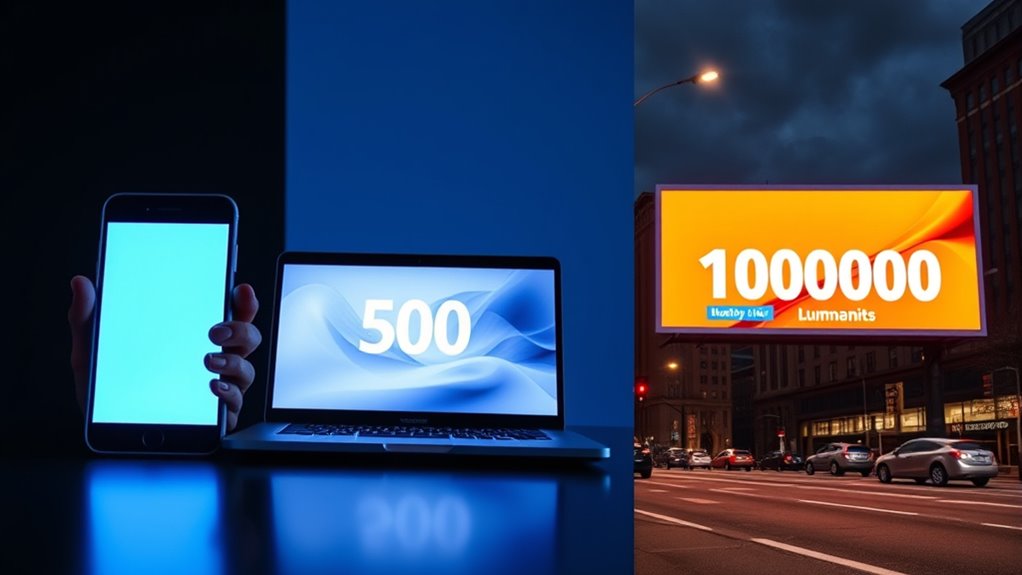
Understanding how brightness measurements translate across various devices and environments is essential for making informed choices. Different settings demand different brightness levels, influenced by factors like light pollution and display calibration. To compare effectively:
- In bright outdoor settings, high-nit displays help cut through ambient light, but excessive brightness can cause light pollution.
- Indoors, lower nits suffice, and proper display calibration ensures accurate colors without glare.
- For mobile devices, lumens matter more when considering projectors or portable screens, especially in varying ambient conditions.
- When evaluating LED screens or monitors, consider how environmental brightness affects perceived contrast and readability.
Tips for Interpreting Brightness Specifications Accurately
Interpreting brightness specifications accurately requires you to look beyond the numbers and consider the context in which they’re used. For example, a high lumen rating might suggest a bright device, but if the color calibration isn’t accurate, the perceived brightness could be misleading. Nits are more relevant for screens, so check how they relate to the device’s intended environment. Also, pay attention to power efficiency—higher brightness often means more power consumption, which impacts battery life and energy use. Don’t assume that a higher number always equals better performance; instead, evaluate how brightness works with color calibration for true image quality. Understanding these factors helps you select devices that meet your needs without overestimating their capabilities.
Frequently Asked Questions
How Do Ambient Lighting Conditions Affect Brightness Measurements?
Ambient lighting conditions considerably impact brightness measurements because they influence how you perceive screen glow and contrast. Bright ambient light can make a display seem dimmer, reducing perceived brightness, while low light enhances contrast and visibility. To guarantee measurement accuracy, it’s essential to test screens in consistent lighting conditions. This way, you get a true comparison of brightness specs, helping you pick the right display for your environment.
Can Two Devices With the Same Lumens Look Differently in Brightness?
Yes, two devices with the same lumens can look different in brightness because of factors like color accuracy and viewing angles. If one device has better color accuracy, it appears more vibrant, enhancing perceived brightness. Additionally, wider viewing angles help maintain consistent brightness across your field of view, making one screen seem brighter or duller than the other despite identical lumens. So, look beyond lumens for a complete picture.
Are There Standards for Measuring Nits Across Different Screens?
Honestly, yes, there are standards for measuring nits across screens, but good luck finding perfect consistency! Standardization efforts aim to create uniform calibration techniques, yet differences in testing environments and device settings often cause variations. So, while guidelines exist, don’t be surprised if your fancy new monitor’s brightness isn’t quite what the specs promise—thanks to the ongoing chaos in measurement standards.
How Does Screen Size Impact Perceived Brightness in Nits?
Your screen size considerably impacts perceived brightness in nits. Larger screens tend to seem less bright because the light disperses over a bigger area, making the image appear dimmer to your eyes. Conversely, smaller screens with the same nit rating can seem brighter because the light is concentrated over a smaller surface. So, when comparing screens, consider both size and nits to accurately gauge how bright they’ll feel to you.
What’s the Relationship Between Energy Consumption and Brightness Levels?
Think of your screen as a car headlight; the brighter it shines, the more energy it consumes. Generally, higher brightness levels mean increased energy consumption, but modern screens aim for energy efficiency through brightness optimization. You can reduce power use by lowering brightness when full illumination isn’t needed, helping your device conserve energy without sacrificing necessary display quality. This balance guarantees you get vibrant visuals while still being mindful of power consumption.
Conclusion
Now that you understand the difference between lumens and nits, you’ll be better equipped to choose the right brightness for your needs. Remember, “knowledge is power,” so take the time to interpret specifications thoroughly. Whether you’re selecting a projector or a screen, knowing what to look for guarantees you’ll get the right brightness for your environment. With this insight, you can make smarter choices and enjoy a brighter, better viewing experience.