ANSI lumens measure a projector’s brightness in a standardized way, helping you understand how clear and vivid the image will be in various environments. Higher lumens mean brighter images, which are essential if you plan to view in well-lit rooms or outdoor settings. Knowing the right brightness guarantees you get sharp, vibrant visuals without glare or washout. Keep going to discover how ANSI lumens can help you choose the perfect projector for your needs.
Key Takeaways
- ANSI lumens measure the standardized brightness output of projectors, ensuring consistent and reliable comparisons across models.
- Higher ANSI lumens indicate brighter images, making projectors suitable for well-lit environments or outdoor use.
- Proper measurement involves testing in controlled conditions at multiple points to assess brightness uniformity.
- ANSI lumens help users select the right projector based on room size, ambient light, and visibility needs.
- Understanding ANSI lumens ensures optimal image quality, color vibrancy, and overall viewing experience.
Understanding the Basics of Brightness Measurement

To understand brightness measurement, you need to know that it indicates how much light a projector or display emits. Brightness affects not only visibility but also overall picture quality. Higher brightness levels can improve color accuracy, making images look more vibrant and true to life, especially in well-lit rooms. Contrast ratios play a pivotal role here, as they determine the difference between the darkest blacks and brightest whites a display can produce. When brightness is properly calibrated with good contrast ratios, your viewing experience becomes more immersive, with sharper details and richer colors. Additionally, considering the Bedroom setting is important, since ambient light levels can influence the necessary brightness for optimal viewing. Keep in mind that a bright display isn’t just about high lumens; it’s also about how well that brightness complements other factors like color accuracy and contrast, ensuring a clear, vibrant picture.
The Significance of ANSI Lumens in Projector Performance
ANSI lumens are vital for evaluating a projector’s performance because they provide a standardized measurement of brightness that allows you to compare different models accurately. Higher lumens mean brighter images, essential in well-lit environments. However, brightness alone isn’t enough; contrast ratios and color accuracy also impact picture quality. A projector with high ANSI lumens and strong contrast ratios delivers deeper blacks and more vibrant colors, enhancing your viewing experience. For example:
| Brightness (ANSI Lumens) | Contrast Ratio | Color Accuracy |
|---|---|---|
| 2000 | 10000:1 | Excellent |
| 3000 | 15000:1 | Very Good |
| 4000 | 20000:1 | Outstanding |
| 5000 | 25000:1 | Superior |
This table illustrates how brightness complements contrast and color, ensuring you get clear, vivid images. Additionally, understanding projector brightness helps in selecting the right model for your specific environment.
How ANSI Lumens Are Measured and Rated
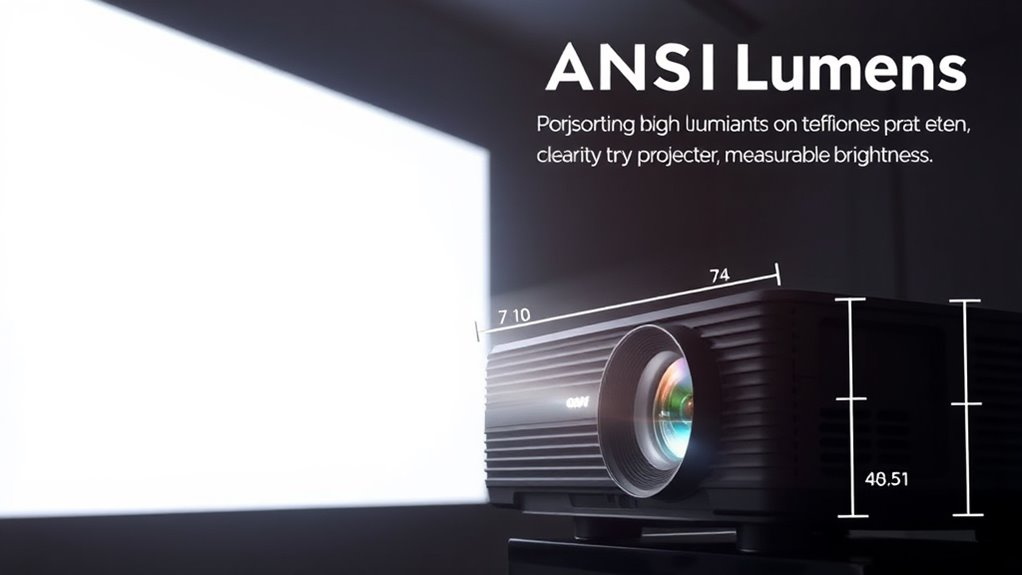
You might wonder how ANSI lumens are actually measured and rated. A standardized measurement method guarantees consistency across different projectors, giving you a reliable brightness comparison. The brightness rating scale helps you understand where a projector stands regarding light output, making your choice easier. Health benefits of juices, especially those rich in antioxidants and vitamins, can also be considered when evaluating overall wellness tools.
Standardized Measurement Method
Understanding how ANSI lumens are measured and rated requires examining the standardized method established by the organization. This method involves measuring brightness across multiple points on a projected image to guarantee consistent color accuracy and uniform light distribution. By testing in controlled environments, manufacturers can provide reliable ratings that reflect real-world performance. The process also considers power consumption, ensuring the projector delivers ideal brightness without excessive energy use. This standardized approach helps you compare projectors accurately, knowing that the lumen ratings are based on uniform testing criteria. It eliminates guesswork, so you can choose a device that balances brightness, color fidelity, and efficiency effectively. Ultimately, this method ensures transparency and trust in the lumen ratings provided by manufacturers. Standardized measurement protocols ensure that ratings are consistent across different models and brands.
Brightness Rating Scale
To accurately assess a projector’s brightness, manufacturers use a standardized rating scale based on ANSI lumens. This brightness rating scale guarantees consistent lumens comparison across different projection technology brands and models. It measures the total light output by projecting multiple test patterns onto a screen and averaging the results. Here’s a quick overview:
| Brightness Level | Typical Use Case | Recommended Space |
|---|---|---|
| 1,000-2,500 lumens | Small rooms, presentations | Up to 100 sq ft |
| 2,500-4,000 lumens | Classrooms, small auditoriums | 100-300 sq ft |
| 4,000-6,000 lumens | Large venues, home theaters | 300-600 sq ft |
| 6,000-10,000 lumens | Concerts, outdoor events | Over 600 sq ft |
| Over 10,000 lumens | Big stadiums, large events | Very large spaces |
Additionally, the performance characteristics of a projector can influence how well it performs in various settings.
Matching Brightness Levels to Different Environments
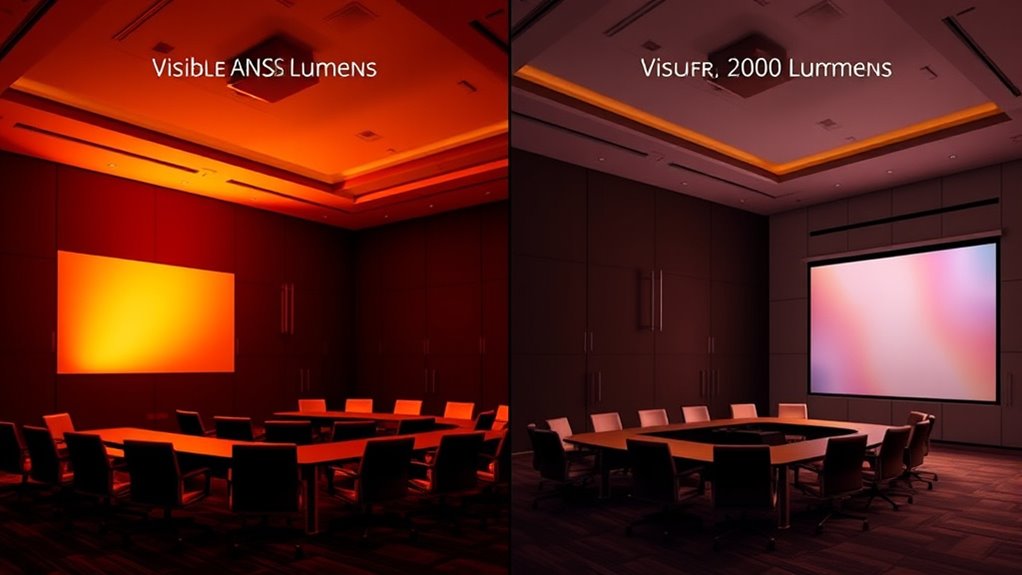
Matching brightness levels to different environments is essential for ideal viewing experiences. When selecting a projector, consider ambient lighting and room size to make certain the image is clear and vibrant. In bright rooms with lots of ambient lighting, you’ll need a higher lumen output to combat glare and maintain visibility. Conversely, smaller rooms with controlled lighting can do with lower brightness levels, avoiding washed-out images. Here are some tips:
Match projector brightness to room size and lighting for optimal image clarity and vibrancy.
- Use higher ANSI lumens (3000+) in large, well-lit spaces
- Opt for lower lumens (1000-2000) in small, dimly lit rooms
- Adjust brightness based on ambient lighting conditions
- Consider room size to avoid over- or under-powered projectors
- Remember that appliance features such as brightness controls can help fine-tune your viewing experience.
Matching the projector’s brightness to your environment guarantees a sharp, vivid picture without strain or distraction.
Common Misconceptions About Projector Brightness
Many people assume higher lumen ratings always mean better picture quality, but this isn’t the full story. Brightness isn’t the only factor affecting your viewing experience. A projector with high lumens may deliver a bright image, but it can compromise color accuracy, leading to washed-out or oversaturated colors. Additionally, higher lumen output usually results in increased power consumption, which can be a concern for energy efficiency and device longevity. Focusing solely on lumens might cause you to overlook other critical aspects like contrast, resolution, and color fidelity. For example, crochet styles for locs can enhance the overall look with diverse styles and customization options. Remember, a projector’s overall picture quality depends on how well it balances brightness with accurate color reproduction and efficient power use. Don’t fall for the misconception that more lumens automatically mean better visuals.
Tips for Selecting the Right Brightness for Your Needs
Choosing the right brightness for your projector depends on the environment and how you’ll use it. Consider your screen size and ambient lighting conditions to determine the ideal ANSI lumens. For larger screens in bright rooms, you’ll need higher brightness levels to keep images clear and vibrant. If you’re projecting in a dark room or a small space, lower lumens suffice. Think about where you’ll set up your projector and how much light naturally enters the room. Additionally, understanding the scope of ethical hacking can help you choose the appropriate brightness settings to ensure visibility and performance during presentations or demonstrations.
The Impact of Brightness on Image Quality and Visibility

Brightness directly affects how clear and sharp your images appear, making details stand out or blur together. In bright environments, higher lumens are essential for good visibility, so you can see everything clearly. When brightness matches the setting, your images stay sharp and vibrant, improving overall viewing quality. Additionally, understanding calming decor elements can create an environment that reduces eye strain and enhances viewing comfort.
Brightness and Clarity
When a projector has higher brightness levels, images appear more vivid and easier to see, especially in well-lit environments. This enhances overall clarity, making details sharper and more distinguishable. Brightness also impacts color accuracy, ensuring colors stay true and vibrant, rather than washed out. A higher contrast ratio further improves clarity by deepening blacks and brightening whites, giving images more depth. To maximize image quality, consider these factors: enhanced cognitive function and the importance of proper brightness levels for your environment, maintaining a high contrast ratio for better depth, ensuring accurate color reproduction, and adjusting settings for ideal clarity.
Visibility in Environments
In environments with ambient light, higher projector brightness is essential for maintaining clear and visible images. Brightness directly influences how well your projection overcomes ambient lighting and adapts to various projection distances. As ambient lighting increases, you’ll need more lumens to keep images sharp and readable. The right brightness ensures your content remains clear whether you’re projecting at a short or long distance. Adjusting projection distance also affects visibility; closer distances require less brightness, while longer distances demand higher lumens for clarity. Use the table below to understand how ambient lighting and projection distance impact your brightness needs.
| Ambient Lighting Level | Projection Distance | Recommended Lumens |
|---|---|---|
| Low | Short | 2000-3000 |
| Moderate | Short to Medium | 3000-4000 |
| High | Medium to Long | 4000-6000 |
| Very High | Long | 6000+ |
| Outdoor | Any | 6000+ |
Image Sharpness Impact
Higher projector brightness directly influences the sharpness and clarity of your images, especially in environments with varying ambient light. When brightness is sufficient, images appear crisper, with better color accuracy and more vivid visuals. Brightness enhances contrast ratio, allowing details to stand out and reducing blurriness. This means you’ll see sharper edges and clearer text, even in well-lit rooms. However, too much brightness can wash out colors if not balanced properly. To optimize image sharpness, consider these factors:
- Proper calibration for accurate color reproduction
- Ensuring contrast ratio complements brightness
- Avoiding overly high brightness that causes glare
- Selecting a projector with good resolution for crisp details
Balancing brightness with these elements ensures your images remain sharp, vibrant, and easy to see.
Frequently Asked Questions
How Does Ambient Light Affect Projector Brightness Perception?
Ambient light considerably impacts your brightness perception of a projector. When there’s plenty of ambient light, your eyes perceive the projected image as dimmer, making it harder to see details. Conversely, in darker environments, even a lower brightness projector appears vibrant and clear. To guarantee ideal viewing, reduce ambient light or choose a projector with higher ANSI lumens, so your perception of brightness remains strong regardless of surrounding light conditions.
Can Higher ANSI Lumens Improve Image Quality in All Settings?
Higher ANSI lumens can improve brightness levels, especially in well-lit environments, making your images clearer and more vibrant. However, increasing lumens doesn’t necessarily enhance quality in all settings, as it can strain the projector and shorten its lifespan. You should match brightness levels to your room’s lighting conditions to get the best image quality without risking damage or reducing your projector’s longevity.
Are There Differences Between ANSI Lumens and Other Brightness Measurement Units?
Sure, brightness standards like ANSI lumens focus on measurement consistency, unlike other units that might be as vague as your last diet plan. ANSI lumens specifically measure projected light output under standardized conditions, making comparisons straightforward. Other units, like peak or candlepower, can be as unreliable as your favorite “miracle” diet. So, yes, ANSI lumens are distinct, offering clarity in brightness, unlike the confusing mess of alternative measurement standards.
What Is Considered an Ideal ANSI Lumen Range for Home Theaters?
For your home theater, an ideal ANSI lumen range is between 1500 and 3000 lumens, depending on room size and ambient light. To guarantee the projector’s brightness matches your needs, use calibration techniques and lumen calibration to fine-tune the image. Proper calibration helps optimize picture quality, so you get vivid images without washing out in bright environments, making your viewing experience more immersive and enjoyable.
Do Projector Brands Universally Use ANSI Lumens for Brightness Ratings?
Most projector brands do not universally use ANSI lumens for brightness ratings. Instead, manufacturer standards and measurement consistency vary, making direct comparisons tricky. Some brands might use ANSI lumens, but others might rely on different methods or marketing figures. To verify you’re getting an accurate idea of brightness, always check if the rating is based on ANSI standards, and compare models within the same measurement context.
Conclusion
Now that you understand ANSI lumens, think of your projector as a beacon in a dark room—its brightness guiding your visuals with clarity and vibrancy. Choosing the right lumen level guarantees your images shine brightly without losing detail, just like a lighthouse cuts through fog. When you match brightness to your environment, your presentations become powerful stories that captivate and inform, turning an ordinary space into a stage for unforgettable visuals.