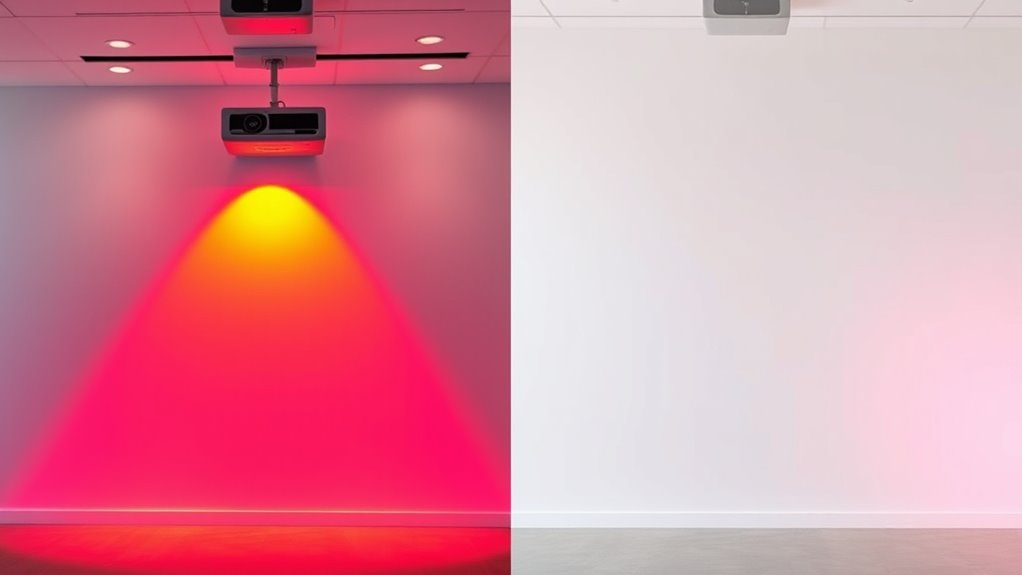

Using a dedicated projector screen instead of white walls considerably improves color accuracy and brightness. Walls tend to reflect ambient light unevenly, washing out images and dulling colors, while screens are designed to optimize contrast and reduce reflections. This results in sharper, more vibrant visuals with deeper blacks, even in well-lit rooms. If you keep exploring, you’ll discover how choosing the right screen can transform your viewing experience and elevate your home theater setup.
Key Takeaways
- Projector screens enhance color accuracy and vibrancy compared to white walls, which cause color washout due to reflection.
- Screens improve contrast levels, resulting in deeper blacks and brighter images, while walls diminish contrast and image depth.
- Specialized screens help maintain consistent brightness, reducing the need for higher projector power that walls often require.
- White walls reflect ambient light unevenly, washing out images and reducing overall brightness and fidelity.
- Using a dedicated screen creates a controlled environment, significantly boosting image clarity, color fidelity, and visual impact.

When it comes to setting up a home theater or presentation space, choosing between a dedicated projector screen and simply using a white wall can considerably impact your viewing experience. The decision influences how well you perceive color accuracy, brightness, and overall image quality. A white wall may seem like a convenient, cost-effective solution, but it often falls short when it comes to handling ambient light and maintaining high image contrast. Ambient light, such as sunlight or room lighting, interacts differently with walls than with specialized screens. Walls tend to reflect ambient light unevenly, washing out the image and reducing contrast levels. This diminished contrast makes colors less vibrant and details harder to distinguish, especially in scenes with subtle shading or dark areas. A dedicated projector screen, on the other hand, is designed to optimize contrast and control light reflection. It minimizes unwanted ambient light reflections, helping you see deeper blacks and more vibrant colors, even in well-lit rooms. This results in an improved perception of image contrast, making your viewing experience more immersive and true to the original content. Additionally, high-quality screens often incorporate advanced surface coatings that further enhance image quality and durability.
Color accuracy is another key factor affected by your choice. White walls reflect all colors equally, which can distort the intended hues of your projected images. Over time, this can lead to color washout or an overall dull appearance. Conversely, high-quality projector screens often feature specialized surfaces that enhance color reproduction. They reflect light in a way that preserves the richness and depth of colors, ensuring that reds, blues, and greens look more natural and vibrant. This is especially noticeable in scenes with delicate color gradations or cinematic visuals where color fidelity matters. Additionally, screens help maintain brightness levels by reflecting light more efficiently than a plain wall. This means your projector can operate at lower brightness settings while still delivering a clear, vivid picture. Using a white wall might require higher brightness levels to compensate for light loss, which can lead to higher energy consumption and potential image degradation over time.
Ultimately, while a white wall might be suitable for casual viewing or temporary setups, investing in a dedicated projector screen significantly enhances color accuracy, brightness, and contrast. It offers a controlled environment that reduces the impact of ambient light, ensuring your images remain sharp, colorful, and full of detail. If you want a cinematic experience or professional presentation quality, choosing a proper screen is a wise decision that elevates your viewing to the next level.
Frequently Asked Questions
How Does Ambient Light Affect Projection Quality on Different Surfaces?
Ambient light considerably affects your projection quality on different surfaces. It causes light interference, reducing projection clarity and making images less vibrant. White walls reflect more ambient light, which can wash out the display, while specialized screens with higher surface reflectivity minimize this issue. To get the best results, control ambient light as much as possible, especially in bright environments, to guarantee your projection remains sharp, colorful, and clear.
Can Wall Color Influence Color Accuracy of Projected Images?
Your wall color can substantially influence the color accuracy of projected images. Darker or neutral tones tend to absorb light, helping maintain true colors, while bright or colored walls reflect light, distorting the image. To guarantee ideal color accuracy, choose a matte, neutral-colored wall or use a dedicated projector screen. This way, you’ll enjoy vibrant, true-to-life images without unwanted color shifts caused by wall reflections.
What Maintenance Is Required for Projector Screens Versus White Walls?
Think of your projector setup as a garden that needs regular care. For screens, you’ll want to follow cleaning routines with gentle cloths and appropriate cleaners to keep the surface pristine. Durability considerations mean you should avoid harsh scrubbing that could damage the material. White walls, on the other hand, require less maintenance—just a quick dust or wipe-down. With proper upkeep, both can stay vibrant and ready to impress.
Are There Health or Eye Strain Concerns With Screens Compared to Walls?
You might experience less eye strain with projector screens because they reflect light more evenly, reducing glare and flicker. White walls can cause more eye fatigue due to uneven brightness and potential glare, leading to health concerns over prolonged use. To minimize eye strain, guarantee proper lighting, take regular breaks, and choose a screen that offers a smooth, matte surface. This helps protect your eyes and improves viewing comfort.
How Do Projector Screens Impact Sound Quality and Acoustics?
Think of your projector screen as a sponge, absorbing sound reflections and improving acoustic performance. It can reduce echo and enhance clarity, making dialogue easier to hear. Unlike white walls, which bounce sound chaotically, a quality screen helps direct sound waves more evenly. This results in better sound quality, clearer dialogue, and a more immersive viewing experience. So, your screen isn’t just for visuals—it also plays a key role in sound quality.
Conclusion
In the battle between projector screens and white walls, choosing the right surface shapes your viewing experience. While screens often offer better color and brightness, a white wall’s simplicity might still suffice. Remember, the medium shapes the message—your choice influences how vivid your visuals become. So, when you pick, consider not just the surface but the story you want to tell; after all, it’s not just what you see, but how it makes you feel that truly matters.