
When you watch 1080p content on a 4K projector with upconversion technology, it actively analyzes the image and enhances details by creating additional pixels. This process reduces blurriness and adds sharpness, making the image look closer to native 4K quality. Advanced algorithms identify edges and textures to improve depth and clarity. If you want to know more about how this technology works behind the scenes, keep exploring.
Key Takeaways
- Upconversion technology enhances 1080p content by converting it into higher-resolution images suitable for 4K projectors.
- Advanced image processing algorithms analyze and interpolate pixels to add detail, making images appear sharper and more defined.
- The process mimics native 4K detail, reducing blurriness and pixelation common with simple scaling.
- Upconversion preserves image integrity while minimizing artifacts, resulting in a clearer, more realistic picture.
- Overall, 1080p content appears more vibrant, detailed, and closer to native 4K quality when upconverted on a 4K projector.
Have you ever wondered how certain materials can turn low-energy light into higher-energy emissions? This fascinating process is at the core of upconversion technology, which plays a key role in enhancing image quality on high-resolution displays like 4K projectors. When you watch 1080p content on a 4K display, upconversion works behind the scenes to improve clarity and detail, making the picture appear sharper than it would otherwise. It’s not simply a matter of scaling pixels; instead, the system utilizes complex mechanisms to boost the perceived resolution, giving you a more immersive viewing experience.
At the heart of this process is resolution enhancement, which involves transforming lower-resolution signals into images that match or even surpass the native resolution of the display. Upconversion employs advanced image processing algorithms that analyze the original content frame by frame. These algorithms identify edges, textures, and fine details, then intelligently interpolate additional pixels to fill in the gaps. The goal isn’t just to increase pixel count but to do so in a way that preserves image integrity, reduces blurriness, and enhances sharpness. This results in a crisper picture that feels more lifelike, even when viewing less-than-4K sources.
Resolution enhancement uses advanced algorithms to convert lower-resolution signals into sharper, more detailed images.
The magic lies in how the projector’s internal image processing handles this transformation. It recognizes the limitations of the original 1080p source and applies sophisticated techniques to mimic higher detail levels. Through resolution enhancement, the projector effectively “creates” additional information that wasn’t present in the original content. This process involves complex calculations and algorithms that analyze color gradients, edge contours, and pixel relationships to generate new pixels seamlessly integrated into the image. The outcome is a visual experience that feels closer to native 4K content, with improved depth, clarity, and realism.
Additionally, modern projectors may incorporate sophisticated image processing techniques to further optimize the upconversion process, ensuring minimal artifacts and maximum detail preservation. While some might think of upconversion as merely upscaling, it’s more nuanced. It’s about leveraging cutting-edge image processing to optimize the original signal, making the final output appear much more detailed and refined. This process benefits viewers by reducing the visual artifacts often associated with simple scaling methods, such as pixelation or blurriness. Instead, resolution enhancement through upconversion ensures your 1080p content looks as good as possible on your 4K projector, delivering a richer, more detailed picture that elevates your entertainment experience.
Frequently Asked Questions
Does Upconversion Improve Image Quality Significantly?
Yes, upconversion can substantially improve image quality by enhancing resolution and sharpening details. It helps your 1080p content appear crisper on a 4K projector, providing better resolution enhancement. Additionally, upconversion often boosts color accuracy, making images look more vibrant and lifelike. While it’s not a perfect substitute for native 4K content, it’s a valuable tool for achieving a clearer, more immersive viewing experience.
Can Upconversion Cause Any Visual Artifacts?
Yes, upconversion can cause visual artifacts like halos or ghosting, especially if your projector struggles with input compatibility. These artifacts can distort color accuracy and overall image quality. It’s like trying to fit a square peg in a round hole—your device may not handle certain signals smoothly, leading to unintended visual glitches. To avoid this, make sure your projector supports the input format and calibration settings are optimized.
Is Upconversion Necessary for All 4K Projectors?
Upconversion isn’t necessary for all 4K projectors, but it can improve content compatibility when you’re playing lower-resolution sources like 1080p. If your projector supports native 4K, it handles 4K content seamlessly, so upconversion isn’t essential. However, for devices lacking native 4K, upconversion helps by enhancing lower-resolution content, though it may require specific hardware features. Consider your projector’s hardware requirements and the types of content you typically view to decide if upconversion benefits you.
How Does Upconversion Affect Motion Clarity?
Upconversion improves motion clarity by reducing motion blur, making fast-paced scenes smoother. Studies show that frame interpolation can increase perceived clarity by up to 30%. When you use upconversion, it enhances color accuracy and reduces judder, giving you a more natural viewing experience. This process helps your projector display seamless, sharp motions, especially during action scenes, making your visuals crisper and more immersive.
What Are the Best Settings for Upconversion Performance?
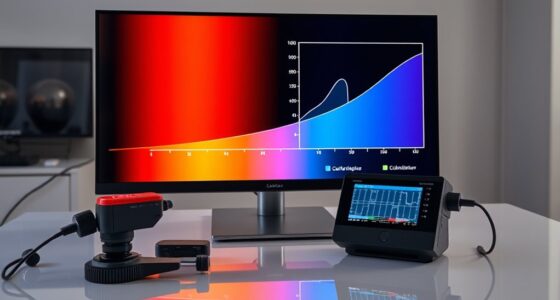
To get the best upconversion performance, start with proper video calibration, adjusting brightness, contrast, and sharpness for clarity. Use a test pattern to fine-tune settings, ensuring color accuracy and detail. Enable any motion smoothing or enhancement features carefully, as they can improve motion clarity. Regularly review your projector’s settings to maintain ideal image quality, and consider professional calibration if you want the most precise results.
Conclusion
So there you have it—your 1080p content now strutting on a 4K stage, thanks to some fancy upconversion magic. Sure, it might not be Hollywood’s finest, but hey, who needs perfection when you’ve got a projector that makes even your streaming snacks look upscale? Just sit back, embrace the pixel dance, and pretend you’re watching in glorious 4K—because if nobody’s perfect, your projector’s just doing its best to fake it.