
Gaming projector modes can truly reduce input lag and enhance motion smoothness, giving you a competitive advantage in fast-paced games. When you activate these modes, your projector lowers processing features that cause delays, resulting in quicker responses and less motion blur. However, the effectiveness depends on your device’s hardware capabilities. If you want to understand how to optimize these settings for your setup, there’s more to discover that can help you get the best gaming experience.
Key Takeaways
- Gaming modes often reduce input lag by disabling or minimizing image processing features.
- They typically increase refresh rates, which can make motion appear smoother and more responsive.
- The effectiveness of lag reduction depends on the projector’s hardware capabilities.
- Some modes may trade off color accuracy or brightness for lower latency.
- Proper calibration and settings adjustment can optimize gaming mode benefits for specific games.
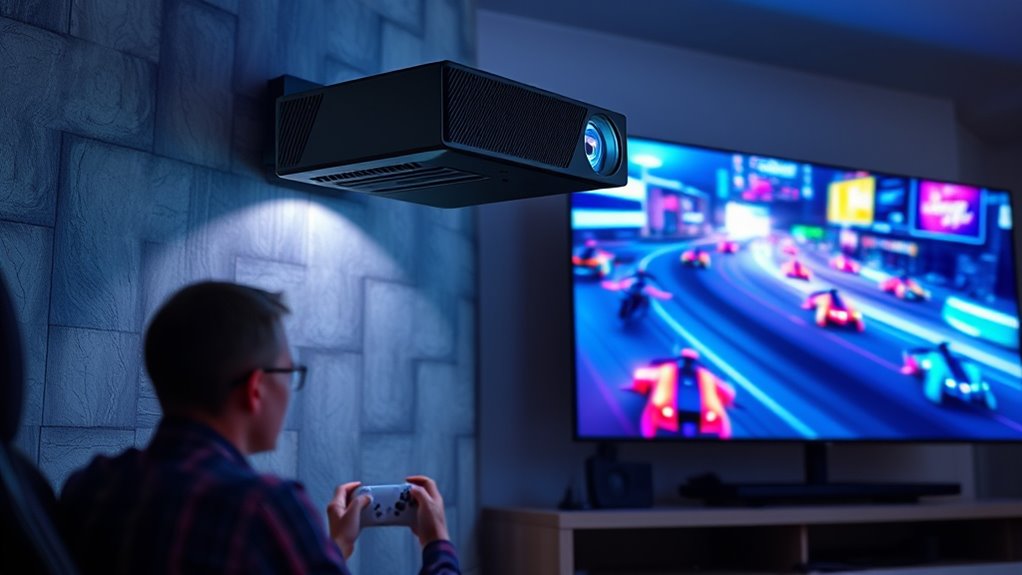
Gaming projector modes are designed to optimize your experience by adjusting display settings to match the demands of different games. These modes often tweak various parameters, but two of the most critical factors they influence are refresh rate and input lag. When you activate a specific gaming mode, the projector typically increases the refresh rate, which helps produce smoother motion and reduces motion blur, making fast-paced scenes more fluid. A higher refresh rate means that your image updates more frequently, giving you a more seamless visual experience during action sequences or quick movements. This improvement can give you a competitive edge, especially in fast shooters or racing games where every millisecond counts.
Beyond refresh rate, input lag is another essential aspect that gaming projector modes aim to minimize. Input lag refers to the delay between your action—like pressing a button or moving a controller—and when it appears on the screen. Lower input lag translates into more immediate, responsive gameplay, which is crucial for precision and timing. When you switch to a dedicated gaming mode, the projector often disables or reduces certain processing features, such as motion smoothing or image enhancement, which can add to input delay. As a result, your commands are reflected on-screen faster, making gameplay feel more natural and responsive.
However, it’s important to note that not all gaming modes are created equal. Some modes prioritize a higher refresh rate at the expense of color accuracy or contrast, which might be fine for fast-paced gaming but less ideal if you also want vibrant visuals. Others focus on reducing input lag, but they might do so by lowering the overall brightness or resolution momentarily. You should experiment with different modes to see which balances refresh rate, input lag, and image quality to suit your gaming style. Additionally, display calibration can further enhance your gaming experience by fine-tuning settings for optimal performance.
Additionally, the effectiveness of these modes depends on your projector’s hardware capabilities. A high-quality gaming projector can genuinely deliver lower input lag and higher refresh rates, making gaming modes more than just marketing features. If your projector is limited in these aspects, enabling a gaming mode might not substantially improve performance but can still help by disabling unnecessary processing that causes delays.
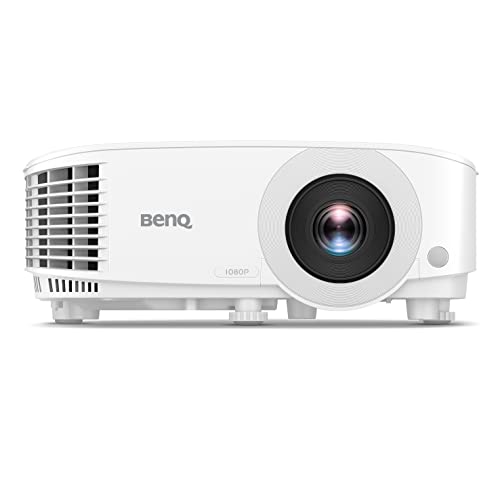
BenQ TH575 1080p Indoor Gaming Projector, 3800 LMS, 16.7ms Low Latency, Enhanced Game-Mode, High Contrast, Dual HDMI, 3D Ready, Auto Vertical Keystone, Standard Throw, 1.1x Zoom, 3 Year Warranty
NEW 2023 MODEL: Upgraded 3800 ANSI Lumens paired with an improved 15,000:1 contrast ratio (FOFO) when compared to…
As an affiliate, we earn on qualifying purchases.
As an affiliate, we earn on qualifying purchases.
Frequently Asked Questions
Do Gaming Projector Modes Work With All Types of Consoles?
Gaming projector modes generally work with most consoles, but console compatibility varies. You should check your device’s specifications to guarantee the mode aligns with your console type. Additionally, some features may require firmware updates to function properly. Keep your system’s firmware current, and verify that your console is supported by the projector’s gaming mode settings. This ensures ideal performance and reduces lag during gameplay.
How Much Lag Reduction Can Be Expected With Gaming Modes?
Think of gaming modes as a skilled navigator guiding your ship through turbulent waters. They can deliver latency improvements of about 10-20 milliseconds, making your gameplay smoother. However, calibration challenges may prevent you from fully realizing these benefits. While they don’t eliminate lag entirely, they help optimize your setup, giving you a more responsive experience. Expect a noticeable, though not perfect, reduction in input delay with gaming modes enabled.
Are Gaming Modes Suitable for Fast-Paced Competitive Gaming?
Gaming modes are generally suitable for fast-paced competitive gaming because they help reduce input lag, giving you a vital competitive advantage. By minimizing delay between your actions and on-screen response, you can react faster and improve your gameplay. Just make sure the mode is properly enabled and configured, so you experience the lowest possible input lag, ensuring you’re at an advantage during intense matches.
Can Enabling Gaming Modes Affect Picture Quality Adversely?
Sure, enabling gaming modes can slightly hurt picture quality and color accuracy, but who cares? After all, reducing lag for smooth gameplay beats perfect visuals every time, right? You might notice a bit less vibrant colors or some detail loss, but in the heat of a battle, those tiny imperfections fade away. So, if faster responses matter more than picture perfection, gaming modes are your best friend.
Do Gaming Projector Modes Require Specific Hardware or Firmware Updates?
Gaming projector modes typically don’t require special hardware, but firmware compatibility is crucial. You might need a firmware update to activate these modes properly, especially on older projectors. Check your projector’s specifications and manufacturer’s website to guarantee your device supports gaming modes. Updating firmware ensures peak performance, minimal lag, and compatibility. If your hardware is outdated, consider upgrading or consulting the manufacturer for guidance on supported firmware updates.

ViewSonic PX749-4K UHD 4K Gaming Projector Designed for Xbox with 4.2ms Response Time, 4000 ANSI Lumens, H/V Keystone, 1.3x Optical Zoom, and USB C for Home Theater
4K Home Theater Projector: UHD (3840x2160p) 4K resolution with a 1.1-1.5 throw ratio and 4,000 ANSI lumens perfect…
As an affiliate, we earn on qualifying purchases.
As an affiliate, we earn on qualifying purchases.
Conclusion
So, do gaming projector modes really cut down on lag? The truth is, they can help, but they’re not magic. These modes often optimize picture processing, reducing input delay slightly, but your overall experience still depends on your projector’s hardware. If you’re serious about competitive gaming, look for models with low input lag specs. Ultimately, while these modes can give you a boost, they’re just one piece of the puzzle for smooth gameplay.
gaming projector calibration settings
As an affiliate, we earn on qualifying purchases.
As an affiliate, we earn on qualifying purchases.

BenQ TH671ST | 1080p Short Throw Gaming Projector | Gaming Mode for Intense Low Input Lag Action | 3000 Lumens | Auto Vertical Keystone | Universal Connectivity | Built in speaker
UNPARALLELED PICTURE QUALITY: TV Projector, comes with Native Full HD 1080p Resolution, 92% Rec. 709 Color Accuracy, 3000…
As an affiliate, we earn on qualifying purchases.
As an affiliate, we earn on qualifying purchases.