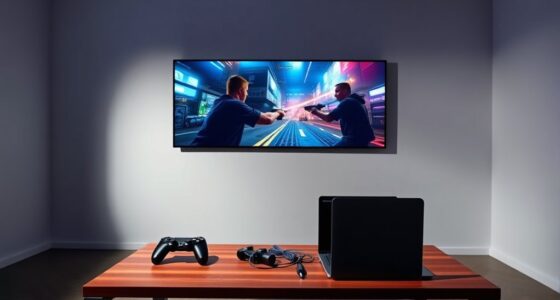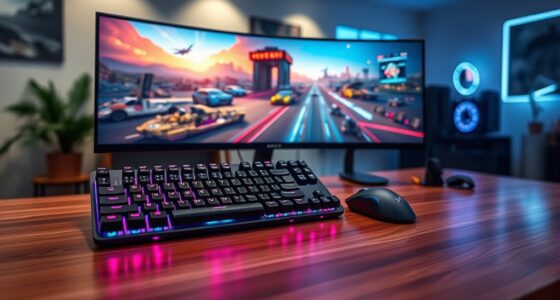

To keep sound in sync during gaming, start by using wired connections over wireless for lower latency, and make certain your audio drivers are up to date. Adjust in-game audio settings and buffer sizes to reduce delay, and avoid running too many heavy applications in the background. Properly configuring your hardware and keeping it clean from interference also helps. For more tips on tuning your setup for perfect sync, continue exploring the essential strategies that follow.
Key Takeaways
- Use wired connections over wireless when possible to minimize latency and ensure synchronized sound.
- Adjust in-game audio delay and buffering settings to fine-tune sound sync with visuals.
- Keep audio drivers and firmware updated to fix bugs that cause audio lag.
- Close background applications to free system resources and reduce processing delays.
- Choose high-quality, low-latency audio devices designed for gaming for optimal synchronization.
Have you ever experienced frustrating audio lag while gaming? That annoying delay between what you see on the screen and what you hear can ruin your immersion and even cost you victories. Audio delay happens when the sound doesn’t stay in sync with the visuals, creating a disconnect that’s both distracting and disruptive. Sound synchronization is vital for an ideal gaming experience, but various factors can throw it off, from faulty connections to hardware issues.
One common cause of audio delay is how your device processes sound. When the hardware or software takes too long to transmit or render audio signals, it causes a noticeable lag. This is especially true if you’re using external speakers or headphones that aren’t properly configured. Making sure that your audio output devices are compatible and correctly connected can greatly reduce latency. For example, using wired connections over Bluetooth can cut down on transmission delays because wireless signals are more prone to interference and buffering.
Properly configuring wired and wireless audio devices can significantly reduce latency.
Another factor affecting sound synchronization is the settings within your game or PC. Many games include audio delay adjustments—if you notice lag, try tweaking these settings. Sometimes, the default configuration isn’t ideal for your setup, so a slight increase or decrease in audio buffering can restore sync. Similarly, your operating system might have sound settings that need fine-tuning. Checking for updates for your audio drivers and firmware can also help, as manufacturers often release patches to improve sound processing and reduce lag.
Your hardware’s performance plays a big role too. If your system is underpowered or running multiple resource-heavy applications simultaneously, it can cause processing delays that impact audio timing. Make sure your CPU and RAM are sufficient for gaming, and close unnecessary background programs to free up resources. Upgrading your sound card or using a dedicated audio interface can also help achieve better sound synchronization, especially for competitive or immersive gaming.
Additionally, the quality of your cables and connections can influence audio delay and sound quality. Poor or damaged cables can introduce lag or degrade audio fidelity. Use high-quality, shielded cables for wired connections, and ensure they’re securely plugged in. If you’re using wireless audio, choose devices with low-latency modes designed specifically for gaming. Regularly testing your setup and adjusting settings as needed will help you maintain tight sound synchronization, so your gameplay remains smooth and immersive.
In the end, tackling audio lag requires attention to detail—from hardware choices to software configurations. By understanding what causes audio delay and proactively adjusting your setup, you can keep sound in sync during gaming, enhancing your overall experience and giving you that vital audio advantage. Properly audio equipment and configuration are essential for achieving optimal sound performance.
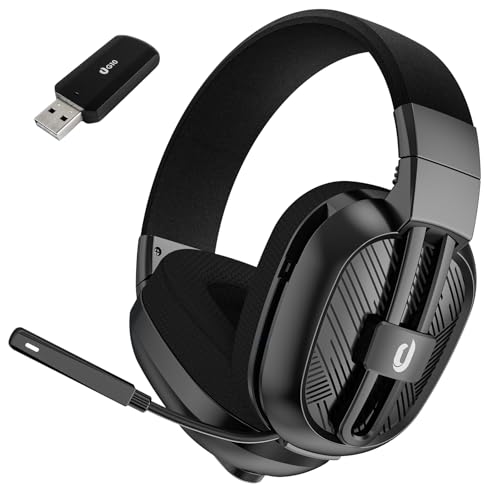
Jeecoo 2.4GHz Wireless Gaming Headset with Microphone for PC PS5 PS4, Bluetooth 5.3 Gaming Headphones with Noise Canceling Mic for Laptop, Mobile, Mac, Stereo Sound, 50+Hr Battery, Low Latency
2 Connection Ways & Multi-platform Compatibility: G10 wireless gaming headset supports low latency (≤25 ms), lossless 2.4 GHz…
As an affiliate, we earn on qualifying purchases.
As an affiliate, we earn on qualifying purchases.
Frequently Asked Questions
Can Audio Lag Cause Motion Sickness During Gaming?
Yes, audio lag can cause motion sickness during gaming. When sound isn’t synchronized with visuals, it creates visual discomfort and disrupts your immersive experience. Your brain struggles to process conflicting information, leading to nausea, dizziness, and eye strain. To avoid this, make certain your audio is in sync with the visuals, enhancing comfort and allowing you to enjoy a smoother, more immersive gaming session without the risk of motion sickness.
Does Audio Lag Affect Multiplayer and Single-Player Games Differently?
Absolutely, audio latency impacts both multiplayer and single-player games, but it hits multiplayer games harder. You’ll notice sound desynchronization more in multiplayer matches where timing is critical for coordination and communication. Single-player games, however, are more forgiving, letting you overlook minor lag. In either case, keeping audio in sync enhances your experience by reducing disorientation and boosting immersion, making every moment more meaningful and more manageable.
Are There Specific Genres More Impacted by Audio Lag?
Certain genres, like first-person shooters and fighting games, experience a stronger genre-specific impact from audio delay effects because timing is essential for gameplay and reactions. You’ll notice audio lag more in these fast-paced games, affecting your ability to respond accurately. Conversely, genres like puzzle or story-driven games are less affected by audio delay, as timing isn’t as essential, so the impact is minimal.
How Does Audio Lag Influence Competitive Gaming Performance?
Audio lag can critically hurt your competitive gaming performance by causing voice delay and sound mismatch. When sound isn’t synced with visuals, you might react too late or miss essential audio cues. This distraction hampers your situational awareness and decision-making. To stay sharp, you need to minimize audio lag, ensuring voice delay and sound mismatch don’t interfere with your reflexes and gameplay, giving you a competitive edge.
Can Software Updates Improve Audio Synchronization Issues?
Imagine your game’s sound as a perfectly synchronized dance, but sometimes software updates can help restore harmony. Yes, they can improve audio synchronization issues by fixing bugs and optimizing performance. However, hardware fixes like upgrading your audio interface or adjusting user settings often have a more immediate impact. Keep your software up-to-date while tweaking settings, and you’ll find your sound stays perfectly in sync, enhancing your gaming experience.

weishan G Pro X Cord, Detachable Gaming Headset Cable Replacement for Logitech G Pro / G433 / G233, 3.5mm(1/8") Nylon Braided Wire with Inline Mute Switch and Volume Controller, 6ft Long
Audio cable replacement for Logitech G Pro / G Pro X / G Pro X 2 / G433…
As an affiliate, we earn on qualifying purchases.
As an affiliate, we earn on qualifying purchases.
Conclusion
Understanding and managing audio lag isn’t just about convenience; it’s essential for an immersive gaming experience. While some believe that modern tech has eliminated lag issues, studies suggest that latency still varies based on hardware and setup. By staying aware and applying the right tips, you can minimize delays and keep sound perfectly in sync. Remember, even small improvements can profoundly enhance your gameplay—so don’t overlook the importance of fine-tuning your audio setup.

FIFINE Gaming Audio Mixer, Streaming RGB PC Mixer with XLR Microphone Interface, Individual Control, Volume Fader, Mute Button, 48V Phantom Power, for Podcast/Recording/Vocal/Game Voice-AmpliGame SC3
[XLR Mic Input] One XLR microphone input interface is set on the gaming audio mixer, which is great…
As an affiliate, we earn on qualifying purchases.
As an affiliate, we earn on qualifying purchases.

Music Software Bundle for Recording, Editing, Beat Making & Production – DAW, VST Audio Plugins, Sounds for Mac & Windows PC
No Demos, No Subscriptions, it's All Yours for Life. Music Creator has all the tools you need to…
As an affiliate, we earn on qualifying purchases.
As an affiliate, we earn on qualifying purchases.