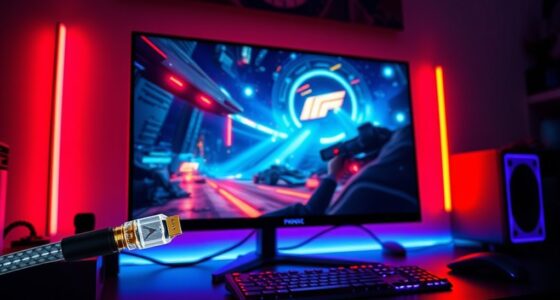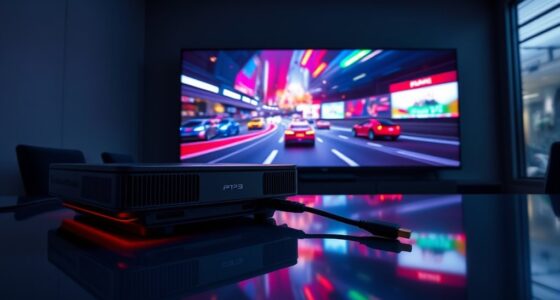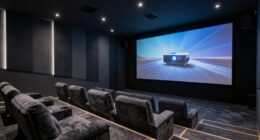
Yes, you can achieve tournament-grade response with projectors for fighting games by optimizing key factors like low input lag, high refresh rates, and minimal motion blur. Brightness and proper calibration help visibility, while controlling ambient light keeps visuals sharp. Choosing a projector with fast response times and using gaming modes ensures responsiveness during rapid movements. If you keep exploring, you’ll discover how to fine-tune these settings for the best competitive experience.
Key Takeaways
- Selecting projectors with low response times and high refresh rates reduces motion blur, essential for fast-paced fighting games.
- Proper ambient lighting control and screen brightness calibration enhance image clarity and responsiveness during gameplay.
- Using gaming mode settings minimizes input lag, improving reaction times and overall tournament-grade performance.
- Opt for 4K resolution and fine-tune image settings to improve detail visibility and quick recognition of opponent moves.
- Accurate projector placement and calibration prevent distortions, ensuring optimal visual fidelity and minimal latency.

Have you ever wondered how to elevate your fighting game experience? When you’re trying to replicate tournament-grade response times, the key lies in optimizing your display setup, especially if you’re using a projector. Projectors can deliver an immersive experience, but they also come with unique challenges. To truly get the most out of your fighting games, you need to pay attention to details like motion blur and screen brightness, which profoundly impact your reaction time and overall gameplay.
Motion blur is a common issue with projectors, particularly during fast-paced action scenes. It makes moving characters and projectiles appear streaked or blurry, which can hinder your ability to react swiftly. To minimize this, look for projectors with a fast response time and high refresh rates. Some projectors have motion interpolation features that can help reduce motion blur, but be cautious—these can sometimes introduce input lag. The goal is to find a balance that reduces blur without sacrificing responsiveness. Additionally, adjusting your projector’s settings, like enabling a “gaming mode,” can help lower input lag and improve clarity during rapid movements.
Reducing motion blur involves fast response times, high refresh rates, and gaming modes to enhance clarity and responsiveness.
Screen brightness also plays an essential role. A brighter screen ensures that fast-moving visuals are crisp and clear, making it easier to track your opponent’s moves. If your projector isn’t bright enough, details can get lost in shadows or dark scenes, which are common in many fighting games. Increasing the brightness setting can improve visibility, but be careful not to set it too high, as excessive brightness can cause eye strain and wash out colors, diminishing the visual fidelity. Ideally, you want a well-calibrated brightness level that enhances clarity without compromising color accuracy. This is especially important in competitive play, where every frame matters.
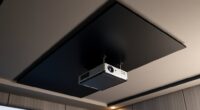
Beyond motion blur and brightness, consider your ambient lighting. Too much ambient light can wash out the image, so controlling the room lighting is essential. Using blackout curtains or dimming the lights can make your projected image pop, providing a more vivid and responsive experience. Additionally, ensure your projector is placed at the correct distance and angle to avoid distortions or keystone effects, which can distract you during crucial moments.
Achieving 4K resolution can further enhance image clarity and detail, giving you an edge in fast-paced games by making subtle movements more noticeable. Ultimately, achieving tournament-grade response with a projector involves fine-tuning multiple factors. Focus on reducing motion blur, optimizing screen brightness, and controlling ambient lighting. When you get these elements right, your fighting game sessions become more responsive and immersive, bringing you closer to the experience of competing at the highest levels. With some adjustments and the right gear, you can turn your setup into a competitive gaming station that rivals professional tournaments.
![Projector-4K with WiFi and Bluetooth:[3500 ANSI/60W Dolby Audio/Official Licensed Apps], Outdoor-Projector with Smart OS 2.0 & AI Auto Focus,ONOAYO ONO5Pro 2.0 Smart Movie Projector for Indoor/Outdoor](https://m.media-amazon.com/images/I/41fylkjOTIL._SL500_.jpg)
Projector-4K with WiFi and Bluetooth:[3500 ANSI/60W Dolby Audio/Official Licensed Apps], Outdoor-Projector with Smart OS 2.0 & AI Auto Focus,ONOAYO ONO5Pro 2.0 Smart Movie Projector for Indoor/Outdoor
[Hear the Difference–Hollywood-Grade Dual 60W Dolby Audio] Why spend $500 on a TV + soundbar or settle for...
As an affiliate, we earn on qualifying purchases.
Frequently Asked Questions
What Is the Ideal Projector Resolution for Fighting Game Tournaments?
You should aim for a projector with at least 1080p resolution to guarantee sharp resolution clarity and detailed images, essential for fast-paced fighting game tournaments. Higher resolutions like 4K can provide even better image detail, giving you an edge in clarity during intense gameplay. This guarantees you see every move clearly, reducing lag or blurriness, and helps competitors perform at their best with consistent, high-quality visuals.
Can Projectors Handle the Fast-Paced Action Without Lag?
Yes, projectors can handle fast-paced action without lag if you choose one with low latency and high refresh rates. Look for models that offer excellent color accuracy to keep visuals sharp and vibrant. Additionally, confirm sound integration options are available so you can sync audio smoothly. This setup minimizes delay, providing a seamless experience that keeps up with rapid gameplay, giving you a competitive edge during tournaments.
How Does Ambient Light Affect Projector-Based Gaming Setups?
Ambient light interference can considerably impact your projector-based gaming setup, making images appear washed out or less vibrant. To combat this, choose projector screen materials designed to reflect light efficiently, such as high-gain screens or ambient light-rejecting surfaces. Keep the room as dark as possible during gameplay, and consider using blackout curtains or blinds to minimize ambient light interference, ensuring your gaming experience stays sharp and clear.
Are There Specific Projectors Designed for Gaming Versus Movies?
You’ll find projectors tailored for gaming often focus on high projection brightness and superior color accuracy, making gameplay vibrant and sharp. These are different from movie projectors, which prioritize cinematic color depth and contrast. Think of it as choosing the right tool for the job—gaming projectors are designed to give you quick response times and clarity for fast-paced action, ensuring you get the most immersive experience possible.
What Is the Typical Cost Range for Tournament-Grade Projectors?
You’ll find tournament-grade projectors typically cost between $3,000 and $10,000, depending on your needs. When considering cost, think about brand comparisons—top brands like Epson, Sony, and Optoma often offer reliable performance. Keep in mind that higher-end models usually provide better resolution, brightness, and response times vital for fighting game tournaments. Budget accordingly to make certain you get the best response without overspending on unnecessary features.

Official Licensed Google TV Smart Projector, HAPPRUN 4K UHD Home Theater with Dolby Sound, Wi-Fi & Bluetooth, Built-in Streaming Apps, Compatible with Games Consoles & Smartphone, Indoor & Outdoor Use
[ Built-in Official Licensed Google TV ] - Without additional equipment, the smart projector can directly access Netflix,...
As an affiliate, we earn on qualifying purchases.
Conclusion
In the end, mastering fighting games with projectors is like chasing the horizon—you may never quite reach it, but the journey gets you closer each time. With the right setup and practice, you can elevate your gameplay to tournament standards, proving that lightning can strike twice—even in your living room. Keep pushing boundaries and remember, Rome wasn’t built in a day; patience and persistence will turn your gaming space into a battleground of champions.

HAPPRUN 2500 ANSI Lumens Outdoor Projector with Built-in Streaming Apps, 4K Decoding Resolution, Dolby Audio, WiFi 6 and Bluetooth 5.2 for Indoor and Outdoor Home Theater
[ Built-in Streaming System ] – No extra equipment needed. This smart projector gives you direct access to...
As an affiliate, we earn on qualifying purchases.

1500 ANSI Official Licensed Google TV Smart Projector, HAPPRUN 4K Full HD Home Theater with Auto Focus, Dolby Sound, Wi-Fi Bluetooth, Built-in Apps, Compatible with Phone & PC, Indoor & Outdoor Use
[ Built-in Officially Licensed Google TV ]-Enjoy the reliability of an officially certified Google TV projector. Stream Netflix,...
As an affiliate, we earn on qualifying purchases.