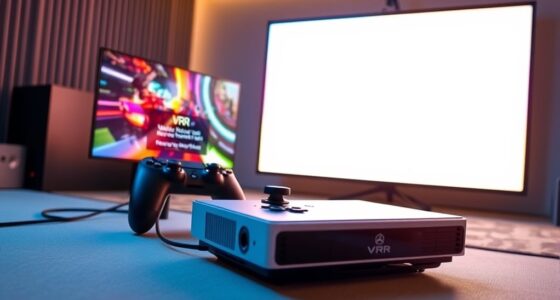
When streaming cloud gaming to a projector, you can generally expect latency between 20 to 50 milliseconds with a stable, fast internet connection of at least 25 Mbps. Wired Ethernet connections help reduce delays, ensuring smoother gameplay. Higher-resolution streams or unstable networks may increase input lag, affecting responsiveness. To get the best experience, optimize your setup and keep your devices updated. If you want to discover more about managing latency, just continue exploring.
Key Takeaways
- Latency depends on internet speed, with 25 Mbps or higher recommended for minimal delay.
- Wired Ethernet connections improve stability and reduce input lag compared to Wi-Fi.
- Higher projector resolutions (1080p, 4K) may increase latency if bandwidth or device processing is insufficient.
- Network stability is crucial; fluctuations cause lag spikes and disrupt smooth gameplay.
- Keeping firmware updated and minimizing bandwidth-heavy activities help maintain low latency during cloud gaming.
Have you ever wondered how to turn a simple projector into a gaming powerhouse? If you’re interested in cloud gaming on a projector, understanding the role of internet speed and projector resolution is essential. These factors directly influence your gaming experience, especially regarding latency and image quality. When streaming games from the cloud, your internet connection becomes the backbone of smooth gameplay. A fast, stable internet speed — ideally at least 25 Mbps for high-quality streams — minimizes lag and buffering, ensuring less delay between your actions and what appears on the screen. The higher your internet speed, the better your chances of enjoying seamless gameplay without frustrating interruptions.
Projector resolution also plays a critical role. The resolution determines how sharp and detailed the game visuals appear. If you’re using a projector with a low resolution, even the fastest internet can’t compensate for pixelation or lack of clarity. Conversely, a high-resolution projector, such as one supporting 1080p or even 4K, will display crisp images that make gaming more immersive. However, keep in mind that higher resolutions demand more bandwidth. If your internet speed isn’t sufficient, you might experience increased latency or lower image quality, which diminishes the overall gaming experience.
Latency, or input delay, is another essential aspect when gaming on a projector via cloud streaming. You want to keep latency as low as possible to enjoy responsive gameplay. With a fast internet connection, the data travels swiftly between the cloud servers and your projector, reducing delay. But even with ideal internet speed, projector resolution affects how quickly images render. A projector with slower processing capabilities might introduce additional lag or visual lag, so it’s imperative to choose a device that can handle high-resolution streaming efficiently. Additionally, network stability is crucial, as fluctuations can cause lag spikes that disrupt gameplay.
To enhance your cloud gaming session on a projector, start by ensuring your internet speed is robust enough for streaming games smoothly. Use a wired Ethernet connection if possible, as it offers more stability than Wi-Fi. Next, select a projector with a resolution that matches your gaming expectations and your bandwidth capacity. Keep your device’s firmware updated and minimize other bandwidth-consuming activities during gaming sessions. By balancing internet speed, projector resolution, and device performance, you can greatly reduce latency and enjoy a near-console experience right on your wall or screen. Ultimately, the key is to create a setup where your internet connection and projector capabilities align, delivering crisp visuals with minimal lag for a truly immersive cloud gaming experience.
best wired Ethernet adapters for gaming
As an affiliate, we earn on qualifying purchases.
As an affiliate, we earn on qualifying purchases.
Frequently Asked Questions
How Does Ambient Lighting Affect Projector Gaming Latency?
Ambient light can increase your projector gaming latency because it washes out the image, making it harder for your eyes to focus quickly. When there’s more ambient light, you might need to turn up your projector brightness, which can also add slight delays. To reduce latency, play in a darker room and keep ambient light minimal, ensuring your projector’s brightness is sufficient without causing glare or delays in your gameplay.
Can Specific Projector Features Reduce Latency in Cloud Gaming?
Yes, specific projector features can reduce latency in cloud gaming. Look for models with a high refresh rate, which minimizes input lag, and good color accuracy, ensuring clear visuals even during fast-paced gameplay. These features help create a smoother gaming experience by reducing delays between your input and on-screen action. Choosing a projector with low latency modes or gaming-specific settings further enhances performance, giving you a competitive edge.
What Hardware Upgrades Improve Response Time for Projector-Based Gaming?
Upgrading your projector’s resolution to 4K can enhance image clarity, reducing perceived latency during gaming. Ensuring your gaming controller is compatible with the projector setup minimizes input lag, making responses more immediate. Additionally, investing in a high-quality HDMI cable and a fast processor for your device can further improve response time. These hardware upgrades collectively deliver smoother gameplay, making your cloud gaming experience more responsive and enjoyable.
How Does Network Speed Impact Gameplay on a Projector Setup?
A chain is only as strong as its weakest link, and in your projector setup, network speed directly impacts gameplay. If your network lacks stability or sufficient bandwidth requirements, you’ll experience lag, stutter, and input delay. To enjoy smooth gaming, guarantee your connection is fast and stable. This minimizes latency, giving you a responsive experience and keeping you in the game rather than fighting delay.
Are There Recommended Settings for Minimal Latency in Cloud Gaming?
To minimize latency, guarantee your controller is compatible with your device and use wired connections whenever possible. Adjust your projector resolution to match your streaming quality, reducing processing delays. Enable low-latency or game mode settings on your projector, and optimize your network by reducing bandwidth usage. These tweaks help you enjoy smoother gameplay with less lag, making your cloud gaming experience on a projector more responsive and enjoyable.
4K portable projectors for gaming
As an affiliate, we earn on qualifying purchases.
As an affiliate, we earn on qualifying purchases.
Conclusion
In the end, playing cloud games on a projector is like trying to catch a butterfly with a butterfly net—you might enjoy the chase, but the latency can be frustratingly unpredictable. While modern tech has come a long way, some things still feel like trying to tame a wild stallion. If you’re willing to accept the occasional lag, you’ll find it’s a journey worth taking. Just remember, even the fastest ship needs calm waters to sail smoothly.
low latency cloud gaming controllers
As an affiliate, we earn on qualifying purchases.
As an affiliate, we earn on qualifying purchases.
high bandwidth internet routers for gaming
As an affiliate, we earn on qualifying purchases.
As an affiliate, we earn on qualifying purchases.